Google Maps Scraper

Automate your Google Maps data collection. Export to CSV, Excel, or JSON in just a few minutes!

API Response
Mihai Vinatoru
Mihai Vinatoru
Managing Partner
Outscraper is providing fast and reliable data on Google Maps locations, in a simple and intuitive interface. The platform has advanced features, yet is user friendly enough. In the last 12 months, we used Outscraper to extract relevant public data regarding 120,000+ locations.
Juan G
Juan G
Partner at Growth97
As a Digital Marketing Consultancy, Outscraper has truly been a gamechanger for both our business and our clients. It has allowed us to reach new potential clients and deliver breath-taking ROI campaigns for our clients. Anyone considering using Outscraper I would strongly recommend using it
Travis Howell
Travis Howell
Researcher
Outscraper has been much easier to use than other alternatives, and it has provided me with some great information. Their customer service has been helpful too when I've needed it.
Alex Crivion
Alex Crivion
Envapreneur
Outscraper is the best API service I’ve ever had to discover by pure luck (in an article from Medium.com) - was seeking something like this since 2019 and this platform is the only one actually working and doing the job.
Silvia
Silvia
S1-BRANDING Universitas Prasetiya Mulya
Thank you very much for your reply and help! If you don't mind please deliver my thanks to the developer team. I hope you all thrive!
Piyush
Piyush
CEO
Thank you so much for providing a brilliant platform “Outscraper” to find a huge amount of data in a few minutes, also, thanks for boosting my sales
Nate Lile
Nate Lile
Entrepreneur
I've been testing and using Outscraper for a few weeks now. I'm incredibly happy with their current offerings and I'm looking forward to them adding more public sources. Its stupid easy to use and so affordable. Thanks guys!
Russell Hesse
Russell Hesse
CMO
What an awesome tool for getting marketing lead prospects. It's much faster than the estimates they give when doing a scrape. (It's always good to under-promise & over-deliver to your customers)...
Ashish Kumar
Ashish Kumar
Data analyst and front-end designer
This service has been extremely helpful for me. Apart from their super fast API for various services, their amazing support is something that would make you go back to them. Dana from Outscraper team had helped me tirelessly for 3 days when I got into an issue and the dev team even made a spot update in their SDK package to suit my requirements. Highly recommended!
Dion Kenney
Dion Kenney
COO of Mondofora
I wish I had found it sooner. I've been manually collecting data from Google Maps for the past 15 months! The first search produced more usable data in 20 minutes than my 15 months did altogether.
 Ian Mason
Ian Mason
CTO
Outscraper is the best scraper I've found. I cannot believe how well it works, how much data I get back, with no errors or headaches. I can make any directory site I want now

Usage-based pricing

200 + Reviews on Trustpilot

See why businesses rely on Outscraper for accurate, scalable data extraction.
Read verified feedback from teams using our platform for lead generation and market research.

Our Clients

Trusted by thousands of happy customers worldwide

Pricing Plans

Extract business data, leads, and contacts from Google Maps quickly and effortlessly

Free Tier

Usage before 500 places

$0

Up to 500 places

Starter

Usage after 500 places

$3

/ 1,000 places
501–100k places

Business Tier

Usage after 100,000 places

$1

/ 1,000 places
100k+ places

Our Clients

Trusted by thousands of happy customers worldwide

Get business leads from Google Maps

Extract emails, phone numbers, and addresses without manual work

Why Use Outscraper for Google Maps Scraping?

Extract business data, leads, and contacts from Google Maps quickly and effortlessly

Open book icon inside an orange rounded-square button, indicating documentation or help.

Full Coverage

Access a comprehensive database of businesses and locations across cities, regions, and countries worldwide.
Orange rounded-square button with a white clock icon, indicating a time/history action.

Real Time Data

Get up-to-date business information as it changes, so you always work with fresh and accurate data for better decisions.
Profile icon button for user account access

Lead Generation

Find and collect high-quality business leads, helping you discover new customers and grow your outreach.
Email button with envelope icon to contact us, opens email client

Emails & Contacts

Enrich your data with emails, phone numbers, and contact details to build complete and actionable lists.
Lightning bolt icon button on an orange rounded-square background (quick action/boost)

Limitless Speed

Extract large volumes of data quickly using powerful infrastructure designed for fast and reliable processing.
Orange rounded-square success icon with a white checkmark indicating completion

Cloud Scraping Advantages

Run data extraction in the cloud with no setup, ensuring стабильная работа and no load on your computer.

Data Dictionary

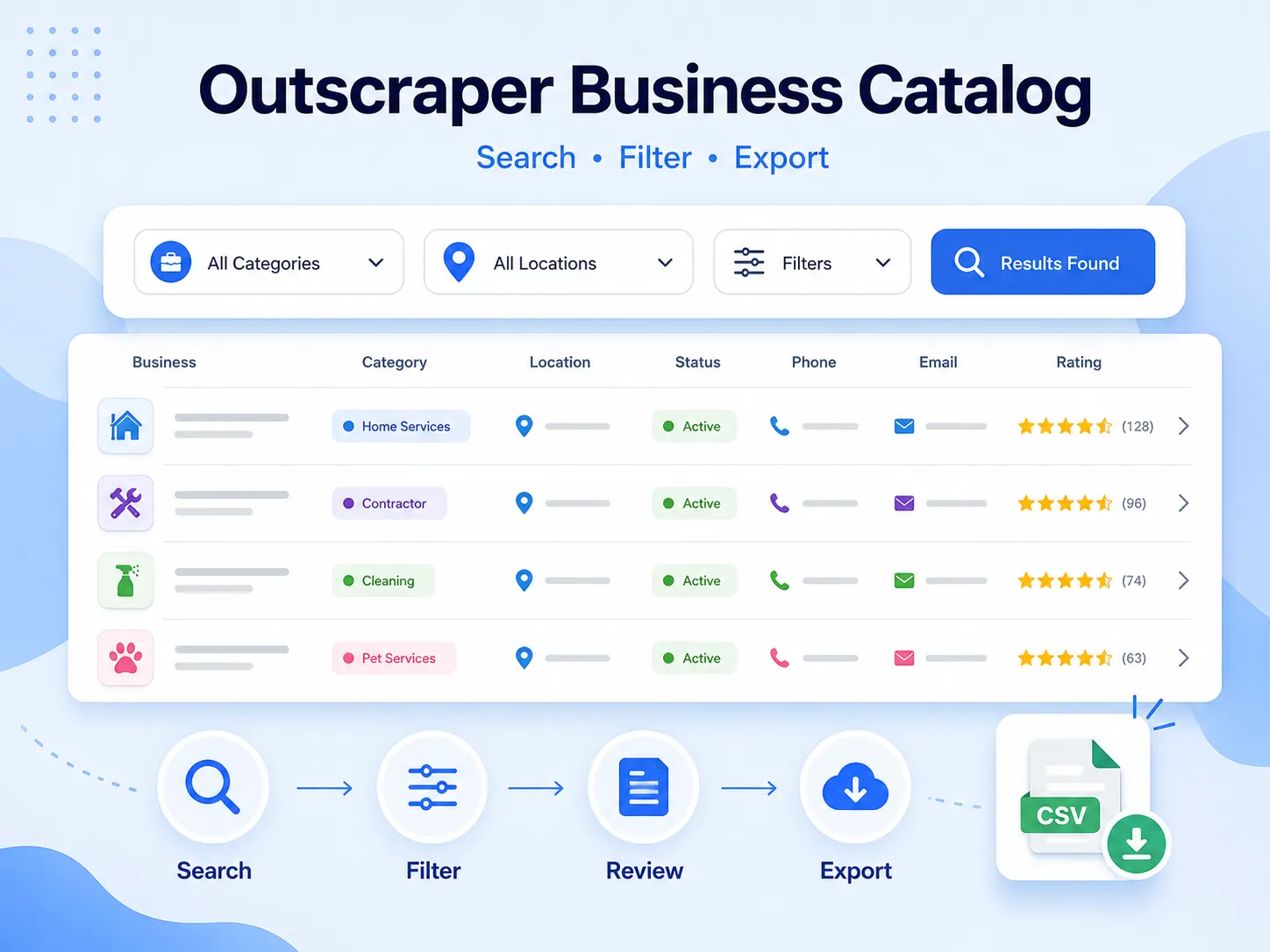
Columns names and descriptions for Google Maps

  • name – name of the place on Google Maps.
  • name_for_emails – name cleaned/normalised for email personalisation.
  • subtypes – all types of the place.
  • type – the type under which the place was found (can be any element from subtypes, search result context).
  • category – category defined by contributors (may be in a local language).
  • phone – place phone number.
  • website – website of the place.
  • address – full formatted address of the place.
  • street – street address (e.g. house number + street).
  • county – county/borough.
  • city – city of the place.
  • state – state/region/province name (when available).
  • state_code – state/region code (e.g. NY for US; when available).
  • postal_code – postal/ZIP code.
  • country – country name.
  • country_code – country code (ISO 3166-1 alpha-2, e.g. US).
  • latitude – latitude of the place location.
  • longitude – longitude of the place location.
  • h3 – H3 index (hexagonal spatial index) for the place location.
  • time_zone – timezone of the place location.
  • plus_code – Open Location Code / Plus Code (works only for individual searches, e.g. query: “Hotel Colombo Berat”, “0x3e49a63f6b05fe3b:0xc73d6b1f31b2ccc8”, learn more).
  • area_service – indicates if the place is a service-area business without a public storefront address.
  • rating – rating of the place.
  • reviews – number of reviews.
  • reviews_link – link to the place’s reviews on Google Maps.
  • reviews_tags – most common review tags (works only for individual searches, e.g. query: “Hotel Colombo Berat”, “0x3e49a63f6b05fe3b:0xc73d6b1f31b2ccc8”, learn more).
  • reviews_per_score – JSON object with reviews per score. Works only when using a business name/category as a query.
  • reviews_per_score_1 – number of 1-star reviews.
  • reviews_per_score_2 – number of 2-star reviews.
  • reviews_per_score_3 – number of 3-star reviews.
  • reviews_per_score_4 – number of 4-star reviews.
  • reviews_per_score_5 – number of 5-star reviews.
  • photos_count – number of photos.
  • photo – main photo URL (when available).
  • street_view – Google Street View image URL (works only for individual searches, e.g. query: “Hotel Colombo Berat”, “0x3e49a63f6b05fe3b:0xc73d6b1f31b2ccc8”, learn more).
  • logo – logo image URL (when available).
  • located_in – name of the parent place where it’s located (works only for individual searches, e.g. query: “Hotel Colombo Berat”, “0x3e49a63f6b05fe3b:0xc73d6b1f31b2ccc8”, learn more).
  • located_google_id  google_id of the parent place where it’s located (works only for individual searches, e.g. query: “Hotel Colombo Berat”, “0x3e49a63f6b05fe3b:0xc73d6b1f31b2ccc8”, learn more).
  • business_status – current status of the business (e.g. operational, temporarily closed).
  • working_hours – JSON object with opening hours.
  • working_hours_csv_compatible – pipe-delimited CSV-compatible opening hours string (used by: Opening Hours Pro, Listing Pro, Business Hours Widget, StoreMapper).
  • other_hours – JSON object with other hours (when available).
  • popular_times – popular times, including live status (e.g. little busy). Works only for individual searches (see learn more).
  • typical_time_spent – how much time people typically spend (e.g. People typically spend 45 min to 2.5 hr here). Works only for individual searches (see learn more).
  • range – price range. Either “$$$” (general searches) or “€10–20” (available only when using place_ids as queries).
  • prices – prices info from various hotel providers (available only when using place_ids as queries).
  • reservation_links – reservation links (when available).
  • booking_appointment_link – link to book an appointment (when available).
  • menu_link – menu link (works only for individual searches, e.g. query: “Hotel Colombo Berat”, “0x3e49a63f6b05fe3b:0xc73d6b1f31b2ccc8”, learn more).
  • order_links – links to place an order (when available).
  • about – additional attributes about the place (e.g. women-owned, LGBTQ+ friendly).
  • description – place description (works only for individual searches; learn more).
  • posts – JSON object with posts from the place (works only for some places; learn more).
  • verified – indicates if the place was claimed/verified.
  • owner_id – unique identifier of the place owner.
  • owner_title – title of the owner’s profile page.
  • owner_link – link to owner profile on Google Maps.
  • location_link – link to the place on Google Maps.
  • location_reviews_link – direct link to the reviews tab (when available).
  • place_id – unique identifier of the place (Google may update it a few times per year).
  • google_id – unique identifier of the place, also known as Feature ID (Google may update it a few times per year).
  • cid – multi-platform ID of a listing in the Google ecosystem.
  • kgmid – Knowledge Graph Machine ID (identifier Google assigns to specific entities).
  • reviews_id – unique identifier of the place’s reviews.

Additional data that might be added by applying Emails & Contacts Scraper enrichment (select it with UI or use the “domains_service” parameter with API). You can learn more about enrichments in this article.

  • domain – website domain.
  • email_1 – the first email found associated with the place.
  • email_2 – the second email found associated with the place.
  • email_3 – the third email found associated with the place.
  • Facebook – link to the Facebook page.
  • Instagram – link to the Instagram page.
  • Twitter – link to the Twitter page.
  • Linkedin – link to the Linkedin page.
  • Youtube – link to the Youtube page.
  • phone_1 – first phone found from the website.
  • phone_2 – second phone found from the website.
  • phone_3 – third phone found from the website.
  • website_title – title of the website (meta tag).
  • website_generator – the platform the website is built on (WordPress, etc.).
  • website_description – description of the website (meta tag).
  • website_keywords – keywords from the website (meta tag).
  • website_has_fb_pixel – shows if FB pixel was found.
  • website_has_gtm – shows if Google Tagmanager code was found.

API Docs

Use the data from your app. Check out the API Docs to see code examples.

How to Scrape Data From Google Maps?

See how it works in a 12-minute video tutorial

Soft blue abstract background with a grid of small squares, creating a digital texture suitable as a tech-themed backdrop.

Related articles

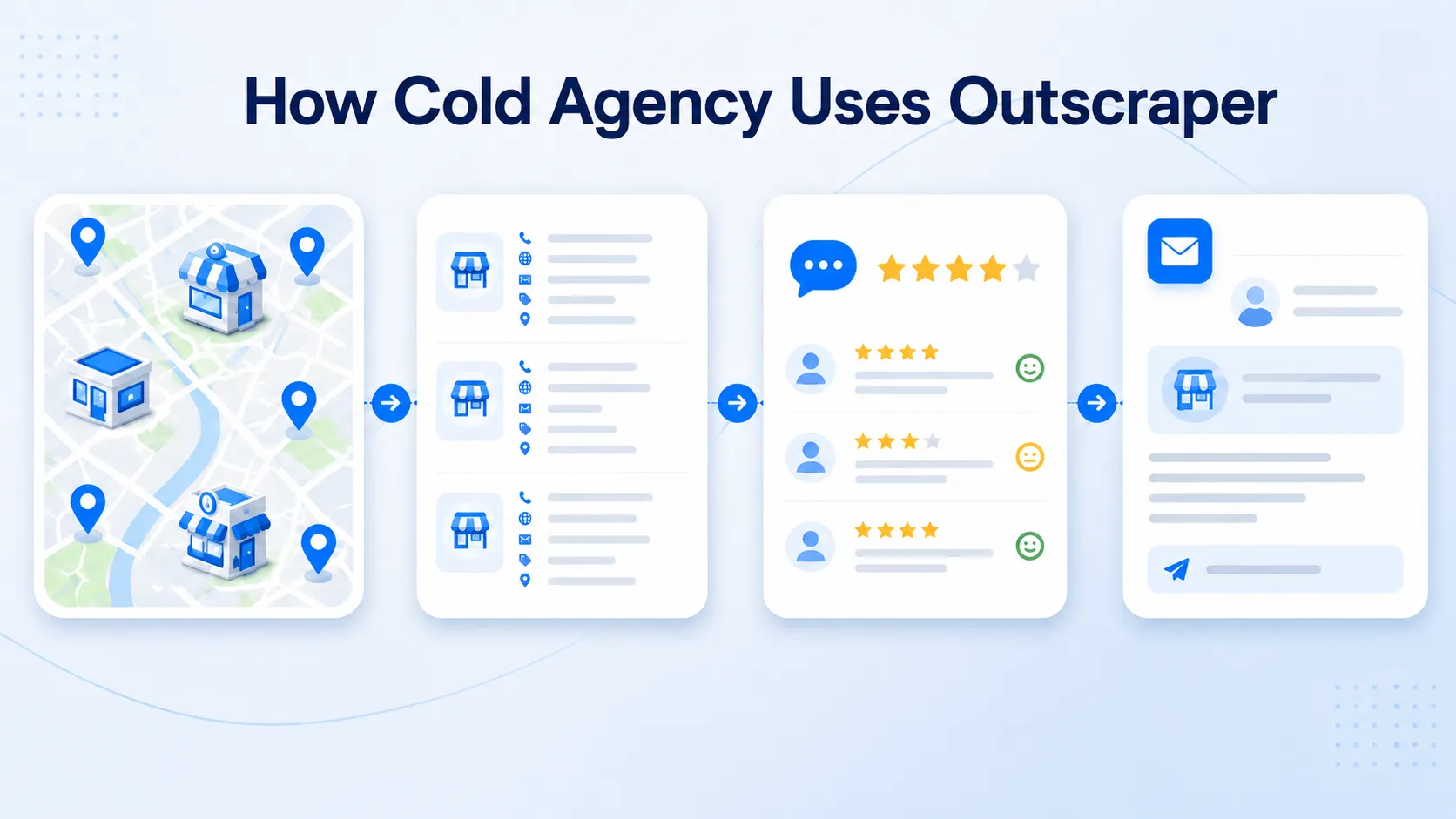
Learn how to find leads, build databases, and grow your business using Google Maps data

Start finding new customers today

Extract business leads, contacts, and locations from Google Maps in minutes
Outscraper logo connected by a plug to Zapier logo, indicating an integration between the platforms.

Automate your workflow with Zapier

Automatically send Google Maps data to your favorite apps and eliminate manual work

Outscraper logo connected by a plug to the HubSpot logo, symbolizing integration between the two services.

Send leads directly to HubSpot

Enrich your CRM with fresh business data and manage leads in one place

Frequently Asked Questions

Answers to common questions about the Google Maps Scraper

Lorem ipsum dolor sit amet, consectetur adipiscing elit. Ut elit tellus, luctus nec ullamcorper mattis, pulvinar dapibus leo.

Lorem ipsum dolor sit amet, consectetur adipiscing elit. Ut elit tellus, luctus nec ullamcorper mattis, pulvinar dapibus leo.

Lorem ipsum dolor sit amet, consectetur adipiscing elit. Ut elit tellus, luctus nec ullamcorper mattis, pulvinar dapibus leo.

Lorem ipsum dolor sit amet, consectetur adipiscing elit. Ut elit tellus, luctus nec ullamcorper mattis, pulvinar dapibus leo.

Lorem ipsum dolor sit amet, consectetur adipiscing elit. Ut elit tellus, luctus nec ullamcorper mattis, pulvinar dapibus leo.

Lorem ipsum dolor sit amet, consectetur adipiscing elit. Ut elit tellus, luctus nec ullamcorper mattis, pulvinar dapibus leo.

Lorem ipsum dolor sit amet, consectetur adipiscing elit. Ut elit tellus, luctus nec ullamcorper mattis, pulvinar dapibus leo.

Lorem ipsum dolor sit amet, consectetur adipiscing elit. Ut elit tellus, luctus nec ullamcorper mattis, pulvinar dapibus leo.

Unlock the full potential of Google Maps data with the advanced Google Maps Data Scraper by Outscraper.

This tool allows you to effortlessly extract valuable information, including…

business details, contact information, reviews, and location data from Google Maps. Designed for efficiency, this automated Google Maps scraping tool ensures quick and accurate data extraction, making it an ideal choice for businesses seeking to enhance their local data mining and business intelligence efforts.

Utilize Google Maps API scraper to gather comprehensive business listings, POIs, and other crucial data. Whether you need to scrape bulk data or perform targeted extractions, this software delivers precise results every time. Perfect for digital marketers, data analysts, and researchers, our Google Maps Scraper simplifies the process of data collection, providing you with actionable insights to drive your strategies.

With features like bulk data extraction, automated scraping, and an intuitive online interface, Google Maps data scraping service stands out as a reliable solution for your data needs. Start using Google Maps Data Scraper today and transform the way you collect and analyze local business information. Enhance your data-driven decisions and gain a competitive edge with the powerful scraping tool. Try it now and experience the ease of extracting data from Google Maps seamlessly with Outscraper.

Start finding new customers today

Extract business leads, contacts, and locations from Google Maps in minutes

API Response