جدول المحتويات
What Data Does Google Maps Provide?
Google Maps holds a lot of information about a location. Photos, reviews, addresses, working hours, website, phone number, plus code are the data shared on the main screen.
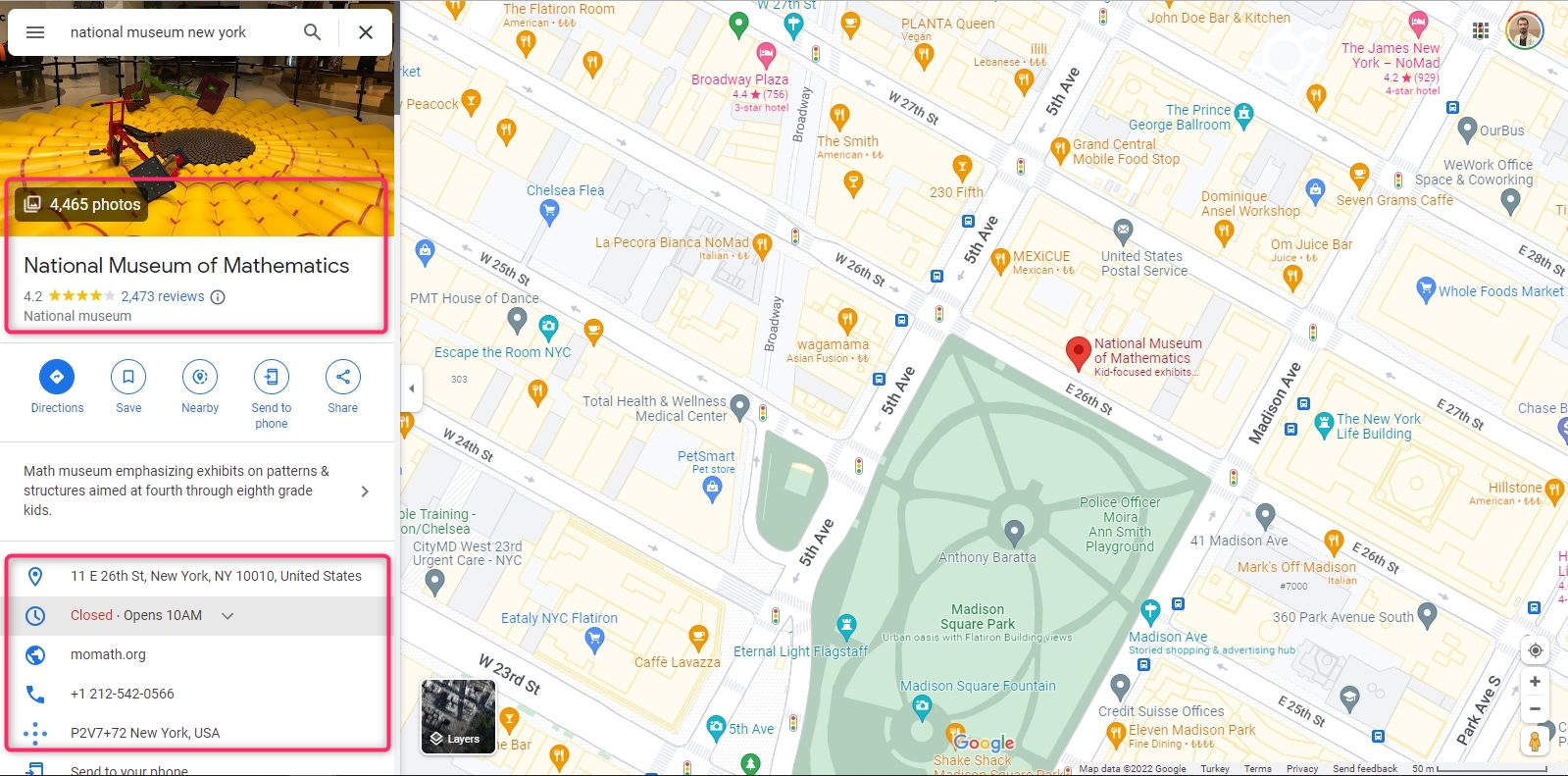
Although it is not visible on the main screen, there are many data about the location on Google Maps. Longitude and latitude are two of them. A scraping service must be used to extract all Google Maps data about the location. Outscraper Google Maps Data Scraper is one of these services. Outscraper extracts more than 45 data from a place on Google Maps. The data list is as follows:
- name - اسم المكان على خرائط Google.
- موقع - الموقع الإلكتروني للمكان.
- type - نوع المكان الذي عُثر فيه عليه (يمكن أن يكون أي عنصر من العناصر الفرعية).
- الأنواع الفرعية - جميع أنواع الأماكن.
- الفئة - النوع الرئيسي للمكان (قد يكون أحيانًا باللغة المحلية).
- هاتف - أدخل رقم الهاتف.
- العنوان الكامل - العنوان الكامل للموقع.
- البلدة - الحي الذي يقع فيه المكان.
- شارع - شارع المكان.
- مدينة - مدينة وموقع المكان.
- رمز بريدي - الرمز البريدي للموقع.
- حالة - حالة موقع المكان.
- us_state - حالة موقع المكان (سيتم إزالتها في الإصدارات المستقبلية).
- بلد - البلد الذي يقع فيه المكان.
- الرقم الدولي - رمز الدولة للموقع.
- خط العرض - خط العرض لموقع المكان.
- خط الطول - خط الطول لموقع المكان.
- وحدة زمنية - المنطقة الزمنية للموقع.
- plus_code - رمز الموقع "Location Plus" أو رمز الموقع المفتوح (يعمل فقط في البحث الفردي، على سبيل المثال: الاستعلام: "Hotel Colombo Berat"، «0x3e49a63f6b05fe3b:0xc73d6b1f31b2ccc8»).
- تقييم - تقييم المكان.
- المراجعات - عدد التقييمات
- تعليقات_رابط - رابط إلى تقييمات المكان.
- الاستعراضات_في_الدرجة - كائن JSON يحتوي على التقييمات حسب الدرجة.
- عدد الصور - عدد الصور الملتقطة في المكان.
- صورة فوتوغرافية - رابط صورة للمكان.
- عرض الشارع - رابط صورة لعرض الشارع الخاص بالمكان.
- ساعات العمل - كائن JSON يحتوي على ساعات العمل الخاصة بالمكان.
- work_hours_old_format - ساعات العمل في المكان.
- أوقات_الشعبية - الأوقات الأكثر إقبالاً في المكان (لا يعمل إلا مع البحث الفردي، على سبيل المثال: الاستعلام: "فندق كولومبو بيرات"، "0x3e49a63f6b05fe3b:0xc73d6b1f31b2ccc8").
- حالة_العمل - الوضع الحالي للشركة.
- حول - معلومات إضافية عن المكان (مثل: يُعرف بأنه مملوك لنساء، أو صديق لمجتمع LGBTQ+).
- الوصف - وصف المكان.
- نطاق - النطاق السعري للمكان.
- دعامات - كائن JSON يحتوي على المنشورات الخاصة بالمكان (لا يعمل إلا مع بعض الأماكن).
- تم التحقق - indicates if the place was claimed.
- بطاقة هوية المالك - المعرّف الفريد لمالك المكان.
- owner_title - عنوان صفحة الملف الشخصي للمالك.
- owner_link - رابط إلى ملف تعريف المالك على خرائط Google.
- روابط الحجز - رابط لإجراء الحجز.
- الحجز_تعيين_رابط - رابط لحجز موعد.
- رابط القائمة - رابط إلى القائمة.
- روابط الطلبات - رابط لتقديم طلب.
- رابط_الموقع - رابط للموقع على خرائط جوجل.
- معرّف_المكان - المعرّف الفريد للمكان (قد تقوم Google بتحديثه بضع مرات في السنة).
- google_id - المعرّف الفريد للموقع، والمعروف أيضًا باسم «Feature ID» (قد تقوم Google بتحديثه بضع مرات في السنة).
- cid - معرّف متعدد المنصات لإعلان ما ضمن منظومة Google.
- reviews_id - المعرّف الفريد لتعليقات الأماكن.
Using Outscraper and extracting data is very easy. It is much faster than collecting data manually. It saves time. Let’s look at ways to manually and automatically collect longitude and latitude data from Google Maps.
Collecting Longitude and Latitude Data on Google Maps Manually
Google Maps does not directly show the location’s longitude and latitude information on the home screen. But it can be seen in the right-click menu.
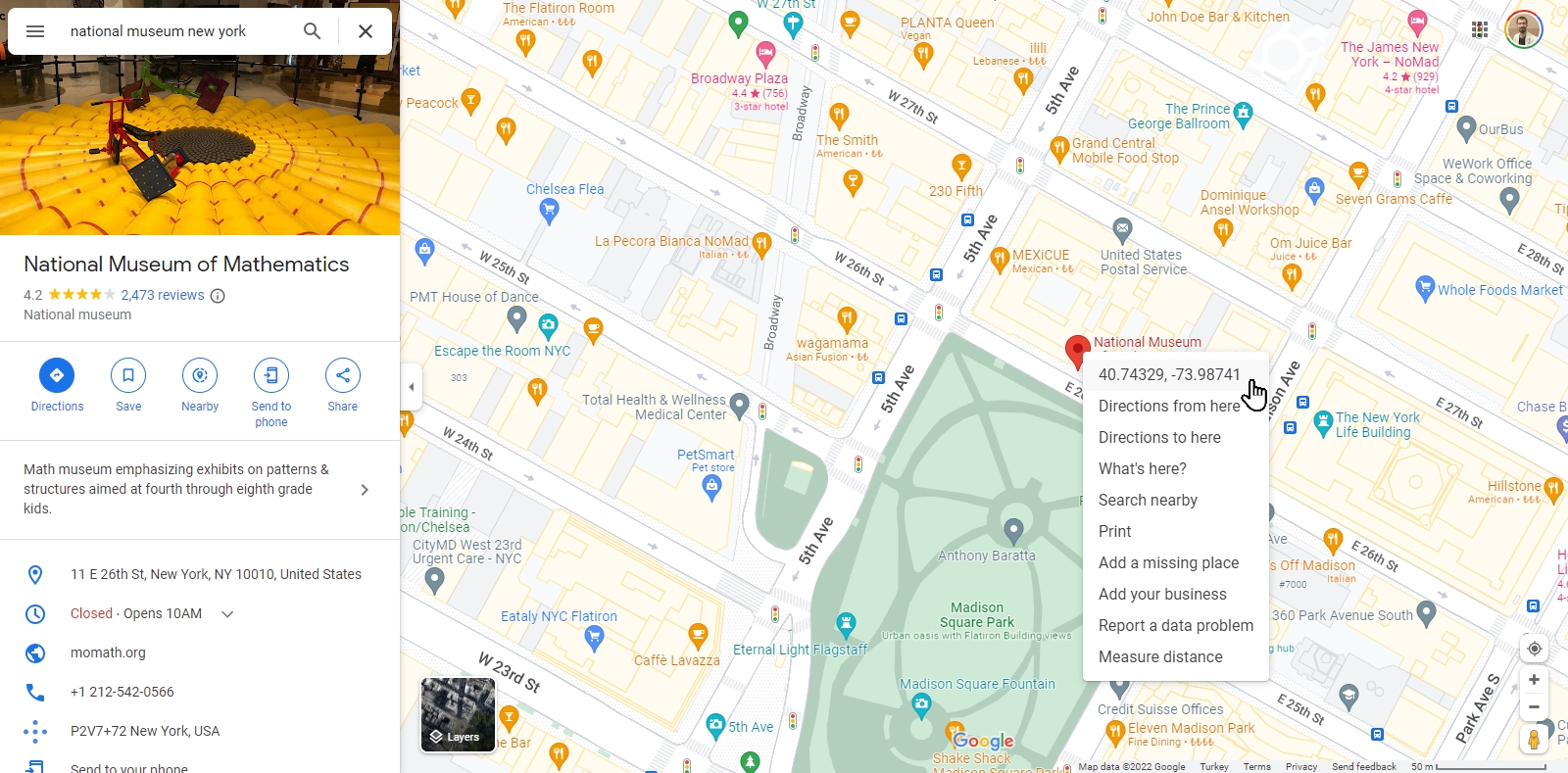
Clicking on the “Longitude and Latitude” line will copy this data to the clipboard. The data “40.7432294426243494, -73.98741247232803” is expressed in a text like this.
So what should you do if you want to find the coordinates of multiple places, for example, all museums in New York? Or from the Google Maps URL list of your locations?
For each location, “hover over the location pin, right-click, copy and paste” steps take a lot of time. Outscraper offers a solution to this issue with its Google Maps scraping service. Outscraper أداة استخراج البيانات من خرائط Google service can extract the longitude and latitude data from both categories and URLs in bulk.
How to Extract Longitude and Latitude From Google Maps in Bulk?
There are two ways to extract longitude and latitude with Outscraper’s Google Maps Data Scraper service cumulatively. The first is to create a scraping task by specifying a location and category. The second is to create a task using location URLs.
When creating a scraping task, selecting the location and category is enough. If you need to create more complex tasks, it is recommended that you look at this article: “الشروع في استخدام كشط خرائط Google.”
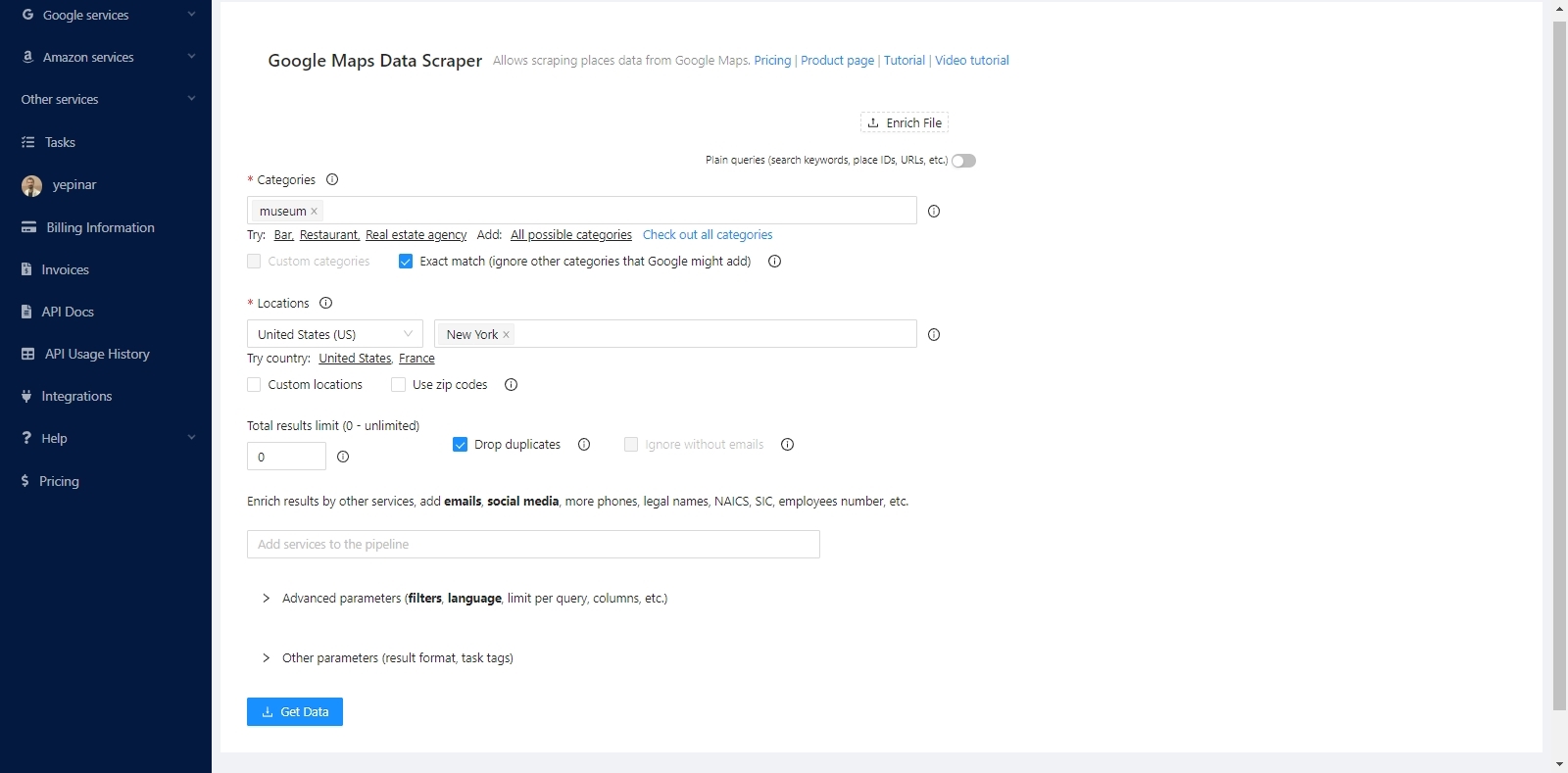
The service will find all the museums in New York and list the coordinates of these museums one by one. It will extract both coordinates and all other data.
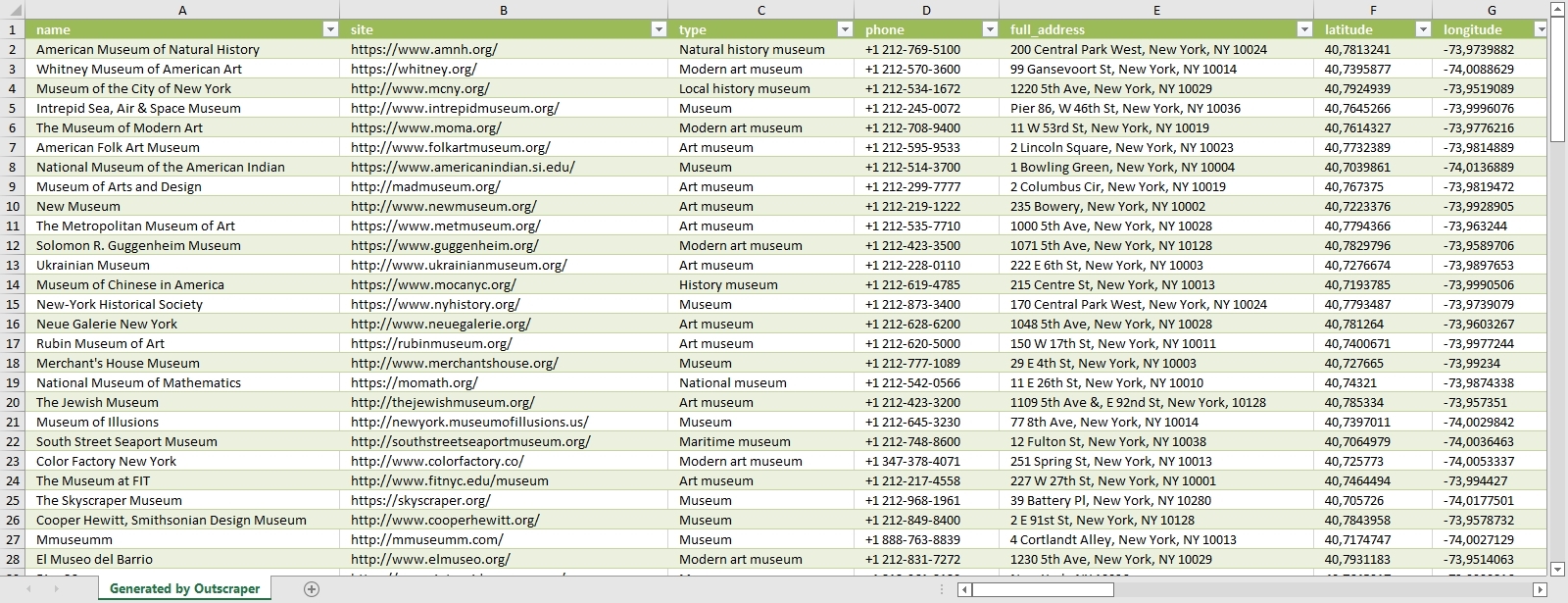
The data of all museums are sorted and listed in the result file. Each place and its data are listed one below the other. The result file can be in CSV/XLSX/JSON/Parquet format. And it can be opened with a spreadsheet viewer like Google Sheets.

“Plain queries” mode must be activated to extract coordinates with Google Maps links. In this mode, a category and location do not have to be selected. It is sufficient to just copy and paste the Google Maps links of the places.
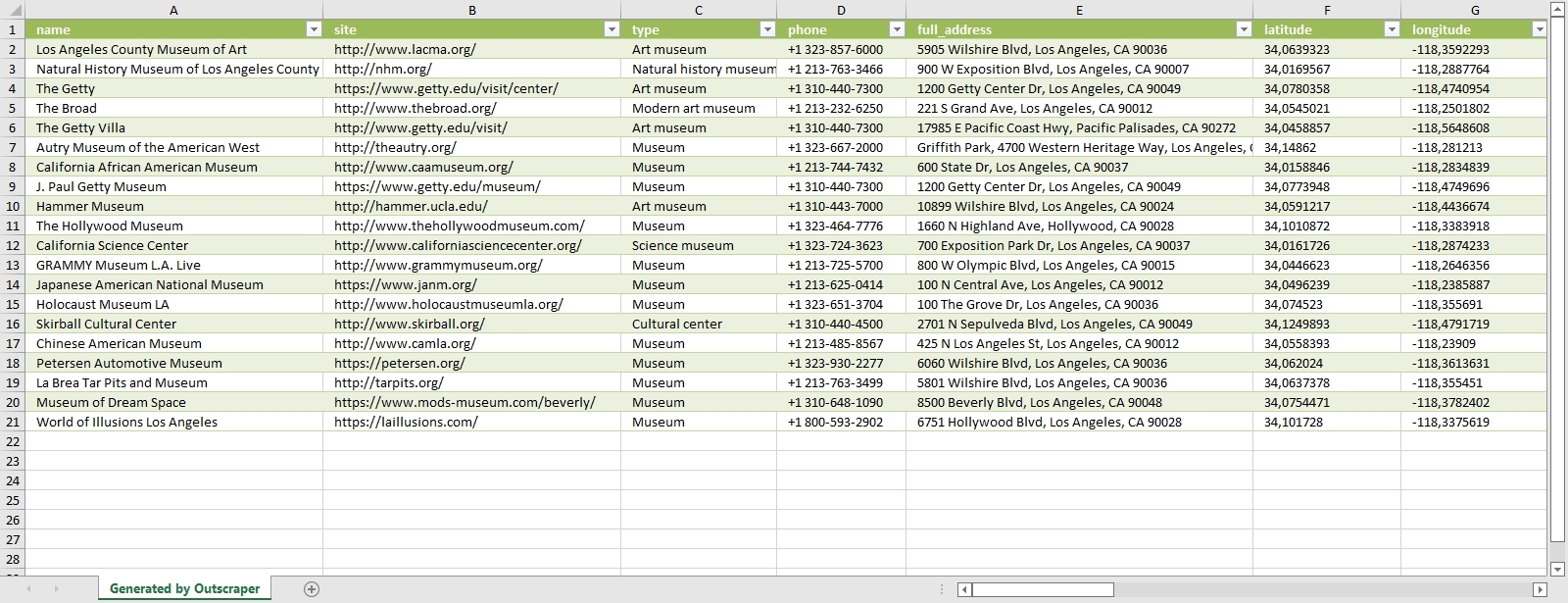
Results will be listed in the same way. It is possible to extract coordinates collectively in both ways. Whichever way is suitable for the intended use is preferred. You can try these two ways by signing up for Outscraper now.
Try for Free Now
It is free to try Outscraper أداة استخراج البيانات من خرائط Google service with the free tier. Outscraper bills with the pay-as-you-go model. You only pay for what you use. There is no fixed monthly fee. Test first and then use more for your project.
التعليمات
الأسئلة والأجوبة الأكثر شيوعًا
The only way to search and list all restaurants without skipping any of them is to use zip codes. For this, we recommend that you take a look at the “Scraping All Places From Google Maps” tutorial.
There are more than 650,000 restaurants in the US. The list and dataset of all these restaurants can be obtained with the Outscraper Google Maps Data Scraper service.
The best way to find restaurant data is with Google Maps. Restaurants in all states and cities can be easily found on Google Maps. The data of these restaurants can be extracted with the Outscraper Google Maps Data Scraper service.
There are more than 5,000 categories in Google Maps. Dozens of different categories determine the types of restaurants. Results can be filtered by choosing from these categories.



0 Comments