
Local Businesses Extractor
Scrape business information from Google Maps into CSV/XLSX files.
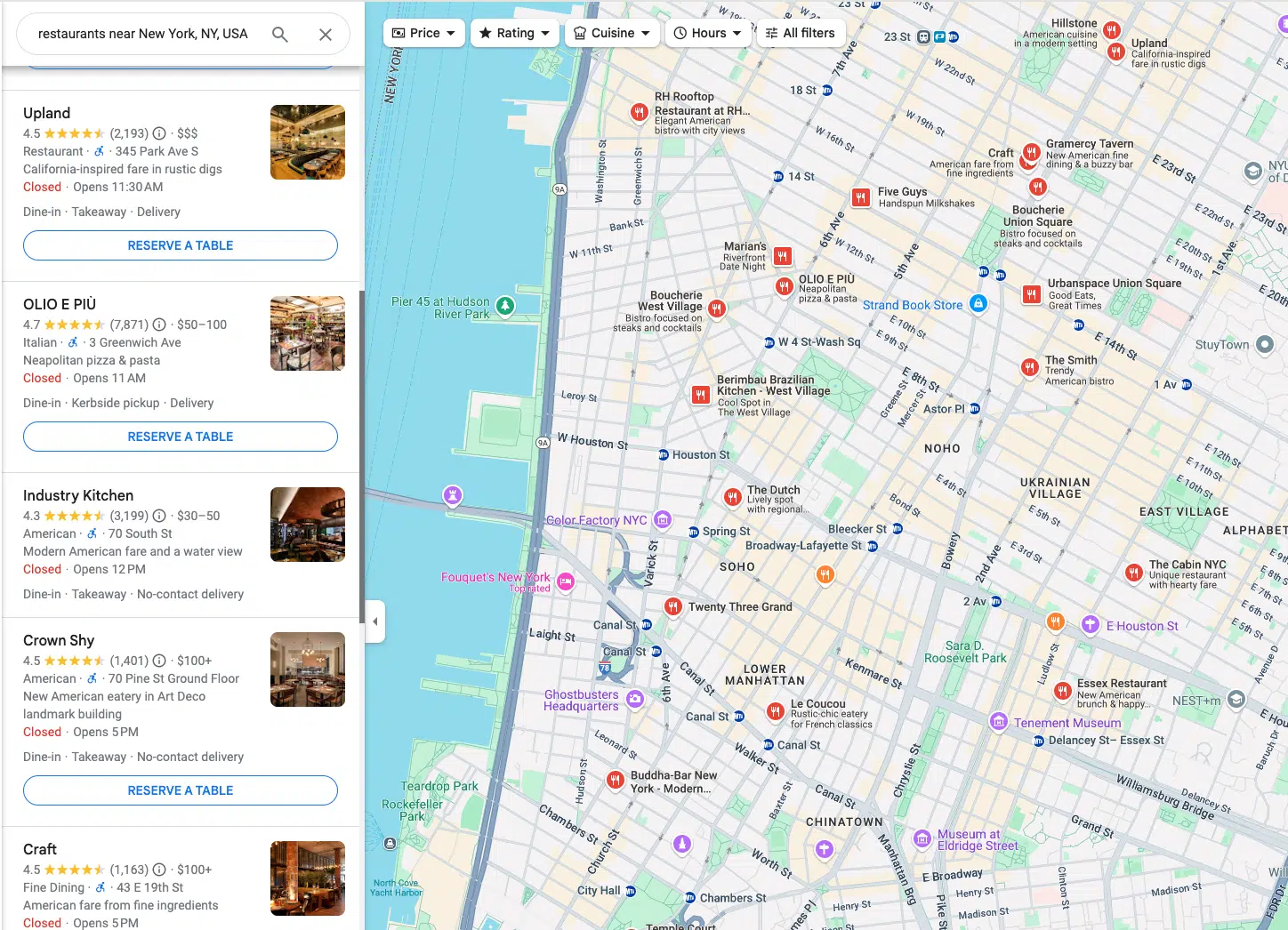
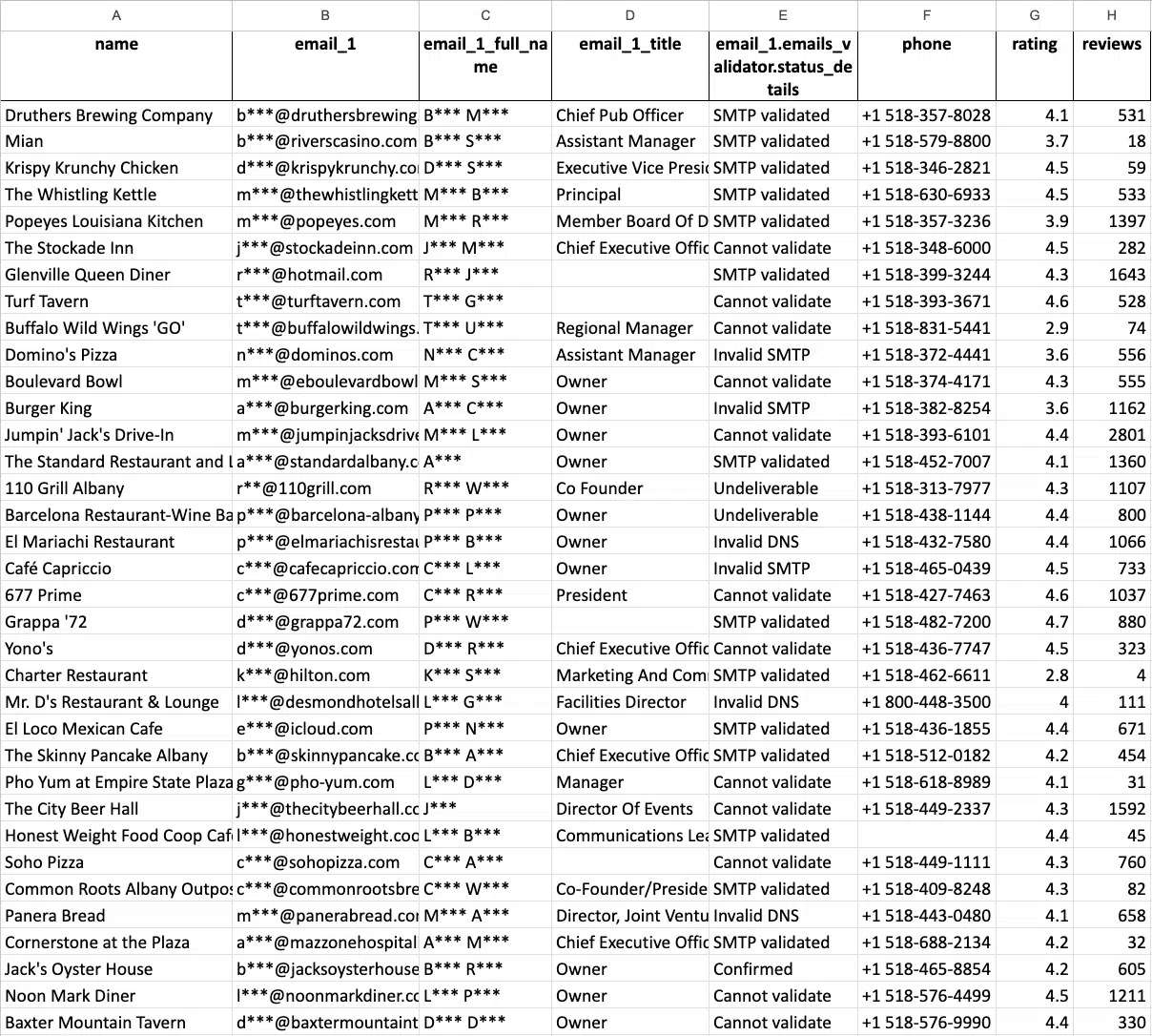
Demo Extraction

Pricing Plans
No monthly fees. Pay as you go only for the records you extracted.
Free Tier
Usage before 500 businesses- Free for the first 500 businesses (places)
- CSV/Excel/Parquet/JSON
- Enrichments
Medium Tier
Usage after 500 businesses- Price per 1k records for the usage from 501 to 100k businesses (places)
- CSV/Excel/Parquet/JSON
- Advanced filters
- Enrichments
- API access
Business Tier
Usage after 100,000 businesses- Price per 1k records for the usage after 100k businesses (places)
- CSV/Excel/Parquet/JSON
- Advanced filters
- Enrichments
- API access
- Unlimited
Data Dictionary
Columns names and descriptions for Google Maps.
- name – name of the place on Google Maps.
- name_for_emails – name cleaned/normalised for email personalisation.
- subtypes – all types of the place.
- type – the type under which the place was found (can be any element from subtypes, search result context).
- category – category defined by contributors (may be in a local language).
- phone – place phone number.
- website – website of the place.
- address – full formatted address of the place.
- street – street address (e.g. house number + street).
- county – county/borough.
- city – city of the place.
- state – state/region/province name (when available).
- state_code – state/region code (e.g. NY for US; when available).
- postal_code – postal/ZIP code.
- country – country name.
- country_code – country code (ISO 3166-1 alpha-2, e.g. US).
- latitude – latitude of the place location.
- longitude – longitude of the place location.
- h3 – H3 index (hexagonal spatial index) for the place location.
- time_zone – timezone of the place location.
- plus_code – Open Location Code / Plus Code (works only for individual searches, e.g. query: “Hotel Colombo Berat”, “0x3e49a63f6b05fe3b:0xc73d6b1f31b2ccc8”, learn more).
- area_service – indicates if the place is a service-area business without a public storefront address.
- rating – rating of the place.
- reviews – number of reviews.
- reviews_link – link to the place’s reviews on Google Maps.
- reviews_tags – most common review tags (works only for individual searches, e.g. query: “Hotel Colombo Berat”, “0x3e49a63f6b05fe3b:0xc73d6b1f31b2ccc8”, learn more).
- reviews_per_score – JSON object with reviews per score. Works only when using google_id or a business name/category as a query.
- reviews_per_score_1 – number of 1-star reviews.
- reviews_per_score_2 – number of 2-star reviews.
- reviews_per_score_3 – number of 3-star reviews.
- reviews_per_score_4 – number of 4-star reviews.
- reviews_per_score_5 – number of 5-star reviews.
- photos_count – number of photos.
- photo – main photo URL (when available).
- street_view – Google Street View image URL (works only for individual searches, e.g. query: “Hotel Colombo Berat”, “0x3e49a63f6b05fe3b:0xc73d6b1f31b2ccc8”, learn more).
- logo – logo image URL (when available).
- located_in – name of the parent place where it’s located (works only for individual searches, e.g. query: “Hotel Colombo Berat”, “0x3e49a63f6b05fe3b:0xc73d6b1f31b2ccc8”, learn more).
- located_google_id – google_id of the parent place where it’s located (works only for individual searches, e.g. query: “Hotel Colombo Berat”, “0x3e49a63f6b05fe3b:0xc73d6b1f31b2ccc8”, learn more).
- business_status – current status of the business (e.g. operational, temporarily closed).
- working_hours – JSON object with opening hours.
- working_hours_csv_compatible – pipe-delimited CSV-compatible opening hours string (used by: Opening Hours Pro, Listing Pro, Business Hours Widget, StoreMapper).
- other_hours – JSON object with other hours (when available).
- popular_times – popular times, including live status (e.g. little busy). Works only for individual searches (see learn more).
- typical_time_spent – how much time people typically spend (e.g. People typically spend 45 min to 2.5 hr here). Works only for individual searches (see learn more).
- range – price range. Either “$$$” (general searches) or “€10–20” (available only when using place_ids as queries).
- prices – prices info from various hotel providers (available only when using place_ids as queries).
- reservation_links – reservation links (when available).
- booking_appointment_link – link to book an appointment (when available).
- menu_link – menu link (works only for individual searches, e.g. query: “Hotel Colombo Berat”, “0x3e49a63f6b05fe3b:0xc73d6b1f31b2ccc8”, learn more).
- order_links – links to place an order (when available).
- about – additional attributes about the place (e.g. women-owned, LGBTQ+ friendly).
- description – place description (works only for individual searches; learn more).
- posts – JSON object with posts from the place (works only for some places; learn more).
- verified – indicates if the place was claimed/verified.
- owner_id – unique identifier of the place owner.
- owner_title – title of the owner’s profile page.
- owner_link – link to owner profile on Google Maps.
- location_link – link to the place on Google Maps.
- location_reviews_link – direct link to the reviews tab (when available).
- place_id – unique identifier of the place (Google may update it a few times per year).
- google_id – unique identifier of the place, also known as Feature ID (Google may update it a few times per year).
- cid – multi-platform ID of a listing in the Google ecosystem.
- kgmid – Knowledge Graph Machine ID (identifier Google assigns to specific entities).
- reviews_id – unique identifier of the place’s reviews.
Additional data that might be added by applying Emails & Contacts Scraper enrichment (select it with UI or use the “domains_service” parameter with API). You can learn more about enrichments in this article.
- domain – website domain.
- email_1 – the first email found associated with the place.
- email_2 – the second email found associated with the place.
- email_3 – the third email found associated with the place.
- Facebook – link to the Facebook page.
- Instagram – link to the Instagram page.
- Twitter – link to the Twitter page.
- Linkedin – link to the Linkedin page.
- Youtube – link to the Youtube page.
- phone_1 – first phone found from the website.
- phone_2 – second phone found from the website.
- phone_3 – third phone found from the website.
- website_title – title of the website (meta tag).
- website_generator – the platform the website is built on (WordPress, etc.).
- website_description – description of the website (meta tag).
- website_keywords – keywords from the website (meta tag).
- website_has_fb_pixel – shows if FB pixel was found.
- website_has_gtm – shows if Google Tagmanager code was found.
API Docs
Use the data from your app. Check out the API Docs to see code examples.
Use Cases
Development
Use our API to build new apps. Integrate an unlimited amount of data into your existing platform.
Data Science
Build cutting-edge technologies with relevant data. Power data into your AI and Machine learning models.
Marketing & Lead Generation
Use Google Maps for prospecting new customers.
Why Scrape With Outscraper?
Reliability
Outscraper services are trusted by thousands of happy customers worldwide — from individuals to big enterprises.
Cutting-edge Technologies
Apply cutting-edge technologies to scraping in order to make sure you get exactly what you need.
Regular Updates
Our team keeps the software up to date so you can keep on scraping despite any site changes.
Speed
Access powerful servers placed in many locations to make sure you receive the data in time.
Cloud Scraping
Avoid getting your IP compromised by scraping the data via Outscraper cloud servers.
Limitless
All extractions are handled by Outscraper's core which was specially designed to be able to handle millions of tasks simultaneously.
Try Outscraper for free with a monthly renewable Free Tier.
What Clients Say?


Your review will motivate our team a lot! Use Product Hunt, Trustpilot, or Capterra to post it.
Our Clients
Trusted by thousands of happy customers worldwide.


Contact Us
Questions, special needs, issues... Always happy to hear from you.
FAQ
Most frequent questions and answers
- Login to Google Maps scraper.
- Select categories you want to extract.
- Select locations from the dropdown.
- Select language and check other advanced parameters.
- Click “Scrape data”.