Table of Contents
Introduction
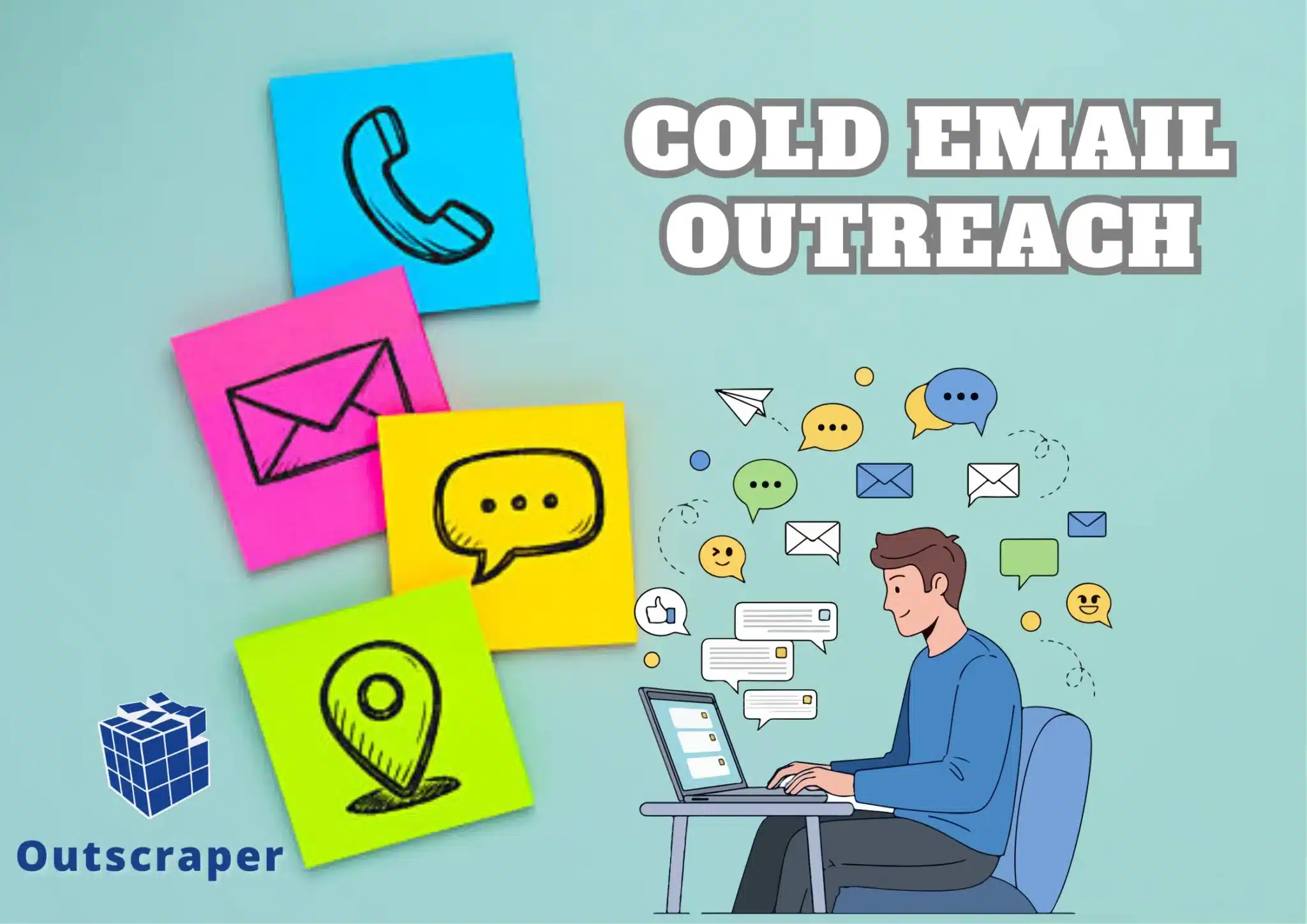
In digital marketing and sales, cold email outreach remains a powerful tool for generating leads and building relationships. However, many professionals struggle in the process, from identifying potential leads to crafting messages that reduce bounce back.
Even the required outlines that follow a comprehensive workflow for cold email outreach, including thorough qualifications for leads, crafting engaging messages, managing follow-ups, and other compliance with existing laws for data (GDPR, CCPA, CAN-SPAM regulations).
These underlying conditions, if not met, will have serious consequences that can affect engagement rates (lower), damage brand reputation, or, in the worst case, result in missed opportunities and the loss of valuable leads. This article will show how to create an effective scraping for a cold email outreach workflow. And how Outscraper’s enrichment makes a difference in scraping to the first reply on the cold email outreach.
Why Cold Email Outreach Workflow
Cold email outreach is a strategic approach to connect with potential clients or partners who have not previously interacted with your business. Providing a structured method to maximize engagement and conversion rates. Based on Mailchimp’s analysis of segmented vs. non-segmented campaigns, it found segmented campaigns had 14.31% higher opens, 100.95% higher clicks, 4.65% lower bounces, 3.90% lower abuse reports, and 9.37% lower unsubscribes.
That explains the effectiveness of email outreaches. Moreover, the cold email outreach workflow emphasizes the importance of preparation, personalization, and follow-up. By following a systematic approach, businesses can effectively reach out to prospects, build relationships, and ultimately drive conversions. The workflow includes steps such as research, crafting compelling emails, tracking responses, and refining strategies based on the feedback received.
By identifying specific target groups based on demographics, interests, or behaviors, you can tailor your outreach messages to resonate with each segment. This targeted approach increases the likelihood of engagement and conversion. And allows tracking and data analytics to be more effective, and can be personalized in terms of outreach and easier in follow-ups.
Effective Workflow for Cold Outreaches
Cold outreach involves contacting potential customers who have not previously interacted with your brand. This method can take various forms, including emails, phone calls, and social media messages. The primary goal is to introduce your product or service, generate interest, and initiate a conversation that could lead to a sale. The following are the most effective ways of securing cold outreaches:
- Define Your Goals
Before initiating any outreach, it’s crucial to define your objectives. Are you looking to generate leads, schedule meetings, or promote a product? Clear goals will guide your messaging and help measure success. - Identify Your Target Audience
Understanding your target audience is key to effective outreach. Create buyer personas that outline demographics, interests, and pain points. This will help tailor your messaging to resonate with potential recipients. - Research Prospects
Conduct thorough research on your identified prospects. Use platforms like industry forums, social media, or company websites to gather information about their needs and challenges. This knowledge will enable you to personalize your emails effectively. - Craft Email Content
4.1 Subject Line
The subject line is the first impression. Make it catchy and relevant to encourage opens. Aim for clarity and curiosity without being too persistent for sales.
4.2 Email Body Personalization
Start with a personalized greeting and mention something specific about the recipient or their company.
Value Proposition
Clearly articulate how your product or service can solve their problems or add value.
Call to Action (CTA): Include a clear and concise CTA, whether it’s scheduling a call, replying to the email, or visiting your website.
4.3 Signature
End with a professional signature that includes your name, position, company, and contact information.
5. Choose the Right Tools
Outscraper integrates with HubSpot and supports broader workflow connections through tools such as Zapier, Google Sheets, Webhooks, n8n, and other CRMs. It can make outreach effective, which can help manage campaigns, track responses, and analyze performance.
6. Send Emails
Timing can significantly impact your outreach success. Research suggests that sending emails on Tuesdays or Thursdays during business hours often yields better results.
7. Track and Analyze Responses
Monitor your email metrics, including open rates, click-through rates, and responses. This data will help you understand what’s working and what needs improvement.
8. Follow Up
Don’t hesitate to follow up with prospects who haven’t responded. A gentle reminder can often rekindle interest. HubSpot cites data in its follow-up article that reps who send at least one follow-up lift reply rate from 16% to 27%.
8.1 Follow-Up Strategy
- Timing: Wait a few days to a week before sending a follow-up email.
- Content: Keep it brief and reference your previous email. Reiterate your value proposition and CTA.
9. Refine Your Approach
Based on the data collected, refine your outreach strategy. Experiment with different subject lines, email formats, and CTAs to see what resonates best with your audience.
10. Maintain Relationships
Even if a prospect doesn’t convert immediately, maintaining a relationship can lead to future opportunities. Consider sending occasional updates or valuable content to keep the lines of communication open.
The Role of Data in Cold Outreach
Successful cold outreach relies heavily on data. Understanding your target audience is crucial for crafting personalized messages that resonate. This is where Outscraper comes into play. Outscraper is a web scraping tool that allows users to extract data from various online sources, making it easier to gather valuable information about potential leads.
How Outscraper Works
Outscraper operates by automating the data extraction process from websites, directories, and social media platforms. Users can specify the type of data they need, such as email addresses, phone numbers, company names, and more. The tool then compiles this information into a structured format, ready for use in outreach campaigns.
Key Features of Outscraper
- Customizable Data Extraction: Users can tailor their scraping requests to gather specific information relevant to their outreach goals.
- Integration with Other Tools: Outscraper can be integrated with various CRM and marketing automation tools, allowing for seamless data transfer and management.
- Real-Time Data Updates: The tool provides access to the most current data, ensuring that outreach efforts are based on accurate and up-to-date information.
- User-Friendly Interface: Outscraper is designed to be intuitive, making it accessible for users with varying levels of technical expertise.
Benefits of Using Outscraper in Cold Outreach
1. Enhanced Targeting
By utilizing Outscraper, businesses can identify and target specific demographics or industries. This precision allows for more tailored outreach, increasing the likelihood of engagement.
2. Time Efficiency
Manually gathering data can be time-consuming and labor-intensive. Outscraper automates this process, freeing up valuable time for marketers to focus on crafting compelling outreach messages.
3. Improved Data Quality
Outscraper supports list quality with tools such as Email Address Finder, Email Address Validator, and Emails & Contacts Scraper for collecting and enriching public business contact data, reducing the chances of reaching out to incorrect or outdated contacts. This leads to higher response rates and better overall campaign performance.
4. Scalability
As businesses grow, so do their outreach needs. Outscraper allows for scalable data extraction, enabling companies to expand their outreach efforts without a proportional increase in workload.
Implementing Outscraper in Your Cold Outreach Workflow
Step 1: Define Your Target Audience
Before using Outscraper, clearly define your target audience. Consider factors such as industry, company size, location, and job titles. This will help you formulate effective scraping requests.
Step 2: Set Up Your Outscraper Account
Create an account on Outscraper and familiarize yourself with its features. Explore the documentation and tutorials available to maximize your understanding of the tool.
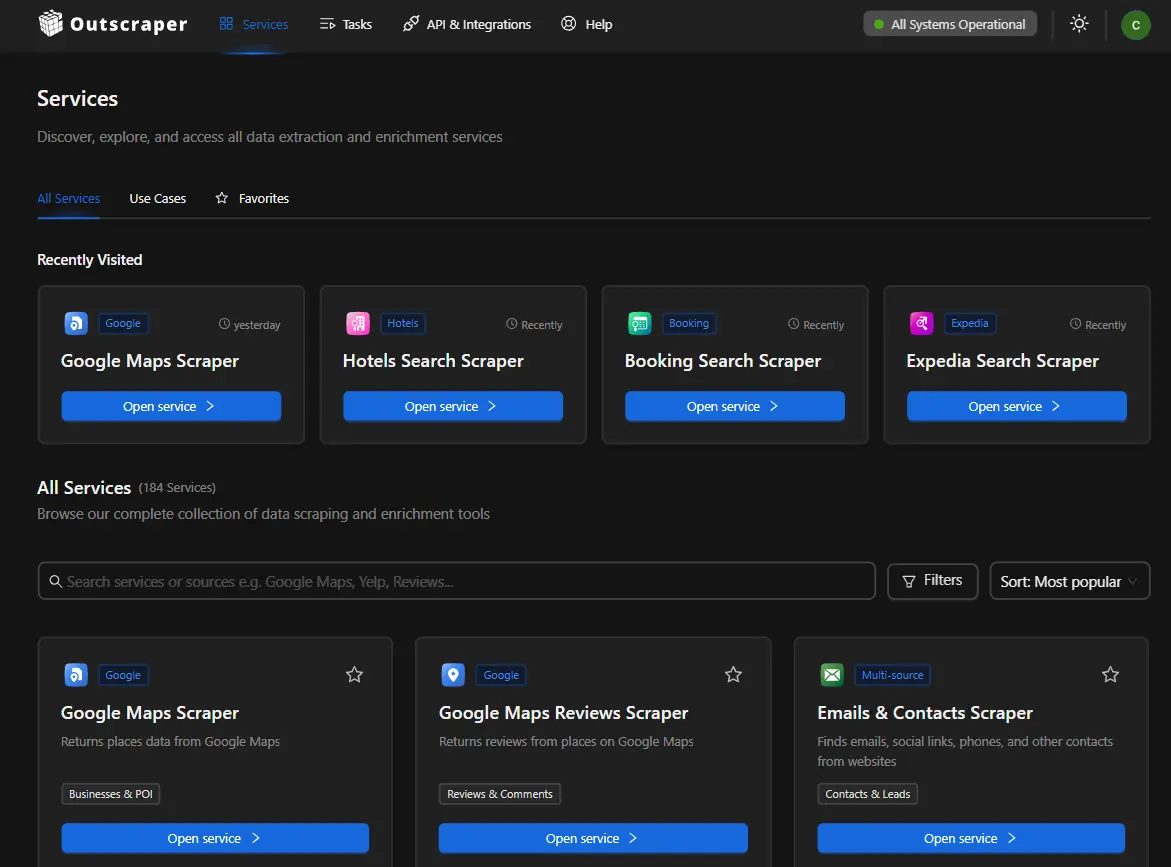
Step 3: Create Data Extraction Requests
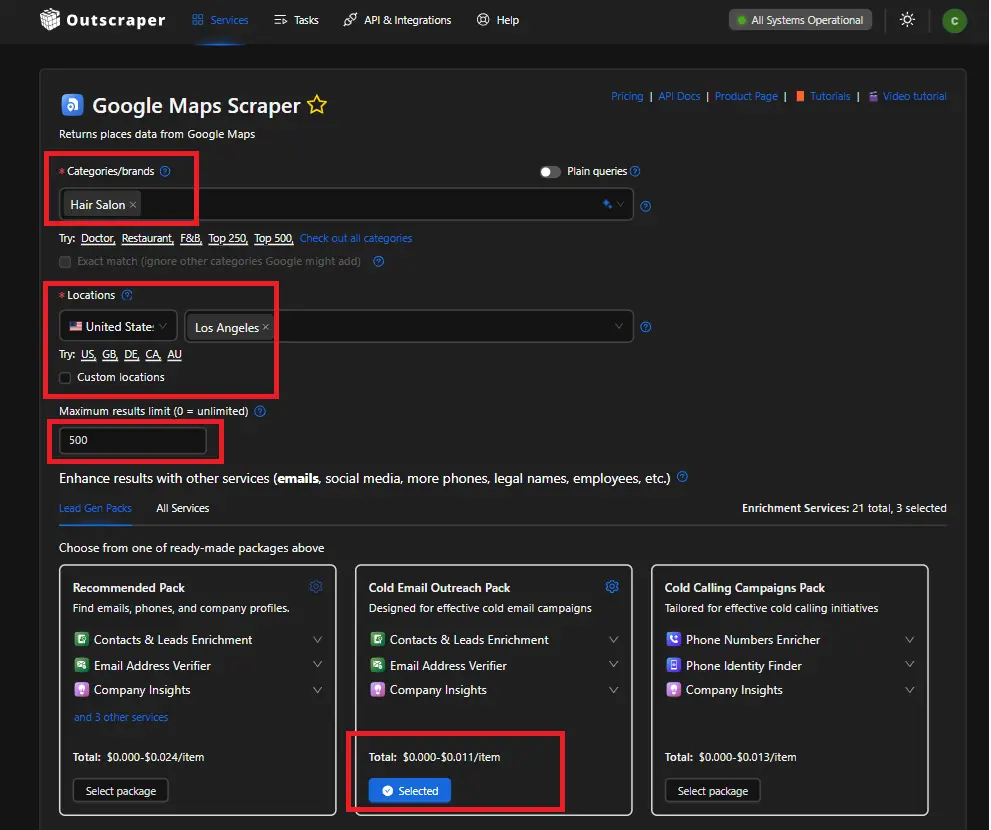
Use Outscraper to create customized data extraction requests. Specify the categories or brands you want to scrape and the type of data you need. Users can extract email addresses from business listing profiles or from Google Business Profiles (GBP). Enriched data with add-ons (Cold Email Outreach Pack: Email Address Verifier, Leads & Contacts Enrichment, Company Insights) and customizable filters.
Step 4: Analyze and Organize the Data
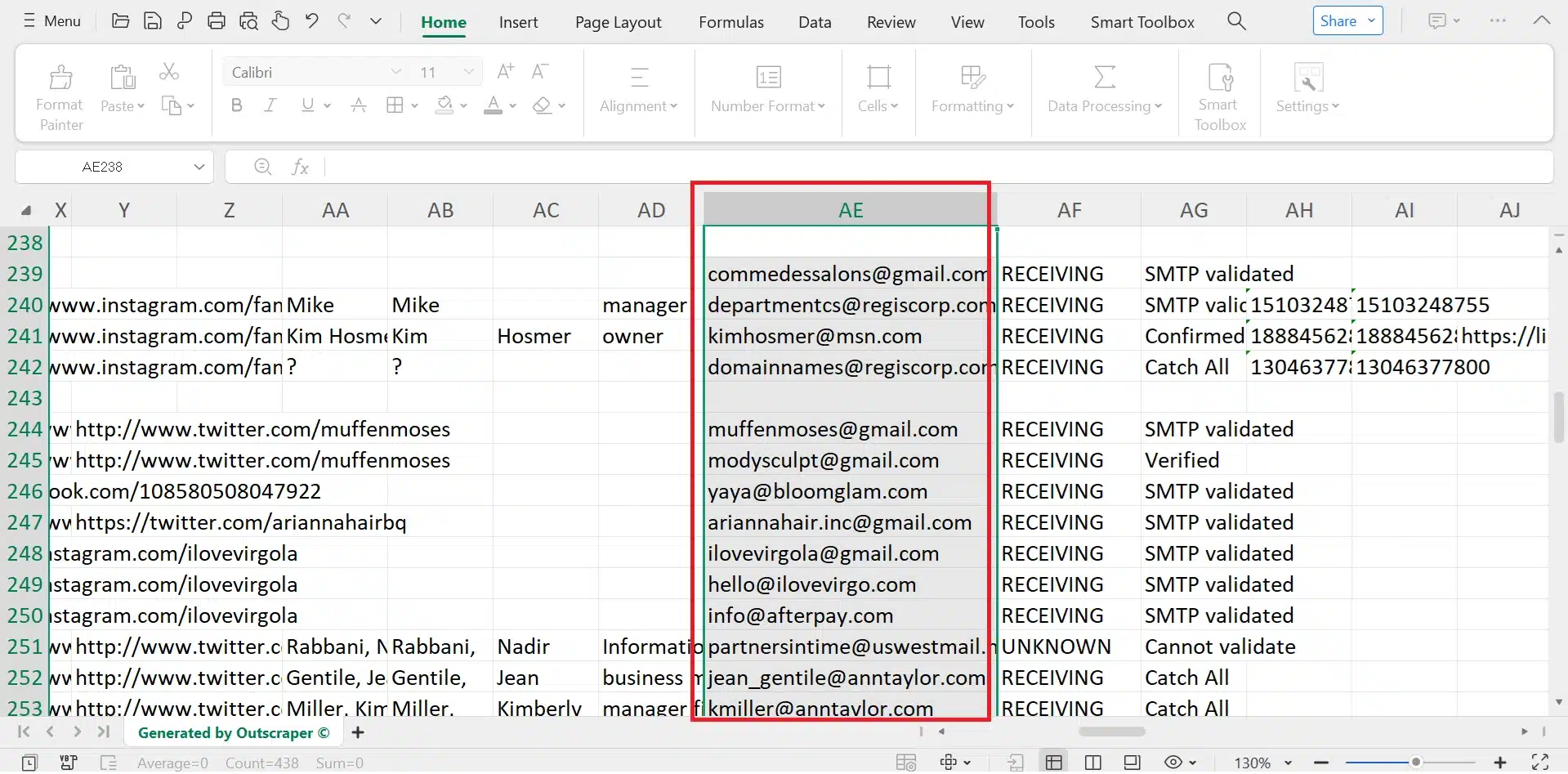
Once the data is extracted, analyze it to identify potential leads. Organize the information in a way that makes it easy to access during your outreach efforts, such as importing it into a CRM system.
Before importing the file, follow a prospect list cleaning process to remove poor-fit businesses, outdated details, duplicate records, and contacts that still need review.
Step 5: Craft Personalized Outreach Messages
With your data in hand, craft personalized outreach messages that speak directly to the needs and interests of your target audience. Highlight how your product or service can solve their specific problems.
Step 6: Execute Your Outreach Campaign
Launch your cold outreach campaign using your preferred channels, whether it be email, phone, or social media. Monitor responses and engagement to refine your approach as needed.
Step 7: Measure and Optimize
After your outreach campaign, measure its success through key performance indicators (KPIs) such as response rates, conversion rates, and overall engagement. Use this data to optimize future campaigns.
Conclusion
Effective cold email outreach relies on a clear and structured workflow. The process begins with defined goals and a clear target audience. Research on prospects supports relevant messaging. Strong subject lines, personalized email content, and a direct call to action guide the recipient toward a reply. Tracking metrics such as open rates, response rates, and engagement helps improve each campaign cycle.
Reliable data stands at the center of this workflow. Accurate contact details reduce bounce rates and support stronger deliverability. Segmentation based on industry, role, or company profile improves message relevance. Consistent follow-up keeps communication active and increases the likelihood of a response from prospects who did not respond initially.
Data extraction tools support this process by providing organized lead data for outreach campaigns. Outscraper supports lead sourcing through automated scraping, enrichment, and verification. Marketers gain access to business profiles, email verification tools, company insights, and structured lead data.
These features support faster prospect identification and stronger list quality for outreach campaigns. Start building a structured cold outreach workflow with reliable lead data. Use Outscraper and begin extracting, enriching, and verifying business contacts for your next outreach campaign.
FAQ
Most frequent questions and answers
Cold email outreach involves sending unsolicited, personalized emails to prospects without prior relationships to spark business conversations.
A cold email outreach workflow is a structured process for identifying prospects, crafting targeted messages, and nurturing leads through unsolicited emails to drive responses like meetings or sales.
Cold outreach is a sales and marketing strategy where you contact potential customers or leads who have had no prior interaction with your business.
Verified contact lists are databases of customer or prospect contact information such as emails, phone numbers, and company details, that have undergone validation processes to ensure accuracy, deliverability, and relevance.
Reputation management involves monitoring, influencing, and maintaining a positive public image for individuals, businesses, or brands, particularly online.
Sentiment analysis determines the emotional tone behind text data, classifying it as positive, negative, or neutral. Businesses apply it to customer feedback, social media, and reviews to gauge opinions and detect trends