Table of Contents
When teams compare business signals vs. traditional lead lists, they are asking more than how to collect business records. They want to know whether those records help them find businesses that fit their target market and decide which ones deserve attention first.
A traditional lead list gives agencies and sales teams a starting point based on criteria such as business type and location. The next step can still take time: checking websites, reviews, and business profiles one record at a time to find a relevant reason for outreach. That manual research can slow down prospecting, especially when teams are working with large lists or information that may have changed.
Outscraper Business Catalog adds computed Business Signals filters such as No website, Social-only presence, Low rating, Rating drop, and Reopened. Teams can use these filters to narrow matching businesses for review. The signals help guide research and prioritization, while the team still checks fit and current details before outreach.
Quick Answer: Business Signals vs. Traditional Lead Lists
- Traditional lead lists organize businesses by target-market criteria such as business type and location.
- Business Signals add computed conditions to help narrow matching businesses for research.
- Review each result and confirm its fit before outreach.

Collect business data by category and location with Google Maps Scraper, then review and prioritize prospects using the steps in this article.
Business Signals vs. Traditional Lead Lists: What Each Tells You
A traditional lead list helps you identify and organize businesses that match your target market. Business Signals add another way to filter those businesses so you can decide which records to review first.
Both can support the same prospecting workflow. The list establishes fit. Signals add context that may help with prioritization.
What a Traditional Lead List Tells You
A traditional lead list groups businesses by criteria such as business type and location. It may also include details like a website, phone number, business status, and CRM notes.
For example, a marketing agency can build a list of local service businesses in its target area. The category and location show which businesses fit the market. The list may also preserve account ownership and previous outreach, giving the team useful context.
What Business Signals Add
Business Signals are computed filters that help narrow a group of businesses based on specific conditions. In Outscraper Business Catalog, examples include No website, Low rating, Rating drop, and Reopened.
The relevant signal depends on the service. A web design agency might review businesses marked No website. A reputation management provider might look at Low rating or Rating drop. The signal gives the team a reason to investigate that business further. It does not confirm that the business needs the service or is ready to buy.
The B2B Buying Signals for Prospecting guide explains how fit, business changes, possible needs, and buying activity can inform prospect research.
Which Business Signals Can You Filter in Outscraper?
Outscraper Business Catalog groups Business Signals around online presence, local performance, reviews, and business status. The useful filters depend on what your team offers and which businesses fit your campaign.

Online Presence Signals
The online presence signals are No website, Social-only presence, and Unclaimed business. They can help agencies identify businesses whose online presence or business profile may warrant review.
For example, a web design agency could use No website to find businesses to assess for its campaign. Social-only presence and Unclaimed business may also surface businesses for digital presence or profile management research. Check each business’s current online presence before deciding whether it fits your service.
Local Businesses Without Websites: How to Find the Top 12 Industries lists industries to check and fields to review when qualifying businesses with no website listed.
Local Performance Signals
The local performance signals are Top local performer, Above local average, Below local average, and Below local performer.
These options can help you identify businesses by their relative position in a local market. A team researching high performers can use the upper labels to benchmark local businesses. A service provider may review businesses with lower relative performance when that condition relates to its offer.
The Advanced Filters panel also has separate Local Market Position and Local Area Scope controls. Check the selected area when interpreting local comparisons. A label such as Above local average depends on the comparison context.
Review Signals
The review signals are Low rating, Low review count, and Rating drop. These filters can help teams identify businesses for reputation or review-related research.
A low rating and a rating drop describe different conditions. A low review count indicates a smaller review volume, which does not by itself mean the business has a reputation problem. If customer feedback matters to your campaign, examine the reviews before prioritizing a business.
Use the Google Maps Reviews Scraper to collect individual customer reviews for closer review.
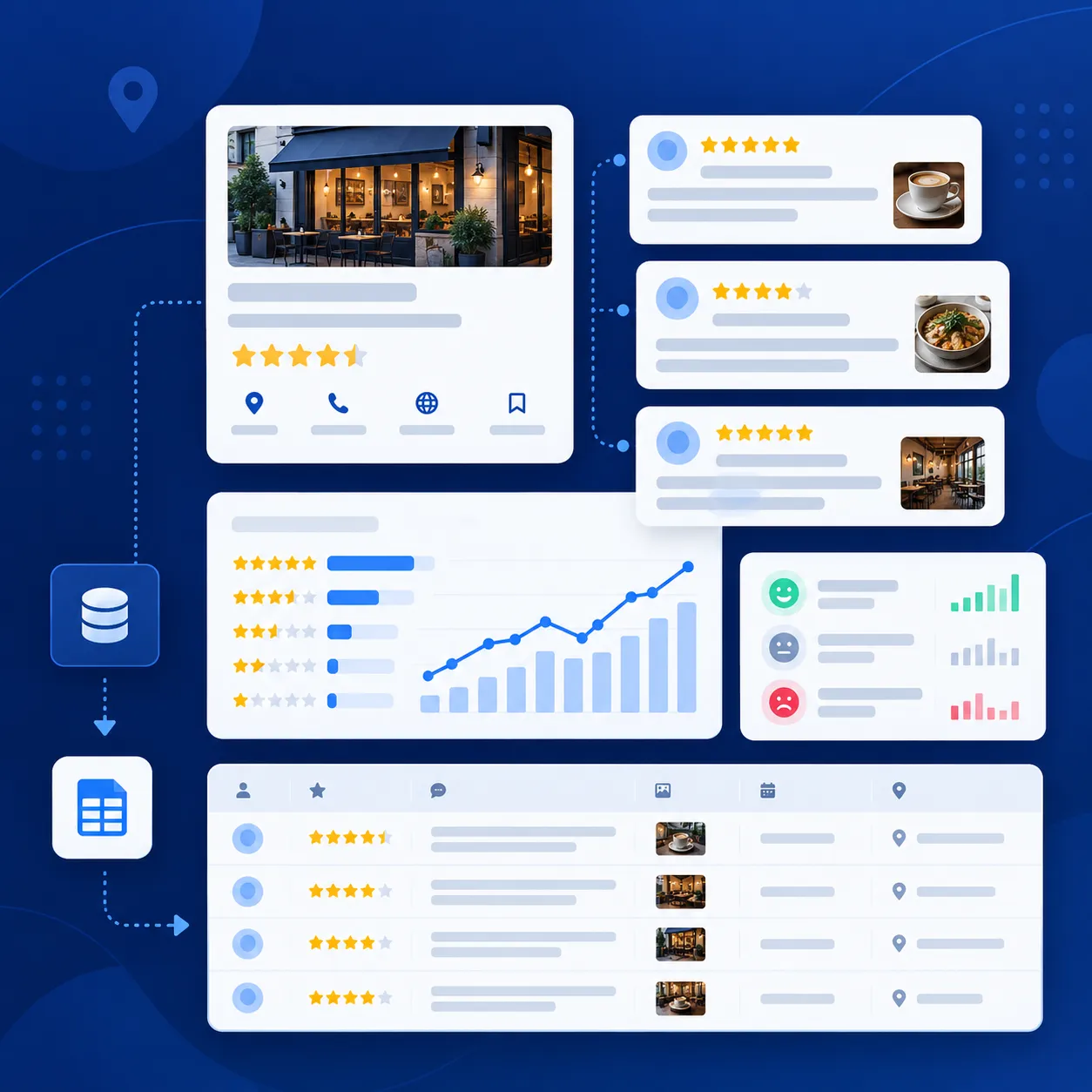
Use Google Maps Reviews Scraper to examine customer feedback when researching businesses with review-related signals.
Business Status Signals
The business status signals are Business status changed and Reopened. They can help surface businesses whose status may warrant a fresh check.
Confirm the current business status and details before outreach. A status signal gives you a reason to review the record, then qualify it against your campaign criteria.
How Do Match All and Match Any Work?
After selecting Business Signals, choose how the results should match your selections. Match all selected signals requires every selected signal to apply to a business. Match any selected signals includes a business when at least one selected signal applies.
Match All Selected Signals
Use Match all selected signals when you want a narrower group of businesses that meet every condition you chose.
For example, a web design agency could select No website and Unclaimed business to find businesses that match both signals. This can reduce the results to a more specific group for review.
Match Any Selected Signals
Use Match any selected signals when businesses can match one or more of your selected conditions.
For example, an agency researching online presence could select No website, Social-only presence, and Unclaimed business. A business matching any one of these signals can appear in the results.
Choose the Setting That Fits Your Campaign
Choose Match all when your campaign needs businesses that meet several conditions together. Choose Match any when you want a broader group that meets at least one relevant condition.
In either case, review the results against your target market and service criteria before adding businesses to an outreach list.
When Should You Use a Traditional Lead List, Business Signals, or Both?
Choose the approach based on what you need the data to help you do. A lead list organizes businesses and account information. Business Signals help filter matching businesses for further research. Many prospecting workflows use both.
Use a Traditional Lead List to Organize Accounts
A lead list is useful for defining a target market and keeping business records organized. It can include category, location, contact details, account owner, previous outreach, and sales notes.
A lead list can also be refreshed. It does not have to be a static file. For existing accounts, preserve useful CRM history while updating business information that affects the next campaign.
Use Business Signals to Prioritize Research
Use Business Signals when a computed condition relates to the campaign. A web design agency might review businesses marked No website. A reputation management provider might investigate Low rating or Rating drop. The signal helps narrow the research queue, while the team confirms whether the business fits the offer.
Combine Signals With Current Data and CRM Context
For many teams, the lead list or CRM provides the account history, while Business Signals help filter businesses for a specific campaign. Check that key business details are current, apply relevant signals, and qualify the results before adding them to an outreach list.
This guide fresh lead data vs. static lead databases explains how to refresh business records while preserving CRM history.
How to Build a Prospect List With Business Signals
Business Signals can help narrow a list of businesses that already match your target market. Use the filters to select records for review, then qualify them before outreach.
Define Your Target Market and Offer
Start with the businesses you want to reach and the service you plan to offer. Set criteria such as business category and location, then decide which conditions would make a matching business worth researching for that campaign.
Select Relevant Signals
Choose signals that connect to your offer. A web design agency might select No website. A reputation management provider might select Low rating or Rating drop. Use Match all selected signals or Match any selected signals based on how tightly you want to filter the results.
Review the Matching Businesses
Check the business details and confirm the signal is relevant to your campaign. For review-related signals, examine customer feedback when it can support your qualification. For status signals, verify the business’s current status.
Record Your Qualification Notes
Keep a short record of the signal, the evidence you checked, and why the business may fit the campaign. This helps your team understand why a business was prioritized when the list moves into a CRM or outreach workflow.
The signal-based prospecting workflow walks through collecting business data, reviewing evidence, and qualifying results.
Final Checklist Before Outreach
Before adding a business to your outreach list, check that:
- It matches your target category and location.
- The selected Business Signal relates to your offer.
- Match all or Match any reflects the segment you want.
- The business details and supporting evidence are current.
- Your team has recorded why the business merits further review.
Use Outscraper Business Catalog to filter businesses by category, location, and relevant signals, then review the matches before outreach.
FAQ
Most frequent questions and answers
No. A Business Signal is a computed condition that can help you decide which businesses to review. Check the business details and confirm the signal relates to your offer before outreach.
You can use Business Signals alongside an existing lead list or CRM. Keep useful account history, such as previous outreach and ownership, and apply relevant signals when you need to prioritize businesses for a campaign.
Match all selected signals returns businesses that match every selected signal. Match any selected signals returns businesses that match at least one selected signal. Use the setting that fits the size and focus of the segment you want to research.
No. Low review count indicates review volume. It does not tell you whether customer feedback is positive or negative. Check the rating and reviews before deciding whether the business fits a reputation-related campaign.
Read labels such as Above local average in their local comparison context. The Advanced Filters panel also shows Local Market Position and Local Area Scope controls, so check those settings when reviewing local performance results.