विषयसूची
साइन अप
खाता बनाना
का दौरा करें Amazon Products Scraper page to sign up now.
साइन अप करते समय, आपको केवल वह ईमेल पता दर्ज करना होता है जिसे आप अपने खाते के लिए उपयोग करना चाहते हैं। यदि चाहें, तो आप अपने Google, Facebook या LinkedIn खातों का उपयोग करके भी साइन अप कर सकते हैं।.

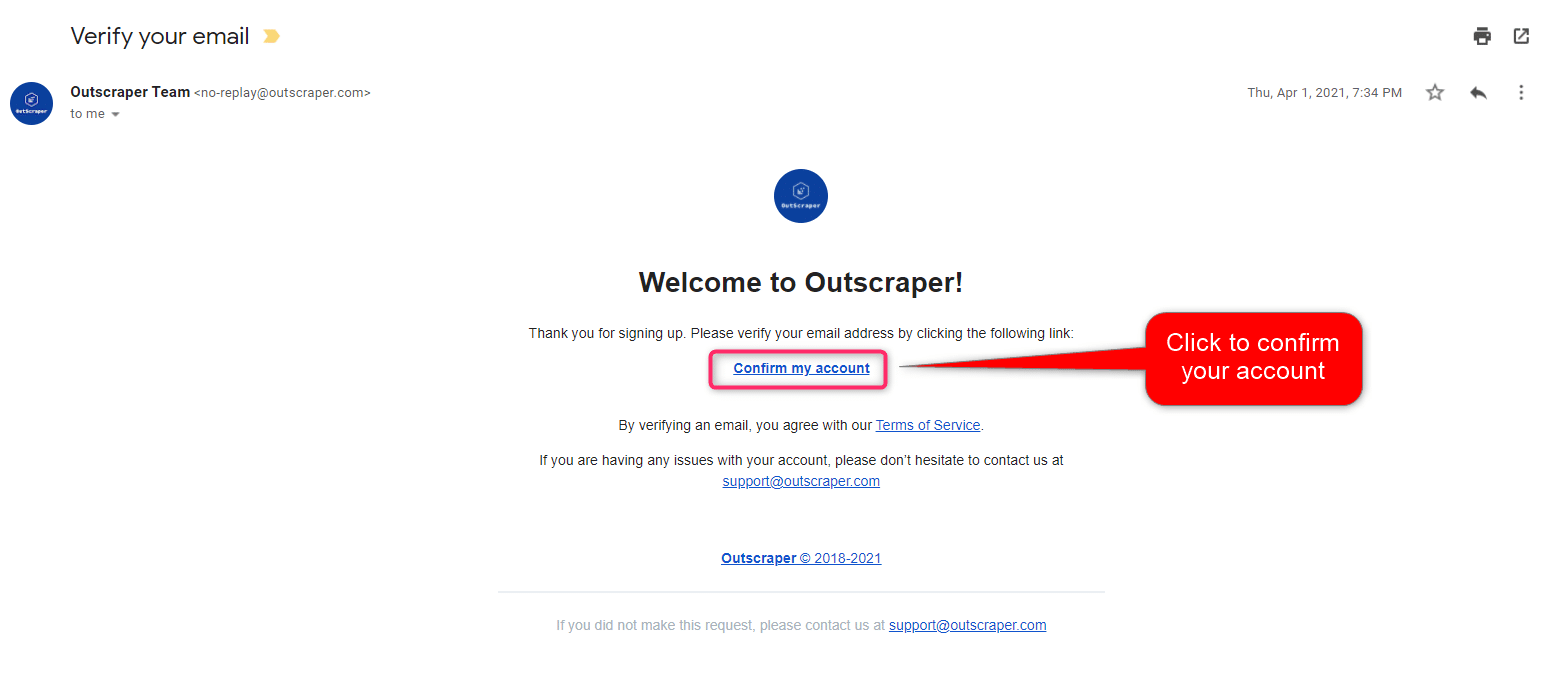
अपना ईमेल पुष्टि करें
आपको Outscraper की वेबसाइट से आपके ईमेल पते की पुष्टि करने के लिए एक ईमेल भेजा जाएगा। पंजीकरण प्रक्रिया पूरी करने के लिए ईमेल में दिए गए लिंक पर क्लिक करें।.
CREATING TASKS AND PARAMETERS
Start by selecting Amazon Services>Products service from the left panel and open the अमेज़न उत्पाद खुरचनी सेवा।.

You only need to set 4 parameters to create an Amazon Product Data scraping task.
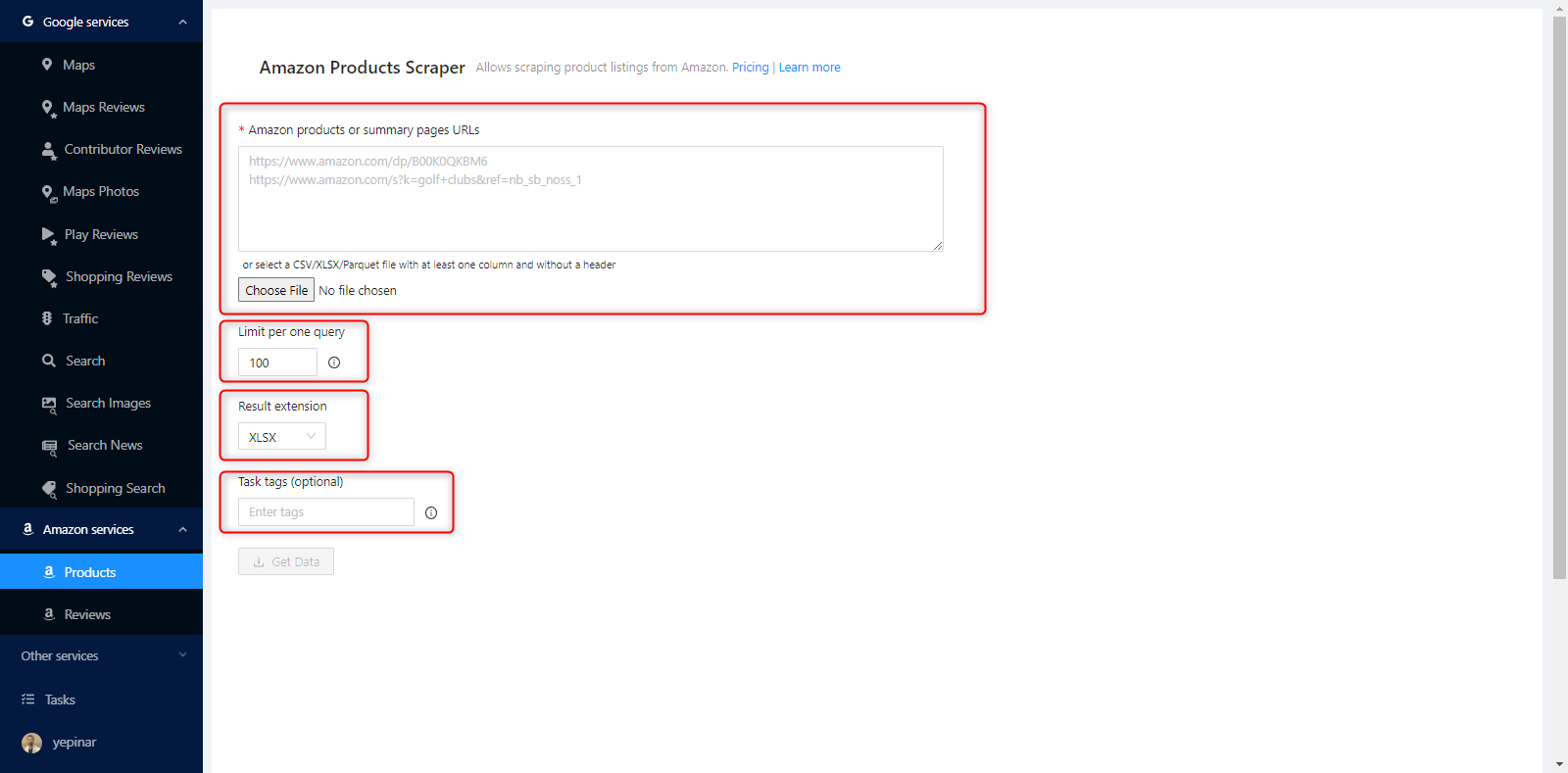
Amazon Products or Summary Pages URLs
Important Detail: There are two different ways to use Amazon Products Scraper. One is to use Amazon URLs, and another is to use ASINs. The most crucial detail in using ASINs is that they only work on Amazon.com. If you are going to create a scraping task using ASINs, you should be aware that these ASINs will only be searched on Amazon.com.
On the other hand, if you are going to scrape product data from other Amazon marketplaces such as Amazon.de, Amazon.es, and Amazon.it, you must use URLs.
ASINs
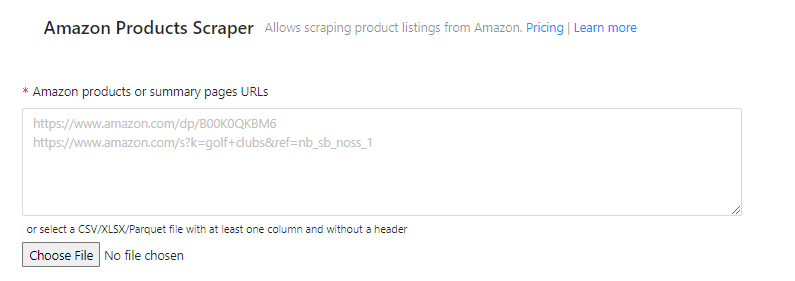
It is enough for Outscraper to paste the ASINs you collect from Amazon links into this box on the dashboard.

You can add many ASINs to that box, one under the other.

All of these ASINs will be scanned on Amazon.com, and the data will be scraped.

To review the results of this scraping task: 20220314140248eb2f_asins
Amazon Product URLs
You can paste the product link you copied from any Amazon web page (Amazon.it, Amazon.es, Amazon.com, Amazon.com.tr, Amazon.co.uk) to the box to be scraped.

In scraping tasks created this way, Outscraper scraping services visit each link one by one and scrape the product data.

To review the results of this scraping task: 202203141434144259_urls
Amazon Search/Categories URL
Suppose you want to scrape the search results with a certain keyword or category. In that case, you can use Outscraper Amazon Products Scraper in the same way. You can set the task by copy-pasting the search result and category URLs, the same as product URLs.

We recommend using a postal code for that country on Amazon, so that preview of prices and other details are fully available in your search results.

Results will be sorted by your limit.

To review the results of this scraping task: 20220314145922557c_bluetooth_hf_de
Upload Your List
If you want to scrape the ASINs or URLs in bulk, you can upload a table containing them as a CSV/XLSX/Parquet or TXT file. Just sort the ASINs or URLs in a column without a header.

Sample List File : ASIN_LIST
Limit Per One Query
You may want to limit the result file when scraping a search result or category made on Amazon because categories and search results contain thousands of products.

परिणाम विस्तार
You can choose between XLSX, CSV, or Parquet file types, whichever is appropriate for your project.

कार्य टैग
Any words can be used here. Its primary purpose is to track the results on the कार्य पृष्ठ।.

Task tags make tracking and identification easy.

अपने कार्य की पुष्टि करें
A pop-up will appear when you press the “Get Data” button. A preview link will also appear in this pop-up.

If you click on the link shown for the preview, you can see the page which will be scraped.

The task will be started and sent by pressing the confirm button.
RESULT
अपने कार्य की प्रगति पर नज़र रखें
You can track all of your progress on the कार्य पृष्ठ,

अपनी परिणाम फ़ाइल डाउनलोड करें
The Amazon Products Scraper task results of all services can be downloaded from this page. You can find and quickly download the task you have created.
All results are stored on servers for 30 days only. We recommend keeping the Result files on your disk for long periods.

अपनी परिणाम फ़ाइल की समीक्षा करें
You can review with a spreadsheet viewer the Amazon Products Scraping task result files you have downloaded as XLSX file types.

You can check that sample task result file here: 20220314152209d961_vitamins
PRICING
मूल्य पृष्ठ और लागत कैलकुलेटर
Outscraper में कोई मासिक सदस्यता शुल्क नहीं है। आप केवल उसी के लिए भुगतान करते हैं जो आप उपयोग करते हैं।.
Please visit our pricing page for pricing details on our Amazon Products scraping service.
मूल्य पृष्ठ: https://outscraper.com/pricing
There are three different tiers of pricing. These are the Free Tier, Medium Tier, and Business Tier. You can see them on the pricing page.
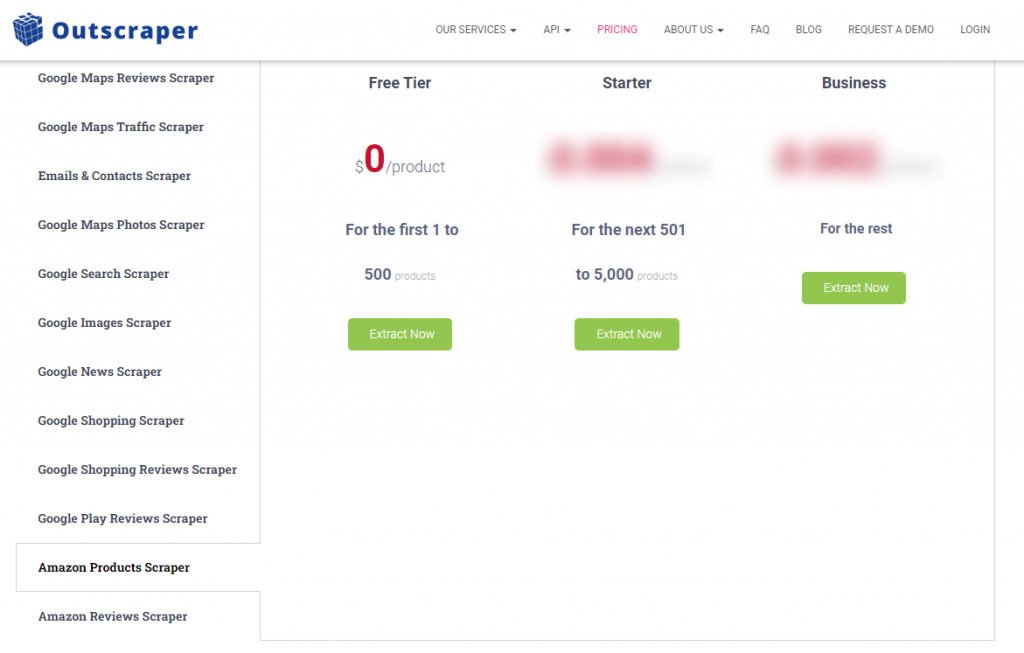
डैशबोर्ड का सेवा मूल्य निर्धारण उपकरण
After registration, the “Service pricing” tool can help you with pricing on the Amazon Products Scraper service page on the Outscraper App Dashboard.

Use the calculator in the right section.

Enter the amount into the calculator that how much Amazon Product (ASIN) data you want to scrape and find out the cost. Please visit the ‘Billing’ क्रेडिट जोड़ने या अपना क्रेडिट कार्ड प्रदान करने के लिए पेज।.
भुगतान के तरीके
फ्री टियर
Outscraper में प्रत्येक महीने आपको एक निश्चित मात्रा में मुफ्त टियर क्रेडिट्स मिलते हैं। ये क्रेडिट्स मूल्य निर्धारण पृष्ठ पर दिखाए अनुसार मासिक रूप से नवीनीकृत होते हैं।.
आप मूल्य निर्धारण पृष्ठ पर किसी विशेष सेवा के लिए आपके पास कितने मुफ्त क्रेडिट हैं, यह देख सकते हैं।.
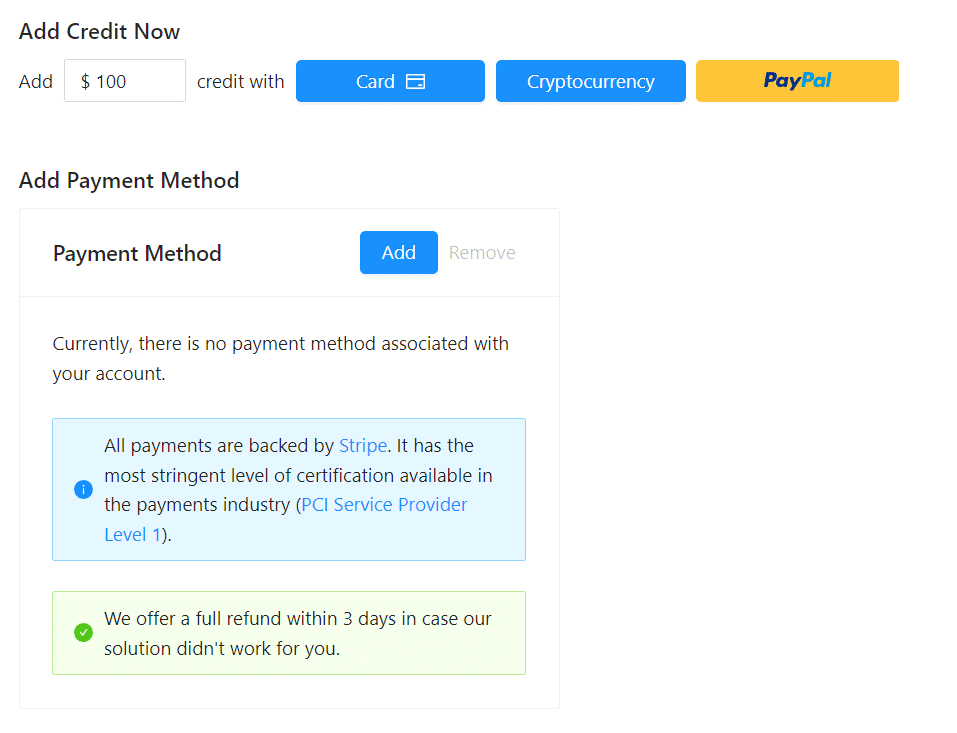
आप क्रेडिट जोड़कर प्रीपेड भुगतान विधि का उपयोग कर सकते हैं, या आप अपना क्रेडिट कार्ड जोड़कर अपनी बिलिंग अवधि के अंत में पोस्टपेड में भुगतान कर सकते हैं। कृपया भुगतान विधि निर्धारित करने के लिए कृपया बिलिंग जानकारी पृष्ठ पर जाएँ।
पूर्व-भुगतान - क्रेडिट जोड़ें
Outscraper का उपयोग शुरू करने के लिए अपने खाते में क्रेडिट जोड़ें। न्यूनतम सीमा 10 USD है। आप जितने चाहें उतने क्रेडिट जोड़ सकते हैं और जब चाहें उनका उपयोग कर सकते हैं।.
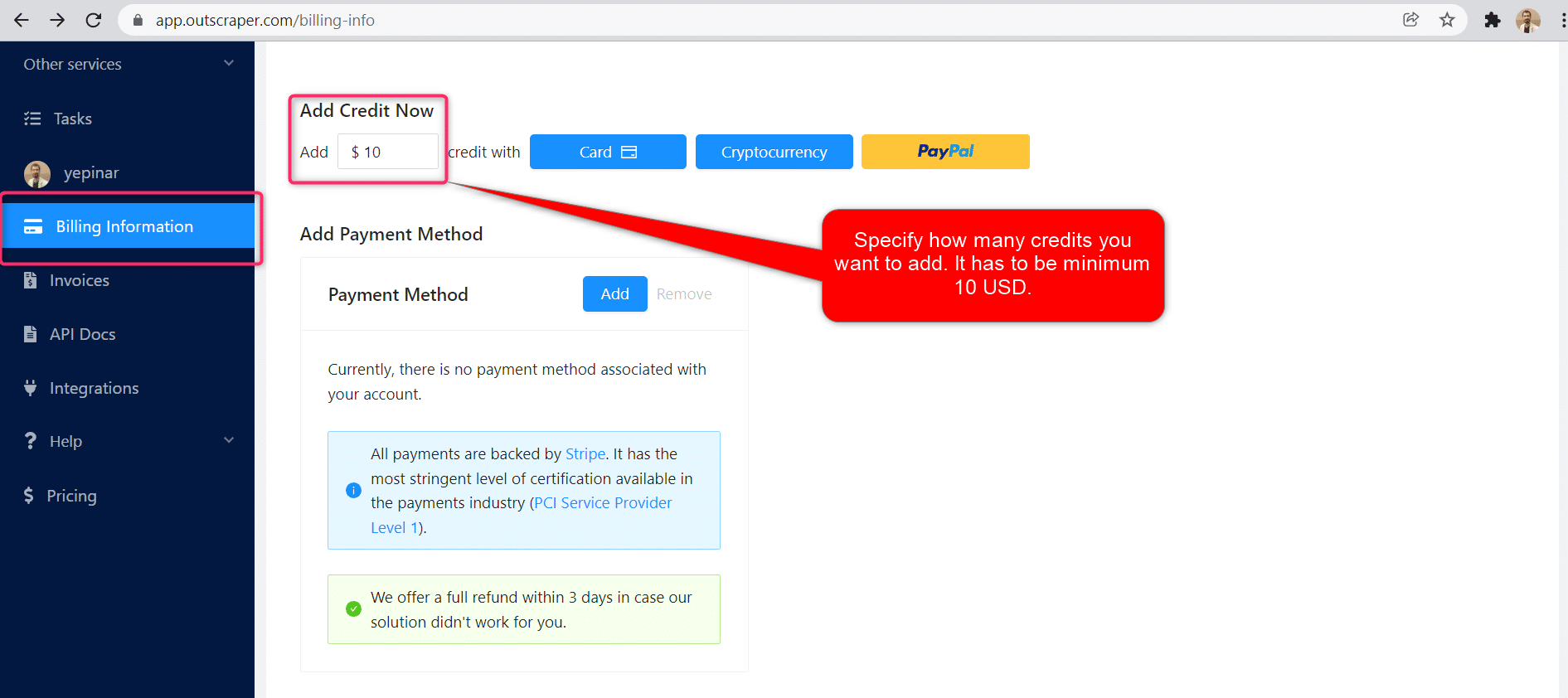
क्रेडिट कार्ड, क्रिप्टोकरेंसी, या PayPal द्वारा क्रेडिट जोड़े जा सकते हैं।.
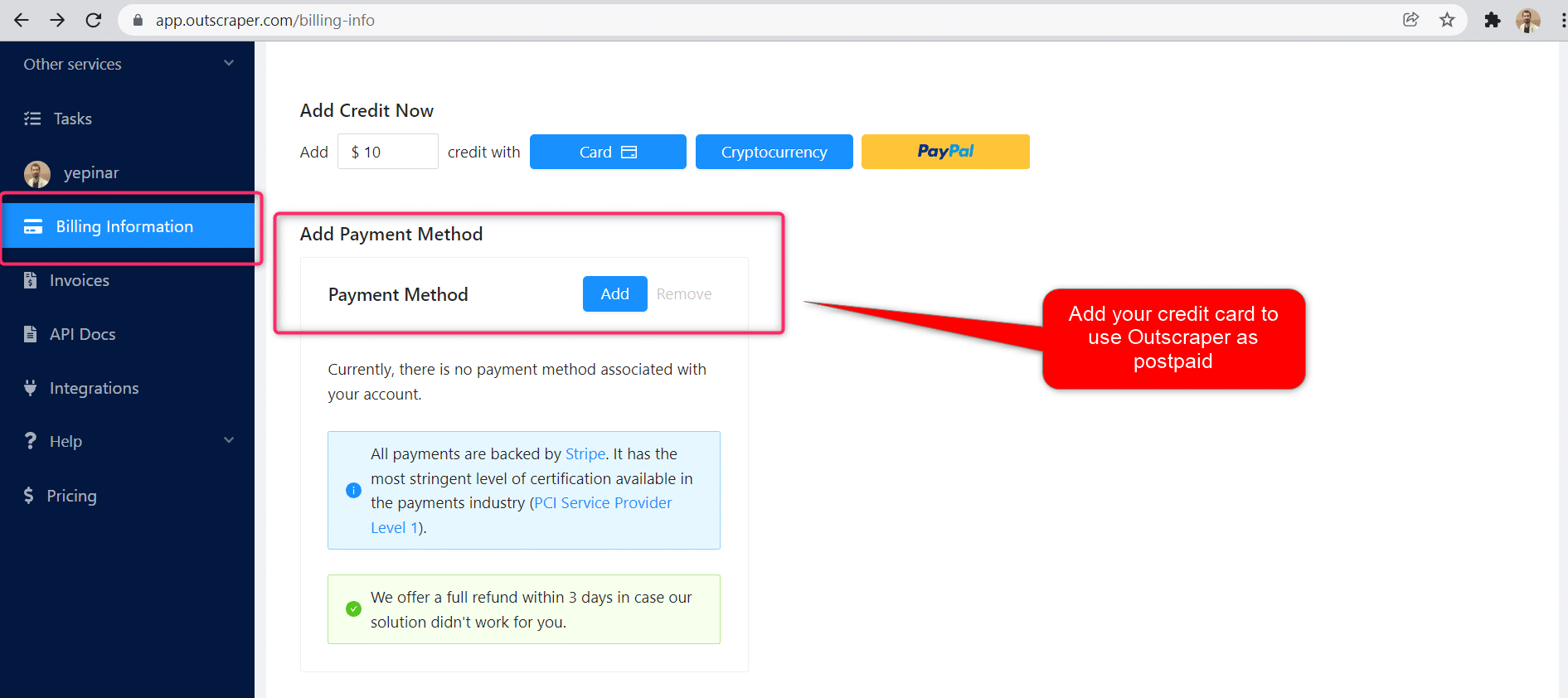
पोस्टपेड - क्रेडिट कार्ड जोड़ें
प्रीपेड तरीके में आप पहले भुगतान करते हैं और फिर इसका उपयोग करते हैं, लेकिन पोस्टपेड तरीके में आप एक क्रेडिट कार्ड प्रदान करते हैं और इसका उपयोग शुरू कर देते हैं। आप अपनी बिलिंग अवधि समाप्त होने पर भुगतान करेंगे।.
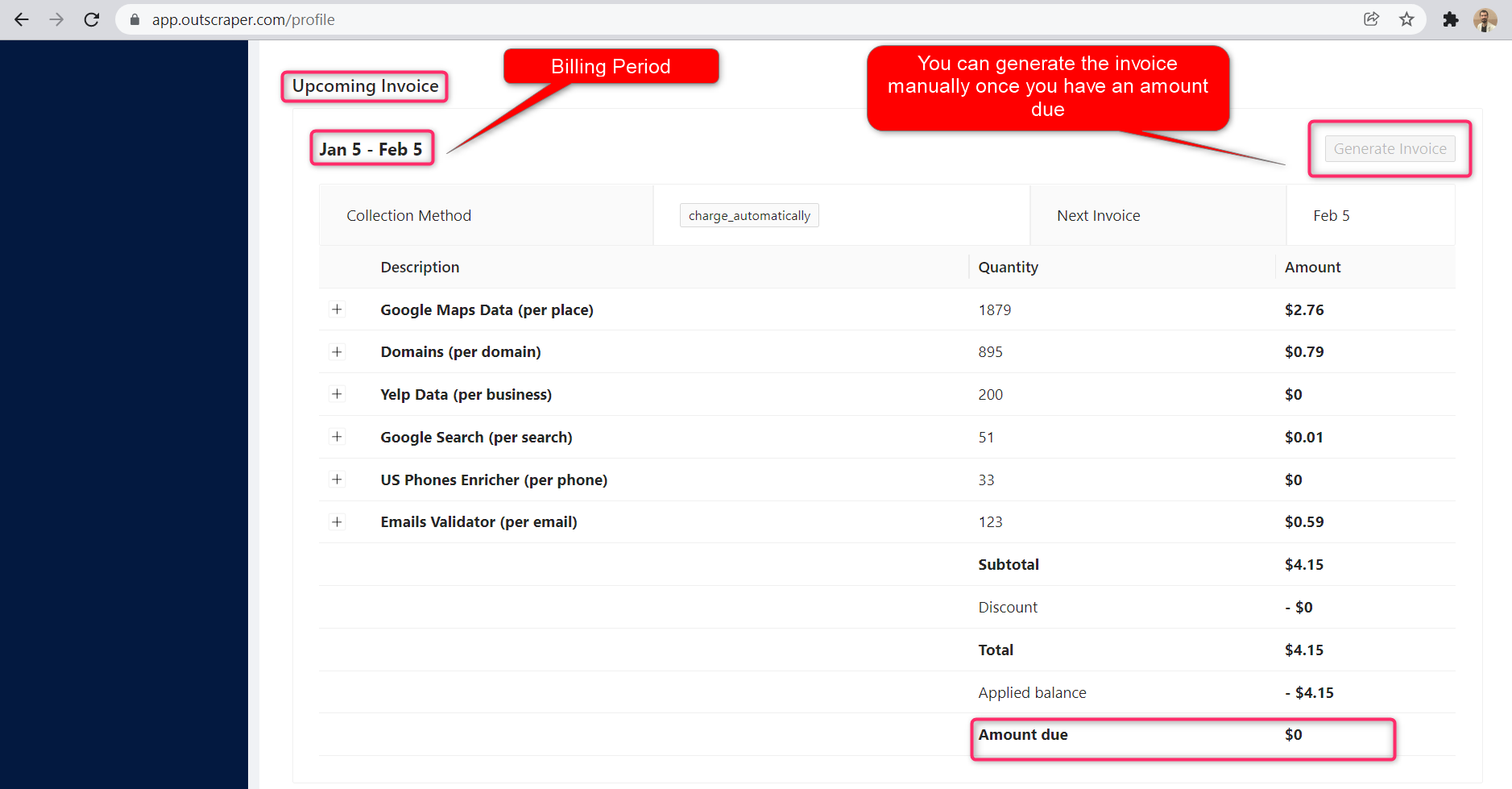
बिलिंग अवधि
बिलिंग अवधि की प्रारंभ और समाप्ति तिथियों की जानकारी प्रोफ़ाइल पेज पर मिल सकती है। आप वहाँ से आगामी चालान की राशि भी ट्रैक कर सकते हैं। यदि आप चाहें, तो देय राशि होने पर आप मैन्युअल रूप से इनवॉइस उत्पन्न कर सकते हैं।.
सामान्य प्रश्न
अक्सर पूछे जाने वाले प्रश्न और उत्तर
Amazon products scraping, harvesting, or extracting is a process of getting all the information about reviews (name, description, prices, etc.) from the Amazon website. It automates manual exporting of the data.
- में प्रवेश करें अमेज़न उत्पाद खुरचनी.
- Enter Amazon ASINs or product/summary page URLs.
- Select other parameters (limit per page, etc.).
- Click “Get Data”.
- में प्रवेश करें अमेज़न उत्पाद खुरचनी.
- Enter Amazon ASINs or product/summary page URLs.
- Select other parameters (limit per page, etc.).
- Click “Get Data”.
ASIN (Amazon Standard Identification Number) is one of the unique identifiers of products listed on Amazon. It’s a 10-digit code made up of numbers and letters.


0 Comments