विषयसूची
साइन अप
खाता बनाना
Visit the Google Maps Reviews Scraper page to sign up now.
Enter your preferred email address and password, then click Continue. If you wish, you can also register directly with your Google, Facebook, and LinkedIn accounts. (Skip this part if you already have an account, click login using your credentials.)

अपना ईमेल पुष्टि करें
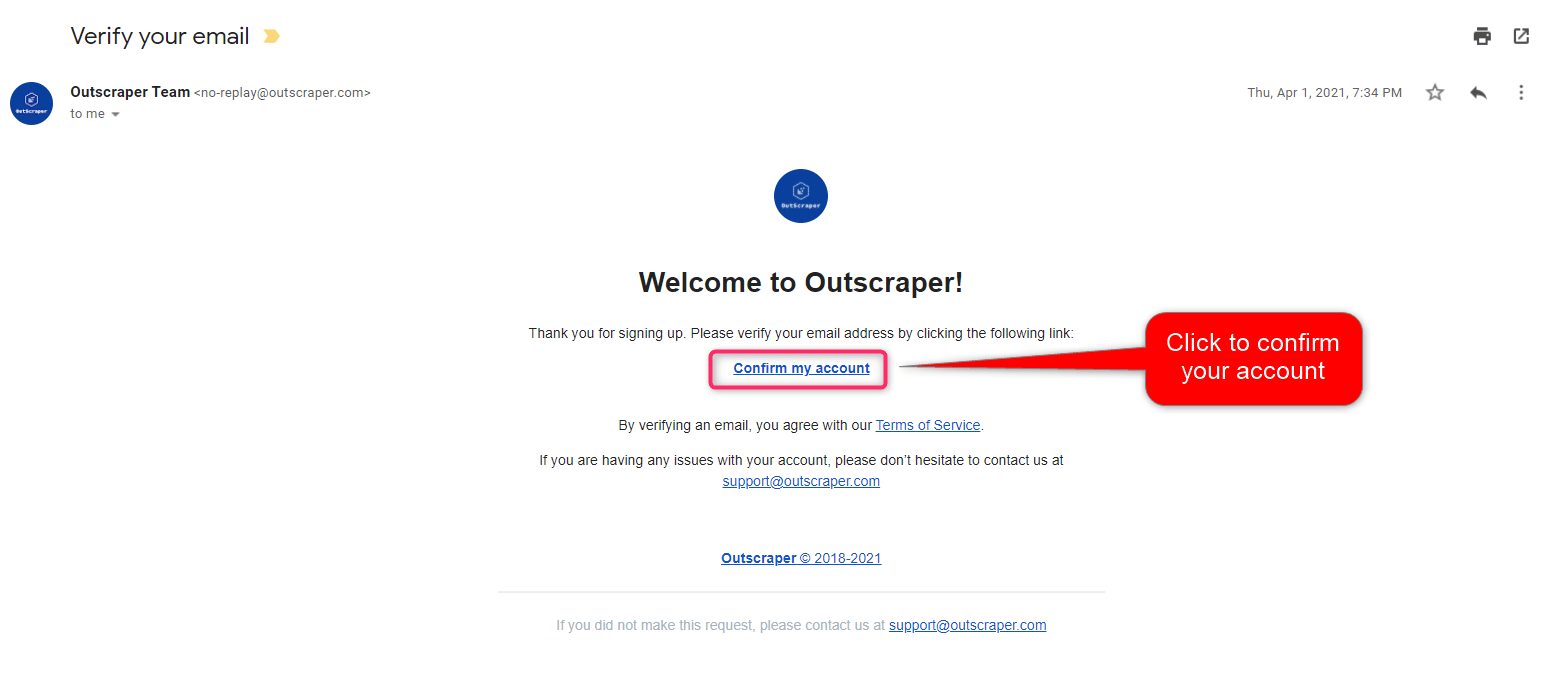
You will receive an email message to confirm your account by clicking the “confirm my account” link provided in the email.
Creating Tasks and Parameters
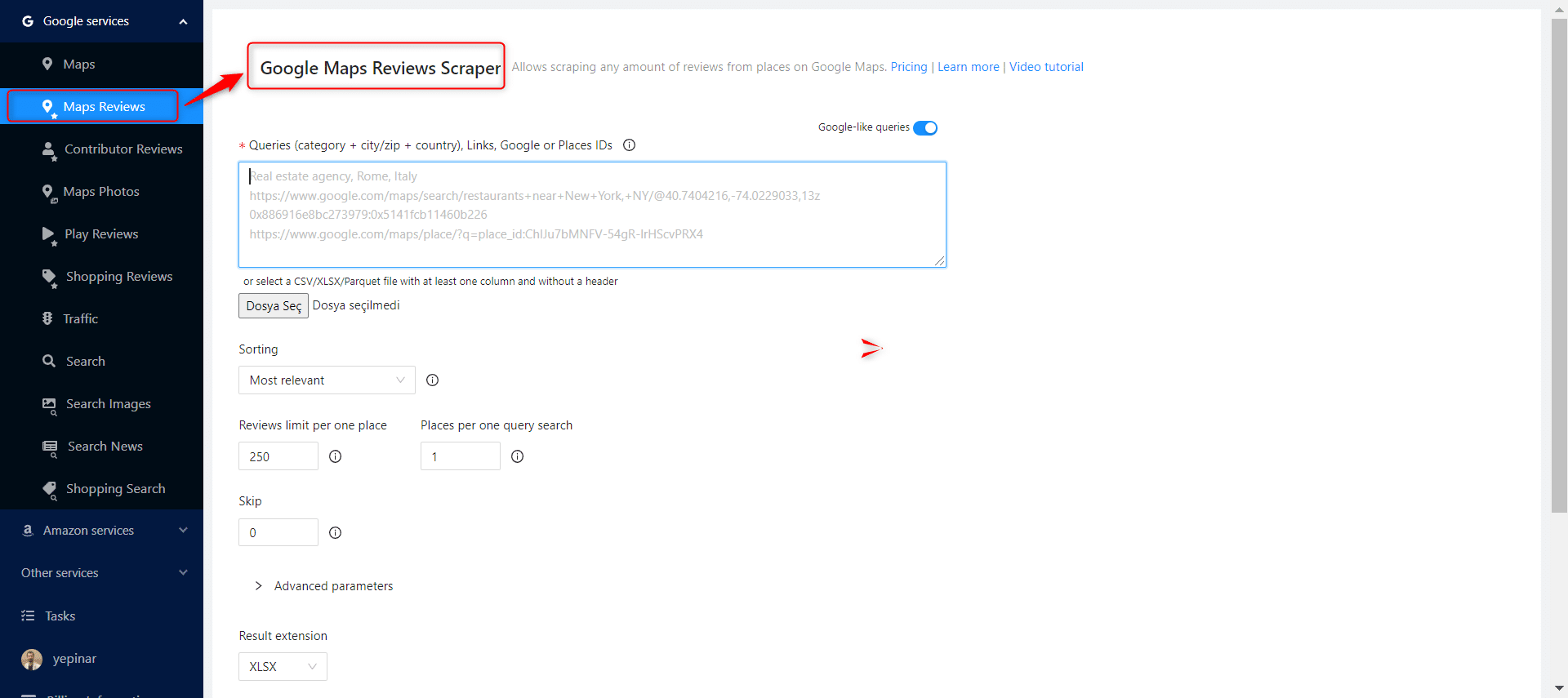
Select Google Services>Maps Reviews service from the left panel and open the Google Maps Reviews Scraper service.
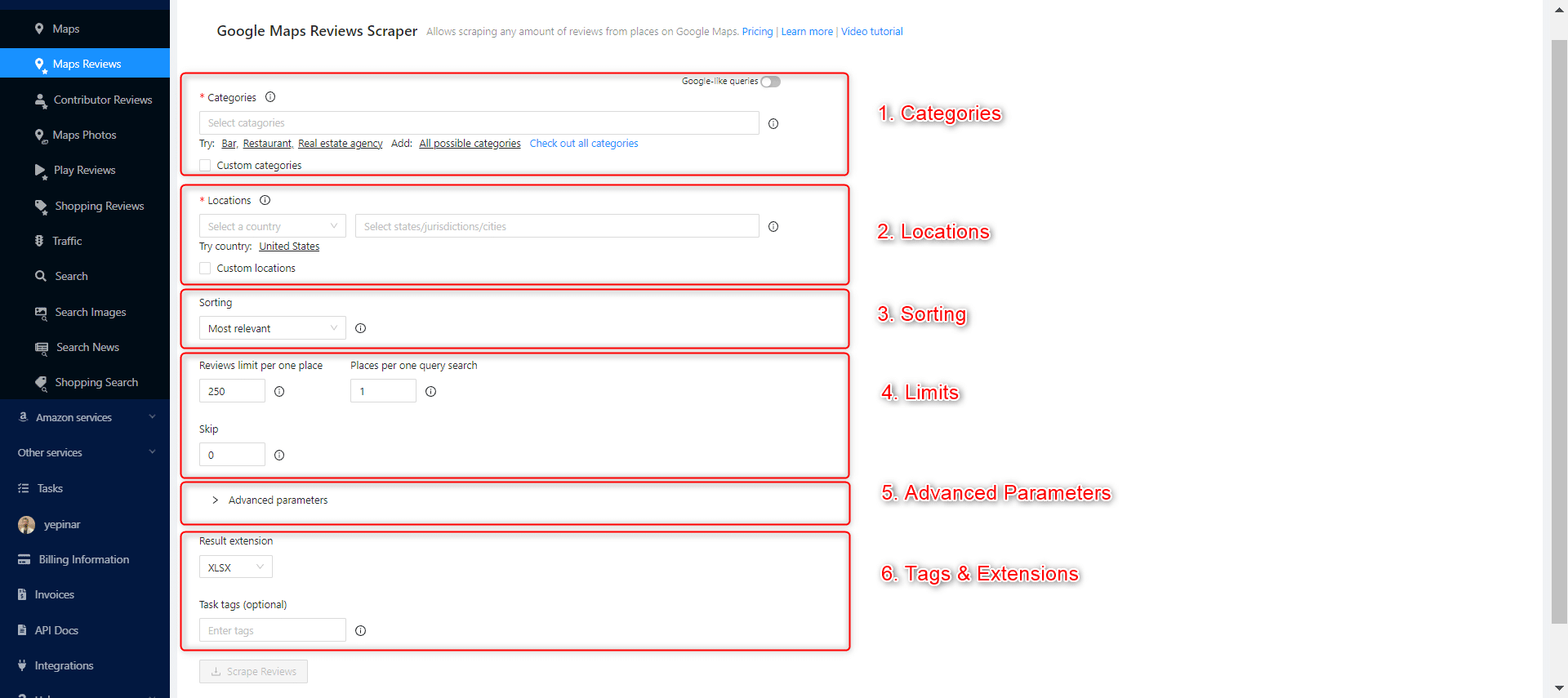
There are 6 essential parameters that should be specified for your tasks.
श्रेणियाँ
Outscraper scrapes businesses in specified categories. You can also search keywords as category identifiers with Outscraper, but general categories are useful for giving ideas about your target companies. Check out the list of business categories on Google Maps:
Choose the category you want to target from the list or write the keyword of your preferred category.

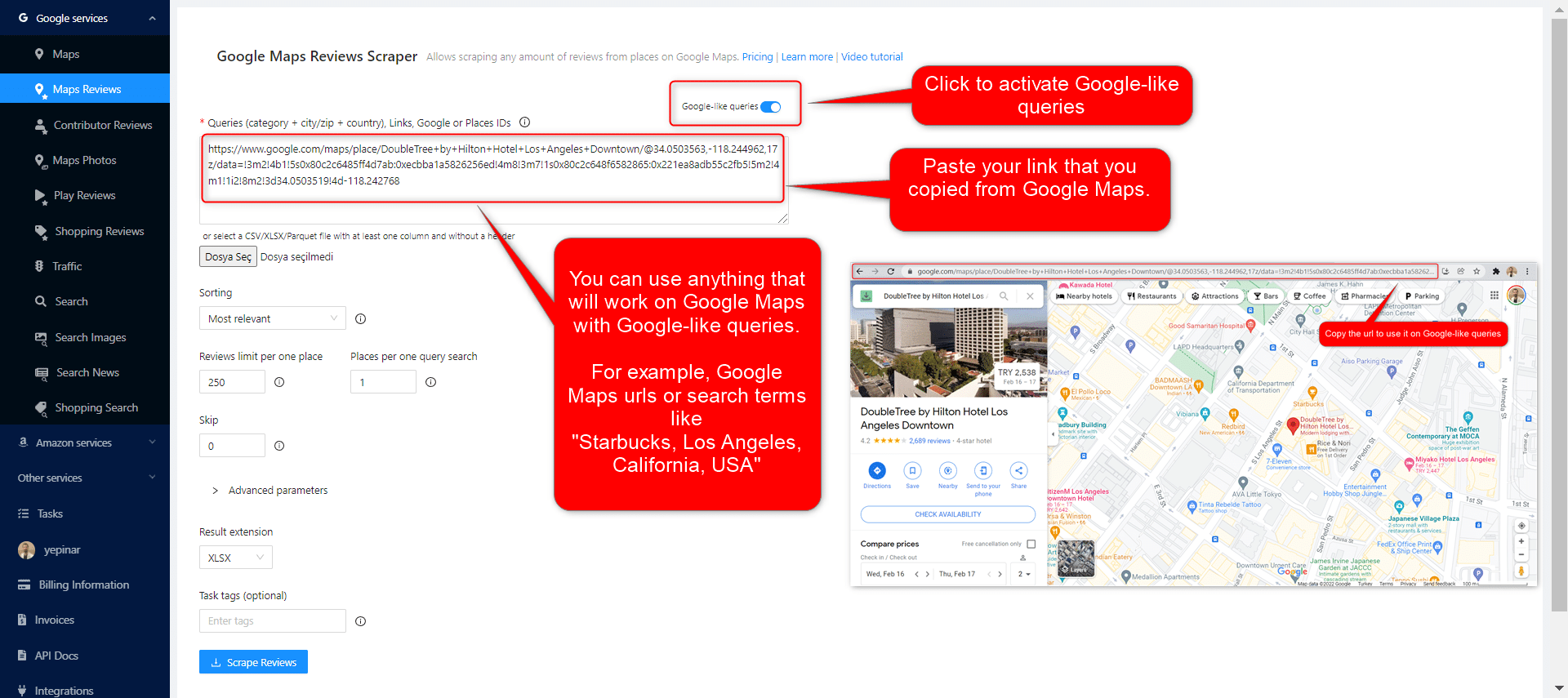
There are 2 different settings that affect your category selection. Google-like queries and Custom categories.
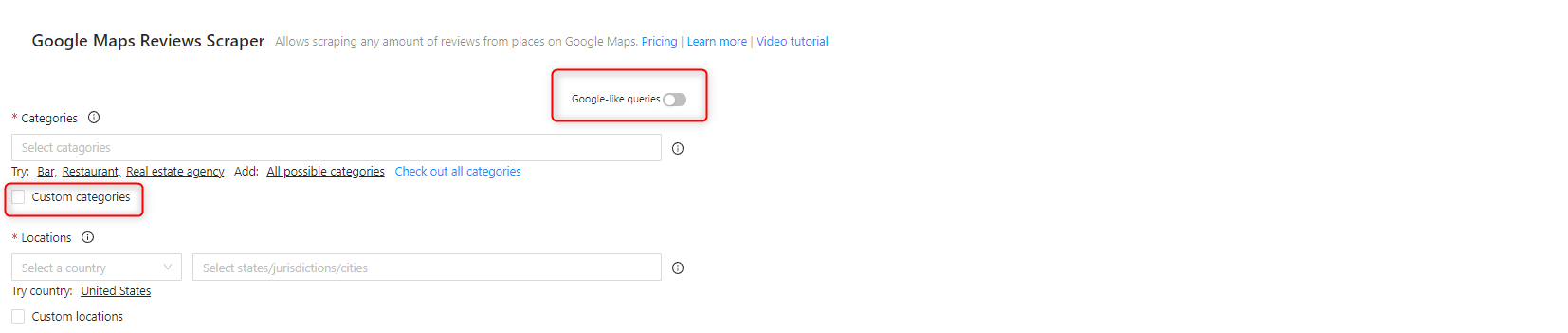
Google-like queries:
All expressions used in Google Maps can be used as queries.
स्थान
Select any country and city from the drop-down list. Outscraper searches only within the location you choose. Select your target country first.
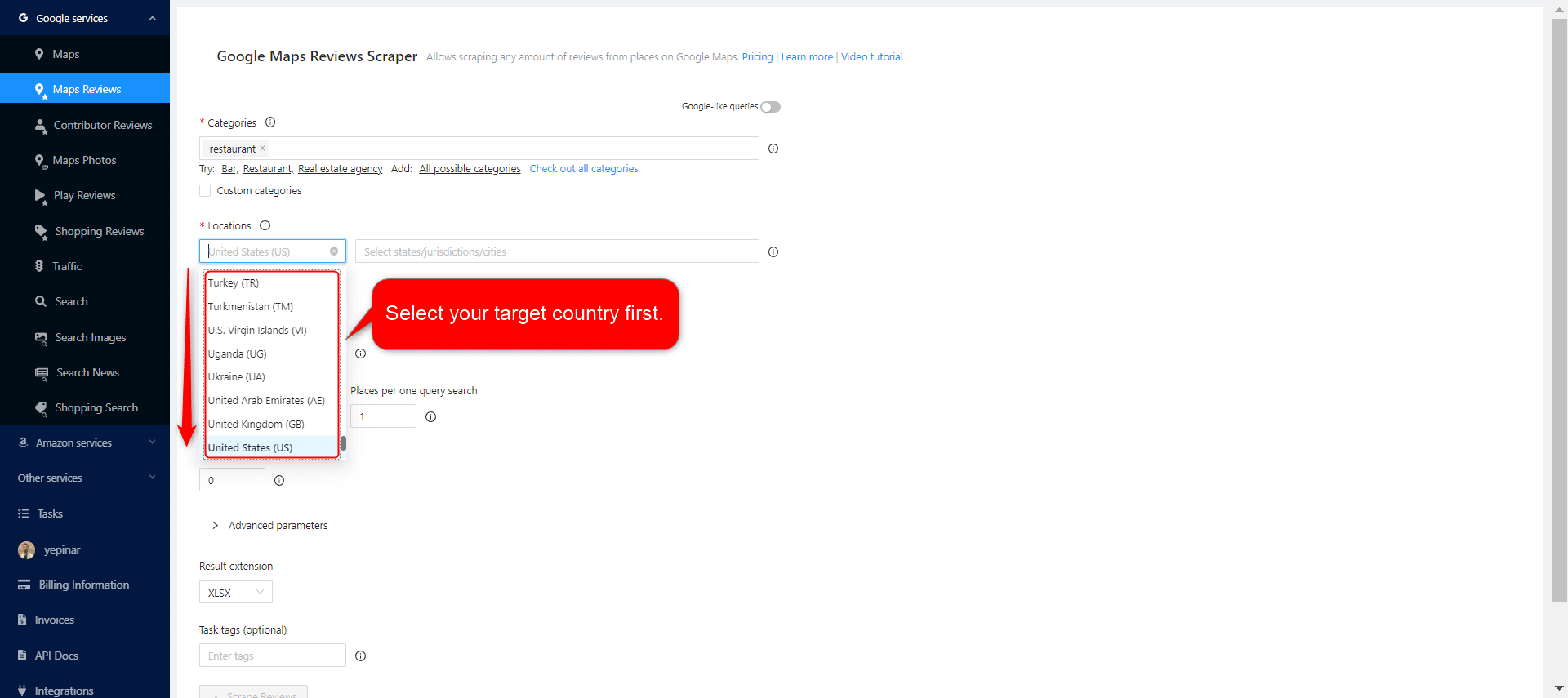
After selecting the country, set your state and city choices, and narrow down your regions for the results.

छंटाई
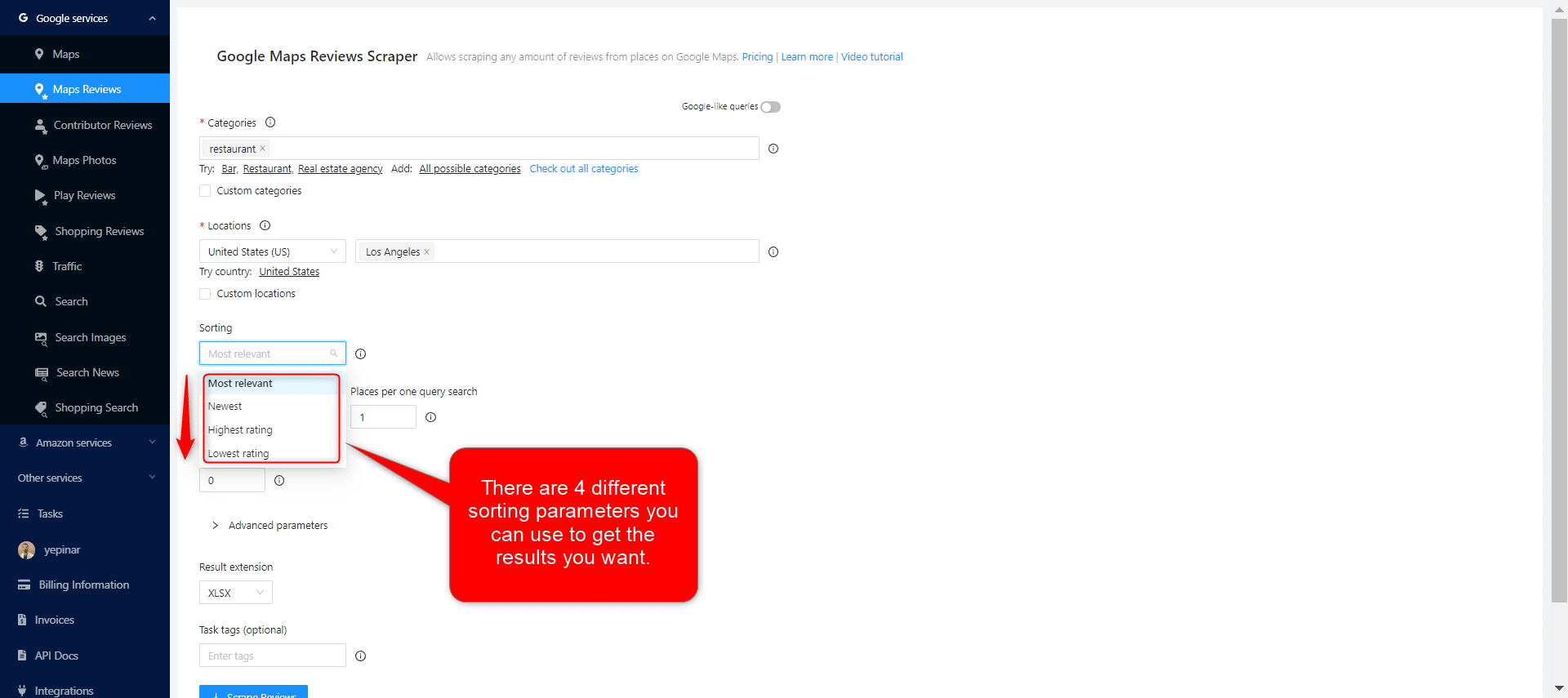
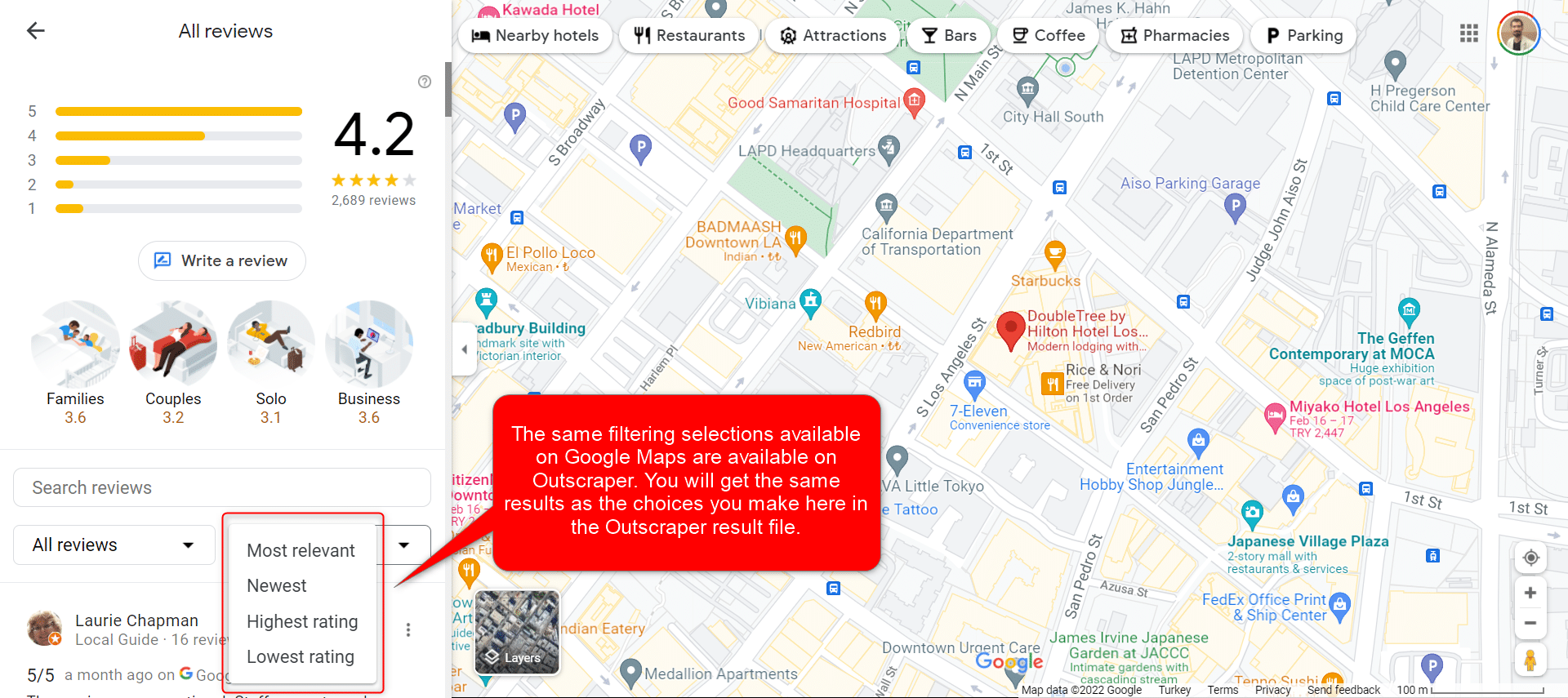
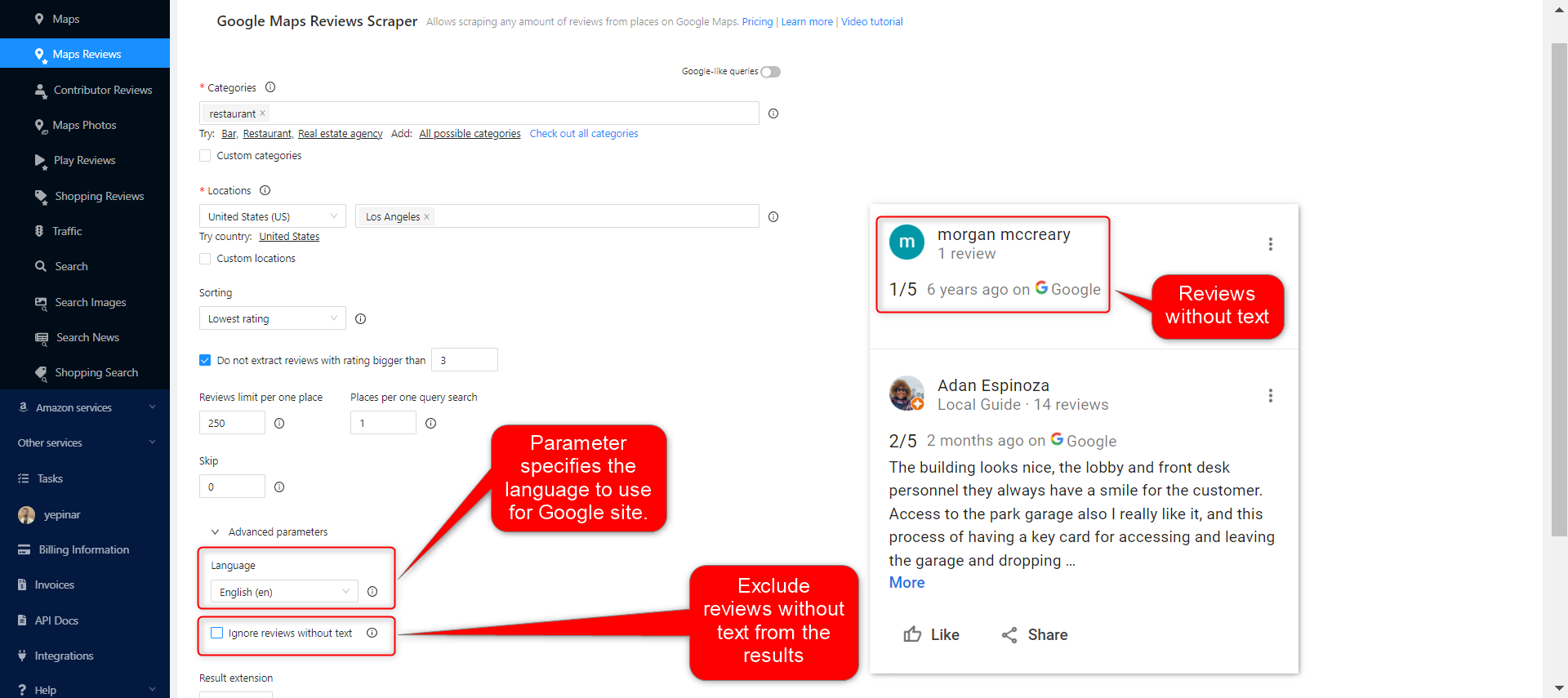
There are 4 different sorting parameters you can use to get the results you want when creating scraping tasks. Most relevant, Newest, Highest rating, and Lowest rating. The same filtering selections available on Google Maps are available on Outscraper and get the same results.
Most Relevant:
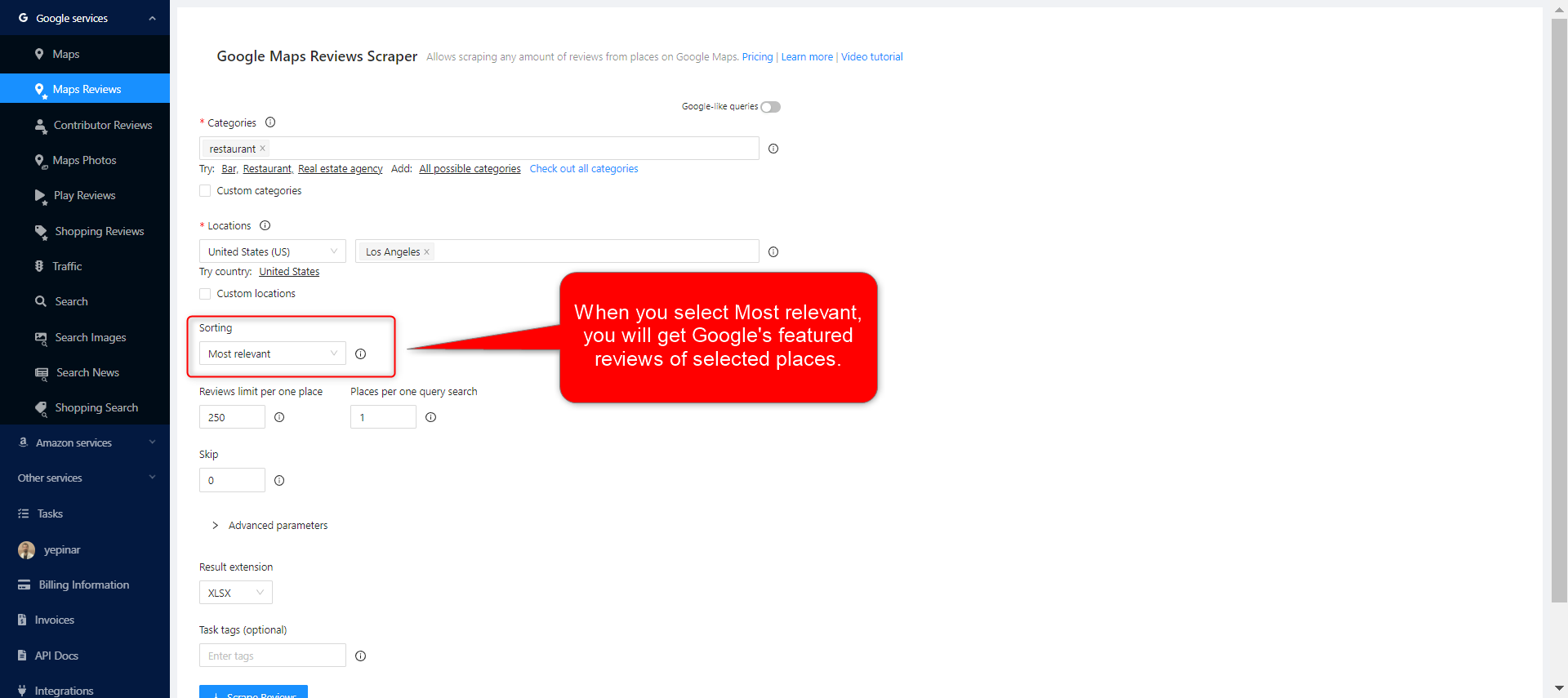
When you select the Most relevant filter, you will get Google’s featured reviews of selected places.

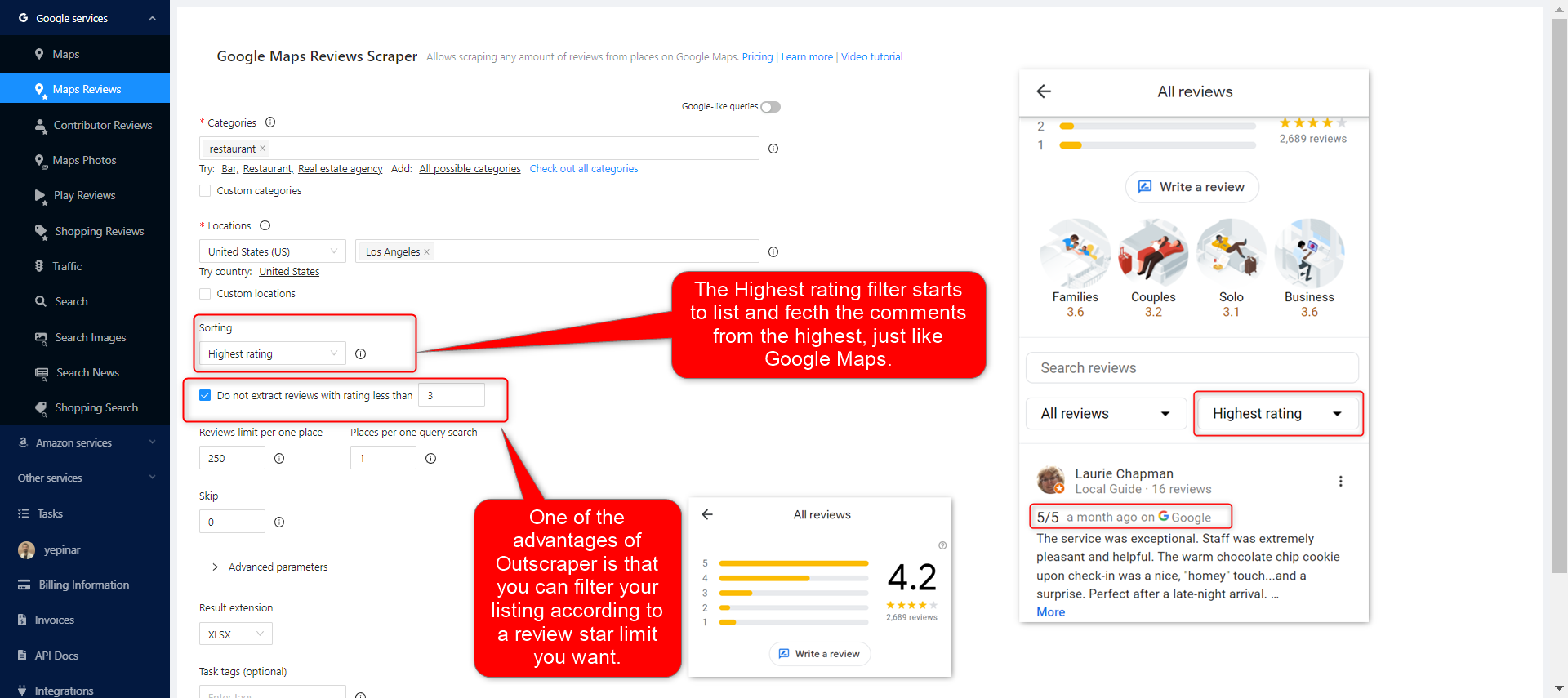
The Highest rating filter starts to list and fetch the comments from the highest, just like Google Maps. One of the advantages of Outscraper is that you can filter your listing according to the review star limit you want.
Lowest rating:
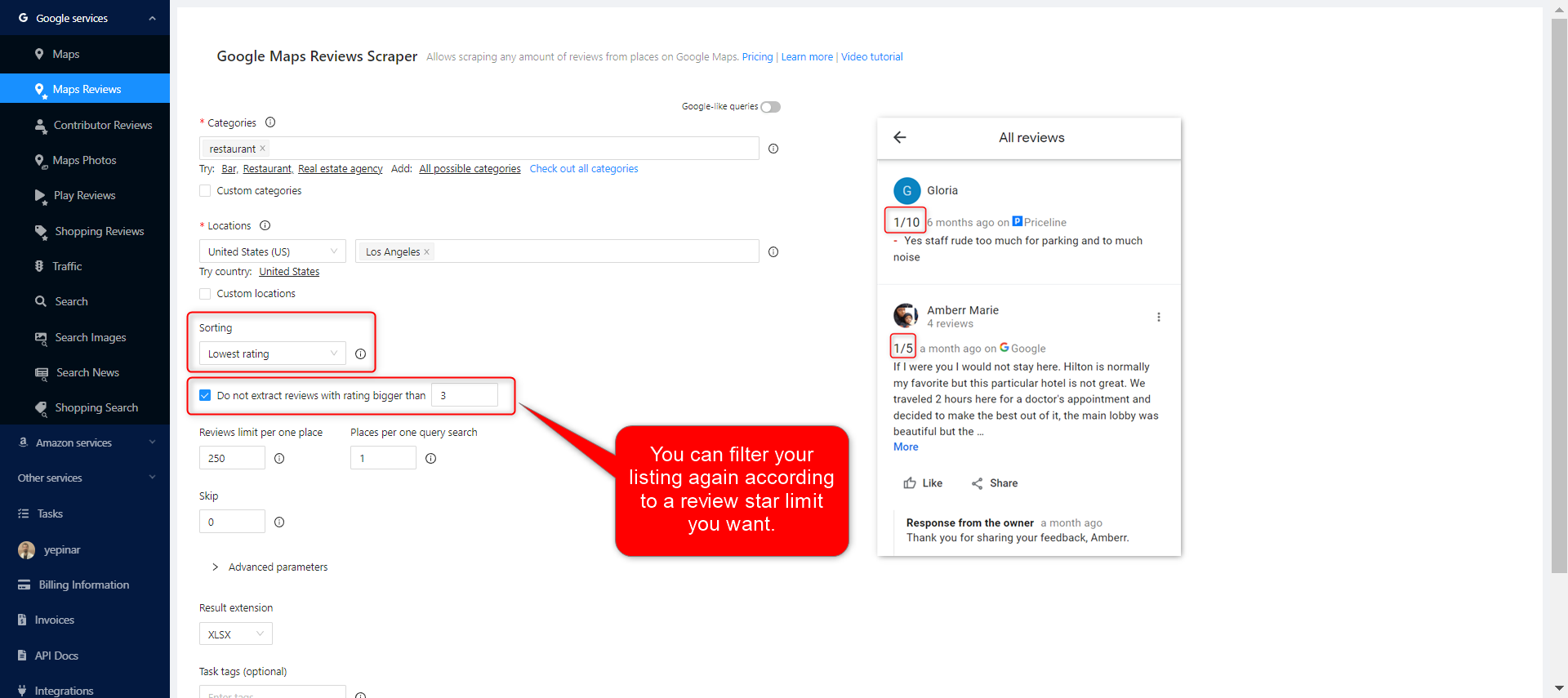
As with the highest filter, you can also choose to extract the lowest-rated comments with the lowest rating filter.
Limits
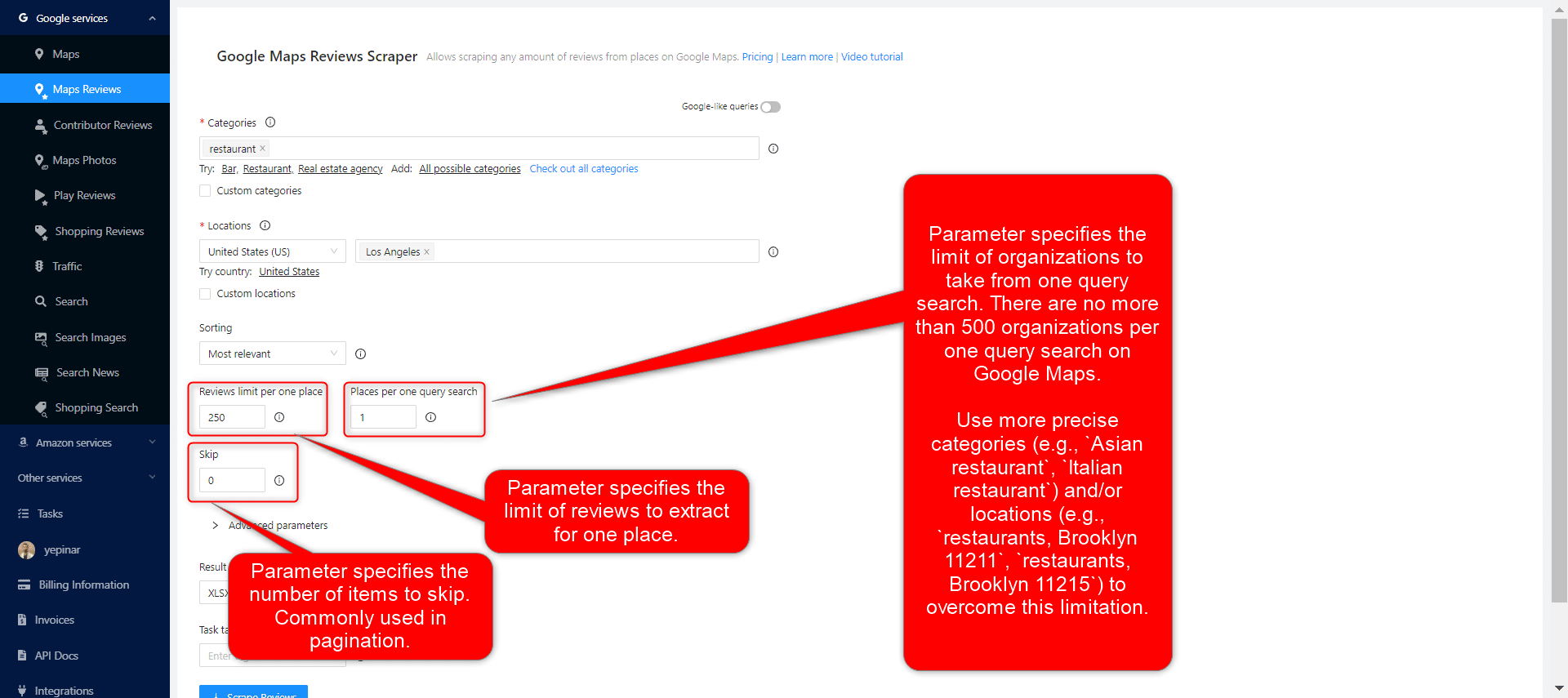
3 different parameters can be used to limit your results: Reviews limit per place, Places per query search, and skip.
उन्नत पैरामीटर
भाषा:
आप जिन कीवर्ड्स को स्क्रैप करना चाहते हैं, उनका किसी अन्य भाषा में विशेष अर्थ हो सकता है। इसलिए, जब उस भाषा में खोज करनी हो, तो उन्नत पैरामीटर अनुभाग के भाषा खंड में उस भाषा का चयन करना उचित होता है।.
Ignore reviews without text:
When people leave a review on Google Maps, sometimes they just give stars without writing a remark. If you are going to create a Google review scraping task because you only need to analyze the comments, you can choose this filter.
टैग और एक्सटेंशन
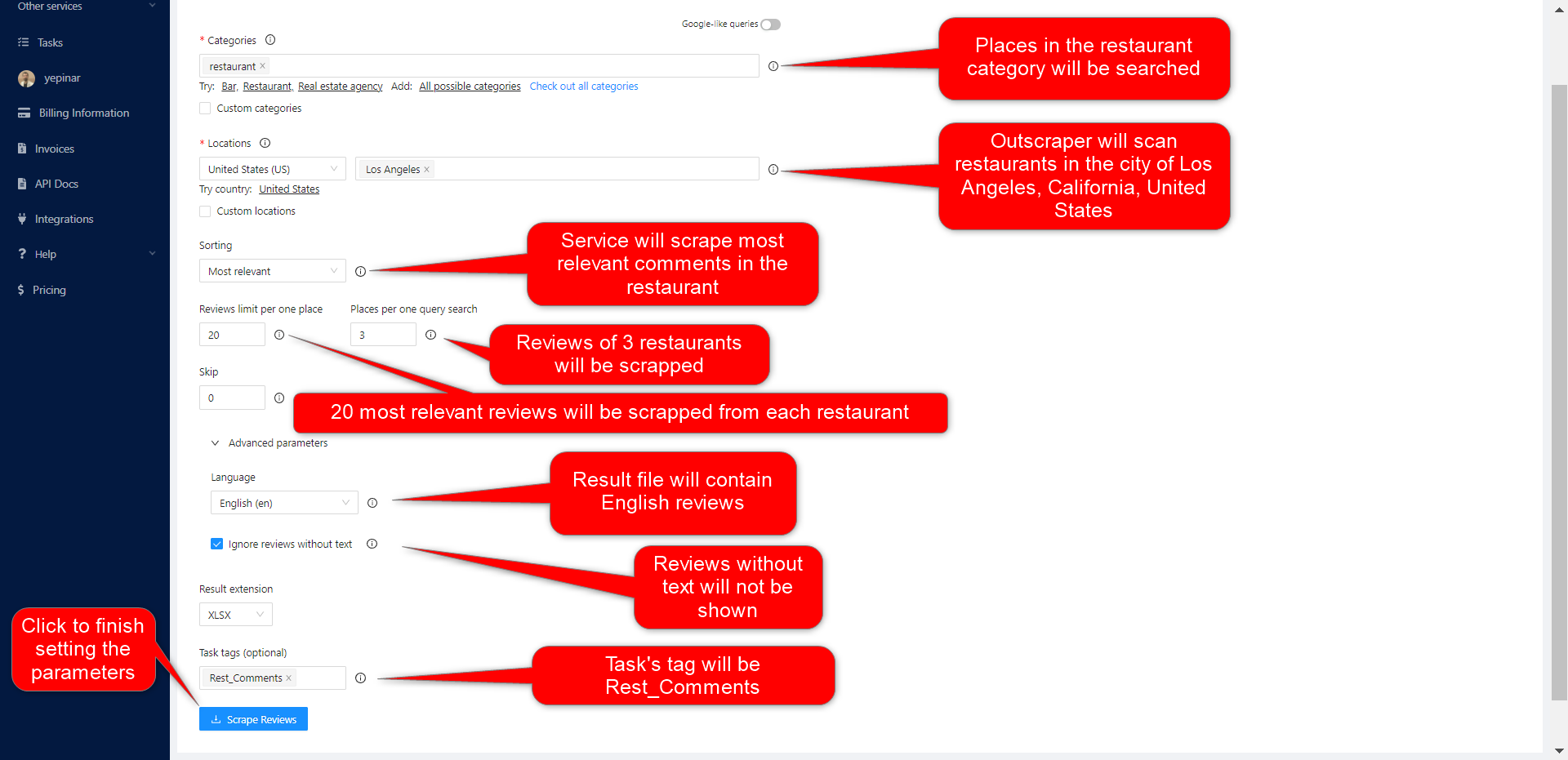
Give any tag you want to your tasks and specify the extension of the result file in a way that suits you.

Complete Setting Parameters
Set all your parameters and review them for the last time. If all parameters are OK, click the “Scraper Reviews” button.
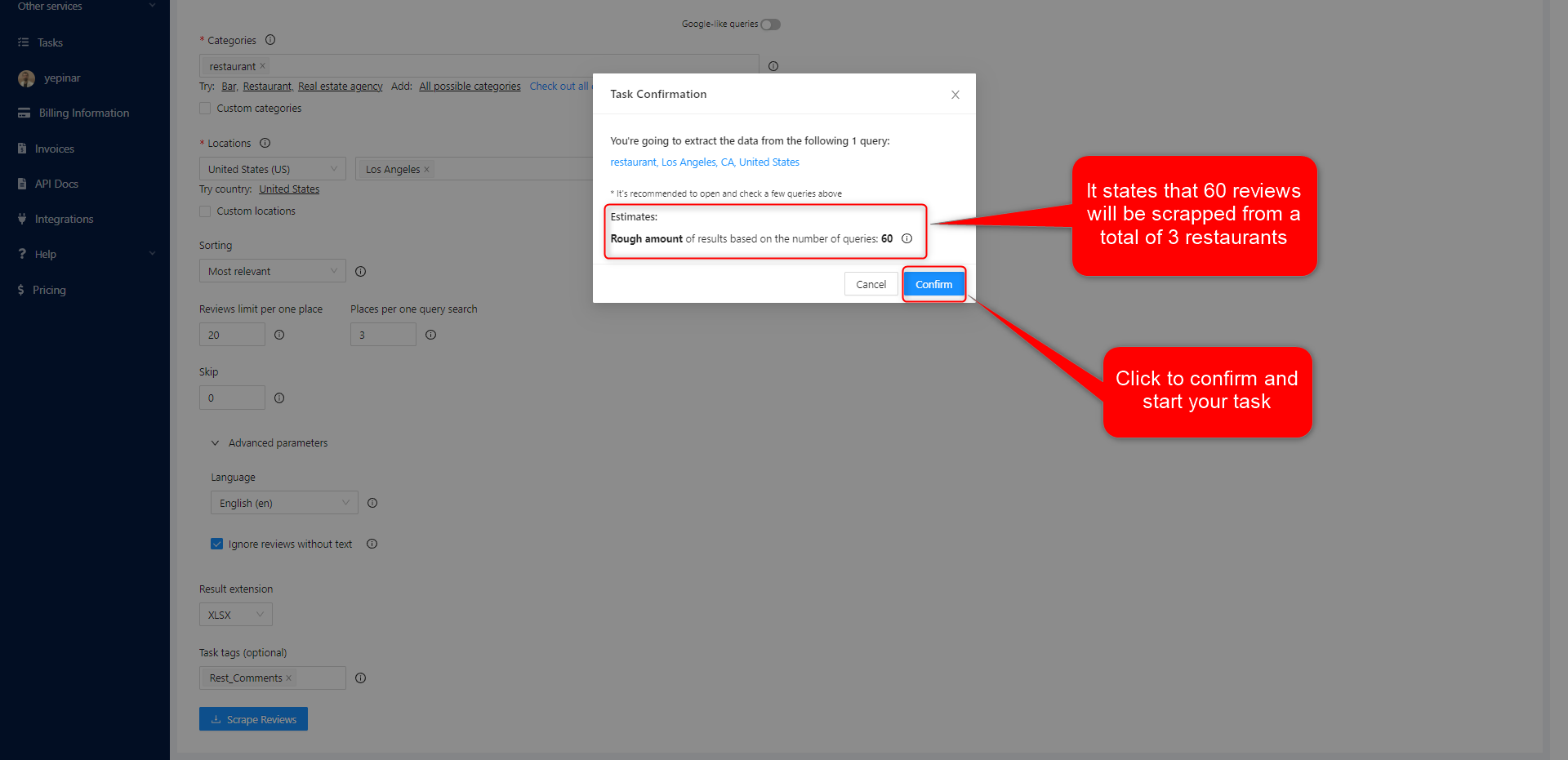
अपने कार्य की पुष्टि करें
Read the information about result estimation and click the “confirm” button to start the task.
परिणाम
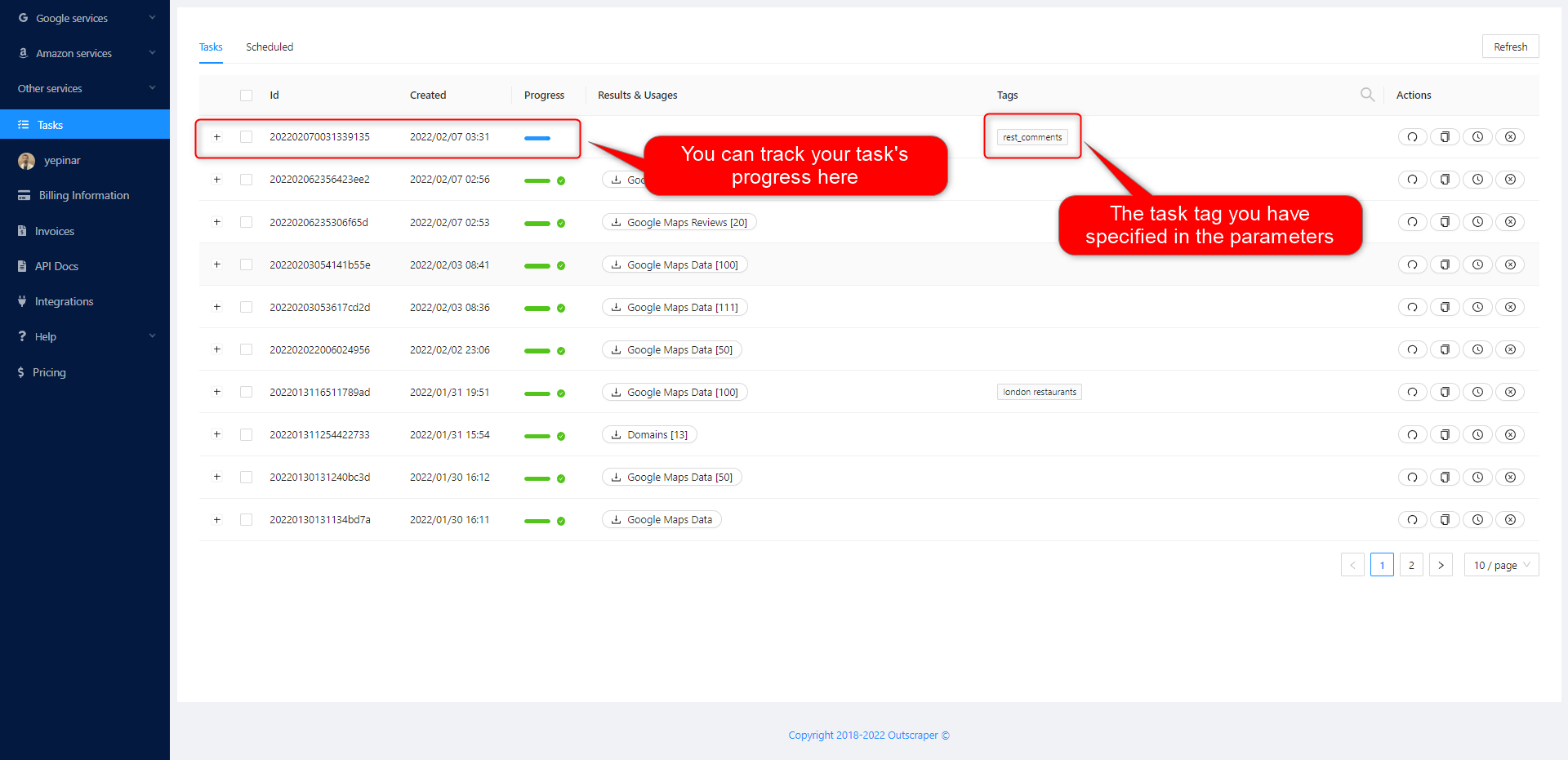
अपने कार्य की प्रगति पर नज़र रखें
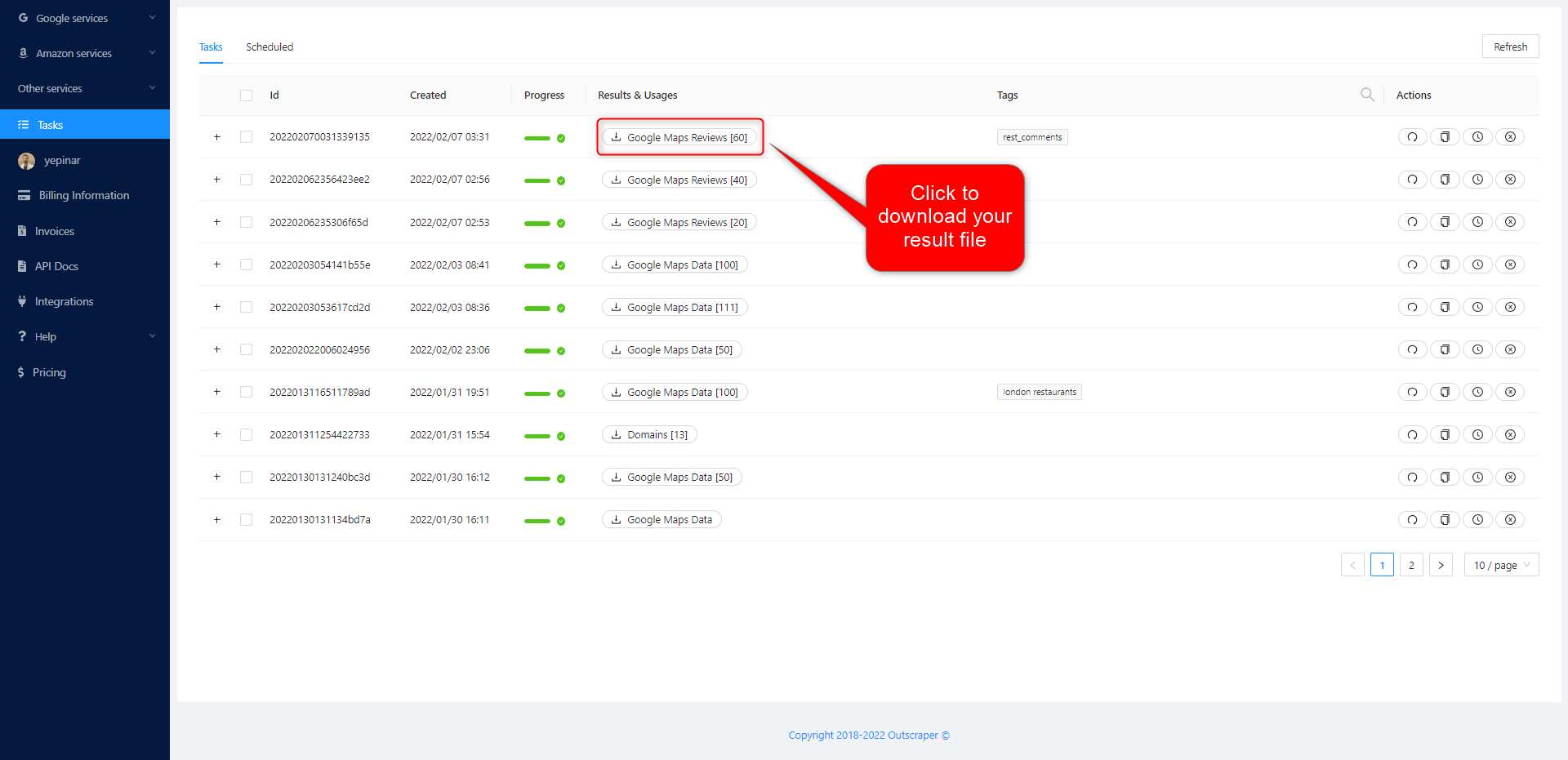
On the Tasks page, you can track the progress of all your tasks.
अपनी परिणाम फ़ाइल डाउनलोड करें
Download the results of your tasks at any time.
All results are stored on servers for 30 days only.
अपनी फ़ाइल की समीक्षा करें
Review your result files with Excel or with the spreadsheet viewer that can open XSLX files.
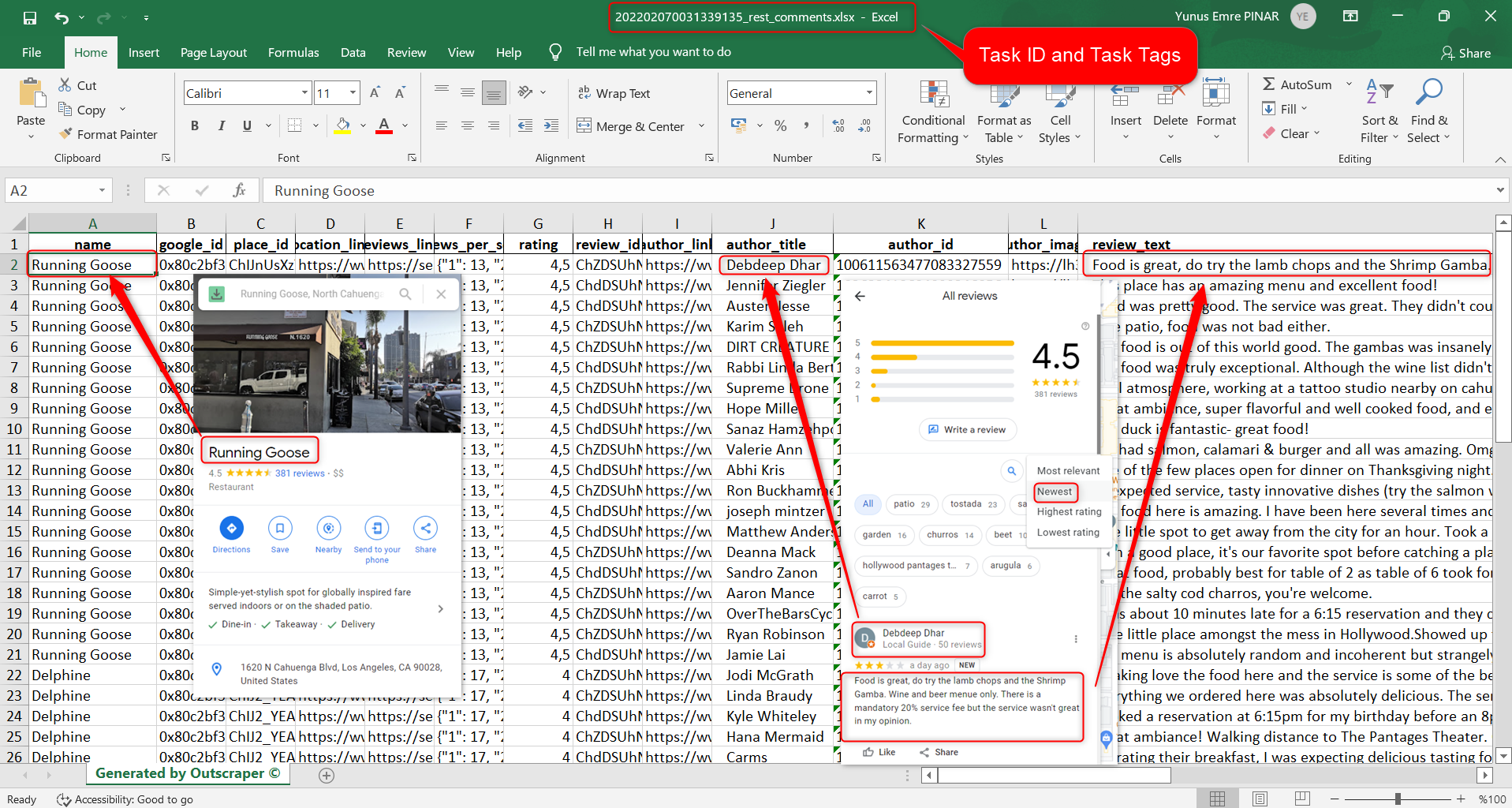
Click to download and review the sample task: 202202070031339135_rest_comments.xlsx
The result file contains these columns (data). You can edit and use this data as you wish.
name, google_id, place_id, location_link, reviews_link, reviews_per_score, rating, review_id, author_link, author_title, author_id, author_image, review_text, review_img_url, owner_answer, owner_answer_timestamp, owner_answer_timestamp_datetime_utc, review_link, review_rating, review_timestamp, review_datetime_utc, review_likes, reviews_id
वीडियो ट्यूटोरियल
मूल्य निर्धारण
मूल्य पृष्ठ और लागत कैलकुलेटर
Outscraper में कोई मासिक सदस्यता शुल्क नहीं है। आप केवल उसी के लिए भुगतान करते हैं जो आप उपयोग करते हैं।.
Please visit our pricing page for pricing details on our Google Maps Reviews scraping service.
मूल्य पृष्ठ: https://outscraper.com/pricing
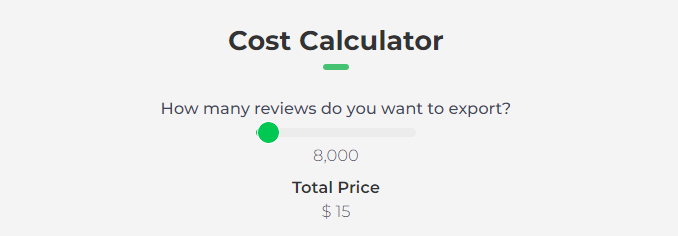
मूल्य निर्धारण के लिए 3 विभिन्न स्तर हैं: फ्री टियर, मीडियम टियर और बिजनेस टियर। इन स्तरों की कीमतें प्राइसिंग पेज पर देखी जा सकती हैं। प्राइसिंग पेज पर एक लागत कैलकुलेटर भी है। आप लागत कैलकुलेटर का उपयोग करके देख सकते हैं कि आपके परिणामों पर कितना खर्च आएगा।.
डैशबोर्ड पर सेवा मूल्य निर्धारण उपकरण
After registration, the “Service Pricing” tool can help you with pricing on the Google Maps Reviews Scraper service page on the Outscraper App Dashboard.
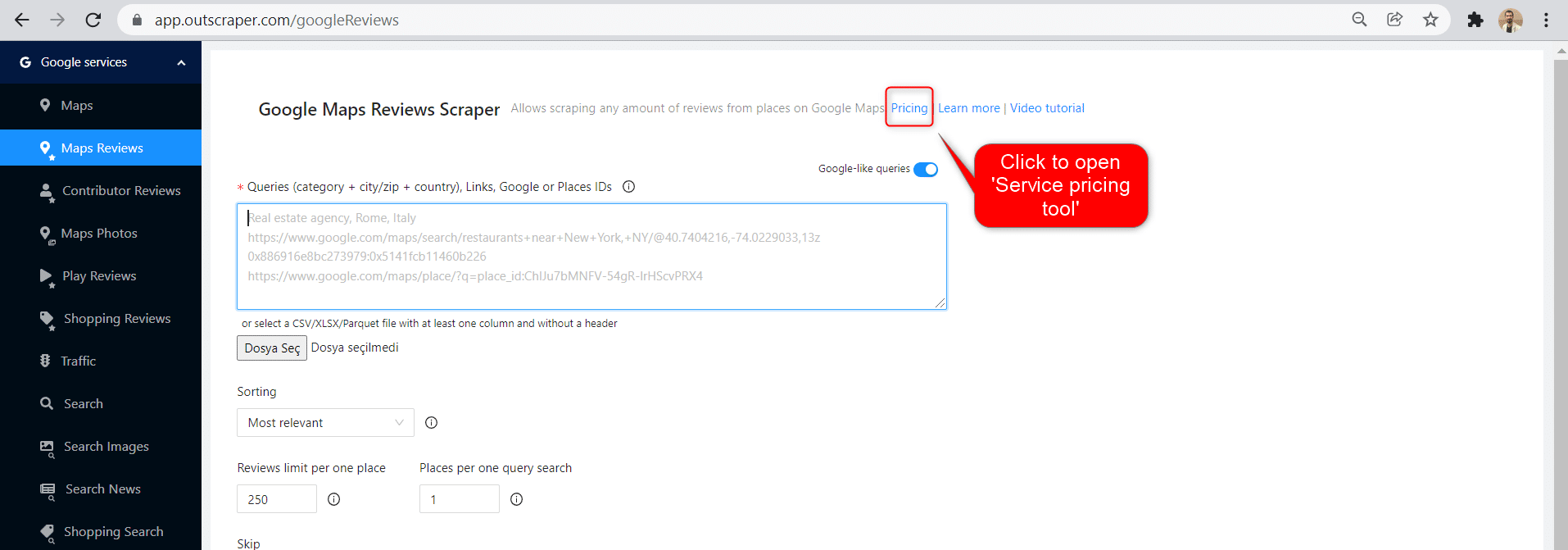
The service pricing tool will be shown on the right.
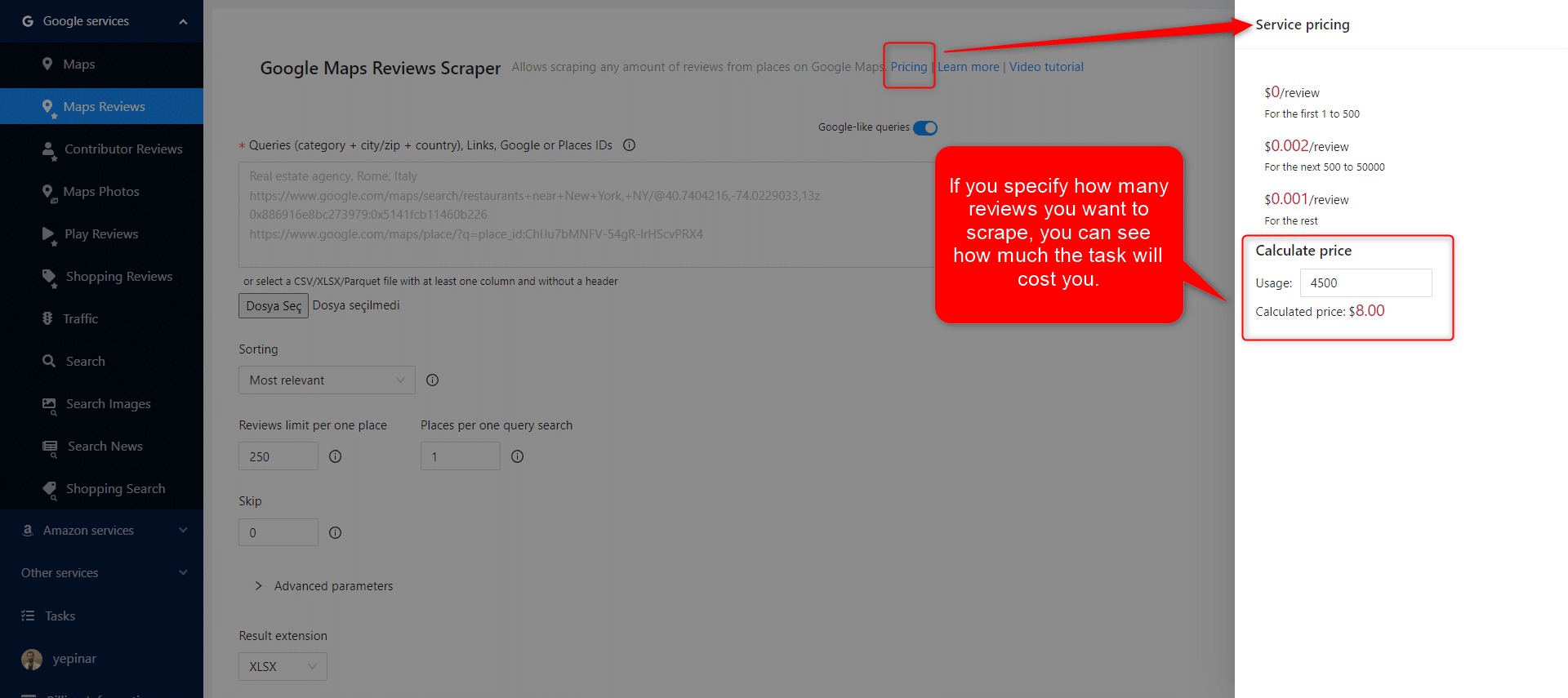
If you specify how many reviews you want to scrape, you can see how much the task will cost you. Please visit the Billing Information page to add credit or provide your credit card.
भुगतान के तरीके
फ्री टियर
Outscraper में प्रत्येक महीने आपको एक निश्चित मात्रा में मुफ्त टियर क्रेडिट्स मिलते हैं। ये क्रेडिट्स मूल्य निर्धारण पृष्ठ पर दिखाए अनुसार मासिक रूप से नवीनीकृत होते हैं।.
आप मूल्य निर्धारण पृष्ठ पर किसी विशेष सेवा के लिए आपके पास कितने मुफ्त क्रेडिट हैं, यह देख सकते हैं।.
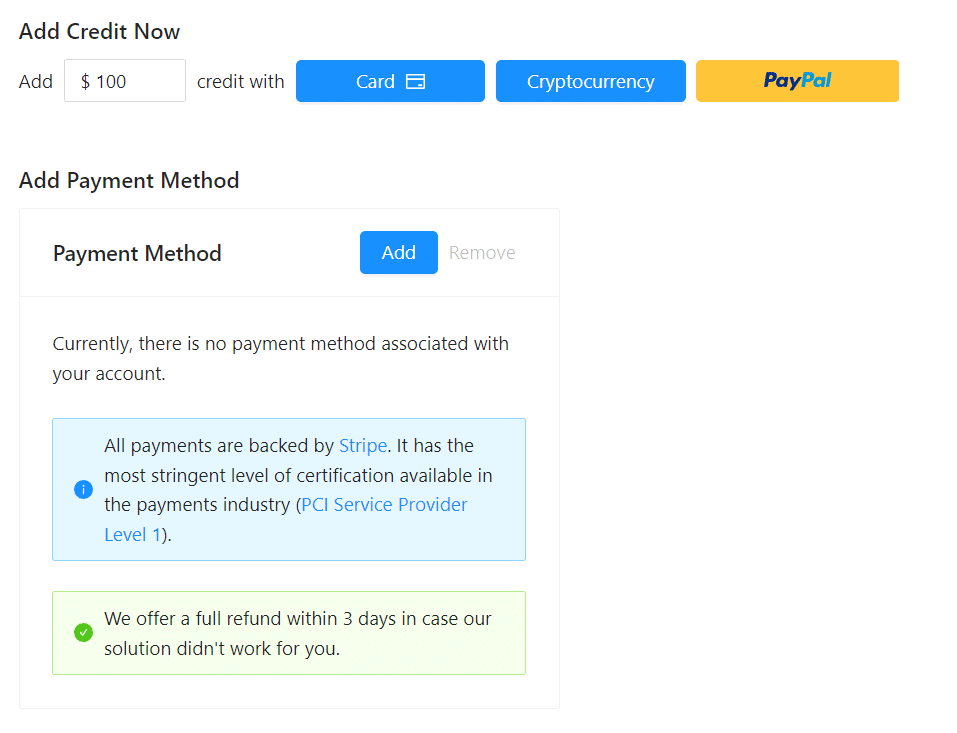
आप क्रेडिट जोड़कर प्रीपेड भुगतान विधि का उपयोग कर सकते हैं, या आप अपना क्रेडिट कार्ड जोड़कर अपनी बिलिंग अवधि के अंत में पोस्टपेड में भुगतान कर सकते हैं। कृपया भुगतान विधि निर्धारित करने के लिए कृपया बिलिंग जानकारी पृष्ठ पर जाएँ।
पूर्व-भुगतान - क्रेडिट जोड़ें
Outscraper का उपयोग शुरू करने के लिए अपने खाते में क्रेडिट जोड़ें। न्यूनतम सीमा 10 USD है। आप जितने चाहें उतने क्रेडिट जोड़ सकते हैं और जब चाहें उनका उपयोग कर सकते हैं।.
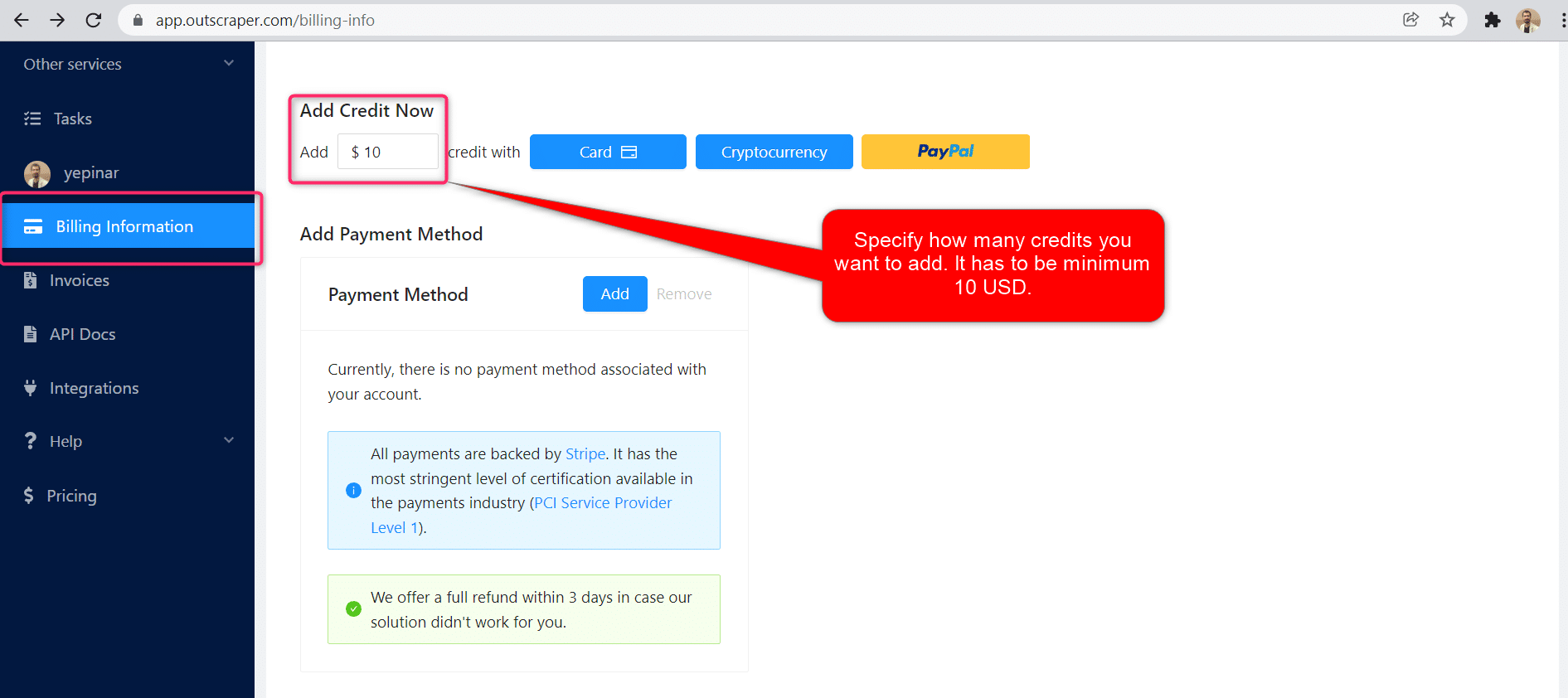
क्रेडिट कार्ड, क्रिप्टोकरेंसी, या PayPal द्वारा क्रेडिट जोड़े जा सकते हैं।.
पोस्टपेड - क्रेडिट कार्ड जोड़ें
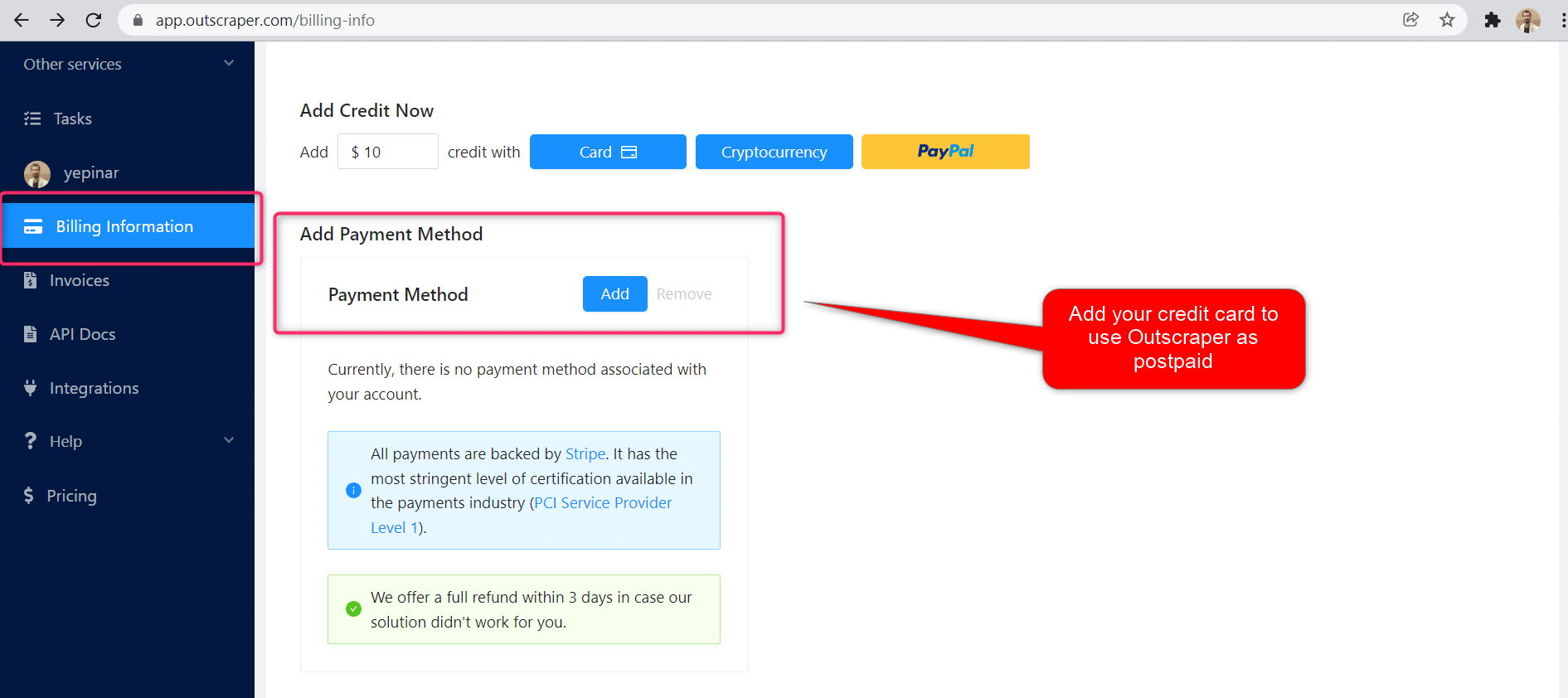
प्रीपेड तरीके में आप पहले भुगतान करते हैं और फिर इसका उपयोग करते हैं, लेकिन पोस्टपेड तरीके में आप एक क्रेडिट कार्ड प्रदान करते हैं और इसका उपयोग शुरू कर देते हैं। आप अपनी बिलिंग अवधि समाप्त होने पर भुगतान करेंगे।.
बिलिंग अवधि
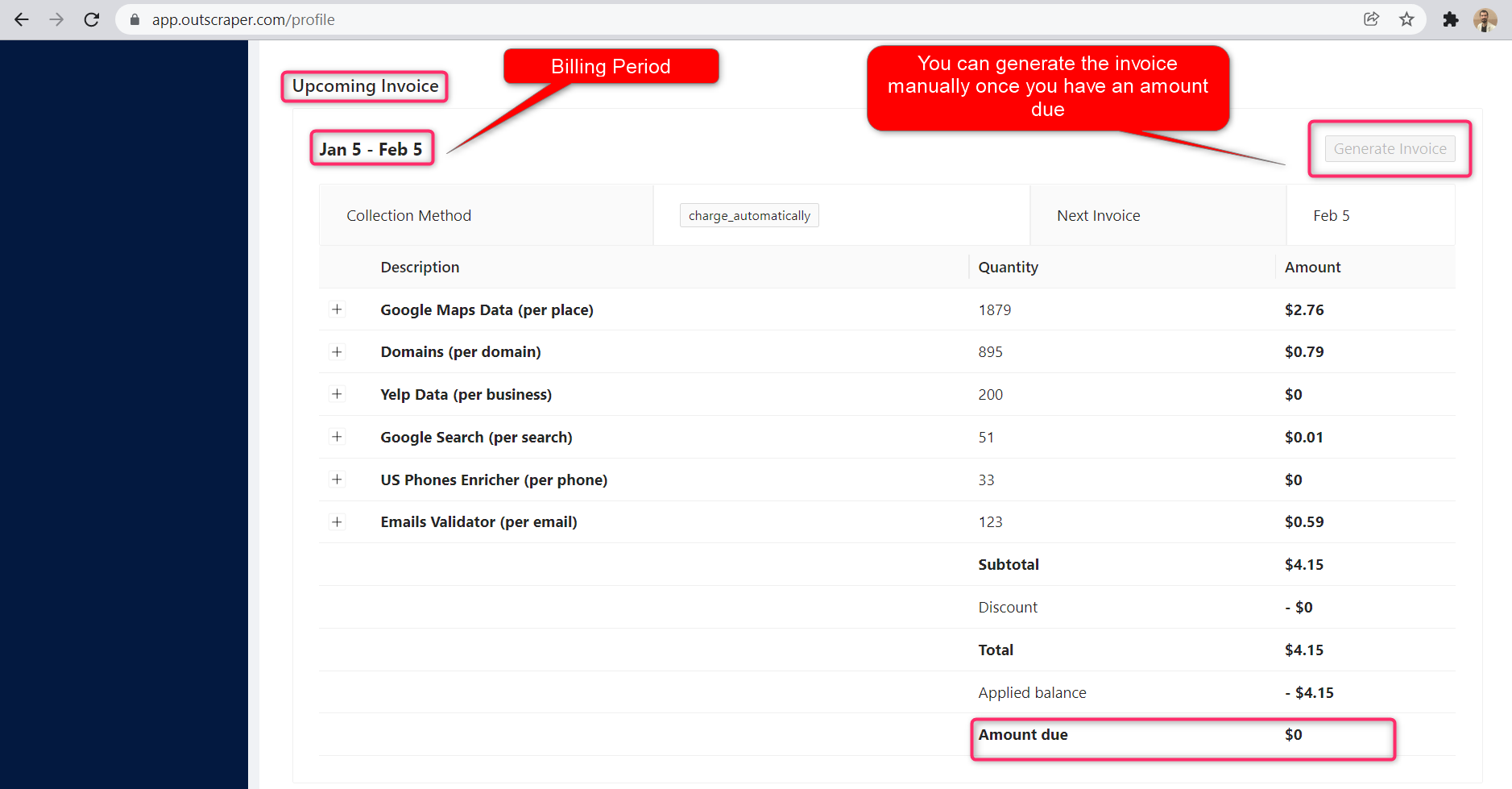
बिलिंग अवधि की प्रारंभ और समाप्ति तिथियों की जानकारी प्रोफ़ाइल पेज पर मिल सकती है। आप वहाँ से आगामी चालान की राशि भी ट्रैक कर सकते हैं। यदि आप चाहें, तो देय राशि होने पर आप मैन्युअल रूप से इनवॉइस उत्पन्न कर सकते हैं।.
OUTSCRAPER YOUTUBE CHANNEL
Follow us on YouTube

सामान्य प्रश्न
अक्सर पूछे जाने वाले प्रश्न और उत्तर
It is possible to extract Google reviews with Python using the Outscraper Google Maps Reviews API. However, by using the no-code Google Maps Reviews Scraper service, you can extract Google Maps reviews without any coding knowledge or skills.
With Outscraper it is possible to scrape data and reviews from Google Maps. Outscraper is an online tool that offers data scraping services from Google services. It allows you to scrape data from many services, including Google Maps.
It is possible to collect and download reviews of someone else or another business in Google Maps reviews. This requires an extractor or scraper service. Outscraper Google Maps Reviews Scraper service responds to this need.



0 Comments