목차
가입하기
계정 만들기
Visit the Google Maps Reviews Scraper page to sign up now.
Enter your preferred email address and password, then click Continue. If you wish, you can also register directly with your Google, Facebook, and LinkedIn accounts. (Skip this part if you already have an account, click login using your credentials.)

이메일 확인
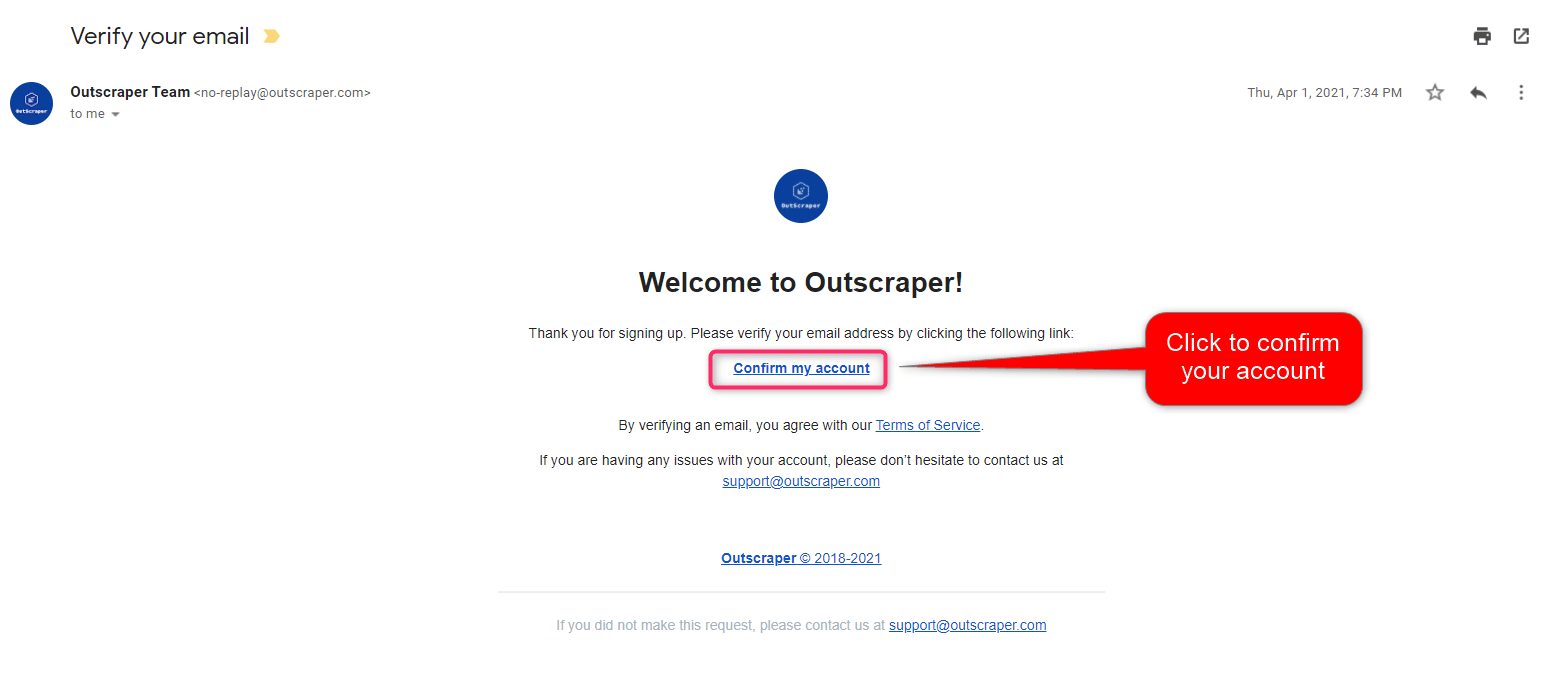
You will receive an email message to confirm your account by clicking the “confirm my account” link provided in the email.
Creating Tasks and Parameters
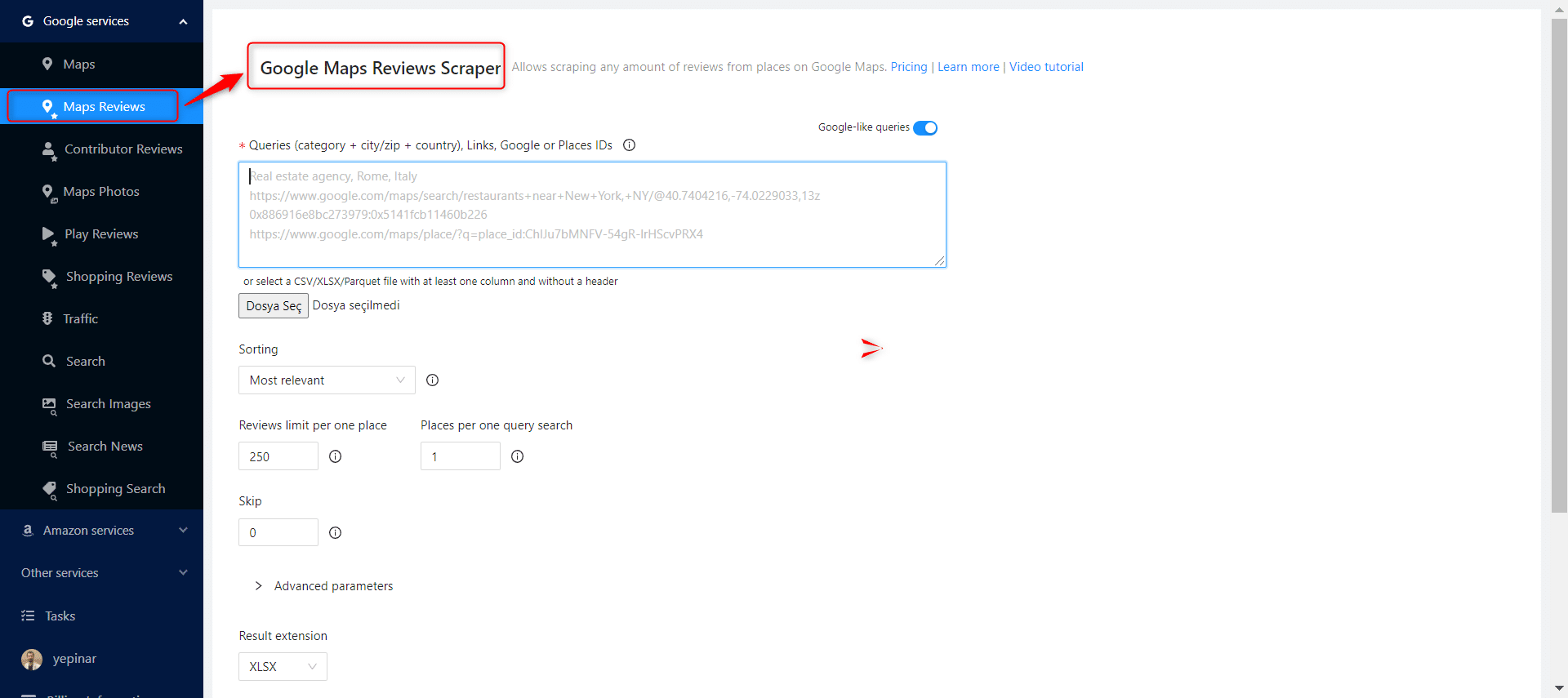
Select Google Services>Maps Reviews service from the left panel and open the Google Maps Reviews Scraper service.
There are 6 essential parameters that should be specified for your tasks.
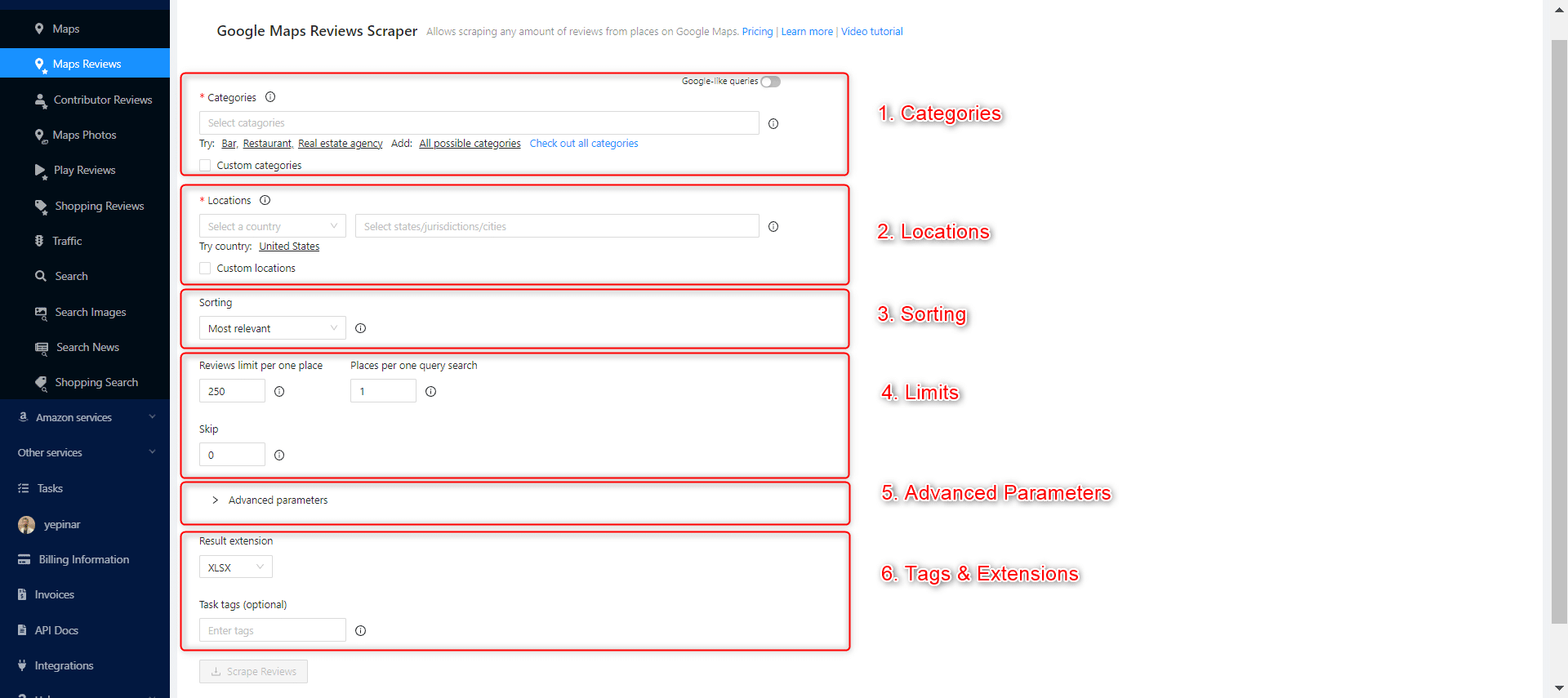
카테고리
Outscraper scrapes businesses in specified categories. You can also search keywords as category identifiers with Outscraper, but general categories are useful for giving ideas about your target companies. Check out the list of business categories on Google Maps:
Choose the category you want to target from the list or write the keyword of your preferred category.

There are 2 different settings that affect your category selection. Google-like queries and Custom categories.
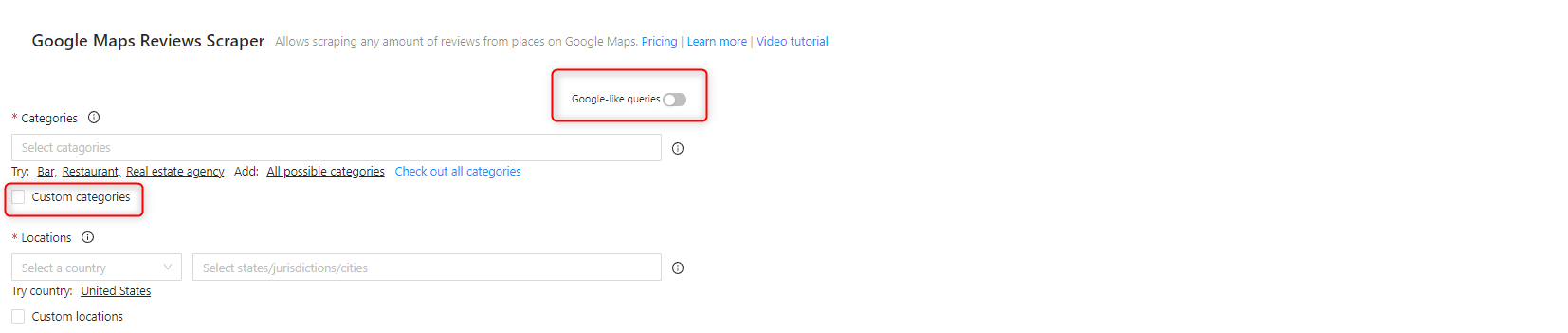
Google-like queries:
All expressions used in Google Maps can be used as queries.
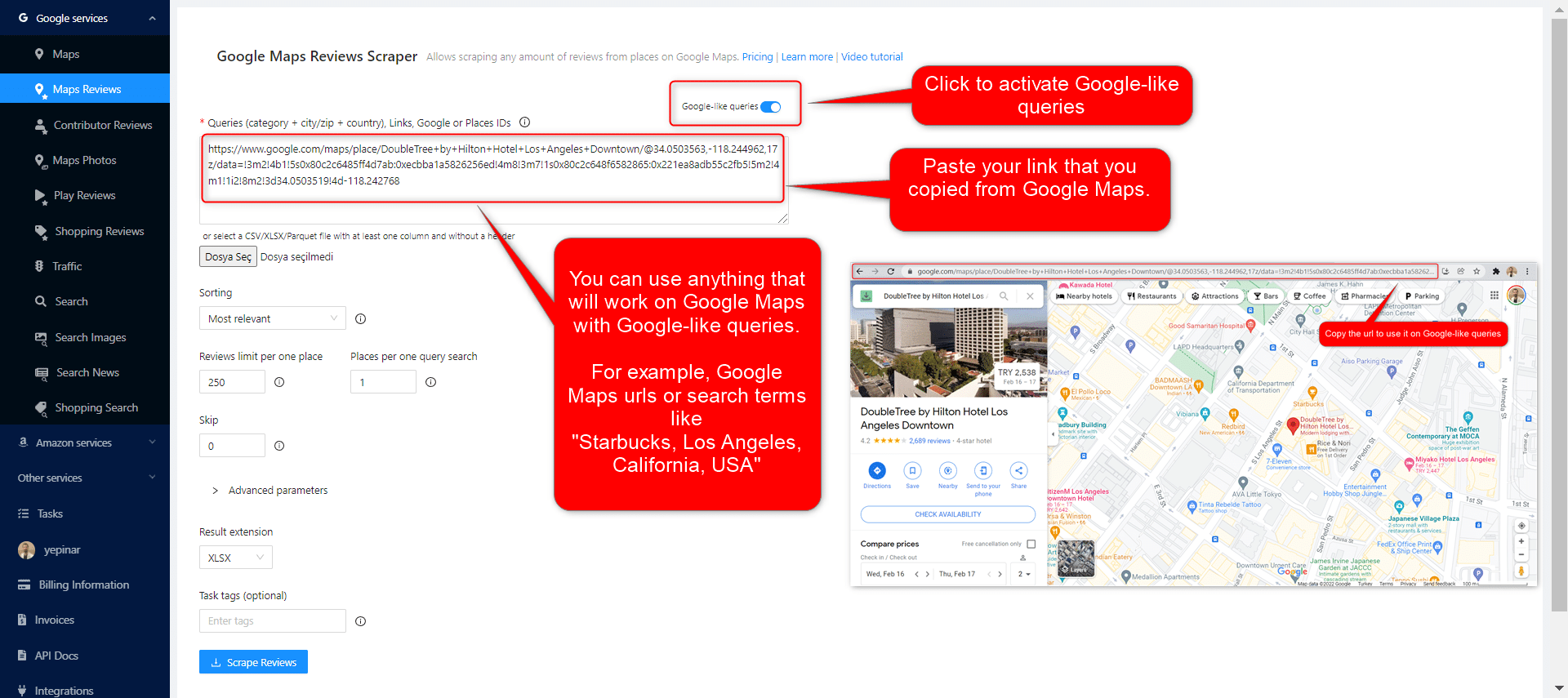
위치
Select any country and city from the drop-down list. Outscraper searches only within the location you choose. Select your target country first.
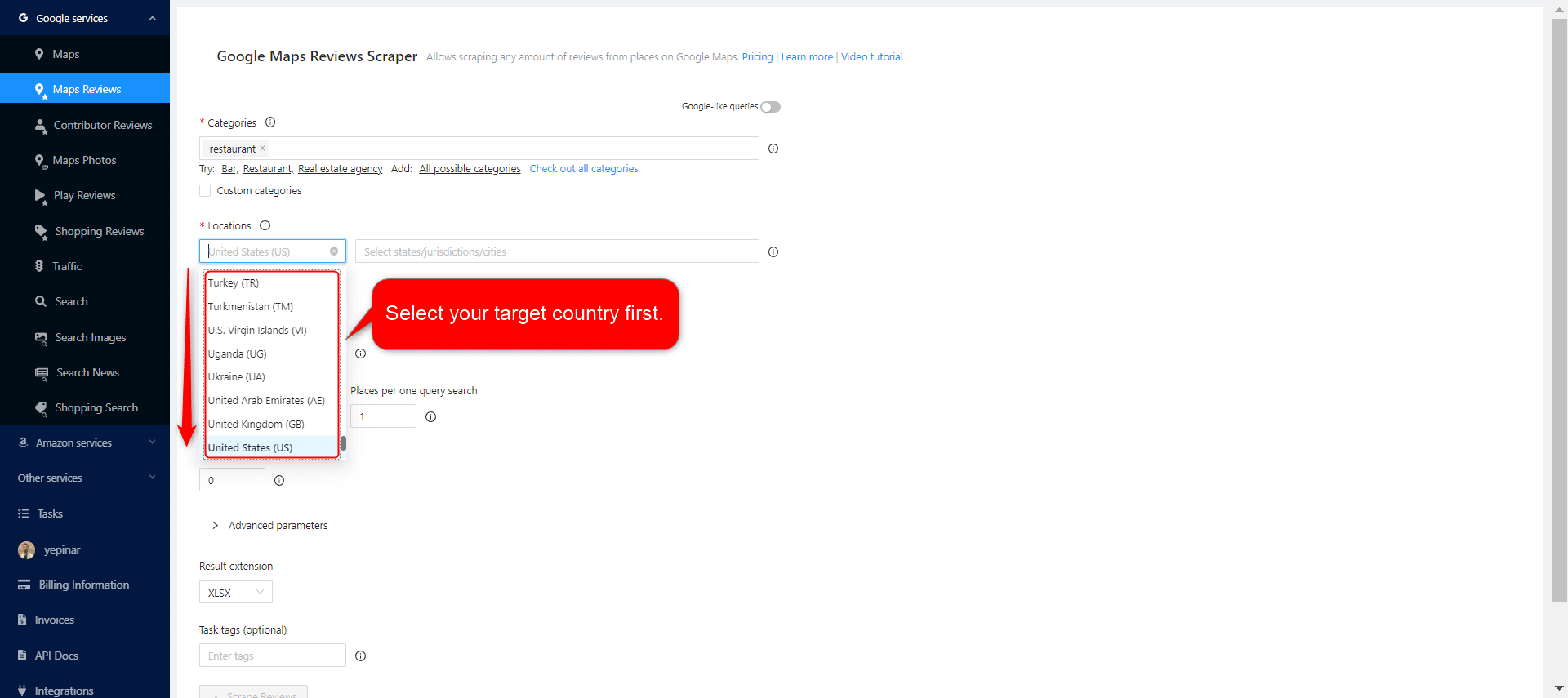
After selecting the country, set your state and city choices, and narrow down your regions for the results.

정렬
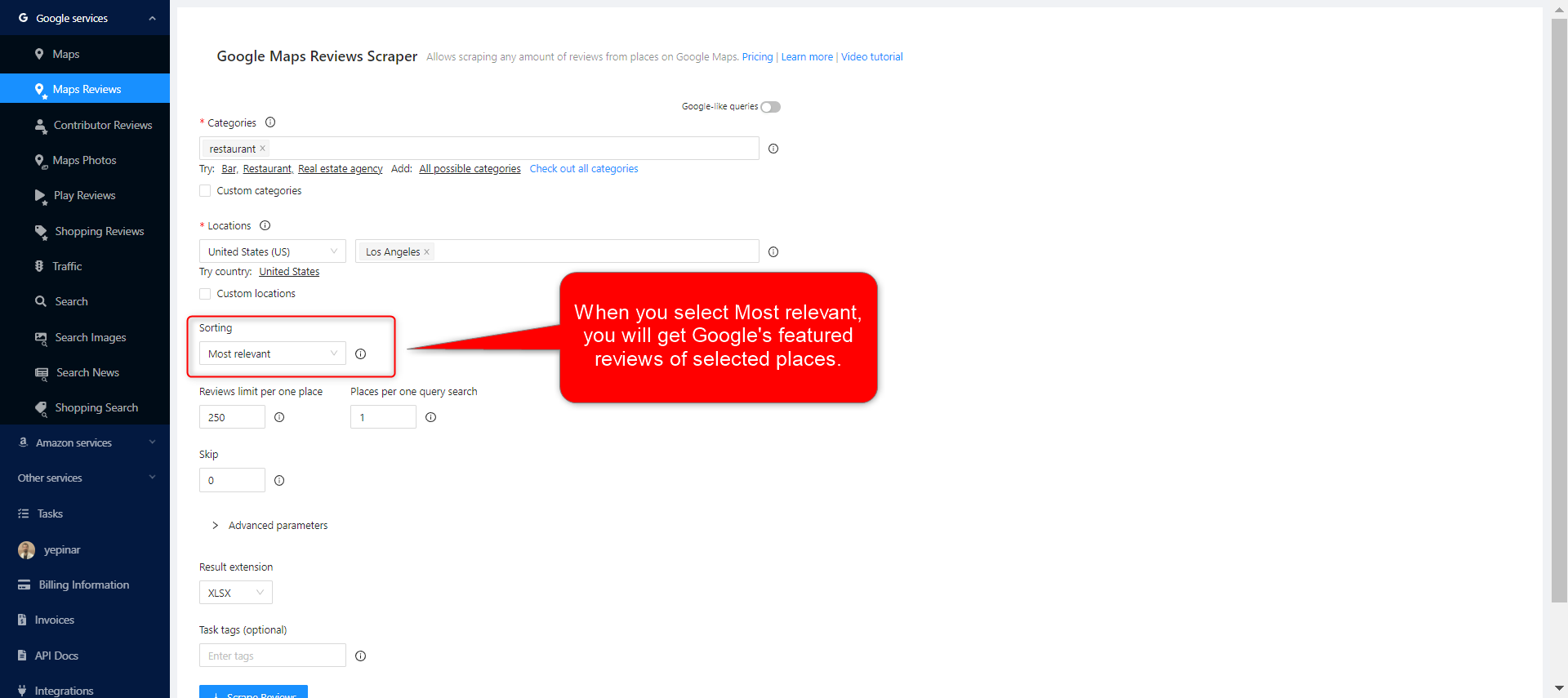
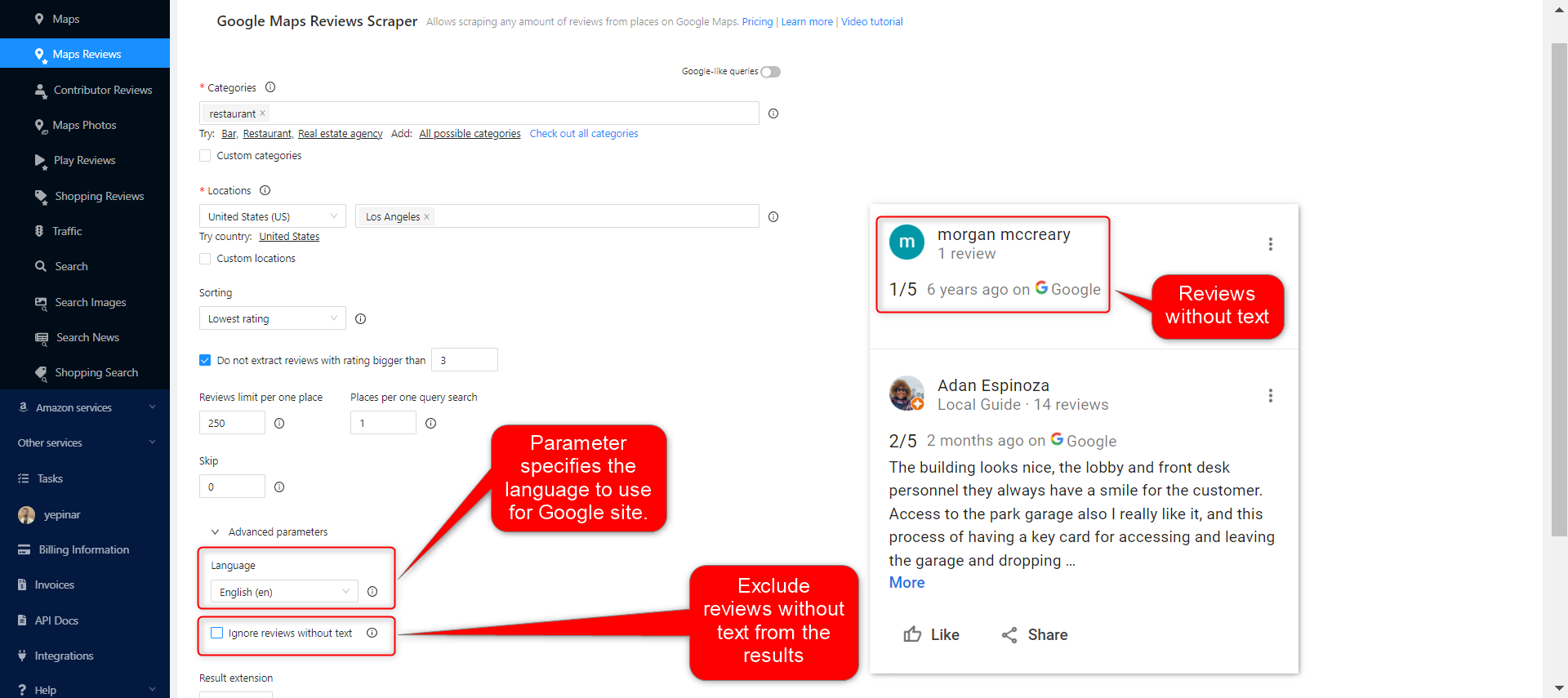
There are 4 different sorting parameters you can use to get the results you want when creating scraping tasks. Most relevant, Newest, Highest rating, and Lowest rating. The same filtering selections available on Google Maps are available on Outscraper and get the same results.
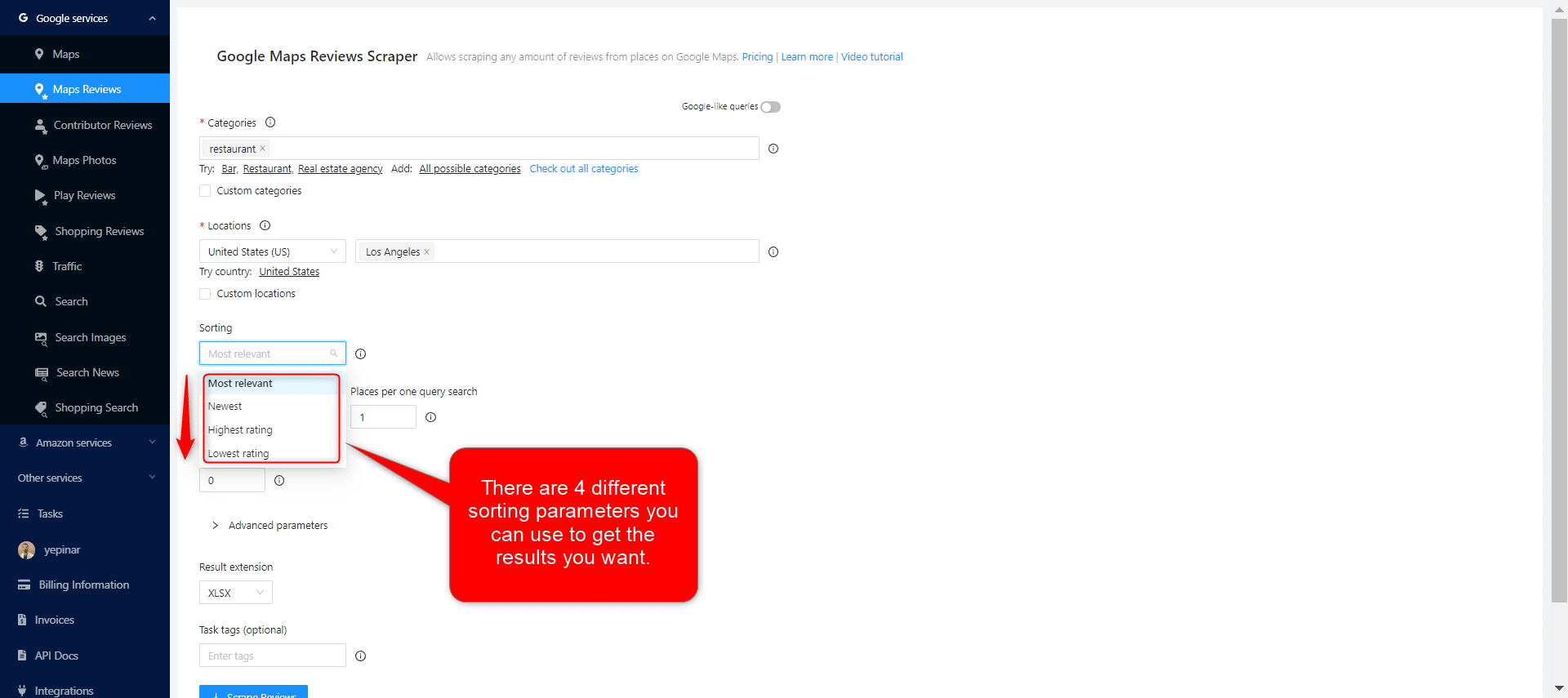
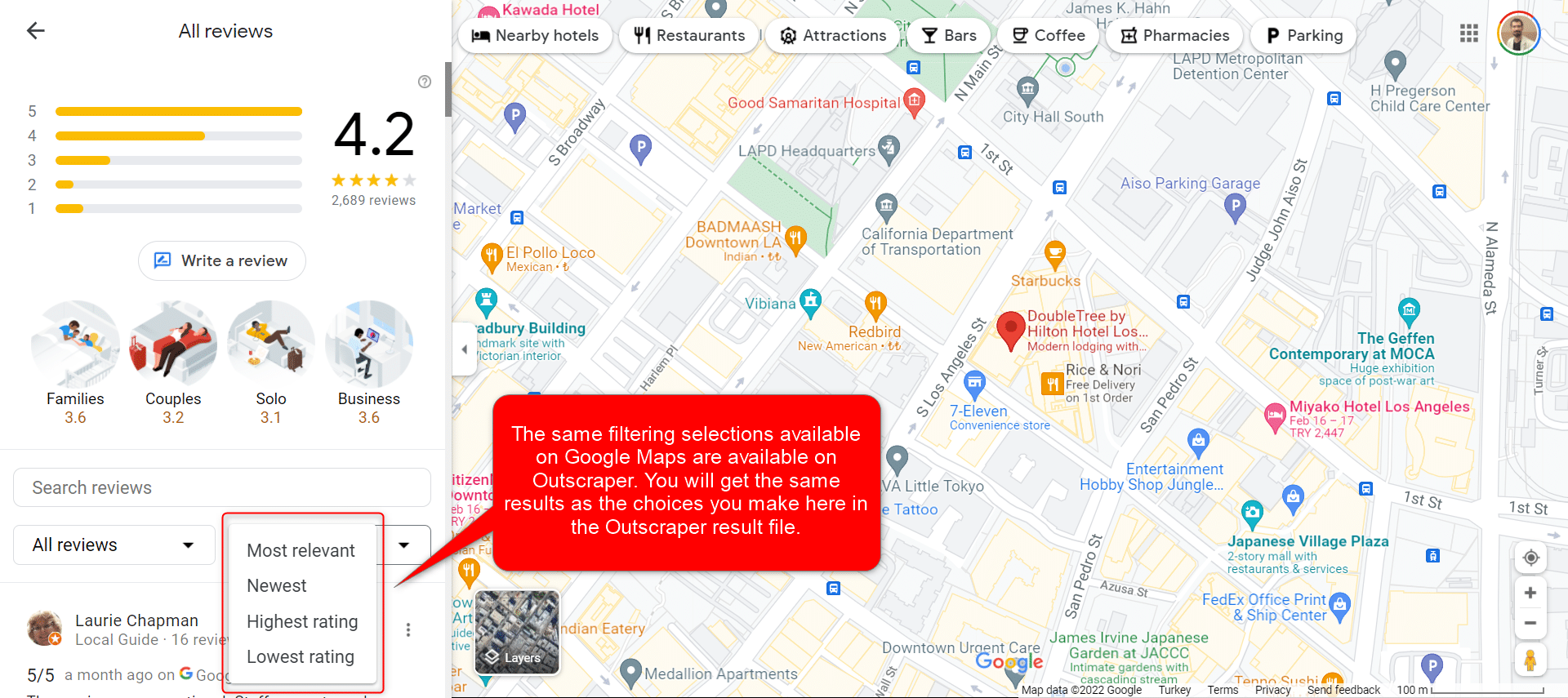
Most Relevant:
When you select the Most relevant filter, you will get Google’s featured reviews of selected places.

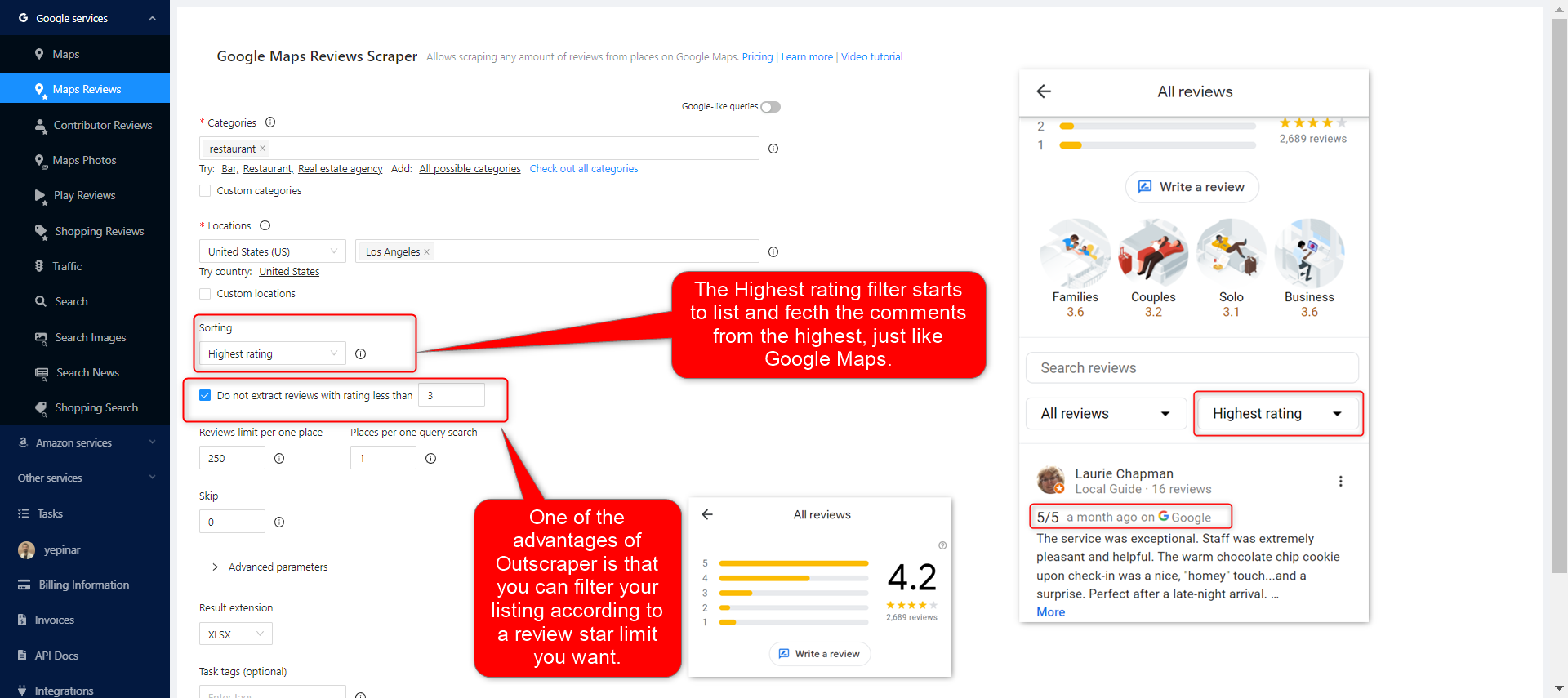
The Highest rating filter starts to list and fetch the comments from the highest, just like Google Maps. One of the advantages of Outscraper is that you can filter your listing according to the review star limit you want.
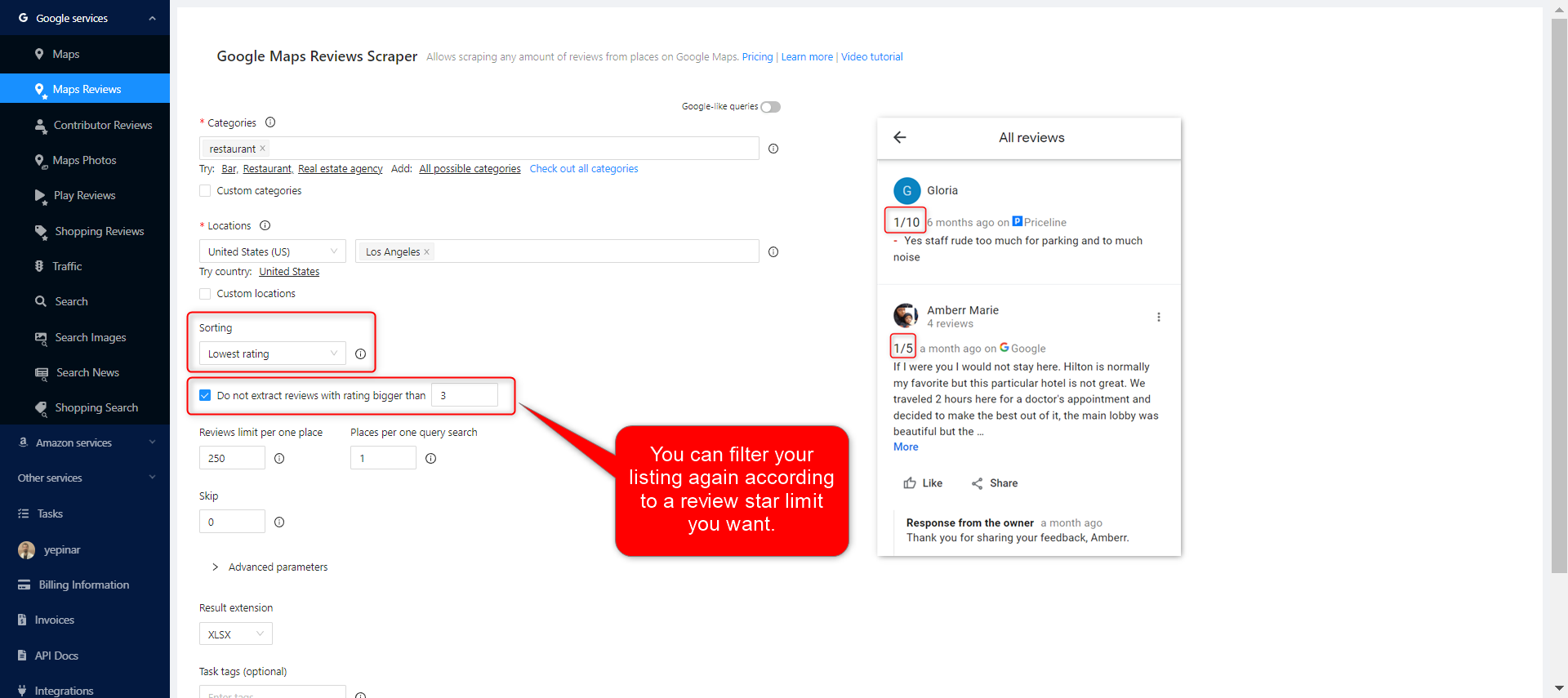
Lowest rating:
As with the highest filter, you can also choose to extract the lowest-rated comments with the lowest rating filter.
Limits
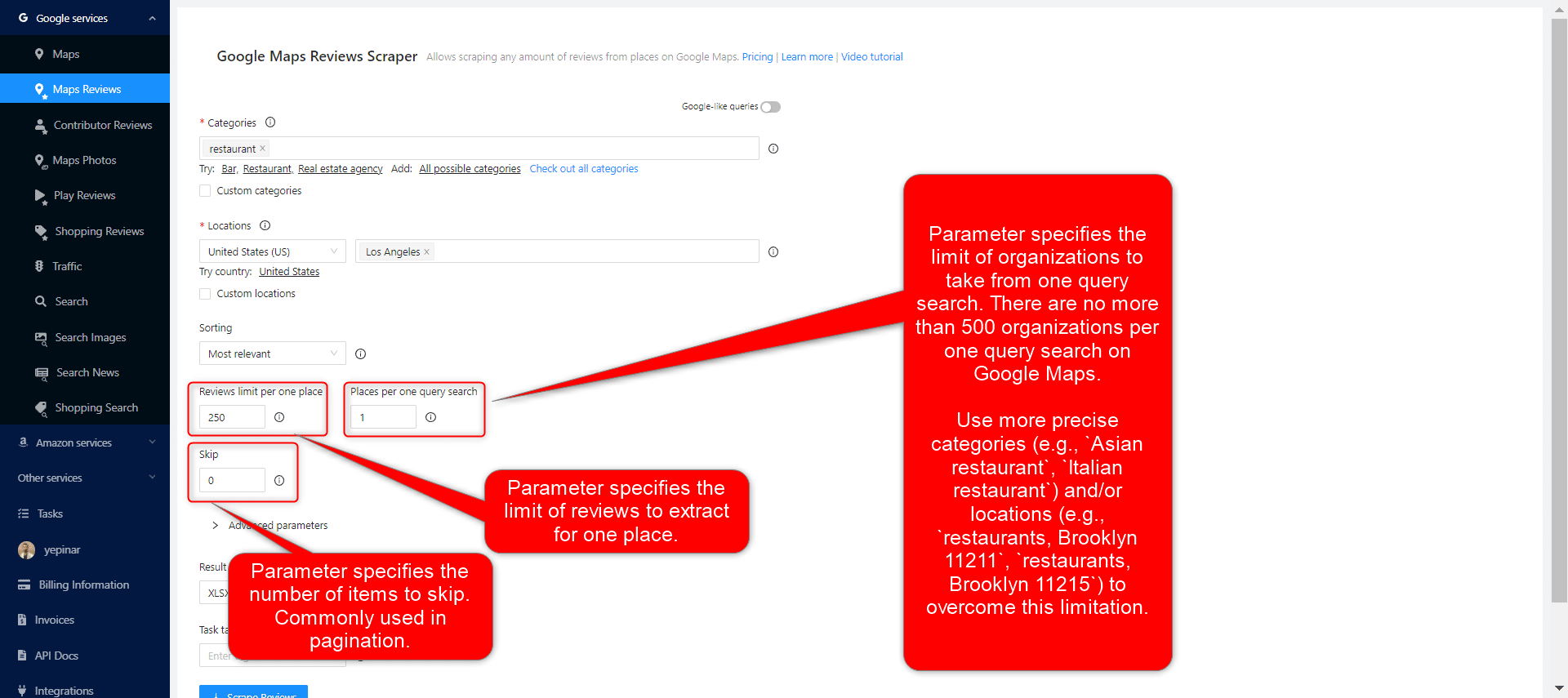
3 different parameters can be used to limit your results: Reviews limit per place, Places per query search, and skip.
고급 매개변수
언어:
스크래핑하려는 키워드는 다른 언어에서 특별한 의미를 가질 수 있습니다. 따라서 해당 언어로 검색을 원하는 경우, 고급 매개변수 섹션의 언어 항목에서 해당 언어를 선택하는 것이 적절합니다.
Ignore reviews without text:
When people leave a review on Google Maps, sometimes they just give stars without writing a remark. If you are going to create a Google review scraping task because you only need to analyze the comments, you can choose this filter.
태그 및 확장 기능
Give any tag you want to your tasks and specify the extension of the result file in a way that suits you.

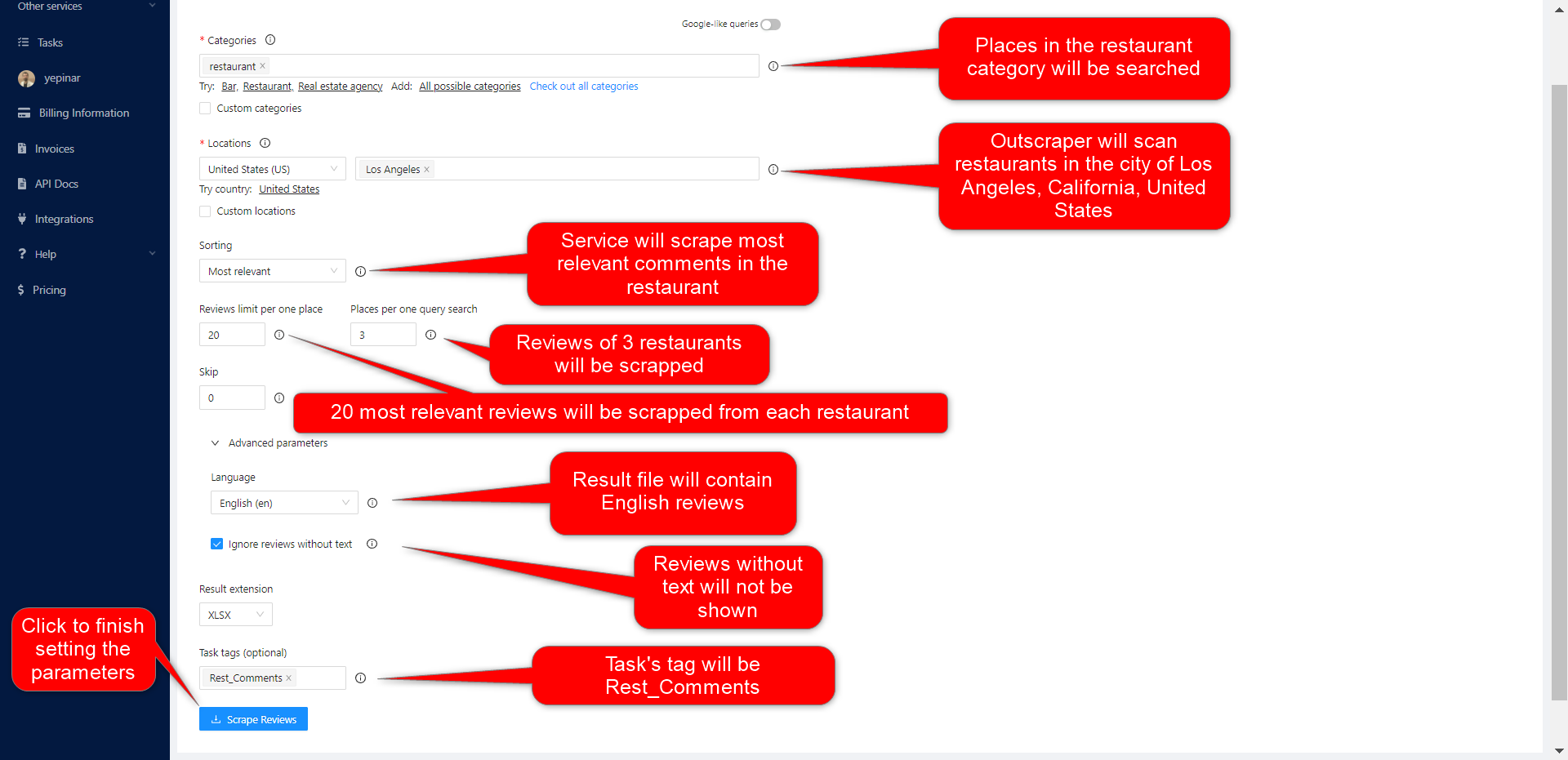
Complete Setting Parameters
Set all your parameters and review them for the last time. If all parameters are OK, click the “Scraper Reviews” button.
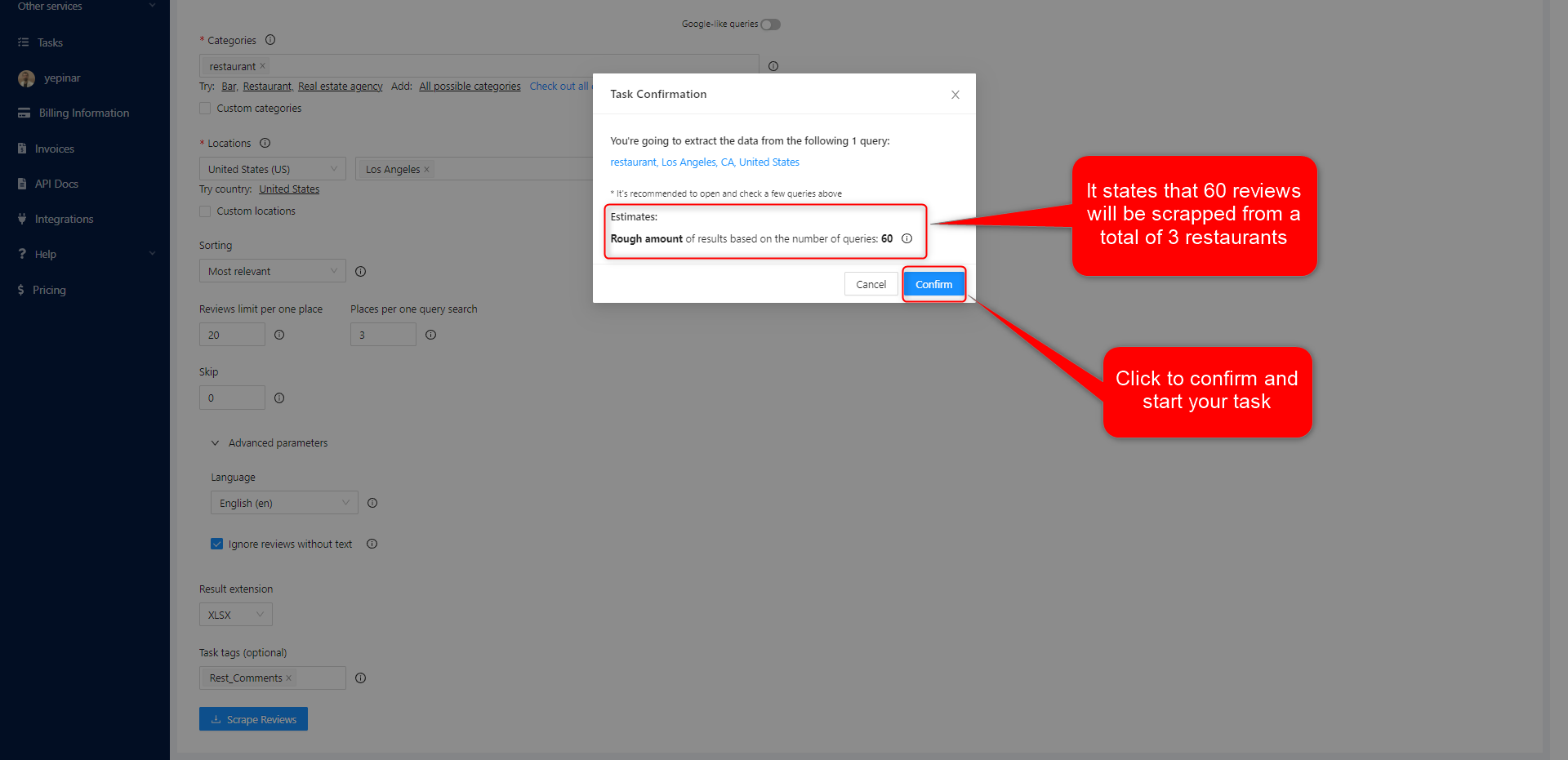
작업 확인
Read the information about result estimation and click the “confirm” button to start the task.
결과
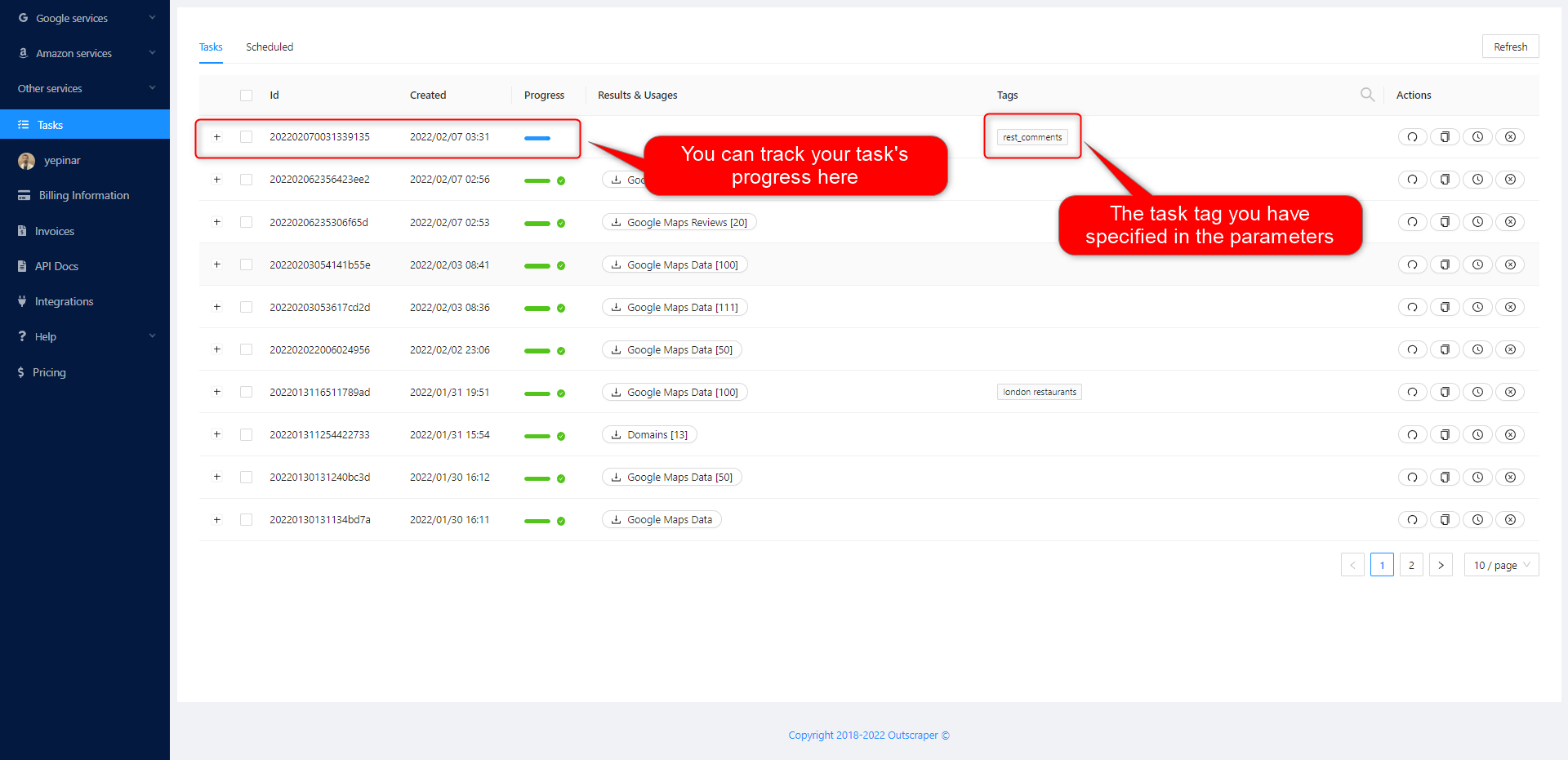
작업 진행 상황 추적
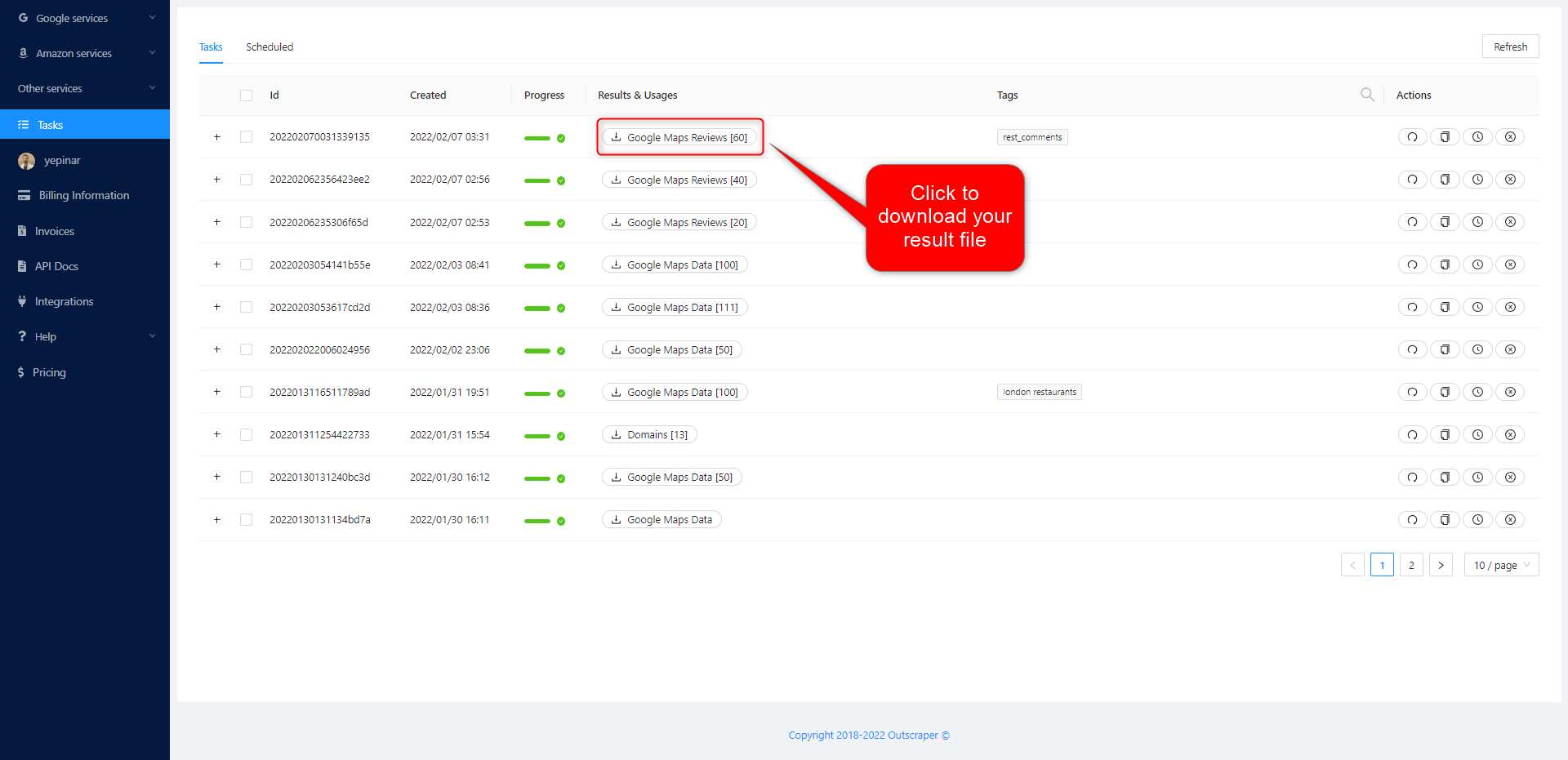
On the Tasks page, you can track the progress of all your tasks.
결과 파일 다운로드
Download the results of your tasks at any time.
All results are stored on servers for 30 days only.
파일 확인하기
Review your result files with Excel or with the spreadsheet viewer that can open XSLX files.
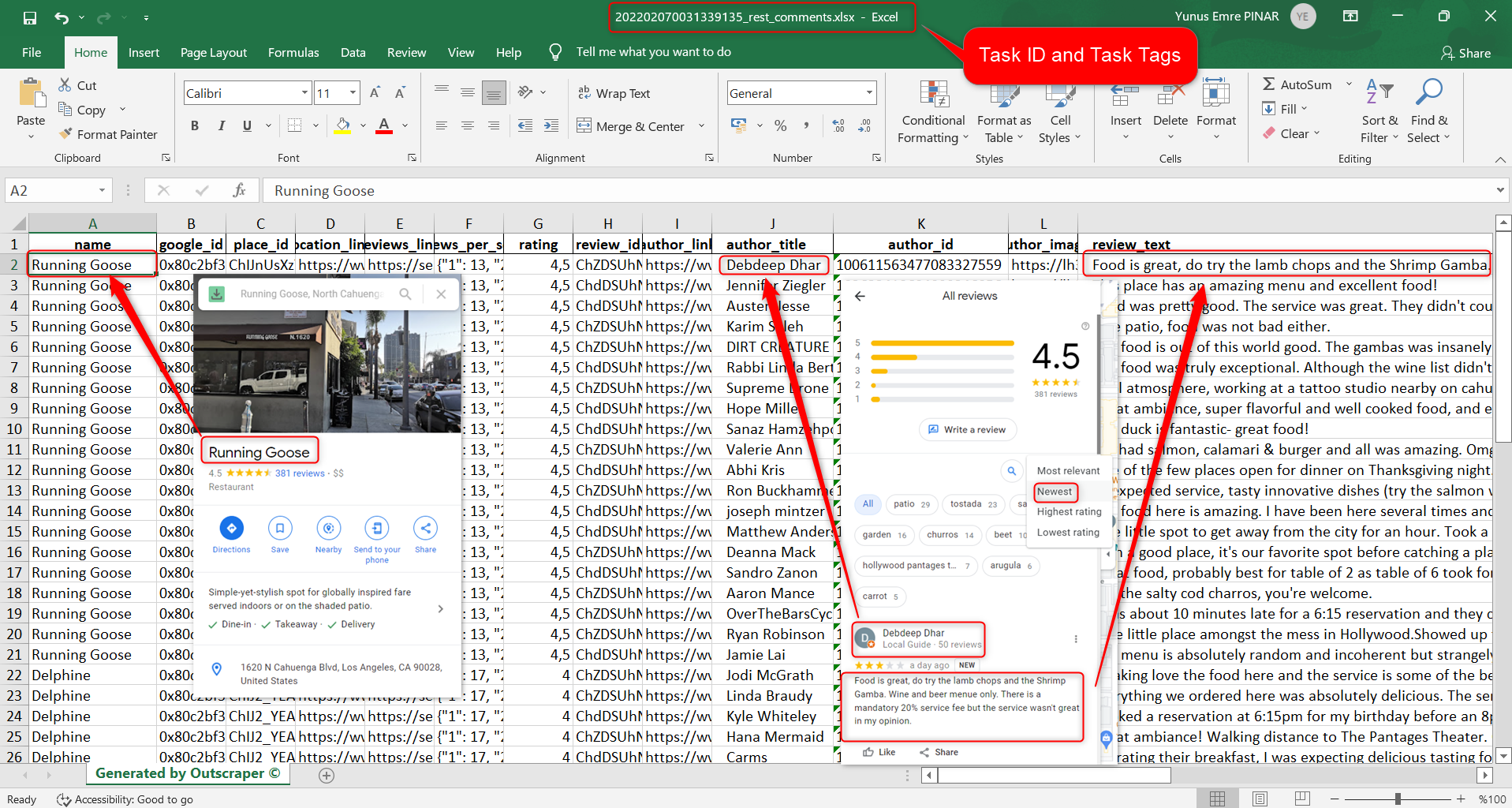
Click to download and review the sample task: 202202070031339135_rest_comments.xlsx
The result file contains these columns (data). You can edit and use this data as you wish.
name, google_id, place_id, location_link, reviews_link, reviews_per_score, rating, review_id, author_link, author_title, author_id, author_image, review_text, review_img_url, owner_answer, owner_answer_timestamp, owner_answer_timestamp_datetime_utc, review_link, review_rating, review_timestamp, review_datetime_utc, review_likes, reviews_id
비디오 튜토리얼
가격
가격 페이지 및 비용 계산기
Outscraper에는 월 구독료가 없습니다. 사용한 만큼만 비용을 지불하면 됩니다.
Please visit our pricing page for pricing details on our Google Maps Reviews scraping service.
가격 안내 페이지: https://outscraper.com/pricing
요금제는 총 3가지 단계로 나뉩니다. 무료 요금제, 중급 요금제, 비즈니스 요금제가 있습니다. 각 요금제의 요금은 요금 페이지에서 확인하실 수 있습니다. 또한 요금 페이지에는 비용 계산기가 마련되어 있습니다. 비용 계산기를 이용하면 결과물을 얻는 데 드는 비용을 확인할 수 있습니다.
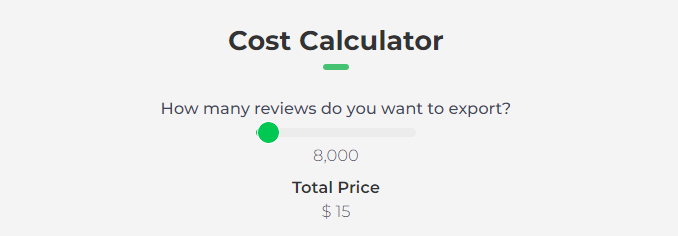
대시보드의 서비스 가격 책정 도구
After registration, the “Service Pricing” tool can help you with pricing on the Google Maps Reviews Scraper service page on the Outscraper App Dashboard.
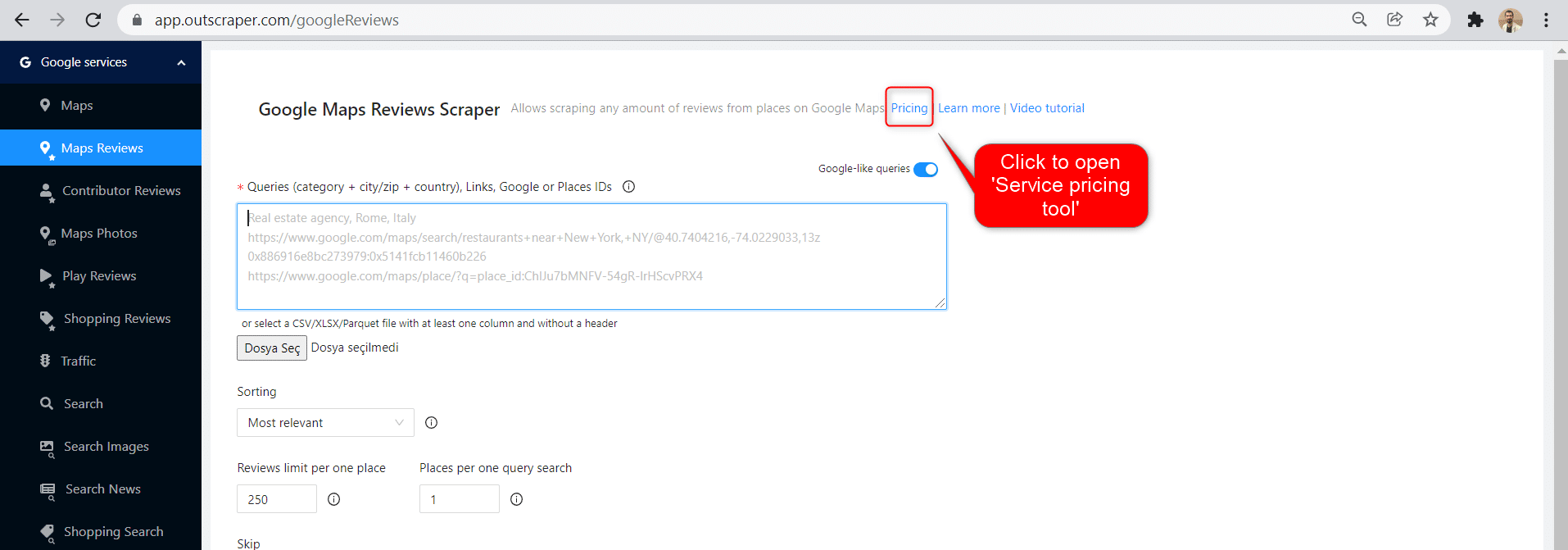
The service pricing tool will be shown on the right.
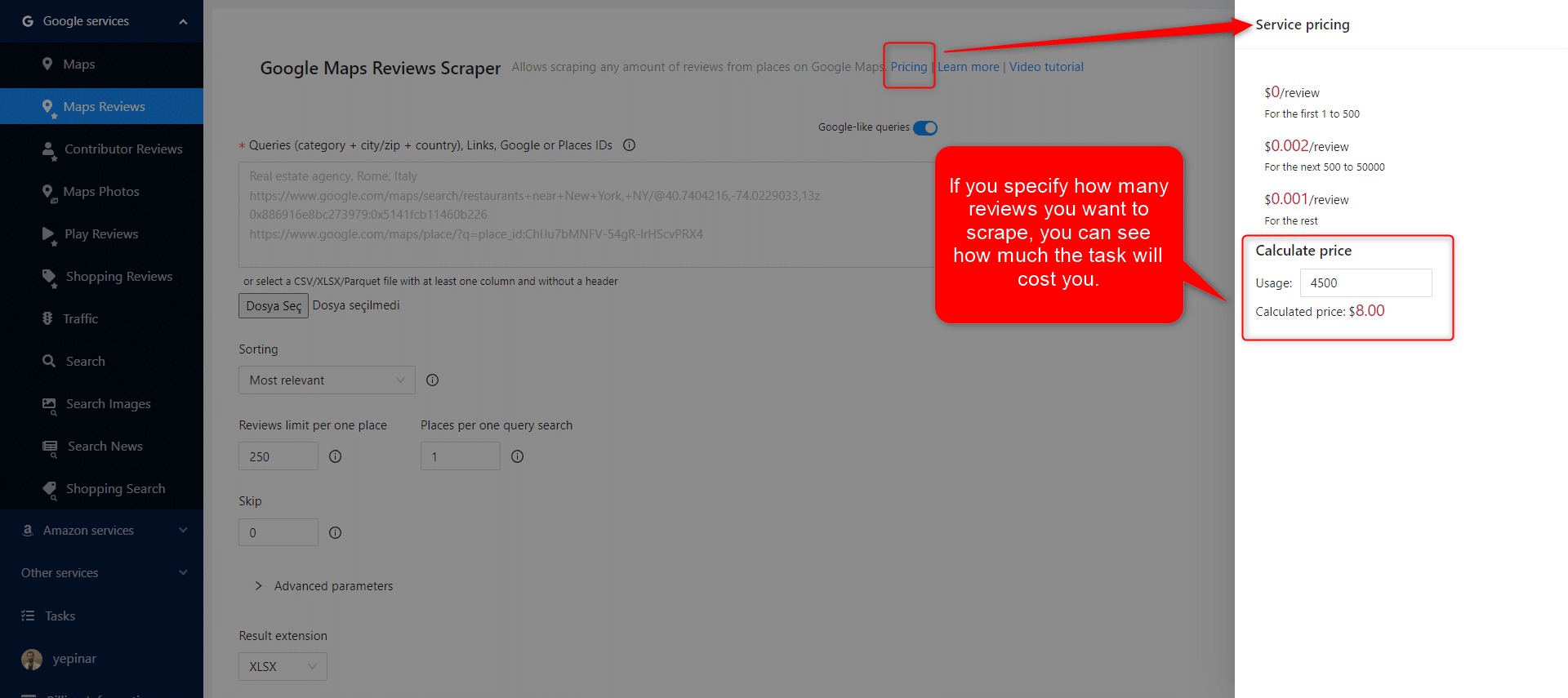
If you specify how many reviews you want to scrape, you can see how much the task will cost you. Please visit the Billing Information page to add credit or provide your credit card.
결제 방법
프리 티어
매월 일정 금액의 무료 티어 크레딧을 Outscraper로 즐기세요. 이 크레딧은 가격 페이지에 표시된 대로 매월 갱신됩니다.
가격 페이지에서 특정 서비스에 대해 얼마나 많은 무료 크레딧이 있는지 확인할 수 있습니다.
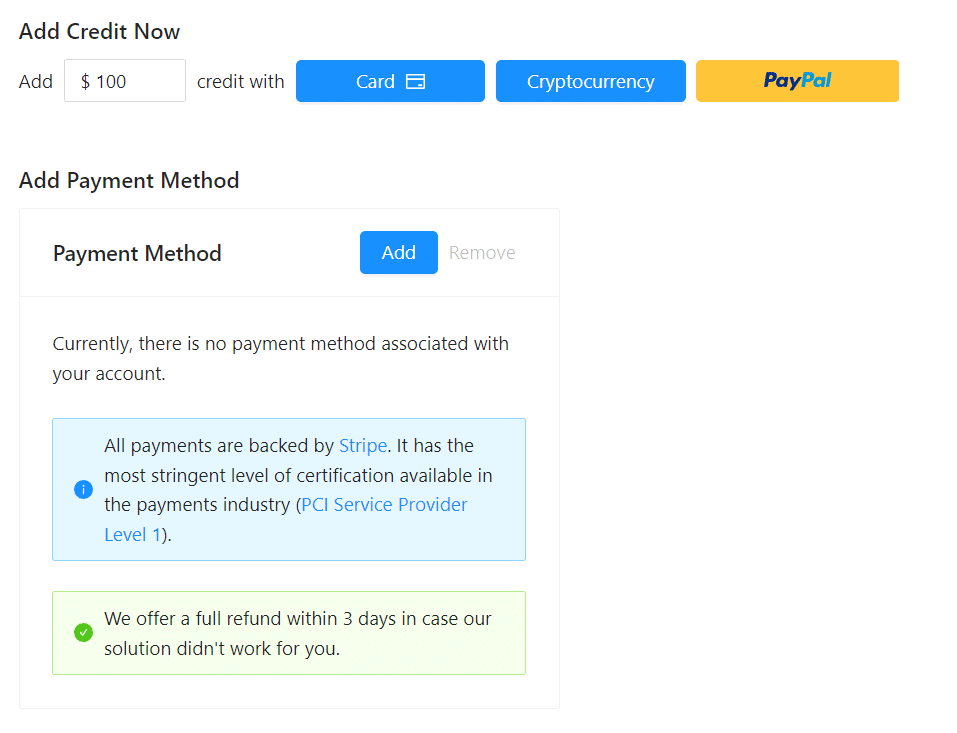
크레딧을 추가하여 선불 결제 방법을 사용하거나 신용카드를 추가하고 청구 기간이 끝날 때 후불로 결제할 수 있습니다. 결제 정보 페이지에서 결제 방법을 확인하시기 바랍니다.
선불 - 크레딧 추가
Outscraper 사용을 시작하려면 계정에 크레딧을 추가하세요. 최소 한도는 10달러입니다. 원하는 만큼 크레딧을 추가하고 원할 때 언제든지 사용하세요.
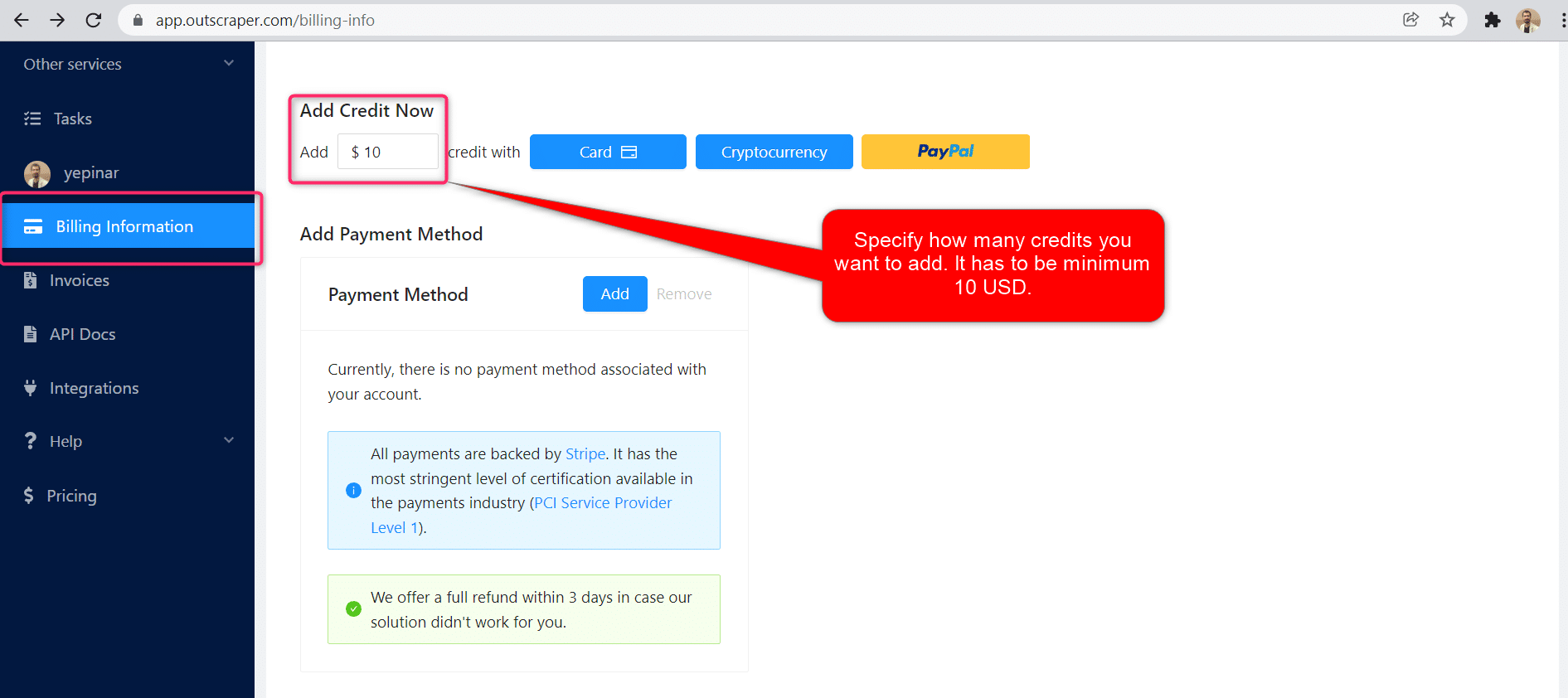
크레딧은 신용카드, 암호화폐 또는 PayPal로 추가할 수 있습니다.
후불 - 신용 카드 추가
선불 방식에서는 먼저 결제한 후 사용하지만, 후불 방식에서는 신용카드를 제공한 후 사용을 시작합니다. 청구 기간이 끝나면 결제가 완료됩니다.
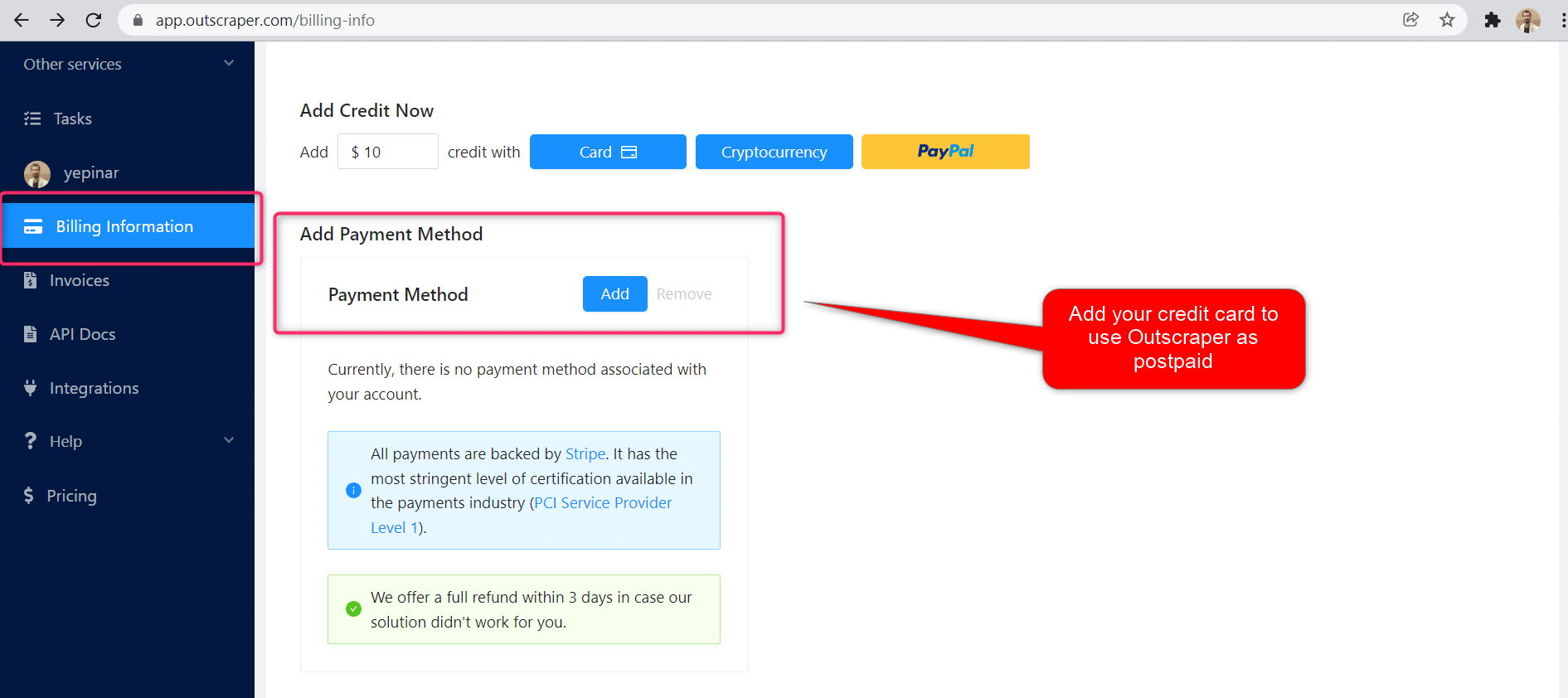
청구 기간
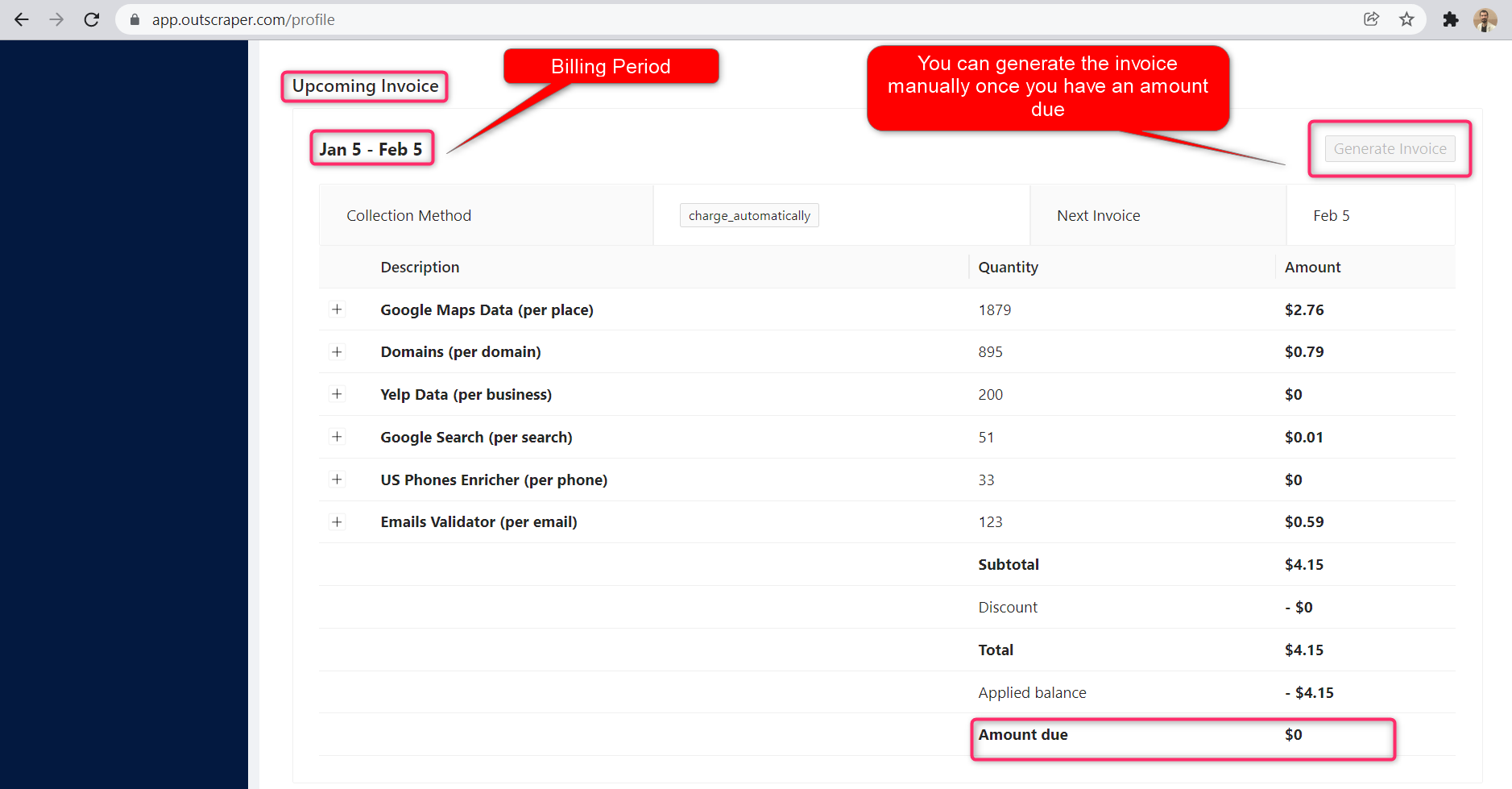
청구 기간의 시작일과 종료일에 대한 정보는 프로필 페이지에서 확인할 수 있습니다. 여기에서 예정된 청구서 금액을 추적할 수도 있습니다. 원하는 경우 결제 금액이 정해지면 수동으로 인보이스를 생성할 수 있습니다.
OUTSCRAPER YOUTUBE CHANNEL
YouTube에서 팔로우하세요

자주하는 질문
가장 자주 묻는 질문과 답변
It is possible to extract Google reviews with Python using the Outscraper Google Maps Reviews API. However, by using the no-code Google Maps Reviews Scraper service, you can extract Google Maps reviews without any coding knowledge or skills.
With Outscraper it is possible to scrape data and reviews from Google Maps. Outscraper is an online tool that offers data scraping services from Google services. It allows you to scrape data from many services, including Google Maps.
It is possible to collect and download reviews of someone else or another business in Google Maps reviews. This requires an extractor or scraper service. Outscraper Google Maps Reviews Scraper service responds to this need.



0 Comments