جدول المحتويات
SIGN UP
إنشاء حساب
Visit the Google Maps Reviews Scraper page to sign up now.
Enter your preferred email address and password, then click Continue. If you wish, you can also register directly with your Google, Facebook, and LinkedIn accounts. (Skip this part if you already have an account, click login using your credentials.)

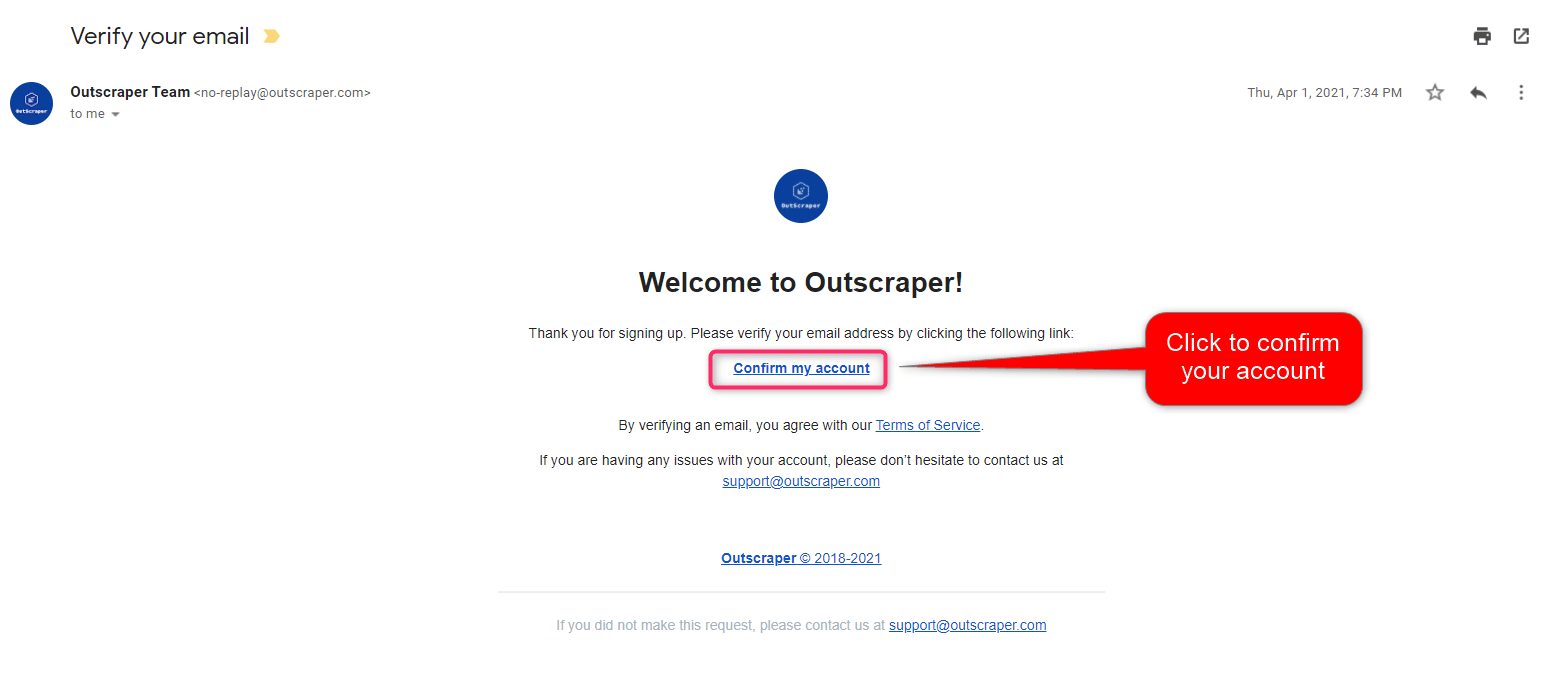
تأكيد بريدك الإلكتروني
ستصلك رسالة بالبريد الإلكتروني لتأكيد حسابك بالنقر على رابط "تأكيد حسابي" الموجود في البريد الإلكتروني.
Creating Tasks and Parameters
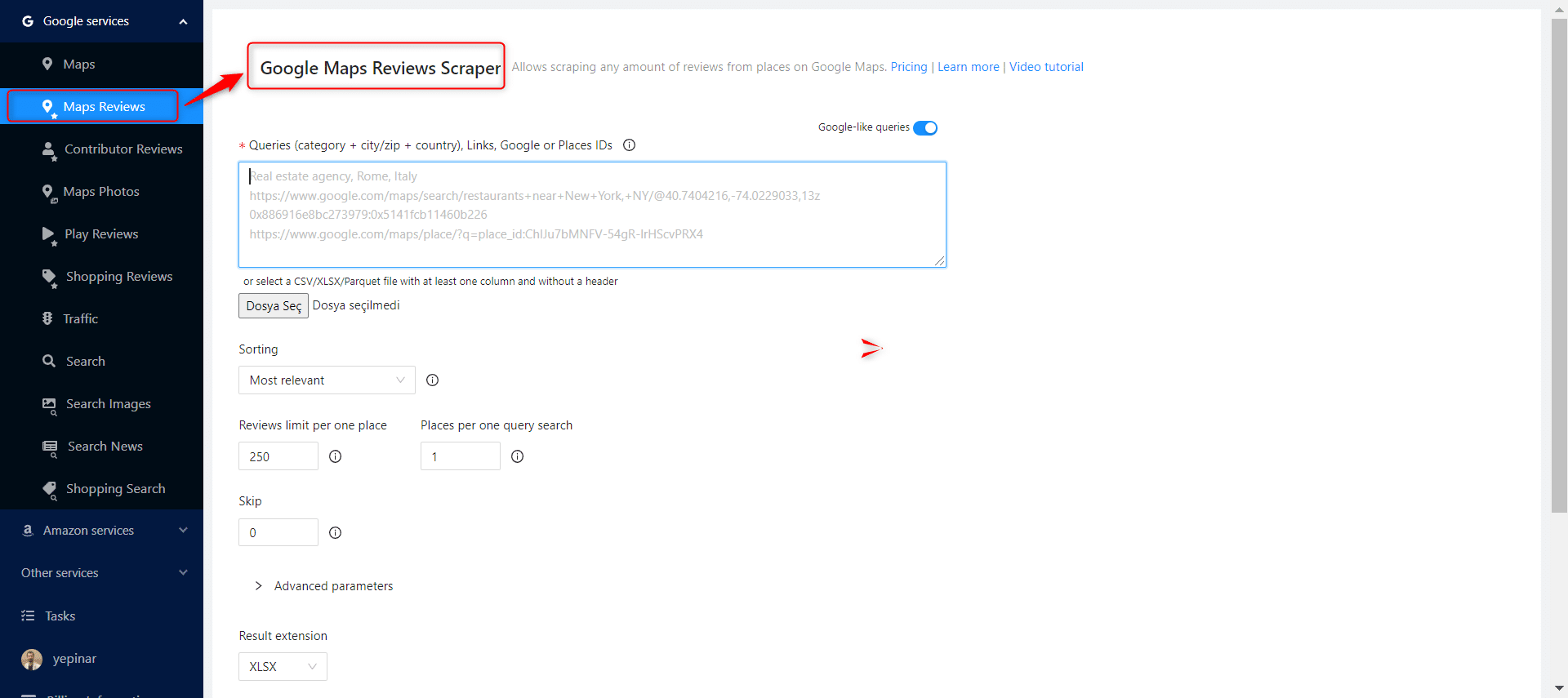
Select Google Services>Maps Reviews service from the left panel and open the Google Maps Reviews Scraper service.
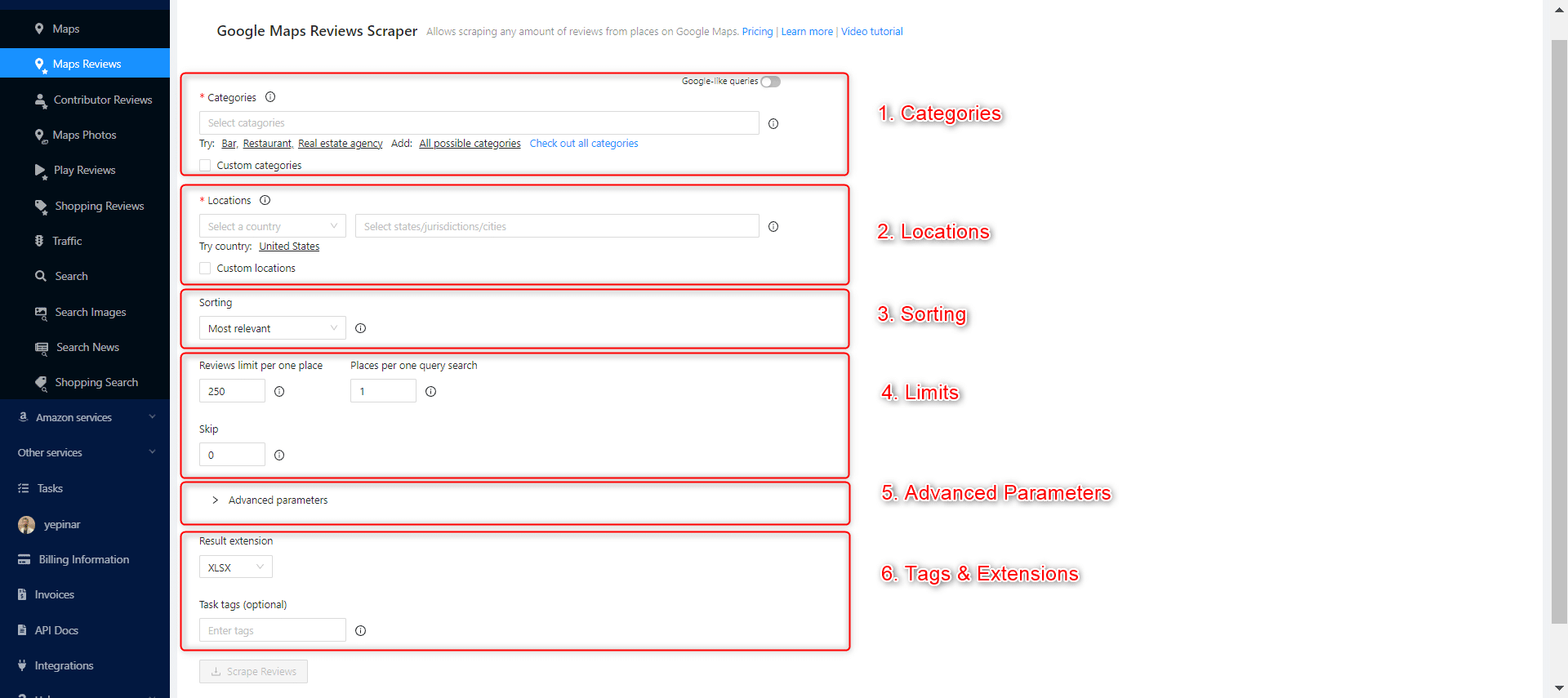
There are 6 essential parameters that should be specified for your tasks.
فئات
Outscraper scrapes businesses in specified categories. You can also search keywords as category identifiers with Outscraper, but general categories are useful for giving ideas about your target companies. Check out the list of business categories on Google Maps:
Choose the category you want to target from the list or write the keyword of your preferred category.

There are 2 different settings that affect your category selection. Google-like queries and Custom categories.
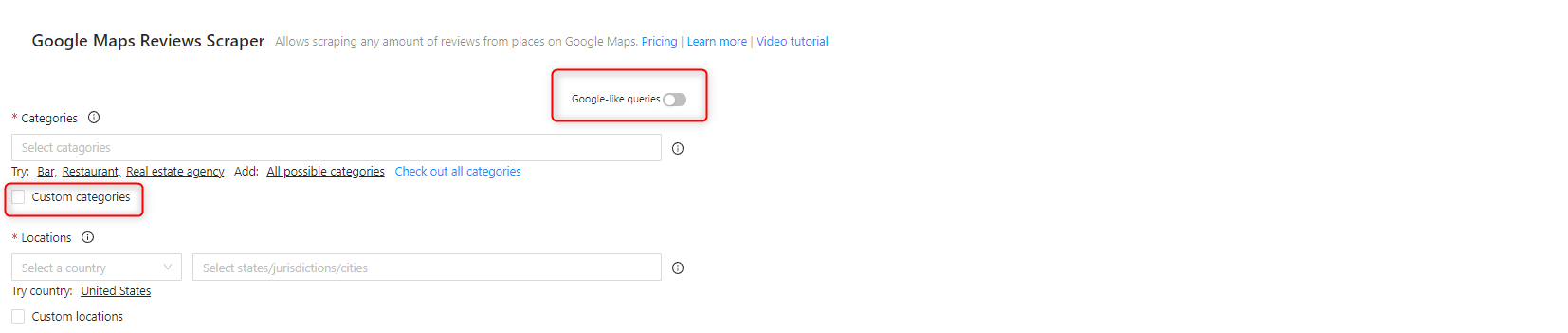
Google-like queries:
All expressions used in Google Maps can be used as queries.
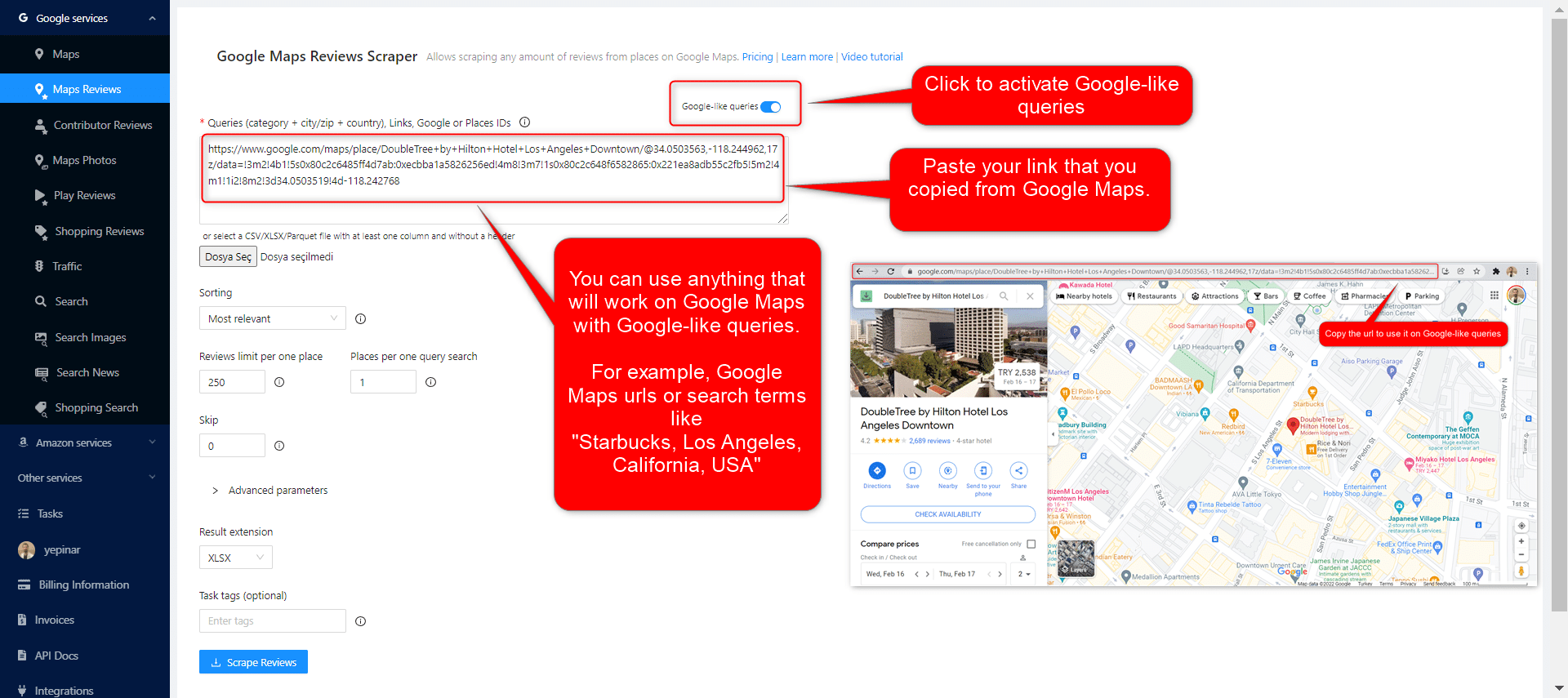
المواقع
Select any country and city from the drop-down list. Outscraper searches only within the location you choose. Select your target country first.
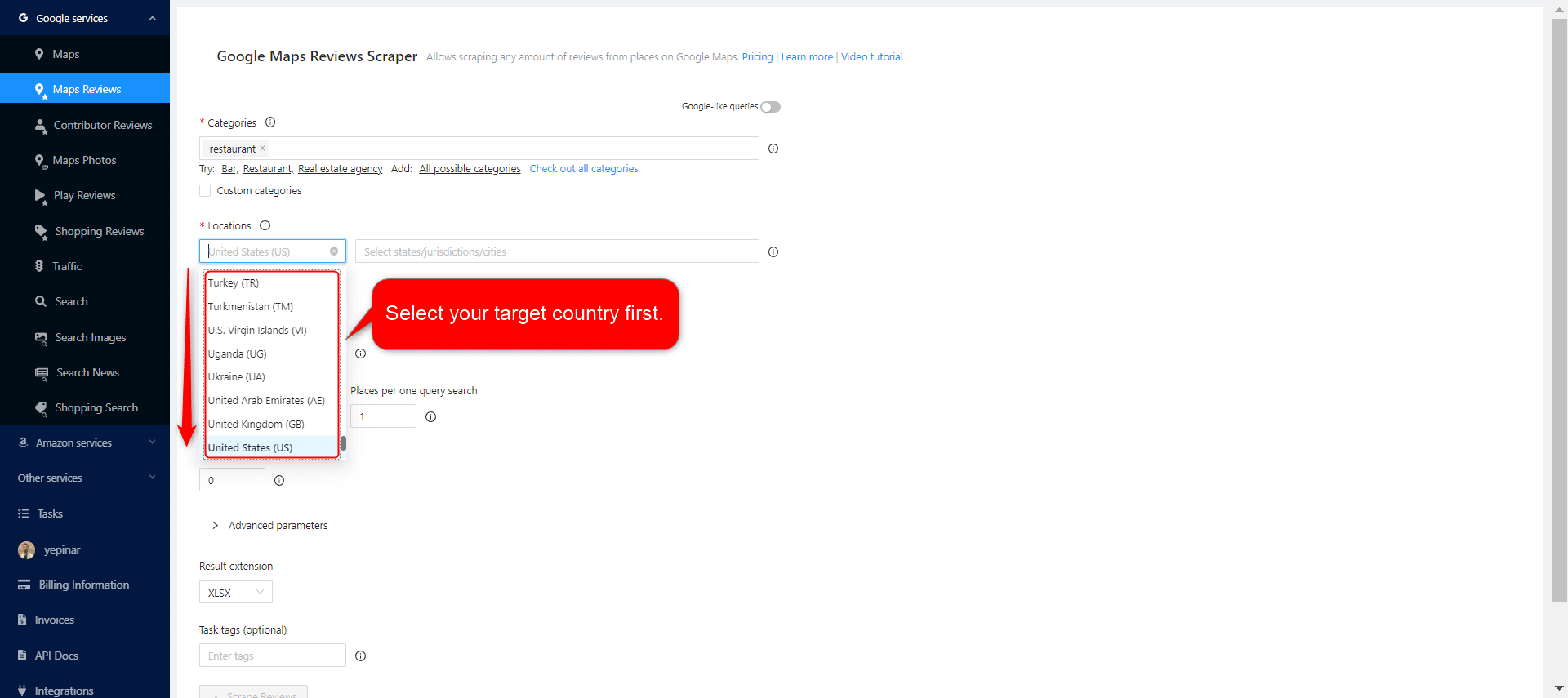
After selecting the country, set your state and city choices, and narrow down your regions for the results.

فرز
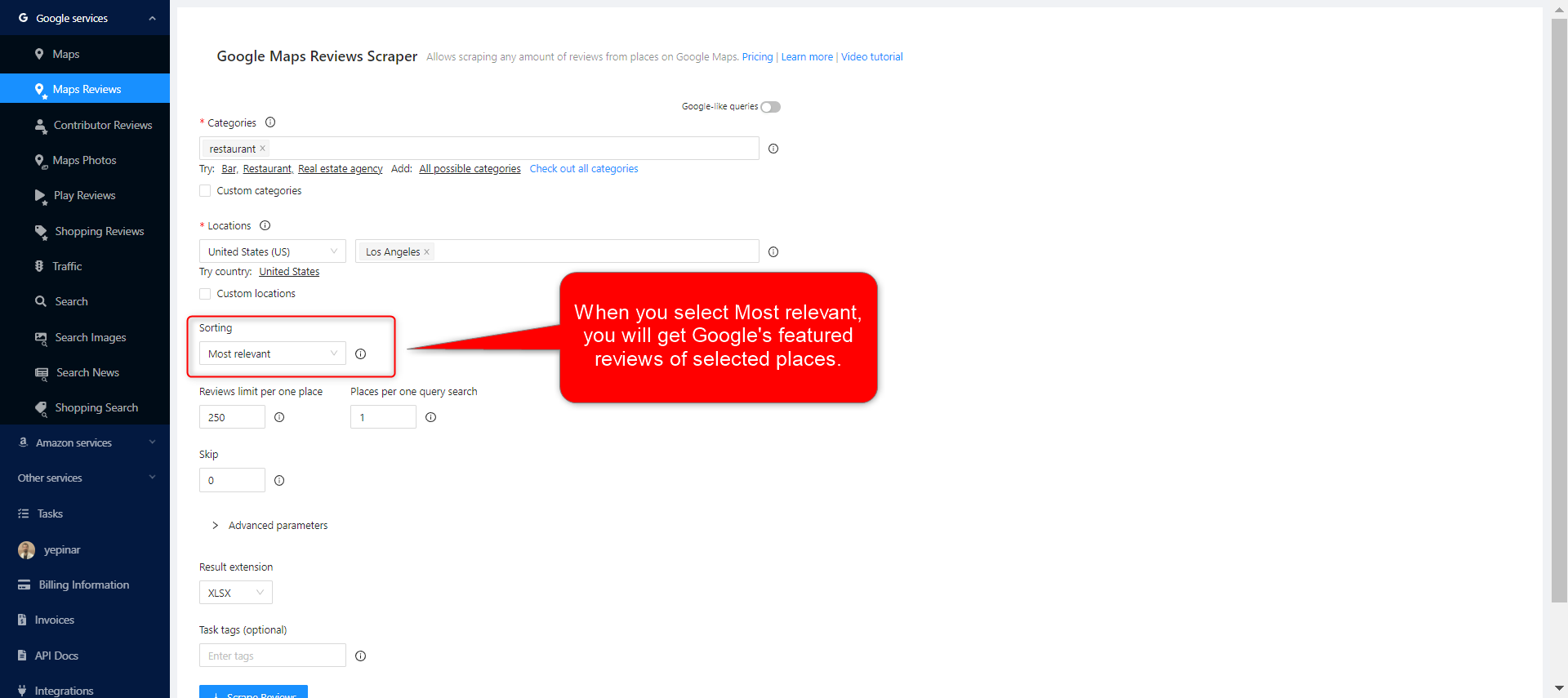
There are 4 different sorting parameters you can use to get the results you want when creating scraping tasks. Most relevant, Newest, Highest rating, and Lowest rating. The same filtering selections available on Google Maps are available on Outscraper and get the same results.
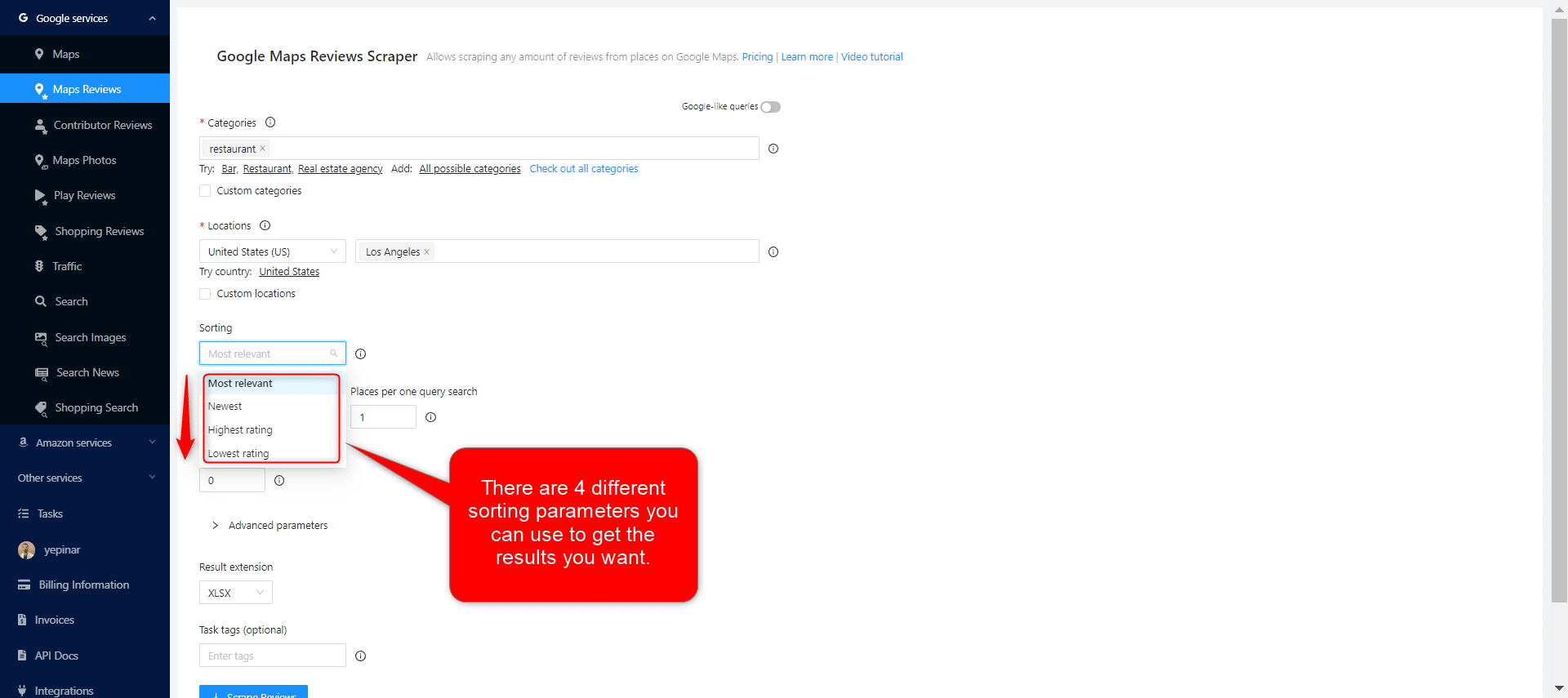
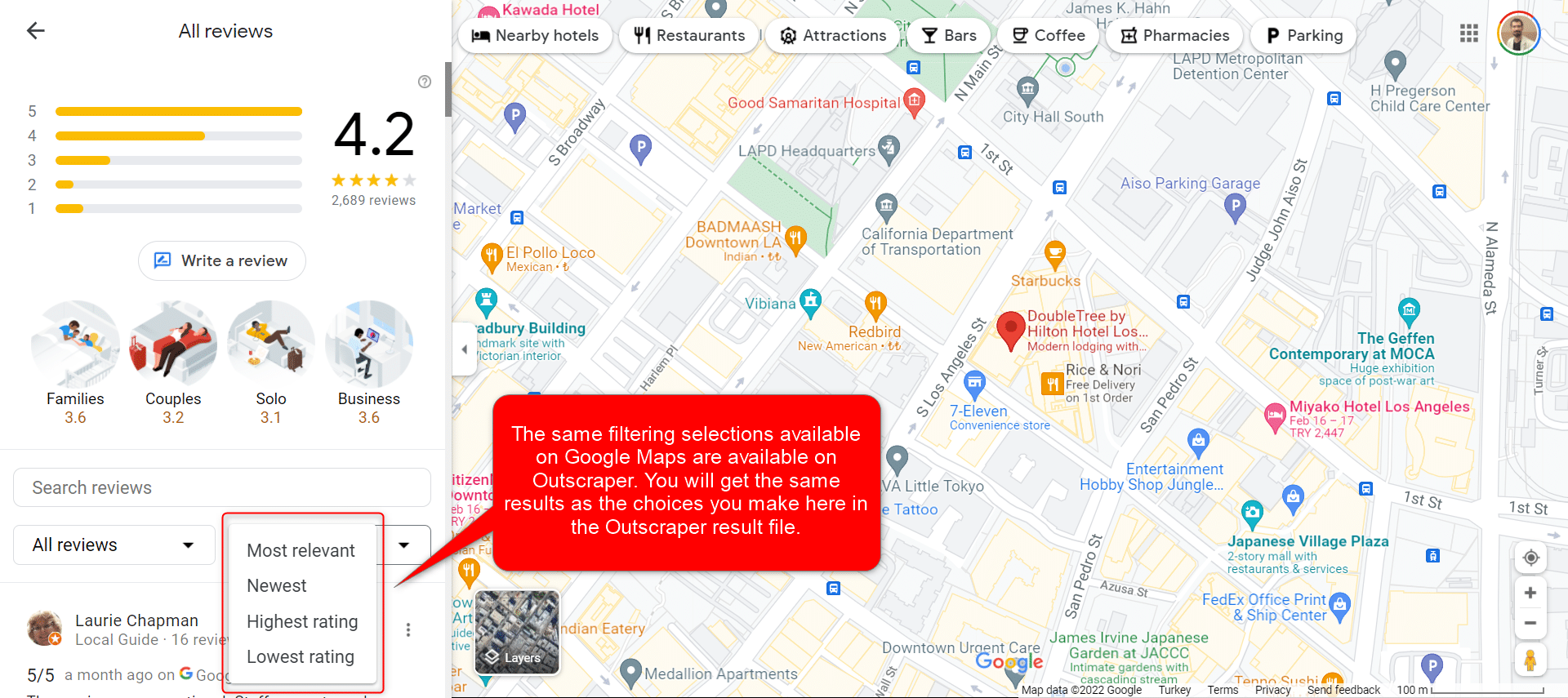
Most Relevant:
When you select the Most relevant filter, you will get Google’s featured reviews of selected places.

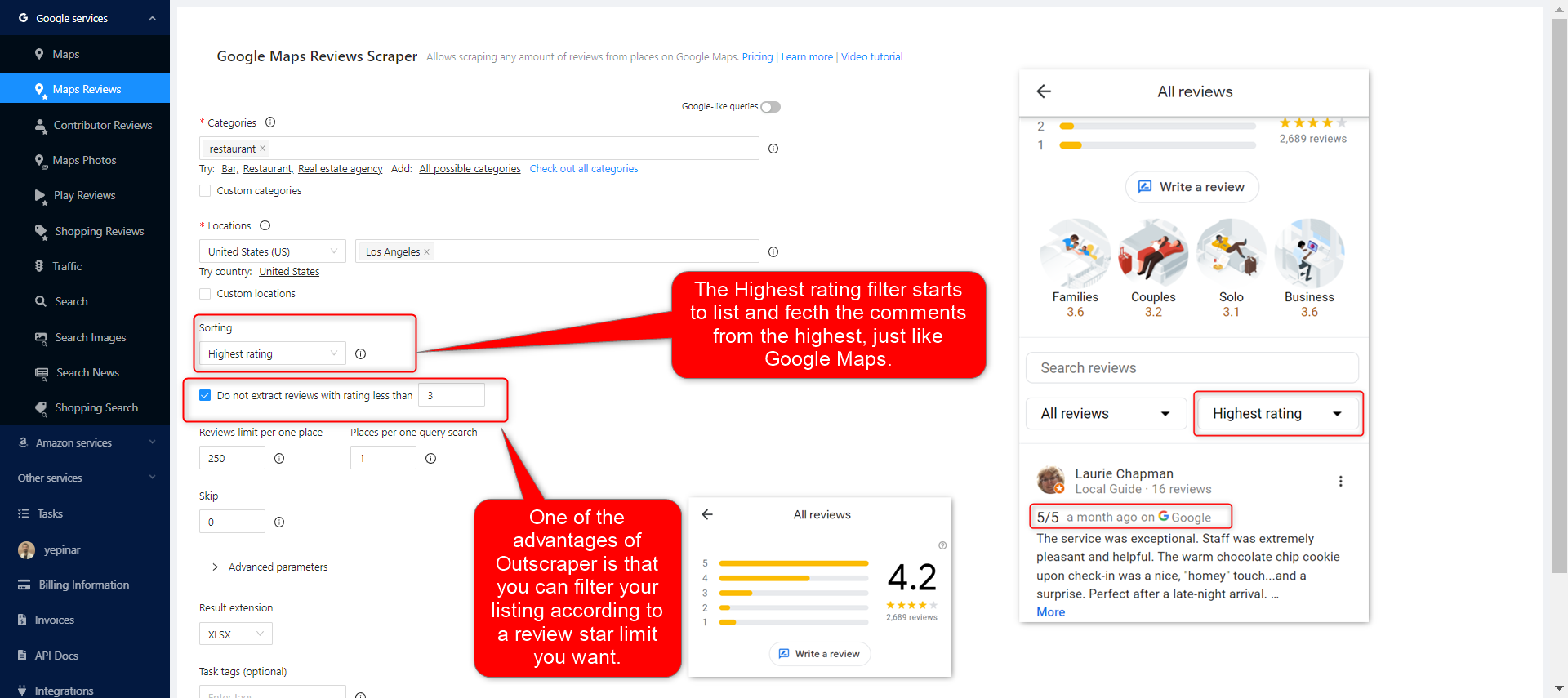
The Highest rating filter starts to list and fetch the comments from the highest, just like Google Maps. One of the advantages of Outscraper is that you can filter your listing according to the review star limit you want.
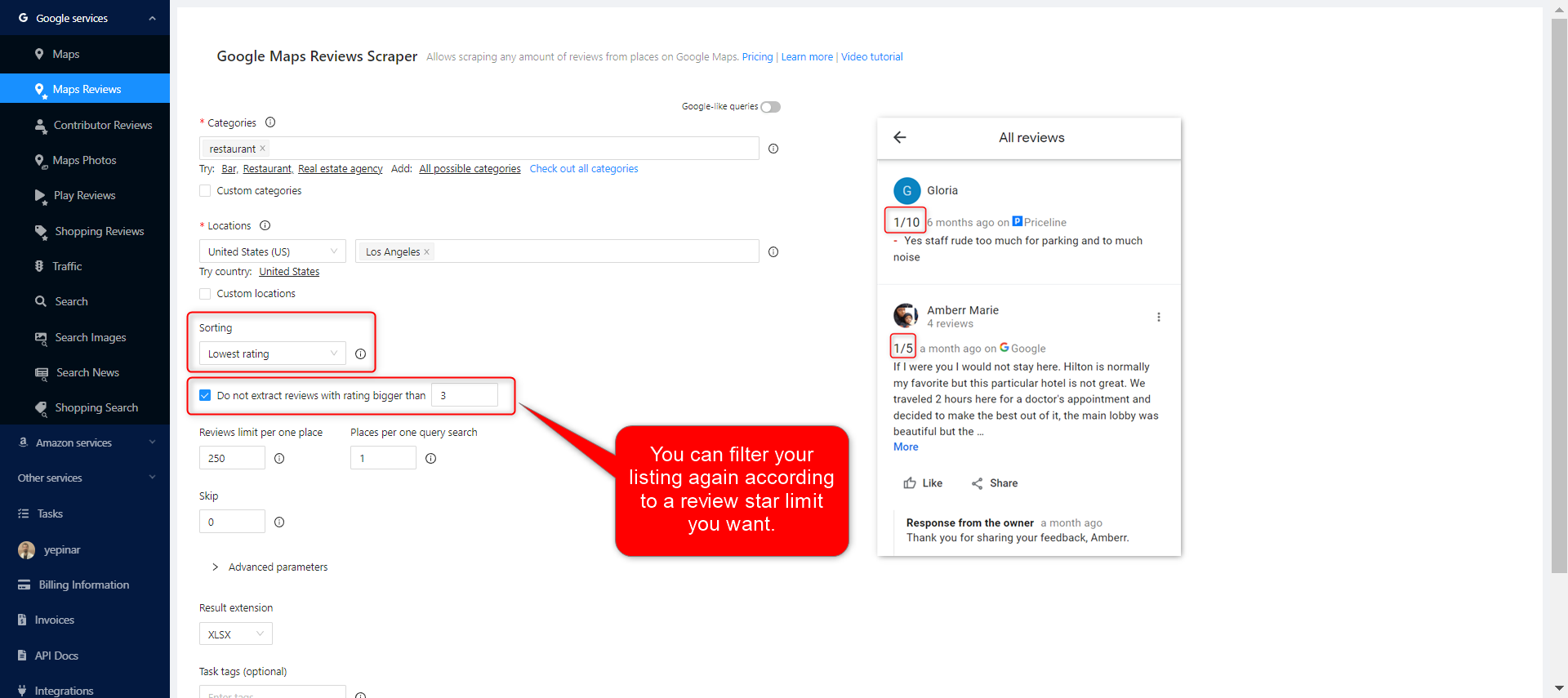
Lowest rating:
As with the highest filter, you can also choose to extract the lowest-rated comments with the lowest rating filter.
Limits
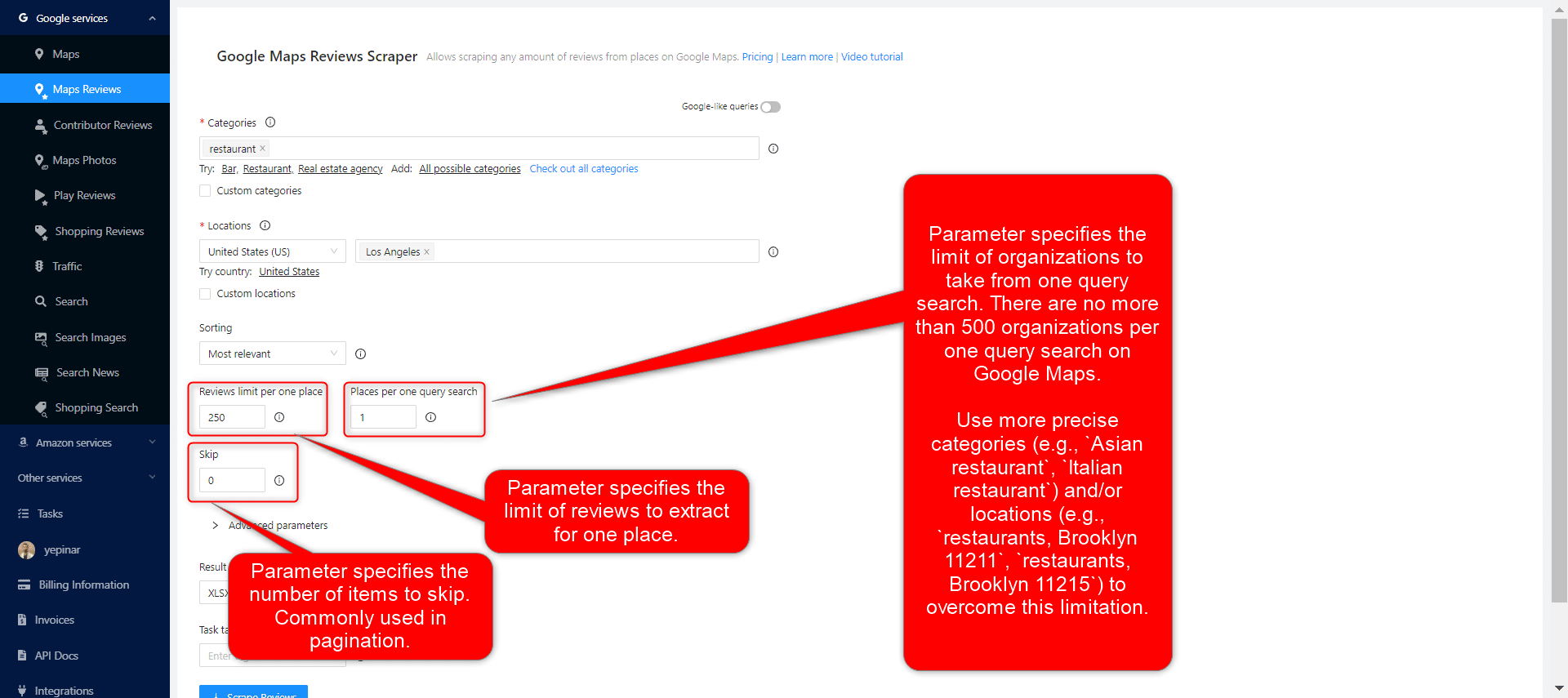
3 different parameters can be used to limit your results: Reviews limit per place, Places per query search, and skip.
المعلمات المتقدمة
Language:
The keywords you aim to scrape may have a special meaning in a different language. For this reason, when it is desired to search for that language, it is appropriate to select that language in the language section of the advanced parameters section.
Ignore reviews without text:
When people leave a review on Google Maps, sometimes they just give stars without writing a remark. If you are going to create a Google review scraping task because you only need to analyze the comments, you can choose this filter.
Tags & Extensions
Give any tag you want to your tasks and specify the extension of the result file in a way that suits you.
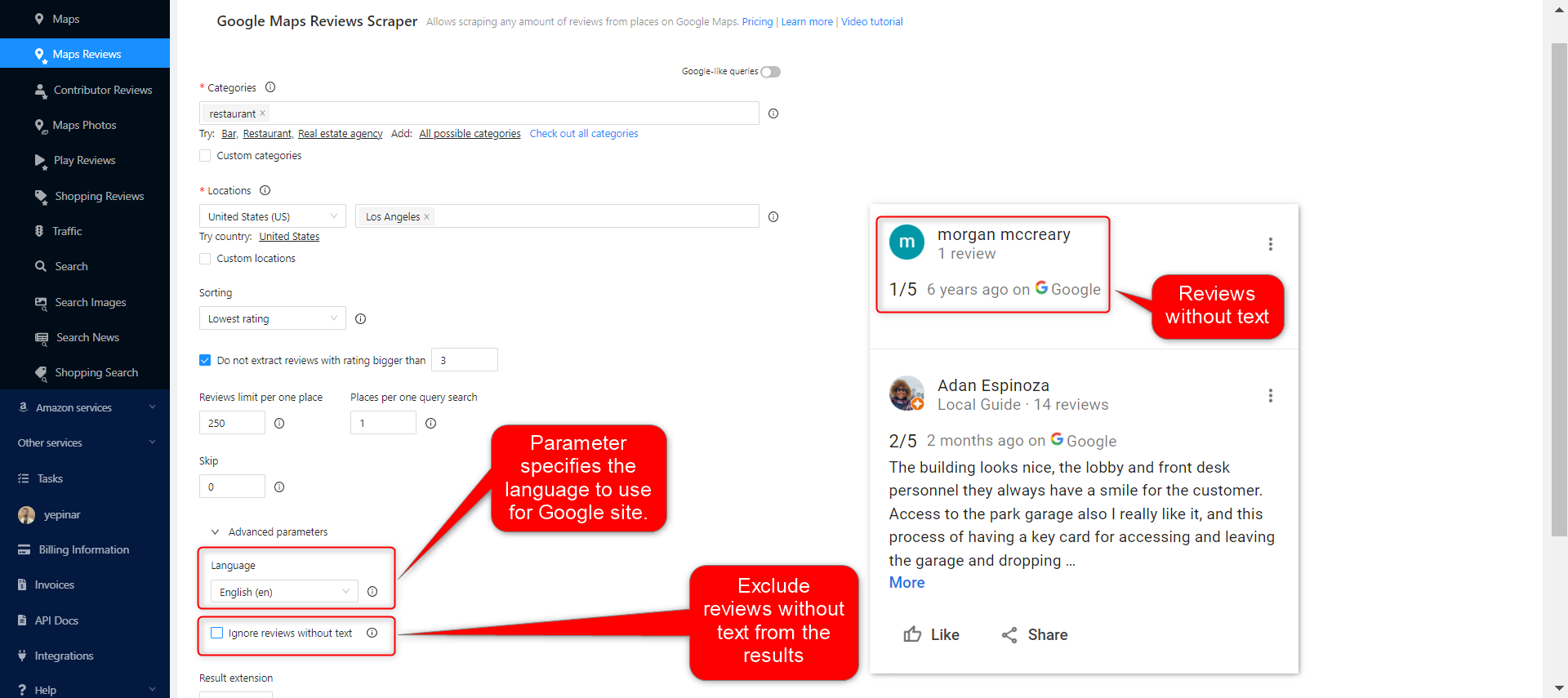

Complete Setting Parameters
Set all your parameters and review them for the last time. If all parameters are OK, click the “Scraper Reviews” button.
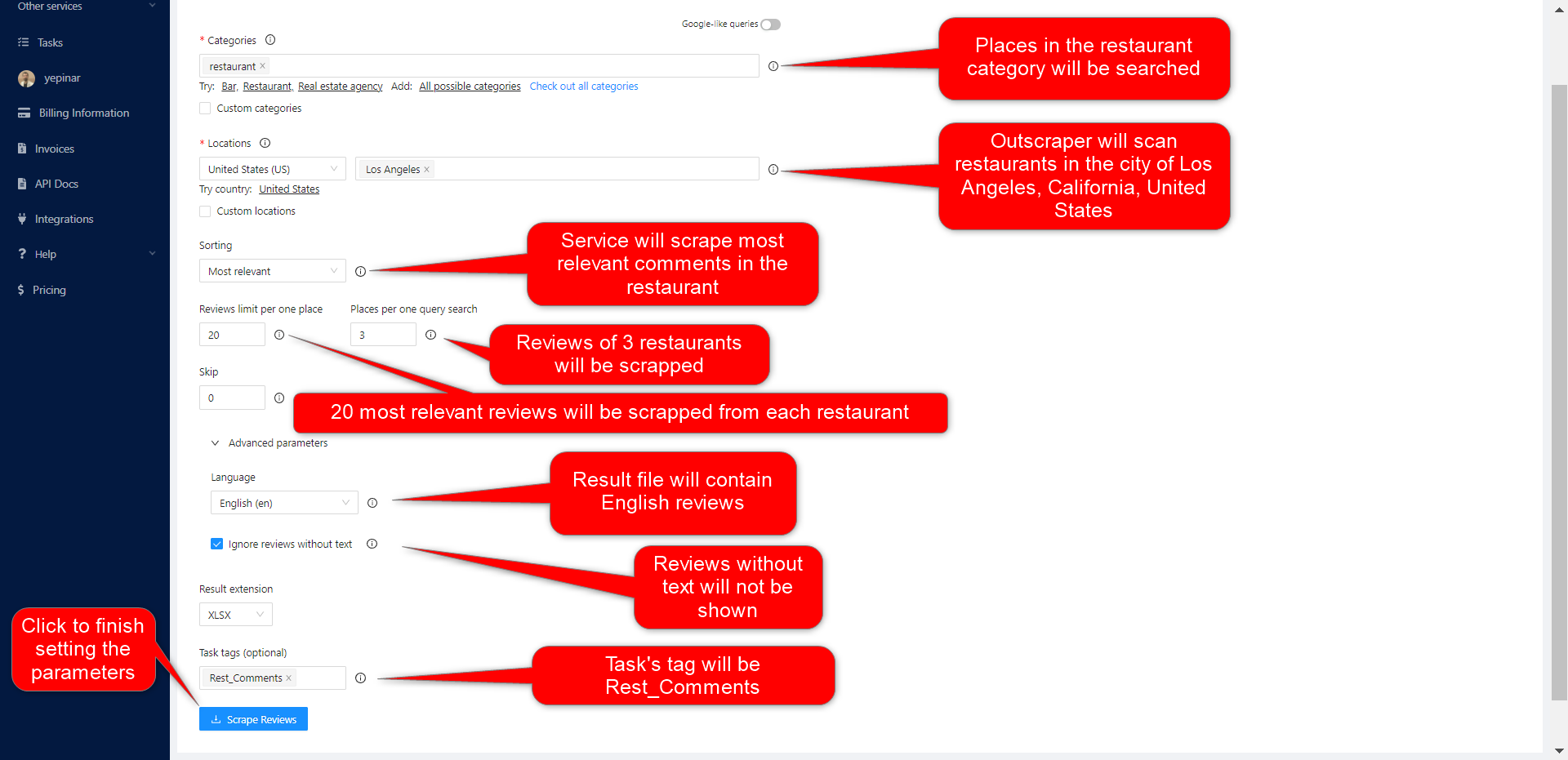
Confirm Your Task
Read the information about result estimation and click the “confirm” button to start the task.
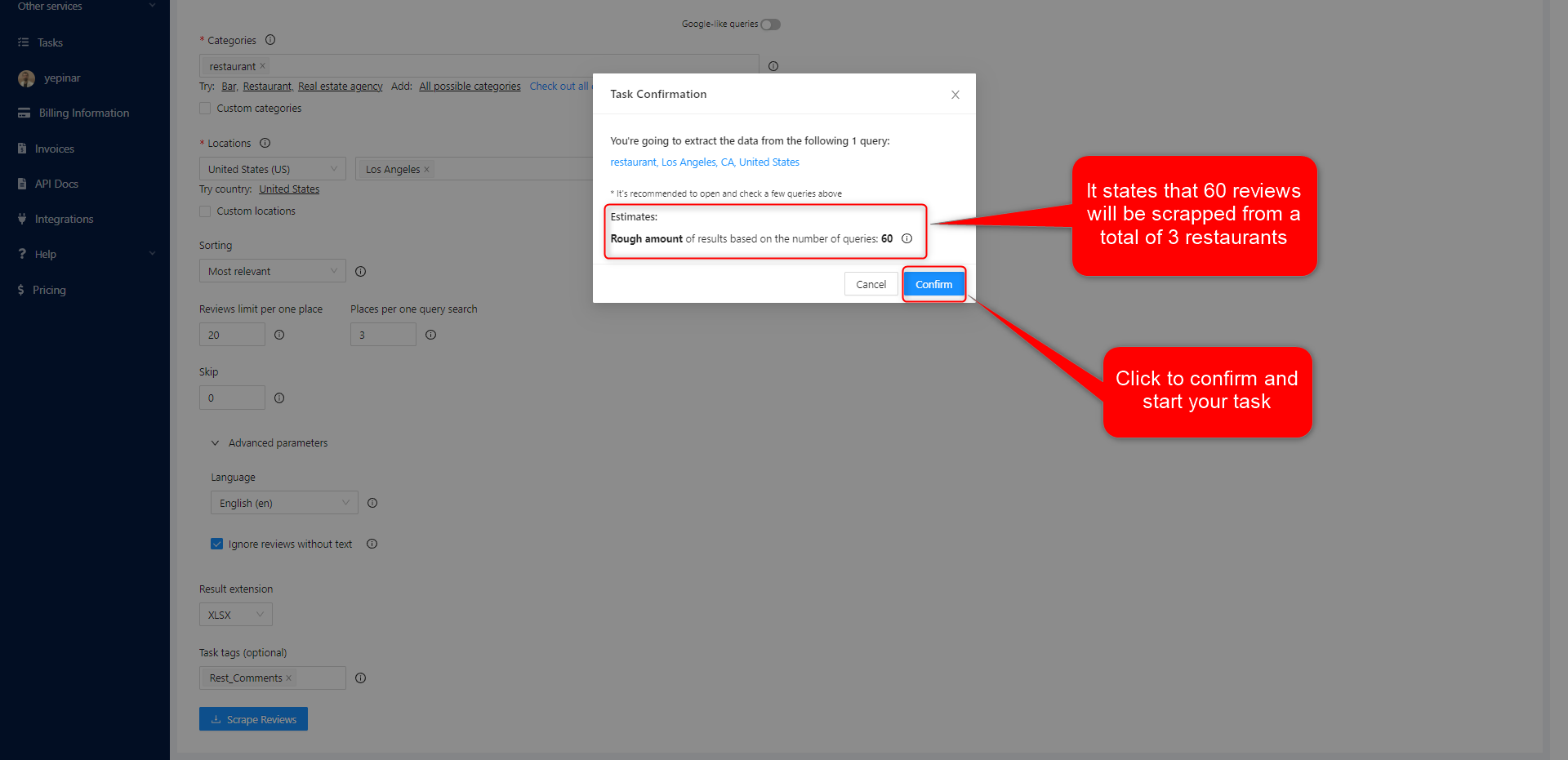
النتيجة
تتبّع تقدّم مهامك
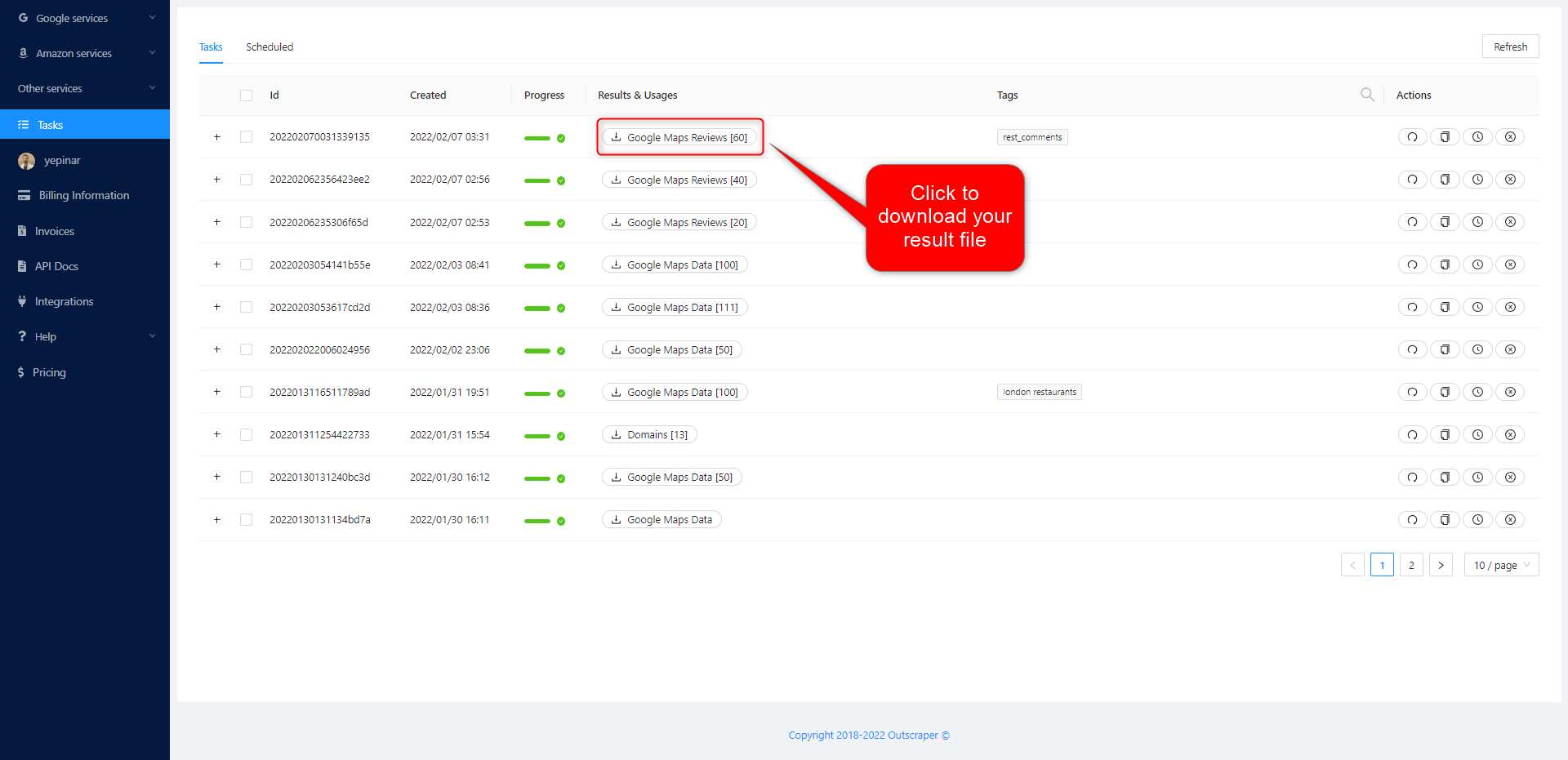
On the Tasks page, you can track the progress of all your tasks.
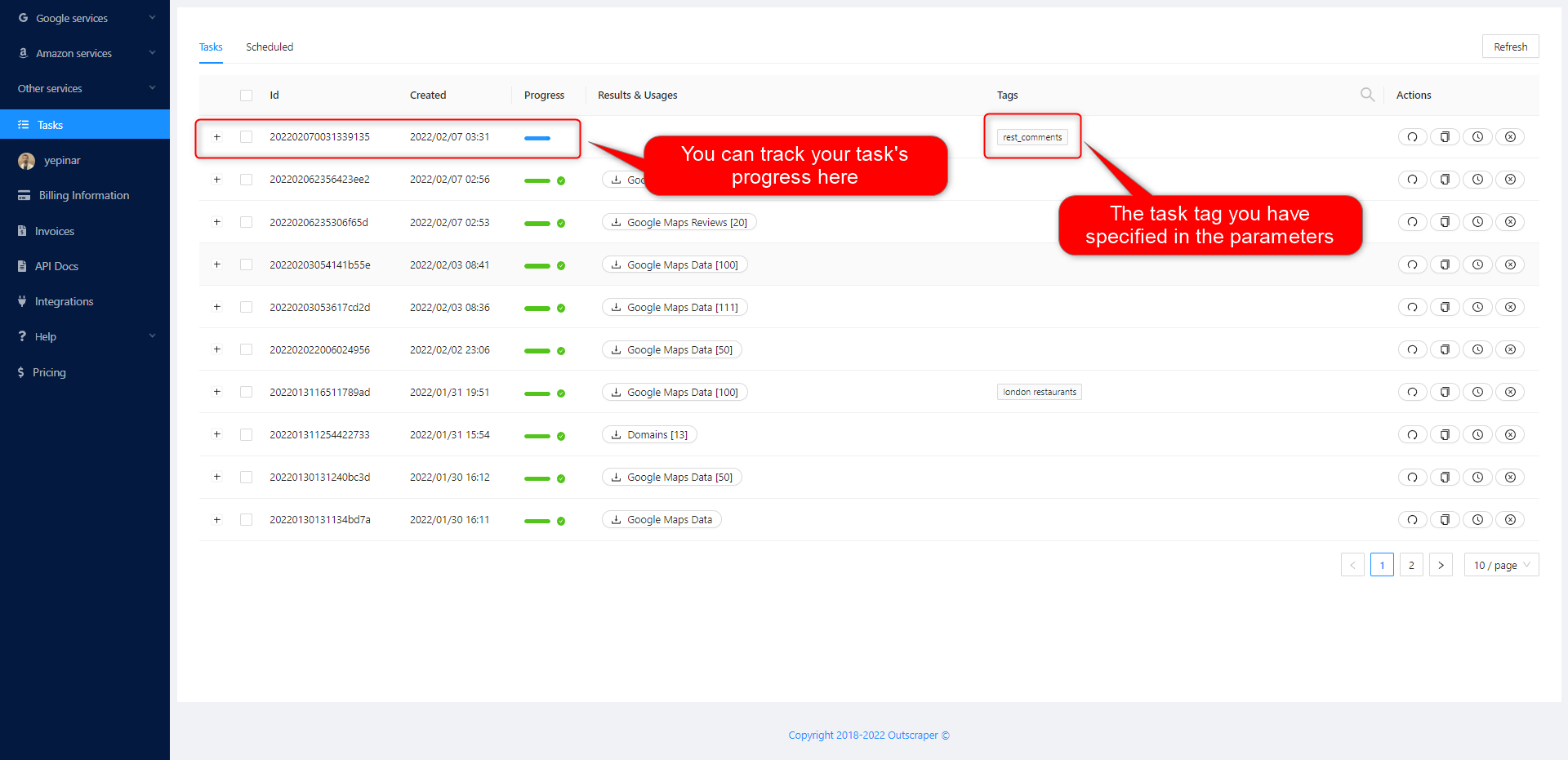
تنزيل ملف نتائجك
Download the results of your tasks at any time.
يتم تخزين جميع النتائج على الخوادم لمدة 30 يوماً فقط.
مراجعة ملفك
Review your result files with Excel or with the spreadsheet viewer that can open XSLX files.
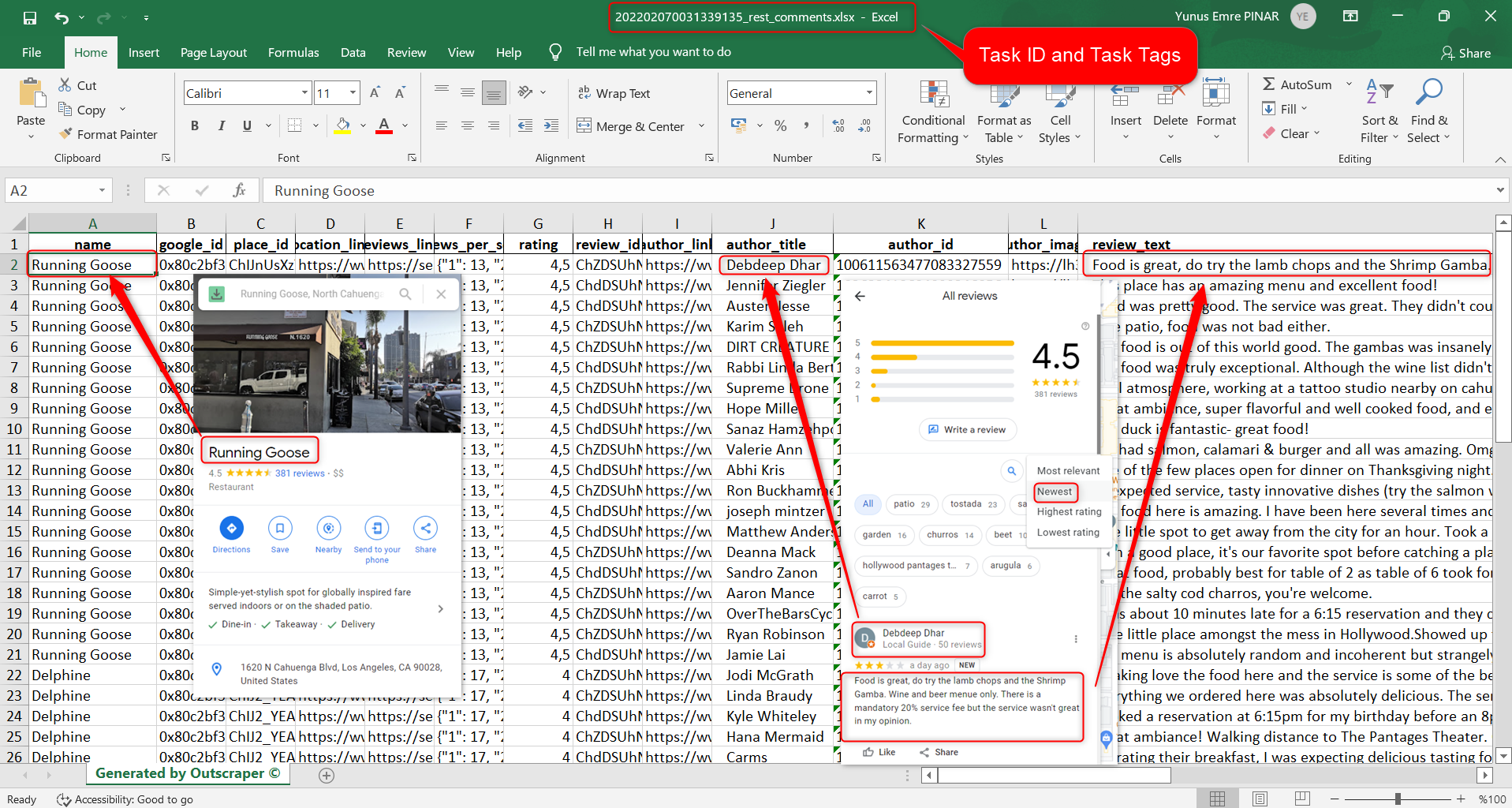
Click to download and review the sample task: 202202070031339135_rest_comments.xlsx
The result file contains these columns (data). You can edit and use this data as you wish.
name, google_id, place_id, location_link, reviews_link, reviews_per_score, rating, review_id, author_link, author_title, author_id, author_image, review_text, review_img_url, owner_answer, owner_answer_timestamp, owner_answer_timestamp_datetime_utc, review_link, review_rating, review_timestamp, review_datetime_utc, review_likes, reviews_id
Video Tutorial
التسعير
صفحة التسعير وحاسبة التكلفة
There is no monthly subscription fee in Outscraper. You only pay for what you use.
Please visit our pricing page for pricing details on our Google Maps Reviews scraping service.
صفحة التسعير: https://outscraper.com/pricing
هناك 3 مستويات مختلفة للتسعير. وهي المستوى المجاني والمستوى المتوسط ومستوى الأعمال. يمكن التحقق من أسعار هذه المستويات على صفحة التسعير. هناك أيضًا حاسبة للتكلفة على صفحة التسعير. يمكنك استخدام حاسبة التكلفة لمعرفة تكلفة نتائجك.
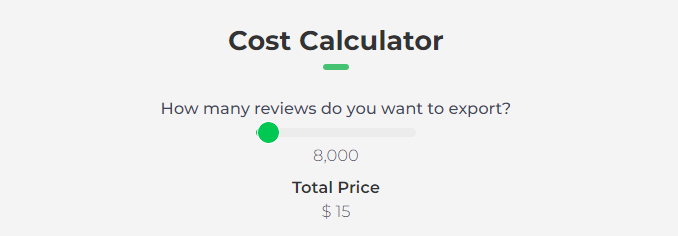
أداة تسعير الخدمات على لوحة التحكم
After registration, the “Service Pricing” tool can help you with pricing on the Google Maps Reviews Scraper service page on the Outscraper App Dashboard.
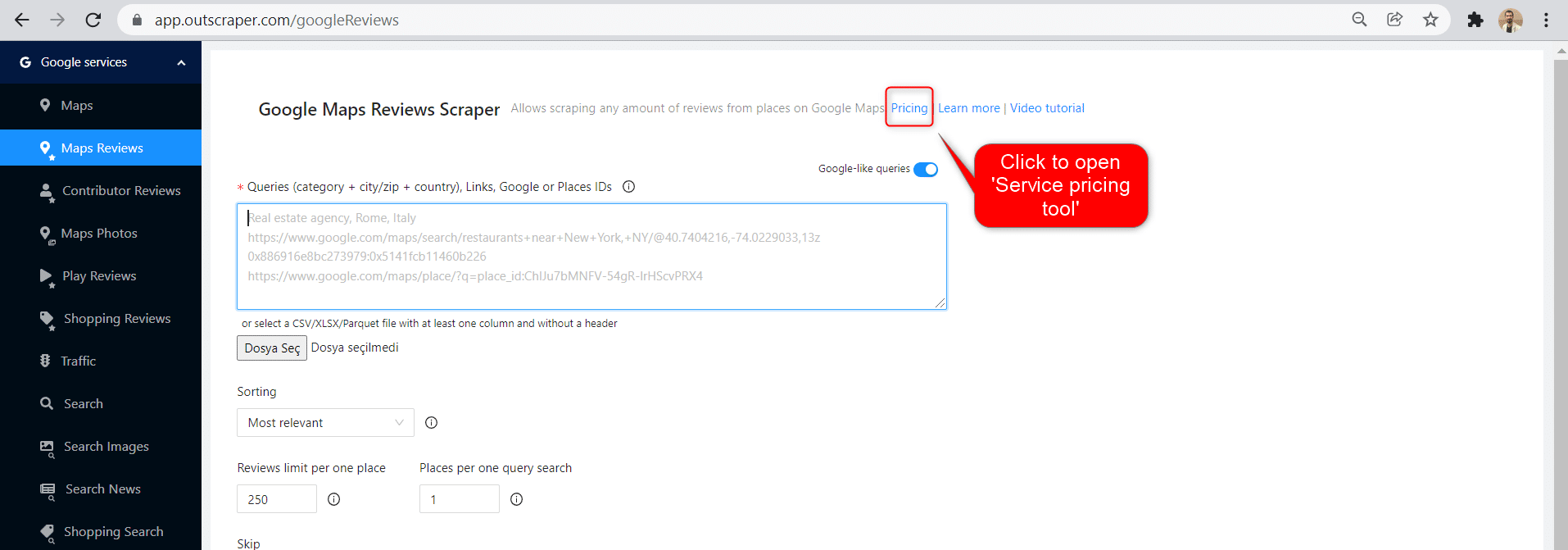
The service pricing tool will be shown on the right.
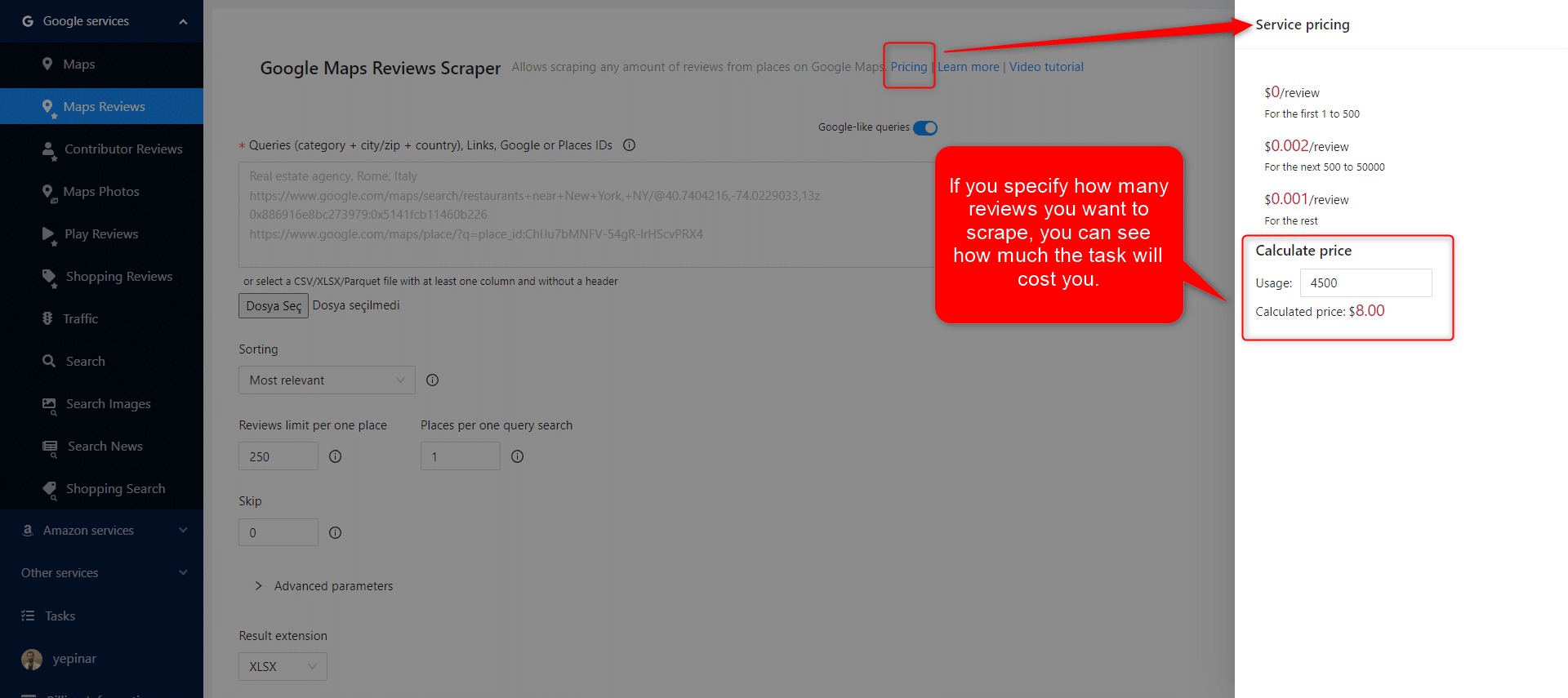
If you specify how many reviews you want to scrape, you can see how much the task will cost you. Please visit the Billing Information page to add credit or provide your credit card.
طرق الدفع
الطبقة المجانية
استمتع بقدر معين من أرصدة الفئة المجانية كل شهر في Outscraper. يتم تجديد هذه الأرصدة شهرياً كما هو موضح في صفحة الأسعار.
يمكنك التحقق من عدد الأرصدة المجانية التي لديك لخدمة معينة على صفحة صفحة التسعير.
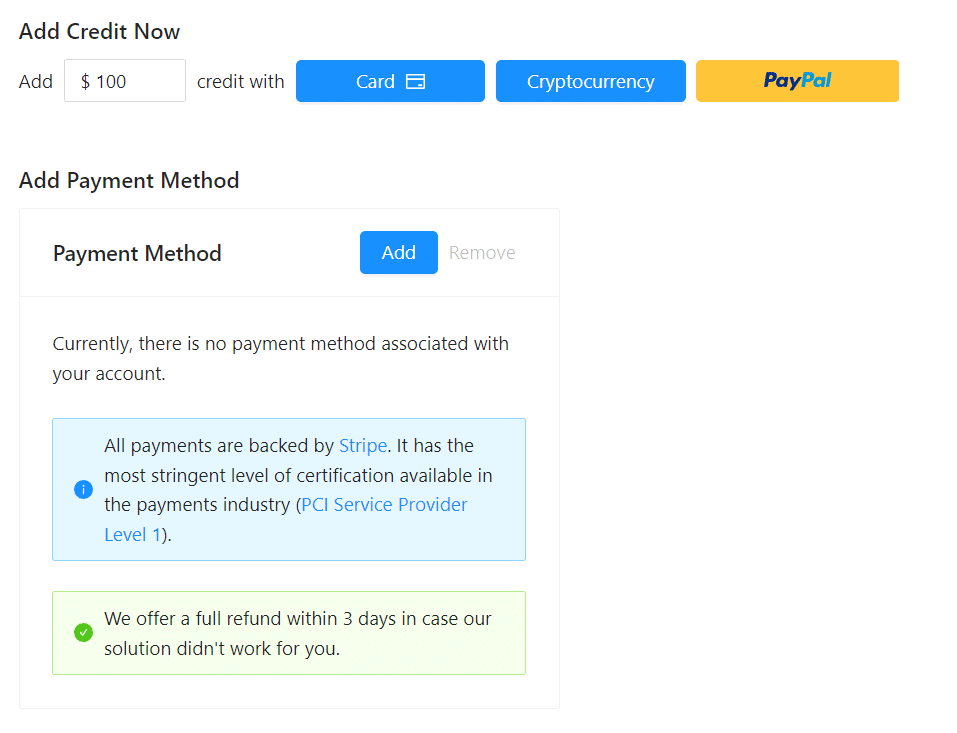
يمكنك استخدام طريقة الدفع المسبق عن طريق إضافة الرصيد، أو يمكنك إضافة بطاقتك الائتمانية وإجراء الدفع الآجل في نهاية فترة الفاتورة. يرجى زيارة معلومات الفواتيرالصفحة لتحديد طريقة الدفع الخاصة بك..
الدفع المسبق - إضافة رصيد مدفوع مقدمًا
أضف أرصدة إلى حسابك لبدء استخدام Outscraper. الحد الأدنى هو 10 دولارات أمريكية. أضف أي عدد تريده من الأرصدة وأنفقها وقتما تشاء.
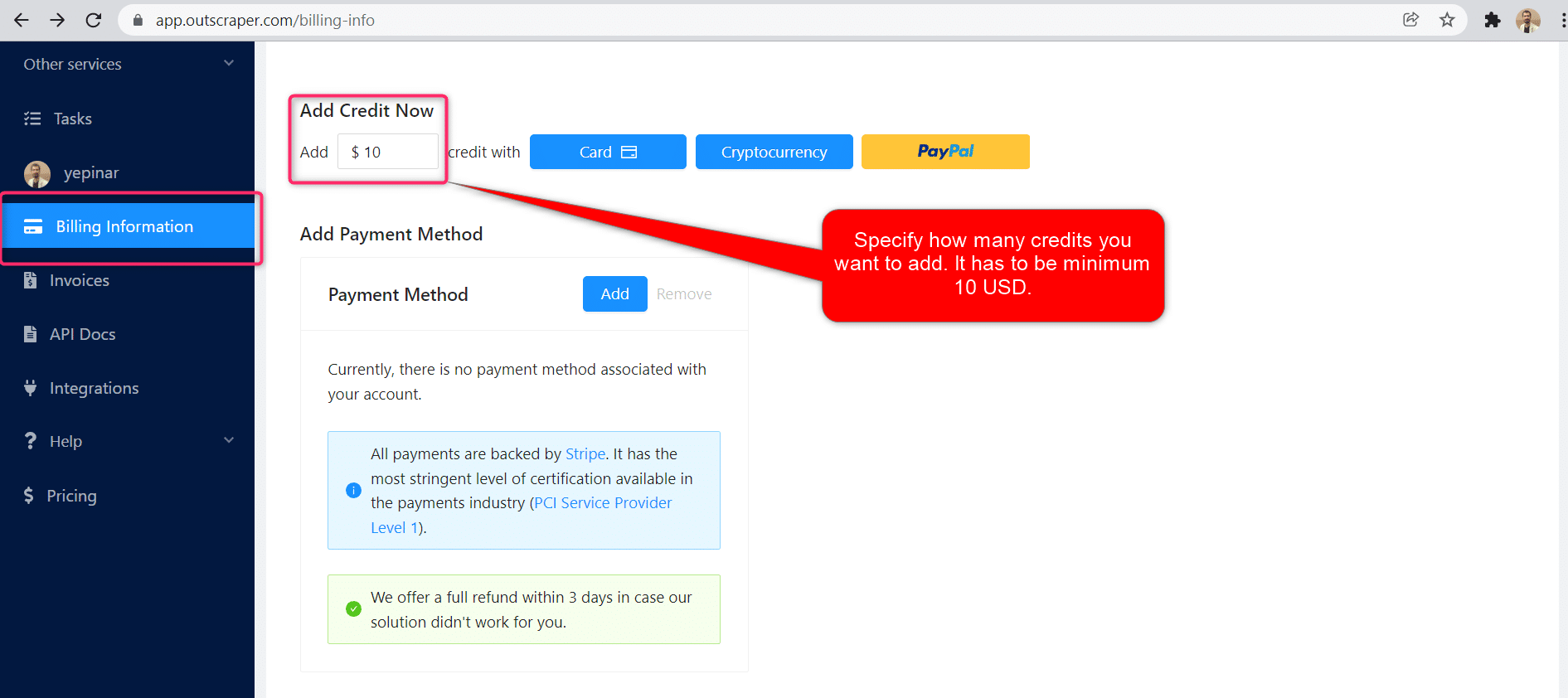
يمكن إضافة الأرصدة عن طريق بطاقة الائتمان أو العملة الرقمية أو PayPal.
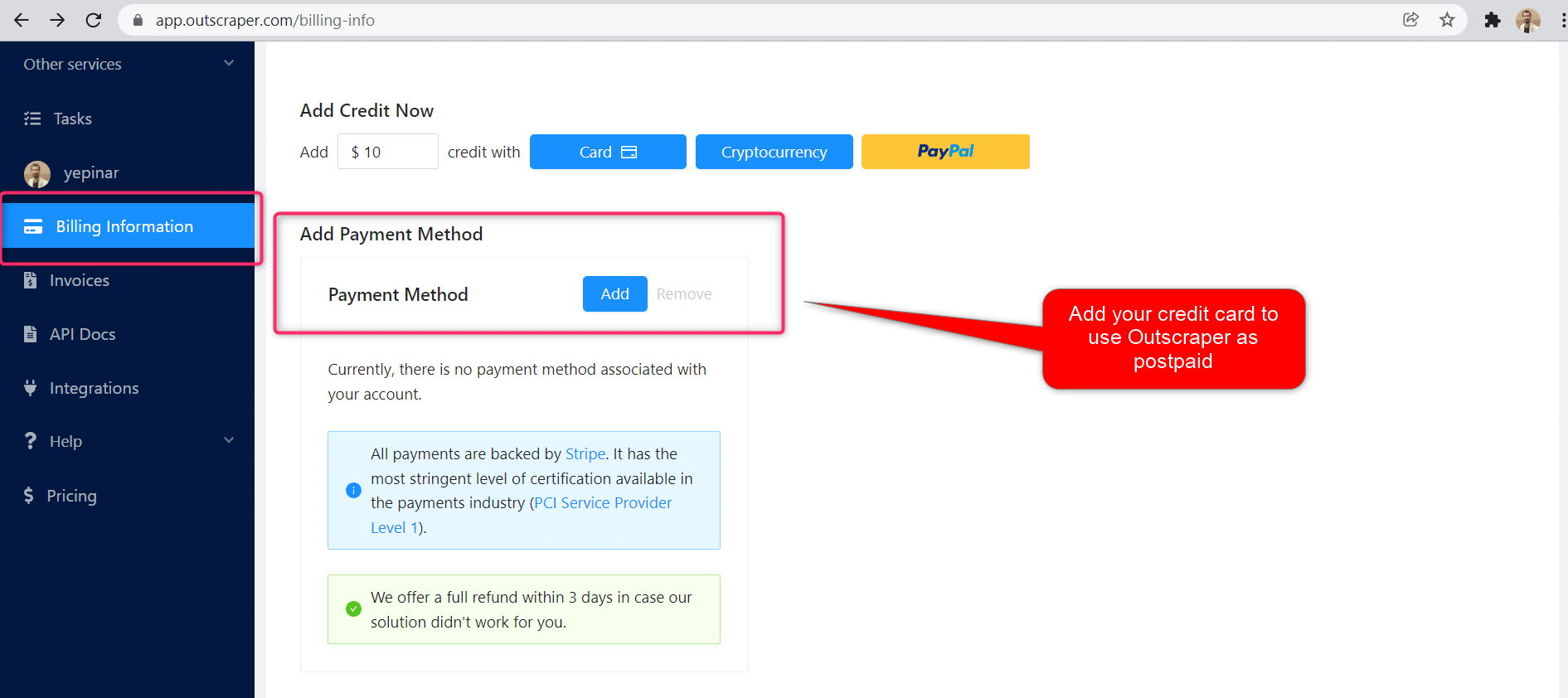
الدفع الآجل - إضافة بطاقة ائتمان
في طريقة الدفع المسبق، تدفع أولاً ثم تستخدمها، أما في طريقة الدفع الآجل، فتقدم بطاقة ائتمان وتبدأ في استخدامها. ستقوم بالدفع عندما تنتهي فترة الفوترة الخاصة بك.
فترة الفوترة
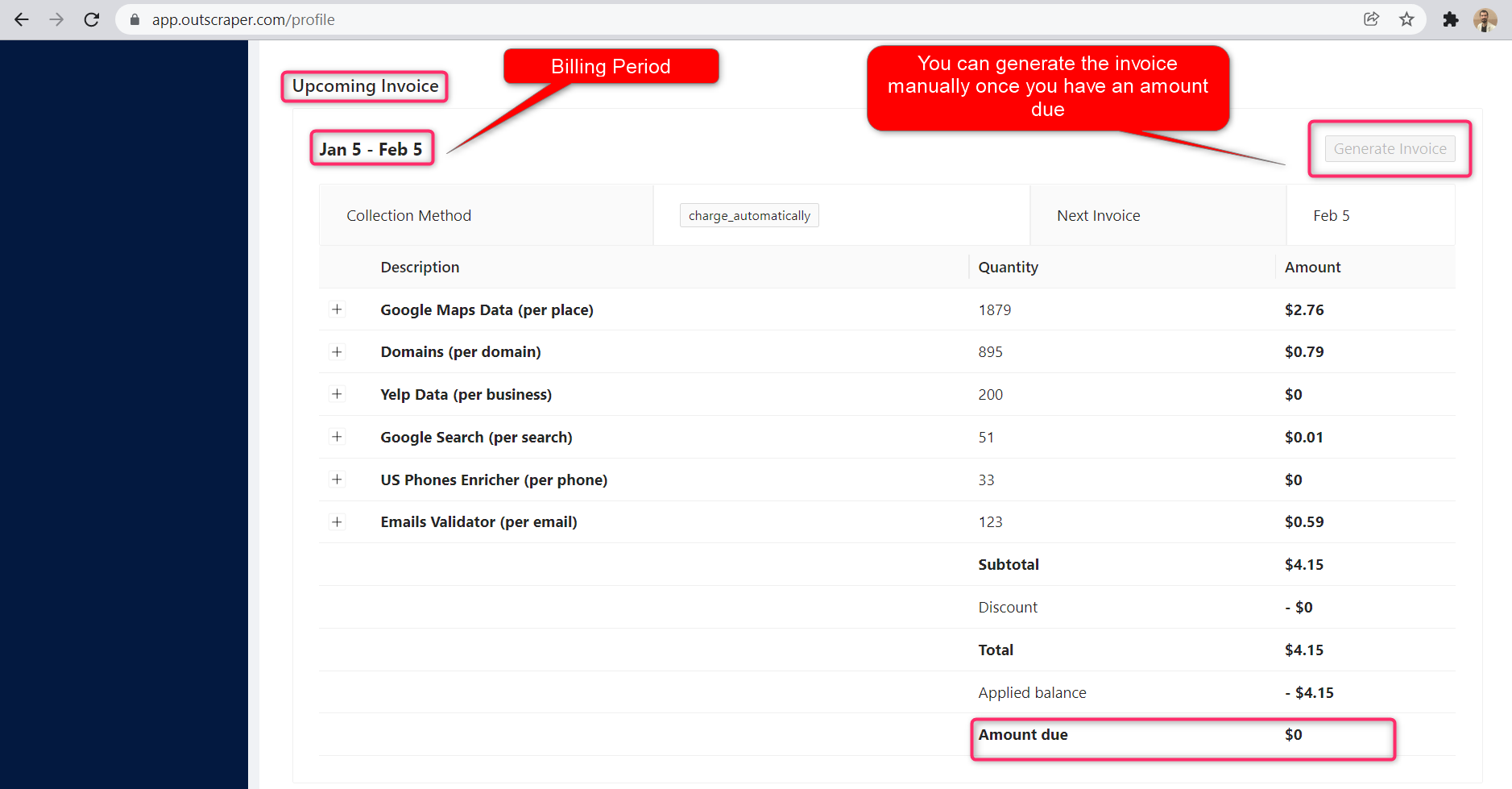
يمكن العثور على معلومات حول تواريخ بدء فترة الفوترة وانتهائها في صفحة صفحة الملف الشخصي. يمكنك أيضًا تتبع مبلغ الفاتورة القادمة من هناك. إذا كنت ترغب في ذلك، يمكنك إنشاء الفاتورة يدويًا بمجرد أن يكون لديك مبلغ مستحق.
OUTSCRAPER YOUTUBE CHANNEL
Follow us on YouTube

التعليمات
الأسئلة والأجوبة الأكثر شيوعًا
It is possible to extract Google reviews with Python using the Outscraper Google Maps Reviews API. However, by using the no-code Google Maps Reviews Scraper service, you can extract Google Maps reviews without any coding knowledge or skills.
With Outscraper it is possible to scrape data and reviews from Google Maps. Outscraper is an online tool that offers data scraping services from Google services. It allows you to scrape data from many services, including Google Maps.
It is possible to collect and download reviews of someone else or another business in Google Maps reviews. This requires an extractor or scraper service. Outscraper Google Maps Reviews Scraper service responds to this need.

0 Comments