Table of Contents

Introduction

Scraping businesses by industry from Google Maps provides users with direct access to local business insights. Collecting business names, categories, ratings, phone numbers, reviews, and other information. Substantial data that backed lead generation, market research, data analysis, and competition benchmarking.

However, despite the vast potential of Google Maps to provide such business insights, automation is still not fully integrated into businesses, especially small businesses, even though there is already 60% of companies have already integrated automation into their workflow. They think that if they reduce the cost, but in reality, it is laborious and time-consuming, involving countless hours of research through directories and physical records. Losing a potential market opportunity and losing potential customers leads to a revenue decline.

This article is a complete guide allowing users to explore more about scraping business insights in Google Maps. It also provides the best tools used to have a structured, clean, and enriched dataset. And scrape from Google Maps data, responsibly and effectively, within their respective industries.

Scraping businesses by industry from Google Maps offers a direct path to structured local business intelligence. The article explains how automated extraction replaces slow manual research and reduces errors tied to traditional methods. Google Maps holds extensive industry and location data, which supports lead generation, market research, competitive analysis, and expansion planning when collected in a structured format.
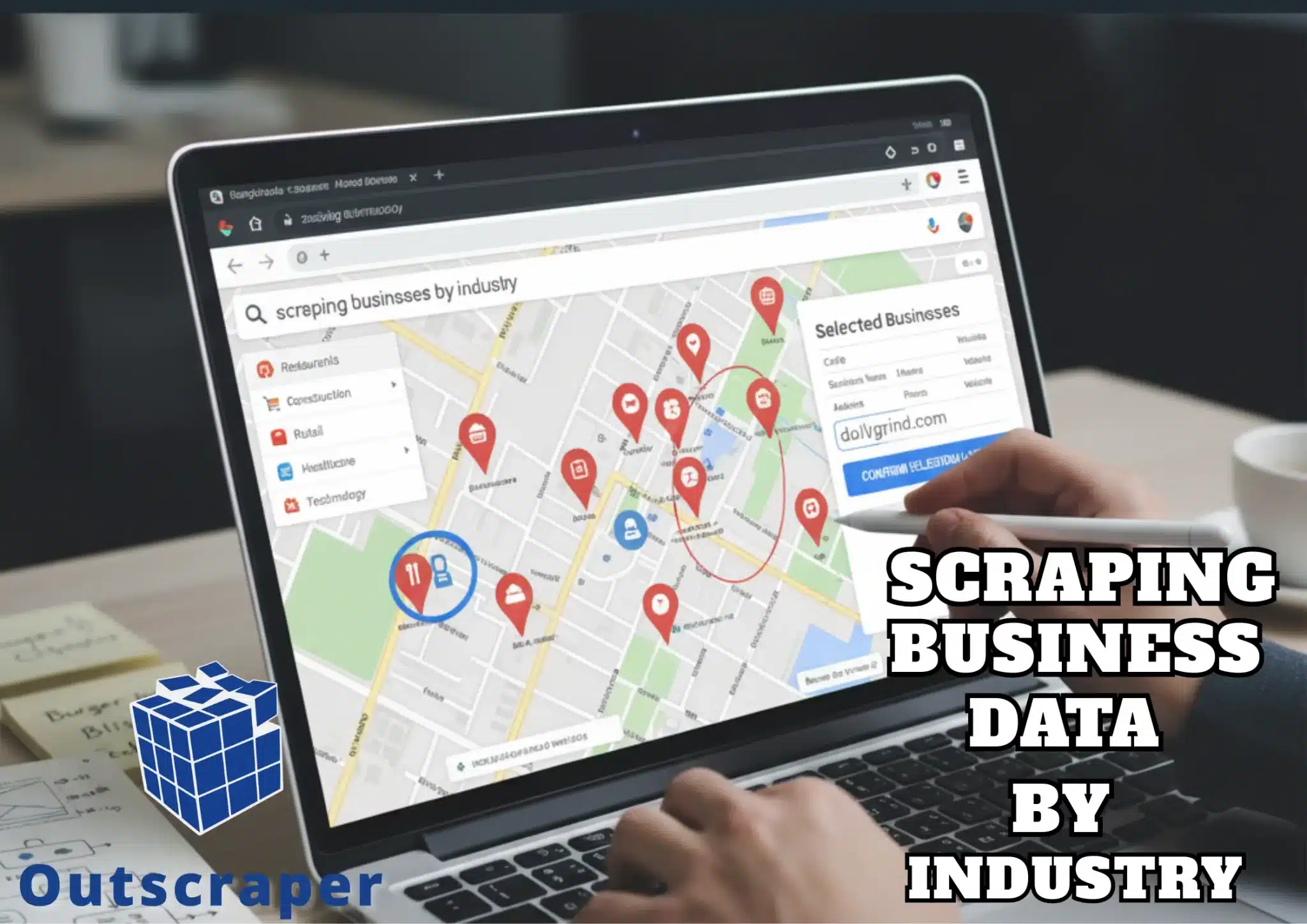
Scraping Business Data by Industry

What is Business Data Scraping

Business data scraping is the process of collecting public business information from multiple sites, such as Google Maps, business listings, directories, websites, etc. They are primarily scraped into a structured format for accessibility for market research and data analysis. It usually covers business names, categories, address, phone number, website status, reviews, ratings, and location details.

In contrast to manual research, which focuses on searching and copying details one at a time, business data scraping can be used for bulk data extraction, structured outputs and can be automated at scale. The scraper visits pages, reads page structure, and extracts specific fields. The tool repeats this process across many pages and stores results in formats such as CSV or spreadsheets. Advanced setups include filters by location, category, rating, or keyword.

Extract Contacts at Scale
Business data scraping pulls verified emails, phones, and executive names from millions of listings, building targeted outreach lists 10x faster than manual research.

Importance of Scraping Business Data by Industry in Google Maps

Google Maps hosts over 200 million companies worldwide, spanning more than 4,000 distinct industry sectors. The significance of scraping business data from Google Maps lies in its capacity to offer accurate, location-specific information crucial for strategic decision-making.

The ability to scrape and analyze using tools such as Google Maps Data Scraper (Outscraper) enables effective research, lead generation, competitive analysis, and more use cases.

Automated data extraction reduces the limitations of manual collection, eliminating the redundancy and errors associated with traditional methods. However, effective scraping requires reliable tools that have API Integrations (for smooth data extraction), structured, clean, and enriched datasets.

Reasons Why Businesses Scrape Business Data:

  • Sales Teams use scraped data to build lead lists and identify market opportunities.
  • Marketing Teams use it to identify gaps, overlooked segments, low online visibility businesses, or to benchmark competition.
  • Agencies use it to find prospects with evident issues, such as no website or poor reviews.
  • Investors and Market Analysts use it to map out market movements, monitor market trends, and analyze price changes.
Extract Contacts at Enterprise Scale
Gain market advantages by analyzing competitor reviews, pricing, and locations to identify service gaps and high-intent prospects ready to switch providers

Best Practices for Effective Scraping

Scraping without standards leads to legal, operational, and sales problems. Thus, it will also lead to scraping without ethical standards and may lead to other complications. Below are the best practices that improve your scraping experience;

Compliance and Data Rights for Google Maps Business Data

Google Maps business data requires the responsible and lawful extraction of publicly accessible information, such as business names, addresses, contact details, ratings, hours, and photos. Publicly available data on Google Maps is generally permissible to collect for purposes such as lead generation and market research, provided that the process adheres to Google’s Terms of Service, CCPA, and GDPR regulations.

There are also rate limits to reduce risks, such as IP blocking and CAPTCHA challenges. It allows maintaining continued access without violating usage policies. Emphasis on avoiding personal data collection aligns with privacy regulations and reinforces the ethical boundaries of data scraping.

Outscraper, for example, emphasizes the importance of managing both technical challenges and regulatory requirements when extracting business information. It ensures compliance while accessing business data, guiding choices that optimize legal access and data integrity through tools such as the Google Places API, Business Profile API, or

reputation management tools.

Ethical Leads at Scale
Switch to compliant scrapers offering free tiers and built-in protections—unlock business intelligence safely while competitors risk bans.

Google Business Categories, Keywords, And Location Targeting

Given that Google Maps contains over 200 million businesses, selecting appropriate Google Business categories and keywords aligned with the target industry is essential to generate relevant results. This ensures the extraction of data that accurately reflects segmented business information.

Additionally, geographic segmentation by granular units such as ZIP codes significantly enhances coverage, as demonstrated by the example where searching for plumbers in “Manhattan, New York” yielded 187 results, whereas subdividing the area by ZIP codes produced 560 listings. The use of local-language keywords further refines filtering by capturing listings that might otherwise remain inaccessible due to language variations in business names or descriptions.

Tools like Outscraper contribute by offering essential and advanced filters, enabling preliminary qualification of listings before exporting the data. Collecting ZIP code data can be effectively automated through AI prompts that return clean, line-by-line lists of ZIP codes for defined districts or cities. These filter design strategies collectively enhance the precision and volume of industry-specific business data extraction. Building upon these filtering techniques, targeted location filters address the robust data through structured, clean, and enriched datasets.

Target by Category; Find Ideal Leads
Filter by keywords in business names/descriptions ('emergency plumber,' 'vegan bakery') combined with ZIP codes or targeted leads ready to buy

How can I handle CAPTCHA challenges when scraping Google Maps?

How can the challenge of CAPTCHA be effectively managed when scraping data from Google Maps? CAPTCHAs serve as a common security mechanism designed to distinguish human users from automated bots, thereby protecting websites such as Google from unauthorized data extraction.

Simple automated scripts typically fail to bypass these tests, resulting in immediate IP blocking and disruption of scraping activities. API integration of Outscraper not only facilitates continuous data collection by minimizing interruptions but also reduces the risk of IP bans, which are frequent obstacles in automated scraping tasks. These solutions improve reliability and efficiency when acquiring business information from Google Maps.

Unlimited Scraping With No Interruptions
Switch to cloud-based APIs like Outscraper that manage all anti-bot measures transparently, delivering clean data without technical headaches.

Using Outscraper for Scraping Businesses by Industry from Google Maps

Outscraper is a data extraction and enrichment platform built around Google Maps, business listings, and other notable public sources. It is a practical tool for extracting and structuring local business data at scale, especially for lead generation, market research, and outreach targeting.

Outscraper is also a cloud-based scraping tool that scrapes business insights. It covers business name, category, address, phone number, reviews, ratings, emails, etc. It is also a pay-as-you-go pricing, emphasizing that users only pay for what they have used.

It is commonly known for its use cases, such as:

  • Lead generation that uses Outscraper to build targeted lead lists based on criteria such as location, category/brands, ratings, reviews, and more.
  • Marketing agencies to analyze local markets and find potential businesses that have no or little visibility online.
  • Sales teams use it for location intelligence to identify areas that are suitable for expansion, routing for logistics, and market opportunity mapping.
Scrape Industries with Outscraper Now
Outscraper's Google Maps Scraper lets you select exact categories like 'HVAC contractor' or 'Italian restaurant' from Google's full list, pulling only relevant businesses with phones, emails, and reviews.

Outscraper in Action

In using Outscraper, there are available services, which depend on the user’s preference. Google Maps Data Scraper, Emails & Contacts Scraper, Contacts & Leads Enrichment, Email Addresses Finder, Email Address Verifier, Baidu Maps Scraper

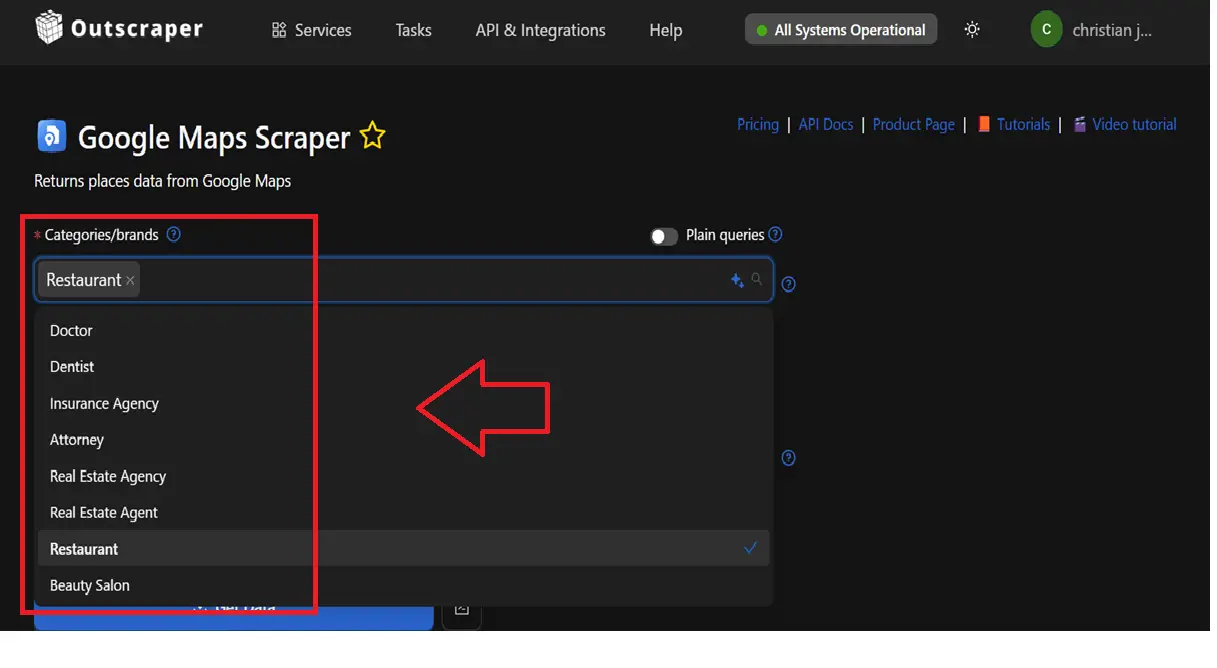
Category Selection

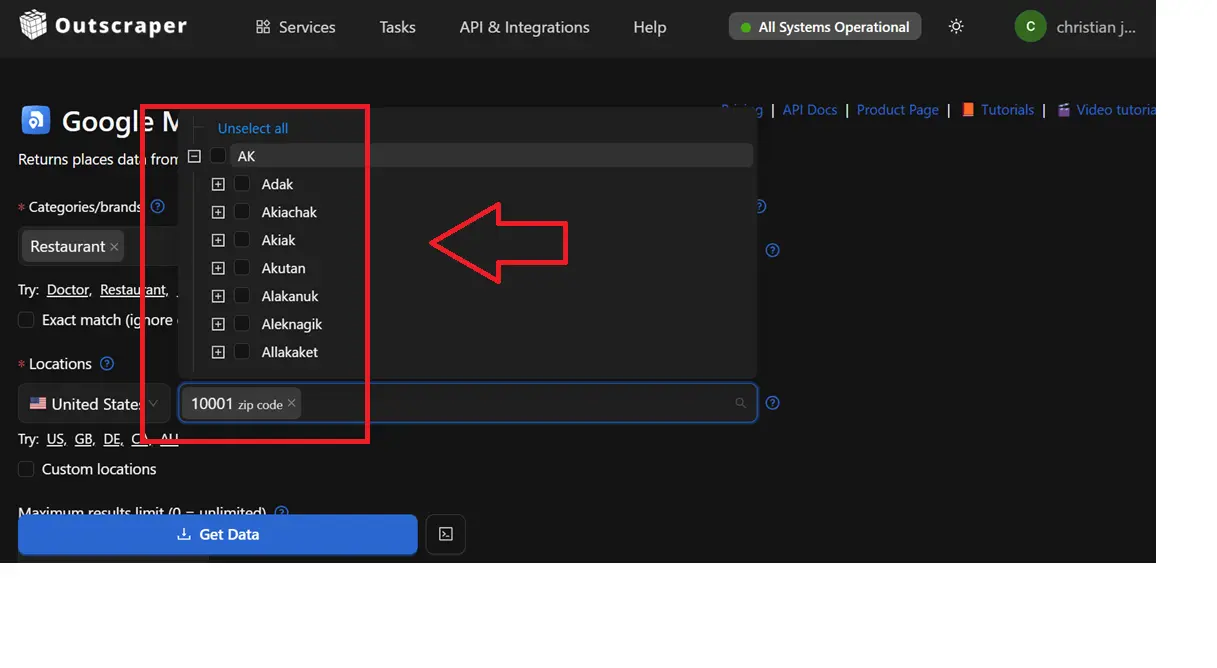
Category selection has numerous options. So, before scraping, keep in mind what industry the user would love to scrape. Categories will be combined into Google search queries by multiplying by the locations below. You can use “Plain queries” to create the queries by your own as you would do it on Google Maps site. Sometimes Google adds other categories to your searches. Use Filters from Advanced Parameters to get only the exact categories.

Category Selection

Location Verification

It is necessary to verify the location to pinpoint the targeted location. And it would be easy to map out the locations for lead generation (prospecting businesses related) or leads themselves. It can be customized based on city or ZIP code, etc.

It is necessary to verify the location to pinpoint the targeted location. And it would be easy to map out the locations for lead generation (prospecting businesses related) or leads themselves. It can be customized based on city or ZIP code, etc.
Location Verification

Get Data

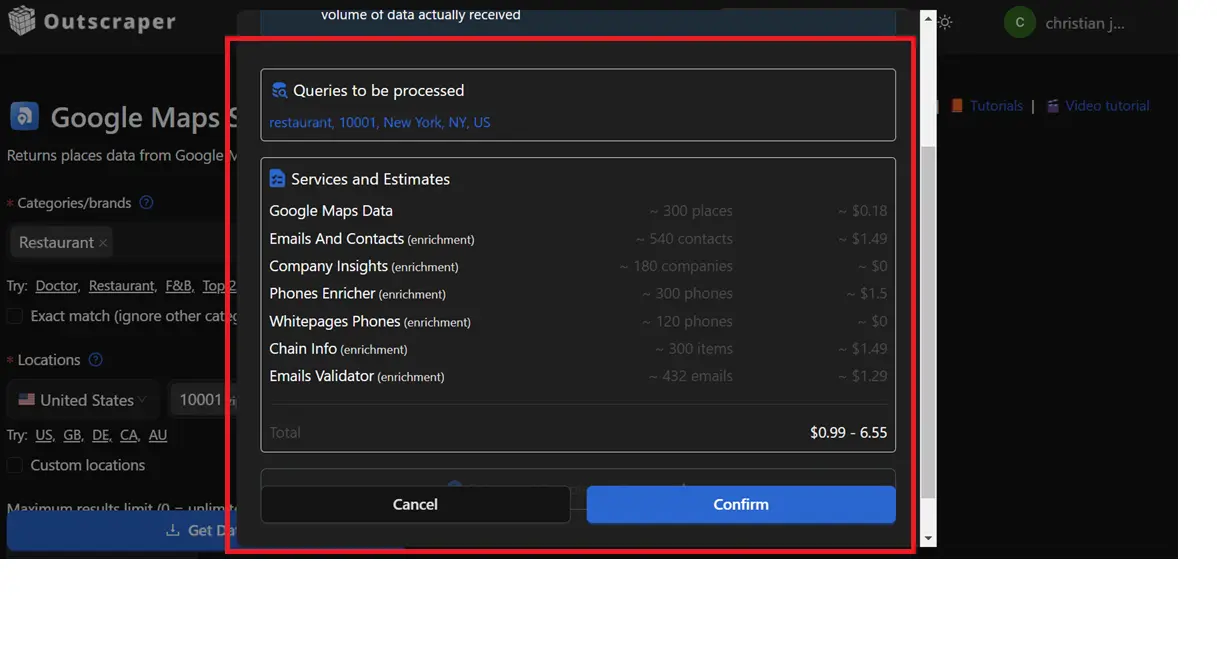
Get Data will give you a quick summary and cost breakdown of your data extraction. It shows the enrichment availed, the targeted location, the formats, etc.

Get Data

Conclusion

Scraping businesses by industry from Google Maps offers a direct path to structured local business intelligence. The article explains how automated extraction replaces slow manual research and reduces errors tied to traditional methods.

Google Maps holds extensive industry and location data, which supports lead generation, market research, competitive analysis, and expansion planning when collected in a structured format.

Effective scraping depends on clear category selection, precise location targeting, and compliance with data and privacy standards. Responsible extraction of public business information aligns with platform rules and regulatory frameworks while avoiding operational risks such as IP blocking and CAPTCHA interruptions.

Tools like Outscraper support this process through API integration, filtering controls, enrichment options, and scalable cloud-based execution. When businesses apply proper filters, ZIP code segmentation, and verified locations, they increase data coverage and relevance.

A structured workflow using Outscraper enables users to collect clean, enriched datasets suited for sales, marketing, agency work, and market analysis. This approach supports informed decisions, improved targeting, and efficient use of time and resources within defined industries.

FAQ

Most frequent questions and answers

Negative reviews signal customer dissatisfaction but can also enhance authenticity and drive sales from discerning buyers. They impact revenue by deterring impulse purchases while offering opportunities for improvement and engagement.

Business data encompasses information collected and stored by organizations to support operations, decision-making, and strategy. Content

Qualifying opportunities from negative reviews involves scraping feedback for pain points, prioritizing high-intent signals like recent complaints, and personalizing outreach to convert dissatisfied businesses into leads.

Reputation management is the practice of monitoring, influencing, and improving public perception of a business or brand, especially online through reviews and social media. 

Google Maps serves as a public mapping platform providing geospatial data on businesses, landmarks, and properties, including user-generated details like photos, reviews, and contact information, which supports lead generation in digital marketing

Yes. You can use Emails & Contacts Scraper along with Google Maps scraper to enrich the data from Google. In order to do so, select “Emails & Contacts Scraper” in the “Enrich by other services” section on the Google Maps Scraper page.

No. All scraping activities occur on Outscraper servers, ensuring that your IP address is not utilized for data scraping. You can close your computer an the scraping task will still be running.

An API is a tool that lets you access Google Maps data automatically. With a scraper API, you can quickly gather the information you need.