
جدول المحتويات
What is Google Maps Scraper?
Google Maps Scraper is a service that allows you to list the places registered on Google Maps by extracting their data. It is not possible to extract Google Maps data from your own computer without being stuck with Google limits. You need to use proxies. You can also read our complete guide on how Google Maps scraping works, its uses, legalities, and extraction methods.
With Outscraper Google Maps Data Scraper, it is possible to scrape data from Google Maps without any limits. Outscraper executes all tasks on its own servers. You just need to create the task and set the parameters. Outscraper does the rest for you.
اشتراك
إنشاء حساب
You can register by visiting the Google Maps Data Scraper page or pressing the Sign Up button now.
When registering, enter your email address and password then click Continue. If you wish, you can also register directly with your Google, Facebook, and LinkedIn accounts.
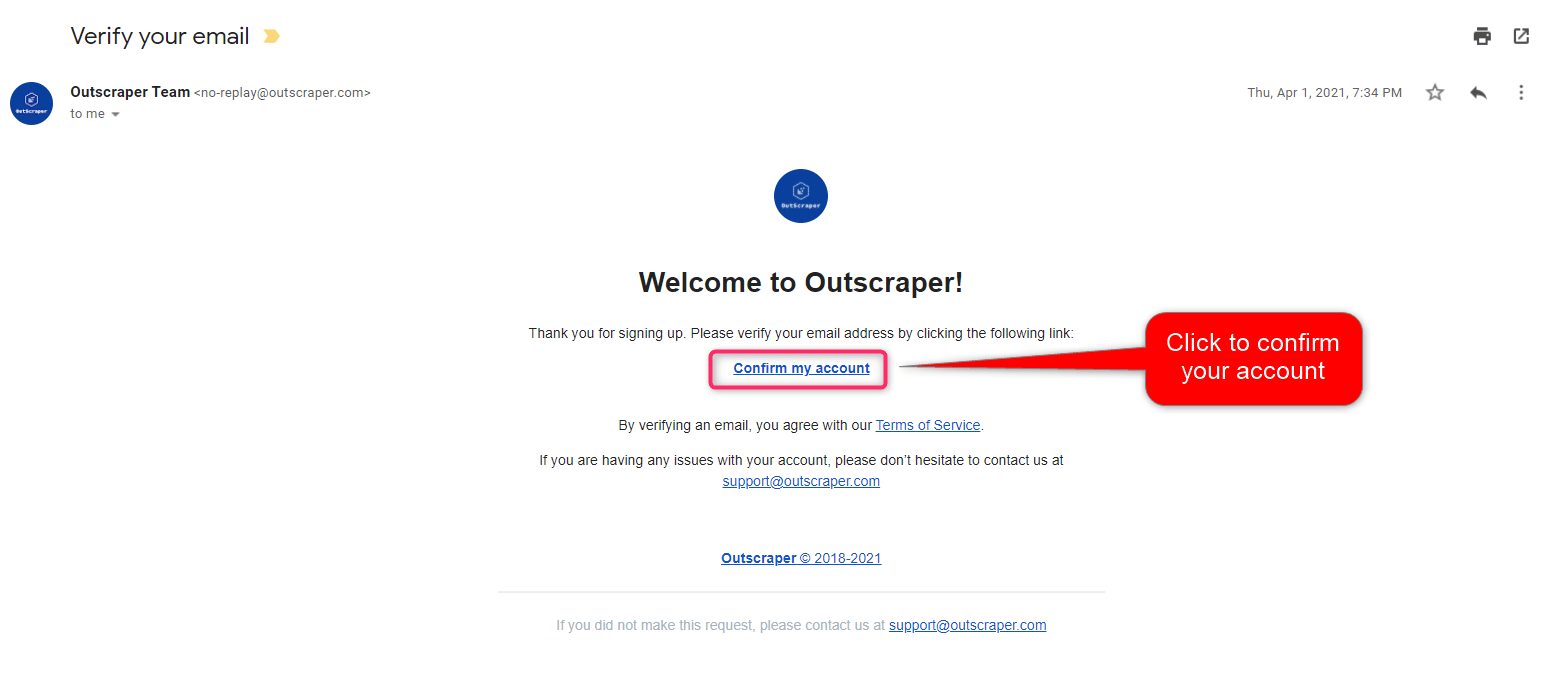
تأكيد بريدك الإلكتروني
ستصلك رسالة بالبريد الإلكتروني لتأكيد حسابك بالنقر على رابط "تأكيد حسابي" الموجود في البريد الإلكتروني.
Outscraper Google Maps Scraper: Creating Tasks and Setting Parameters
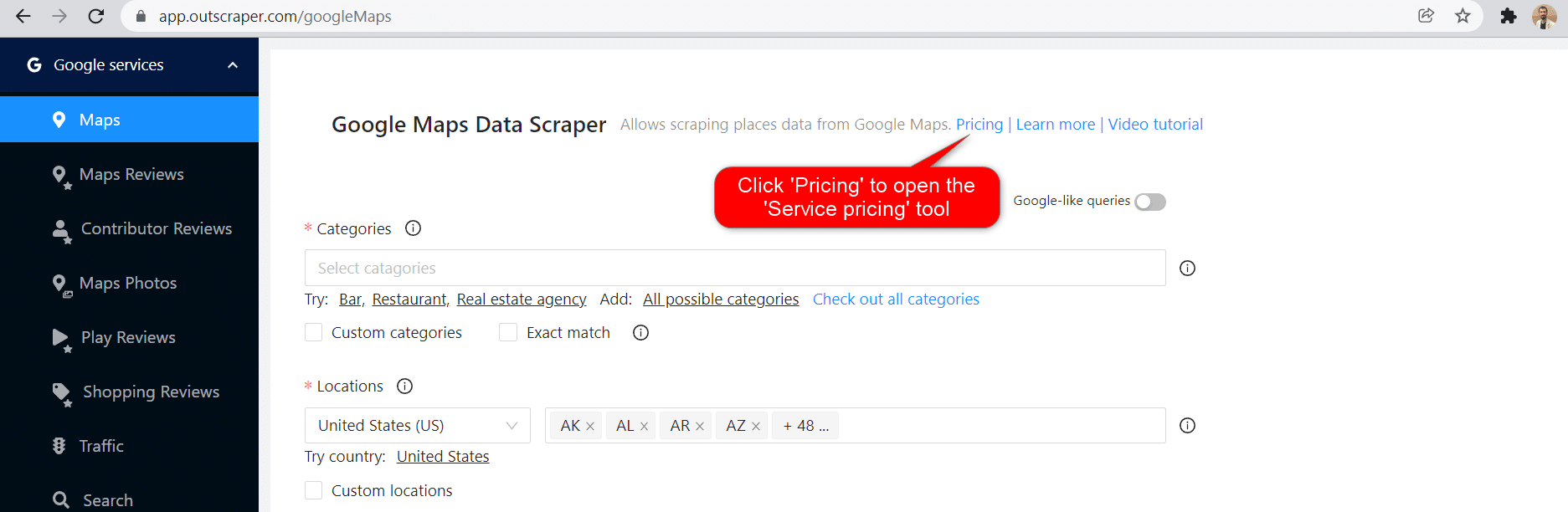
Inside the Outscraper dashboard select “Services,” “By Brand” followed by “Google” and then click “مكشطة خرائط Google Maps.” Alternatively, you can also select “Services,” “By Type” followed by “Business & POI,” and “مكشطة خرائط Google Maps.”
There are 6 main parameters that you need to specify to create your task.
فئات
Businesses in specified categories can be scraped with Outscraper. You can search with any keyword with Outscraper, however, general categories are suitable for giving an idea.
Check out the alphabetical list of business categories listed on Google Maps:
To start creating your task, choose the category you target from the list or write the keyword you want yourself.
Two different settings affect your category selection, the Plain queries and the Exact match option.
Exact Match:
This parameter specifies whether the categories you selected will be applied to filters as follows:
“subtypes column should contain <category>”
(Works only for English language)
Please check the filters in advanced parameters to see how it works.
Plain queries:
You can use anything that will work on the Google Maps website. You can search keywords, place IDs, URLs, etc. An upload option is also provided for your queries or you can just enter the queries in the textbox.
المواقع
You can select any country and city from the drop-down list. Outscraper only searches within the location you choose.
Total Result Limit
The parameter specifies the total limit of places that will be extracted from all search queries. If you want to create a task in the Free Tier you can limit the results to 500. When the value is set to 0, it will search all places in the selected region.
Drop duplicates:
If the same places are listed in the categories you are looking for, the drop duplicates feature will eliminate these places from the list. In this way, you will have a simplified list and lower usage costs.
Enriching The Results With Emails And Other Services
You can enrich your results with other services (emails, social media, more phones, legal names, NAICS, SIC, employee numbers, etc.). Both services can be combined with Google Maps Scraper. We also added some new enrichment tools that could be useful in your business.
المعلمات المتقدمة
Language:
The keywords you aim to scrape may have a special meaning in a different language. For this reason, when it is desired to search for that language, it is appropriate to select that language in the language section of the advanced parameters section.
Filters:
If you want to filter your results by “contains one of,” “contains none of,” “starts with,” or “is not blank” parameters, you need to adjust the advanced parameter settings.
Results can be filtered according to subtypes, types, postal code, city, state, site, and rating values.
Please check out our tutorial about filters in detail:
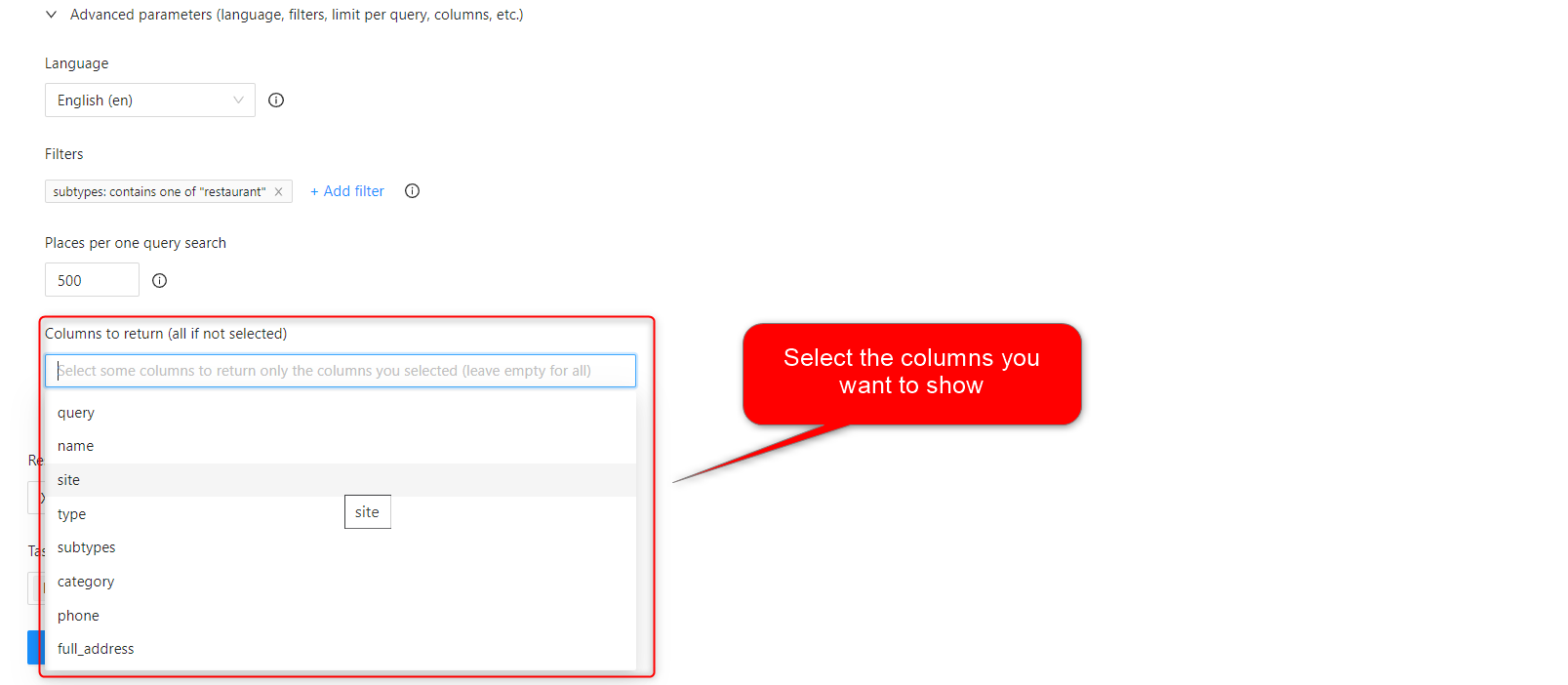
Columns to return:
A standard Google Maps Scraper result file contains the following columns: query, name, site, type, subtypes, category, phone, full_address, borough, street, city, postal_code, state, us_state, country, country_code, latitude, longitude, time_zone, plus_code, rating, reviews, reviews_link, reviews_per_score, reviews_per_score_1, reviews_per_score_2, reviews_per_score_3, reviews_per_score_4, reviews_per_score_5, photos_count, photo, street_view, working_hours, working_hours_old_format, popular_times, owner_status, reservation_link, owner_status, verified_link, verified range, menu_link, order_links, location_link, place_id, google_id, reviews_id
This filter will allow you to choose the specific columns you want to include in your list.
Tags & Extensions
You can give any tag you want to your tasks and specify the extension of the result file in a way that suits you.
تنزيل ملف نتائجك
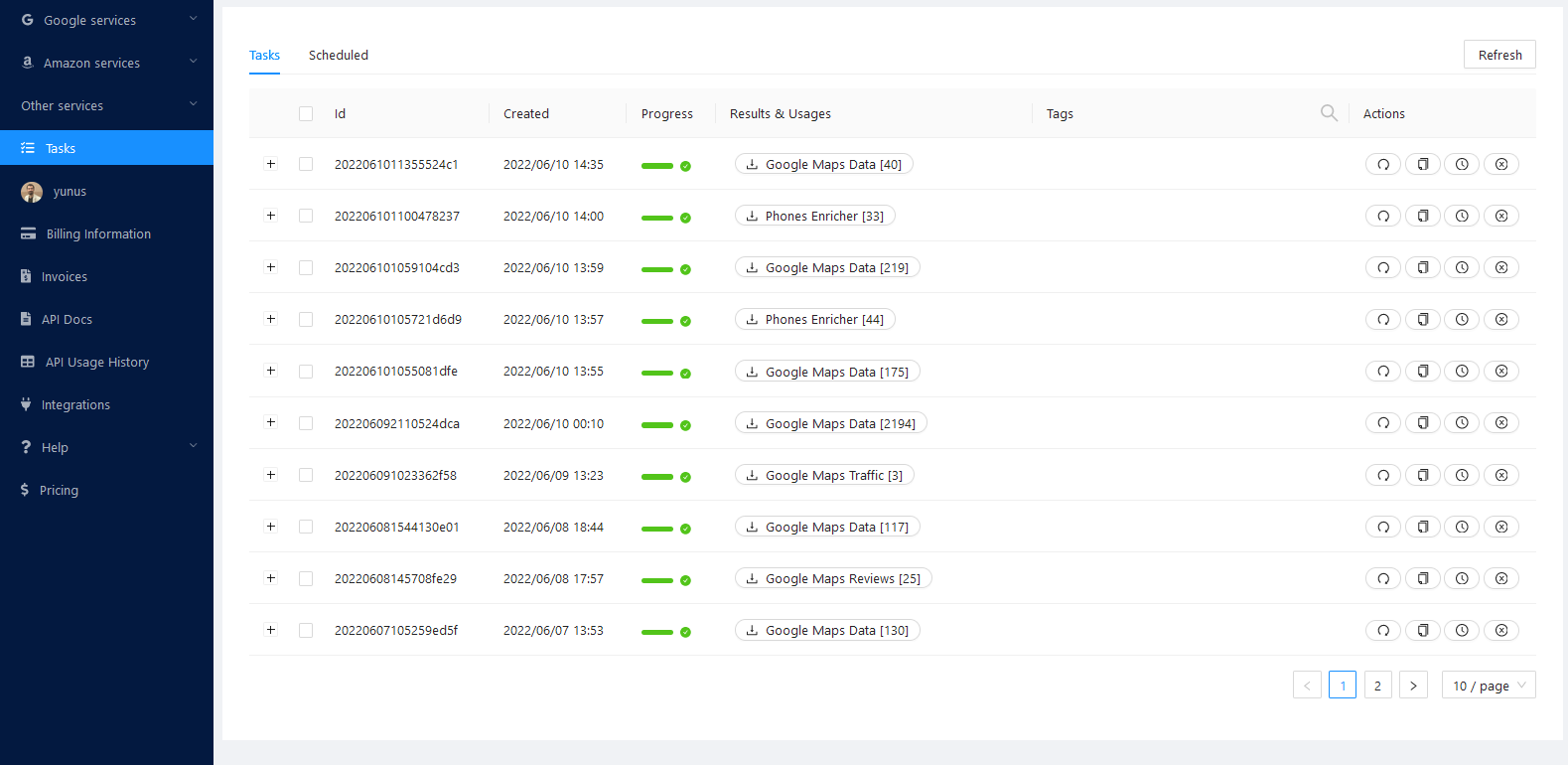
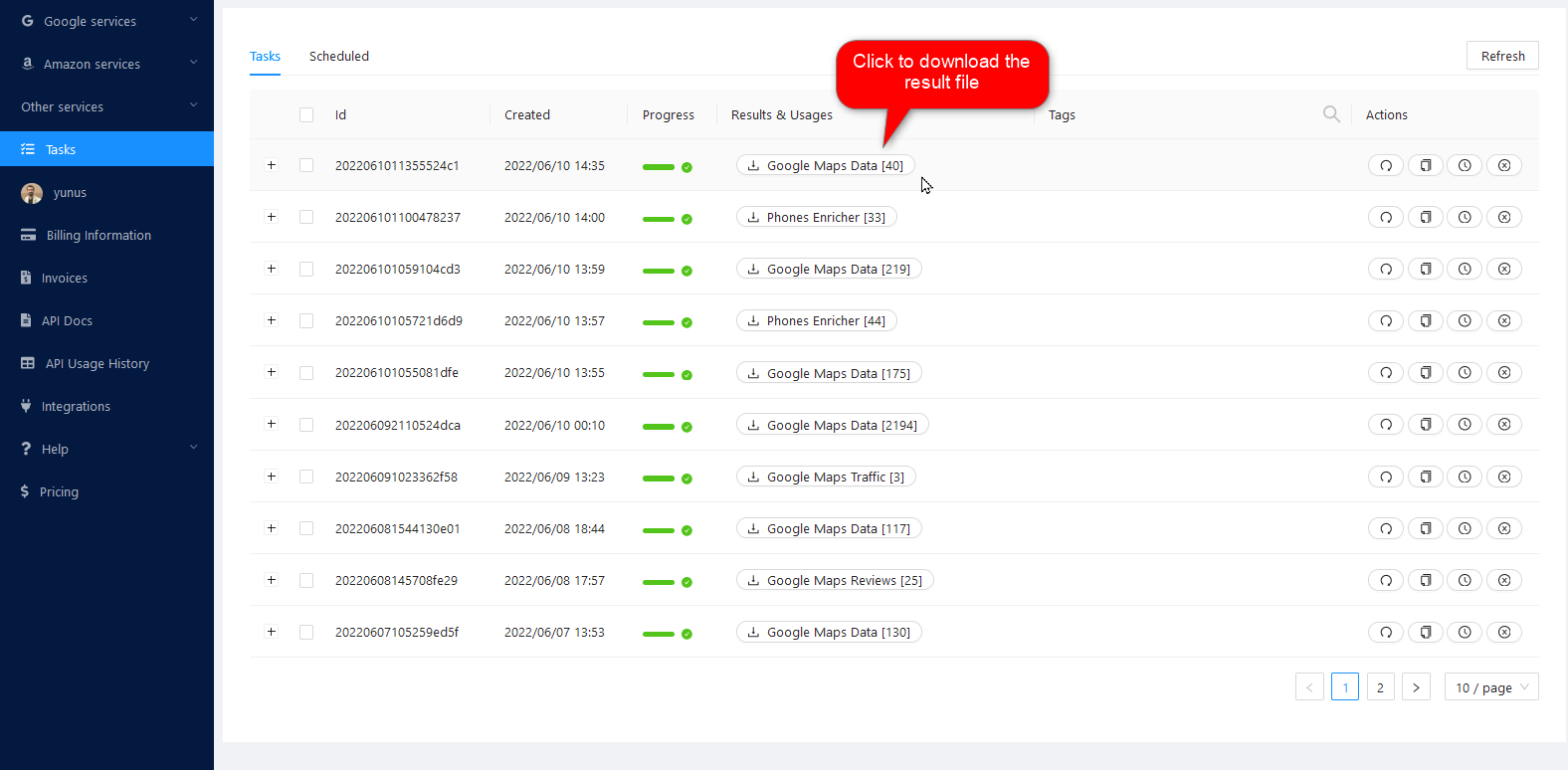
You can download your result files anytime you want on the tasks page. But it’s important that all results are stored on servers for only 30 days.
مراجعة ملفك
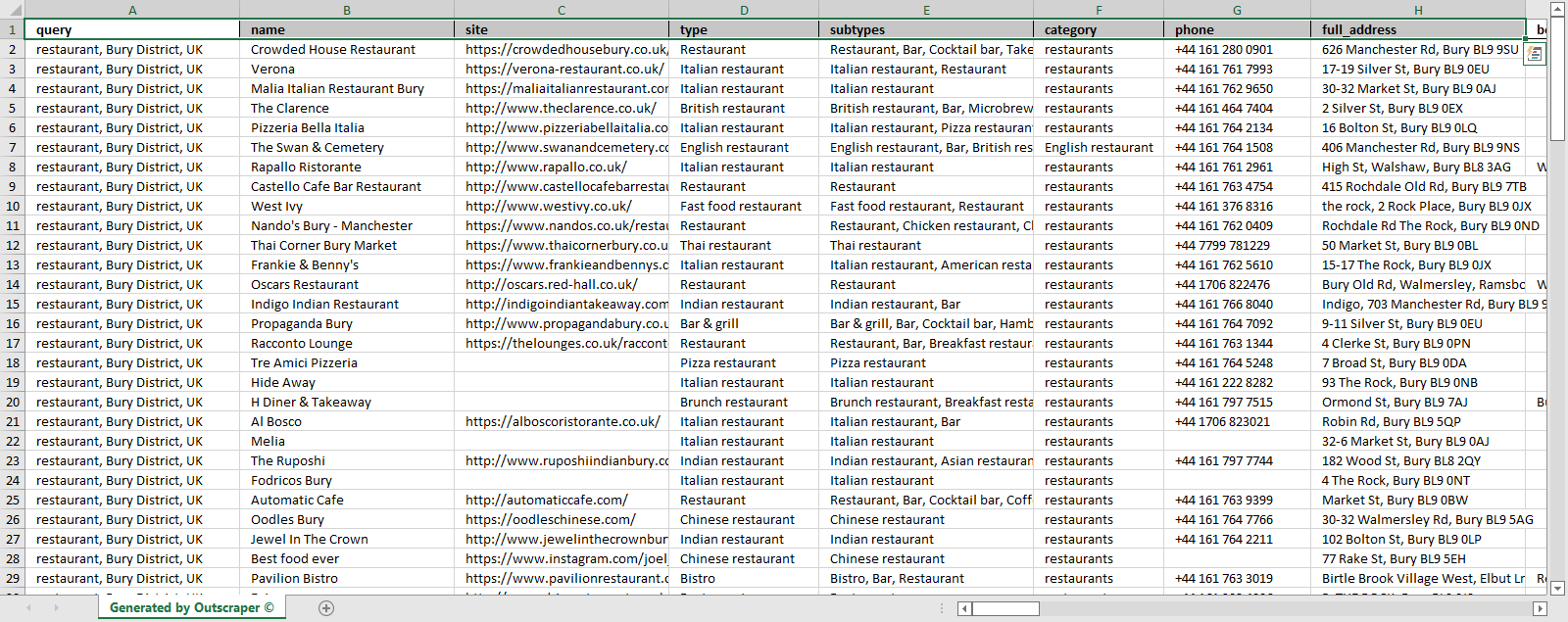
Review your result files with Excel or with any spreadsheet viewer that can open XSLSX and CSV files. You can also compare the downloaded data from Outscraper with the best Google Maps scraper for 2026, based on our unbiased buyer’s guide.
Sample Result File: Google Maps Scraper Restaurants
التسعير
صفحة التسعير وحاسبة التكلفة
لا توجد رسوم اشتراك شهرية قياسية في Outscraper. أنت تدفع فقط مقابل ما تستخدمه.
Please visit our pricing page for pricing details of the Google Maps scraping service.
صفحة التسعير: https://outscraper.com/pricing
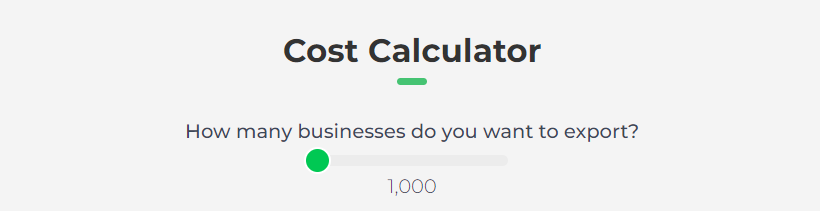
هناك 3 مستويات مختلفة للتسعير. وهي المستوى المجاني والمستوى المتوسط ومستوى الأعمال. يمكن التحقق من أسعار هذه المستويات على صفحة التسعير. هناك أيضًا حاسبة للتكلفة على صفحة التسعير. يمكنك استخدام حاسبة التكلفة لمعرفة تكلفة نتائجك.
To understand the pricing model of Outscraper, you can examine our latest pricing explanation guide and if you’re not satisfied, you can directly contact our active CSR namely Allen, Jonver, Dana and other available customer success officer.
أداة تسعير الخدمات على لوحة التحكم
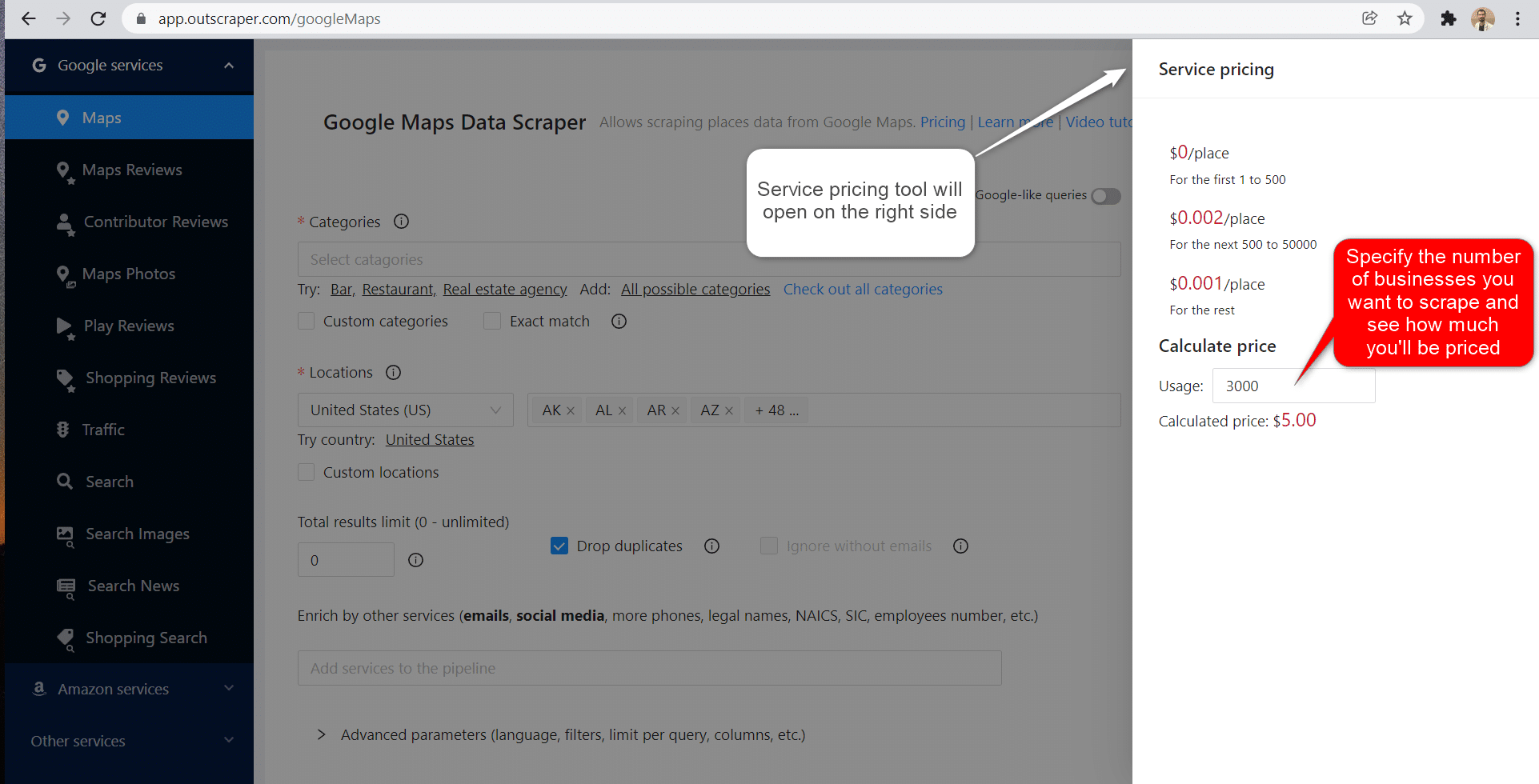
بعد التسجيل، يمكن لأداة "تسعير الخدمة" أن تساعدك في التسعير على صفحة خدمة مكشطة صور خرائط Google على لوحة تحكم تطبيق Outscraper.
On the right side, you can use the service price tool.
يُرجى زيارة صفحة صفحة معلومات الفوترة لإضافة بطاقة ائتمان أو بطاقة ائتمان.
طرق الدفع
الطبقة المجانية
استمتع بقدر معين من أرصدة الفئة المجانية كل شهر في Outscraper. يتم تجديد هذه الأرصدة شهرياً كما هو موضح في صفحة الأسعار.
يمكنك التحقق من عدد الأرصدة المجانية التي لديك لخدمة معينة على صفحة صفحة التسعير.
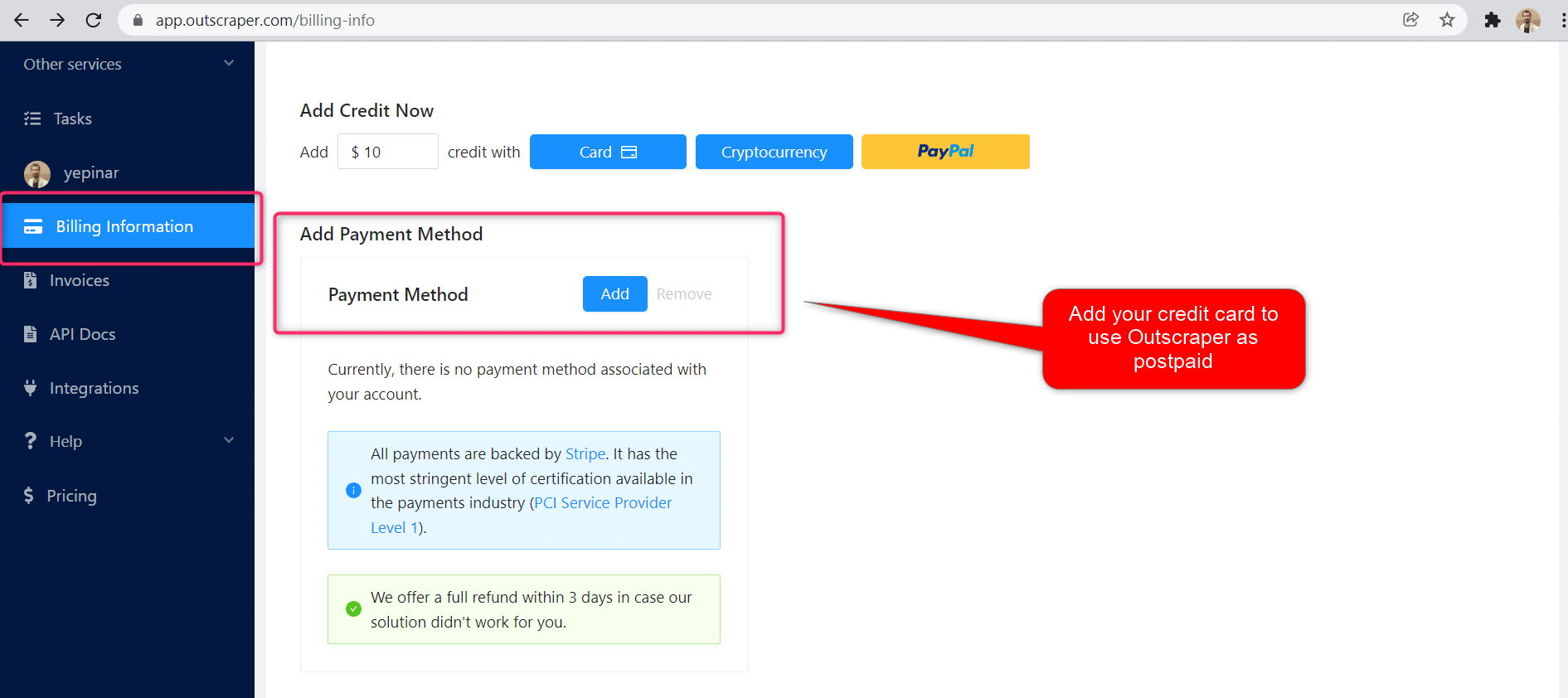
يمكنك استخدام طريقة الدفع المسبق عن طريق إضافة الرصيد، أو يمكنك إضافة بطاقتك الائتمانية وإجراء الدفع الآجل في نهاية فترة الفاتورة. يرجى زيارة معلومات الفواتيرالصفحة لتحديد طريقة الدفع الخاصة بك..
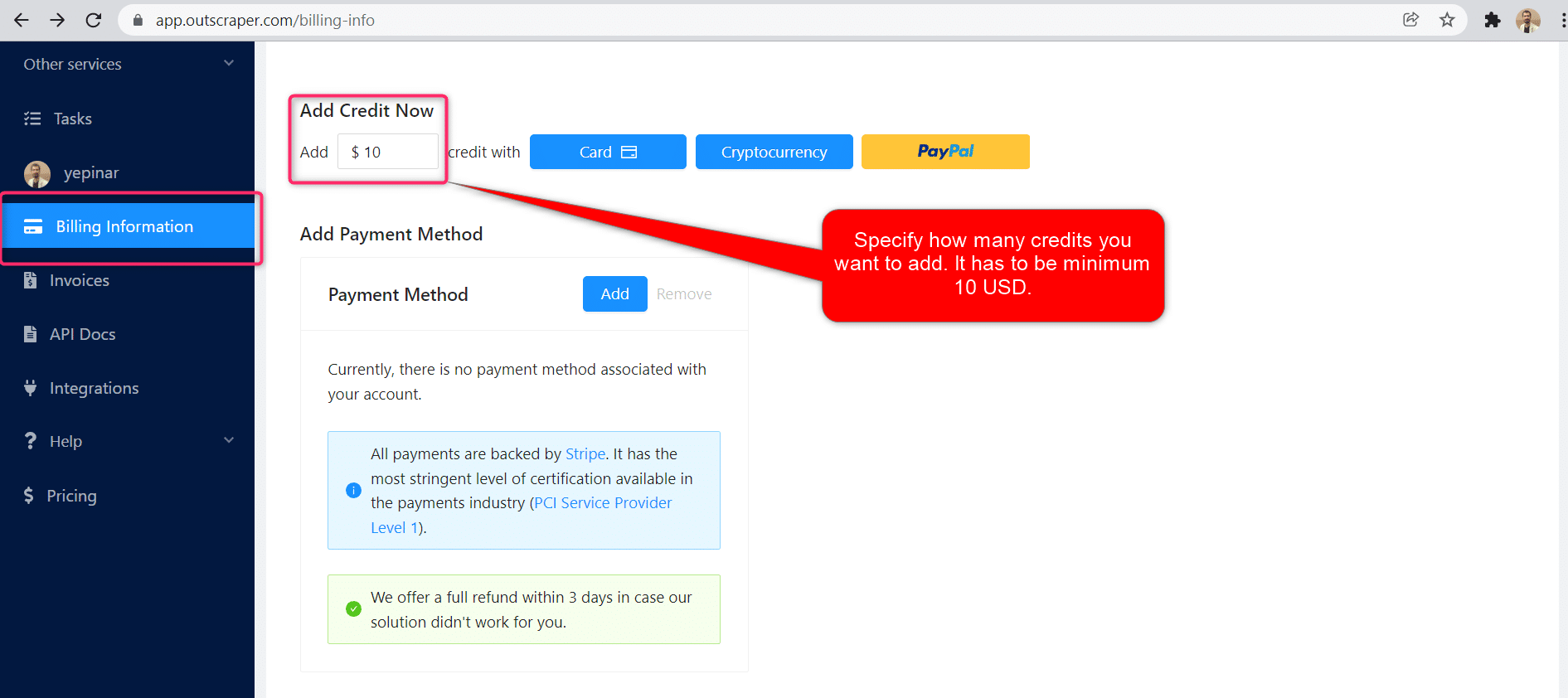
الدفع المسبق - إضافة رصيد مدفوع مقدمًا
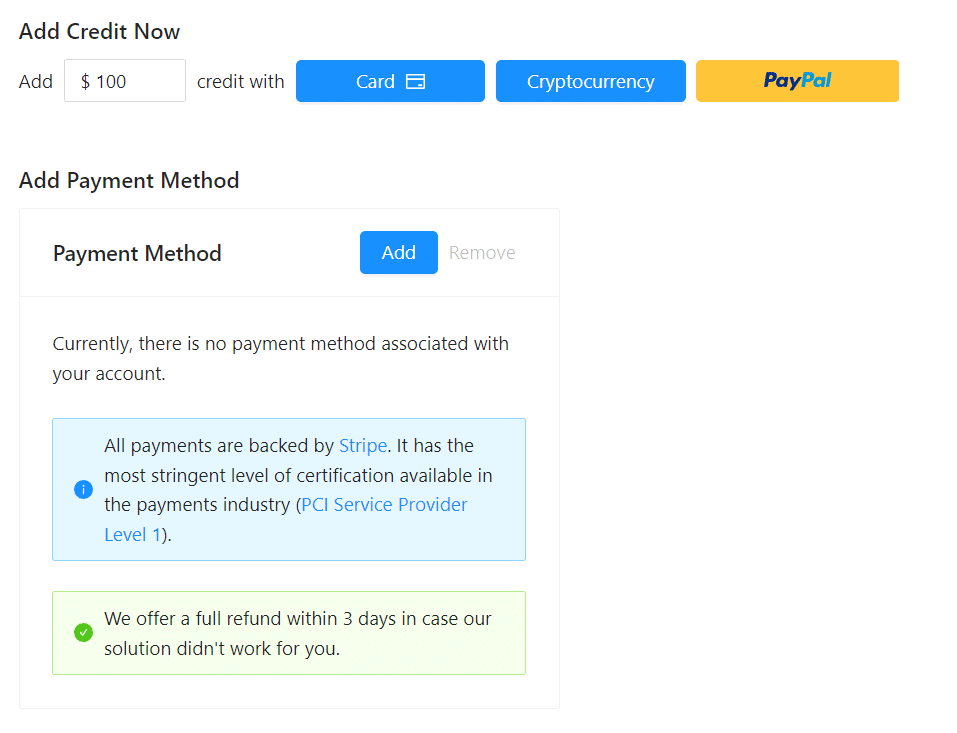
أضف أرصدة إلى حسابك لبدء استخدام Outscraper. الحد الأدنى هو 10 دولارات أمريكية. أضف أي عدد تريده من الأرصدة وأنفقها وقتما تشاء.
يمكن إضافة الأرصدة عن طريق بطاقة الائتمان أو العملة الرقمية أو PayPal.
الدفع الآجل - إضافة بطاقة ائتمان
في طريقة الدفع المسبق، تدفع أولاً ثم تستخدمها، أما في طريقة الدفع الآجل، فتقدم بطاقة ائتمان وتبدأ في استخدامها. ستقوم بالدفع عندما تنتهي فترة الفوترة الخاصة بك.
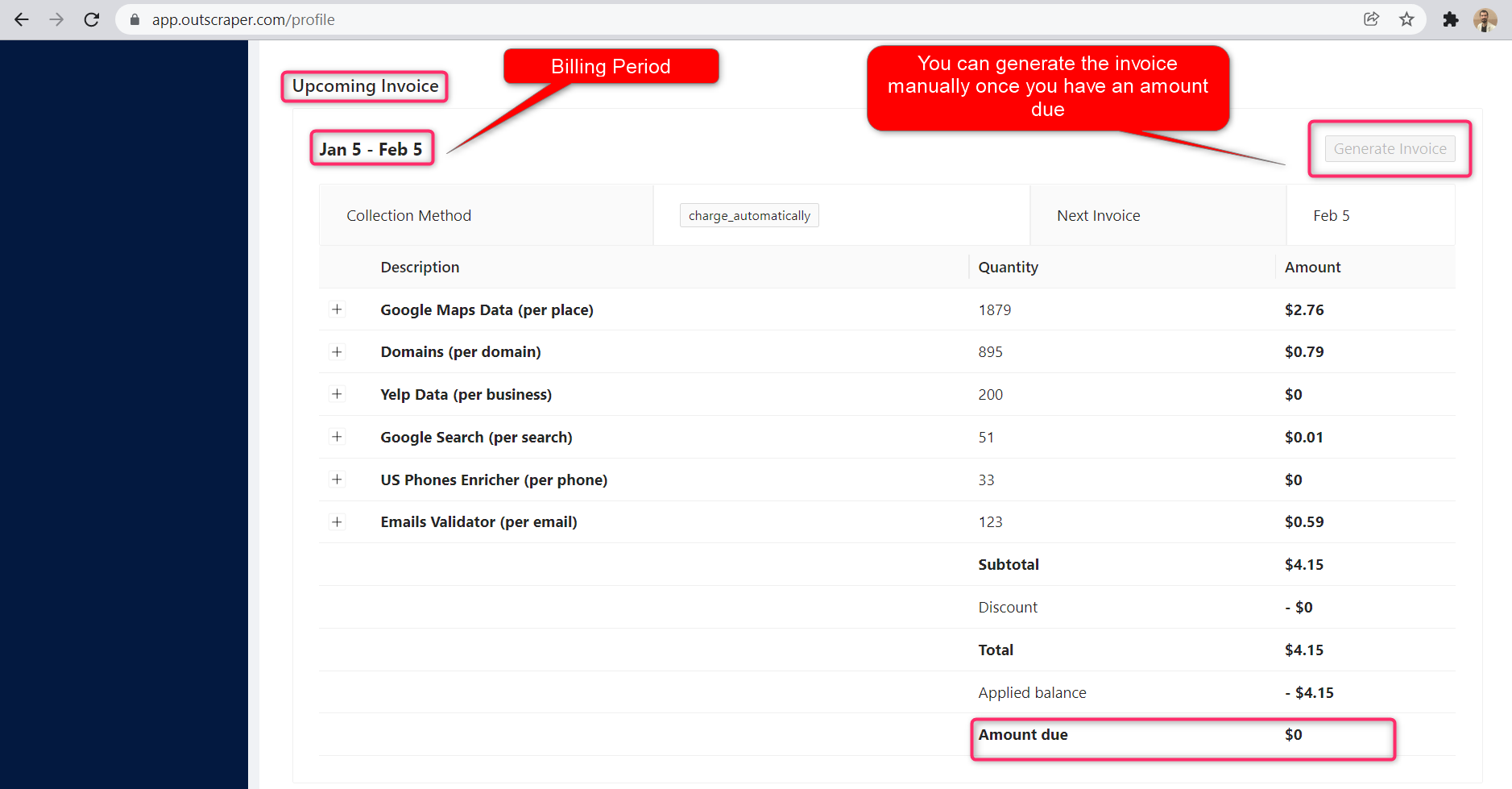
فترة الفوترة
يمكن العثور على معلومات حول تواريخ بدء فترة الفوترة وانتهائها في صفحة صفحة الملف الشخصي. يمكنك أيضًا تتبع مبلغ الفاتورة القادمة من هناك. إذا كنت ترغب في ذلك، يمكنك إنشاء الفاتورة يدويًا بمجرد أن يكون لديك مبلغ مستحق.
Video Tutorial
التعليمات
الأسئلة والأجوبة الأكثر شيوعًا
Sometimes Google adds other categories to your searches. For example, when you search for restaurants you might see bars, coffee shops, etc.
Outscraper provides you with two tools that you can use to eliminate those categories.
- Use the “Quote categories” checkbox. The categories will be enclosed between quotation marks ” “. The ” “ operator is typically used when you want Google to return only those companies that match your category terms exactly.
- Filter results by applying filters to the extraction task. To avoid empty results, make sure you are familiar with the values of the fields before using filters with the “contains” operator.
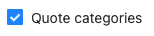
1. Quote categories checkbox
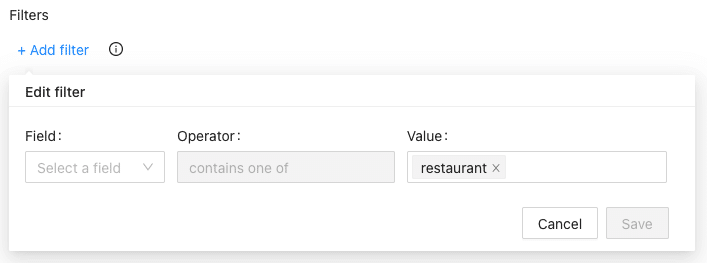
2. Results filters
There are some cases when predefined locations or/and categories aren’t enough. Use the “Custom locations” or/and “Custom categories” options to insert the categories or/and locations you need.

There is a limitation from Google Maps that shows only up to 400-500 places per one query search. This may be a problem when there are more companies in one category. For example, for the query “restaurants, Brooklyn”.
To overcome this we suggest splitting the location into sub-locations. For example, by using postal codes:
”restaurants, Brooklyn 11203”,
”restaurants, Brooklyn 11211”,
”restaurants, Brooklyn 11215”,
…
Or using queries with sub-categories:
“Asian restaurants, Brooklyn”,
“Italian restaurants, Brooklyn”,
“Mexican restaurants, Brooklyn”,
…
Check the “Use queries” switcher and enter the queries.

To force Google to search for particular companies only, enclose the term between quotation marks ” “. The ” “ operator is typically used around stop words (words that Google would otherwise ignore) or when you want Google to return only those pages that match your search terms exactly.
After clicking the button “Extract data…” you will see the task estimate and the queries.
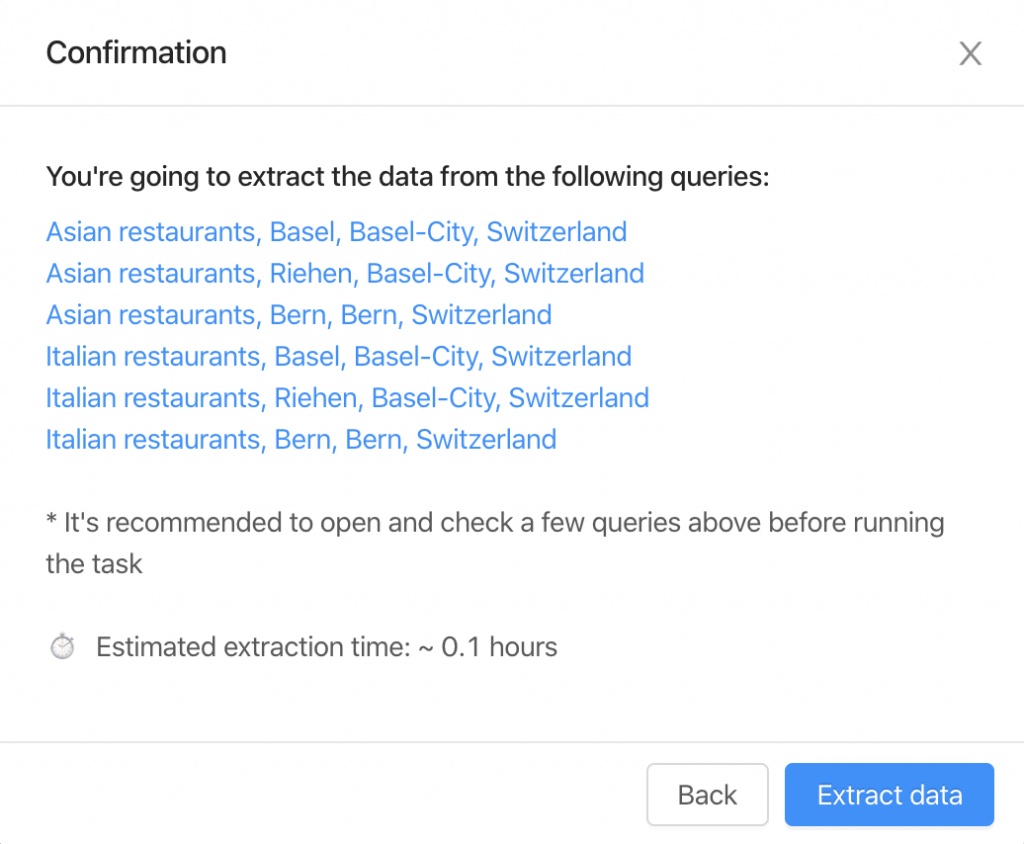
It’s recommended to click and open a few queries to check how it looks on the Google Maps site.
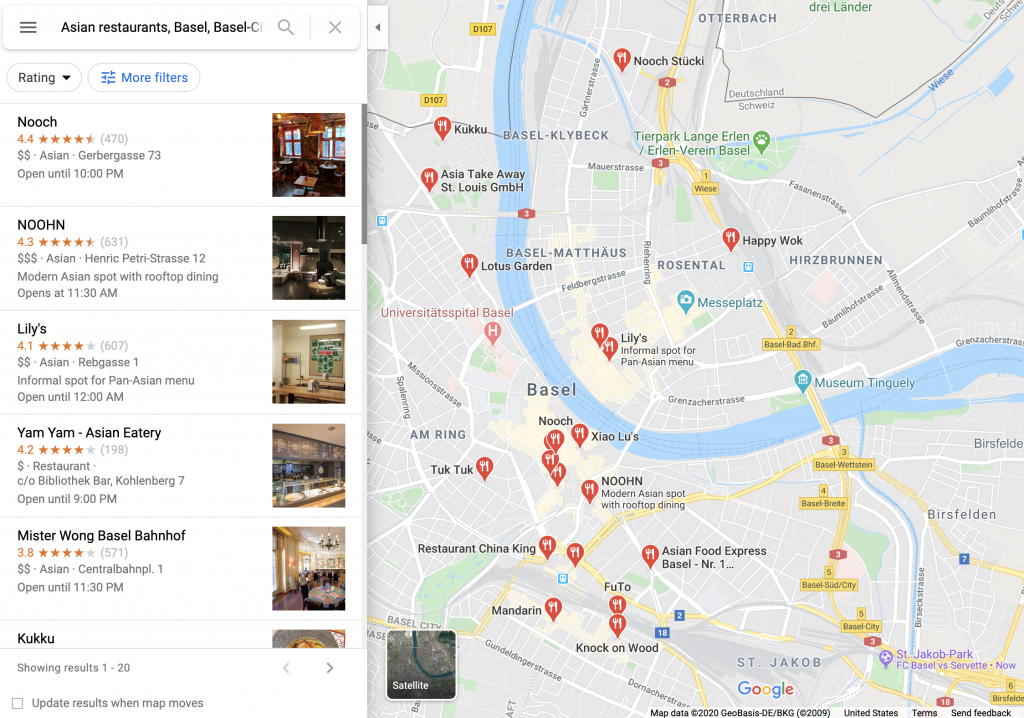
There are two things you should follow to control the expected number of results.
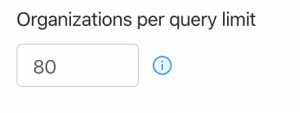
1. Organizations per query limit – the limit of organizations to take from one query.
2. Number of queries – the number of search queries you’re going to make.
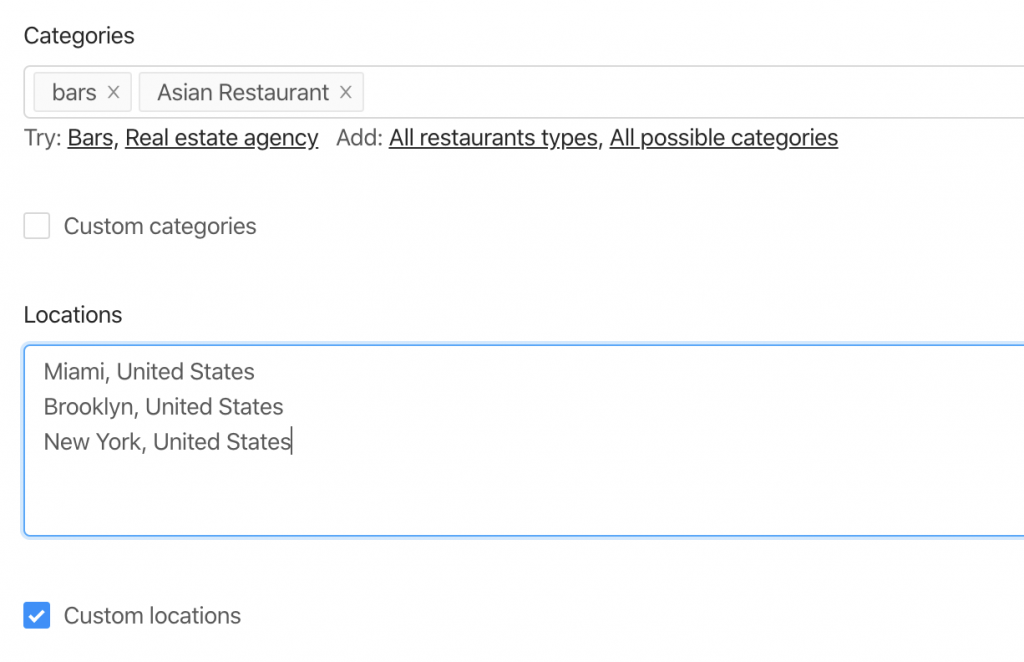
There are 6 queries the bot will make to extract the data from 2 categories and 3 locations.
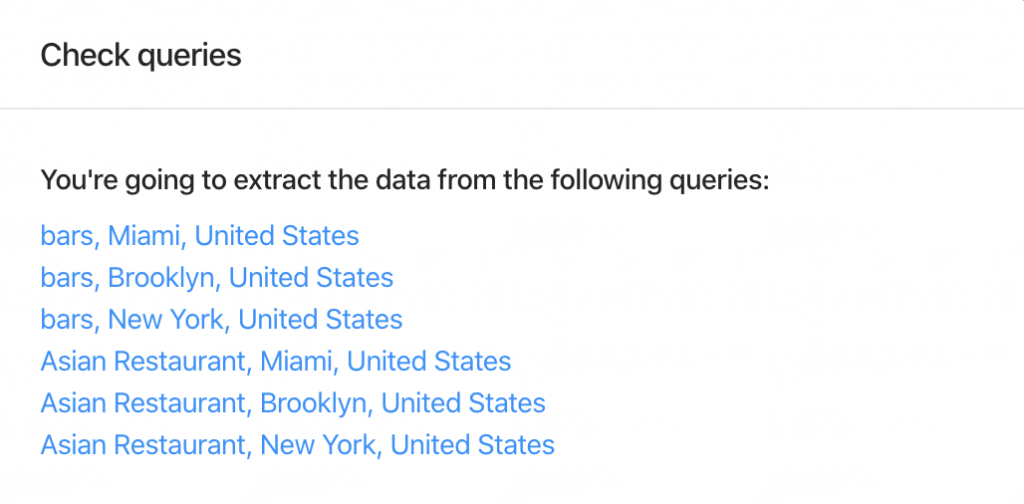
Therefore, the resulting amount will be no more than 480 organizations (limit of 80 * 6 queries).
You can remove duplicates in one task by selecting the “Drop duplicates” checkbox.
Yes, you can drop duplicates by using the “Drop duplicates” checkbox (advanced parameters). Alternatively, you can drop it by yourself by using the “google_id” or “place_id” fields as unique identifiers for a place.
The exact number of results will be known only after the extraction.
You can use “Total places limit” to limit the final amount of results scraped.
Yes. You can use the following link as a query “https://www.google.com/maps/search/real+estate+agency/@41.4034,2.1718413,17z” where you can specify a query (real+estate+agency), the coordinates (41.4034,2.1718413) and zoom level (17z). You can find these values while visiting Google Maps.
Alternatively, you can use the “coordinates” parameter if you are using API.
نعم. يمكنك استخدام أداة استخراج عناوين البريد الإلكتروني وجهات الاتصال along with Google Maps Scraper to enrich the data from Google. In order to do so, select “Emails & Contacts Scraper” in the “Enrich by other services” section on the Google Maps Scraper page.

You will pay only for the results you extracted no matter how many queries.
No. There is no public information about emails connected with the listing on Google Maps. Outscraper uses external sources to find those emails.
Yes. You can use filters from the advanced parameters with the following operator.
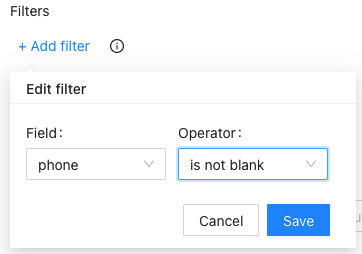
- Login to Google Maps scraper.
- حدد الفئات التي تريد استخراجها.
- حدد المواقع من القائمة المنسدلة.
- حدد اللغة وتحقق من المعلمات المتقدمة الأخرى.
- انقر فوق "كشط البيانات".
0 Comments