
Mục lục

What is Google Maps Scraper?

Google Maps Scraper is a service that allows you to list the places registered on Google Maps by extracting their data. It is not possible to extract Google Maps data from your own computer without being stuck with Google limits. You need to use proxies. You can also read our complete guide on how Google Maps scraping works, its uses, legalities, and extraction methods.

With Outscraper Google Maps Data Scraper, it is possible to scrape data from Google Maps without any limits. Outscraper executes all tasks on its own servers. You just need to create the task and set the parameters. Outscraper does the rest for you.

Đăng ký

Tạo tài khoản

You can register by visiting the Google Maps Data Scraper page or pressing the Sign Up button now.

When registering, enter your email address and password then click Continue. If you wish, you can also register directly with your Google, Facebook, and LinkedIn accounts.

Đăng ký 1
Outscraper Sign Up Page

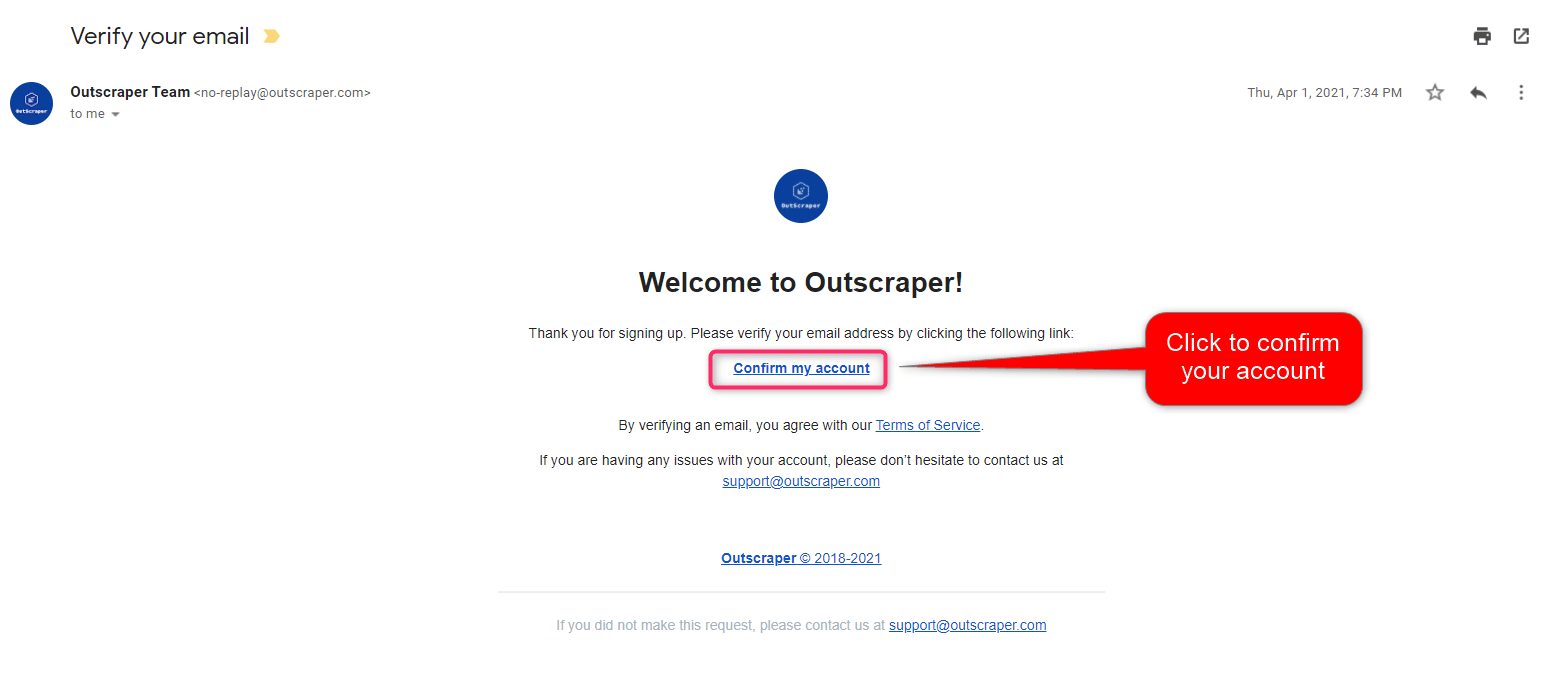
Xác nhận địa chỉ email của bạn

Bạn sẽ nhận được một email để xác nhận tài khoản của mình bằng cách nhấp vào liên kết “xác nhận tài khoản của tôi” được cung cấp trong email đó.

Xác nhận tài khoản của bạn

Outscraper Google Maps Scraper: Creating Tasks and Setting Parameters

Inside the Outscraper dashboard select “Services,” “By Brand” followed by “Google” and then click “Google Maps Scraper.” Alternatively, you can also select “Services,” “By Type” followed by “Business & POI,” and “Google Maps Scraper.”

Google Maps Scraper
Selecting Google Maps Scraper Dashboard

There are 6 main parameters that you need to specify to create your task.

Google Maps Scraper by Outscraper
Tham số

Thể loại

Businesses in specified categories can be scraped with Outscraper. You can search with any keyword with Outscraper, however, general categories are suitable for giving an idea.

Check out the alphabetical list of business categories listed on Google Maps:

To start creating your task, choose the category you target from the list or write the keyword you want yourself.

Google Maps Scraper
Thể loại

Two different settings affect your category selection, the Plain queries và Exact match option.

Plain Query & Exact Match
Options for Categories

Exact Match:

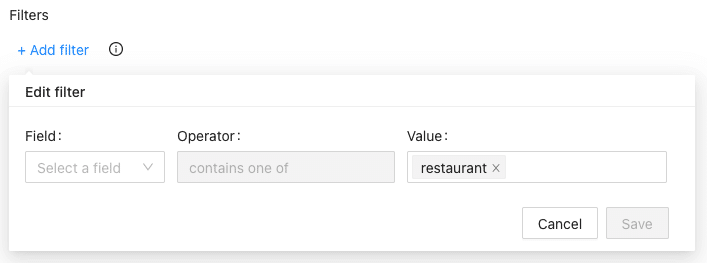
This parameter specifies whether the categories you selected will be applied to filters as follows:

“subtypes column should contain <category>”

(Works only for English language)

Please check the filters in advanced parameters to see how it works.

Exact Match Filter

Plain queries:

You can use anything that will work on the Google Maps website. You can search keywords, place IDs, URLs, etc. An upload option is also provided for your queries or you can just enter the queries in the textbox.

Google Maps Scraper's Plain Queries

Địa điểm

You can select any country and city from the drop-down list. Outscraper only searches within the location you choose.

Location Selecting

Total Result Limit

The parameter specifies the total limit of places that will be extracted from all search queries. If you want to create a task in the Free Tier you can limit the results to 500. When the value is set to 0, it will search all places in the selected region.

Drop duplicates:

If the same places are listed in the categories you are looking for, the drop duplicates feature will eliminate these places from the list. In this way, you will have a simplified list and lower usage costs.

Drop Duplicates

Enriching The Results With Emails​ And Other Services​

You can enrich your results with other services (emails, social media, more phones, legal names, NAICS, SIC, employee numbers, etc.). Both services can be combined with Google Maps Scraper. We also added some new enrichment tools that could be useful in your business.

Enrichment Services
Additional Enrichment Services

Các thông số nâng cao

Ngôn ngữ:

Các từ khóa mà bạn muốn trích xuất có thể mang một ý nghĩa đặc biệt trong một ngôn ngữ khác. Vì lý do này, khi muốn tìm kiếm bằng ngôn ngữ đó, bạn nên chọn ngôn ngữ đó trong phần “Ngôn ngữ” thuộc mục “Tham số nâng cao”.

Google Maps Scraper Language Options
Languages

Filters:

If you want to filter your results by “contains one of,” “contains none of,” “starts with,” or “is not blank” parameters, you need to adjust the advanced parameter settings.

Results can be filtered according to subtypes, types, postal code, city, state, site, and rating values.

Bộ lọc của công cụ trích xuất dữ liệu Google Maps
Bộ lọc nâng cao
Advanced Filters Options

Please check out our tutorial about filters in detail:

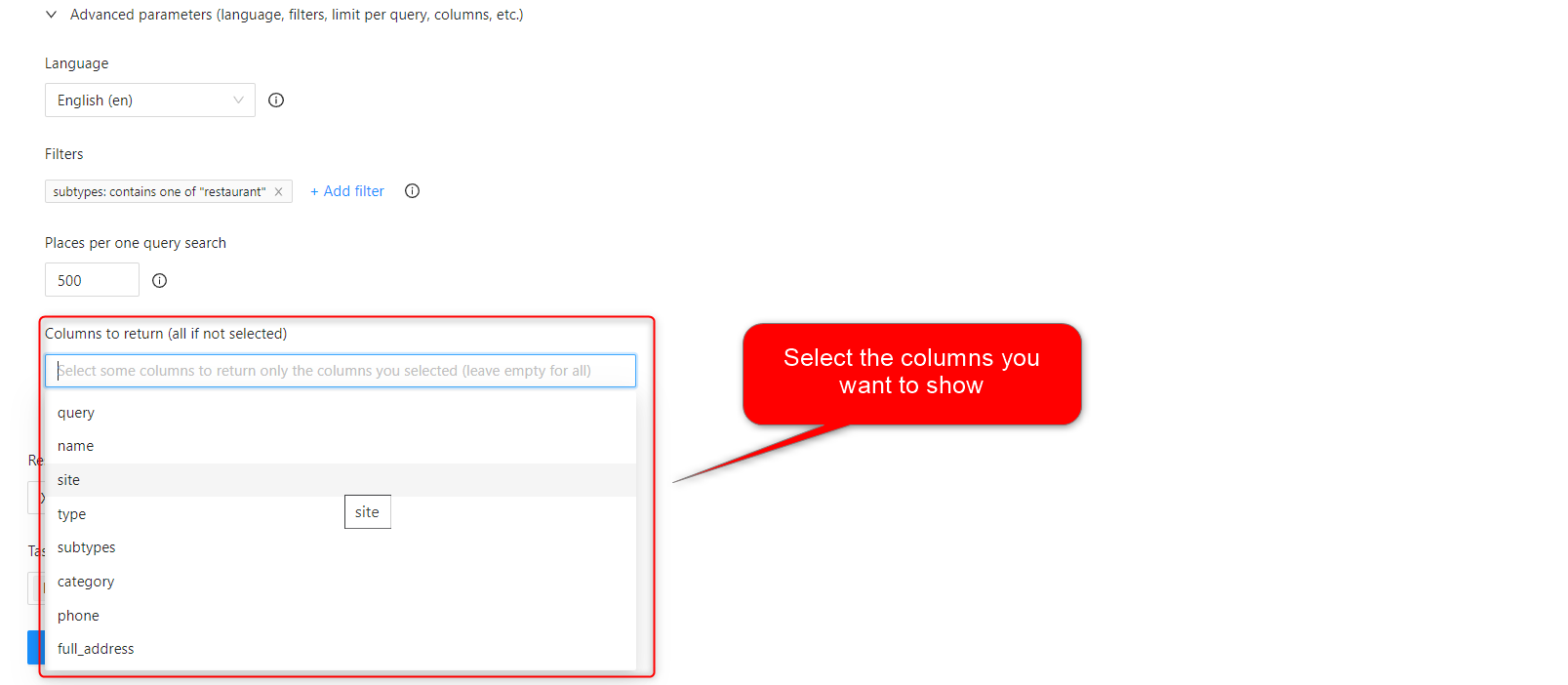
Columns to return:

A standard Google Maps Scraper result file contains the following columns: query, name, site, type, subtypes, category, phone, full_address, borough, street, city, postal_code, state, us_state, country, country_code, latitude, longitude, time_zone, plus_code, rating, reviews, reviews_link, reviews_per_score, reviews_per_score_1, reviews_per_score_2, reviews_per_score_3, reviews_per_score_4, reviews_per_score_5, photos_count, photo, street_view, working_hours, working_hours_old_format, popular_times, owner_status, reservation_link, owner_status, verified_link, verified range, menu_link, order_links, location_link, place_id, google_id, reviews_id

This filter will allow you to choose the specific columns you want to include in your list.

Columns to Return

Thẻ & Tiện ích mở rộng

You can give any tag you want to your tasks and specify the extension of the result file in a way that suits you.

Tag the Task

Kết quả

Theo dõi tiến độ công việc của bạn

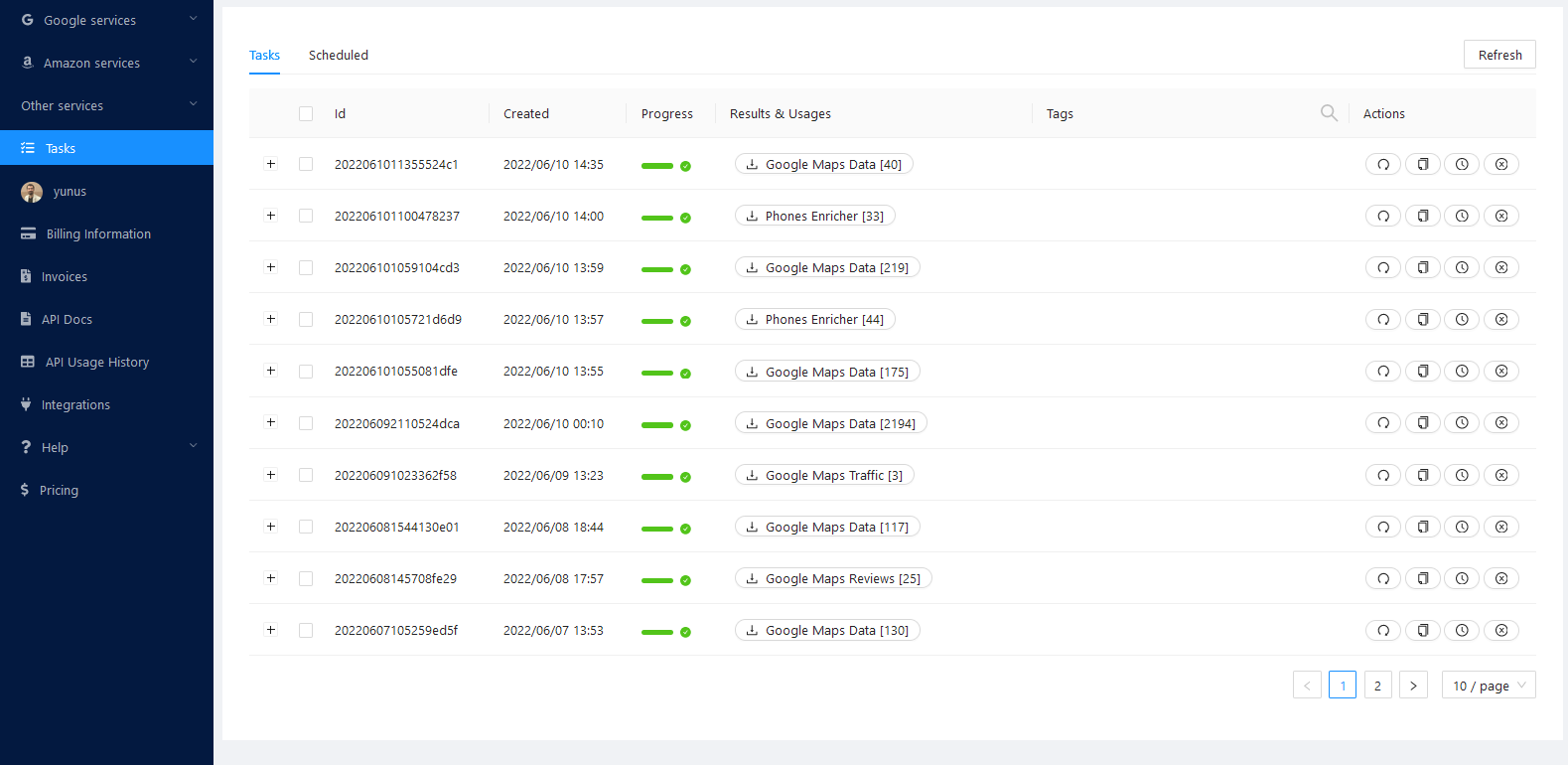
Bạn có thể theo dõi tiến độ của tất cả các nhiệm vụ của mình trên trang Nhiệm vụ.

Trang Nhiệm vụ

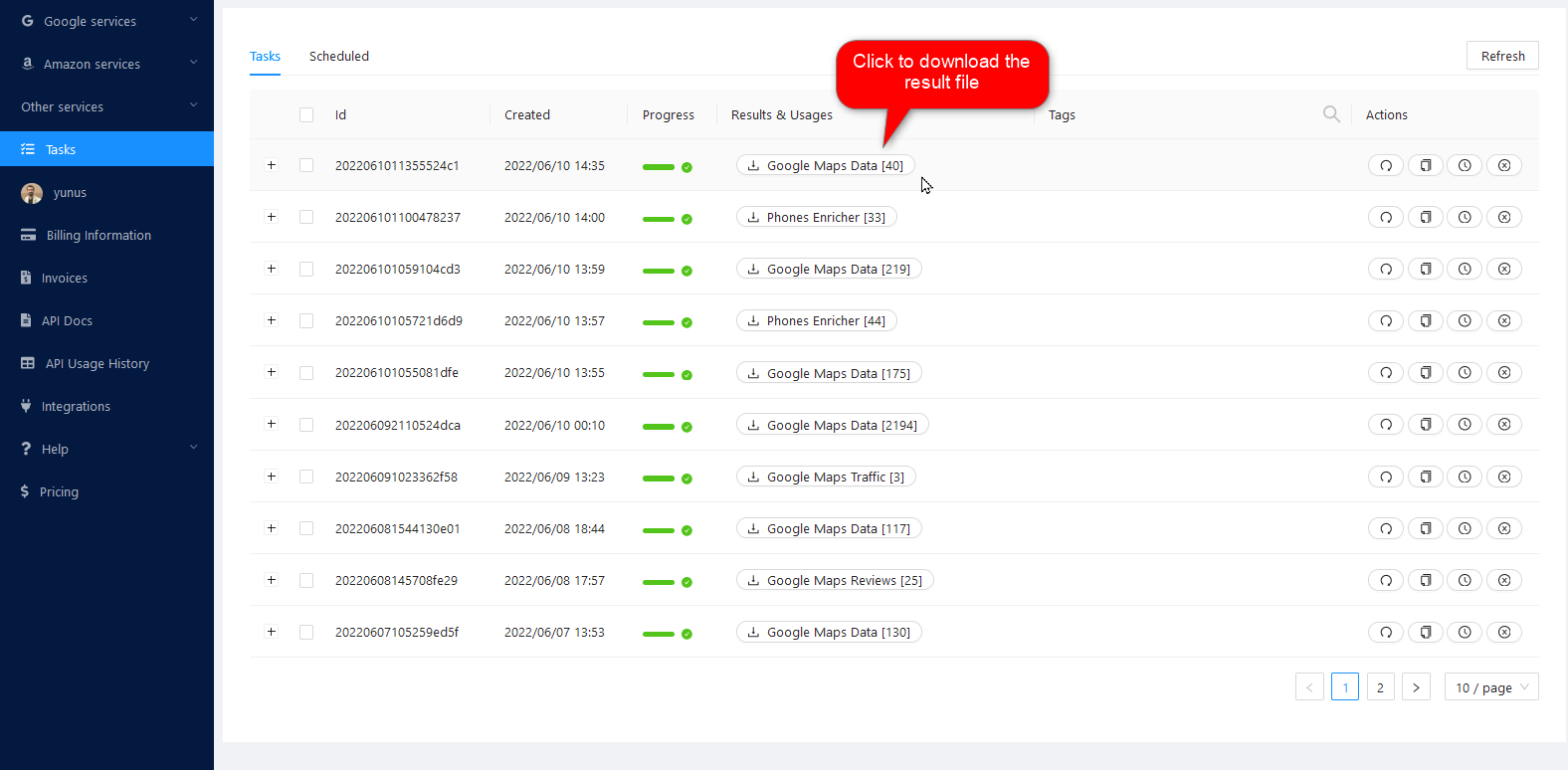
Tải xuống tệp kết quả của bạn

You can download your result files anytime you want on the tasks page. But it’s important that all results are stored on servers for only 30 days.

Tải xuống tệp kết quả

Kiểm tra lại hồ sơ của bạn

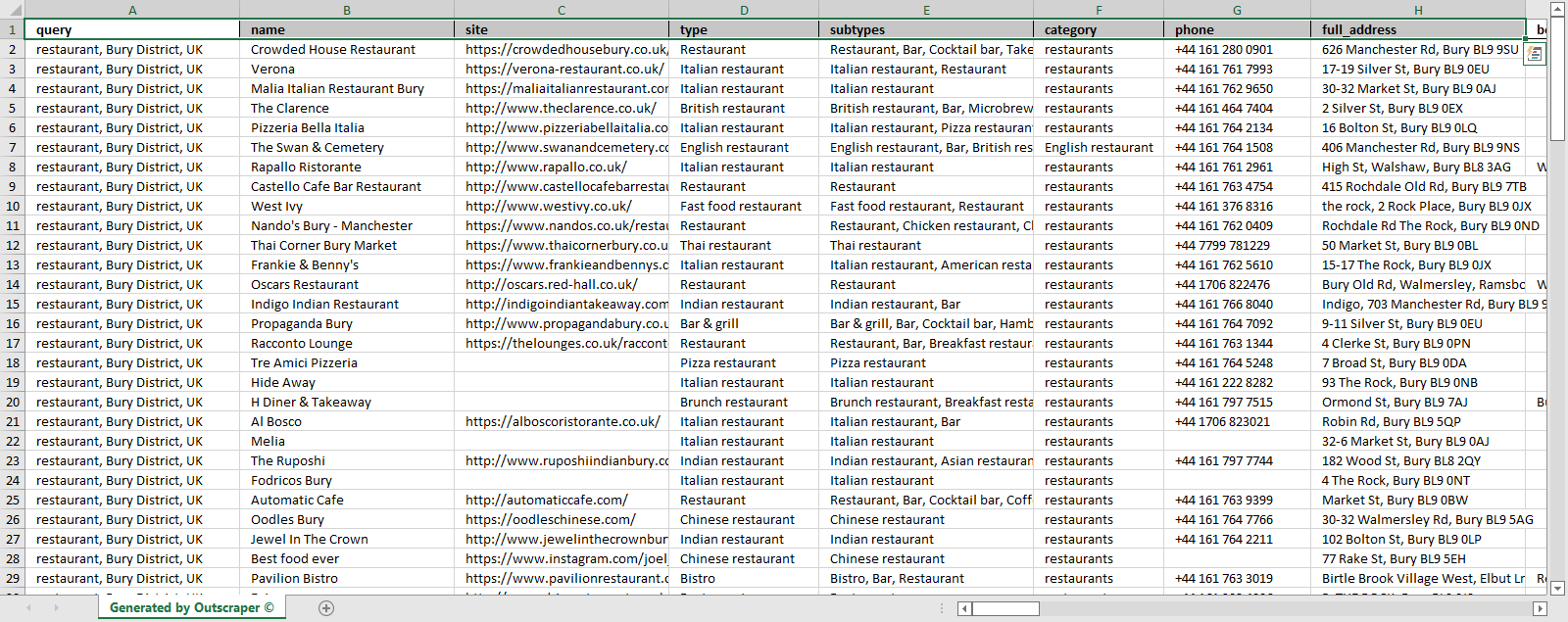
Review your result files with Excel or with any spreadsheet viewer that can open XSLSX and CSV files. You can also compare the downloaded data from Outscraper with the best Google Maps scraper for 2026, based on our unbiased buyer’s guide. 

Sample Result File - Restaurants on Bury United Kingdom

Định giá

Trang giá cả và công cụ tính chi phí

Outscraper không áp dụng mức phí đăng ký hàng tháng cố định. Bạn chỉ phải trả tiền cho những gì bạn sử dụng.

Please visit our pricing page for pricing details of the Google Maps scraping service.

Trang giá cả: https://outscraper.com/pricing

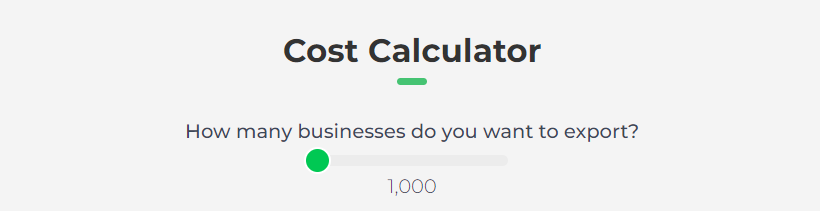
Có 3 gói dịch vụ với mức giá khác nhau. Đó là Gói Miễn phí, Gói Trung bình và Gói Doanh nghiệp. Bạn có thể xem chi tiết giá của các gói này trên trang giá cả. Trên trang giá cả còn có công cụ tính chi phí. Bạn có thể sử dụng công cụ này để ước tính chi phí cho kết quả của mình.

To understand the pricing model of Outscraper, you can examine our latest pricing explanation guide and if you’re not satisfied, you can directly contact our active CSR namely Allen, Jonver,  Dana and other available customer success officer.

Công cụ định giá dịch vụ trên Bảng điều khiển

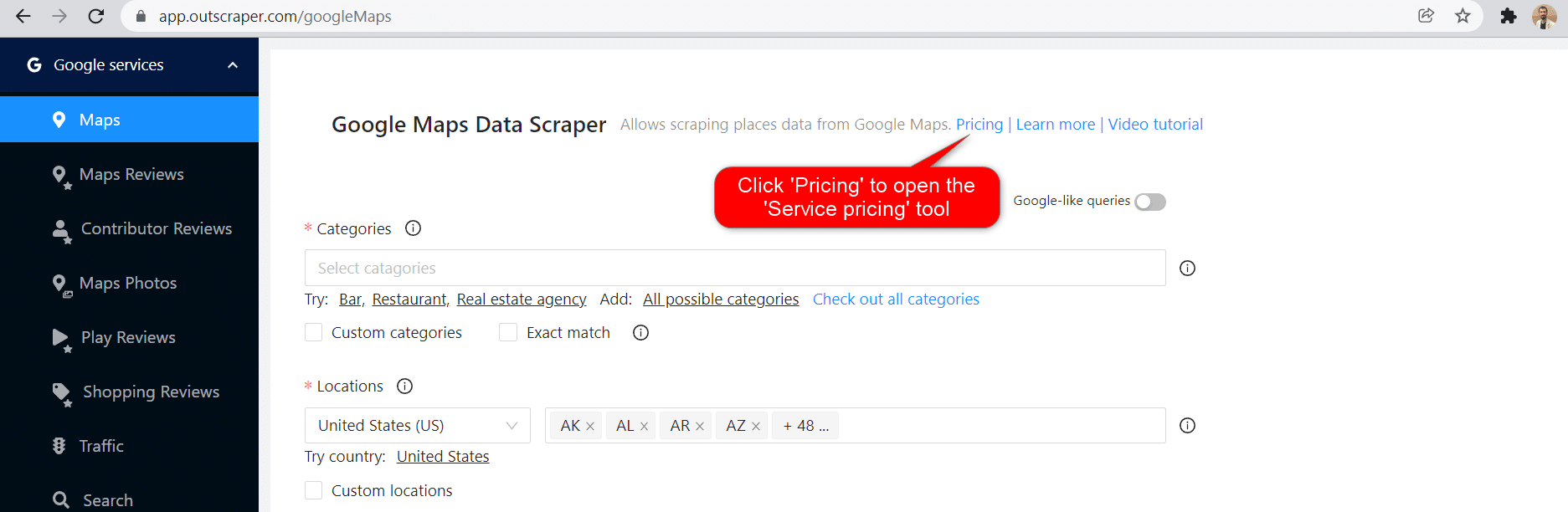
After registration, the ‘Service Pricing’ tool can help you with pricing on the Google Maps Data Scraper service page on the Outscraper App Dashboard.

Click to Open Pricing Tool

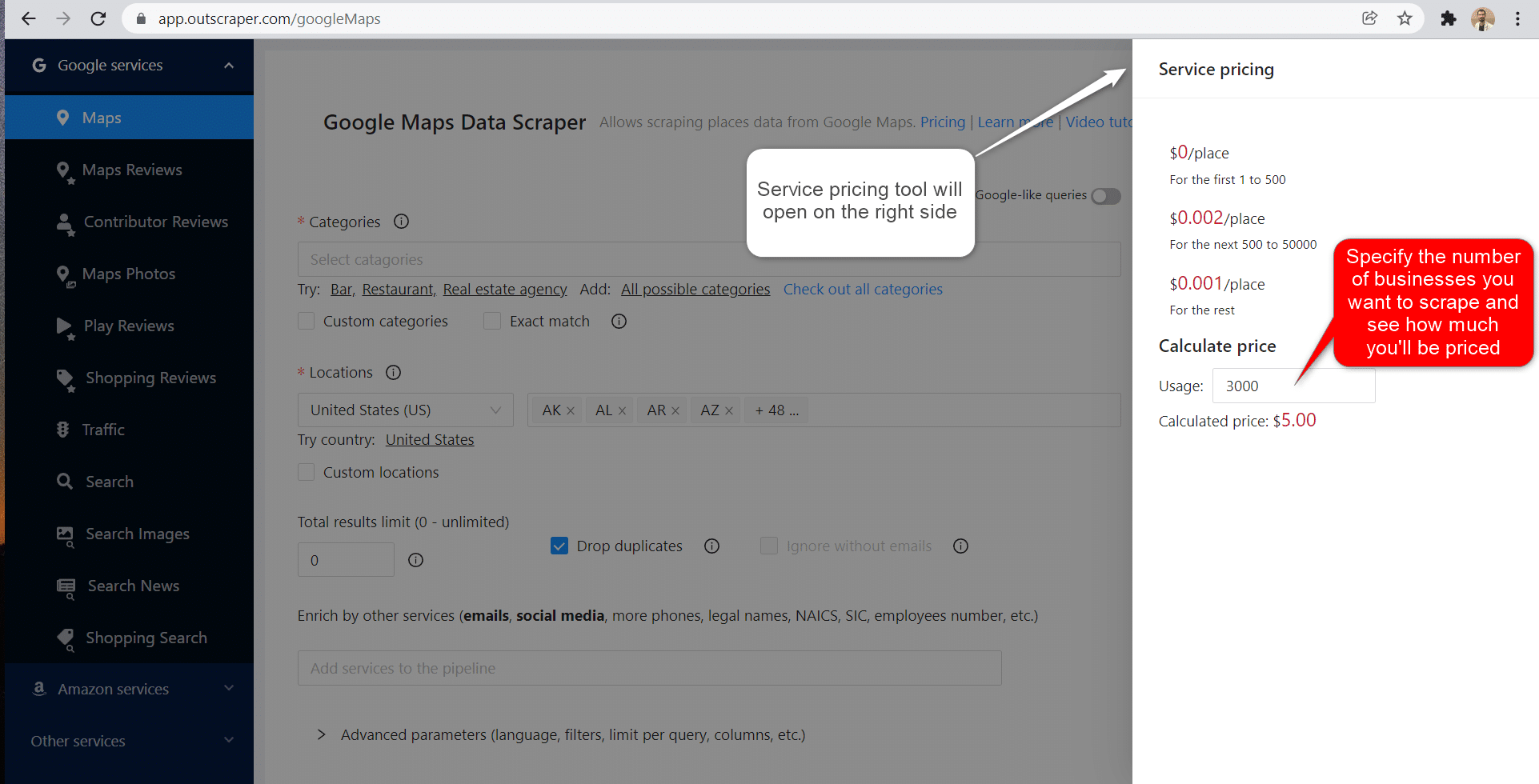
On the right side, you can use the service price tool.

Công cụ định giá

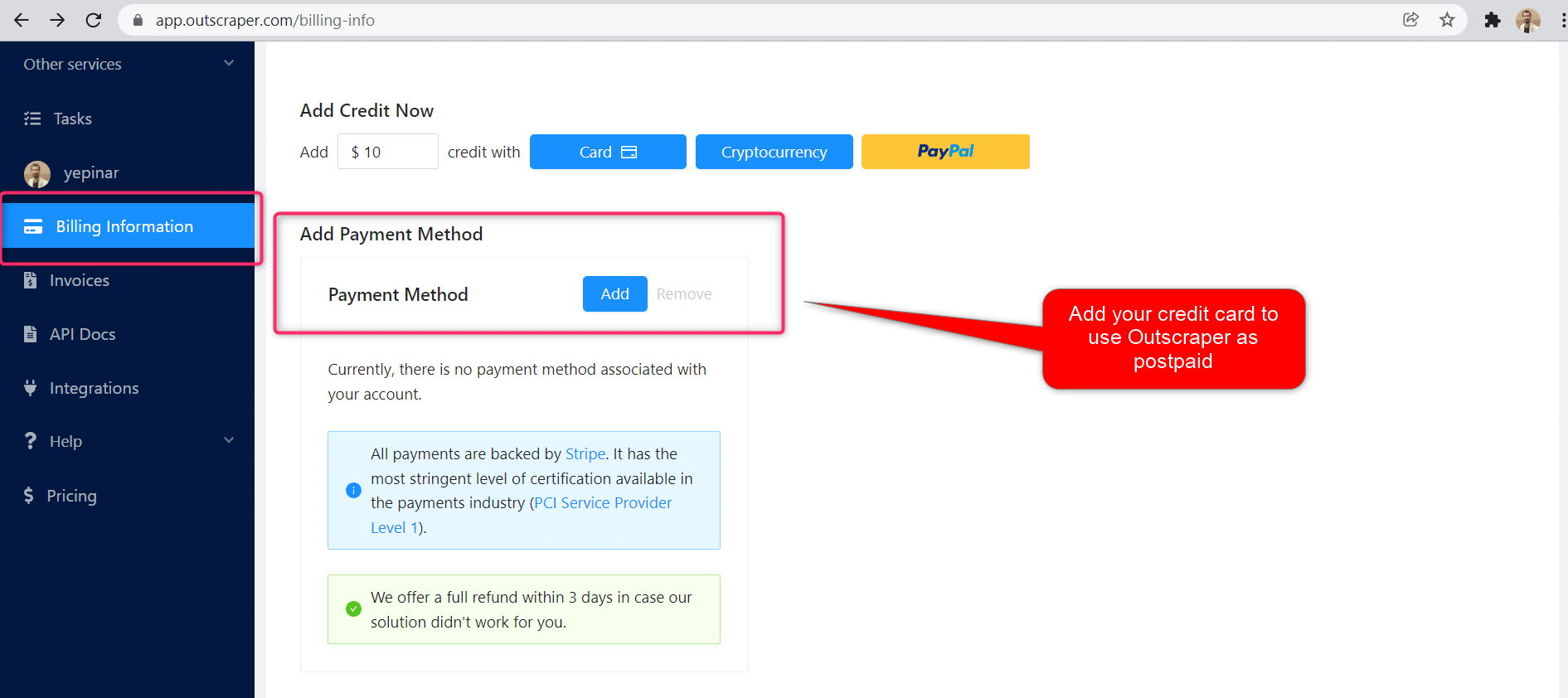
Vui lòng truy cập trang Thông tin thanh toán để thêm thẻ tín dụng hoặc thông tin thẻ tín dụng.

Phương thức thanh toán

Bậc miễn phí

Hãy tận hưởng một lượng tín dụng miễn phí nhất định mỗi tháng trên Outscraper. Các tín dụng này sẽ được cập nhật hàng tháng như đã nêu trên trang giá cả.

Bạn có thể kiểm tra số lượng tín dụng miễn phí hiện có cho một dịch vụ cụ thể trên trang thông tin giá cả.

Phương thức thanh toán

Bạn có thể sử dụng phương thức thanh toán trả trước bằng cách nạp tiền, hoặc bạn có thể thêm thông tin thẻ tín dụng và thanh toán theo hình thức trả sau vào cuối kỳ thanh toán. Vui lòng truy cập trang Thông tin thanh toán để chọn phương thức thanh toán của bạn.

Trả trước - Nạp tiền

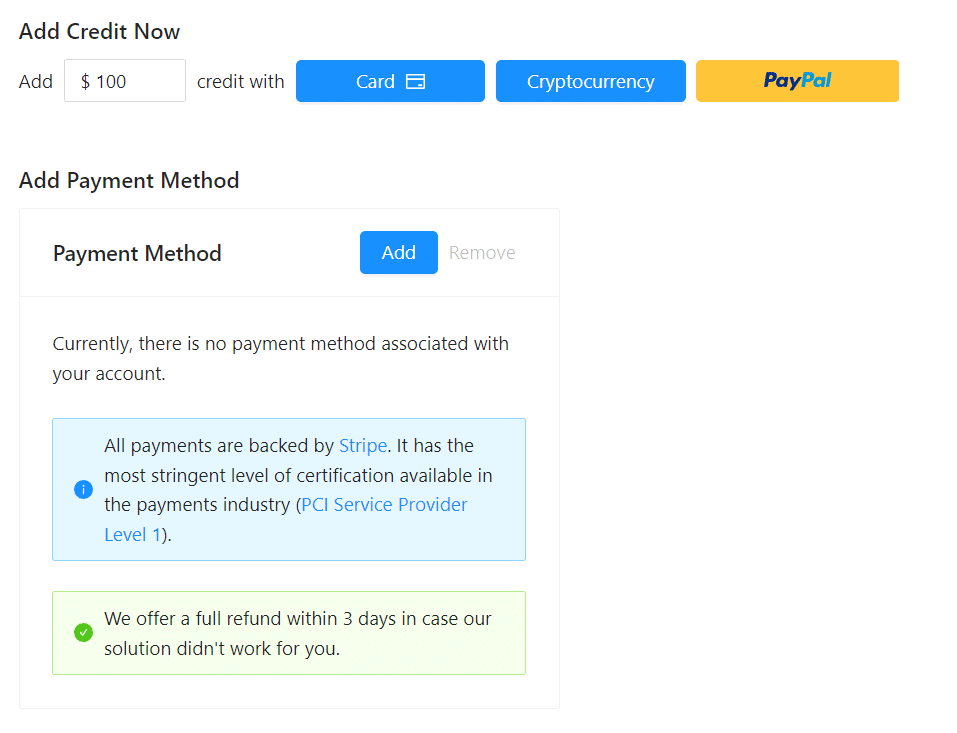
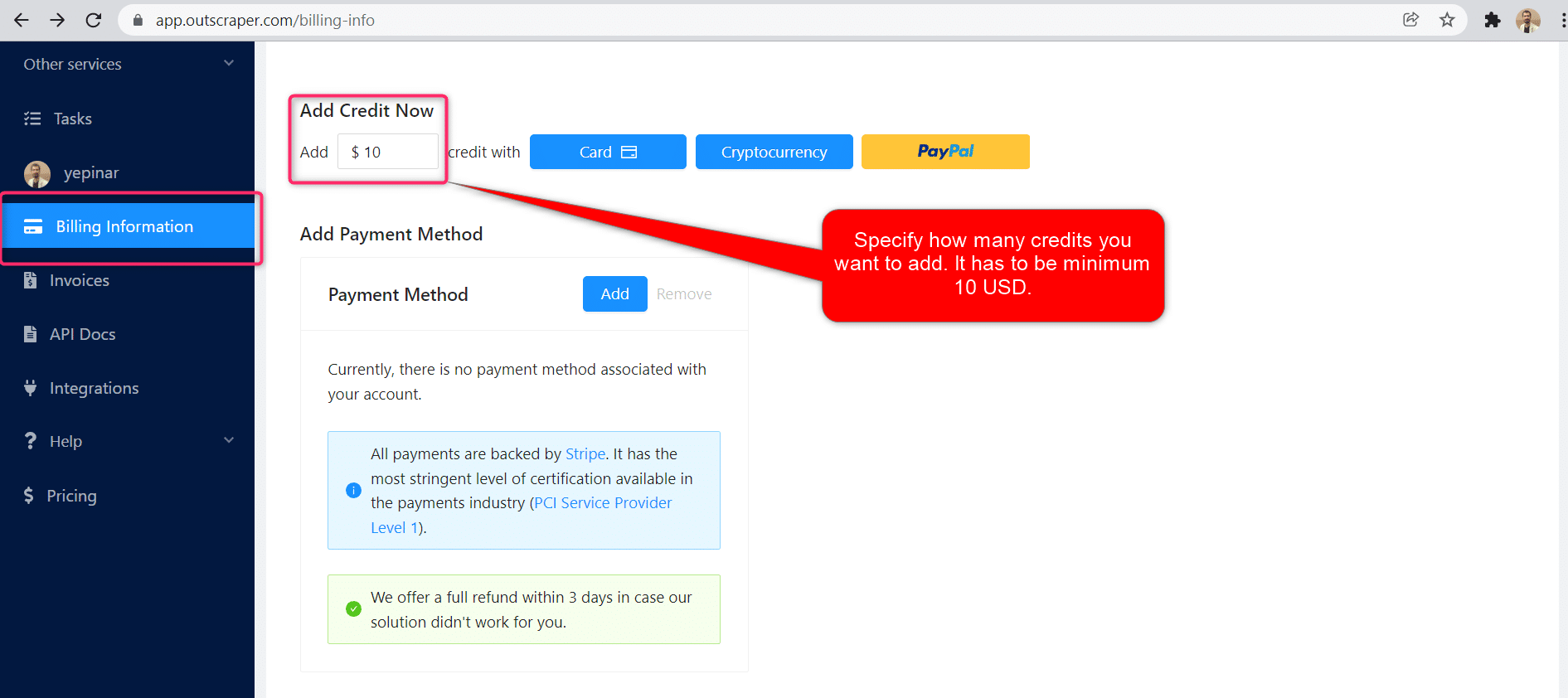
Hãy nạp tiền vào tài khoản của bạn để bắt đầu sử dụng Outscraper. Số tiền nạp tối thiểu là 10 USD. Bạn có thể nạp bao nhiêu tiền tùy thích và sử dụng chúng bất cứ lúc nào bạn muốn.

Nạp tiền

Có thể nạp tiền vào tài khoản bằng thẻ tín dụng, tiền điện tử hoặc PayPal.

Dịch vụ trả sau - Thêm thẻ tín dụng

Với phương thức trả trước, bạn phải thanh toán trước rồi mới sử dụng, còn với phương thức trả sau, bạn chỉ cần cung cấp thông tin thẻ tín dụng là có thể bắt đầu sử dụng ngay. Bạn sẽ thanh toán khi kỳ thanh toán kết thúc.

Thêm thẻ tín dụng

Kỳ thanh toán

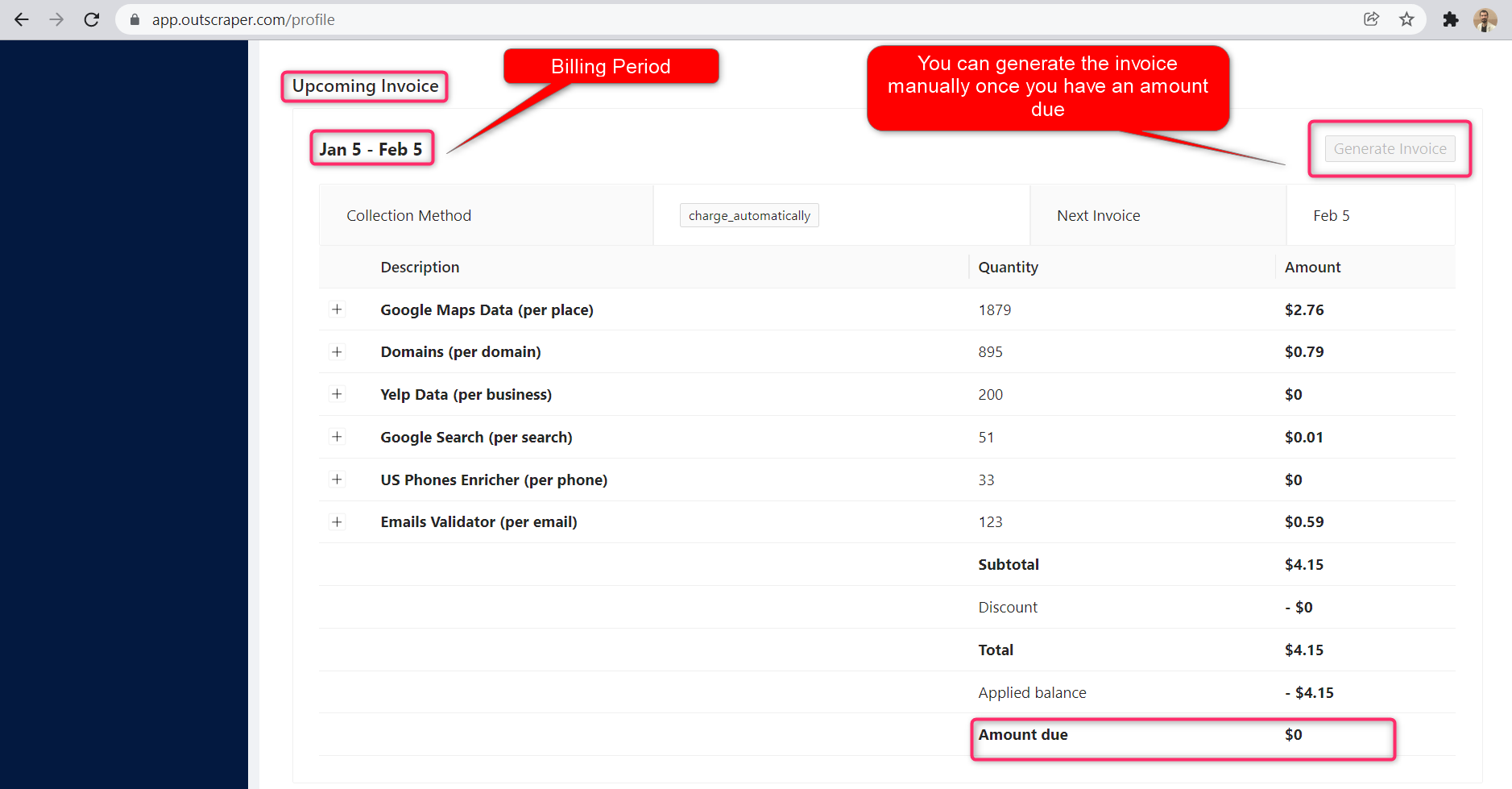
Thông tin về ngày bắt đầu và ngày kết thúc kỳ thanh toán có thể được tìm thấy trên trang hồ sơ. Bạn cũng có thể theo dõi số tiền của hóa đơn sắp tới tại đó. Nếu muốn, bạn có thể tạo hóa đơn thủ công ngay khi đã có số tiền phải thanh toán.

Hóa đơn sắp tới

Video hướng dẫn

Câu hỏi thường gặp

Các câu hỏi và câu trả lời thường gặp nhất

Sometimes Google adds other categories to your searches. For example, when you search for restaurants you might see bars, coffee shops, etc.

Outscraper provides you with two tools that you can use to eliminate those categories.

  1. Use the “Quote categories” checkbox. The categories will be enclosed between quotation marks ” “. The ” “ operator is typically used when you want Google to return only those companies that match your category terms exactly.
  2. Filter results by applying filters to the extraction task. To avoid empty results, make sure you are familiar with the values of the fields before using filters with the “contains” operator.
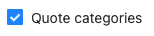
Google Maps scraper quote categories checkbox

1. Quote categories checkbox

google maps scraper results filters

2. Results filters

There are some cases when predefined locations or/and categories aren’t enough. Use the “Custom locations” or/and “Custom categories” options to insert the categories or/and locations you need.

There is a limitation from Google Maps that shows only up to 400-500 places per one query search. This may be a problem when there are more companies in one category. For example, for the query “restaurants, Brooklyn”.

To overcome this we suggest splitting the location into sub-locations. For example, by using postal codes:
”restaurants, Brooklyn 11203”,
”restaurants, Brooklyn 11211”,
”restaurants, Brooklyn 11215”,

…

Or using queries with sub-categories:

“Asian restaurants, Brooklyn”,

“Italian restaurants, Brooklyn”,

“Mexican restaurants, Brooklyn”,

…

Check the “Use queries” switcher and enter the queries.

To force Google to search for particular companies only, enclose the term between quotation marks ” “. The ” “ operator is typically used around stop words (words that Google would otherwise ignore) or when you want Google to return only those pages that match your search terms exactly.

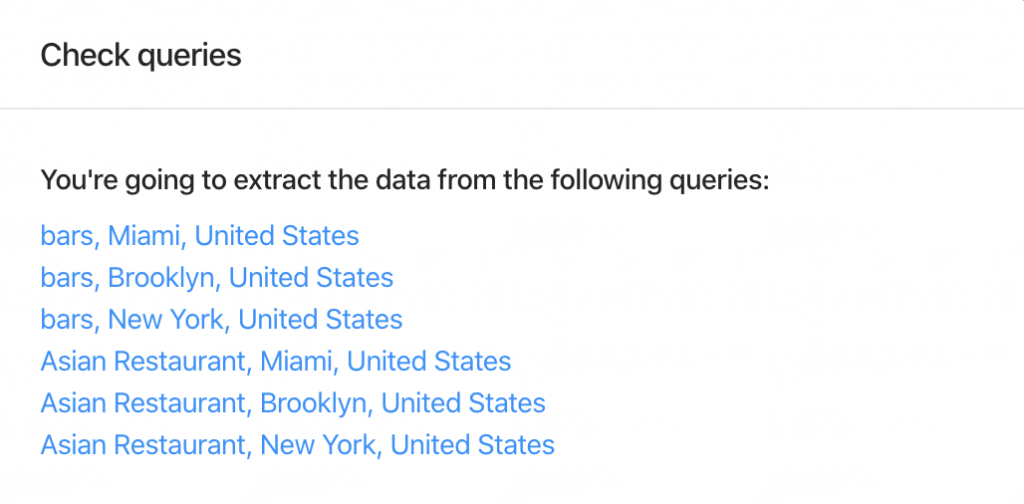
After clicking the button “Extract data…” you will see the task estimate and the queries.
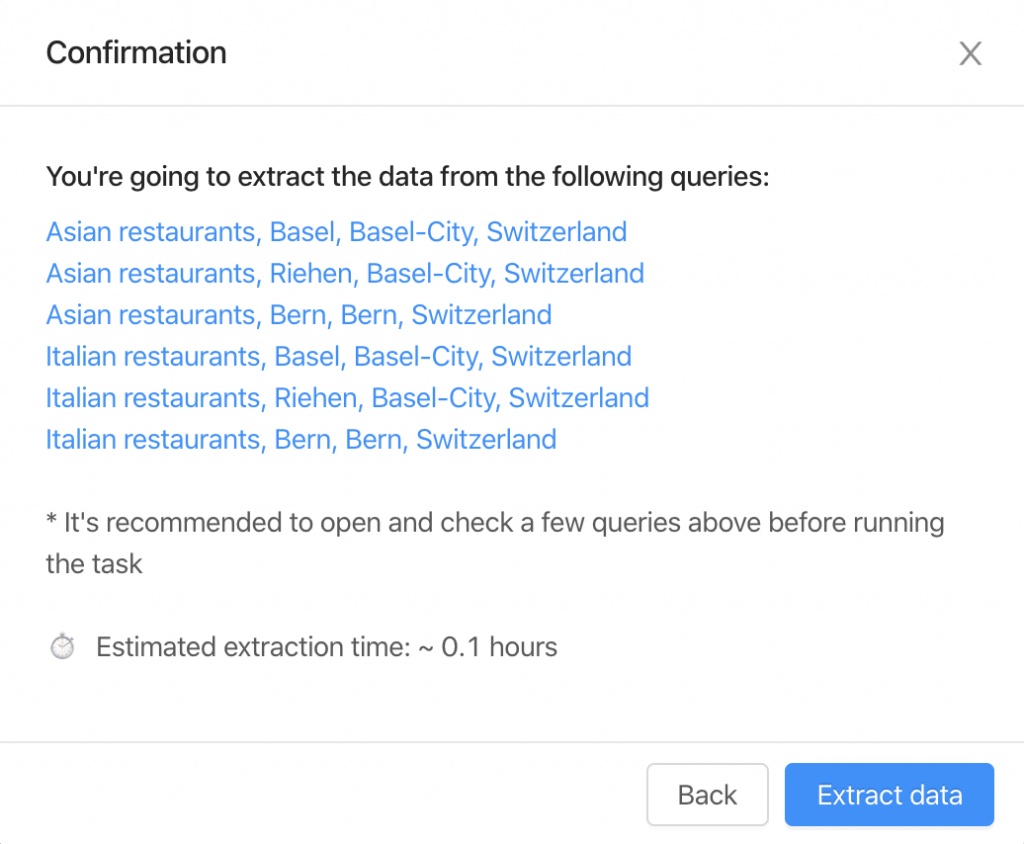
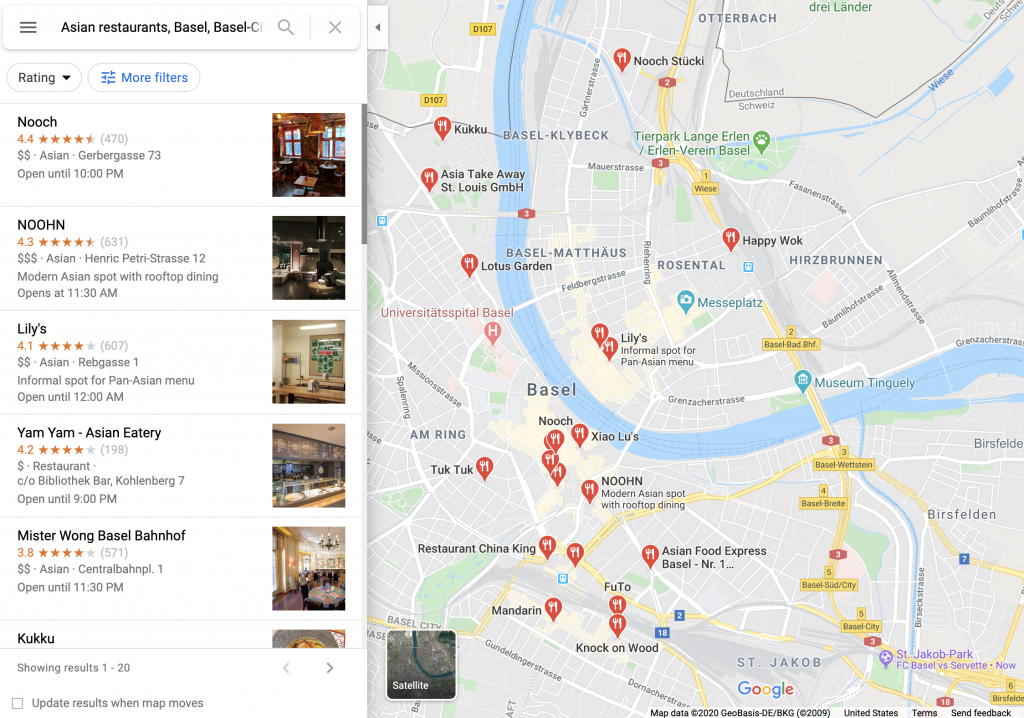
It’s recommended to click and open a few queries to check how it looks on the Google Maps site.
There are two things you should follow to control the expected number of results.

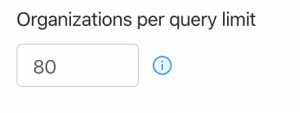
1. Organizations per query limit – the limit of organizations to take from one query.
2. Number of queries – the number of search queries you’re going to make.
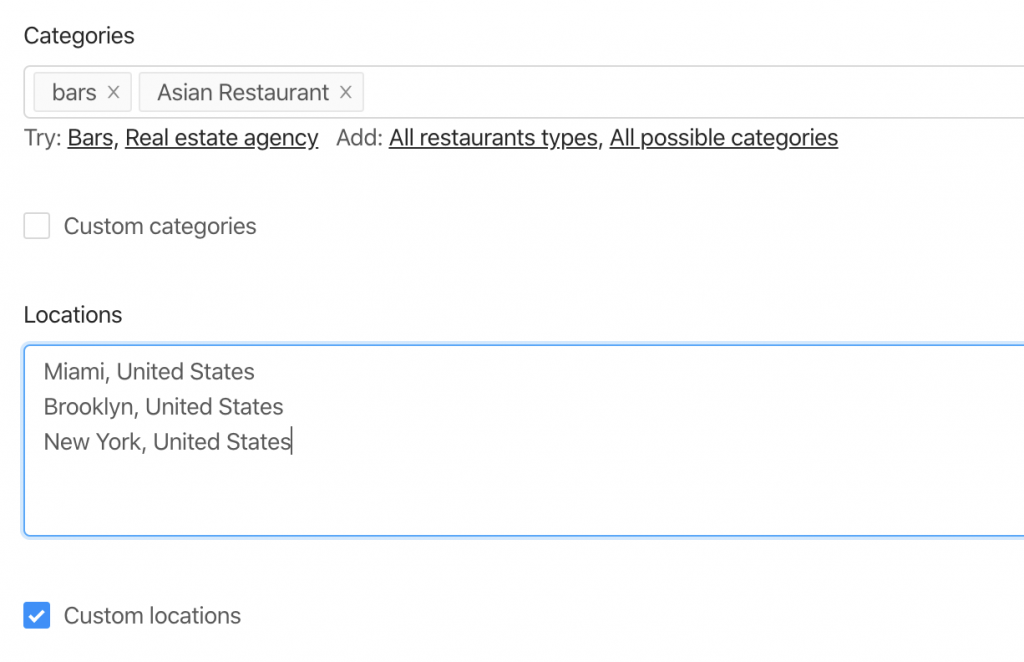
There are 6 queries the bot will make to extract the data from 2 categories and 3 locations.
Therefore, the resulting amount will be no more than 480 organizations (limit of 80 * 6 queries).

You can remove duplicates in one task by selecting the “Drop duplicates” checkbox.

Yes, you can drop duplicates by using the “Drop duplicates” checkbox (advanced parameters). Alternatively, you can drop it by yourself by using the “google_id” or “place_id” fields as unique identifiers for a place.

The exact number of results will be known only after the extraction.

You can use “Total places limit” to limit the final amount of results scraped.

Yes. You can use the following link as a query “https://www.google.com/maps/search/real+estate+agency/@41.4034,2.1718413,17z” where you can specify a query (real+estate+agency), the coordinates (41.4034,2.1718413) and zoom level (17z). You can find these values while visiting Google Maps.

Alternatively, you can use the “coordinates” parameter if you are using API.

Đúng vậy. Bạn có thể sử dụng Công cụ trích xuất email và danh bạ along with Google Maps Scraper to enrich the data from Google. In order to do so, select “Emails & Contacts Scraper” in the “Enrich by other services” section on the Google Maps Scraper page.

You will pay only for the results you extracted no matter how many queries.

No. There is no public information about emails connected with the listing on Google Maps. Outscraper uses external sources to find those emails.

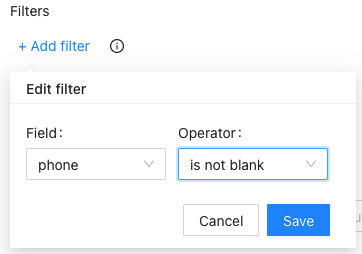
Đúng vậy. Bạn có thể sử dụng các bộ lọc từ các tham số nâng cao cùng với toán tử sau đây.
  1. Đăng nhập vào công cụ trích xuất dữ liệu Google Maps.
  2. Chọn danh mục bạn muốn trích xuất.
  3. Chọn vị trí từ menu thả xuống.
  4. Chọn ngôn ngữ và kiểm tra các thông số nâng cao khác.
  5. Nhấp vào “Dữ liệu cóp nhặt”.

Yunus

Chuyên viên tiếp thị, Biên tập viên nội dung, Chuyên viên phát triển trải nghiệm khách hàng - Facebook | Linkedin | Twitter

0 Comments

Để lại một bình luận

Avatar placeholder