Introduction to SaaS Pricing
The global SaaS market is forecasted to reach $1.25 billion by 2034 according to the study conducted by Hostinger. This data proves that services like Outscraper are in demand, and understanding the pricing model of a product is الخاص بك first step in enjoying its premium benefits.
You’ve probably been here before. You’re staring at our pricing page, trying to understand our “Pay-As-You-Use” model, so we will make it easier for you and explain this pricing in the simplest possible way. You will not فقط understand Outscraper’s pricing, but you can master it and utilize your premium account.

In this guide, we will explain how Outscraper’s pay-as-you-go system works. Forget the confusion. We’re going to demystify every credit, every feature, and every tier so you can stop worrying about costs and focus only on what matters to you, which is your data.
By the time you’ve finished reading, you’ll discover:
- The simple truth behind flexible pricing
- Understanding Free, Medium, & Business Tiers
- Advanced tactics for utilizing Outscraper’s most powerful features without breaking the bank.
- Real-world strategies for leads, market research, and SEO.
Outscraper Pricing Explained: The "Pay-As-You-Go" Advantage
The Core Concept: Flexibility Without Commitment
Forget everything you think you know about SaaS pricing. Outscraper doesn’t lock you into monthly contracts or force you to pay for features you’re not using. Instead, it operates on a “pay-as-you-go” (PAYG) model. This pricing model is a more flexible, transparent system that puts customers and clients in complete control.
The core concept of this pricing model is simple: you only pay for the data you extract with Outscraper. There are no surprise fees, no hidden costs, and no commitments. Your usage is tracked clearly and straightforwardly, with all tiers resetting every 30 days.
This means when using Outscraper services, every month is a fresh start, giving you the freedom to scale up or down based on your project needs.
The PAYG system isn’t a new or unproven model. Based on statistics, 3 out of 5 SaaS companies are now offering or testing usage-based pricing, and it’s a win-win for both you and the service provider.
Free vs. Premium: What's the Difference?
The primary difference between a Free و Premium account lies in volume and feature access.
- A Free Account is your sandbox. It’s a risk-free playground with generous limits, perfect for testing, validation, and running small, one-off projects. It gives you a feel for the platform and its basic scraping capabilities without any financial commitment.
- A Premium Account (the Medium and Business Tiers) is where the real power is released. It provides the high-volume capacity needed for serious data projects, providing access to advanced features مثل إثراء البيانات و API integration, ، و offering significant cost savings as your usage grows.

Why Having a Premium Account Is Needed
While the Free Tier is a fantastic way to start, a premium account is a key to turning Outscraper into a reliable business asset. The importance of having a premium account comes down to three core advantages:
- True Scalability: Serious data projects like lead generation, market research, or SEO require large volumes. A premium account removes the limits of the Free Tier. It will allow you to scrape tens or hundreds of thousands of records without interruptions.
- Economies of Scale: The pay-as-you-go model is designed to reward volume. As you move into the premium tiers, the price per record drops dramatically. This means that a large-scale project becomes far more cost-effective and financially viable than a series of smaller ones.
- Unlocking Advanced Tools: Most importantly, a premium account is your gateway to فإن powerful features مثل معايير التصفية المتقدمة, إثراء البيانات, ، و API integration.
The Tier System Explained
Outscraper’s genius lies in its tiered pricing, which automatically adjust to reward higher usage. You don’t have to manually upgrade or downgrade a plan; the system handles it all for you, ensuring you’re always getting the best possible rate for our users.
- The Free Tier: Your Risk-Free Starting Point
- Before spending a single dime with Outscraper, you can test the waters with our generous Free Tier.
- This is your risk-free playground أي perfect for validation, small projects, and familiarization.
- Each scraper has different Free Tiers. For example, the Free Tier gives you your first 500 Google Maps business records and 25 Google Search queries, which is more than enough to prove the platform’s value before you even think about paying.
- The Medium Tier
- Once your usage exceeds the Free Tier, your account automatically transitions to the Medium Tier. This is the sweet spot for users with moderate, consistent needs who are scaling up their operations.
- Here, the pricing examples are specific and transparent:
- Google Maps Scraper: After the first 500 free records, the price is $3 per 1,000 for the next 99,500 businesses.
- Google Search API: After the first 25 free records, the price is $5 per 1,000 searches for the next 4,975 searches.
- The Business Tier
- For users with serious data needs, the Business Tier offers the most cost-effective rates. This tier is designed for large-scale generations, where you’re running campaigns that require tens of thousands, or even hundreds of thousands من records.
- This is where the economies of scale truly kick in:
- Google Maps Scraper: After you’ve scraped 100,000 businesses, the rate drops to just $1 per 1,000 records.
- Google Search API: After 5,000 searches, the rate drops to $3 per 1,000 searches.
Understanding "Records": What You're Actually Paying For
One of the most important concepts to grasp is the definition of a “record.” It’s the unit of measurement for your usage, but it’s not a one-size-fits-all term.
- For the Google Maps Scraper, a “record” is a single business or place.
- For the Google Search API, a “record” is a single search result page.
- For the Reviews Scraper, a “record” is a single review.
The key takeaway here is simple. Always check the specific service pricing on Outscraper’s website to know exactly what a “record” means for your project.
Managing Your Spending: Prepaid vs. Postpaid Plus Bonus
Outscraper gives you two flexible options for managing your billing, so you never have to worry about a surprise invoice.
- Prepaid: Simply add credits to your account balance. These credits never expire, giving you complete control over your budget.
- Postpaid: For those with higher, more consistent needs, you can connect a credit card and be billed automatically if your usage exceeds the Free Tier limits in a given month.
- Bonus Credit: If you want to earn some free credit, be sure to check out the Referral Program, which offers a generous 35% referral payment on the payments of people you refer, as well as a 25% discount for your referrals on their first payment.. It’s a great way to grow your account and your business at the same time.
Outscraper's AppSumo Pricing (LTD) Explained
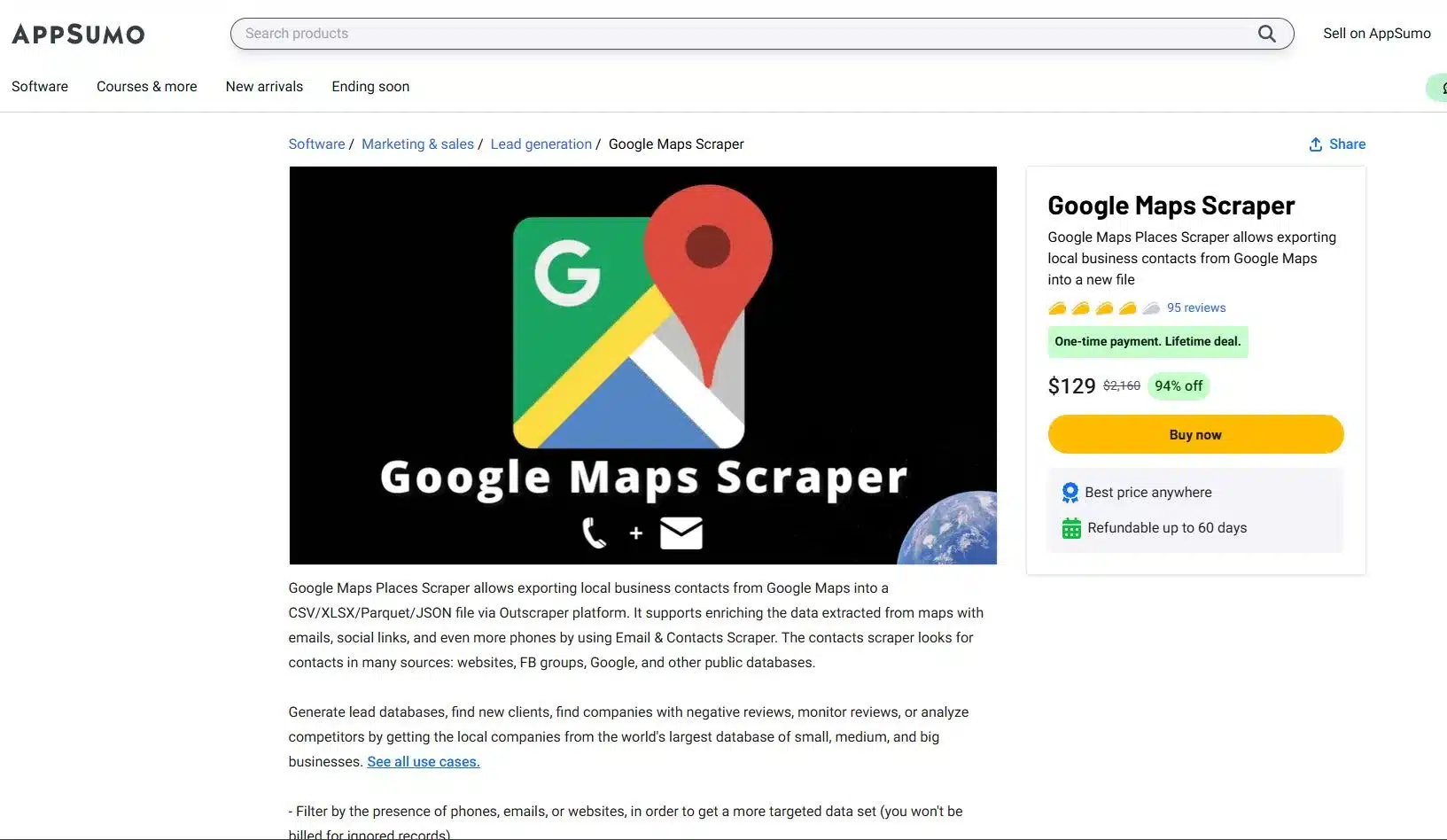
ال AppSumo lifetime deal (LTD) is one of the most frequently asked topics in Outscraper’s Reviews, so we are here to explain everything clearly. This is your powerful entry point to our web scraping tools. It will give you an advantage in data scraping.
To avail of the AppSumo deal, you need to التسجيل أو log في with your Outscraper account, visit your profile page و redeem your code. Once your deal code has been successfully added, you’ll see a phrase like “appsumo-[AMOUNT]credits/month” appear on your profile. This tells you the number of credits that will cover your usage.
This is a fantastic deal that will automatically renew every month. Just remember, this offer is tied to a single account, and Outscraper does not support stacking, أنت only need one code to get started.
Smart Credit Management for your AppSumo Deal
Your AppSumo lifetime deal credits are a monthly gift designed for consistent, high-value usage. The most important thing to know is that these credits do not accumulate. This is similar to a monthly data plan; all your unused credit expires at the end of the 30-day billing cycle when your new credits are issued.
To master your deal, you must track your remaining credits on your profile page. This way, you’ll avoid surprises. If your usage exceeds the deal limit in any given month, you will simply be invoiced for the outstanding usage at the standard pay-as-you-go rates.
Understanding Your AppSumo Credit Value
A common question among new users is why their profile يعرض a monetary value مثل “$30 credits/month” instead of a simple number of records. The reason is that your credits are not tied to a single service but are a flexible monetary value you can spend across different Outscraper services.
Simple Breakdown:
- Granular Pricing: Outscraper calculates pricing at a granular level. For example, scraping 1 business on Google Maps costs $0.003, and scraping 1 email also costs $0.003.
- Flexible Spending: Your $30 in monthly credits can be spent on any combination of these services. You could spend the entire amount on the Google Maps Scraper, which would give you 10,000 records, or you could spend it on a mix of services.
- The Bottom Line: Your $30 in credit gives you the flexibility to scrape up to 5,000 businesses and 5,000 emails, or any other combination that fits within that monetary value.
Sample Computation (Outscraper's AppSumo Deals)
Your Deal: أنت لديهم a $30 credit per month to spend on any Outscraper service.
Outscraper Pricing: Each record costs a granular $0.003
Scenario A: Flexible Spending and Staying Within the Limit
You run two campaigns in a single month; a Google Maps scrape to find businesses and a Bulk Email scrape to enrich the data you found.
- Google Maps Scraper: You scrape 5,000 business records.
- Cost: 5,000 records * $0.003 = $15
- Bulk Emails & Contacts Scraper: You scrape 5,000 emails
- Cost: 5,000 records * $0.003 = $15
In this scenario, your entire usage is perfectly covered by your $30 شهريًّا credit. You’ve used the full value of your deal without spending a single extra dollar.
Scenario B: Going OVer Your Deal Credits and How PAYG Works
You run a similar campaign, but your email scraping is more extensive, totaling 8,000 emails.
- Google Maps Scraper: You scrape 5,000 business records
- Cost: $15
- Bulk Emails & Contacts Scraper: You scrape 8,000 emails.
- Cost: 8,000 records * $0.003 $24.
- Total Cost: $15 (for maps) + $24 (for emails) = 39
Your total usage for the month is $39. The first $30 is covered by your AppSumo deal. The remaining overage is calculated as:
- Overage: $39 – $30 = $9
- Total Cost: $9
In this case, you would receive a small invoice for $9 overage, while your monthly $30 credit would reset for the next month. This is a perfect example of how the pay-as-you-go model gives you freedom to scale up without being locked into a higher-priced plan.
Tactical Guide to Your Premium Account: Beyond the Basics
Now that you understand the mechanics of Outscraper’s pricing, it’s time to shift your focus from simply collecting data to strategically generating an advantage.
The Power of Precision
The biggest mistake most users make is scraping without a plan. They grab every record in a broad category; this is where advanced filters become your most powerful tool. For Google Maps, the “Exact Match” (ignore other categories Google might add) feature ensures your results are perfectly aligned with your keywords, saving you time and money. The Exact Match feature is also available even if you’re using the free tier.
Pro-Tip: An expert user recommends using a combination of Exact match, Location via Postal Codes, and advanced parameters like “business status=operational” and “verified=true” to create the most restrictive and valuable search possible.
إثراء البيانات
Enrichment transforms basic data into valuable and actionable intelligence. While scraping primary sources like Google Maps has a fixed price per record, you can add more value to that data with other services like Email Scraper, WhatsApp Checker, or Company Insights.
These enrichments are completely optional and incur additional, service-specific costs, which you can see when selecting them. This powerful feature allows you to build a comprehensive dataset tailored to your needs.
Pro-Tip: Be selective with your enrichment. An expert Outscraper user avoids the more expensive features like Company Insight, Phone Identity Finder, and Email Address Verifier to manage costs, opting instead to only extract emails and social profiles.
API Integration: Automating Your Workflow
ال واجهة برمجة التطبيقات Outscraper is your key to automation. Move beyond manual scraping by using an API to:
- Batch Requests: Send multiple search queries at once for efficiency.
- Run in Parallel: Get it faster by executing simultaneous requests.
- Use Webhooks: Receive data in real-time as soon as a job is finished.
Smart Scraping Strategies: Optimize Your Output
Finally, a truly powerful data operation is built on efficiency. These smart strategies help you احصل على cleaner data, أسرع, with fewer headaches.
- Dropping Duplicates: Always use a unique identifier like “google_id” or “place_id” to prevent duplicate entries in your dataset. This simple step ensures you’re not paying for the same data twice.
- Handling Timeouts and Retries: When working with large datasets, be prepared for occasional network timeoutص. Use retry logic in your scripts and leverage Outscraper’s webhooks to ensure that every job completes successfully.
- Custom Locations/Categories: The platform isn’t limited to a pre-defined list. الاستخدام custom, long-tail categories like “SEO Services for Dentists” or specific geolocations to البحث niche opportunities that your competitors are completely missing.
الخاتمة
We started with the confusion around web scraping pricing, but by now, you have a complete blueprint for Outscraper’s pricing. You’ve learned that the pay-as-you-go model isn’t just about flexibility but an advantage that will allow you to grow your business on your خاص terms.
You understand the clear path from a risk-free الطبقة المجانية to the cost-effective, high-volume فئة الأعمال, and you’ve seen why moving to a premium account is essential for true scalability and success.
More importantly, you now know that a premium account is الخاص بك key to utilizing the platform’s true power. You have a tactical guide to using advanced filters, performing إثراء البيانات, and leveraging API integration to transform your raw data into a powerful tool for lead generation, market research, and SEO, to name a few. The confusion is gone and he roadmap is clear.
Ready to Build a Data-Generating Powerhouse?
Your Outscraper account is waiting. Stop treating it as a simple tool and start using it as an asset it was designed to be. Log in now, apply the knowledge from this guide, and start building the precise, enriched, and automated datasets that will drive your business forward.
أسعار المنتجات والخدمات
الطبقة المجانية
الاستخدام قبل بلوغ عدد 500 شركة- مجانًا لأول 500 شركة (مكان)
- CSV/Excel/Parquet/JSON
- الإضافات
المستوى المتوسط
الاستخدام بعد 500 شركة- السعر لكل 1000 سجل للاستخدام الذي يتراوح بين 501 و100 ألف شركة (موقع)
- CSV/Excel/Parquet/JSON
- الفلاتر المتقدمة
- الإضافات
- الوصول إلى واجهة برمجة التطبيقات
فئة الأعمال
الاستخدام بعد 100,000 شركة- السعر لكل 1,000 سجل للاستخدام بعد بلوغ 100,000 شركة (موقع)
- CSV/Excel/Parquet/JSON
- الفلاتر المتقدمة
- الإضافات
- الوصول إلى واجهة برمجة التطبيقات
- غير محدود
الطبقة المجانية
الاستخدام قبل 500 مراجعة- مجانًا لأول 500 تقييم
- تصدير CSV/XLSX
- خيارات الفرز
المستوى المتوسط
الاستخدام بعد 500 مراجعة- السعر لكل 1 ألف مراجعة للاستخدام من 501 إلى 50 ألف مراجعة
- تصدير CSV/XLSX
- خيارات الفرز
- الوصول إلى واجهة برمجة التطبيقات
فئة الأعمال
الاستخدام بعد 100,000 مراجعة- السعر لكل 1 ألف مراجعة للاستخدام بعد 50 ألف مراجعة
- تصدير CSV/XLSX
- خيارات الفرز
- الوصول إلى واجهة برمجة التطبيقات
- غير محدود
الطبقة المجانية
الاستخدام قبل بلوغ 500 نطاق- مجانًا لأول 500 جهة اتصال
- عناوين البريد الإلكتروني
- أرقام الهواتف
- الملفات الشخصية على مواقع التواصل الاجتماعي
المستوى المتوسط
الاستخدام بعد 500 نطاق- سعر قوائم جهات الاتصال من 1 ألف نطاق للاستخدام من 501 إلى 100 ألف نطاق
- عناوين البريد الإلكتروني
- أرقام الهواتف
- الملفات الشخصية على مواقع التواصل الاجتماعي
فئة الأعمال
الاستخدام بعد 100,000 نطاق- سعر الاتصالات من 1 ألف نطاق بعد 100 ألف نطاق
- عناوين البريد الإلكتروني
- أرقام الهواتف
- الملفات الشخصية على مواقع التواصل الاجتماعي
الطبقة المجانية
الاستخدام قبل إرسال 25 رسالة بريد إلكتروني- سعر الرسالة الواحدة عند استخدام ما بين 1 إلى 25 رسالة بريد إلكتروني
المستوى المتوسط
الاستخدام بعد إرسال 25 رسالة بريد إلكتروني- السعر لكل 1 ألف رسالة بريد إلكتروني، للاستخدام الذي يتراوح بين 26 و100 ألف رسالة بريد إلكتروني
فئة الأعمال
الاستخدام بعد إرسال 100,000 رسالة بريد إلكتروني- السعر لكل 1,000 رسالة بريد إلكتروني للاستخدام بعد إرسال 100,000 رسالة بريد إلكتروني
الطبقة المجانية
الاستخدام قبل 25 هاتفًا- سعر الهاتف الواحد للاستخدام من 1 إلى 25 هاتفًا
المستوى المتوسط
الاستخدام بعد 25 هاتفًا- السعر لكل 1,000 هاتف للاستخدام الذي يتراوح بين 26 و50 ألف هاتف
فئة الأعمال
الاستخدام بعد 50,000 هاتف- السعر لكل 1,000 هاتف للاستخدام بعد شراء 50,000 هاتف
الطبقة المجانية
الاستخدام قبل 500 صورة قبل 500 صورة- تصدير CSV/XLSX
- الفلاتر المتقدمة
- الوصول إلى واجهة برمجة التطبيقات
المستوى المتوسط
الاستخدام بعد 500 صورة- تصدير CSV/XLSX
- الفلاتر المتقدمة
- الوصول إلى واجهة برمجة التطبيقات
فئة الأعمال
الاستخدام بعد 50,000 صورة- تصدير CSV/XLSX
- الفلاتر المتقدمة
- الوصول إلى واجهة برمجة التطبيقات
الطبقة المجانية
الاستخدام قبل بلوغ 500 طلب- السعر لكل طلب واحد، للاستخدام من 1 إلى 500 طلب
- بيانات تاريخية تعود إلى عام 2001
- تصدير CSV/XLSX
- الوصول إلى واجهة برمجة التطبيقات
المستوى المتوسط
الاستخدام بعد 500 طلب- السعر لكل 1000 طلب، للاستخدام الذي يتراوح بين 501 و5000 طلب
- بيانات تاريخية تعود إلى عام 2001
- تصدير CSV/XLSX
- الوصول إلى واجهة برمجة التطبيقات
فئة الأعمال
الاستخدام بعد 5,000 طلب- السعر لكل 1000 طلب بالنسبة للاستخدام بعد 5000 طلب
- بيانات تاريخية تعود إلى عام 2001
- تصدير CSV/XLSX
- الوصول إلى واجهة برمجة التطبيقات
الطبقة المجانية
الاستخدام قبل إجراء 10 عمليات بحث- مجانًا لأول 10 عمليات بحث (صفحات)
- CSV/Excel/Parquet/JSON
- الإضافات
المستوى المتوسط
الاستخدام بعد إجراء 10 عمليات بحث- السعر لكل 1,000 عملية بحث، للاستخدام الذي يتراوح بين 11 و100 ألف عملية بحث (صفحة)
- CSV/Excel/Parquet/JSON
- الإضافات
- الوصول إلى واجهة برمجة التطبيقات
فئة الأعمال
معدل الاستخدام بعد إجراء 100,000 عملية بحث- السعر لكل 1000 عملية بحث، بالنسبة للاستخدام بعد تجاوز 100 ألف عملية بحث (صفحة)
- CSV/Excel/Parquet/JSON
- الإضافات
- الوصول إلى واجهة برمجة التطبيقات
- غير محدود
الطبقة المجانية
الاستخدام قبل إجراء 50 عملية بحث قبل- تصدير CSV/XLSX
- الوصول إلى واجهة برمجة التطبيقات
المستوى المتوسط
الاستخدام بعد إجراء 50 عملية بحث- تصدير CSV/XLSX
- الوصول إلى واجهة برمجة التطبيقات
فئة الأعمال
الاستخدام بعد 5,000 عملية بحث بعد 5,000 عملية بحث- تصدير CSV/XLSX
- الوصول إلى واجهة برمجة التطبيقات
الطبقة المجانية
الاستخدام قبل 500 مراجعة- السعر لكل مراجعة واحدة للاستخدام من 1 إلى 500 مراجعة
- تصدير CSV/XLSX
- فرز
- الوصول إلى واجهة برمجة التطبيقات
المستوى المتوسط
الاستخدام بعد 500 مراجعة- السعر لكل 1 ألف مراجعة للاستخدام من 501 إلى 50 ألف مراجعة
- تصدير CSV/XLSX
- فرز
- الوصول إلى واجهة برمجة التطبيقات
فئة الأعمال
الاستخدام بعد 50,000 مراجعة- السعر لكل 1 ألف مراجعة للاستخدام بعد 50 ألف مراجعة
- تصدير CSV/XLSX
- فرز
- الوصول إلى واجهة برمجة التطبيقات
الطبقة المجانية
الاستخدام قبل 500 منتج- مجانًا لأول 500 منتج.
- تصدير CSV/XLSX
- الفلاتر المتقدمة
- الوصول إلى واجهة برمجة التطبيقات
المستوى المتوسط
عدد مرات الاستخدام بعد 500 منتج- السعر لكل 1,000 سجل للاستخدام الذي يتراوح بين 501 و5,000 منتج.
- تصدير CSV/XLSX
- الفلاتر المتقدمة
- الوصول إلى واجهة برمجة التطبيقات
فئة الأعمال
الاستخدام بعد 5,000 منتج- السعر لكل 1000 سجل للاستخدام بعد تجاوز 5000 منتج.
- تصدير CSV/XLSX
- الفلاتر المتقدمة
- الوصول إلى واجهة برمجة التطبيقات
الطبقة المجانية
الاستخدام قبل 500 مراجعة- مجانًا لأول 500 تقييم.
- تصدير CSV/XLSX
- الفلاتر المتقدمة
- الوصول إلى واجهة برمجة التطبيقات
المستوى المتوسط
الاستخدام بعد 500 مراجعة- السعر لكل 1000 سجل للاستخدام الذي يتراوح بين 501 و5000 تقييم.
- تصدير CSV/XLSX
- الفلاتر المتقدمة
- الوصول إلى واجهة برمجة التطبيقات
فئة الأعمال
الاستخدام بعد 5,000 تقييم- السعر لكل 1000 سجل للاستخدام بعد 5000 تقييم.
- تصدير CSV/XLSX
- الفلاتر المتقدمة
- الوصول إلى واجهة برمجة التطبيقات
خيارات الدفع

التعليمات
الأسئلة والأجوبة الأكثر شيوعًا
تتيح لك خدمة «الدفع حسب الاستخدام» الدفع مقابل الخدمات التي تستهلكها فقط، دون رسوم اشتراك شهرية. وهي تشبه طريقة الدفع مقابل المرافق العامة مثل المياه والكهرباء.
سيتم إنشاء فترة فوترة جديدة عند بدء مهمة ما في حالة عدم وجود فترة فوترة سارية. وبمجرد تحديد المبلغ المستحق،, يمكنك إيقاف العملية يدويًّا بالنقر على “إنشاء فاتورة”، وإلا فستُنجز تلقائيًّا في غضون شهر واحد. وبمجرد الانتهاء من ذلك، ستتلقى فاتورة مقابل استخدام الخدمات.
المدفوعات والاشتراكات
«الحد المجاني» هو مقدار الاستخدام الذي يمكنك الاستفادة منه مجانًا كل شهر. على سبيل المثال، تبلغ السعة المجانية لبعض المنتجات 500 طلب شهريًّا. وهذا يعني أن أي استخدام للمنتج يقل عن 500 طلب خلال الشهر سيكون مجانيًّا.
عند إتمام عملية الاشتراك، ستتلقى فاتورة مقابل استخدام الخدمات خلال فترة الاشتراك.
في حال لم تتمكن من سداد المبلغ في غضون 3 أيام، سيحاول النظام خصم المبلغ من حسابك تلقائيًّا.
- قبل إضافة الرصيد، تأكد من إدخال بياناتك في صفحة معلومات الفوترة (في حال احتجت إليها في الفواتير أو أوامر الشراء).
- انتقل إلى صفحة ملفك الشخصي.
- أدخل عدد الوحدات الدراسية التي ترغب في إضافتها.
- اختر طريقة الدفع التي ترغب في استخدامها لإضافة رصيد (بطاقة الائتمان، PayPal، إلخ).
- بعد النقر على الزر الخاص بطريقة الدفع التي اخترتها، اتبع الخطوات التي يحددها مزود طريقة الدفع.
بمجرد أن تبدأ في استخدام الخدمة، يمكنك الاطلاع على الفاتورة القادمة في صفحة الملف الشخصي. بمجرد ظهور المبلغ المستحق، يمكنك إنشاء الفاتورة يدويًّا بالنقر على “إنشاء فاتورة”، أو سيتم إنشاؤها تلقائيًّا في غضون 30 يومًا.
بمجرد إضافة رصيد إلى حسابك (خيار الدفع المسبق)، ستتلقى إيصال المعاملة عبر البريد الإلكتروني.
سيتم إصدار الفواتير المتعلقة باستخدام خدمات معينة بعد كل فترة فوترة (30 يومًا). أو بدلاً من ذلك، بمجرد معرفة المبلغ المستحق، يمكنك إصدار الفاتورة يدويًّا بالنقر فوق “إصدار فاتورة” في صفحة الملف الشخصي.
نعم. ستقوم شركة Outscraper بخصم مبلغ $10 من رصيد حسابك وستصدر فاتورة إضافية بالمبلغ المستحق.
لا. ستُنجز المهمة، وإذا تجاوزت تكلفة استخدام المهمة رصيد حسابك، فستتلقى ببساطة فاتورة بالمبلغ المستحق عن الاستخدام.
يمكنك استخدام الحدود لتقييد كمية البيانات المستخرجة.
- افتح منصة Outscraper.
- انتقل إلى صفحة معلومات الفوترة.
- أدخل معلومات الفوترة الضرورية التي تريد أن تظهر في فواتيرك.
- انقر على زر «حفظ». سيتم إنشاء جميع فواتيرك المستقبلية باستخدام المعلومات التي أدخلتها.
قم بتوصية صديق وابدأ في الحصول على 35% من مدفوعات الإحالة إلى رصيد حسابك. وسيحصل الشخص الذي قمت بإحالته على 25% خصم على دفعتهم الأولى. احصل على رابط الإحالة الخاص بك الآن.

إد أومباو
بصفته رئيس قسم المحتوى وخبير استراتيجيات تحسين محركات البحث (SEO) في شركة Outscraper، يتخصص إد أومباو في جعل الموضوعات التقنية المعقدة — بما في ذلك استخراج البيانات من الويب — واضحة وسهلة البحث ومفيدة حقًّا للمستخدمين. تواصل معنا عبر: محفظة الأعمال | لينكدإن | جيثب
Related Posts
How SDR Teams Turn Google Maps Business Data Into CRM-Ready Prospect Lists
A practical SDR workflow for turning Google Maps business records into qualified, enriched, verified, and traceable CRM-ready prospect lists.
Business Signals vs. Traditional Lead Lists: How to Prioritize Local Prospects
Traditional lead lists organize businesses by category and location. Business Signals add computed conditions that help teams decide which records to review first.
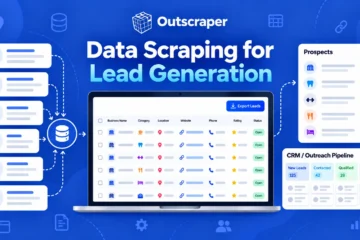
استخراج البيانات لتوليد العملاء المحتملين
قم بإنشاء قائمة عملاء محتملين مستهدفين استنادًا إلى البيانات التجارية العامة. اتبع مثال مقاول أنظمة التدفئة والتهوية وتكييف الهواء (HVAC) لاختيار المصادر، وجمع السجلات، والتحقق من بيانات الاتصال، وإعداد القائمة لأغراض المبيعات.