SaaS Fiyatlandırmasına Giriş
Küresel SaaS pazarının şu rakama ulaşacağı tahmin ediliyor: $1,25 milyar 2034 Hostinger tarafından yürütülen araştırmaya göre. Bu veriler kanıtlar Outscraper gibi hizmetlere talep olduğu ve bir ürünün fiyatlandırma modelini anlamak senin Bu hizmetin üstün avantajlarından yararlanmanın ilk adımı.
Muhtemelen daha önce de buraya gelmişsinizdir. Şu an bizim fi̇yatlandirma sayfasi, “Kullandığın Kadar Öde” modelimizi anlamaya çalışıyorsunuz; bu nedenle işinizi kolaylaştırmak amacıyla bu fiyatlandırmayı olabildiğince basit bir şekilde açıklayacağız. Yapmayacaksınız sadece Outscraper’nin fiyatlandırma sistemini anlamak zor olabilir, ancak bu sistemi iyice kavrayıp premium hesabınızı en iyi şekilde kullanabilirsiniz.

Bu kılavuzda, Outscraper’nin kullandıkça öde sisteminin nasıl işlediğini açıklayacağız. Kafanızdaki karışıklığı bir kenara bırakın. Her bir krediyi, her bir özelliği ve her bir kademeyi ayrıntılı bir şekilde açıklayacağız; böylece maliyetler konusunda endişelenmeyi bırakıp, sizin için önemli olan tek şeye, yani verilerinize odaklanabilirsiniz.
Bu yazıyı okuduğunuzda şunları öğreneceksiniz:
- Esnek fiyatlandırmanın ardındaki basit gerçek
- Ücretsiz, Orta ve İşletme Seviyelerini Anlamak
- Outscraper’nin en güçlü özelliklerinden, şunu yapmadan yararlanmaya yönelik gelişmiş taktikler bütçeyi aşmak.
- Potansiyel müşteriler, pazar araştırması ve SEO için pratik stratejiler.
Outscraper Fiyatlandırma Sistemi Açıklaması: "Kullandığın Kadar Öde" Avantajı
Temel Kavram: Taahhütsüz Esneklik
SaaS fiyatlandırması hakkında bildiğinizi sandığınız her şeyi unutun. Outscraper sizi aylık sözleşmelere bağlamaz veya kullanmadığınız özellikler için ödeme yapmaya zorlamaz. Bunun yerine, “kullandıkça öde” (PAYG) modeli. Bu fiyatlandırma modeli, müşterilere ve iş ortaklarına tam kontrol sağlayan, daha esnek ve şeffaf bir sistemdir.
Bu fiyatlandırma modelinin temel ilkesi basittir: Yalnızca Outscraper ile aldığınız veriler için ödeme yaparsınız. Beklenmedik ücretler, gizli maliyetler veya taahhütler yoktur. Kullanımınız net ve anlaşılır bir şekilde takip edilir; tüm kademeler 30 günde bir sıfırlanır.
Bu, Outscraper hizmetlerini kullanırken her ayın yeni bir başlangıç olduğu ve size projenizin ihtiyaçlarına göre kapasiteyi artırma veya azaltma özgürlüğü sağladığı anlamına gelir.
PAYG sistemi yeni ya da kanıtlanmamış bir model değildir. İstatistiklere göre, 5 üzerinden 3 SaaS şirketleri artık kullanıma dayalı fiyatlandırma modelini sunuyor ya da deniyor; bu, hem sizin hem de hizmet sağlayıcı için bir kazan-kazan durumu oluşturuyor.
Ücretsiz ve Premium: Aralarındaki Fark Nedir?
Bir ile arasındaki temel fark Ücretsiz ve Premium bunun nedeni hacimde yatmaktadır ve özellik erişim.
- A Ücretsiz Hesap Bu, sizin deneme ortamınızdır. Cömert limitlere sahip, risksiz bir çalışma alanıdır; testler, doğrulama işlemleri ve küçük, tek seferlik projelerin yürütülmesi için idealdir. Herhangi bir mali taahhüt gerektirmeden, platformu ve temel veri toplama yeteneklerini deneyimlemenizi sağlar.
- A Premium Hesap (Medium ve Business paketleri) işte asıl gücün ortaya çıktığı yerdir. Ciddi veri projeleri için gerekli olan yüksek hacimli kapasiteyi sağlar, sağlamak gelişmiş özelliklere erişim gibi veri zenginleştirme ve API entegrasyonuve teklif Kullanımınız arttıkça önemli ölçüde maliyet tasarrufu sağlanır.

Premium Hesaba Sahip Olmanın Neden Gerekli Olduğu
Ücretsiz Paket, başlangıç için harika bir seçenek olsa da, Outscraper’yi güvenilir bir iş varlığına dönüştürmenin anahtarı premium hesaptır. Premium hesaba sahip olmanın önemi, üç temel avantaja dayanmaktadır:
- Gerçek Ölçeklenebilirlik: Potansiyel müşteri oluşturma, pazar araştırması veya SEO gibi ciddi veri projeleri büyük hacimlerde veriye ihtiyaç duyar. Premium hesap, Ücretsiz Katman’daki sınırlamaları ortadan kaldırır. Bu sayede, kesintiye uğramadan on binlerce veya yüz binlerce kaydı toplayabilirsiniz.
- Ölçek Ekonomisi: Kullanım bazlı ödeme modeli, hacmi ödüllendirmek üzere tasarlanmıştır. Premium kademelere geçtikçe, kayıt başına fiyat önemli ölçüde düşer. Bu, büyük ölçekli bir projenin çok daha maliyet etkin ve bir dizi daha küçük projeye kıyasla mali açıdan daha uygulanabilir.
- Gelişmiş Araçların Kilidini Açma: En önemlisi, premium hesap, şunlara ulaşmanın anahtarıdır: o güçlü özellikler gibi Gelişmiş Filtreler, Veri Zenginleştirmeve API entegrasyonu.
Seviye Sistemi Açıklaması
Outscraper’nin üstünlüğü, otomatik olarak işleyen kademeli fiyatlandırma sisteminde yatmaktadır; bu sistem ayarlamak daha fazla kullanımı ödüllendirmek için. Sizin… bir paketi manuel olarak yükseltmek veya eski sürüme geçirmek; sistem her şeyi sizin adınıza halleder ve kullanıcılarımıza her zaman mümkün olan en iyi fiyatı almanızı sağlar.
- Ücretsiz Paket: Risksiz Başlangıç Noktanız
- Outscraper’de tek bir kuruş bile harcamadan önce, cömert Ücretsiz Paketimizle hizmeti deneyebilirsiniz.
- Burası senin risksiz oyun alanın yani doğrulama, küçük projeler ve alıştırma için idealdir.
- Her bir veri toplama aracının farklı Ücretsiz Kullanım Kademeleri vardır. Örneğin, Ücretsiz Kullanım Kademesi size ilk 500 Google Haritalar işletme kaydı ve 25 Google Arama sorgusu sunar; bu, ödeme yapmayı düşünmeden önce bile platformun değerini kanıtlamak için fazlasıyla yeterlidir.
- Orta Seviye
- Kullanımınız Ücretsiz Seviyeyi aştığında, hesabınız otomatik olarak Orta Seviyeye geçer. Bu seviye, faaliyetlerini genişleten, orta düzeyde ve istikrarlı ihtiyaçları olan kullanıcılar için ideal bir seçenektir.
- Burada fiyatlandırma örnekleri somut ve şeffaftır:
- Google Haritalar Veri Toplayıcı: İlk 500 ücretsiz kayıttan sonra, sonraki 99.500 işletme için fiyat her 1.000 kayıt başına $3’tür.
- Google Arama API'si: İlk 25 ücretsiz kayıtın ardından, sonraki 4.975 arama için fiyat 1.000 arama başına $5’tir.
- İşletme Katmanı
- Ciddi veri ihtiyaçları olan kullanıcılar için İşletme Seviyesi en uygun maliyetli tarifeleri sunar. Bu seviye, on binlerce, hatta yüz binlerce veriyi gerektiren kampanyalar yürüttüğünüz büyük ölçekli veri üretimi için tasarlanmıştır. ...'nin kayıtlar.
- İşte ölçek ekonomisinin gerçek anlamda devreye girdiği nokta budur:
- Google Haritalar Veri Toplayıcı: 100.000 işletmeyi taradıktan sonra, oran 1.000 kayıt başına sadece $1’e düşer.
- Google Arama API'si: 5.000 aramadan sonra, bu oran 1.000 arama başına $3’e düşer.
"Kayıtlar"ı Anlamak: Aslında Ne İçin Ödeme Yapıyorsunuz?
Anlaşılması gereken en önemli kavramlardan biri, “kayıt.” Bu, kullanımınızın ölçü birimidir, ancak herkese uyan tek bir terim değildir.
- Google Haritalar Veri Toplayıcısı için bir “kayıt”, tek bir işletme veya mekandır.
- Google Arama API’sinde “kayıt”, tek bir arama sonucu sayfasıdır.
- Yorum Toplayıcı için bir “kayıt”, tek bir yorumdur.
Buradaki en önemli çıkarım oldukça basit. Outscraper’nin web sitesinde her zaman ilgili hizmetin fiyatını kontrol edin projeniz için “kayıt” teriminin tam olarak ne anlama geldiğini bilmek.
Harcamalarınızı Yönetmek: Ön Ödemeli ve Sonradan Ödemeli Sistemlerin Karşılaştırması ve Bonus
Outscraper, faturalandırmanızı yönetmeniz için size iki esnek seçenek sunar; böylece beklenmedik bir fatura yüzünden asla endişelenmenize gerek kalmaz.
- Ön ödemeli: Hesap bakiyenize kredi eklemeniz yeterlidir. Bu kredilerin geçerlilik süresi asla dolmaz; böylece bütçenizi tamamen kontrol edebilirsiniz.
- Faturalı: Daha yüksek ve daha istikrarlı ihtiyaçları olanlar için, bir kredi kartı bağlayabilir ve belirli bir ayda kullanımınız Ücretsiz Kademenin sınırlarını aşarsa otomatik olarak faturalandırılabilirsiniz.
- Bonus Kredisi: Biraz bedava kredi kazanmak istiyorsanız, cömert bir ödül sunan Tavsiye Programı’na mutlaka göz atın. 35% yönlendirme ücreti tavsiye ettiğiniz kişilerin ödemelerinden elde edeceğiniz komisyonun yanı sıra bir 25% indirimi ilk ödemelerinde size yönlendirdiğiniz kişiler için.. Bu, hem hesabınızı hem de işinizi aynı anda büyütmek için harika bir yoldur.
Outscraper'nin AppSumo Fiyatlandırması (LTD) Açıklaması
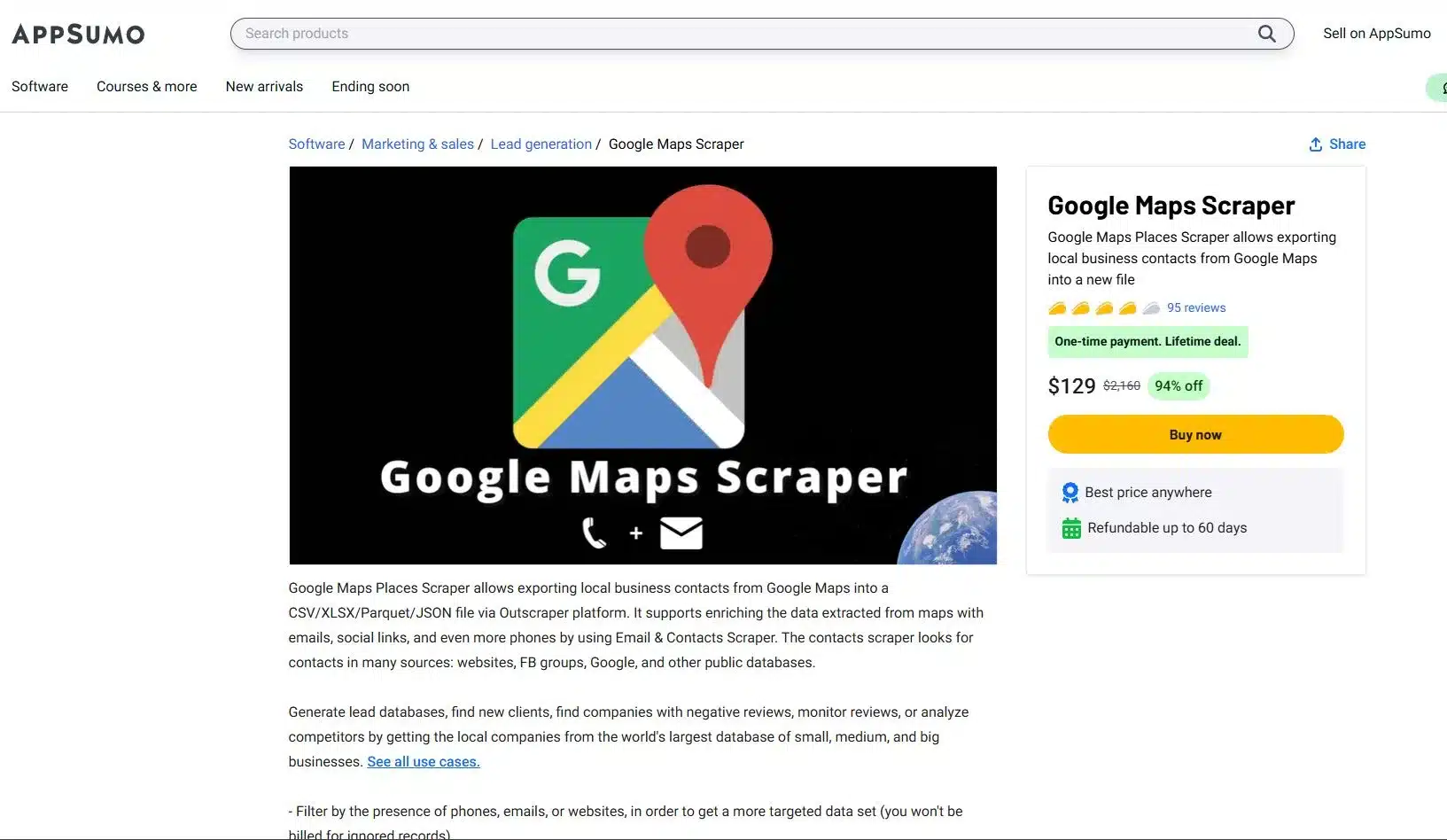
NS AppSumo ömür boyu erişim fırsatı (LTD) Bu, Outscraper’nin İncelemeleri bölümünde en sık sorulan konulardan biridir; bu nedenle her şeyi net bir şekilde açıklamak için buradayız. Bu, web veri toplama araçlarımıza ulaşmak için kullanabileceğiniz güçlü bir başlangıç noktasıdır. Veri toplama konusunda size bir avantaj sağlayacaktır.
AppSumo fırsatından yararlanmak için şunları yapmanız gerekir: KAYIT OL veya günlük içinde Outscraper hesabınızla profil sayfanızı ziyaret edin ve kodunuzu kullanın. İndirim kodunuz başarıyla eklendiğinde, profilinizde “appsumo-[MİKTAR] kredi/ay” gibi bir ifade göreceksiniz. Bu ifade, kullanımınızı karşılayacak kredi sayısını gösterir.
Bu, otomatik olarak yenilenecek harika bir fırsat her ay. Sadece şunu unutma, Bu teklif tek bir hesaba bağlıdır ve Outscraper şu özellikleri desteklememektedir: istifleme, sen Başlamak için tek bir koda ihtiyacınız var.
AppSumo Fırsatınız için Akıllı Kredi Yönetimi
Senin AppSumo Ömür boyu geçerli kredi paketleri, düzenli ve yüksek değerli kullanım için tasarlanmış aylık bir avantajdır. Bilmeniz gereken en önemli nokta, bu kredilerin birikmemesidir. Bu durum, aylık veri paketine benzer; kullanılmayan tüm kredileriniz, yeni kredilerinizin verildiği 30 günlük fatura döngüsünün sonunda geçerliliğini yitirir.
Teklifinizden tam olarak yararlanmak için profil sayfanızda kalan kredilerinizi takip etmeniz gerekir. Böylelikle beklenmedik durumlarla karşılaşmazsınız. Herhangi bir ayda kullanımınız teklif sınırını aşarsa, aşan kullanım tutarı için standart kullandıkça öde tarifeleri üzerinden faturalandırılacaksınız.
AppSumo Kredi Değerinizi Anlamak
Yeni kullanıcılar arasında sıkça sorulan bir soru, profillerinin neden gösterir parasal değer gibi “Basit bir kayıt sayısı yerine ”$30 kredi/ay”. Bunun nedeni, kredilerinizin tek bir hizmete bağlı olmaması, aksine farklı Outscraper hizmetlerinde harcayabileceğiniz esnek bir parasal değer olmasıdır.
Basit Açıklama:
- Aşamalı Fiyatlandırma: Outscraper, fiyatlandırmayı ayrıntılı bir düzeyde hesaplar. Örneğin, Google Haritalar’da 1 işletmenin verilerini toplamak $0.003’e mal olur; 1 e-postanın verilerini toplamak da $0.003’e mal olur.
- Esnek Harcama: Aylık kredilerinizden oluşan $30 tutarını, bu hizmetlerin herhangi bir kombinasyonu için kullanabilirsiniz. Bu tutarın tamamını Google Maps Scraper hizmetine harcayarak 10.000 kayıt elde edebilir ya da farklı hizmetlerin bir karışımına harcayabilirsiniz.
- Sonuç olarak: $30 tutarındaki krediniz, size en fazla 5.000 işletme ve 5.000 e-posta adresi toplamak ya da bu tutar sınırları içinde kalan herhangi bir başka kombinasyonu oluşturmak için esneklik sağlar.
Örnek Hesaplama (Outscraper’nin AppSumo Fırsatları)
Size Özel Teklif: Sen var a $30 aylık kredi herhangi bir Outscraper hizmetine harcamak.
Outscraper Fiyatlandırması: Her bir kaydın maliyeti $0.003'tür
Senaryo A: Esnek Harcama ve Limit İçinde Kalma
Tek bir seferde iki kampanya yürütüyorsunuz ay; İşletmeleri bulmak için bir Google Haritalar veri toplama işlemi ve bulduğunuz verileri zenginleştirmek için bir Toplu E-posta veri toplama işlemi.
- Google Haritalar Veri Toplayıcı: 5.000 adet işletme kaydını topluyorsunuz.
- Maliyet: 5.000 kayıt * $0,003 = $15
- Toplu E-postalar ve Kişiler Toplayıcı: 5.000 e-posta adresini toplarsınız
- Maliyet: 5.000 kayıt * $0,003 = $15
Bu senaryoda, tüm kullanımınız $30 planınız tarafından tam olarak karşılanmaktadır. aylık kaynak. Sen tamamını kullandı Anlaşmanızın değerini, tek bir dolar bile fazladan harcamadan.
Senaryo B: Anlaşma Kredilerinizi Aşma ve PAYG’nin İşleyişi
Benzer bir kampanya yürütüyorsunuz, ancak e-posta toplama işleminiz daha kapsamlı, toplam 8.000 e-posta.
- Google Haritalar Veri Toplayıcı: 5.000 işletme kaydını toplarsınız
- Maliyet: $15
- Toplu E-posta ve Kişi Toplayıcı: 8.000 e-posta adresi topluyorsunuz.
- Maliyet: 8.000 kayıt * $0,003 $24.
- Toplam Maliyet: $15 (haritalar için) + $24 (e-postalar için) = 39
Bu ayki toplam kullanımınız $39’dur. İlk $30, AppSumo paketiniz kapsamında karşılanmaktadır. Kalan aşım tutarı şu şekilde hesaplanır:
- Fazlalık: $39 – $30 = $9
- Toplam Maliyet: $9
Bu durumda, $9 aşımı için küçük bir fatura alacaksınız; aylık $30 krediniz ise bir sonraki ay için sıfırlanacaktır. Bu, “kullandığın kadar öde” modelinin size daha pahalı bir plana bağlı kalmadan kapasitenizi artırma özgürlüğü sağladığının mükemmel bir örneğidir.
Premium Hesabınız İçin Taktiksel Kılavuz: Temel Bilgilerin Ötesinde
Artık Outscraper’nin fiyatlandırma mekanizmasını anladığınıza göre, dikkatinizi sadece veri toplamaktan stratejik olarak avantaj elde etmeye yöneltmenin zamanı geldi.
Hassasiyetin Gücü
Çoğu kullanıcının yaptığı en büyük hata, bir plan yapmadan veri toplamaktır. Geniş bir kategorideki her kaydı toplarlar; işte bu noktada gelişmiş filtreler en güçlü aracınız haline gelir. Google Haritalar için “Tam Eşleşme” (Google’ın ekleyebileceği diğer kategorileri göz ardı eder) özelliği, sonuçlarınızın anahtar kelimelerinizle mükemmel bir şekilde uyumlu olmasını sağlayarak zamandan ve paradan tasarruf etmenizi sağlar. "Tam Eşleme" özelliği, ücretsiz sürümü kullanıyor olsanız bile kullanılabilir.
Profesyonel İpucu: Deneyimli bir kullanıcı, mümkün olan en kısıtlayıcı ve değerli aramayı oluşturmak için “Tam eşleşme”, “Posta Kodlarına Göre Konum” ve “işletme durumu=faal” ile “doğrulanmış=doğru” gibi gelişmiş parametrelerin bir arada kullanılmasını önermektedir.
Veri Zenginleştirme
Zenginleştirme, temel verileri değerli ve eyleme geçirilebilir bilgilere dönüştürür. Google Maps gibi birincil kaynaklardan veri toplamanın kayıt başına sabit bir maliyeti olsa da, Email Scraper, WhatsApp Checker veya Company Insights gibi diğer hizmetler sayesinde bu verilere daha fazla değer katabilirsiniz.
Bu ek özellikler tamamen isteğe bağlıdır ve hizmetlere özgü ek maliyetler doğurur; bu maliyetleri, özellikleri seçtiğinizde görebilirsiniz. Bu güçlü özellik, ihtiyaçlarınıza göre özelleştirilmiş kapsamlı bir veri kümesi oluşturmanıza olanak tanır.
Profesyonel İpucu: Veri zenginleştirme konusunda seçici olun. Deneyimli bir Outscraper kullanıcısı, maliyetleri kontrol altında tutmak için Company Insight, Phone Identity Finder ve Email Address Verifier gibi daha pahalı özelliklerden kaçınır ve bunun yerine yalnızca e-posta adreslerini ve sosyal medya profillerini çıkarmayı tercih eder.
API Entegrasyonu: İş Akışınızı Otomatikleştirme
NS Outscraper API otomasyonun anahtarıdır. Bir API kullanarak manuel veri toplama yöntemlerinin ötesine geçin ve şunları yapın:
- Toplu İstekler: Birden fazla arama sorgusu gönder hemen verimlilik amacıyla.
- Paralel Çalıştırma: Eşzamanlı istekler göndererek daha hızlı sonuç alın.
- Webhook’ları kullanın: Bir iş biter bitmez verileri gerçek zamanlı olarak alın.
Akıllı Veri Toplama Stratejileri: Verimliliğinizi Artırın
Son olarak, gerçekten çok güçlü birVeriyle ilgili tüm işlemler verimlilik temelinde şekillenir. Bu akıllı stratejiler size yardımcı olur al daha temiz veriler, daha hızlı, daha az baş ağrısıyla.
- Yinelenenleri Silme: Veri kümenizde yinelenen kayıtların oluşmasını önlemek için her zaman “google_id” veya “place_id” gibi benzersiz bir tanımlayıcı kullanın. Bu basit adım, aynı veriler için iki kez ödeme yapmamanızı sağlar.
- Zaman Aşımları ve Yeniden Denemelerle Başa Çıkma: Büyük veri kümeleriyle çalışırken, ara sıra ağ zaman aşımına hazırlıklı oluns. Komut dosyalarınızda yeniden deneme mantığını kullanın ve her işin başarıyla tamamlandığından emin olmak için Outscraper’nin webhook’larından yararlanın.
- Özel Konumlar/Kategoriler: Platform, önceden belirlenmiş bir listeyle sınırlı değildir. Kullanmak özel, uzun kuyruklu kategoriler “ gibi “”Diş Hekimleri için SEO Hizmetleri” veya belirli coğrafi konumlara bul rakiplerinizin kaçırdığı niş fırsatlar tamamen eksik.
Sonuç
Web veri toplama fiyatlandırmasıyla ilgili kafa karışıklığıyla başladık, ancak artık Outscraper’nin fiyatlandırmasına dair eksiksiz bir şemaya sahipsiniz. Şunu öğrendiniz ki, kullandıkça öde Bu model sadece esneklikle sınırlı değil, aynı zamanda işinizi kendi şartlarınızda büyütmenize olanak sağlayacak bir avantajdır kendi koşullar.
Risksiz bir durumdan itibaren izlenecek net yolu anlıyorsunuz Ücretsiz Deneme Sürümü maliyet etkin, yüksek hacimli Büyük İşletmeler İçin, ve gerçek ölçeklenebilirlik ve başarı için premium hesaba geçmenin neden vazgeçilmez olduğunu gördünüz.
Daha da önemlisi, artık premium hesabın ne olduğunu biliyorsunuz senin anahtarı kullanarak platformun gerçek güç. Kullanımına ilişkin taktiksel bir kılavuzunuz var gelişmiş filtreler, sahne alarak veri zenginleştirme, ve yararlanarak API entegrasyonu ham verilerinizi potansiyel müşteri oluşturma, pazar araştırması ve SEO için güçlü bir araca dönüştürmek amacıyla, birkaç örnek vermek gerekirse. Karışıklık ortadan kalktı ve yol haritası netleşti.
Veri Üreten Bir Güç Merkezi Kurmaya Hazır mısınız?
Senin Outscraper hesabı sizi bekliyor. Onu basit bir araç olarak görmeyi bırakın ve tasarlandığı amaca uygun bir varlık olarak kullanmaya başlayın. Hemen giriş yapın, bu kılavuzdaki bilgileri uygulayın ve başlangıç işletmenizi ileriye taşıyacak, kesin, zenginleştirilmiş ve otomatikleştirilmiş veri kümelerini oluşturmak.
Ürün ve Hizmet Fiyatlandırması
Ücretsiz Deneme Sürümü
500 işletme'ye (kayda) kadar olan kullanımlar için- İlk 500 işletme için ücretsiz (yerler)
- CSV/Excel/Parquet/JSON
- Zenginleştirmeler
Orta Kademe
500 işletmeden (kayıttan) sonraki kullanımlar için- 501 ila 100 bin arası işletme (yer) kullanımı için 1 bin kayıt başına fiyat
- CSV/Excel/Parquet/JSON
- Gelişmiş filtreler
- Zenginleştirmeler
- API erişimi
Büyük İşletmeler İçin
100.000 işletmeden (kayıttan) sonraki kullanımlar için- 100 bin işletmeden sonraki kullanım için 1 bin kayıt başına fiyat (yerler)
- CSV/Excel/Parquet/JSON
- Gelişmiş filtreler
- Zenginleştirmeler
- API erişimi
- Sınırsız
Ücretsiz Deneme Sürümü
500 adet yoruma kadar- İlk 500 yorum için ücretsiz
- CSV/XLSX dışa aktarma
- Sıralama seçenekleri
Orta Kademe
500 adet yorumdan sonrası için- 501 ila 100 bin yorum arası kullanım için 1 bin yorum başına fiyat
- CSV/XLSX dışa aktarma
- Sıralama seçenekleri
- API erişimi
Büyük İşletmeler İçin
100.000 incelemeden sonrası için- 100 bin incelemeden sonra kullanım için 1 bin inceleme başına fiyat
- CSV/XLSX dışa aktarma
- Sıralama seçenekleri
- API erişimi
- Sınırsız
Ücretsiz Deneme Sürümü
500 adet websitesine kadar olan kullanım için- İlk 500 kişi için ücretsiz
- E-posta adresleri
- Telefon numaraları
- Sosyal medya hesapları
Orta Kademe
500 adet web sitesinden sonraki kullanım için- 501'den 100 bine kadar alan adı kullanımı için 1 bin alan adından itibaren kişiler için fiyat
- E-posta adresleri
- Telefon numaraları
- Sosyal medya hesapları
Büyük İşletmeler İçin
100.000 adet web sitesinden sonraki kullanımlar için- 100k alan adından sonra 1k alan adından itibaren kişiler için fiyat
- E-posta adresleri
- Telefon numaraları
- Sosyal medya hesapları
Ücretsiz Deneme Sürümü
25 e-postadan önce kullanım- 1'den 25'e kadar e-posta kullanımı için bir e-posta başına fiyat
Orta Kademe
25 e-postadan sonra kullanım- 26 ile 100.000 e-posta arasındaki kullanım için 1.000 e-posta başına fiyat
Büyük İşletmeler İçin
100.000 e-postadan sonra kullanım- 100 bin e-postadan sonra kullanım için 1 bin e-posta başına fiyat
Ücretsiz Deneme Sürümü
25 telefondan önce kullanım- 1'den 25'e kadar telefon kullanımı için bir telefon başına fiyat
Orta Kademe
25 telefondan sonra kullanım- 26 ila 50 bin telefon arası kullanım için 1 bin telefon başına fiyat
Büyük İşletmeler İçin
50.000 telefondan sonra kullanım- 50 bin telefondan sonraki kullanım için 1 bin telefon başına fiyat
Ücretsiz Deneme Sürümü
500 görüntüden önce kullanım- CSV/XLSX dışa aktarma
- Gelişmiş filtreler
- API erişimi
Orta Kademe
500 görüntüden sonra kullanım- CSV/XLSX dışa aktarma
- Gelişmiş filtreler
- API erişimi
Büyük İşletmeler İçin
50.000 görüntüden sonra kullanım- CSV/XLSX dışa aktarma
- Gelişmiş filtreler
- API erişimi
Ücretsiz Deneme Sürümü
500 istekten önce kullanım- 1'den 500'e kadar kullanım için bir talep başına fiyat
- 2001'den itibaren geçmiş veriler
- CSV/XLSX dışa aktarma
- API erişimi
Orta Kademe
500 istekten sonra kullanım- 501'den 5 bin talebe kadar kullanım için 1 bin talep başına fiyat
- 2001'den itibaren geçmiş veriler
- CSV/XLSX dışa aktarma
- API erişimi
Büyük İşletmeler İçin
5.000 talepten sonra kullanım- 5 bin talepten sonraki kullanım için 1 bin talep başına fiyat
- 2001'den itibaren geçmiş veriler
- CSV/XLSX dışa aktarma
- API erişimi
Ücretsiz Deneme Sürümü
10 aramadan önce kullanım- İlk 10 arama (sayfa) için ücretsiz
- CSV/Excel/Parquet/JSON
- Zenginleştirmeler
Orta Kademe
10 aramadan sonra kullanım- 11 ila 100 bin arama (sayfa) arası kullanım için 1 bin arama başına fiyat
- CSV/Excel/Parquet/JSON
- Zenginleştirmeler
- API erişimi
Büyük İşletmeler İçin
100.000 aramadan sonra kullanım- 100 bin aramadan sonraki kullanım için 1 bin arama başına fiyat (sayfalar)
- CSV/Excel/Parquet/JSON
- Zenginleştirmeler
- API erişimi
- Sınırsız
Ücretsiz Deneme Sürümü
50 aramadan önce kullanım- CSV/XLSX dışa aktarma
- API erişimi
Büyük İşletmeler İçin
5.000 aramadan sonra kullanım- CSV/XLSX dışa aktarma
- API erişimi
Ücretsiz Deneme Sürümü
500 adet yoruma kadar- 500 adet yoruma kadar
- CSV/XLSX dışa aktarma
- Sıralama
- API erişimi
Orta Kademe
500 adet yorumdan sonrası için- 501 ila 50 bin yorum arası kullanım için 1 bin yorum başına fiyat
- CSV/XLSX dışa aktarma
- Sıralama
- API erişimi
Büyük İşletmeler İçin
50,000 adet yorumdan sonra- 50 bin incelemeden sonra kullanım için 1 bin inceleme başına fiyat
- CSV/XLSX dışa aktarma
- Sıralama
- API erişimi
Ücretsiz Deneme Sürümü
500 üründen önce kullanım- İlk 500 ürün için ücretsiz.
- CSV/XLSX dışa aktarma
- Gelişmiş filtreler
- API erişimi
Orta Kademe
500 üründen sonra kullanım- 501 ila 5 bin ürün arasındaki kullanım için 1 bin kayıt başına fiyat.
- CSV/XLSX dışa aktarma
- Gelişmiş filtreler
- API erişimi
Büyük İşletmeler İçin
5.000 üründen sonra kullanım- 5k üründen sonraki kullanım için 1k kayıt başına fiyat.
- CSV/XLSX dışa aktarma
- Gelişmiş filtreler
- API erişimi
Ücretsiz Deneme Sürümü
500 adet yoruma kadar- İlk 500 yorum için ücretsiz.
- CSV/XLSX dışa aktarma
- Gelişmiş filtreler
- API erişimi
Orta Kademe
500 adet yorumdan sonrası için- 501 ila 5 bin inceleme arasındaki kullanım için 1 bin kayıt başına fiyat.
- CSV/XLSX dışa aktarma
- Gelişmiş filtreler
- API erişimi
Büyük İşletmeler İçin
5.000 incelemeden sonra kullanım- 5 bin incelemeden sonra kullanım için 1 bin kayıt başına fiyat.
- CSV/XLSX dışa aktarma
- Gelişmiş filtreler
- API erişimi
Ödeme Seçenekleri


SSS
SIKÇA SORULAN SORULAR
Aylık sabit bir ücret ya da herhangi bir ek ücret ile karşılaşmazsınız. Yapacağınız taramanın sonuç başı maliyeti bellidir. Bu maliyet kredinizden düşer veya ay sonu faturanıza yansıtılır. Bu şekilde rahatça tarama işlemleri yapabilirsiniz.
Aktif bir fatura dönemi olmayan bir görevi başlattığınızda yeni bir fatura dönemi oluşturulacaktır. Ödenmesi gereken tutarı belirledikten sonra, “Fatura Oluştur” seçeneğine tıklayarak manuel olarak durdurabilirsiniz veya bir ay içinde otomatik olarak tamamlanacaktır. İşlem tamamlandığında, hizmetlerin kullanımı için bir fatura alacaksınız.
Ödemeler & Abonelikler
Fatura, hizmetlerin kullanımına dayanarak fatura dönemi (30 gün) boyunca oluşturulacaktır. Kullanım ücretleri fiyatlandırma sayfasında listelenmektedir.
Ücretsiz deneme hakkı, her ay ücretsiz olarak kullanabileceğiniz kullanım miktarıdır. Örneğin, kullandığınız aracın ayda 500 istek içeren kredisi vardır. Bu ücretsiz krediyi bir ay boyunca kullanabilirsiniz.
Bir abonelik tamamlandığında, abonelik süresi boyunca hizmetlerin kullanımı için bir fatura alacaksınız.
3 gün içinde ödeme yapamamanız durumunda, sistem otomatik olarak sizden tahsilat yapmaya çalışacaktır.
- Kredileri eklemeden önce, faturalar veya satın alma siparişleri gibi durumlarda ihtiyaç duymanız halinde, Bilgiler sayfasında bilgilerinizi girdiğinizden emin olun.
- Profil sayfanıza gidin.
- Eklemek istediğiniz kredi miktarını girin.
- Ödeme yöntemini seçin.
- Ödeme yöntemiyle ilgili düğmeye tıkladıktan sonra, ödeme yöntemi sağlayıcısının adımlarını izleyin.
Bir miktar kullanımınız olduğunda, Profil Sayfası'nda yaklaşan faturayı görebilirsiniz. Ödenecek miktarı bildikten sonra, "Fatura Oluştur" düğmesine tıklayarak faturayı manuel olarak oluşturabilirsiniz veya otomatik olarak 30 gün içinde oluşturulacaktır.
Hesabınıza kredi eklediğinizde (ön ödemeli seçenek), işlem için makbuz e-posta yoluyla alacaksınız.
Belirli hizmetlerin kullanımına ilişkin faturalar, her fatura dönemi (30 gün) sonrasında oluşturulacaktır. Alternatif olarak, ödenecek miktarı bildiğinizde, Profil Sayfası'ndaki "Fatura Oluştur" düğmesine tıklayarak faturayı manuel olarak oluşturabilirsiniz.
Evet. Outscraper, $10 için hesap bakiyenizi tahsil edecek ve ödenmesi gereken tutarla birlikte ek bir fatura düzenleyecektir.
Hayır. Görev tamamlanacak ve görev kullanımı hesap kredinizden daha fazla olacaksa, sadece ödenmemiş kullanımı içeren bir fatura alacaksınız.
Çıkarılan veri miktarını sınırlamak için limitleri kullanabilirsiniz.
- Outscraper Uygulama Menüsünü açın.
- Şu adrese gidin Fatura Bilgileri sayfası.
- Faturalarınızda görmek istediğiniz gerekli fatura bilgilerini girin.
- Kaydet düğmesine tıklayın. Gelecekteki tüm faturalarınız, girdiğiniz bilgilerle oluşturulacaktır
Bir arkadaşınızı tavsiye edin ve almaya başlayın 35% tavsiye ödemelerinizin hesap bakiyenize eklenmesi. Tavsiye ettiğiniz kişi bir 25% ilk ödemelerinde indirim. Yönlendirme bağlantınızı şimdi alın.

Ed Umbao
Outscraper’de İçerik Sorumlusu ve SEO Stratejisti olarak görev yapan Ed Umbao, web veri toplama gibi karmaşık teknik konuları kullanıcılar için anlaşılır, kolay bulunabilir ve gerçekten yararlı hale getirme konusunda uzmanlaşmıştır. Şu kanallardan bağlantı kuralım: Portföy | LinkedIn | GitHub
Related Posts

U.S. Gym Market Density Report 2026: Which Metro Areas Have the Most Gyms per Capita?
Compare gym supply across major U.S. metro areas using gyms per capita, chain concentration, ratings, reviews, and a consistent 2026 methodology.

How to Build a Signal-Based Prospecting Workflow in Outscraper
Build a signal-based prospecting workflow with Outscraper using Google Maps business data, customer review research, and manual lead qualification to prepare prospects for outreach.
Potansiyel Müşteri Arama için B2B Satın Alma Sinyalleri: Doğru İşletmeleri Doğru Zamanda Nasıl Bulabilirsiniz?
B2B satın alma sinyallerinin, satış ekiplerinin potansiyel müşterileri değerlendirmesine, iş faaliyetlerini karşılaştırmasına, hesaplara öncelik vermesine ve öncelikle incelenmeye değer işletmelere odaklanmasına nasıl yardımcı olabileceğini görün.