Table of Contents
If you run a local business, someone has probably told you, “You need to be on Google.” But which Google, exactly? Because Google Maps and Google Search are not the same thing. They look similar, they sometimes show the same results, but for a business owner trying to get found by actual customers, they work in completely different ways.
Most small business owners treat them as one thing. That’s a mistake that quietly costs them customers every day. A plumber who ranks well in Google Search but doesn’t show up in Google Maps is invisible to the person who just typed “plumber near me” from their phone while standing in a flooded kitchen. That person isn’t scrolling through website links. They’re looking at a map with three business names on it and calling the first one. Tools like the Outscraper Google Maps Scraper let you see exactly which businesses are appearing in those local results and where you stand against your competitors.
This guide breaks down the real difference between the two, what each one actually shows customers, which ranking factors matter for each, and how to think about both as a business owner without a marketing degree. If you want to audit how your business appears across Google Maps at scale, Outscraper’s Google Maps Places API makes it possible to pull real time listing data for any category or location. And if reviews are part of what’s holding your visibility back, the Google Maps Reviews Scraper gives you a clear picture of what customers are saying about you and your competitors.
What Google Maps and Google Search Actually Are
People often use Google to mean both, but they’re separate products that serve different purposes and pull data from different sources.
Google Search: The General Web Index
Google Search is what you use at google.com when you type in a question, a topic, or a business name. It crawls and indexes billions of web pages and returns results ranked by relevance, authority, and a few hundred other signals. When someone searches “how to unclog a drain” or “best dentist in Austin,” Google Search returns a mix of website links, ads, video results, and sometimes a map pack embedded in the middle.
Your business appears in Google Search based primarily on your website. The content on your pages, the links pointing to your site, how fast your site loads, whether your content matches what someone searched for. All of that is traditional SEO. If you want to see exactly which businesses are ranking for those searches in any city or category, Outscraper’s Google Search Scraper lets you pull real time results at scale useful for competitive research before you invest time optimizing your own pages.
Google Maps: The Location-Based Discovery Platform
Google Maps is a different product entirely. It lives at maps.google.com and inside the Google Maps app on your phone. It’s a mapping and navigation platform, but for businesses, it’s also a discovery engine. When someone searches “coffee shop near me” on Maps, they get a list of nearby businesses with pins on a map, not a list of websites.
Your business appears in Google Maps based on your Google Business Profile, not your website. The name, address, phone number, hours, photos, reviews, and category you’ve set in your profile are what Google Maps reads and ranks. A business with no website at all can still rank at the top of Google Maps if their profile is complete and well-reviewed.
What Customers See on Each Platform
The experience a customer has on Google Maps versus Google Search is so different that it shapes what they do next. Understanding that difference is the first step to knowing where to put your energy.
What they see on Google Maps
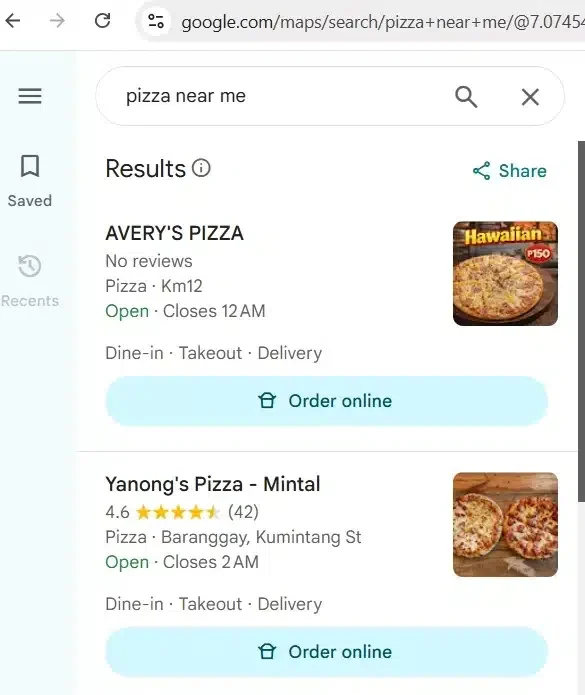
When someone opens Google Maps and searches for a type of business, they see a map with red pins and a list panel on the side. Each listing shows the business name, star rating, number of reviews, address, whether it’s currently open, and sometimes a photo. On mobile, this fills the entire screen before they’ve clicked anything.
From that screen, a customer can call your business, get directions, see your hours, read reviews, visit your website, or message you. Most of that happens without them ever seeing your website. They decide whether to contact you based entirely on what’s in your Google Business Profile listing.
What they see on Google Search
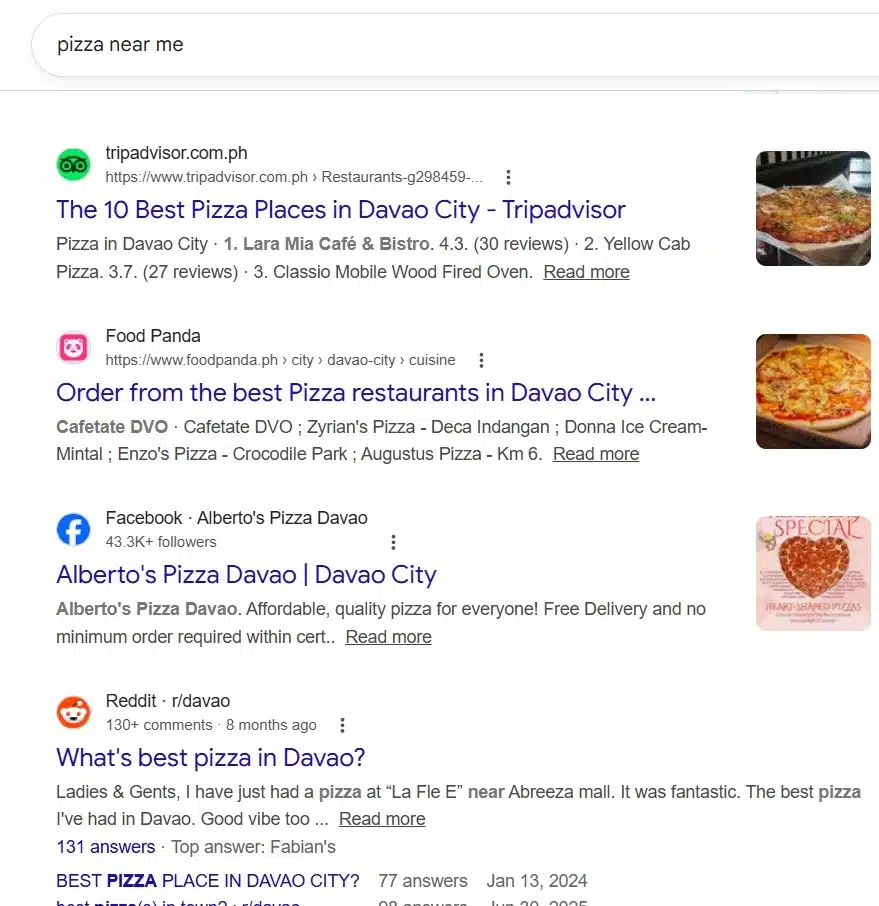
On Google Search, results depend heavily on what someone searched for. A generic local query like “dentist Chicago” will often trigger the Local Pack, which is a small map with three business listings embedded in the search results, followed by regular website links below it. The Local Pack looks a lot like Google Maps results because it basically is, just shown inside a Search results page.
But a more specific query like “how to treat tooth sensitivity at home” returns website articles, not a map. There’s no local pack because the intent isn’t location-based. This is a key difference: Google Maps results are almost always location-based, while Google Search results vary wildly depending on what the person was actually trying to do.

Reader just learned that competitors rank differently. Natural moment to offer competitor intelligence.
Why Your Ranking Is Different on Each One
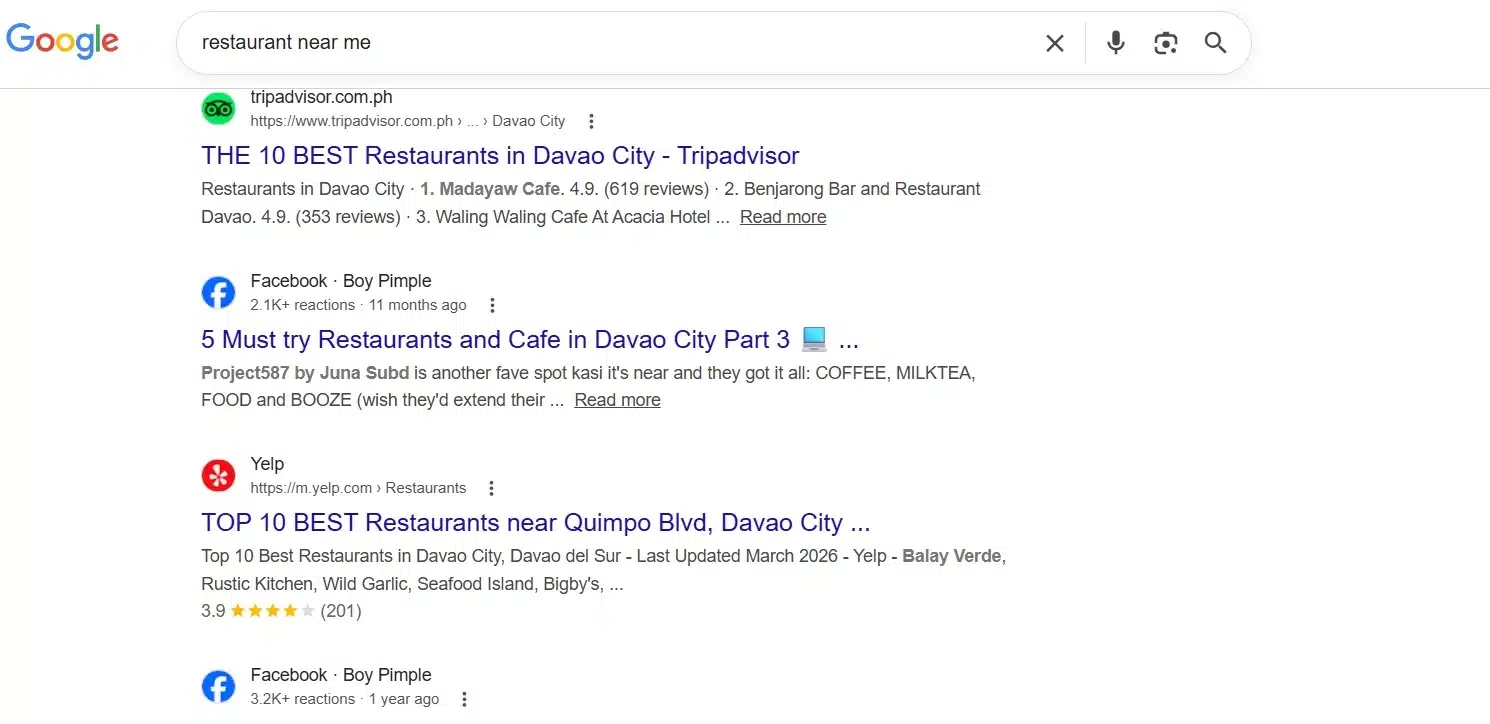
This is where most business owners get confused. You might rank on page 1 of Google Search for your business name but not appear in the Local Pack at all. Or you might show up prominently on Google Maps but have almost no organic search traffic. That’s not a bug. The two systems use completely different ranking signals.
How Google Maps decides who to show
According to Google’s own documentation, Maps rankings are based on three things: relevance (does your business match what they searched for), distance (how close you are to the searcher), and prominence (how well-known and credible your business is online). According to the Whitespark 2026 Local Search Ranking Factors report, 8 of the top 10 ranking signals in Google Maps come directly from your Google Business Profile.
The proximity problem businesses can't fix
One thing that trips people up with Google Maps is proximity. If your business is physically farther away from a searcher than a competitor, Google will often rank the closer business higher, regardless of how good your reviews are. You can’t move your building. What you can do is make sure your profile is so well-optimized that Google’s relevance and prominence signals offset the distance gap wherever possible.


Which One Drives More Customers to Your Business
The honest answer depends on what kind of business you run. But for most local businesses with a physical location or a service area, Google Maps drives higher-intent customers. Here’s why.
The Intent Difference
Someone searching on Google Maps has already decided they want something nearby. They’re not researching. They’re not comparing blog posts about the best plumbers in America. They want a plumber, they want one near them, and they want to call one in the next 60 seconds. That’s a fundamentally different customer than someone who found you through a search engine article.
Google Search traffic often comes from people in the research phase. They’re comparing options, reading reviews on third-party sites, and might be weeks away from making a decision. Both are valuable. But the conversion rate from Google Maps is typically higher because the person is already at the decision stage.
The Mobile Reality in 2026
More than 60% of local searches happen on mobile. On a phone, the Local Pack takes up the entire above-the-fold screen for local queries. That means if you’re not in the top three results on Google Maps, most mobile searchers never see you at all. They don’t scroll down to find your website link. They call one of the three businesses they can already see.
What Data Each Platform Shows About Your Business
Both platforms show information about your business, but they pull it from different places and display it differently. Knowing this helps you understand where to keep your information updated.
What Google Maps shows
Everything on your Google Maps listing comes from your Google Business Profile, combined with user-generated content like reviews and photos. The fields your listing can show include:
| Business name | Exactly as listed in your Google Business Profile. Keyword stuffing in the name can lead to suspension. |
| Star rating + review count | Aggregated from all customer reviews. One of the first things searchers notice. |
| Address + map pin | Must match your actual physical location. Incorrect pins cause customers to show up at the wrong place. |
| Phone number | Should be a local number. Local area codes reinforce geographic relevance to Google's algorithm. |
| Hours of operation | Including special holiday hours. Outdated hours are a top complaint in negative reviews. |
| Photos | From the business and from customers. More photos correlate with more direction requests. |
| Category | The single most important ranking factor for Google Maps visibility. |
| Review text | Full text of every customer review, visible to anyone searching. This is rich data businesses often overlook. |
What Google Search Shows
On Google Search, what appears depends on the type of query. For branded searches (someone searching your business name), Google typically shows a Knowledge Panel on the right side of the desktop page, pulling info from your Google Business Profile. For non-branded local searches, you compete for the Local Pack. For informational queries, your website content competes in organic results.
For a deeper look at how businesses apply this data, read 7 Ways Businesses Use Google Maps Data and the market research use case guide on Outscraper.
At this point you know what each platform is, how customers experience them differently, why your ranking can be different on each one, and what data each one actually surfaces about your business. That’s the foundation. The next question is what to do with it how to optimize, how to prioritize, and how businesses beyond just local visibility are turning Google Maps data into a real competitive tool. That’s what Part 2 covers.
Frequently Asked Questions
Most frequent questions and answers
Yes. Google Maps ranking is based on your Google Business Profile, not your website. A business with no website at all can appear in the Local Pack if their profile is complete, their category is correct, and they have a strong review history. That said, having a website does help your overall prominence score and can improve your Maps ranking indirectly.
These are two separate ranking systems. Ranking well in Google Search (organic results) does not automatically translate to Google Maps visibility. Maps ranking requires a claimed and complete Google Business Profile, consistent NAP data, active reviews, and the right category selection. Check your Google Business Profile first an unclaimed or incomplete profile is the most common reason for missing Maps visibility.
The Local Pack (also called the 3-Pack or Map Pack) is the group of three business listings that appears at the top of Google Search results for local queries, accompanied by a small map. Getting into it requires a well-optimized Google Business Profile, proximity to the searcher, strong reviews, and consistent business information across the web. The top result in the Local Pack captures between 44–58% of all clicks on local search result pages.
Reviews are primarily a Google Maps and Local Pack ranking factor. They don’t directly influence your organic website rankings in Google Search. However, a high volume of positive reviews increases your click-through rate when you do appear in search results, which can indirectly strengthen your search performance over time.
Tools like Outscraper’s Google Maps Scraper allow businesses to pull structured data from any business category and location, including competitor names, ratings, review counts, phone numbers, and websites. This data is publicly available and can be exported as CSV, Excel, or JSON for analysis. No coding required. See the competitor monitoring use case for a practical walkthrough.
For businesses that rely on local foot traffic or local service calls, Google Maps visibility is generally more important because it targets customers with immediate intent. Someone searching on Maps has usually already decided they want something nearby and is about to take action. Google Search is better for capturing customers in the research phase. Ideally, you optimize for both, but if you have limited resources, start with your Google Business Profile.
NAP stands for Name, Address, Phone Number. Google cross-references your business information across dozens of online directories to verify your location and identity. If your address is listed differently on Yelp than on your website, or your phone number is different on Apple Maps, those inconsistencies create data quality flags that can suppress your local rankings. Keep your business name, address, and phone number identical everywhere online.
Treat your Google Business Profile like a living marketing channel, not a one-time setup. Post updates at least once a week, respond to reviews within a few days, update your hours for holidays and special events, and add new photos regularly. Profiles that show consistent activity outperform static listings. Google rewards engagement signals as part of the prominence scoring that influences Maps rankings.