El Scraping de Google Maps
Automatice la recopilación de datos de Google Maps. Exporte a CSV, Excel o JSON en solo unos minutos.
Planes de precios
No monthly fees. Paga sobre la marcha only for the records you extracted.
Nivel gratuito
Uso antes de 500 empresas- Gratuito para las 500 primeras empresas (plazas)
- CSV/Excel/Parquet/JSON
- Enrichments
Nivel medio
Uso después de 500 empresas- Precio por 1k registros para el uso de 501 a 100k empresas (plazas)
- CSV/Excel/Parquet/JSON
- Filtros avanzados
- Enrichments
- Acceso a la API
Nivel de negocio
Uso después de 100.000 empresas- Precio por 1k registros para el uso después de 100k empresas (plazas)
- CSV/Excel/Parquet/JSON
- Filtros avanzados
- Enrichments
- Acceso a la API
- Unlimited
Why Use Outscraper for Google Maps Scraping?
Full Coverage
Maintaining a comprehensive list of Points of Interest (POIs) is crucial for industries such as location intelligence, GIS, and mapping.
Emails & Contacts
Expand beyond single-source data by enriching it with comprehensive details such as emails, phone numbers, social media links, contact information, company insights, and more, for more robust and informative campaigns.
Real Time Data
With our cutting-edge technology, the data you receive isn't just up-to-date, it's live. This means the moment a change occurs, you know about it, allowing for immediate action and decision-making.
Limitless Speed
Tap into our high-performance, globally distributed servers for fast and reliable data access. Outscraper's core technology is designed to efficiently manage millions of tasks simultaneously.
Generación de leads
Elevate your lead generation strategies using the data. Our insights help you identify and target potential leads more effectively, turning data into opportunities.
Cloud Scraping Advantages
Safeguard your IP by utilizing Outscraper's cloud servers for data scraping. Our dedicated team continuously updates the software, ensuring seamless scraping even with changes on target sites.
Diccionario de datos
Nombres y descripciones de columnas para Google Maps.
- name - nombre del lugar en Google Maps.
- name_for_emails – name cleaned/normalised for email personalisation.
- subtypes - todos los tipos del lugar.
- type – the type under which the place was found (can be any element from subtypes).
- category – category defined by contributors (may be in a local language).
- phone - número de teléfono del lugar.
- site - sitio web del lugar.
- address – full formatted address of the place.
- street – street address (e.g. house number + street).
- borough – borough (NYC only; empty for most locations).
- city – city of the place.
- state – state/region/province name (when available).
- state_code – state/region code (e.g. NY for US; when available).
- postal_code – postal/ZIP code.
- country – country name.
- country_code – country code (ISO 3166-1 alpha-2, e.g. US).
- latitude - latitud del lugar de ubicación.
- longitude - longitud del lugar de ubicación.
- h3 – H3 index (hexagonal spatial index) for the place location.
- time_zone - zona horaria de la ubicación del lugar.
- plus_code – Open Location Code / Plus Code (works only for individual searches, e.g. query: “Hotel Colombo Berat”, “0x3e49a63f6b05fe3b:0xc73d6b1f31b2ccc8”, saber más).
- area_service – indicates if the place is a service-area business without a public storefront address.
- rating - calificación del lugar.
- reviews – number of reviews.
- reviews_link – link to the place’s reviews on Google Maps.
- reviews_tags - etiquetas de reseña más comunes (sólo funciona para búsquedas individuales, por ejemplo, query: "Hotel Colombo Berat", "0x3e49a63f6b05fe3b:0xc73d6b1f31b2ccc8", saber más).
- reviews_per_score – JSON object with reviews per score. Works only when using google_id or a business name/category as a query.
- reviews_per_score_1 – number of 1-star reviews.
- reviews_per_score_2 – number of 2-star reviews.
- reviews_per_score_3 – number of 3-star reviews.
- reviews_per_score_4 – number of 4-star reviews.
- reviews_per_score_5 – number of 5-star reviews.
- photos_count – number of photos.
- photo – main photo URL (when available).
- street_view – Google Street View image URL (works only for individual searches, e.g. query: “Hotel Colombo Berat”, “0x3e49a63f6b05fe3b:0xc73d6b1f31b2ccc8”, saber más).
- logo – logo image URL (when available).
- located_in – name of the parent place where it’s located (works only for individual searches, e.g. query: “Hotel Colombo Berat”, “0x3e49a63f6b05fe3b:0xc73d6b1f31b2ccc8”, saber más).
- located_google_id – google_id of the parent place where it’s located (works only for individual searches, e.g. query: “Hotel Colombo Berat”, “0x3e49a63f6b05fe3b:0xc73d6b1f31b2ccc8”, saber más).
- business_status – current status of the business (e.g. operational, temporarily closed).
- working_hours – JSON object with opening hours.
- working_hours_csv_compatible – pipe-delimited CSV-compatible opening hours string (used by: Opening Hours Pro, Listing Pro, Business Hours Widget, StoreMapper).
- other_hours – JSON object with other hours (when available).
- popular_times – popular times, including live status (e.g. little busy). Works only for individual searches (see saber más).
- typical_time_spent – how much time people typically spend (e.g. People typically spend 45 min to 2.5 hr here). Works only for individual searches (see saber más).
- range – price range. Either “$$$” (general searches) or “€10–20” (available only when using place_ids as queries).
- precios – prices info from various hotel providers (available only when using place_ids as queries).
- reservation_links – reservation links (when available).
- booking_appointment_link – link to book an appointment (when available).
- menu_link – menu link (works only for individual searches, e.g. query: “Hotel Colombo Berat”, “0x3e49a63f6b05fe3b:0xc73d6b1f31b2ccc8”, saber más).
- order_links – links to place an order (when available).
- about – additional attributes about the place (e.g. women-owned, LGBTQ+ friendly).
- description – place description (works only for individual searches; saber más).
- posts - Objeto JSON con las entradas del lugar (sólo funciona para algunos lugares). saber más).
- verified – indicates if the place was claimed/verified.
- owner_id - identificador único del propietario del lugar.
- owner_title - título de la página de perfil del propietario.
- owner_link - enlace al perfil del propietario en Google Maps.
- location_link - enlace al lugar en Google Maps.
- location_reviews_link – direct link to the reviews tab (when available).
- place_id – unique identifier of the place (Google may update it a few times per year).
- google_id – unique identifier of the place, also known as Feature ID (Google may update it a few times per year).
- cid - ID multiplataforma de un anuncio en el ecosistema de Google.
- kgmid – Knowledge Graph Machine ID (identifier Google assigns to specific entities).
- reviews_id – unique identifier of the place’s reviews.
Datos adicionales que podrían añadirse al aplicar el enriquecimiento El Scraping de correos electrónicos y contactos enriquecimiento (selecciónelo con UI o utilice el parámetro "domains_service" con API). Puede obtener más información sobre los enriquecimientos en este artículo.
- domain - dominio del sitio web.
- email_1 - el primer correo electrónico encontrado asociado al lugar.
- email_2 - el segundo correo electrónico encontrado asociado al lugar.
- email_3 - el tercer correo electrónico encontrado asociado al lugar.
- Facebook - enlace a la página de Facebook.
- Instagram - enlace a la página de Instagram.
- Twitter - enlace a la página de Twitter.
- Linkedin - enlace a la página de Linkedin.
- Youtube - enlace a la página de Youtube.
- phone_1 - primer teléfono encontrado en el sitio web.
- phone_2 - segundo teléfono encontrado en el sitio web.
- phone_3 - tercer teléfono encontrado en el sitio web.
- website_title - título del sitio web (metaetiqueta).
- website_generator - la plataforma en la que está construido el sitio web (WordPress, etc.).
- website_description - descripción del sitio web (metaetiqueta).
- website_keywords - palabras clave del sitio web (metaetiqueta).
- website_has_fb_pixel - muestra si se encontró el píxel FB.
- website_has_google_tag - muestra si se ha encontrado el código de Google Tagmanager.
API Docs
Utiliza los datos de tu app. Echa un vistazo a API Docs para ver ejemplos de código.
Video Tutorial
Artículos relacionados
Cómo el equipo de ventas utiliza Google Maps Scraping para encontrar nuevas oportunidades de negocio
Sales team use Google Maps scraping to gather public business details and turn them...

Cómo un chico Directorio Gana $2500 / Mes Usando Outscraper y otras herramientas
Frey Chu built a $2,500/month passive income stream by using Outscraper and programmatic SEO,...
How to Scrape Closed Businesses Using Google Maps Data Scraper
Frustrated with the brutal fight for the same "active" leads everyone else is chasing?...
Case Study: How Outscraper Powers TheLinksGuy Link Building Success
Genuine connection and the importance of Link Building is a game-changer in automation and...
Pruebe Outscraper de forma gratuita con un nivel gratuito renovable mensualmente.
¿Qué dicen los clientes?
Su opinión motivará mucho a nuestro equipo. Utilice Product Hunt, Trustpiloto Capterra para publicarla.
Nuestros clientes
La confianza de miles de clientes satisfechos en todo el mundo.


Preguntas más frecuentes
Preguntas y respuestas más frecuentes
El Scraping de Google Maps, recolección o extracción es un proceso para obtener toda la información sobre lugares (nombre, dirección, coordenadas, sitio, teléfono, horas de apertura, etc.) del sitio de Google Maps. Automatiza la exportación manual de datos.
El Scraping y la extracción de datos públicos está protegida por la Primera Enmienda de la Constitución de los Estados Unidos.
- Accede a Google Maps scraper.
- Seleccione las categorías que desea extraer.
- Seleccione ubicaciones en el menú desplegable.
- Seleccione el idioma y verifique otros parámetros avanzados.
- Haga clic en "Extraer datos".
Los datos de Google Maps se pueden utilizar en muchos campos. El caso más común es buscar nuevos clientes para su negocio o utilizar los datos para inteligencia artificial y aprendizaje automático. Los datos de Google Places también pueden ser una fuente para crear su aplicación.
Sí, puedes utilizar Emails & Contacts Scraper junto con Google Maps scraper para enriquecer los datos de Google. Para ello, selecciona "Emails & Contacts Scraper" en la sección "Enrich by other services" de la página Google Maps Scraper.

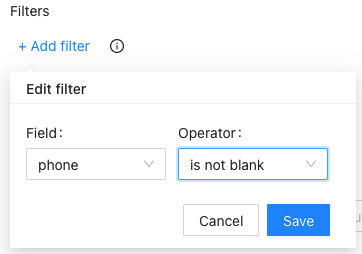
No. All scraping activities occur on Outscraper servers, ensuring that your IP address is not utilized for data scraping. You can close your computer an the scraping task will still be running.

business details, contact information, reviews, and location data from Google Maps. Designed for efficiency, this automated Google Maps scraping tool ensures quick and accurate data extraction, making it an ideal choice for businesses seeking to enhance their local data mining and business intelligence efforts.
Utilize Google Maps API scraper to gather comprehensive business listings, POIs, and other crucial data. Whether you need to scrape bulk data or perform targeted extractions, this software delivers precise results every time. Perfect for digital marketers, data analysts, and researchers, our Google Maps Scraper simplifies the process of data collection, providing you with actionable insights to drive your strategies.
With features like bulk data extraction, automated scraping, and an intuitive online interface, Google Maps data scraping service stands out as a reliable solution for your data needs. Start using Google Maps Data Scraper today and transform the way you collect and analyze local business information. Enhance your data-driven decisions and gain a competitive edge with the powerful scraping tool. Try it now and experience the ease of extracting data from Google Maps seamlessly with Outscraper.