Mục lục
There are 2 ways to validate email using Outscraper services. You can use the Free Emails Validator where you can validate a single email, or the Bulk Email Verification dịch vụ.
How to Validate One Email?
Outscraper offers a free email validator service where you can verify one single email.
https://outscraper.com/emails-validator/

You can validate the emails in your list individually, thanks to the free Emails Validator service. It is very easy to use. Just copy the email address and paste it into the service box. You will get your results instantly.

How to Validate Emails in Bulk?
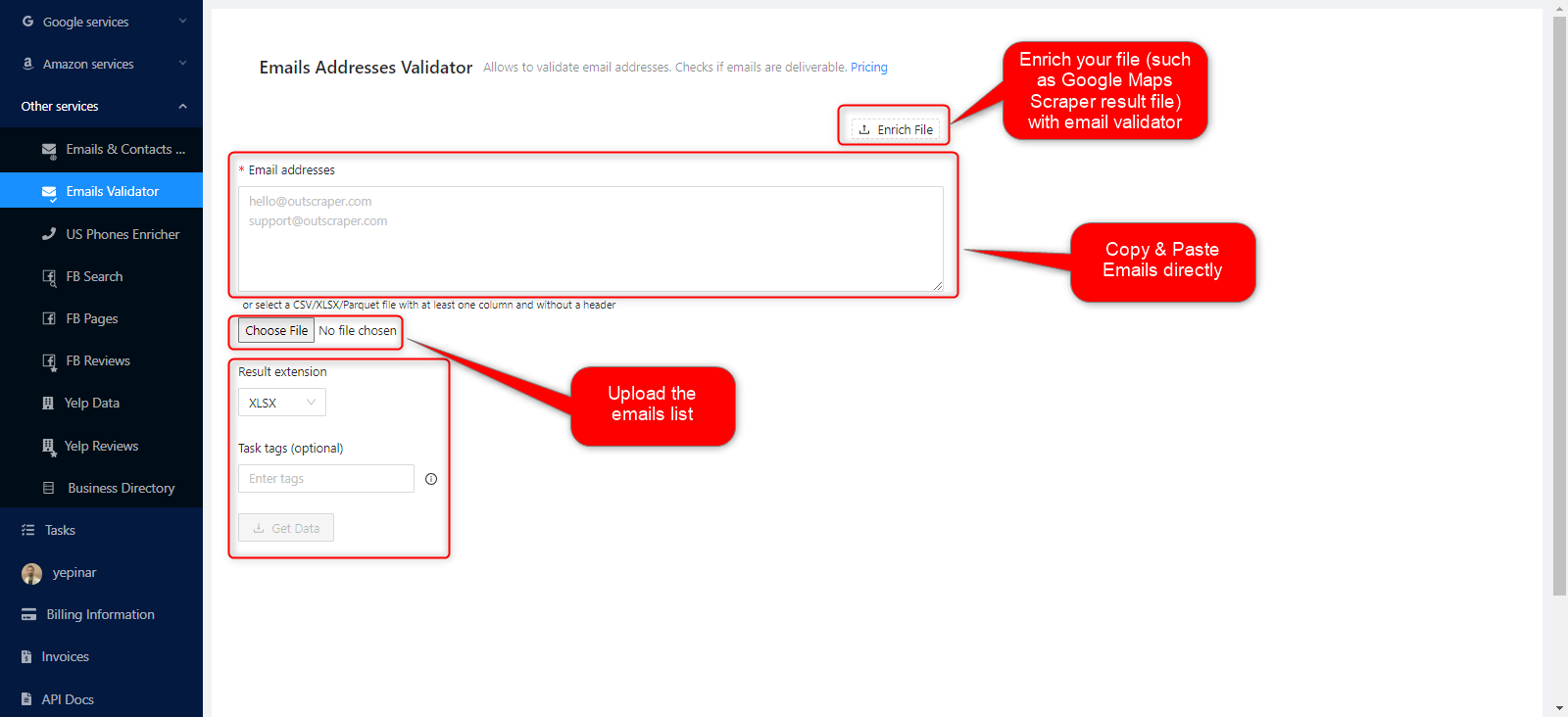
If you need to validate all emails at once, you need the Outscraper Bulk Email Verification service. You can do this verification task by copy-pasting the emails, or by uploading the email list as a CSV/XLSX/Parquet/TXT file. You can also use that service to enrich the result data you get from Outscraper Google Maps Scraper.
First, sign up for the Outscraper Bulk Email Verification service, and then please follow all the steps mentioned in this tutorial to verify your emails.
ĐĂNG KÝ
Tạo tài khoản
Hãy truy cập trang Bulk Email Verification service page để đăng ký ngay bây giờ.
Khi đăng ký, bạn chỉ cần nhập địa chỉ email mà bạn muốn sử dụng cho tài khoản của mình. Nếu muốn, bạn cũng có thể đăng ký bằng tài khoản Google, Facebook hoặc LinkedIn của mình.

Xác nhận địa chỉ email của bạn
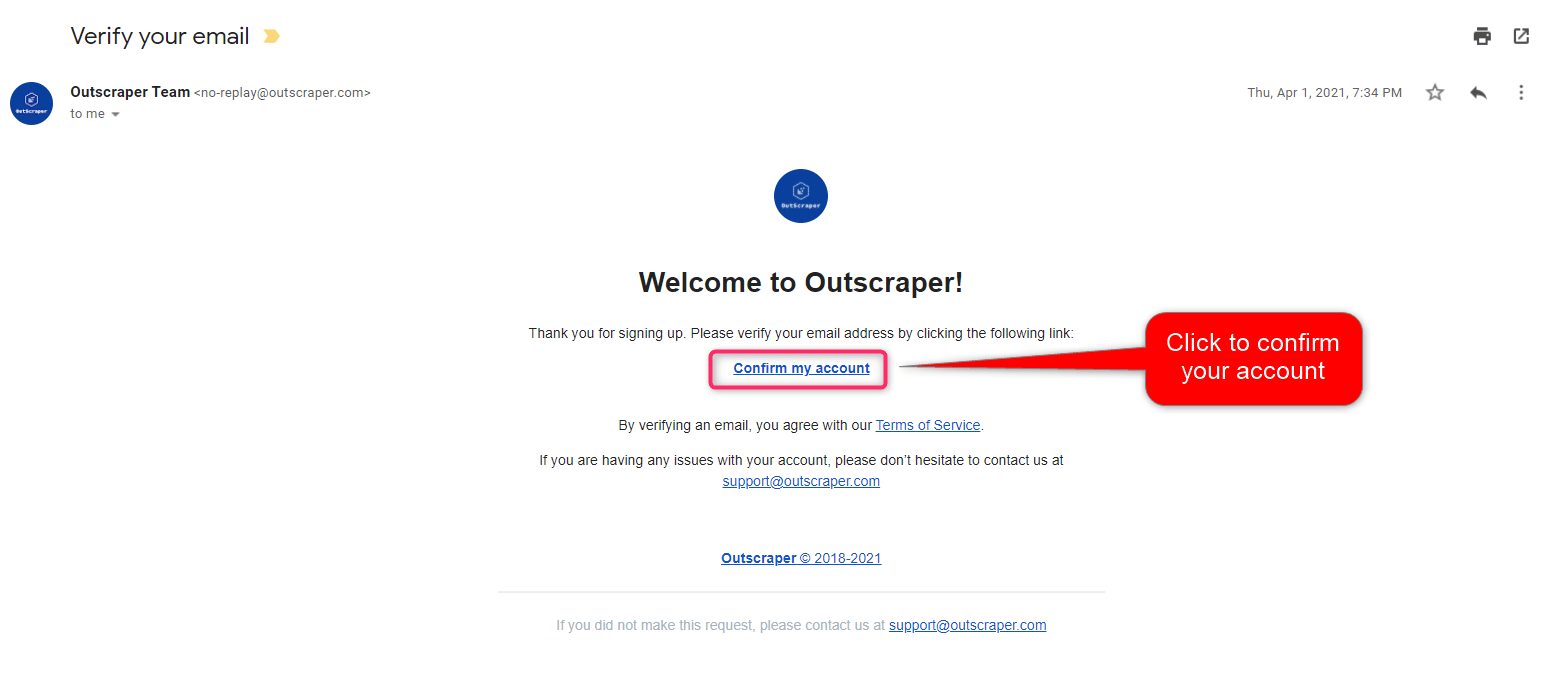
Bạn sẽ nhận được một email từ trang web của Outscraper để xác nhận địa chỉ email của bạn. Hãy nhấp vào liên kết trong email đó để hoàn tất quy trình đăng ký.
TẠO NHIỆM VỤ VÀ THÔNG SỐ
Begin by selecting Other Services>Emails Validator on the left panel.
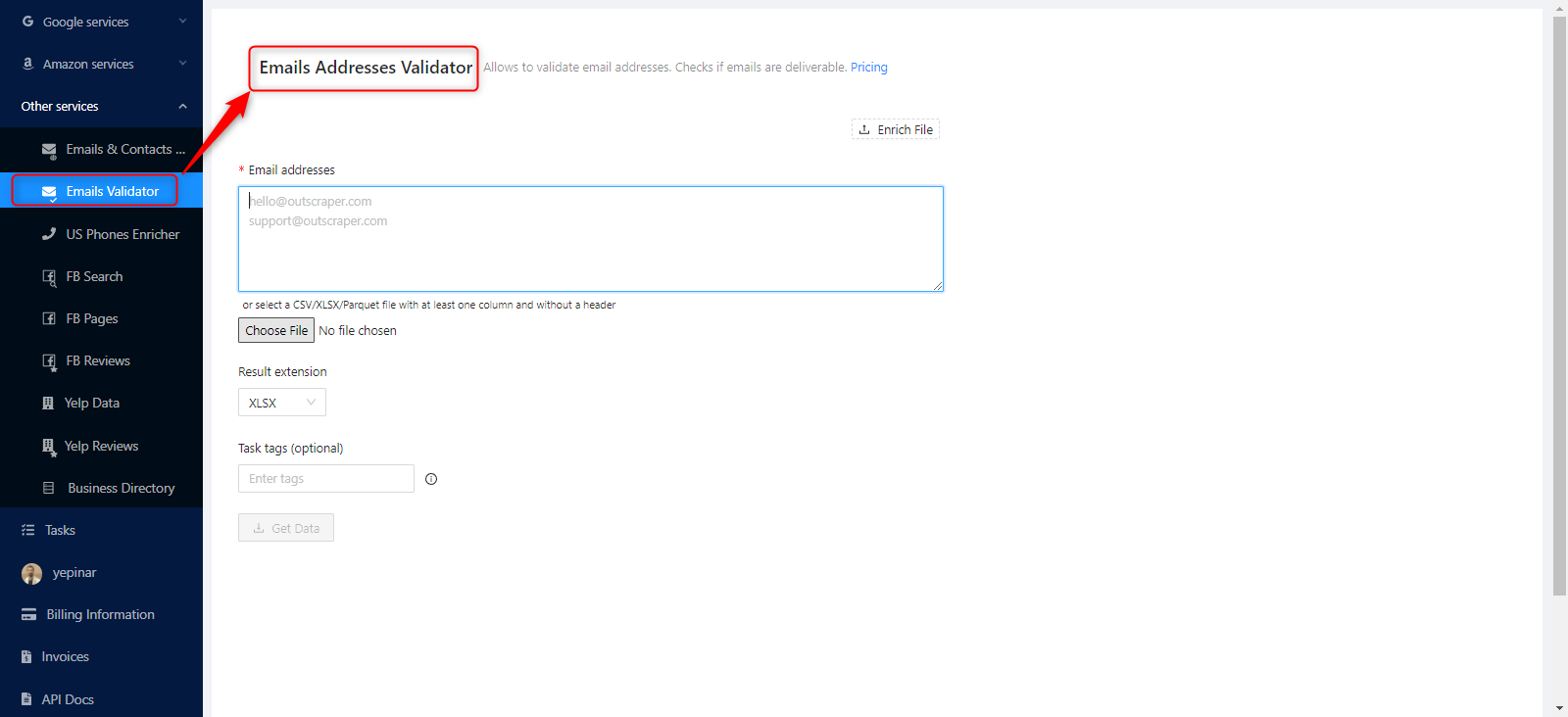
To create the task, simply enter your emails into the provided box. Other than that, only the result extension and a task tag need to be specified.
Verifying Email Addresses
How to Verify Email Addresses From List?
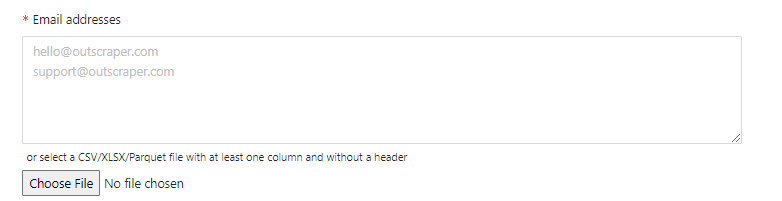
You can simply copy and paste the emails into your list to validate them.
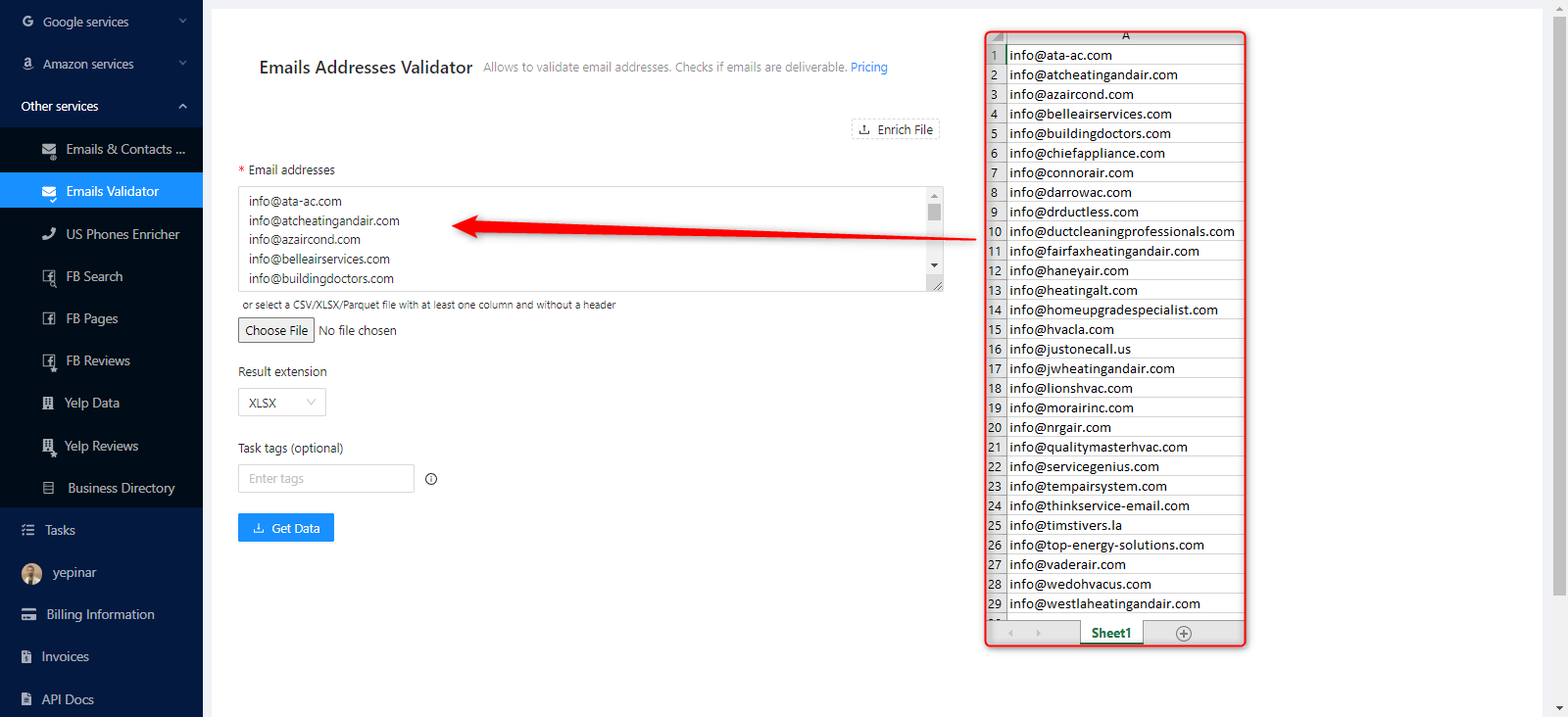
It is sufficient to write or paste the emails one after the other in this box.
How to Verify Email Addresses from File?
A file containing all the email addresses can also be uploaded instead of copy-pasting. It would be more accurate to do this for tasks with large volumes.
This file can be in CSV/XLSX/Parquet or TXT format, and it needs to have at least one column with emails without a header.
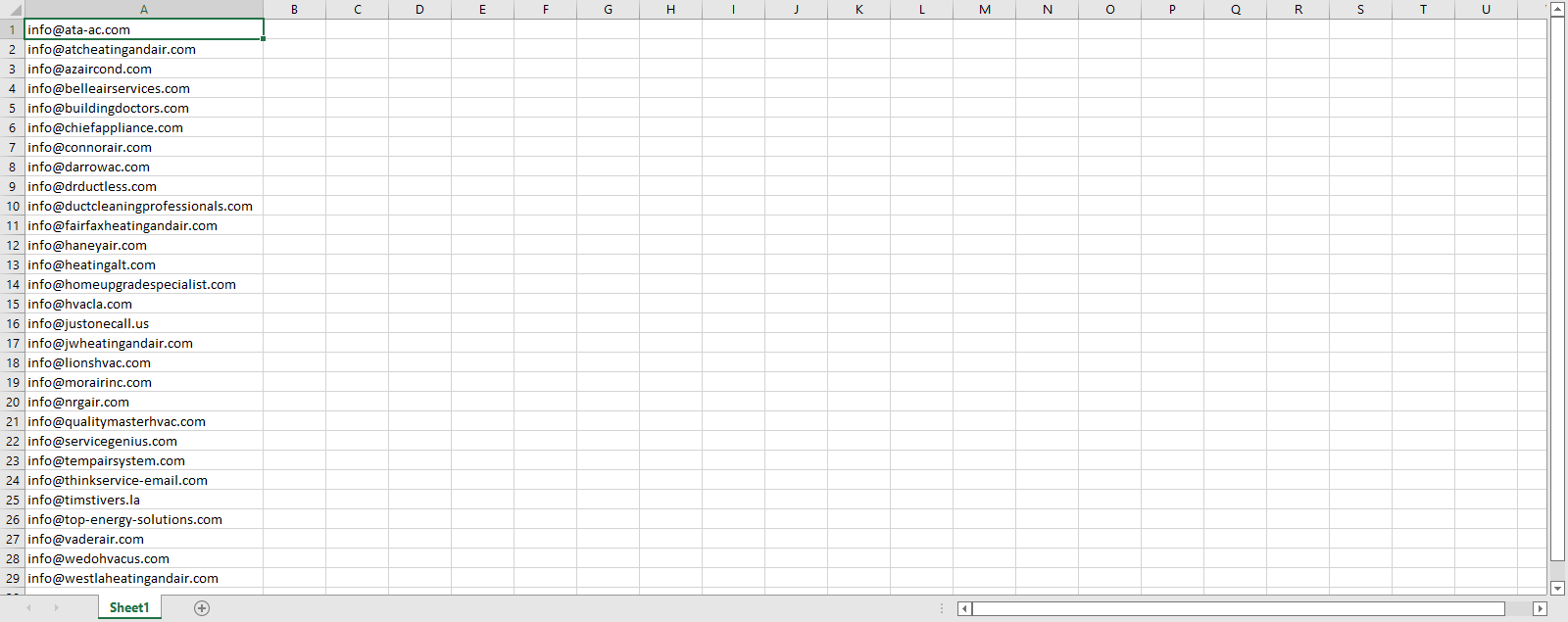
Just click the ‘Choose File’ button and upload your file. There is no special formatting for that file.
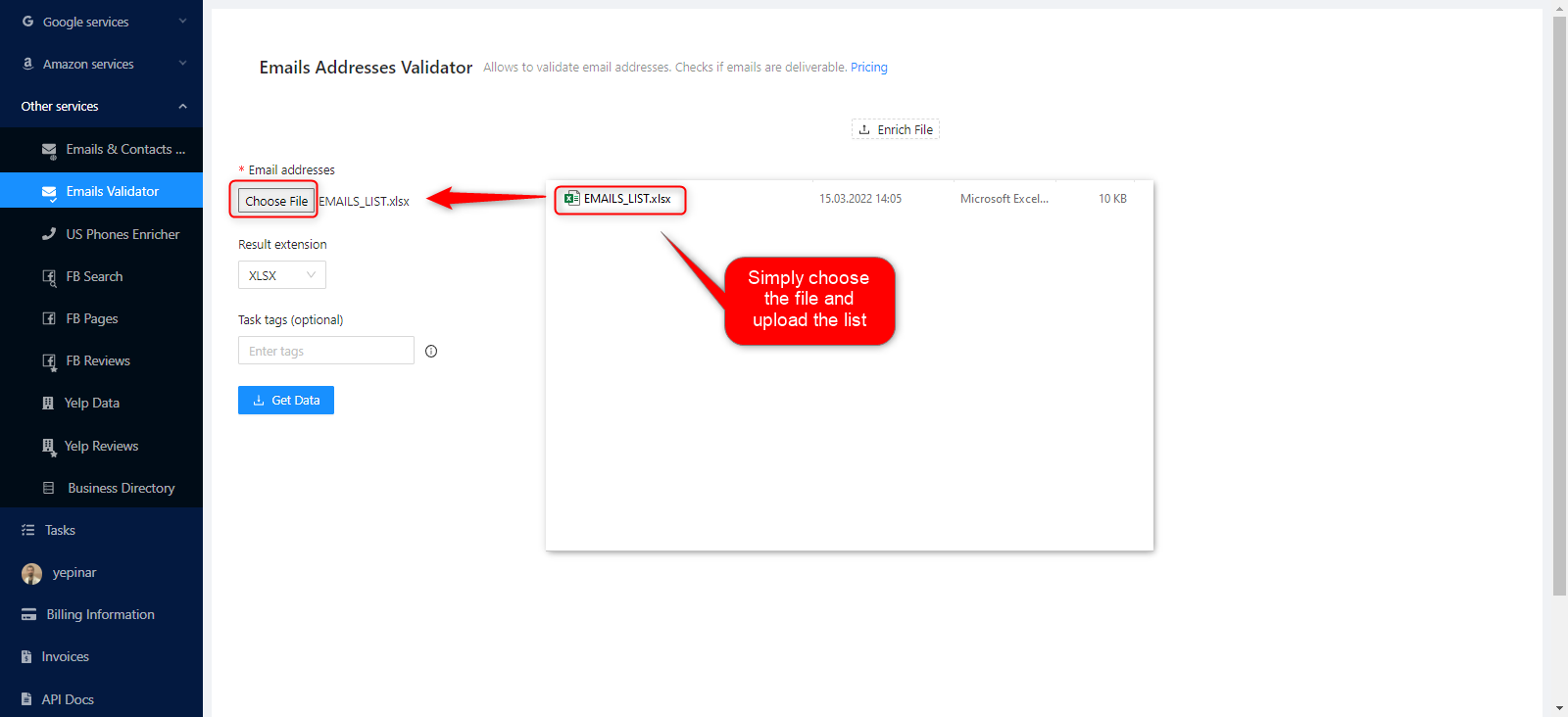
Sample File: EMAILS_LIST
How to Verify Emails in a Specific File With Other Fields?
You can verify the emails in the result file, for example, the task you created with the Outscraper Công cụ trích xuất dữ liệu từ Google Maps service with the ‘Enrich File’ option.
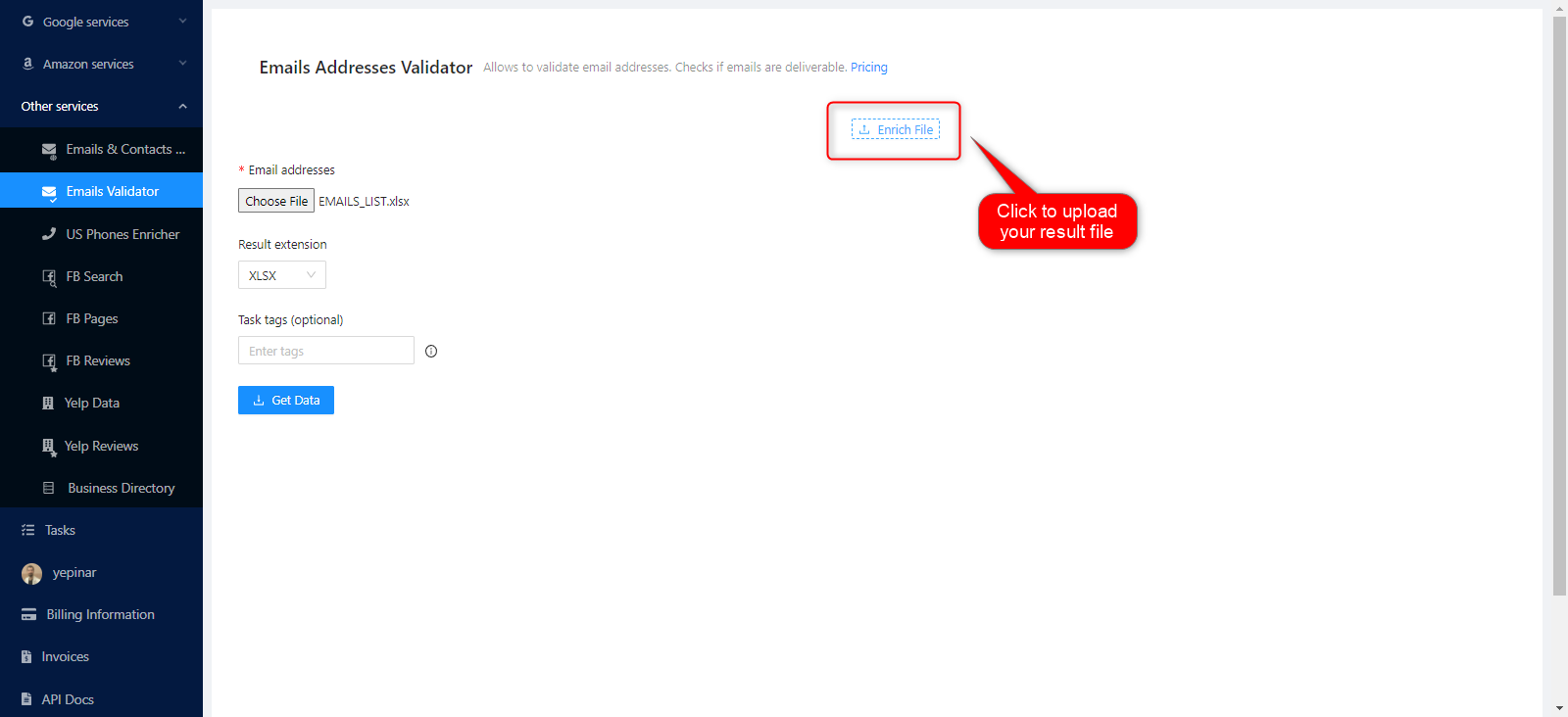
Just click the ‘Enrich File’ button and upload your file. Sample task results that you can enrich: Google Maps Data Scraper with Email Contacts Scraper Result File
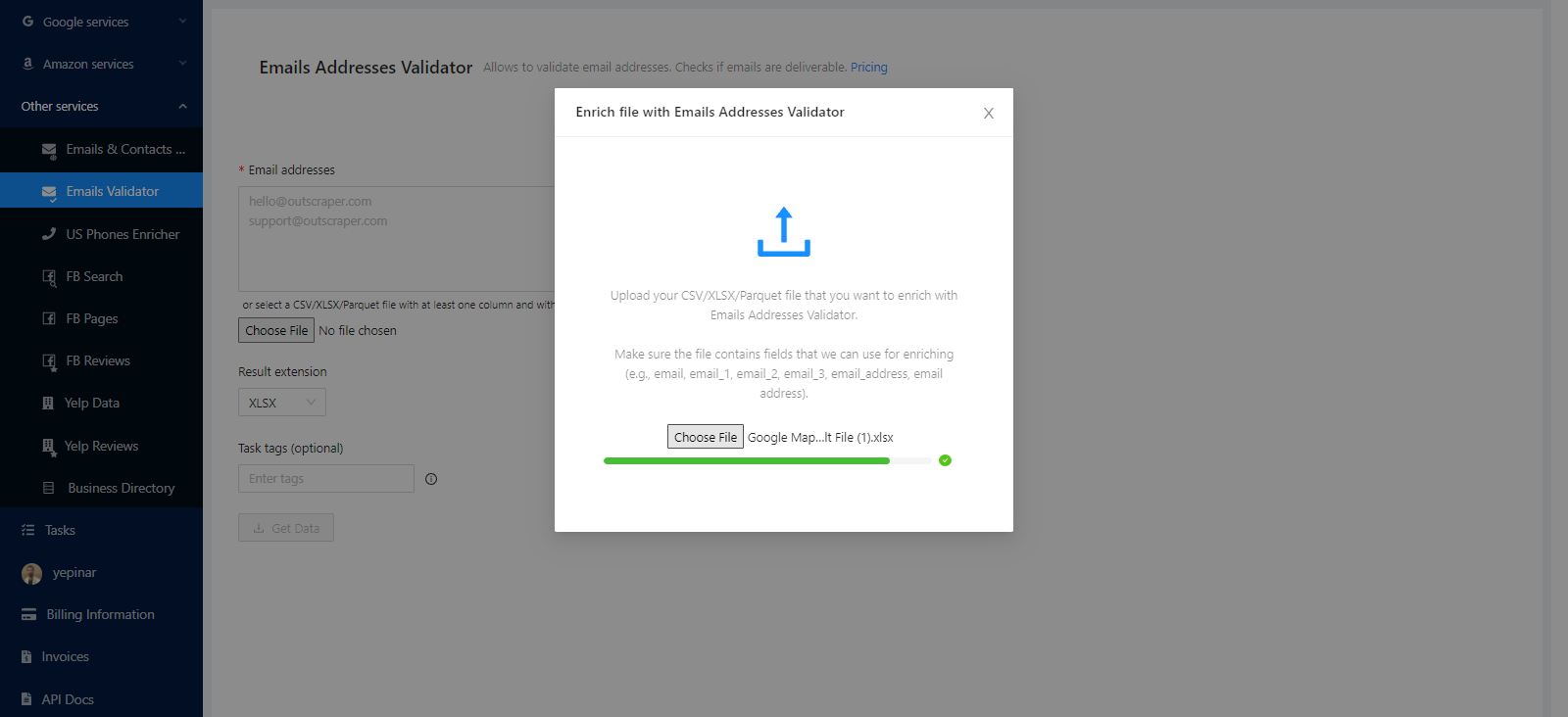
Outscraper’s Email Address Validator starts scanning to verify all emails in that file. Just be sure the file contains fields that we can use for enriching (e.g., email, email_1, email_2, email_3, email_address, email address).
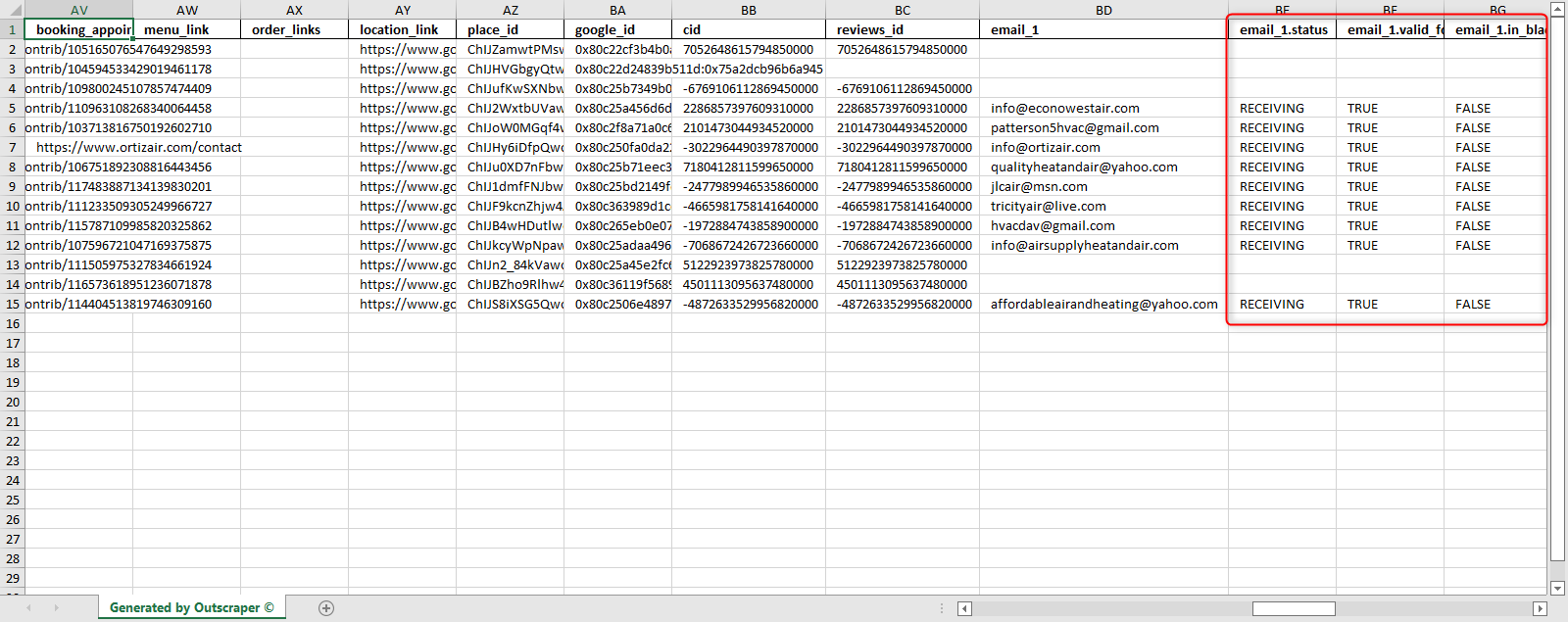
You can check the sample result file here: 20220315115154c78c_enrich_file_validator
All files that meet the file formatting conditions can be enriched for validation in this way.
Mở rộng kết quả
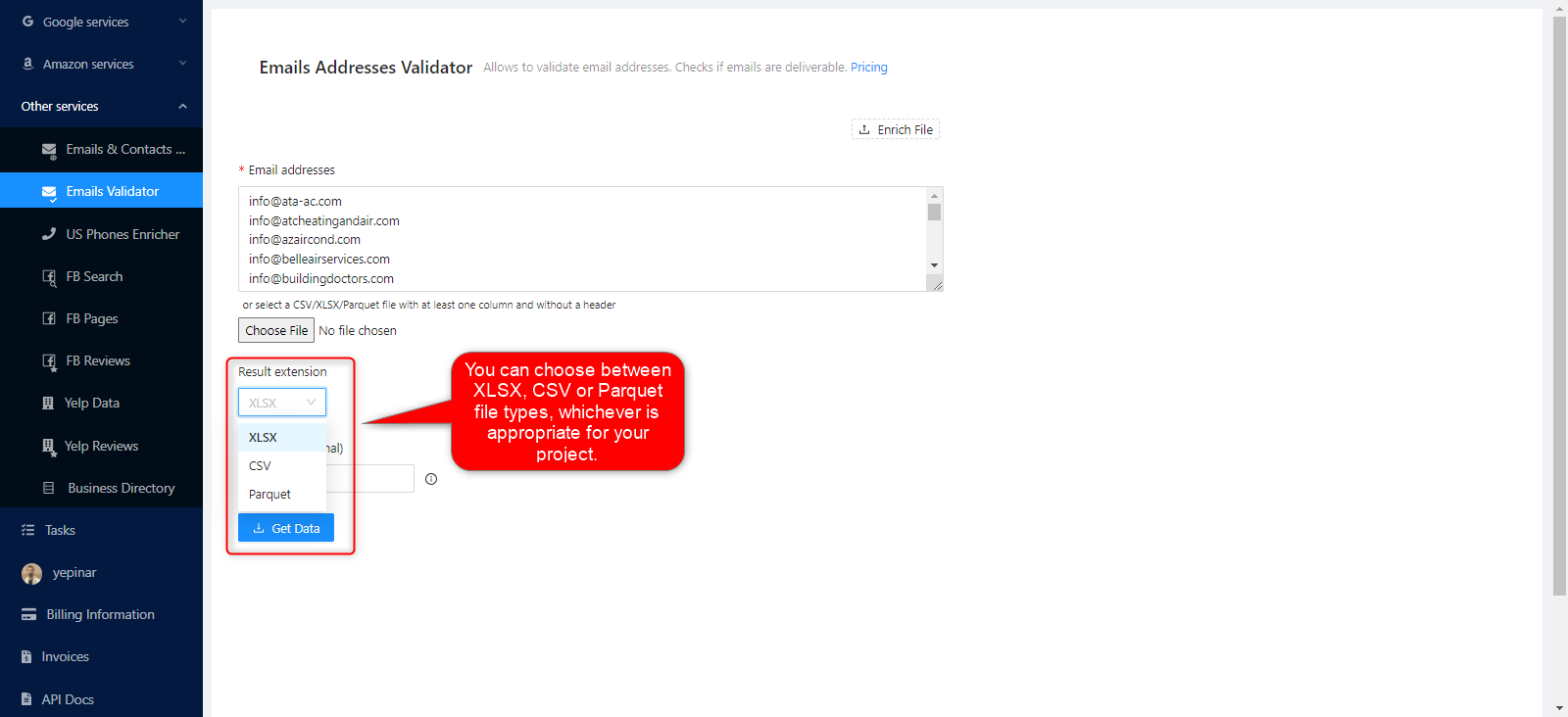
It is possible to choose the format of the results file output. You can choose between XLSX, CSV, or Parquet file types, whichever is appropriate for your project.
Thẻ nhiệm vụ
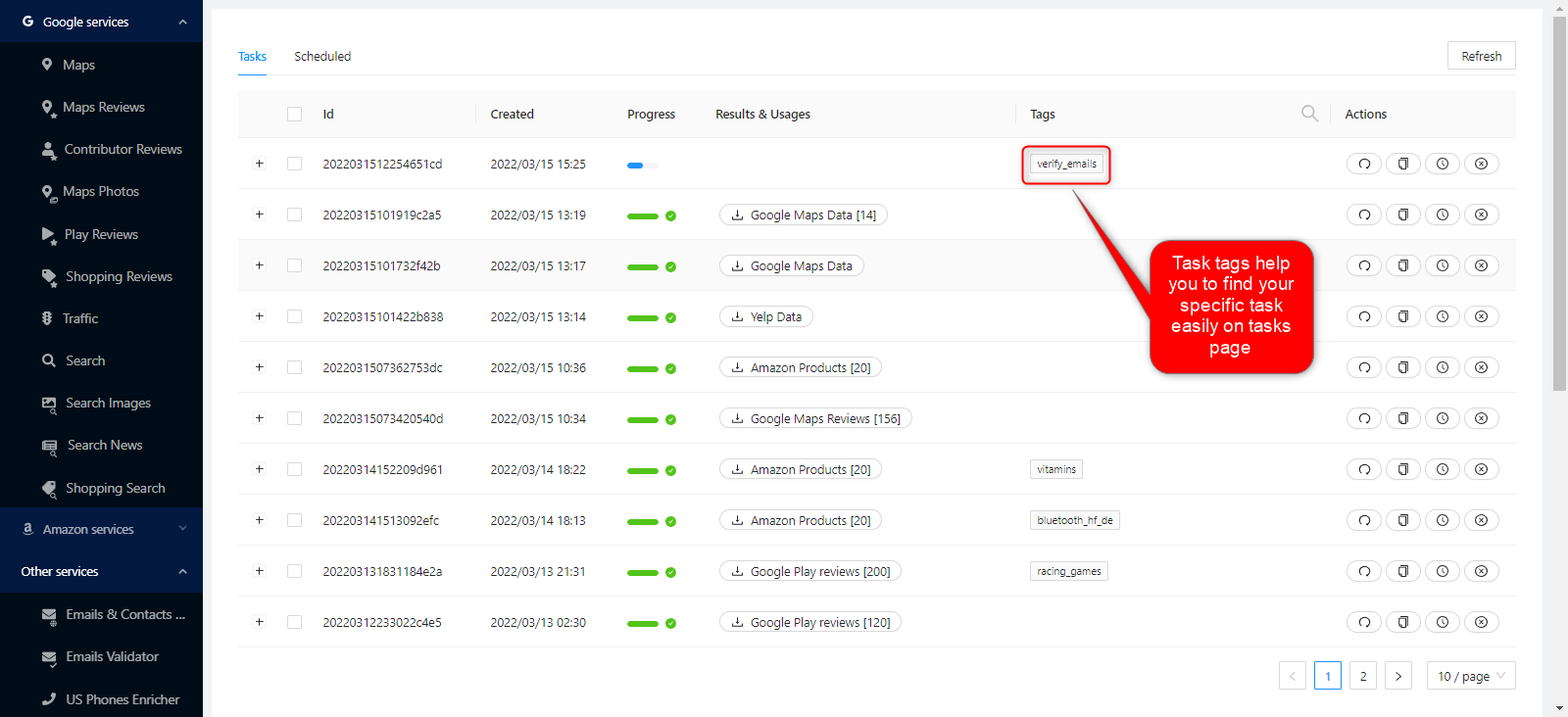
Bạn có thể sử dụng bất kỳ từ nào ở đây. Mục đích chính của nó là theo dõi kết quả trên Trang Nhiệm vụ.
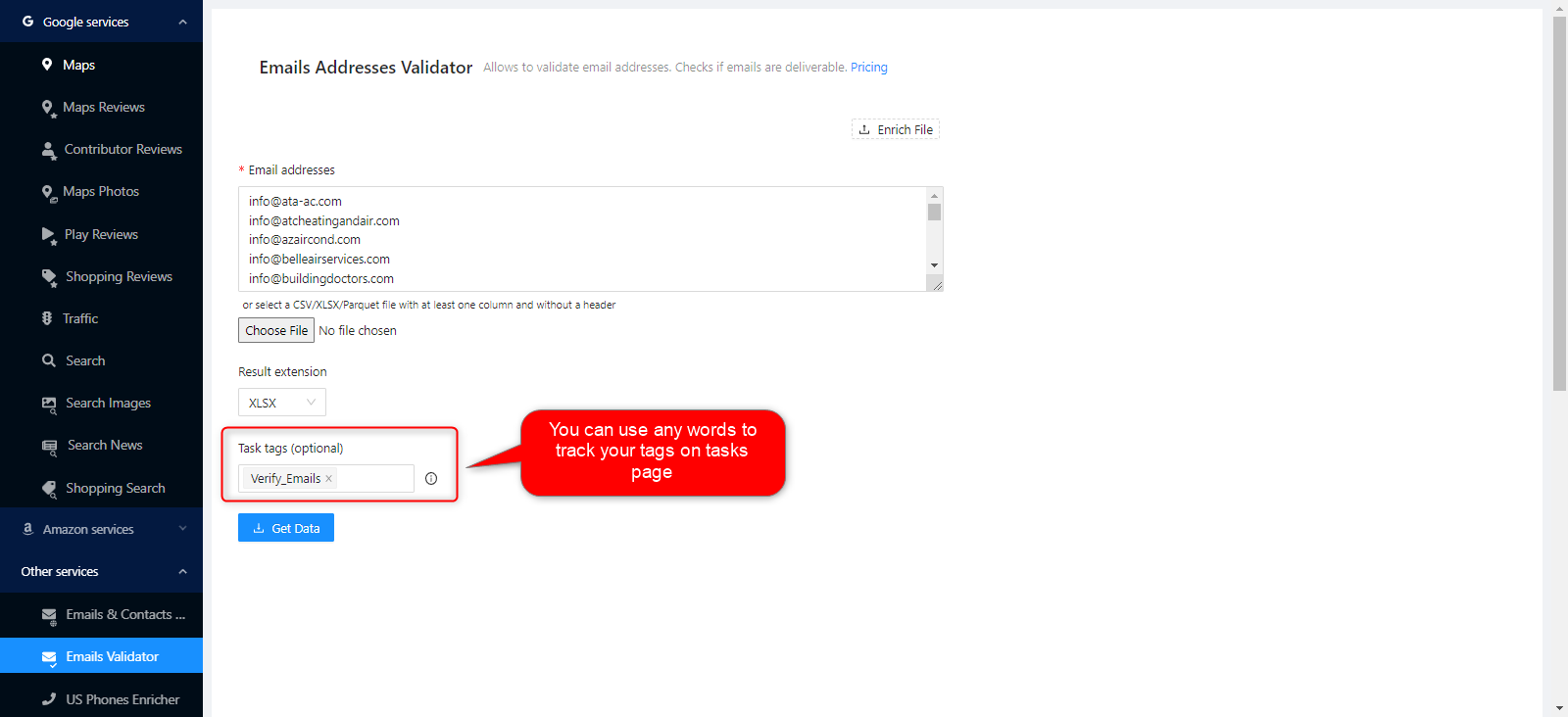
Thẻ nhiệm vụ giúp việc theo dõi và nhận diện trở nên dễ dàng.
Xác nhận nhiệm vụ của bạn
A pop-up will appear when you press the “Get Data” button. It will show you the the rough estimate of records and rough cost based on the number of queries.
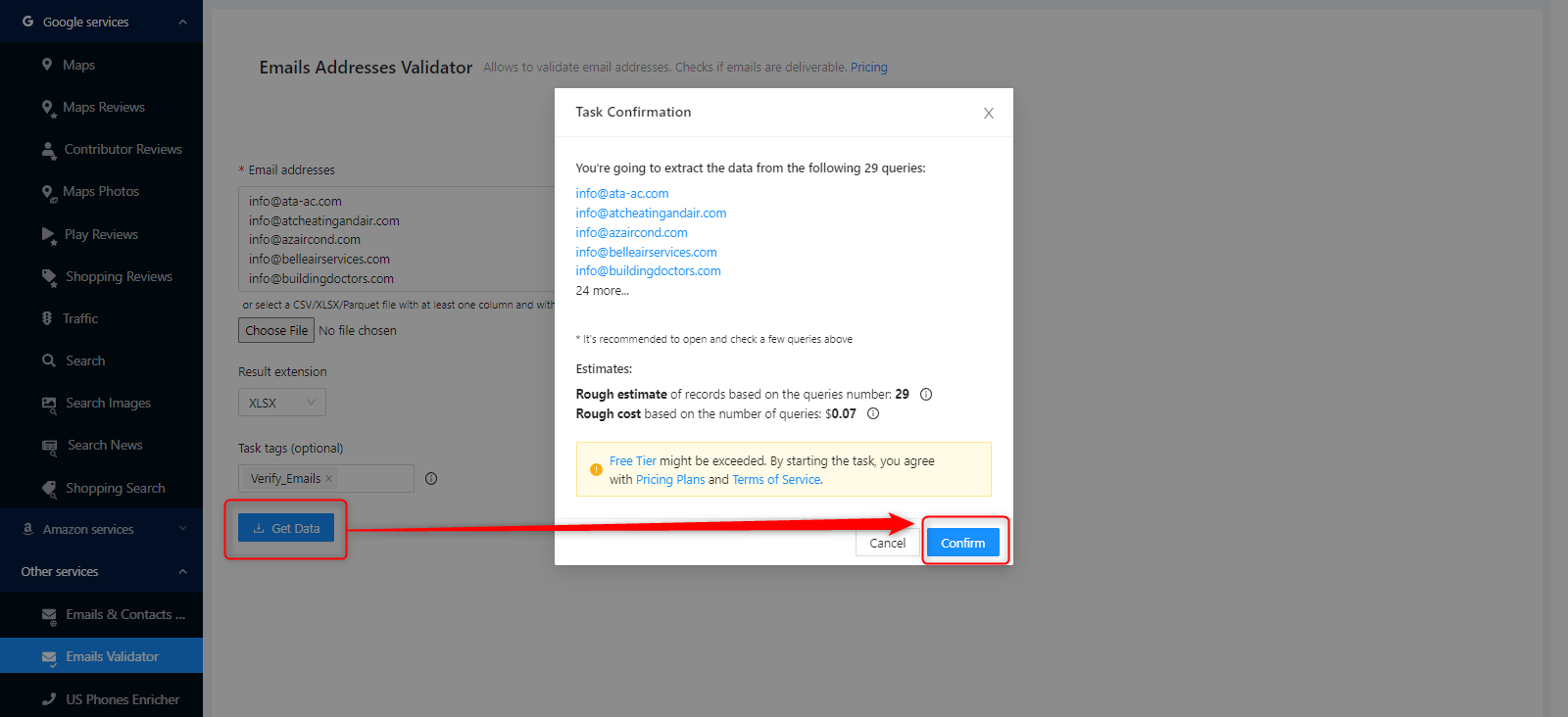
The task will be processed immediately when you click the confirm button. You can track your tasks on the tasks page anytime you want.
KẾT QUẢ
Theo dõi tiến độ công việc của bạn
All ongoing and completed tasks can be checked on this page.
Tải xuống tệp kết quả của bạn

The task results of all services can be downloaded from this page. You can find and quickly download the task you have created.
All results are stored on servers for only 30 days. We recommend that you keep the Result files on your disk for long periods.

Kiểm tra tệp kết quả của bạn
The result files that you have downloaded as XLSX files can be reviewed with a spreadsheet viewer.

Sample task result file: 2022031512254651cd_verify_emails
GIÁ CẢ
Trang giá cả và công cụ tính chi phí
Outscraper không thu phí đăng ký hàng tháng. Bạn chỉ phải trả tiền cho những gì bạn sử dụng.
Please visit our service page for pricing details about the Bulk Email Verification service.
Service Page: https://outscraper.com/bulk-email-verify/
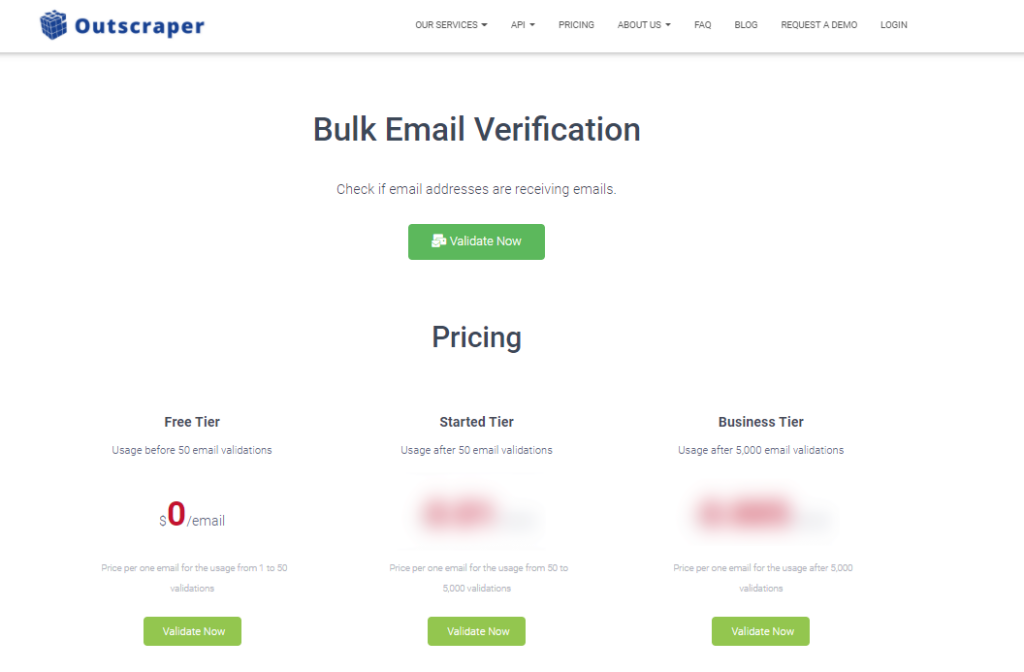
There are three different tiers for pricing. These are the Free Tier, Medium Tier, and Business Tier. Pricing for these tiers can be checked on the pricing page.
Công cụ định giá dịch vụ trên Bảng điều khiển
After registration, the “Service pricing” tool can help you with the pricing of Emails Addresses Validator (Bulk Email Verification) on the Outscraper App Dashboard.

The service pricing tool can be found in the right section.
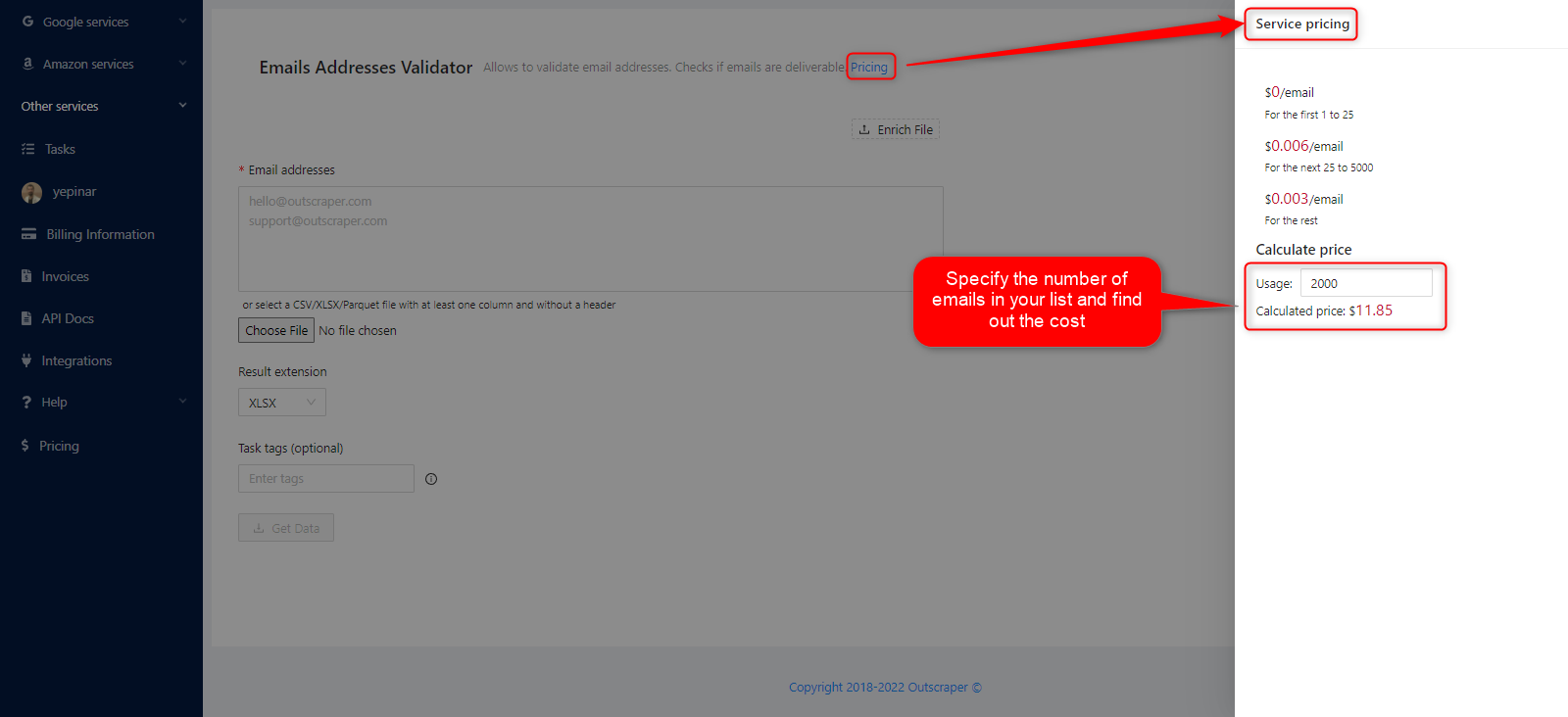
You can see how much the task will cost you if you enter how many requests you will make into the calculator.
Phương thức thanh toán
Bậc miễn phí
Hãy tận hưởng một lượng tín dụng miễn phí nhất định mỗi tháng trên Outscraper. Các tín dụng này sẽ được cập nhật hàng tháng như đã nêu trên trang giá cả.
Bạn có thể kiểm tra số lượng tín dụng miễn phí hiện có cho một dịch vụ cụ thể trên trang thông tin giá cả.
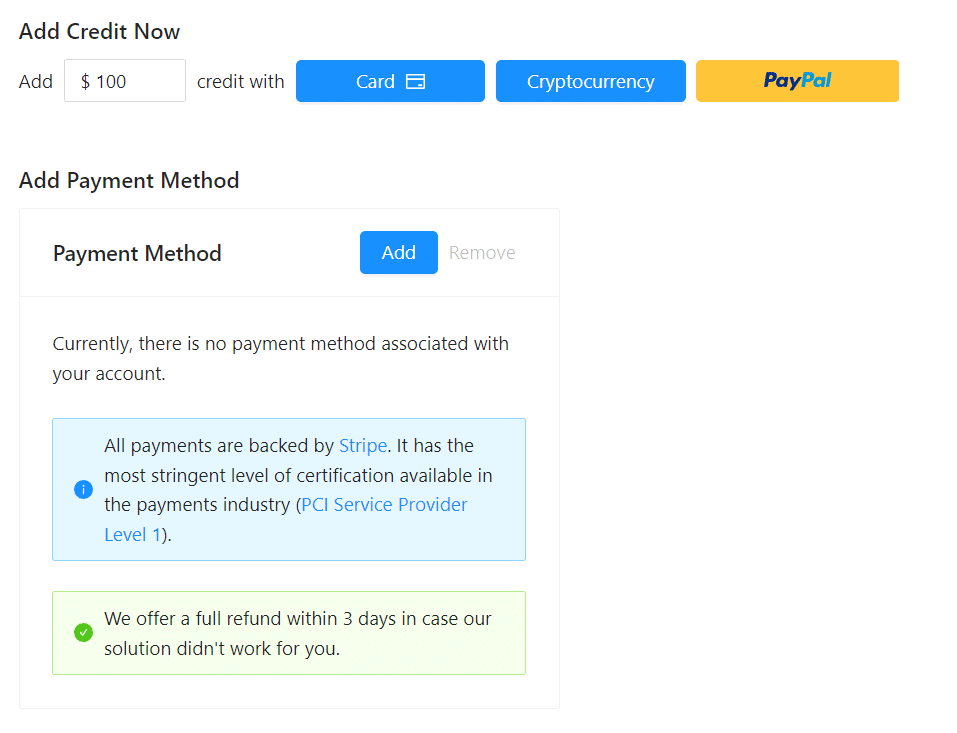
Bạn có thể sử dụng phương thức thanh toán trả trước bằng cách nạp tiền, hoặc bạn có thể thêm thông tin thẻ tín dụng và thanh toán theo hình thức trả sau vào cuối kỳ thanh toán. Vui lòng truy cập trang Thông tin thanh toán để chọn phương thức thanh toán của bạn.
Trả trước - Nạp tiền
Hãy nạp tiền vào tài khoản của bạn để bắt đầu sử dụng Outscraper. Số tiền nạp tối thiểu là 10 USD. Bạn có thể nạp bao nhiêu tiền tùy thích và sử dụng chúng bất cứ lúc nào bạn muốn.
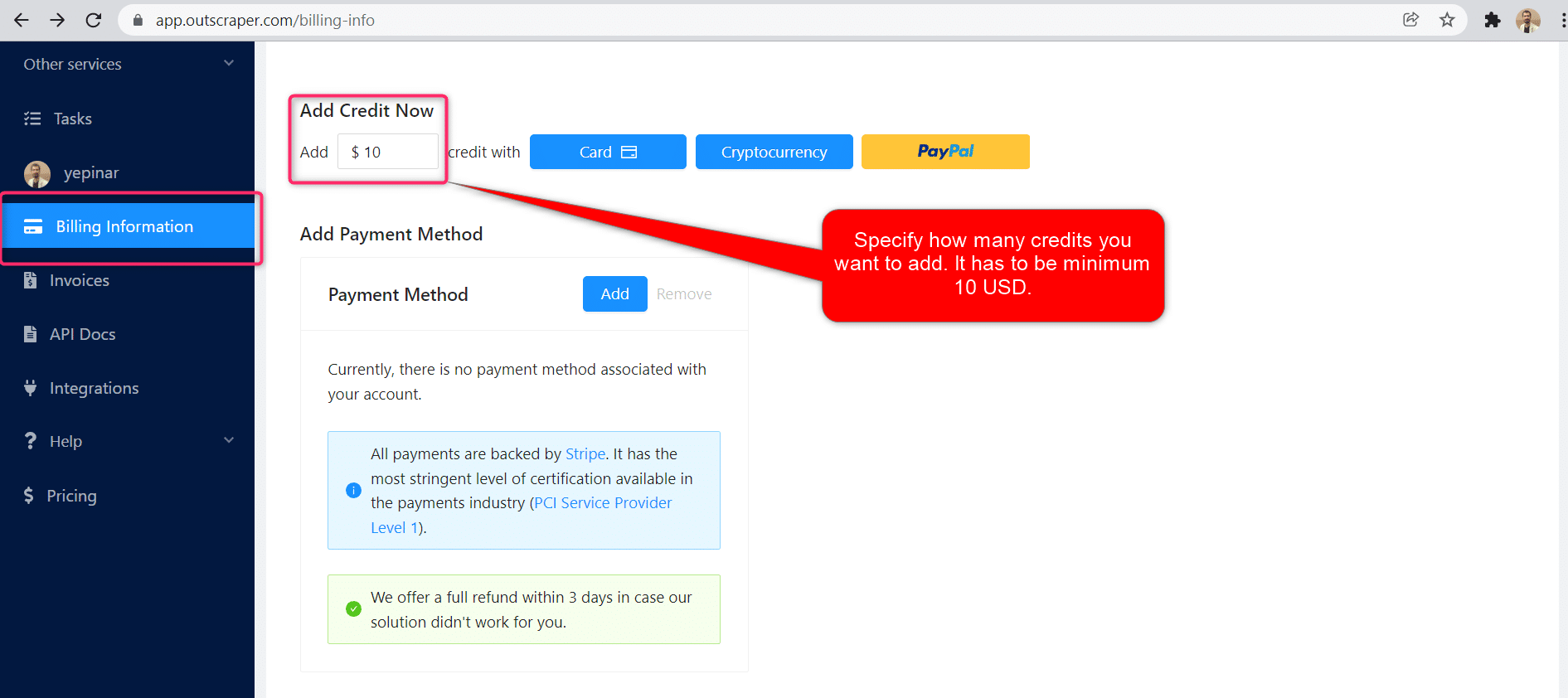
Có thể nạp tiền vào tài khoản bằng thẻ tín dụng, tiền điện tử hoặc PayPal.
Dịch vụ trả sau - Thêm thẻ tín dụng
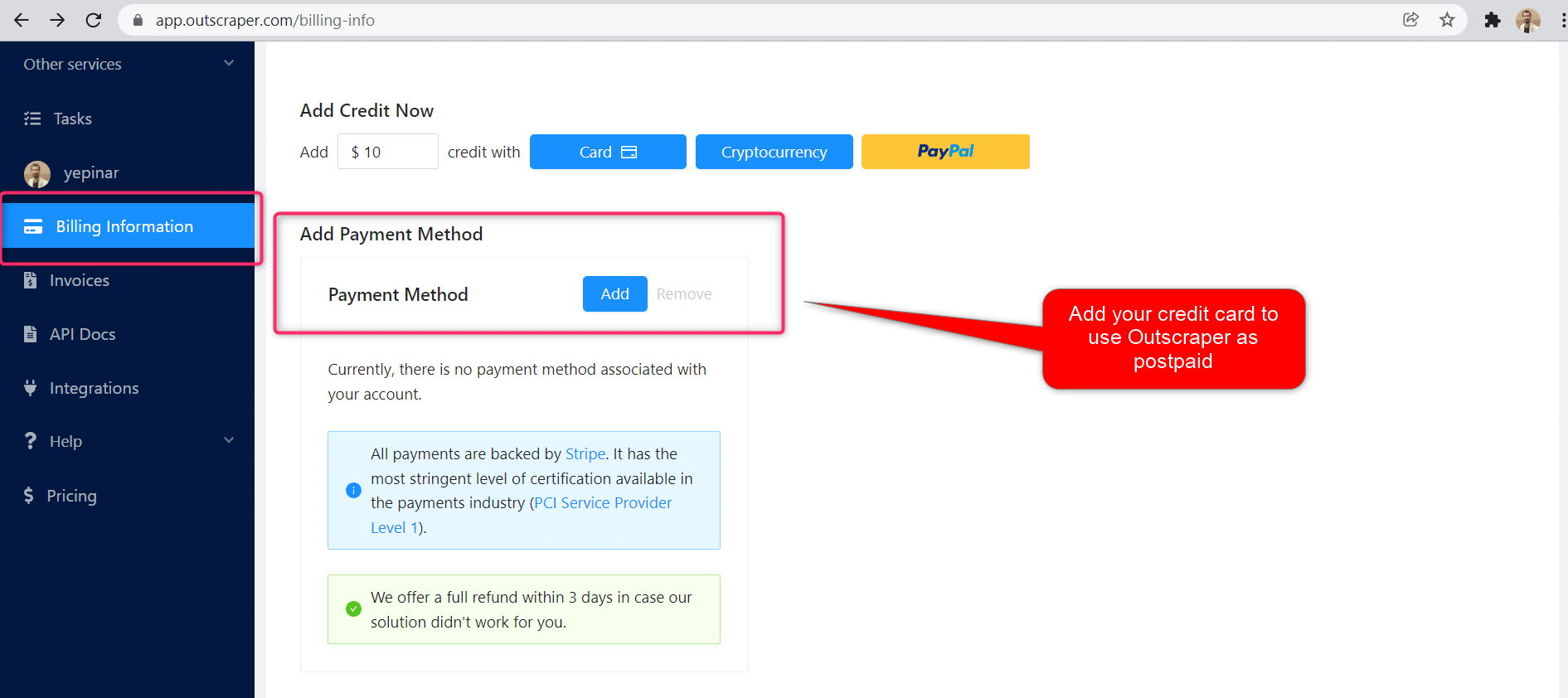
Với phương thức trả trước, bạn phải thanh toán trước rồi mới sử dụng, còn với phương thức trả sau, bạn chỉ cần cung cấp thông tin thẻ tín dụng là có thể bắt đầu sử dụng ngay. Bạn sẽ thanh toán khi kỳ thanh toán kết thúc.
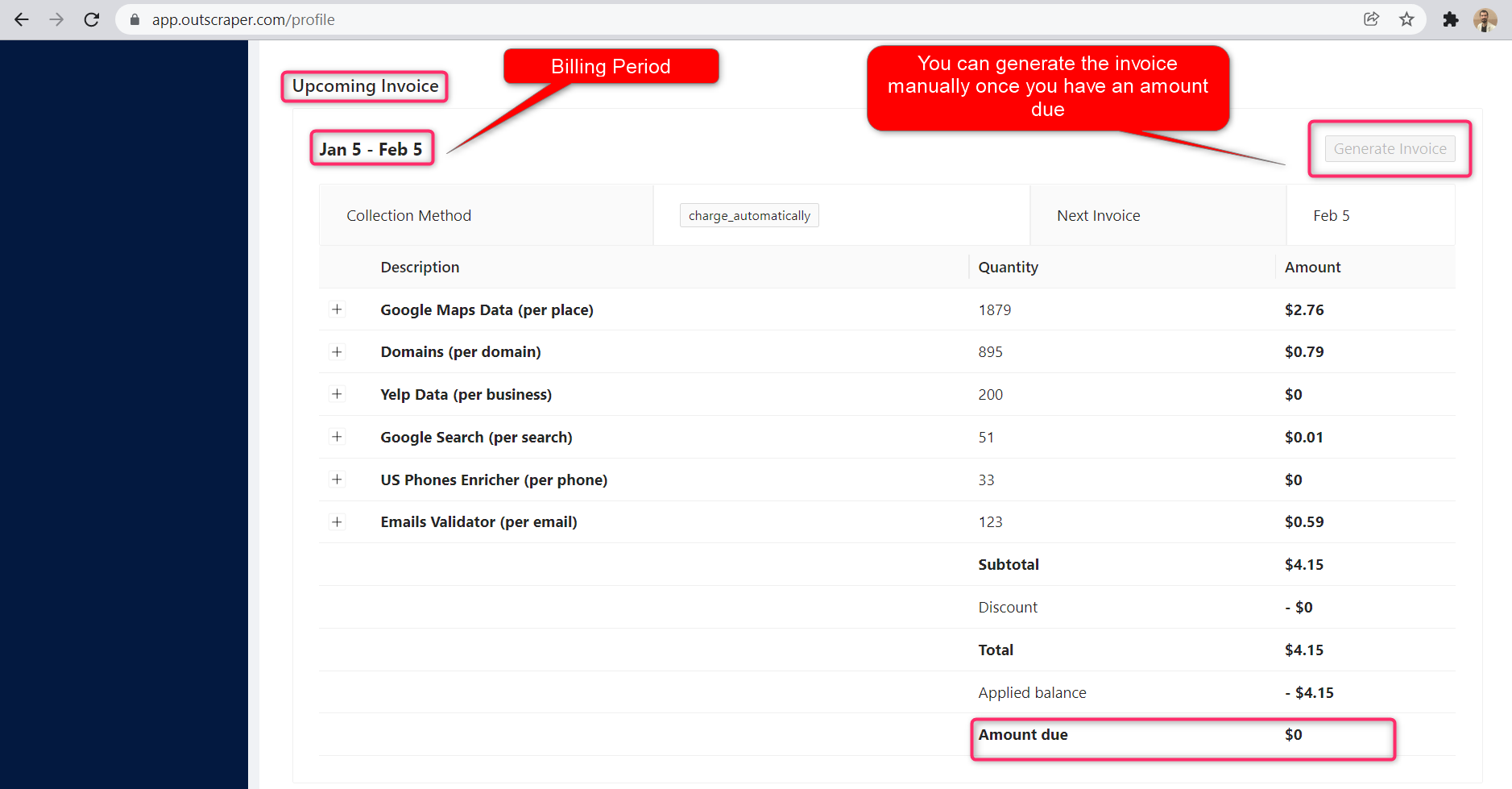
Kỳ thanh toán
Thông tin về ngày bắt đầu và ngày kết thúc kỳ thanh toán có thể được tìm thấy trên trang hồ sơ. Bạn cũng có thể theo dõi số tiền của hóa đơn sắp tới tại đó. Nếu muốn, bạn có thể tạo hóa đơn thủ công ngay khi đã có số tiền phải thanh toán.
Outscraper YouTube Channel
Hãy theo dõi chúng tôi trên YouTube

Câu hỏi thường gặp
Các câu hỏi và câu trả lời thường gặp nhất
If you have a list with email addresses and you want to verify the list in bulk, you need an online service. Outscraper’s Bulk Email Verification service provides this service. Just upload the entire list to the service. The service will automatically verify all email addresses.
Outscraper offers a bulk email verification service. It also gives certain free credits monthly as part of the “Free Tier”. Taking advantage of these credits allows you to verify bulk email addresses for free every month.
For validating a list of email addresses, you need an online service. Outscraper provides this online service. You can validate all email addresses in your list with Outscraper’s Bulk Email Verification service.



0 Comments