جدول المحتويات
SIGN UP
إنشاء حساب
Visit the Google Play Reviews Scraper page to sign up now.
Enter your preferred email address and password then click تابع. إذا كنت ترغب في ذلك، يمكنك أيضًا التسجيل مباشرةً باستخدام حساباتك على Google وFacebook وLinkedIn. (Skip this part if you have already an account. Click Log in using your credentials.)

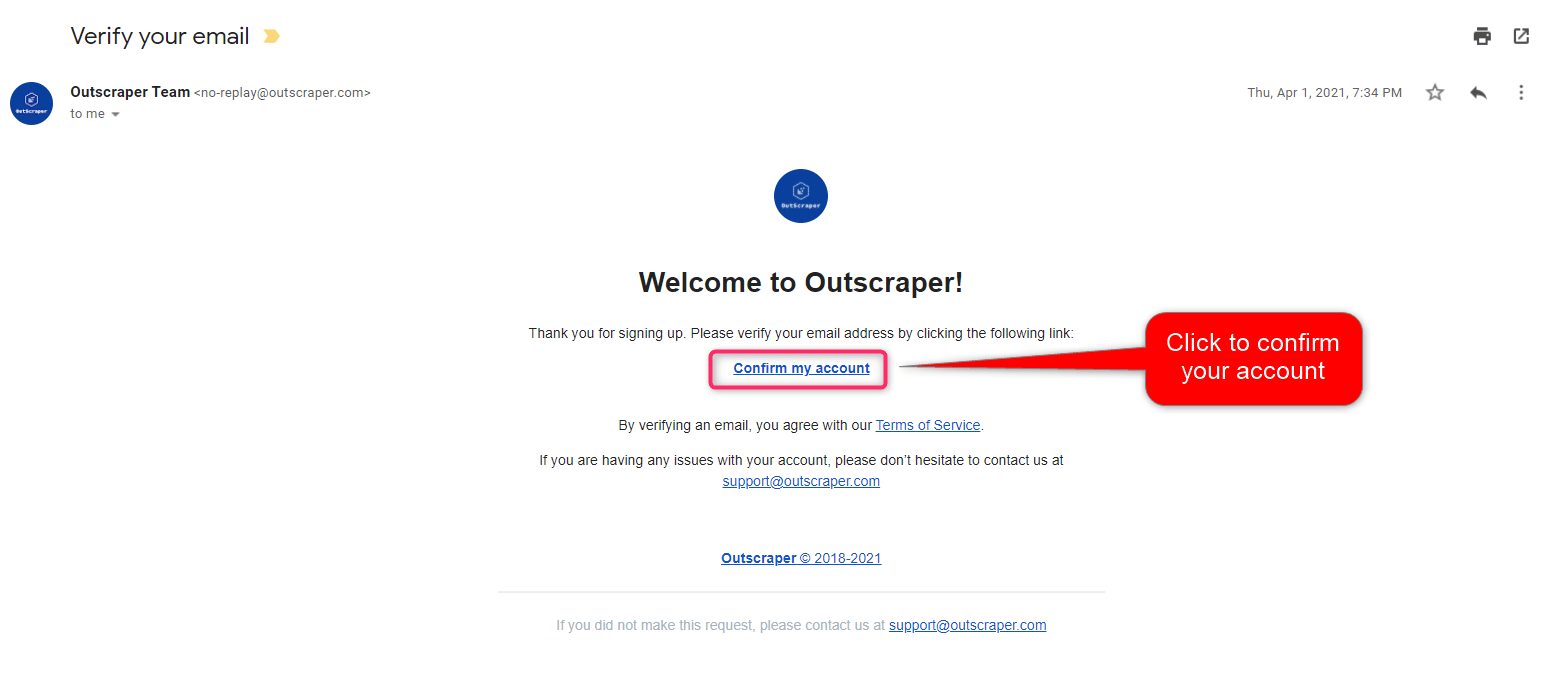
تأكيد بريدك الإلكتروني
ستصلك رسالة بالبريد الإلكتروني لتأكيد حسابك بالنقر على رابط "تأكيد حسابي" الموجود في البريد الإلكتروني.
CREATING TASKS AND PARAMETERS
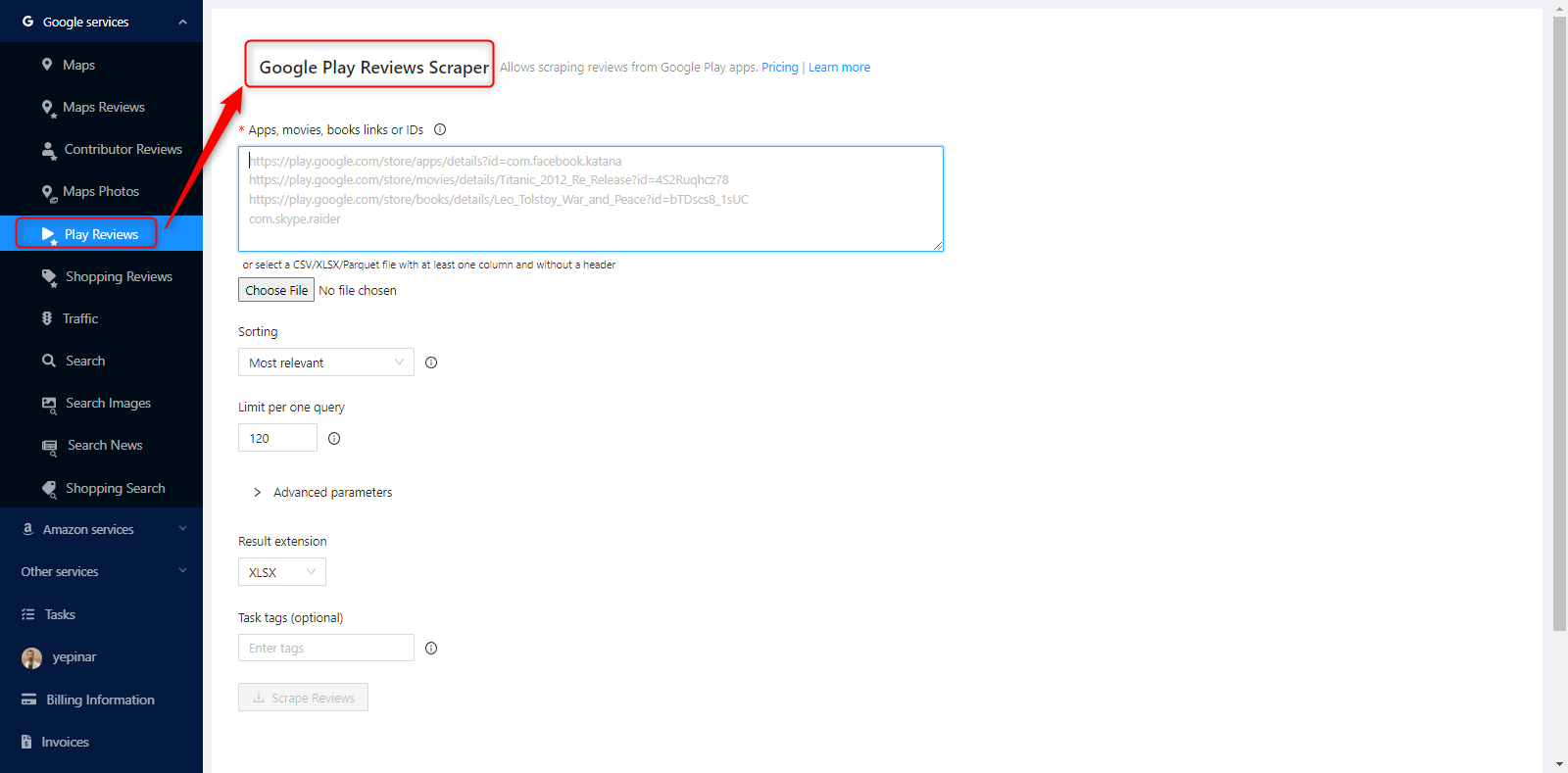
Start by selecting Google Services>Play Reviews service from the left panel and open the مكشطة Google Play Reviews الخدمة.
You need to fill few parameters to create your task.
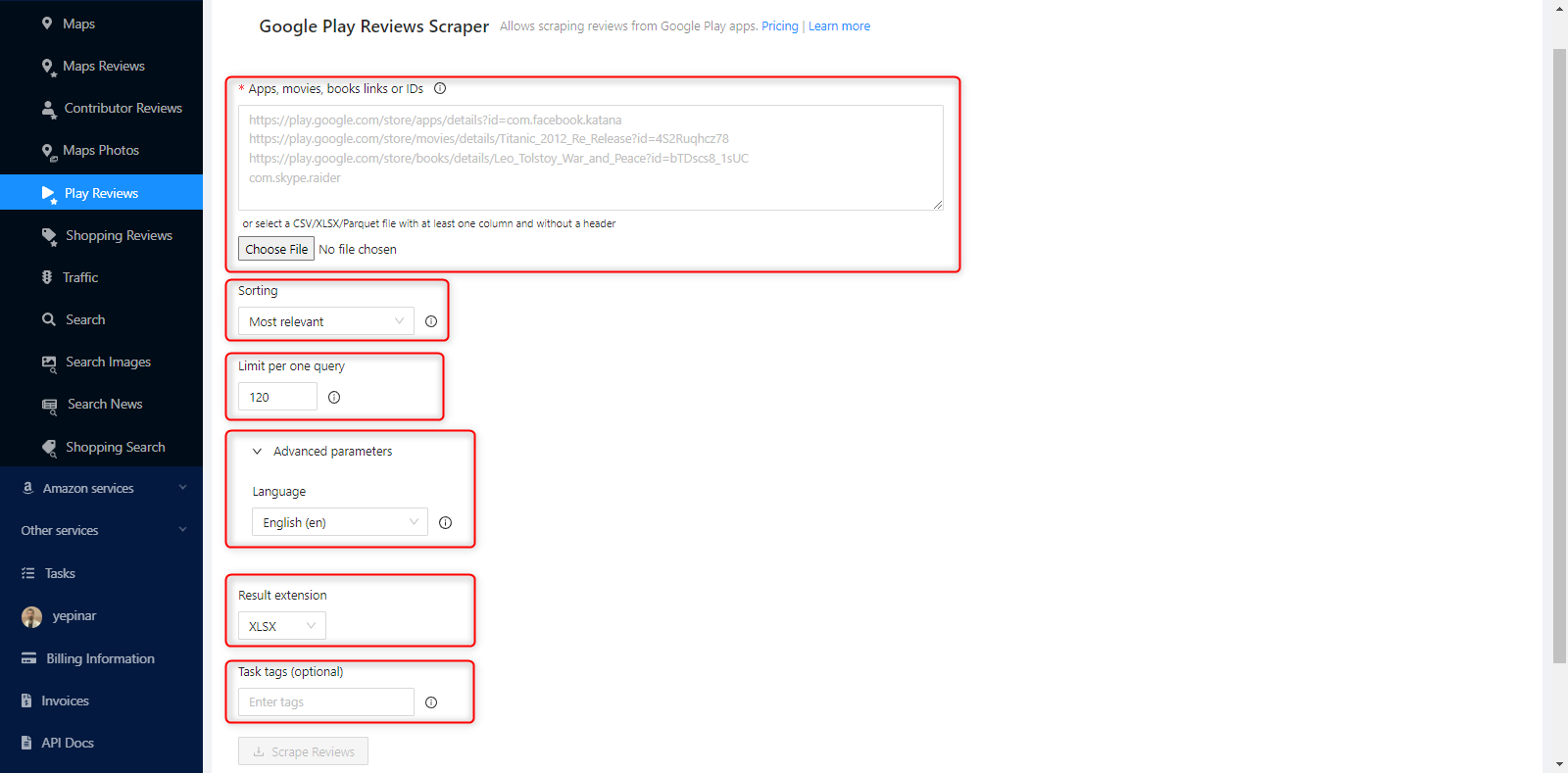
Apps, Movies, Books Links or IDs
Copy & Paste Google Play Links
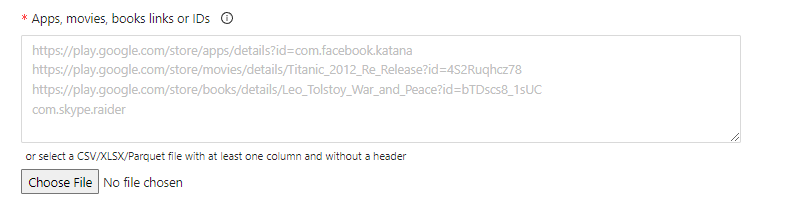
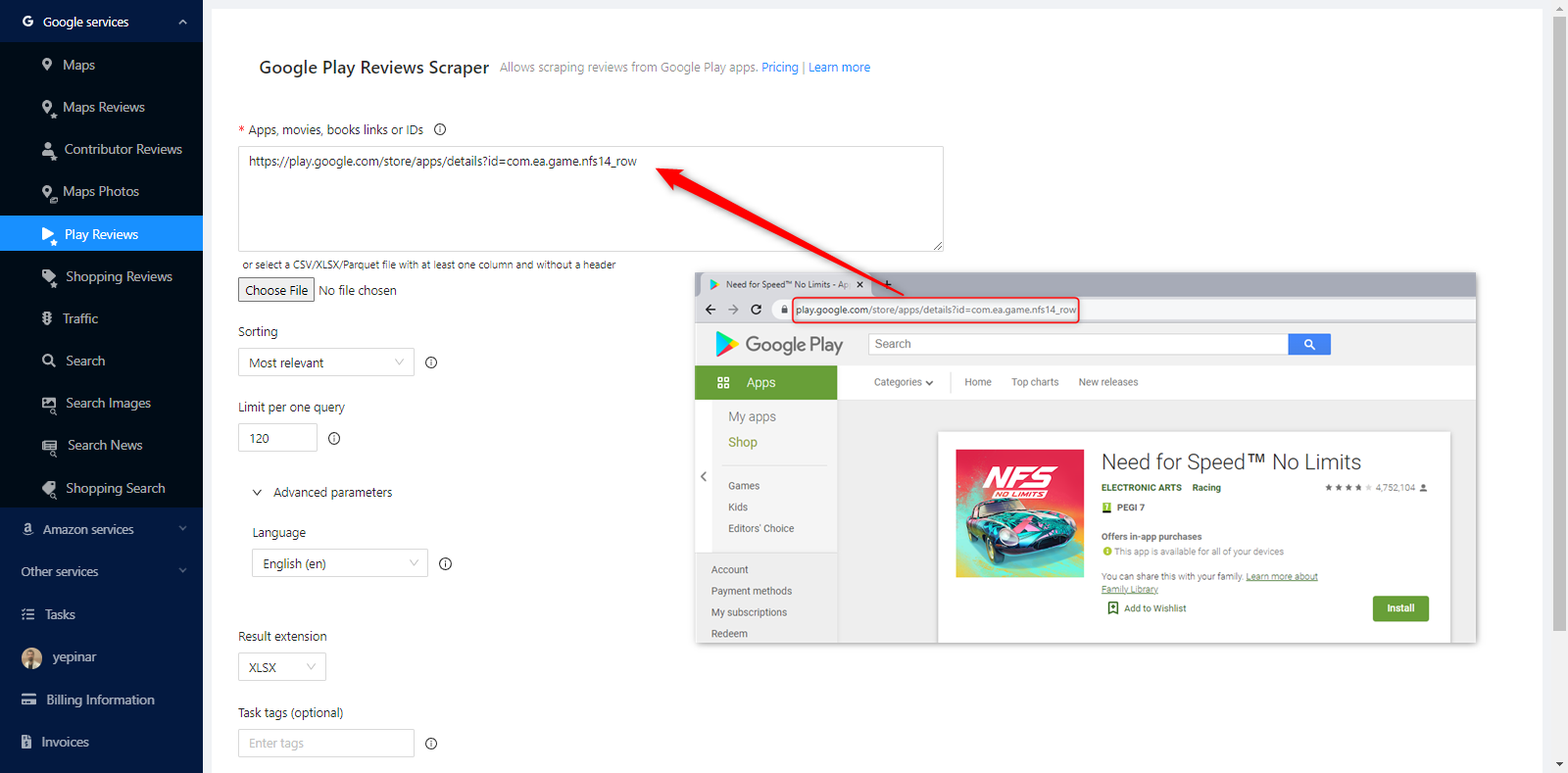
All you need to use Google Play Reviews Scraper is the Google Play link. This can be a link for a book, app, game or movie. When you select a product on Google Play, just copy the link shown in the browser and paste it into the “Apps, Movies, Books Links or IDs” box.
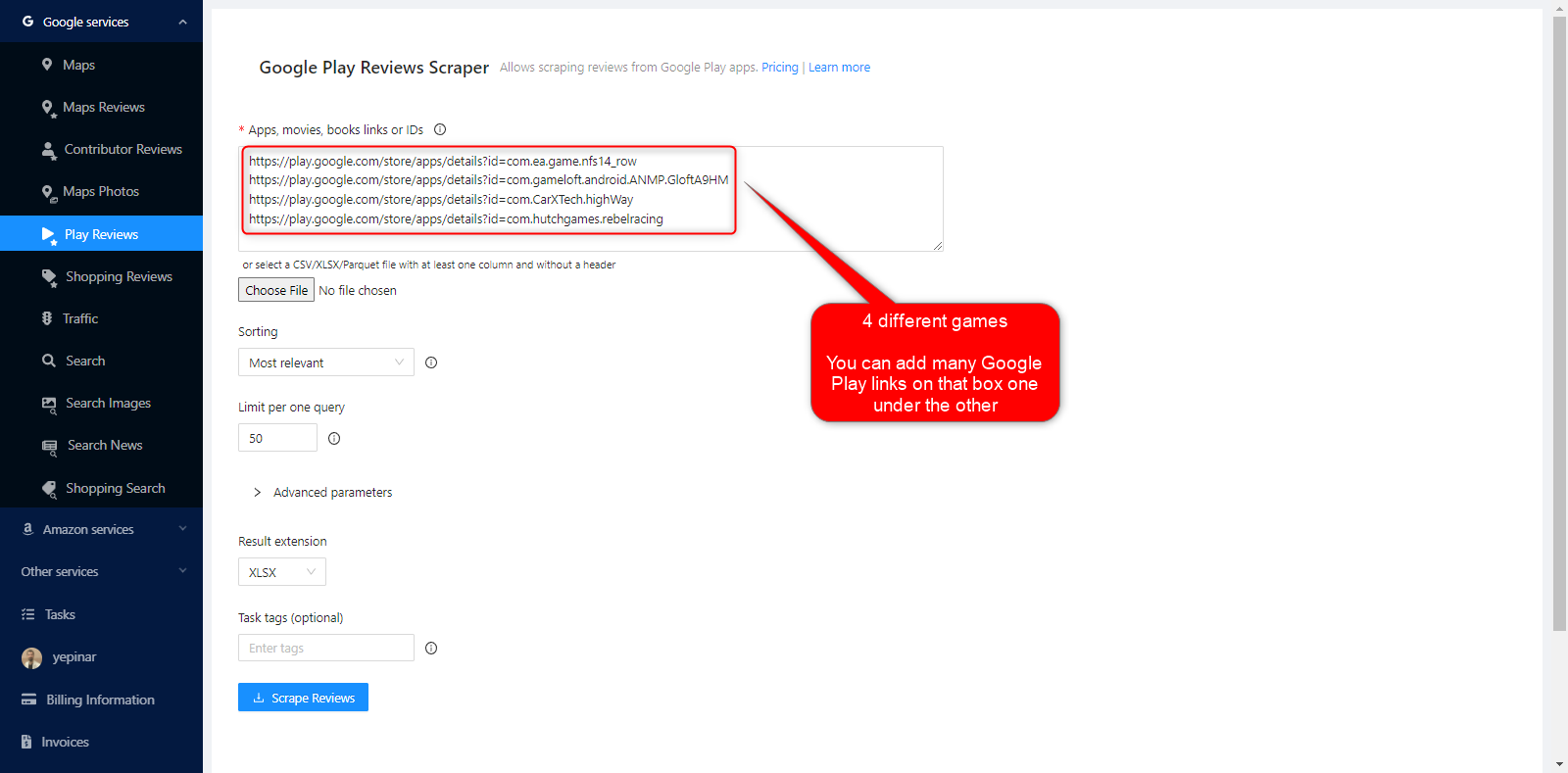
You can add many Google Play links to that box one under the other.
Uploading the File Containing the Links
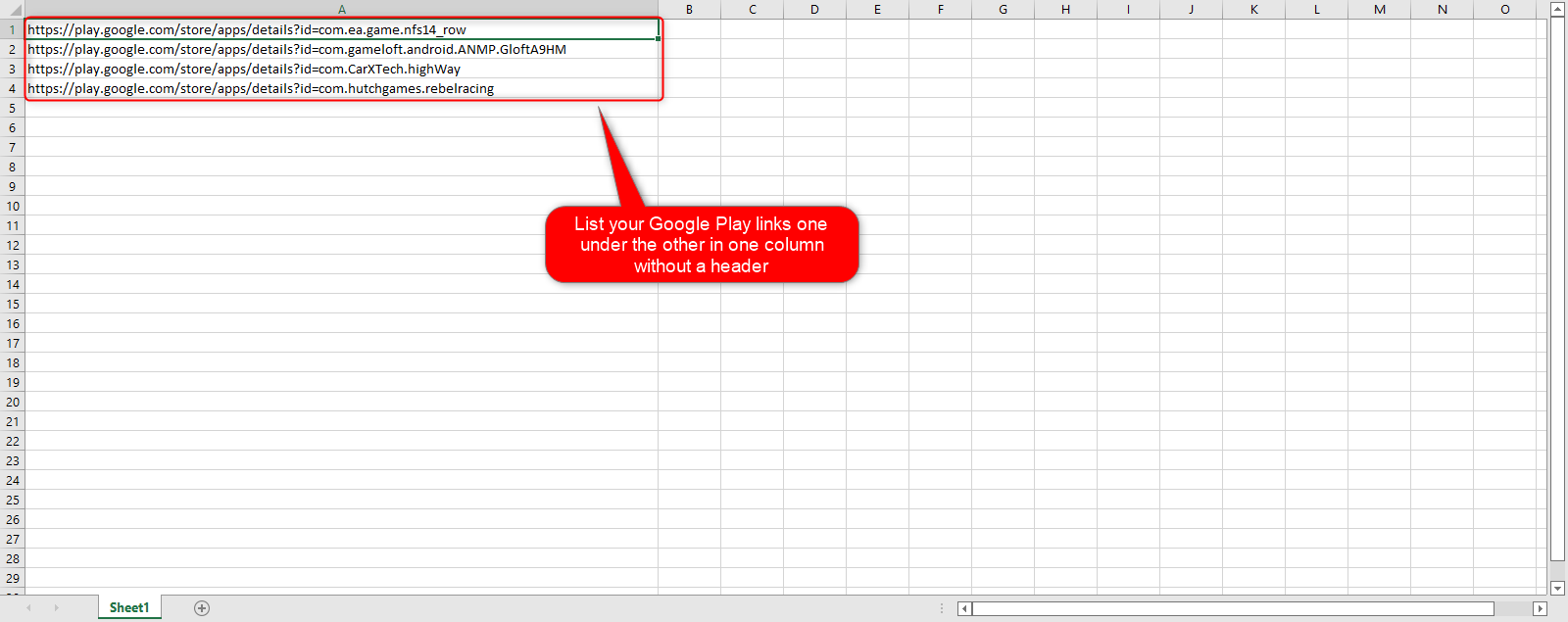
A file containing all the links can also be uploaded instead of copying and pasting. To use the Google Play Reviews Scraper service. This file can be in CSV/XLSX/Parquet and TXT format and the file needs to have at least one column with links without a header.
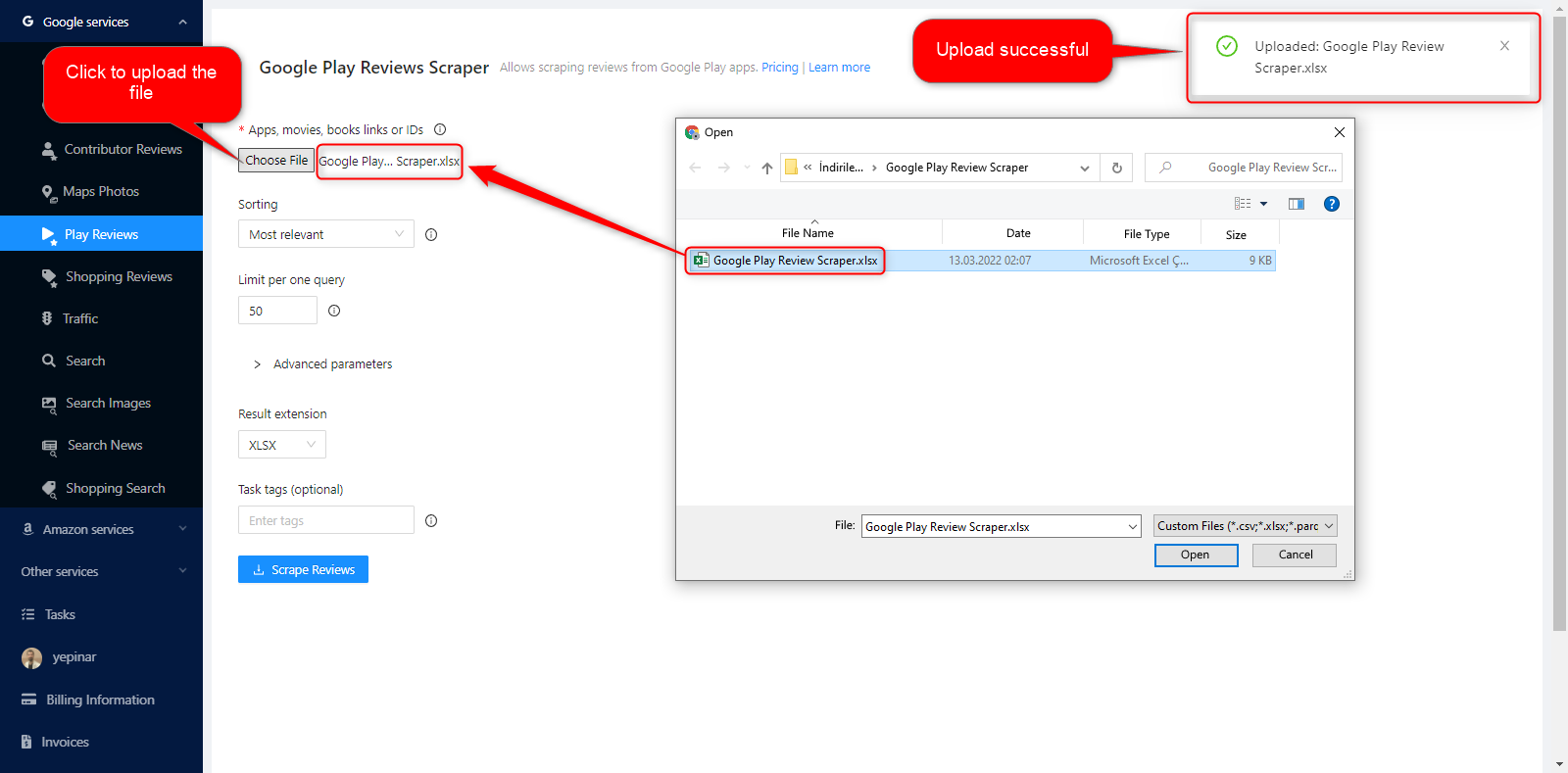
When the file is uploaded, a notification will appear at the top right. It can be confirmed from both points that the file has been uploaded successfully.
فرز
There are 3 options to set the sorting parameter. Most relevant, Newest and Rating.

You can check how these options work on Google Play.

Most Relevant
Most relevant comments are the most appropriate comments shown to users according to the conditions determined by Google. When you select the Most relevant filter, you do not need to select anything else. Outscraper will automatically scrape the most relevant comments.

Newest
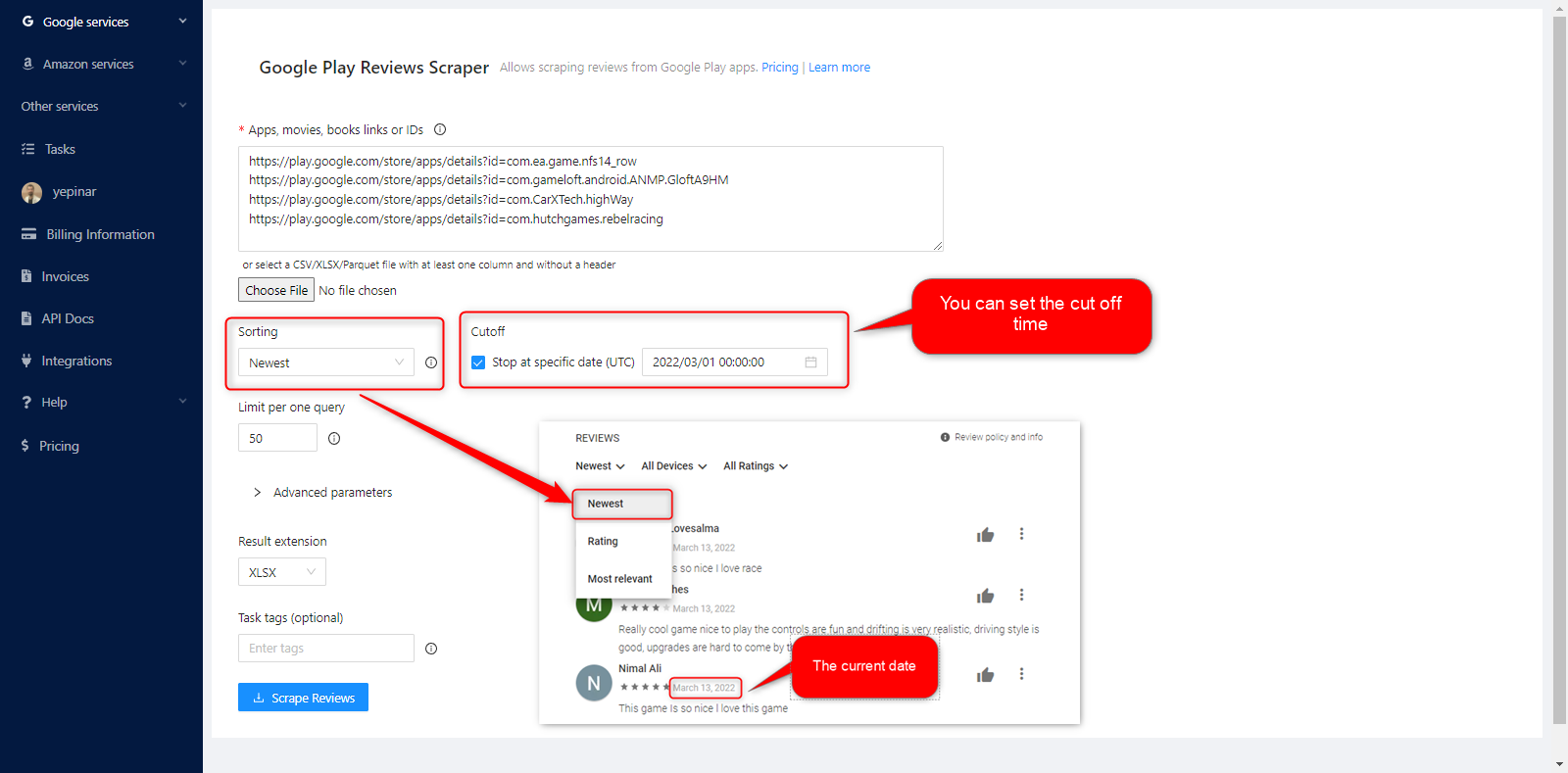
Most recent comments will be scraped by referencing the current date the task was created. If you select the cut off option, it is possible to select the date which the scraping service will stop.
التقييم
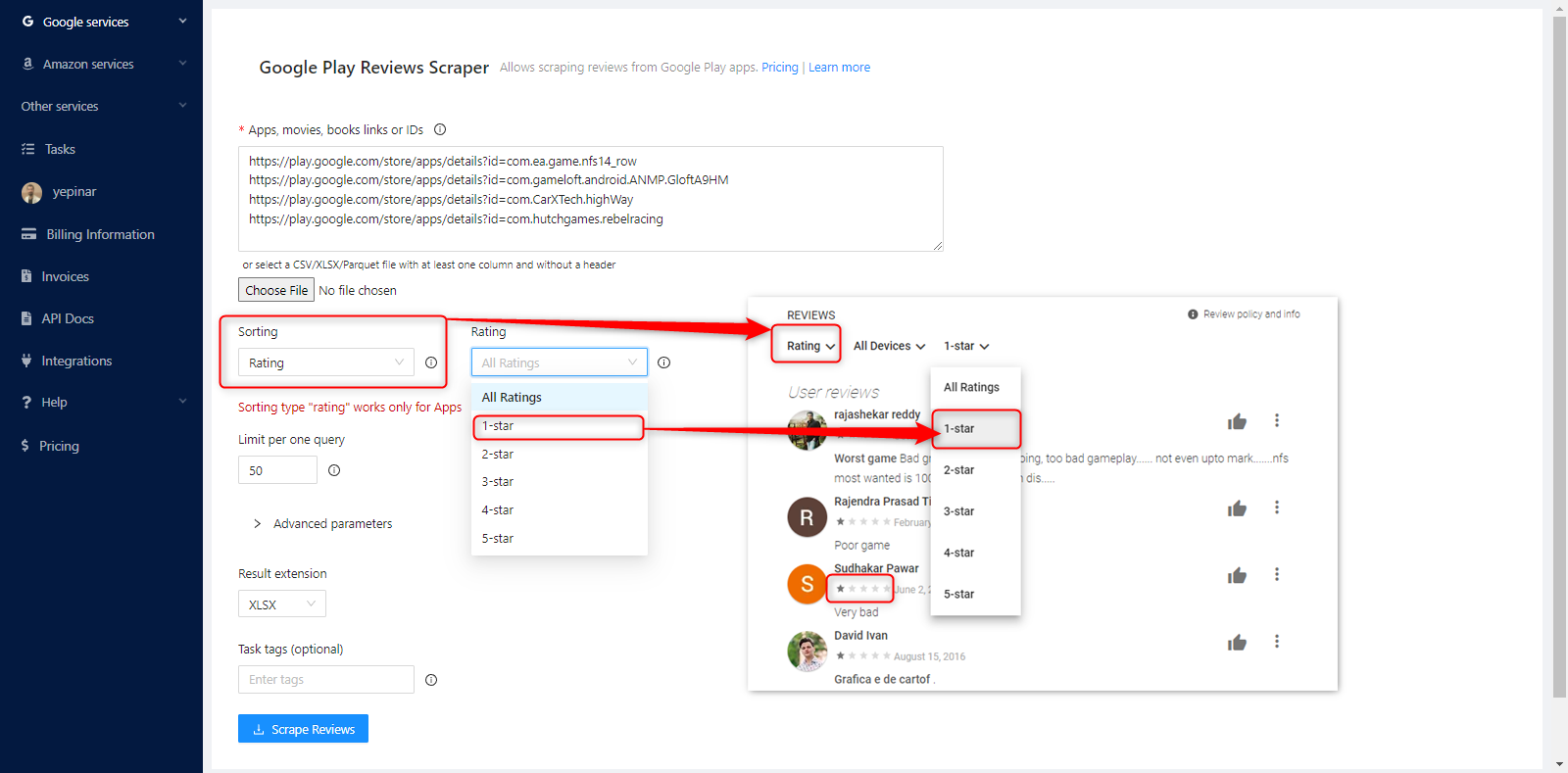
Rating parameter is used to scrape only the reviews of a certain number of stars. This sorting type works only with Apps.
Limit Per One Query
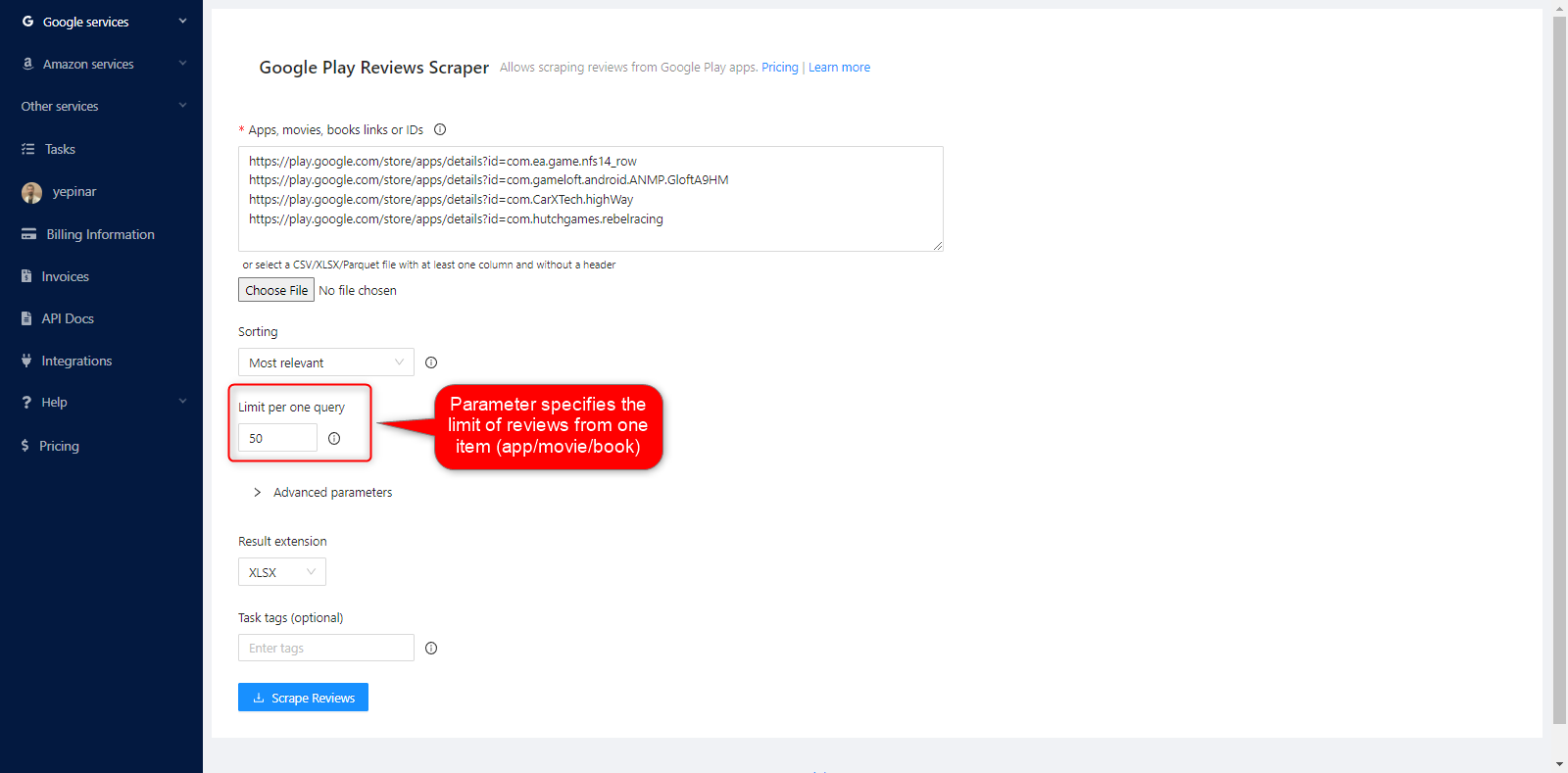
Here you can decide how many reviews will be scrapped for each app (link). 0 means all comments will be scraped. Any limit can be defined.
المعلمات المتقدمة
اللغة
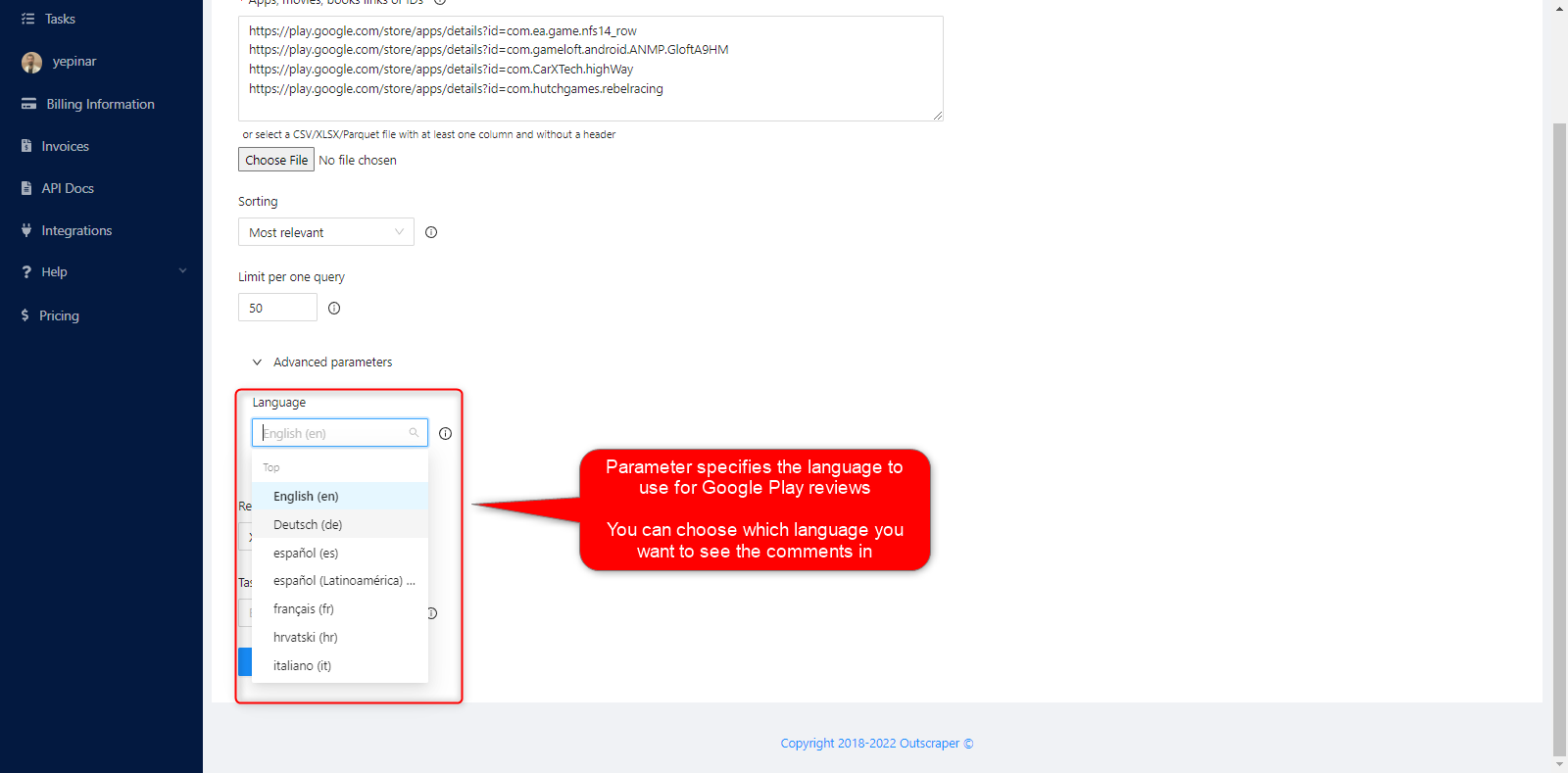
Parameter specifies the language to use for Google Play reviews. You can choose which language you want to see the comments in.
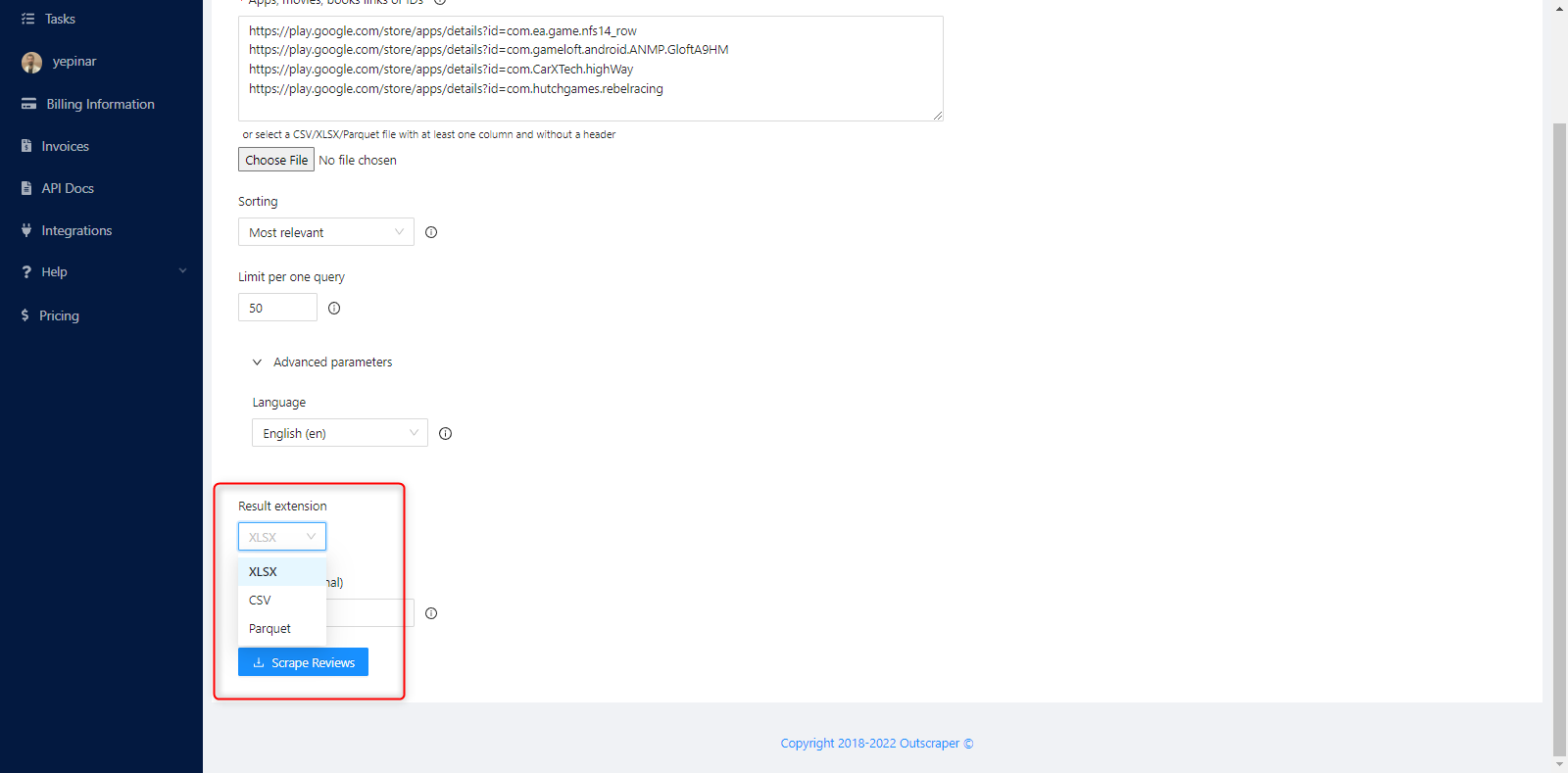
Result Extension
Results file extension can have 3 types of file formats. It is available for download in XLSX, CVS and Parquet formats.
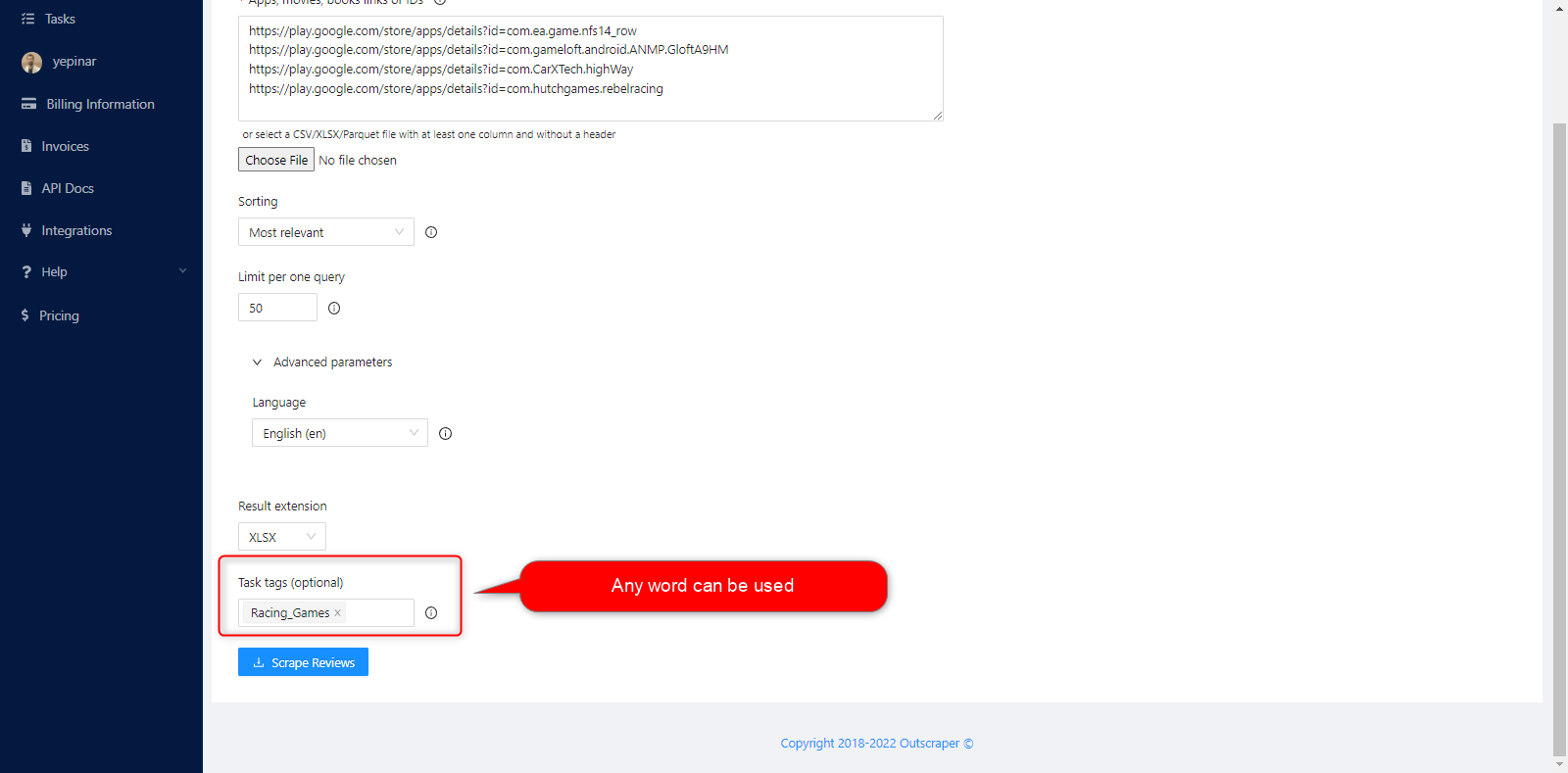
Task Tag
Any word can be written in the task tag section. The specified task tag makes it easy to follow the created task on the tasks page.
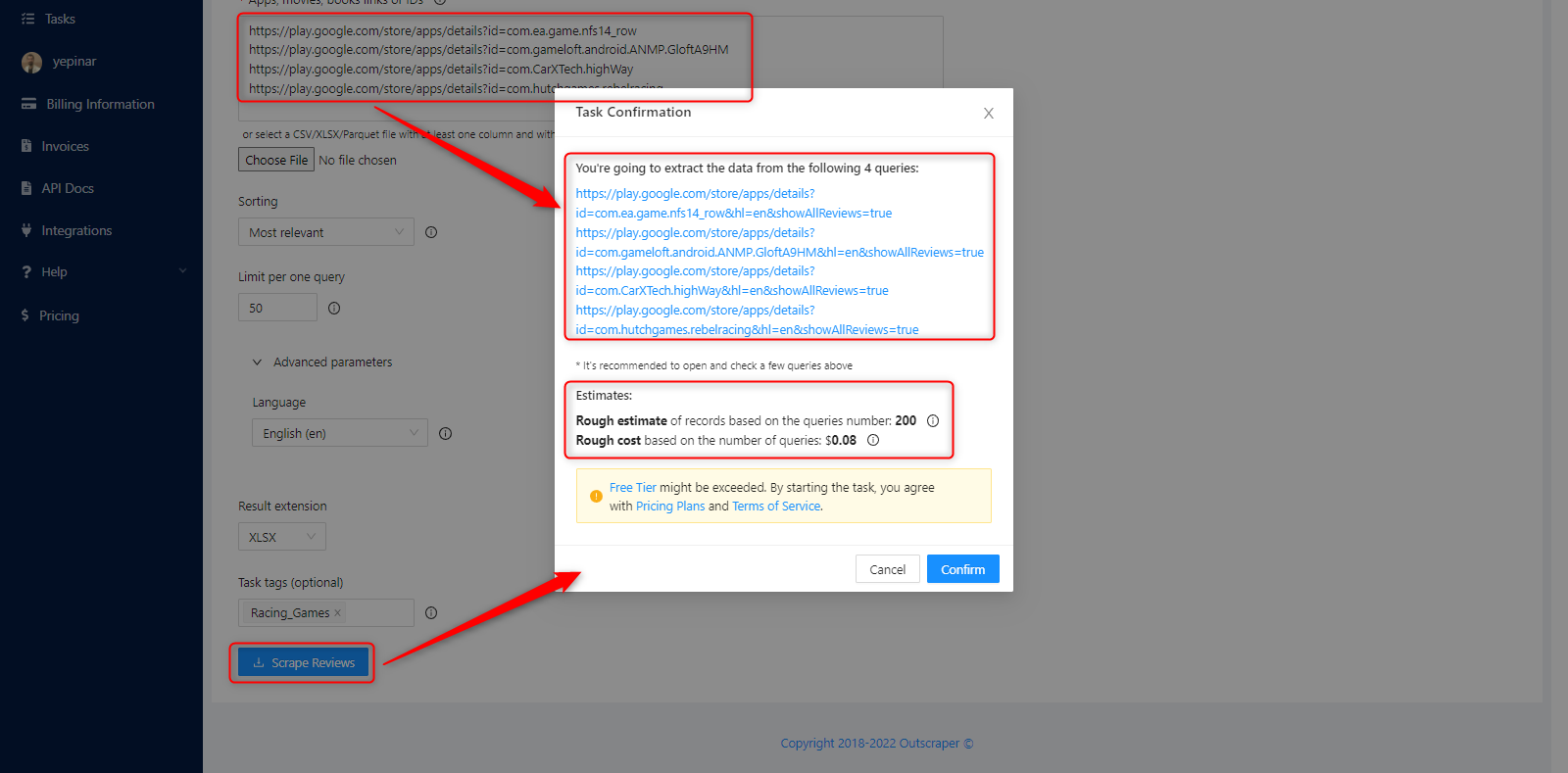
تأكيد مهمتك
A pop-up will appear and ask your confirmation. Rough estimate of records and rough cost based on the number of queries will be shown on that pop-up.
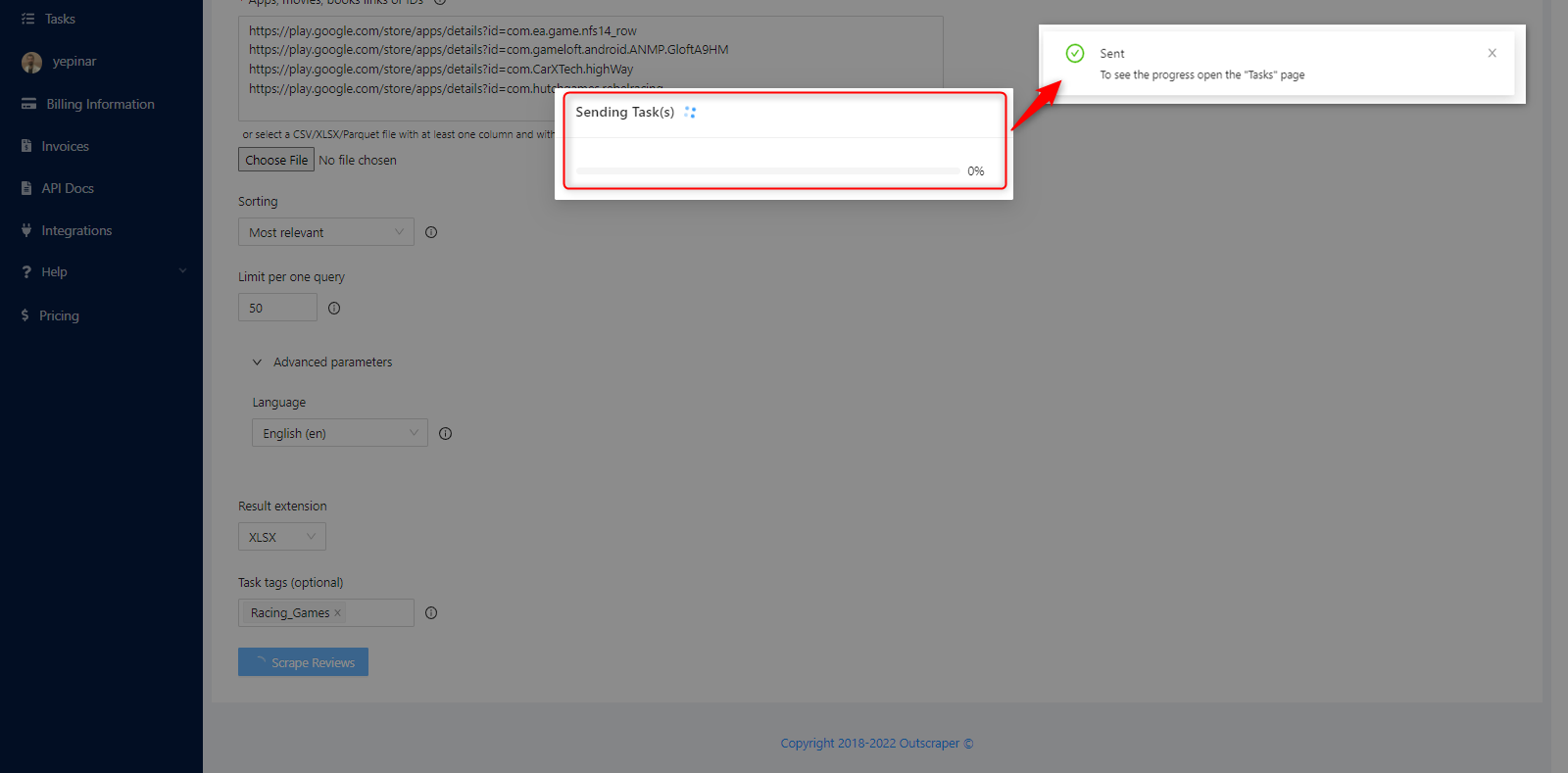
When you click the confirm button, the task you created will be processed and sent to the المهام page. You can see that the task has been sent in the notification in the upper right corner.
RESULT
تتبّع تقدّم مهامك
You can track the all of your progresses on the Tasks page.
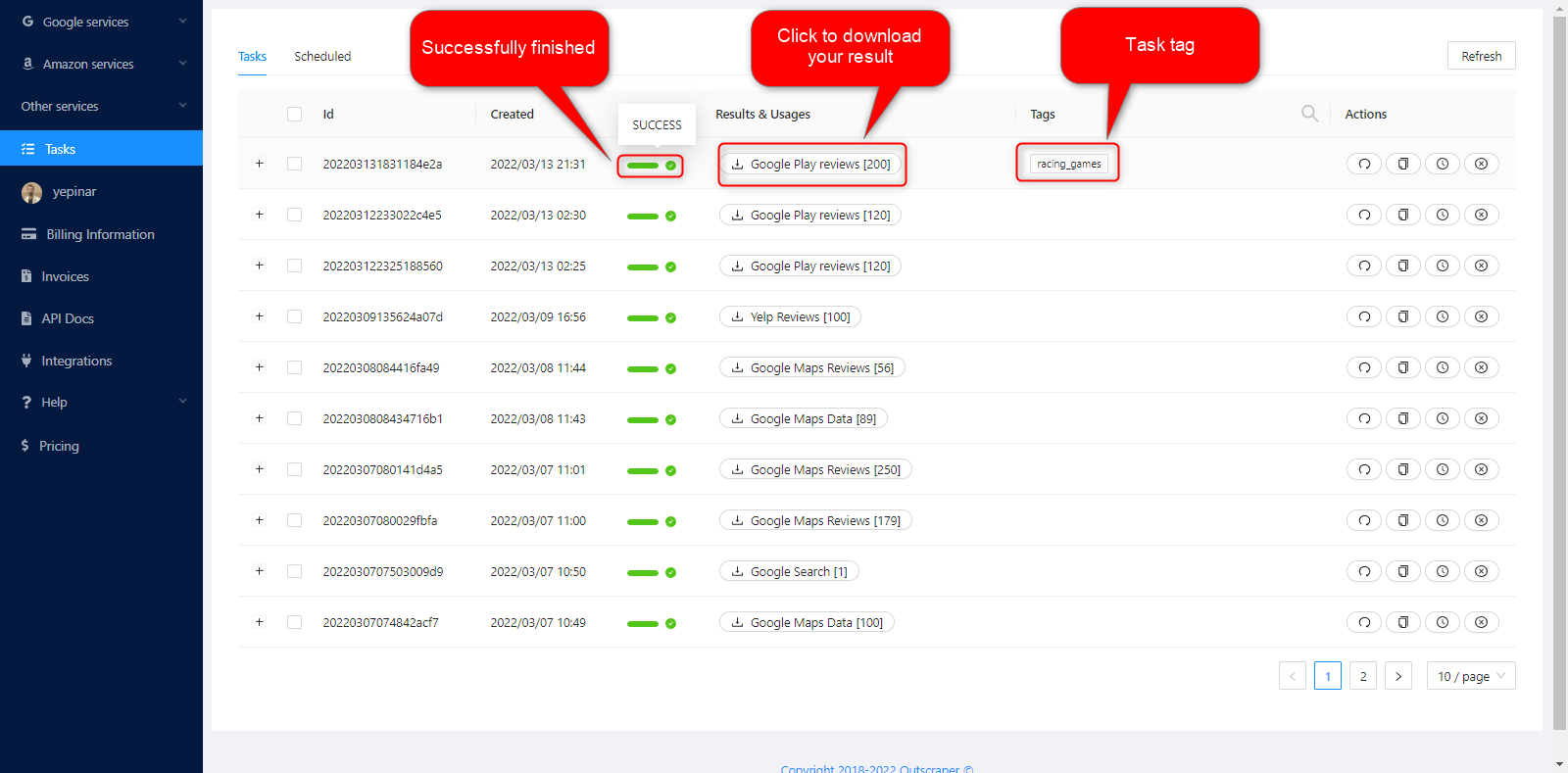
تنزيل ملف نتائجك
The task results of all services can be downloaded from the Tasks page. You can find and quickly download the task you have created.
All results are stored on servers for 30 days only. We recommend that you keep the Result files on your own disk for long periods of time.
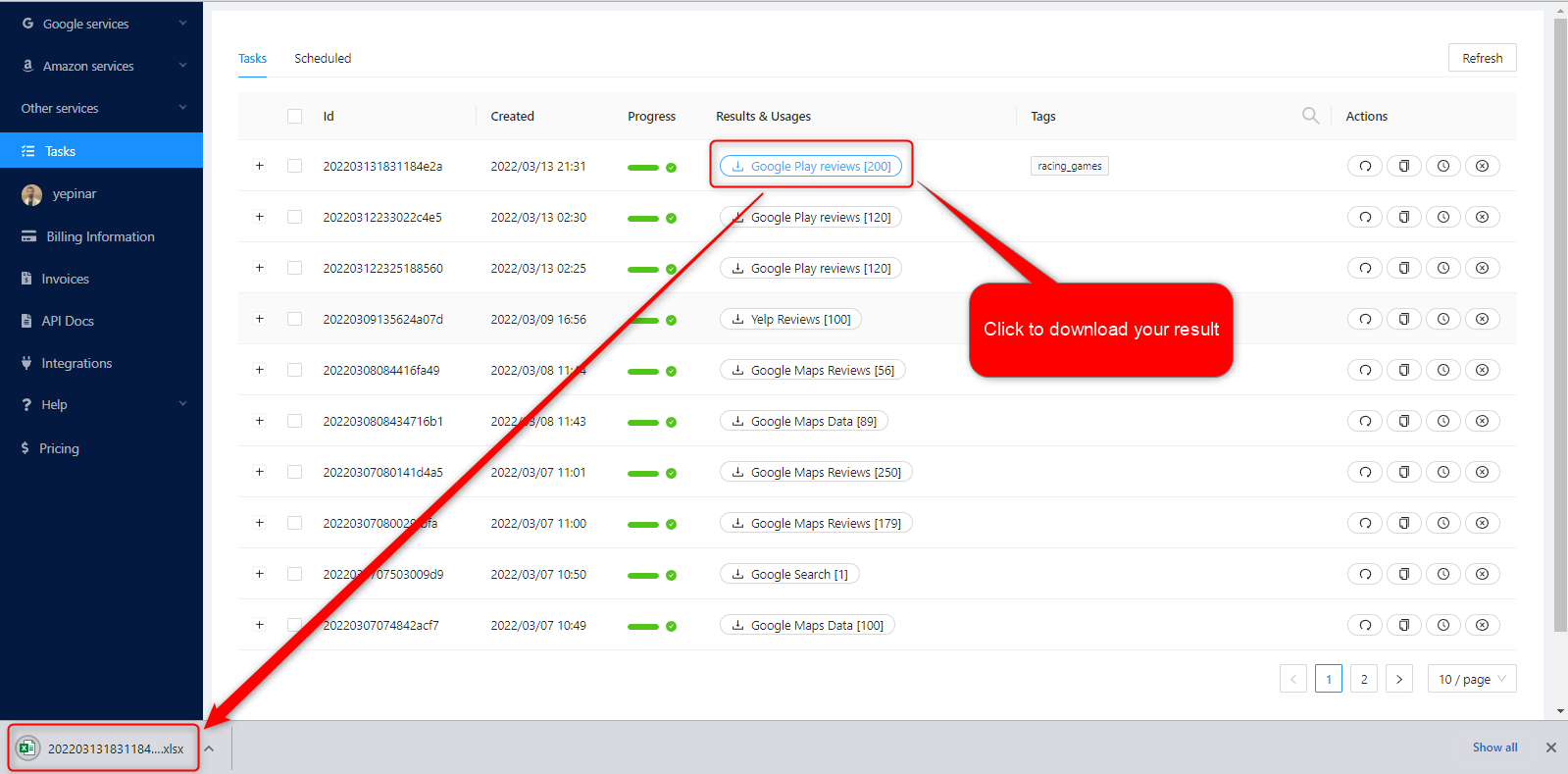
Review Your Result File
The result files that you have downloaded as XLSX file type can be reviewed with a spreadsheet viewer.
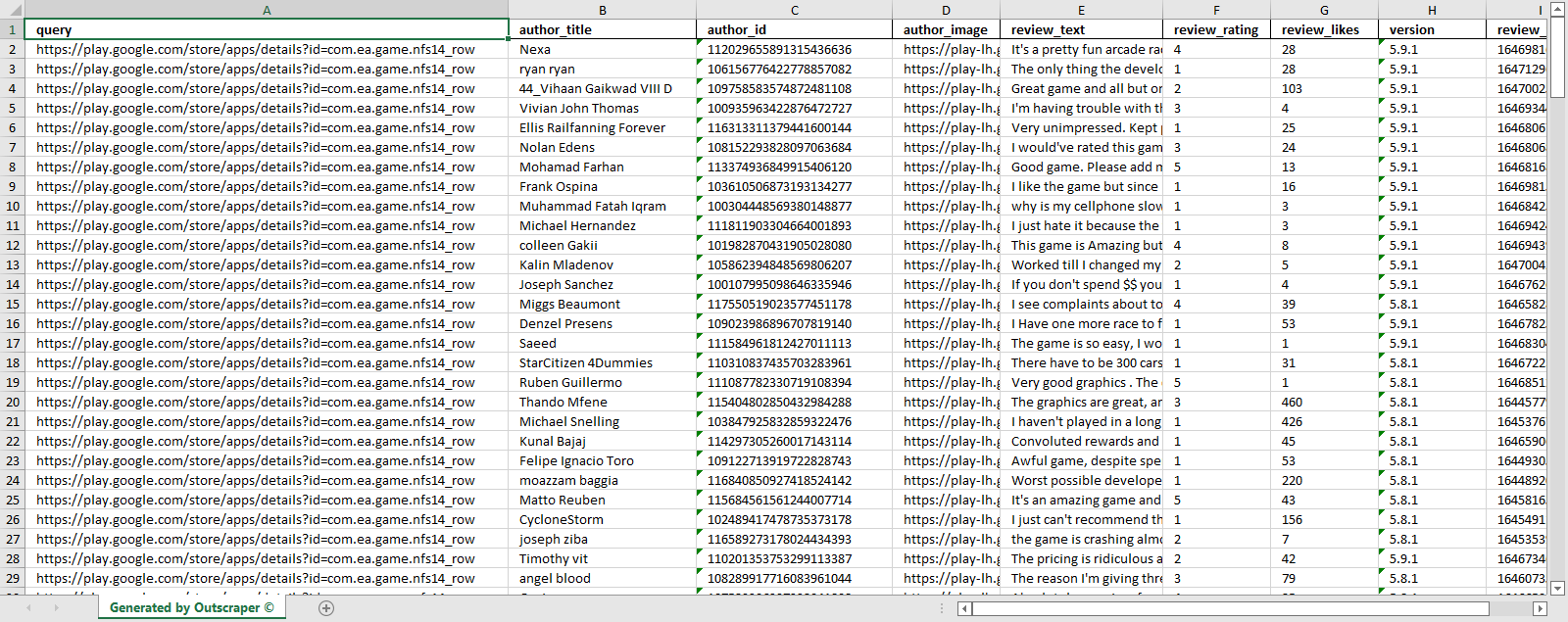
You can see what was scraped here:
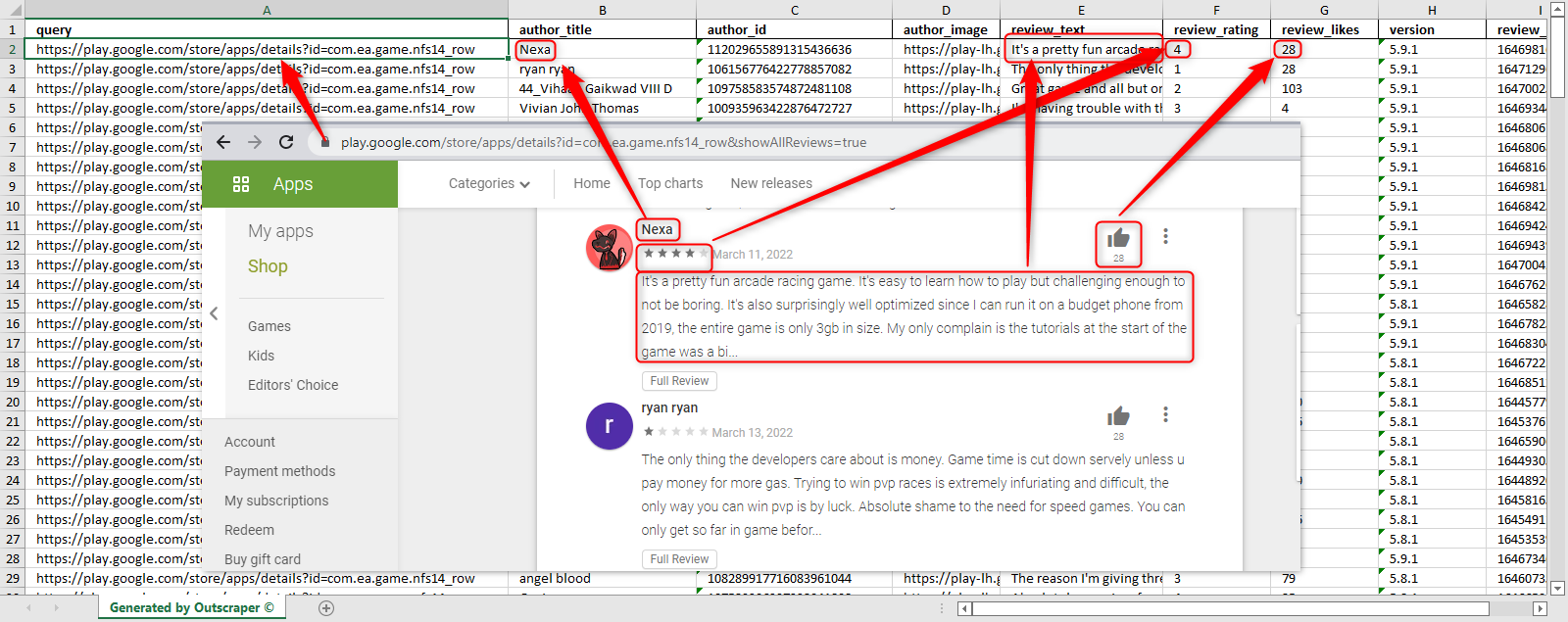
This sample task result file is in here to check: 202203131831184e2a_racing_games
PRICING
صفحة التسعير وحاسبة التكلفة
There is no monthly subscription fee in Outscraper. You only pay for what you use.
Please visit our pricing page for pricing details on our Google Play Reviews scraping service.
https://outscraper.com/pricing
There are 3 different tiers for pricing. These are the الطبقة المجانية, Medium Tier, و فئة الأعمال. Pricing for these tiers can be checked on the pricing page.

Dashboard's Service Pricing Tool
After registration, the “Service pricing” tool can help you with pricing on the Google Play Reviews Scraper service page on the Outscraper App Dashboard.
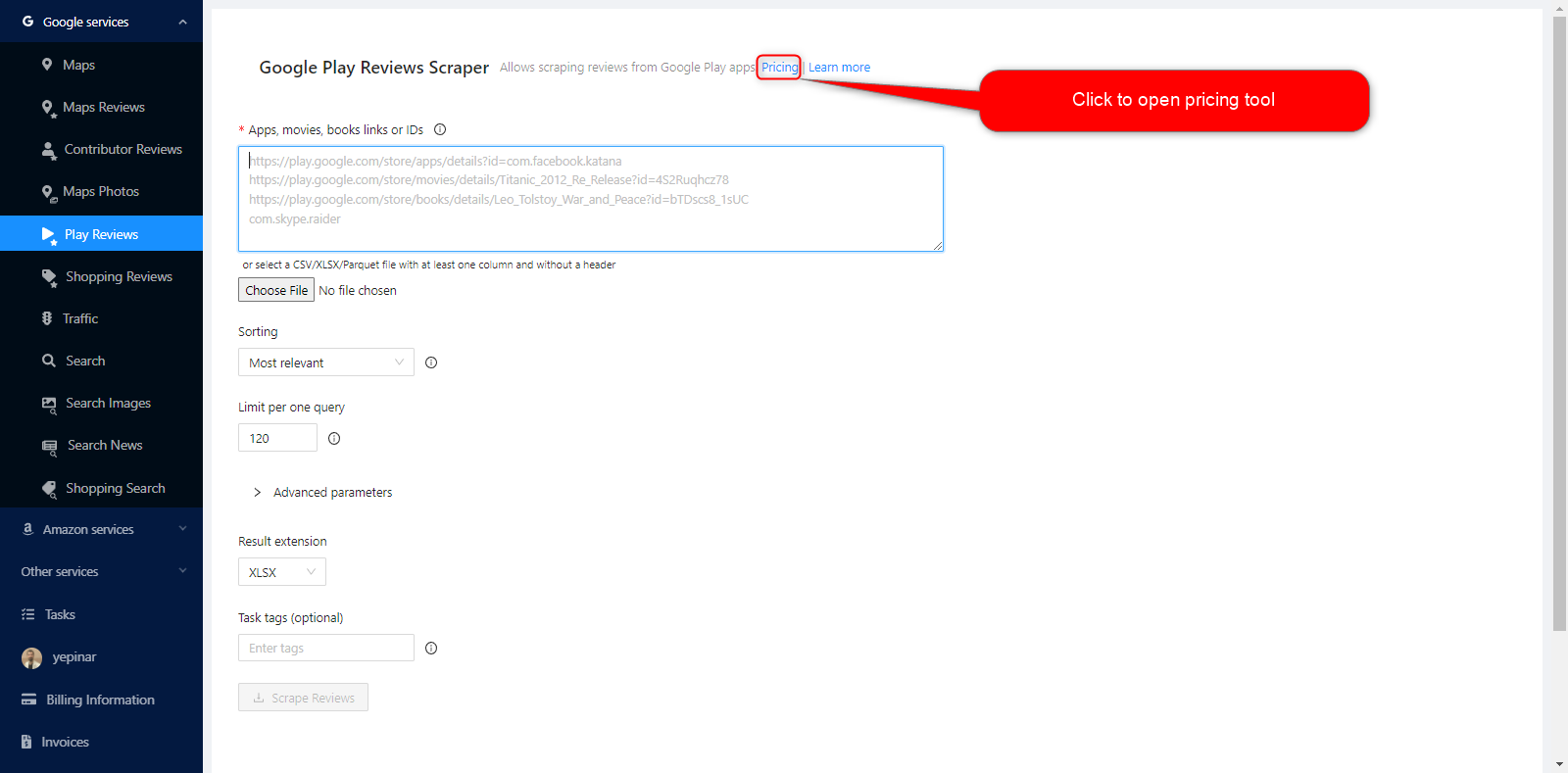
Service pricing tool will be opened on the right.
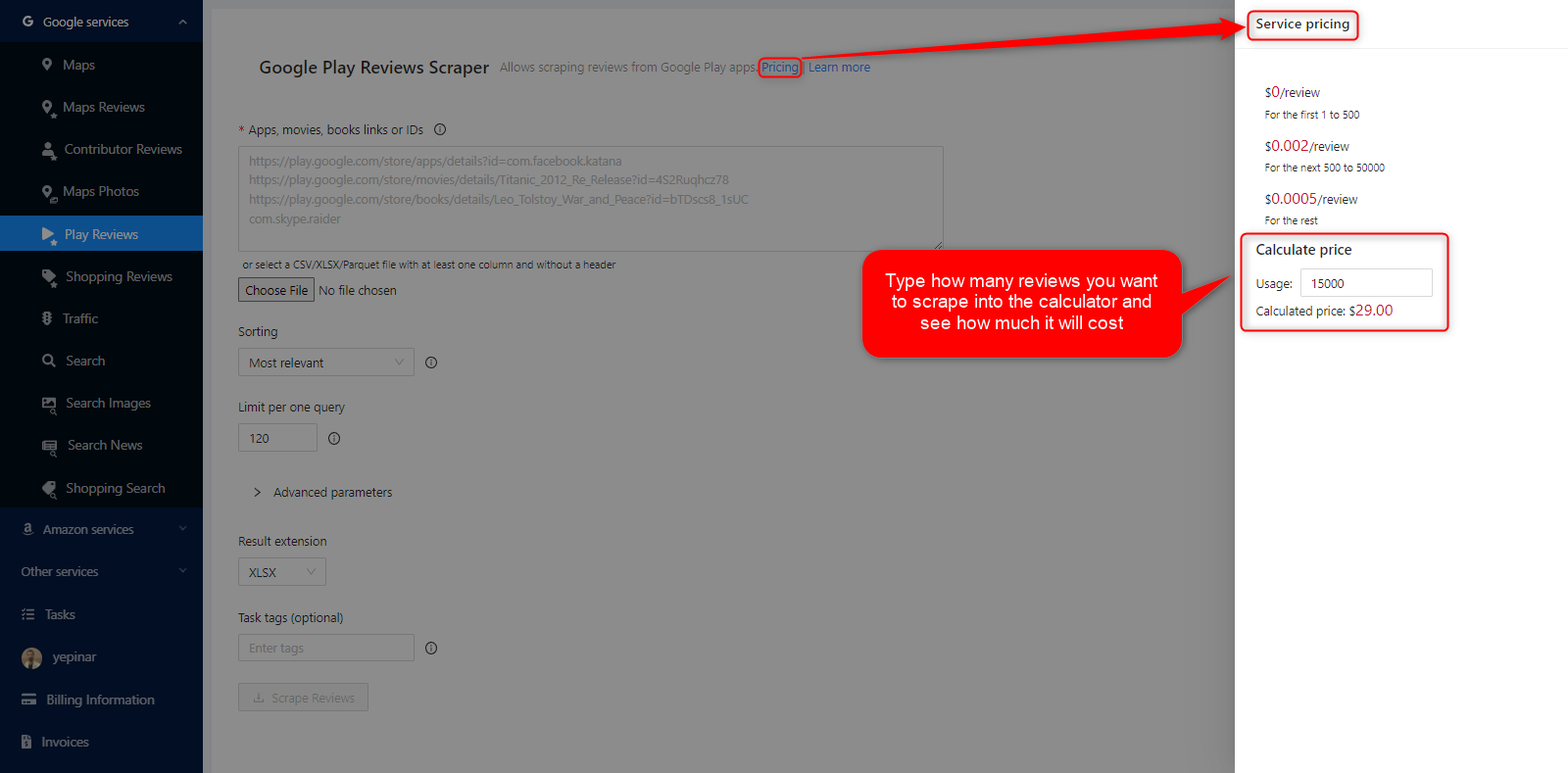
If you fill the calculator about how many requests you will make, you can see how much this task will cost you. Please visit the Billing Information page to add credit or provide your credit card.
طرق الدفع
الطبقة المجانية
استمتع بقدر معين من أرصدة الفئة المجانية كل شهر في Outscraper. يتم تجديد هذه الأرصدة شهرياً كما هو موضح في صفحة الأسعار.
يمكنك التحقق من عدد الأرصدة المجانية التي لديك لخدمة معينة على صفحة صفحة التسعير.
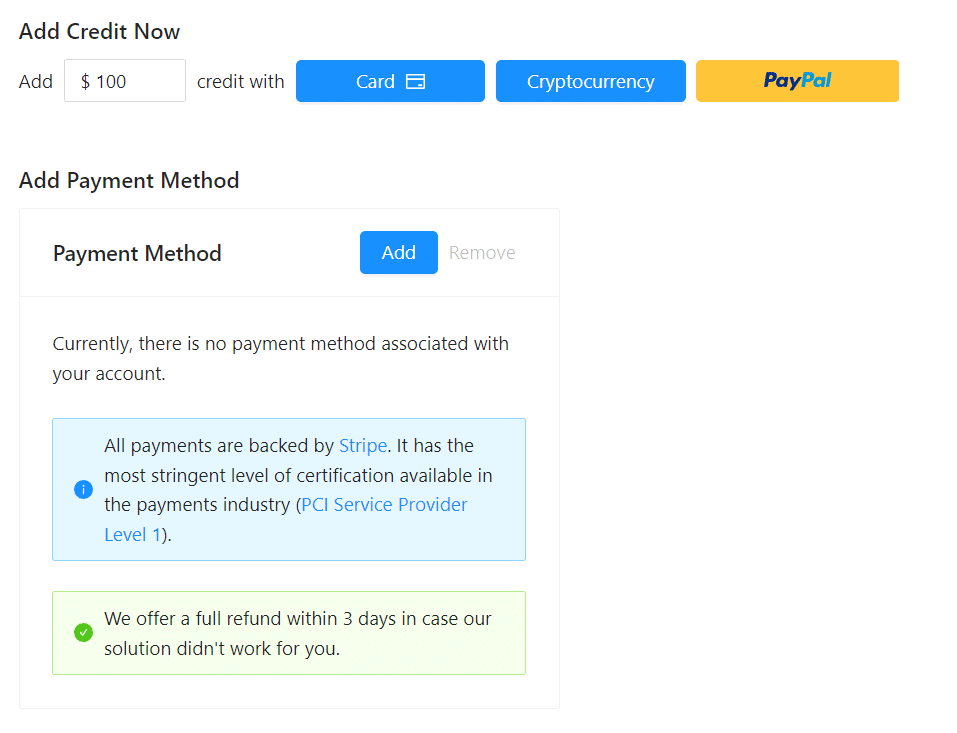
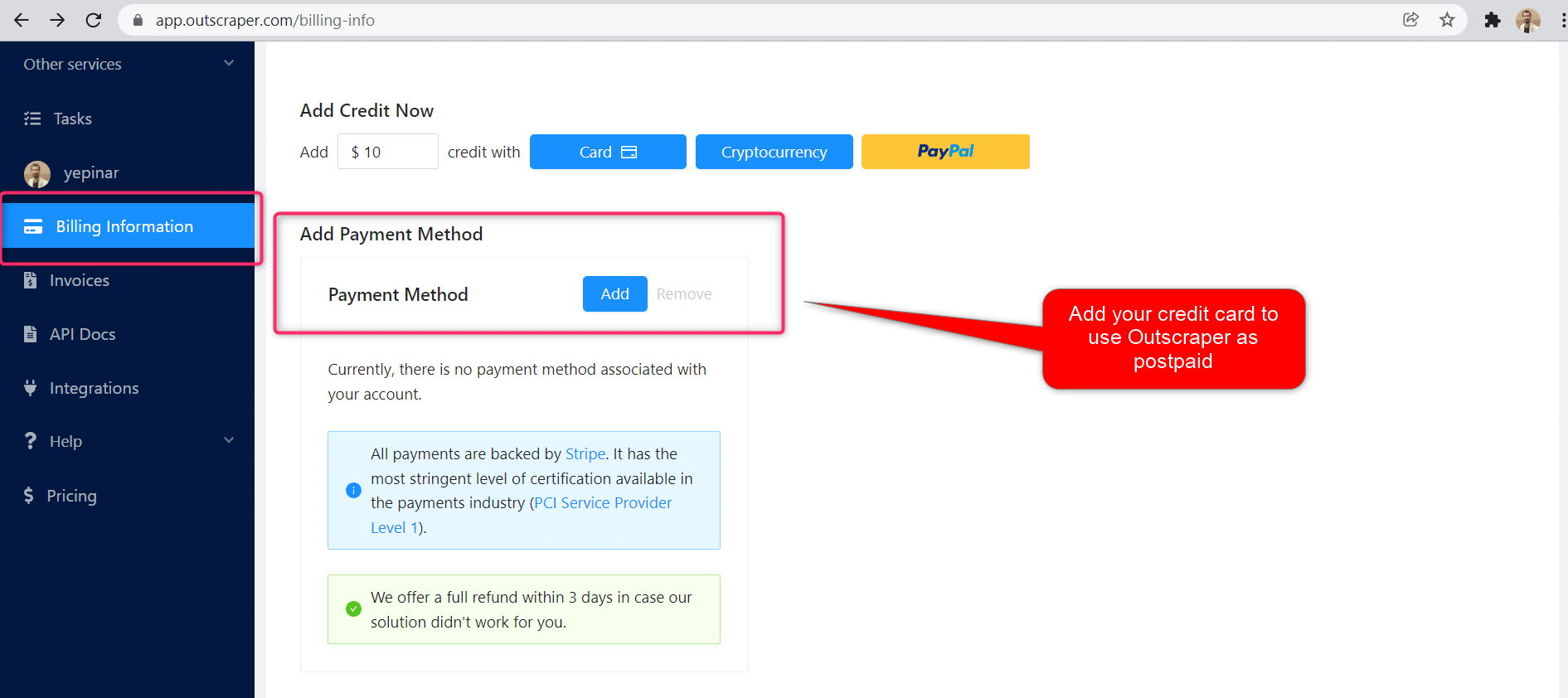
يمكنك استخدام طريقة الدفع المسبق عن طريق إضافة الرصيد، أو يمكنك إضافة بطاقتك الائتمانية وإجراء الدفع الآجل في نهاية فترة الفاتورة. يرجى زيارة معلومات الفواتيرالصفحة لتحديد طريقة الدفع الخاصة بك..
الدفع المسبق - إضافة رصيد مدفوع مقدمًا
أضف أرصدة إلى حسابك لبدء استخدام Outscraper. الحد الأدنى هو 10 دولارات أمريكية. أضف أي عدد تريده من الأرصدة وأنفقها وقتما تشاء.
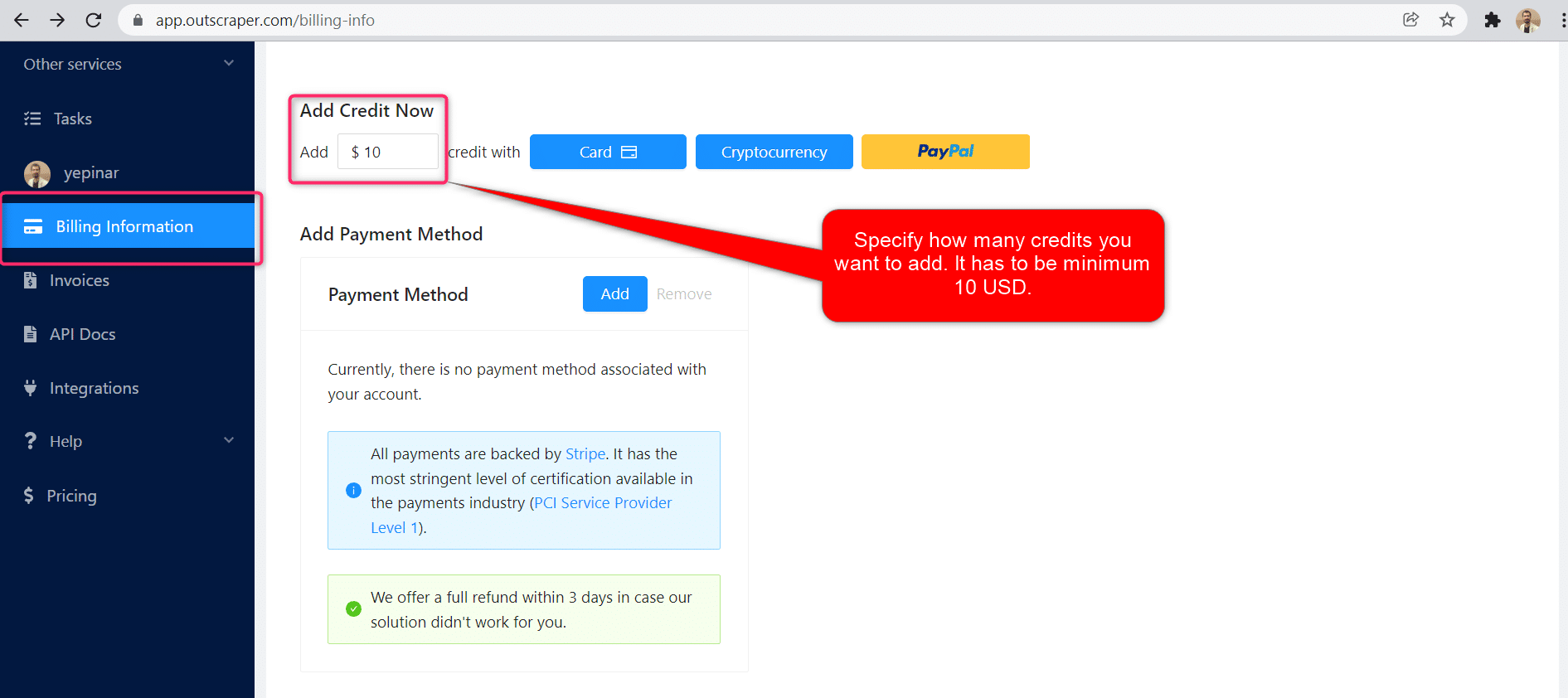
يمكن إضافة الأرصدة عن طريق بطاقة الائتمان أو العملة الرقمية أو PayPal.
الدفع الآجل - إضافة بطاقة ائتمان
في طريقة الدفع المسبق، تدفع أولاً ثم تستخدمها، أما في طريقة الدفع الآجل، فتقدم بطاقة ائتمان وتبدأ في استخدامها. ستقوم بالدفع عندما تنتهي فترة الفوترة الخاصة بك.
فترة الفوترة
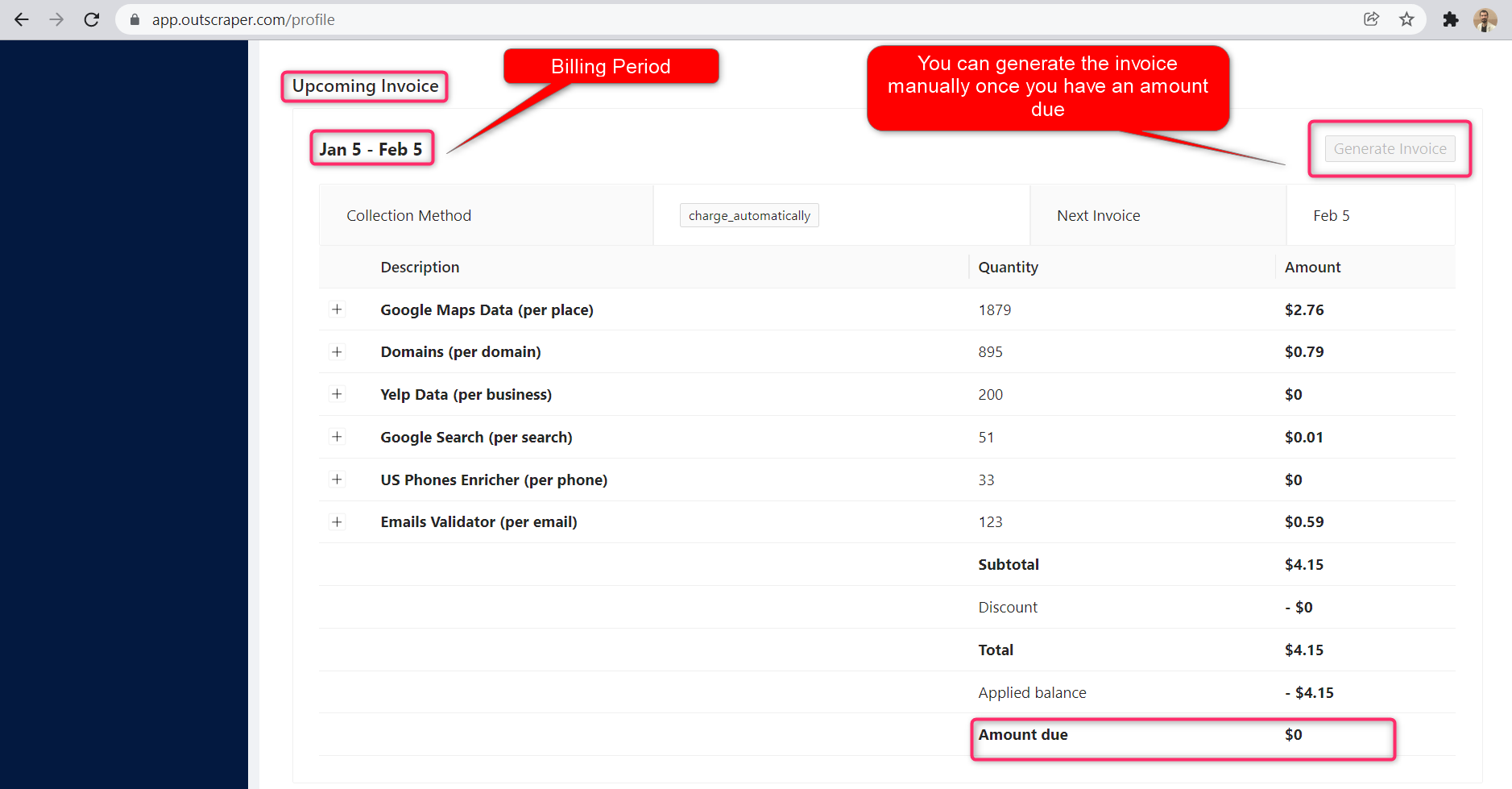
يمكن العثور على معلومات حول تواريخ بدء فترة الفوترة وانتهائها في صفحة صفحة الملف الشخصي. يمكنك أيضًا تتبع مبلغ الفاتورة القادمة من هناك. إذا كنت ترغب في ذلك، يمكنك إنشاء الفاتورة يدويًا بمجرد أن يكون لديك مبلغ مستحق.
OUTSCRAPER YOUTUBE CHANNEL
Follow us on YouTube
التعليمات
الأسئلة والأجوبة الأكثر شيوعًا
Yes, you can. It is possible to scrape all Google Play reviews with Outscraper services. Outscraper’s مكشطة Google Play Reviews service is easy to use. Just copy the link and paste it into the service settings. It will extract all reviews automatically.
It is possible to extract review data from Google Play. There are services and tools that do this. With Outscraper’s Google Play Reviews Scraper service, reviews can be easily extracted from any game or app.
With Outscraper services, reviews can be extracted from Google Play and Google Maps. Outscraper’s مكشطة Google Play Reviews service allows you to pull review data from any game or app. Likewise, أداة استخراج تقييمات خرائط جوجل service can collect reviews on Google Maps.


0 Comments