Mục lục
Đăng ký
Tạo tài khoản
Visit the service page to sign up now. Khi đăng ký, bạn chỉ cần nhập địa chỉ email mà bạn muốn sử dụng cho tài khoản của mình. Nếu muốn, bạn cũng có thể đăng ký bằng tài khoản Google, Facebook hoặc LinkedIn của mình.

Xác nhận địa chỉ email của bạn
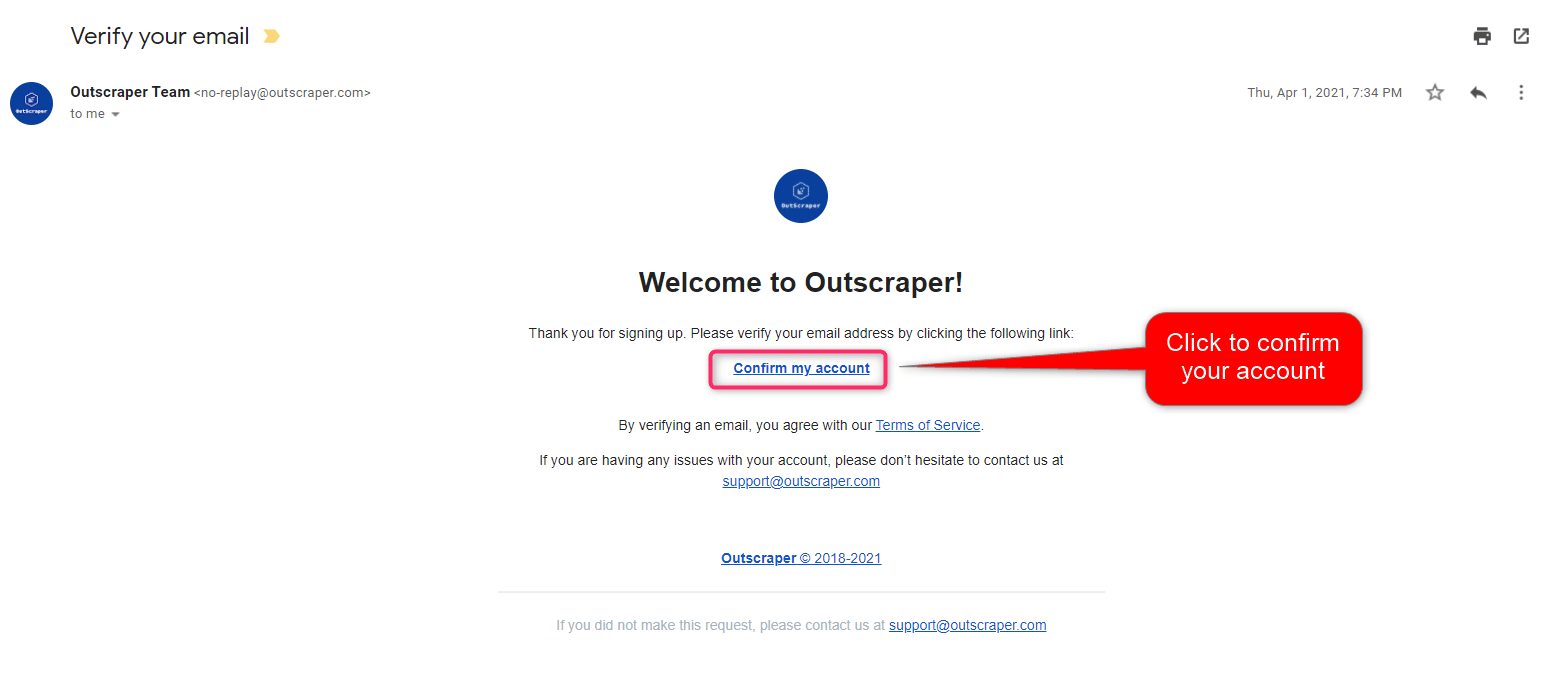
Bạn sẽ nhận được một email từ trang web của Outscraper để xác nhận địa chỉ email của bạn. Hãy nhấp vào liên kết trong email đó để hoàn tất quy trình đăng ký.
What is Emails & Contacts Scraper?
Email scrapers and extractors are tools that collect emails from websites. Outscraper has such a tool for you to use in projects and campaigns. Công cụ trích xuất email và danh bạ is Outscraper’s web service that scrapes emails and contacts data over domains. This web service allows you to scrape emails, contact information, and social media accounts linked to the website.
Creating Tasks and Setting the Parameters
You can reach the email scraping service on the dashboard. Click the Services>Công cụ trích xuất email và danh bạ service from the left panel and open the Công cụ trích xuất email và danh bạ dịch vụ.
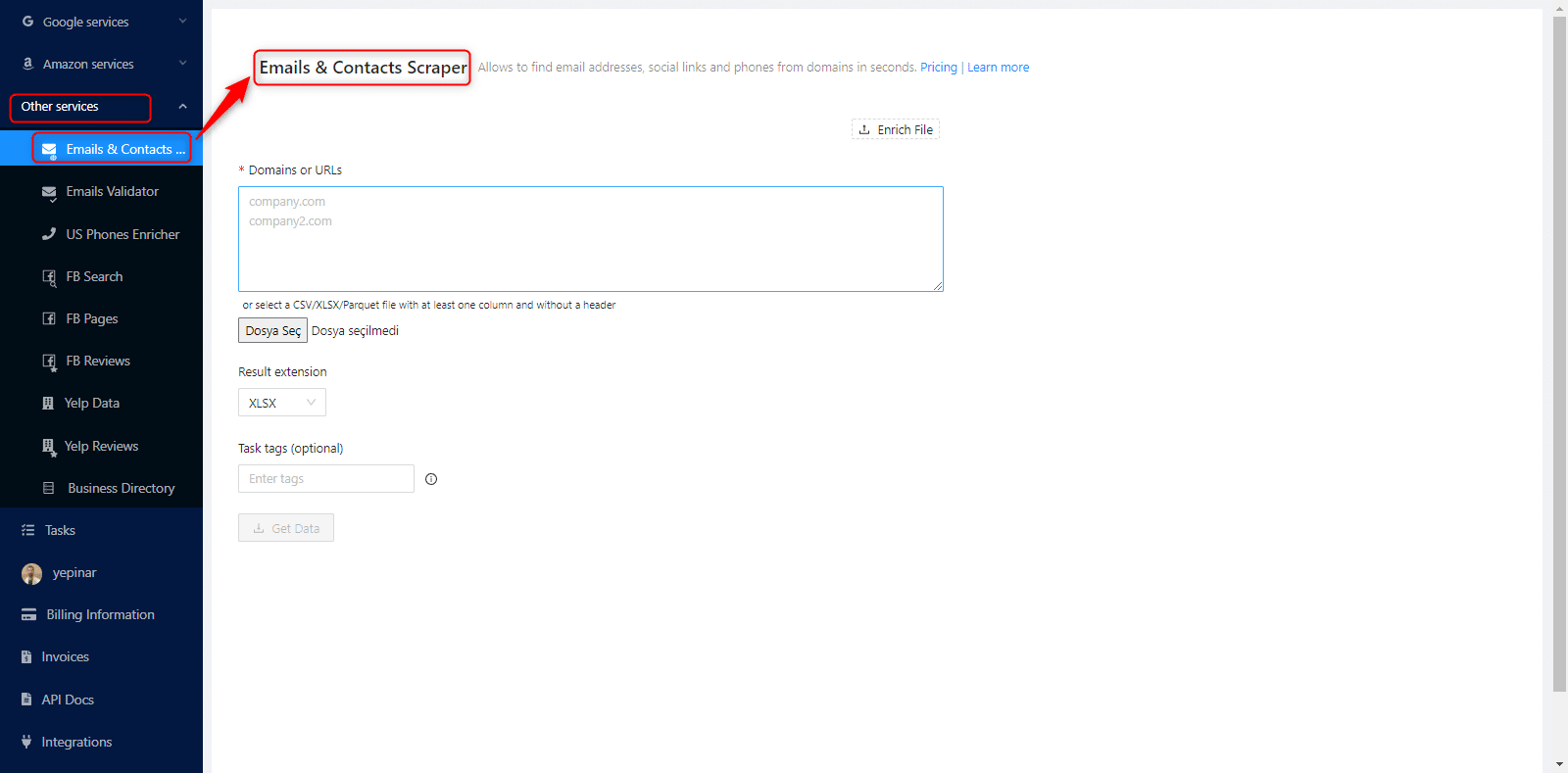
Có three essential parameters that should be defined to create a task. Email Scraping is very easy with Outscraper. You should start with the Domains/URLs list first.
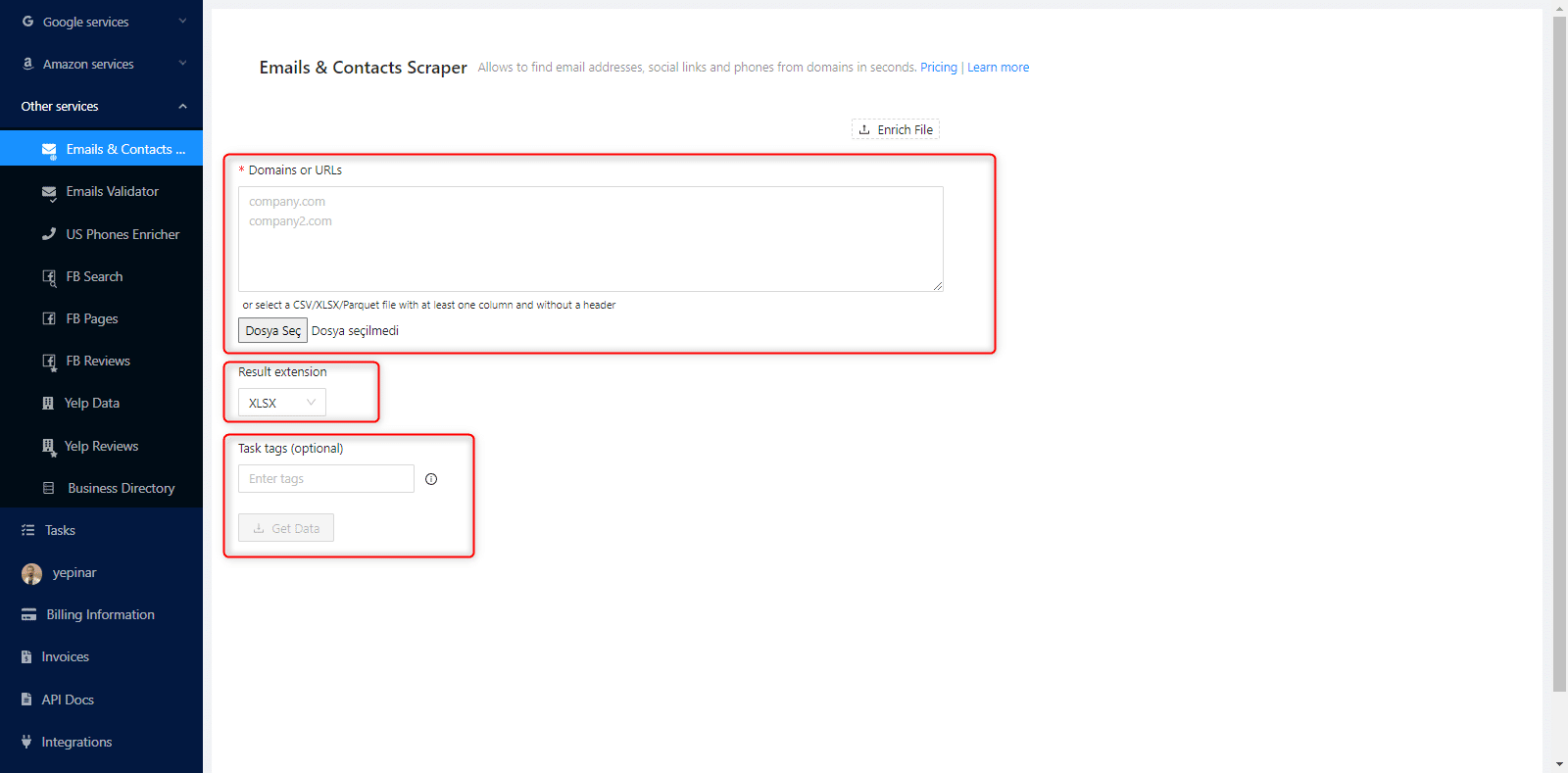
Domains or URLs List
You can do email scraping with two different methods in Outscraper. The first is to copy and paste the entire list into the dashboard. The other is to upload the URL list directly.
Copy/Paste the List
If you have a domain list of the emails you want to scrape, you can create a scraping task by pasting this list directly on the dashboard without any extra action.

Copy the URLs from your list saved in a text file or spreadsheet and paste them into the “Domains or URLs” box.
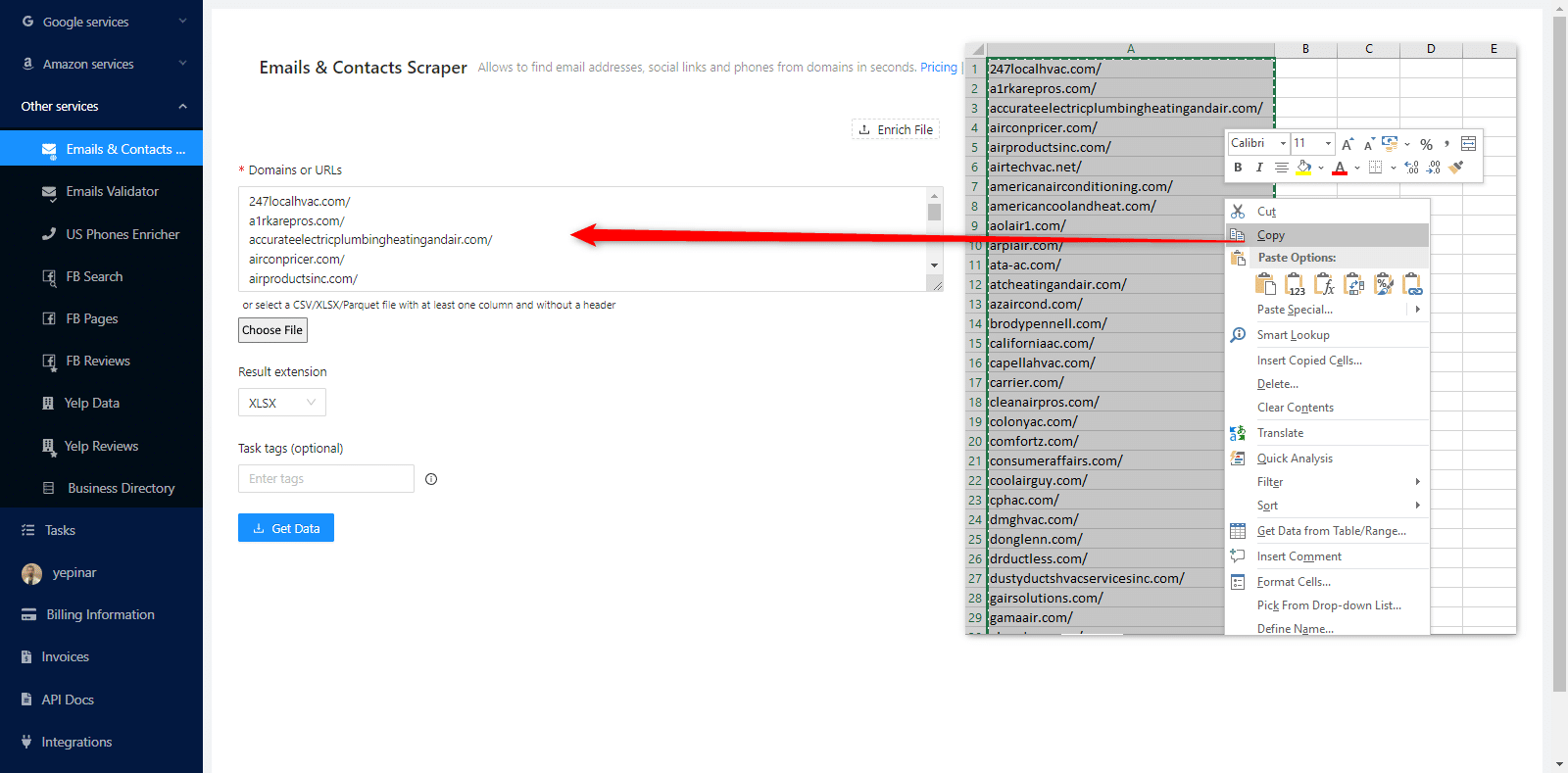
After copy-pasting, you can continue editing the other task parameters.
Upload CSV/XLSX/Parquet or TXT File
You may want to scrape hundreds of domain names. Copy/Paste them would be difficult. For this reason, Outscraper allows you to upload these large lists directly. CSV/XLSX/Parquet or TXT File format can be used for that lists. No special editing is required for lists. It is enough to write all the URLs one under the other. It would be appropriate not to have Http variations and www in the URLs in the list. A sample list:

Click the “Choose file” button and choose your list on the file browser.

A notification will appear on the top right that your file has been uploaded.

You can continue to set parameters for creating the task when you get that notification.
Mở rộng kết quả
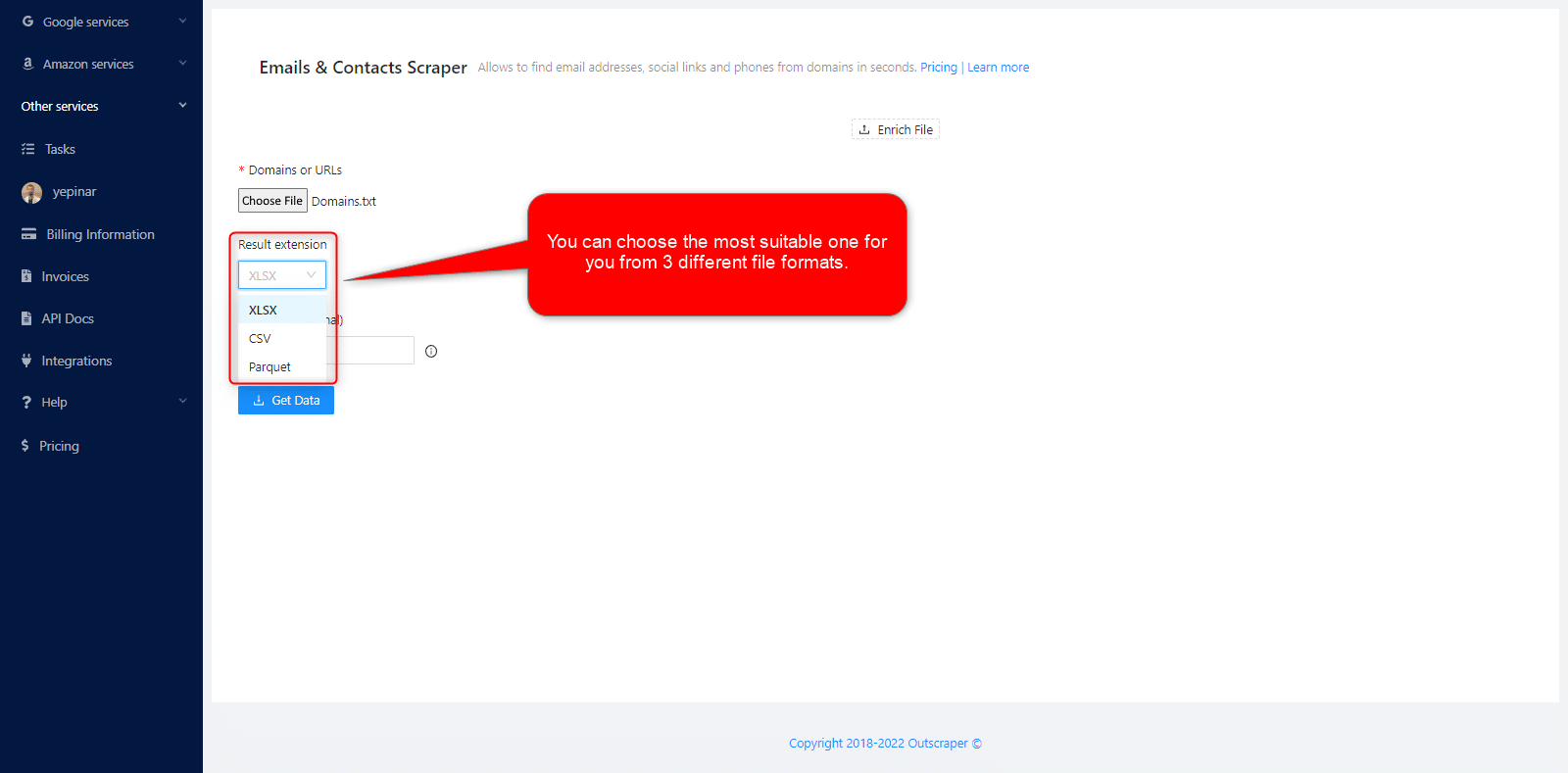
You can choose the most suitable one from 3 different file formats (XLSX, CSV, or Parquet file types).
Thẻ nhiệm vụ
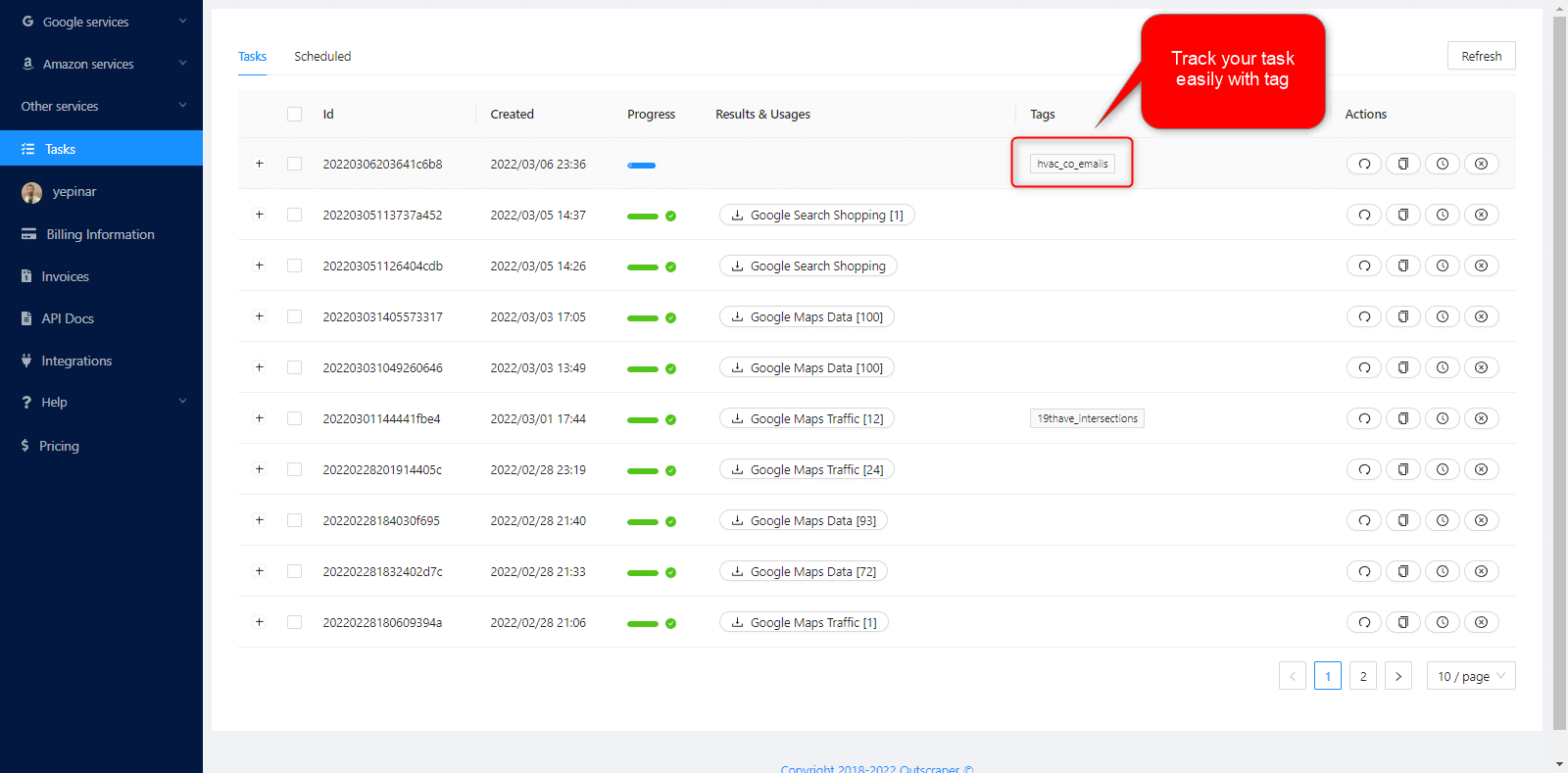
You can write any words or texts on the “Task tags” box. It can also be empty. The tag will help you track your task on the Trang Nhiệm vụ.

Task tags make tracking easy.
Xác nhận nhiệm vụ của bạn
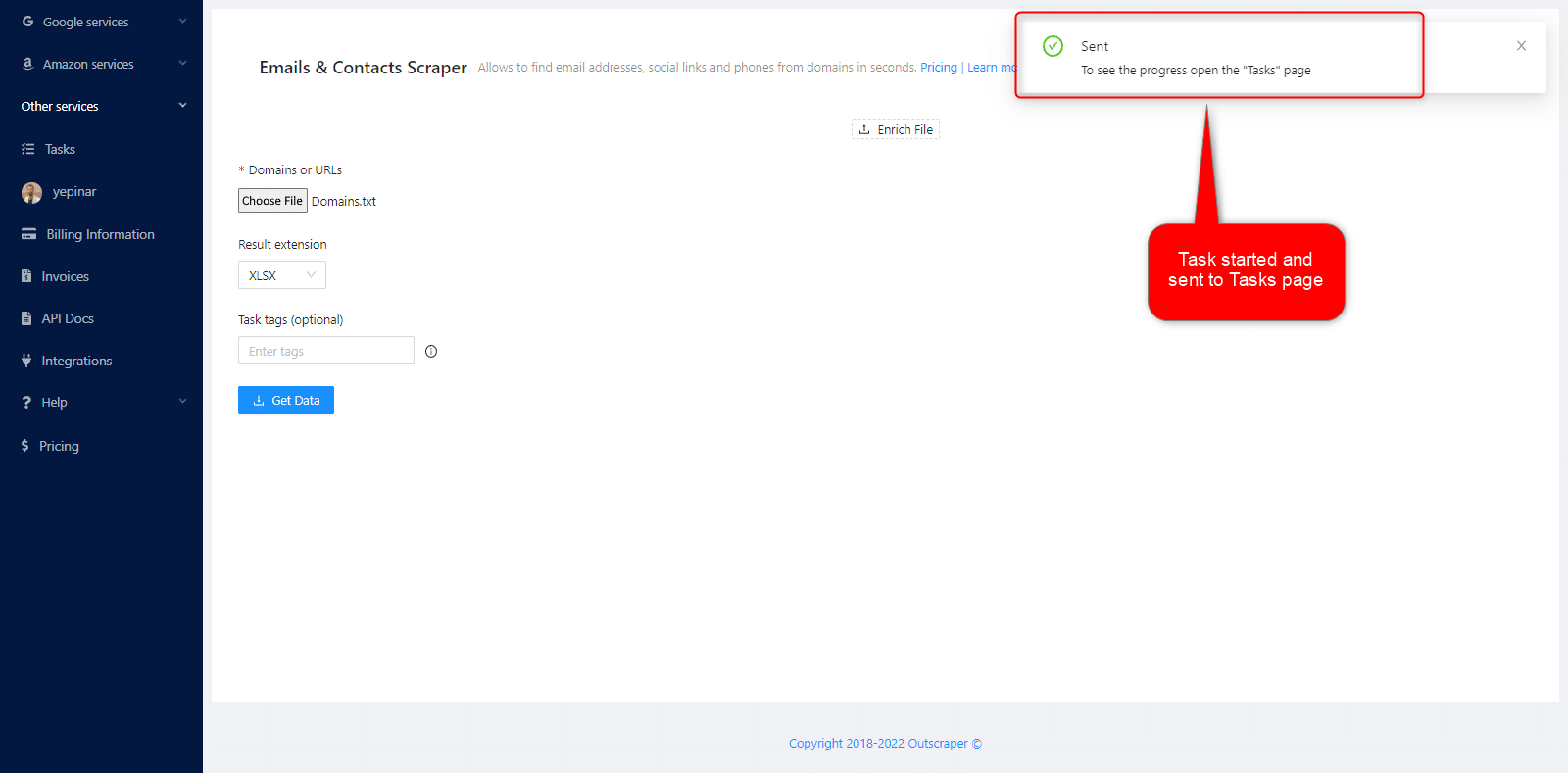
A pop-up will show you a confirmation notification when you click the ‘Get Data’ button.
Such as: “You’re going to extract the data from the queries inside the uploaded file: Domains.txt.”

By clicking the confirm button, you will begin the task and be directed to the Trang Nhiệm vụ.
Kết quả
Theo dõi tiến độ công việc của bạn
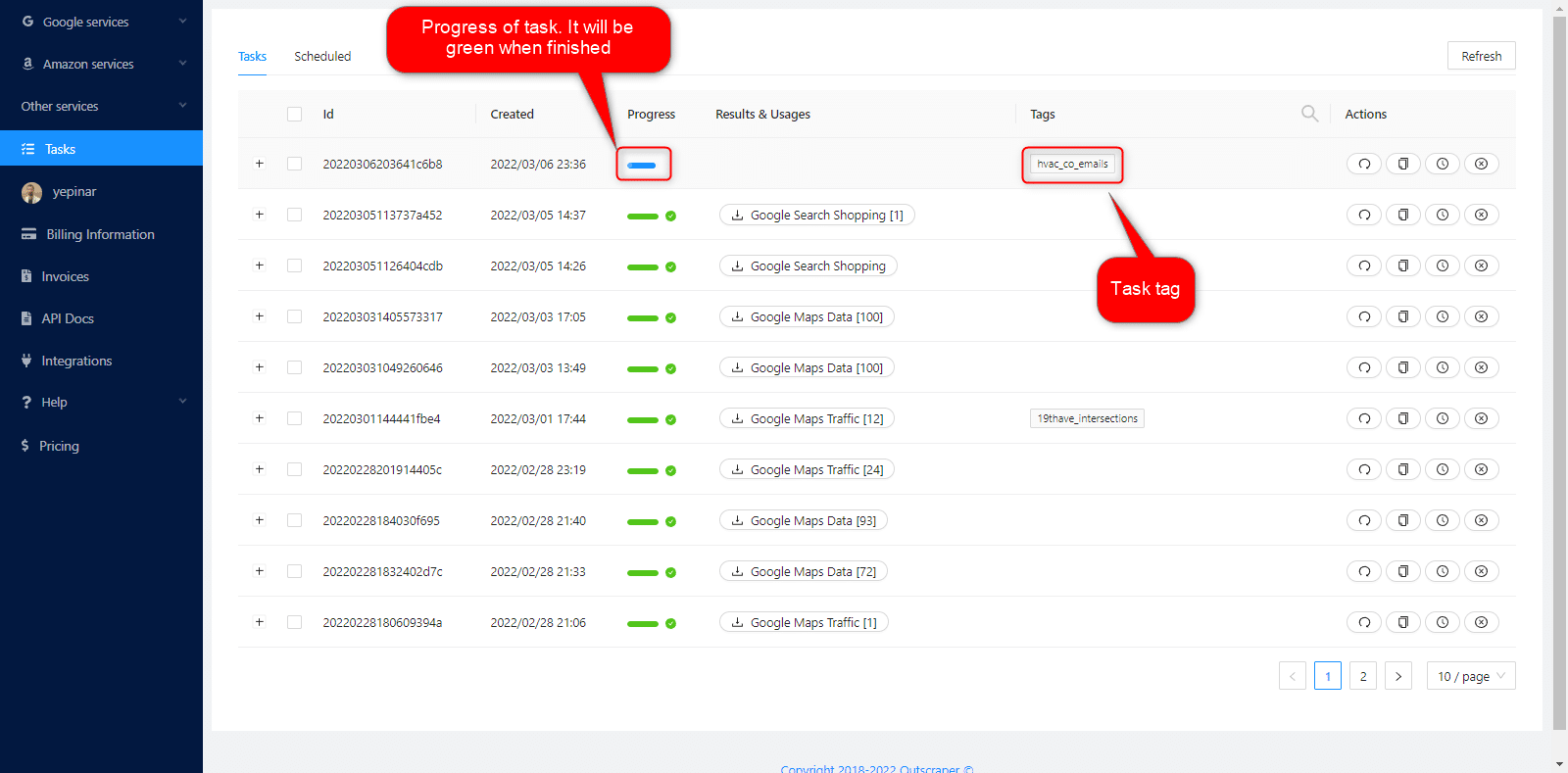
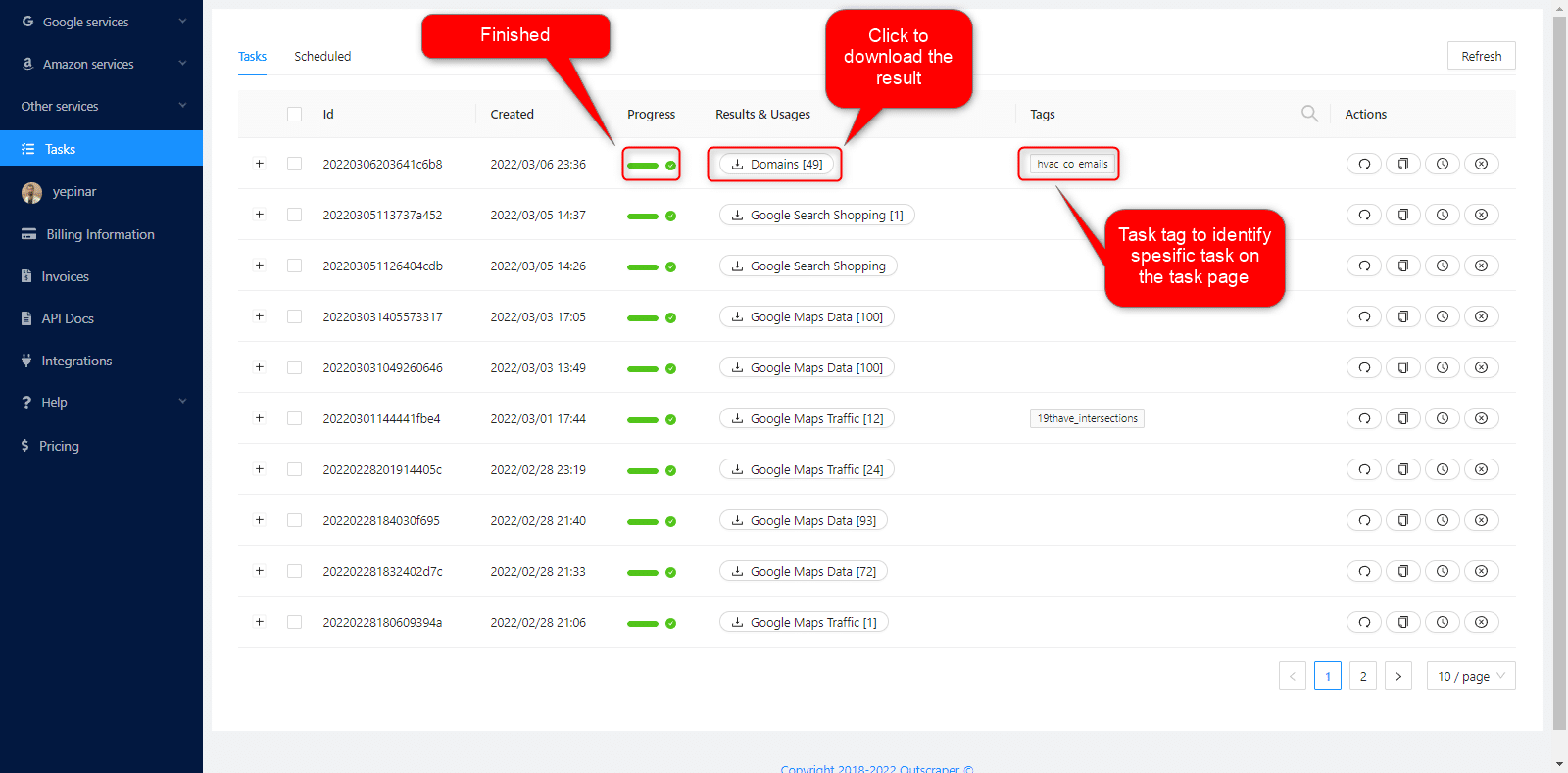
Bạn có thể theo dõi toàn bộ tiến trình của mình trên Trang Nhiệm vụ.
Tải xuống tệp kết quả của bạn
You can find and quickly download the task you have created on the Tasks page. Task tags will help you find your recent task/s.
All results are stored on servers for only 30 days. We recommend that you keep the Result files on your disk for long periods.
Kiểm tra tệp kết quả của bạn
The result files you have downloaded as XLSX file types can be reviewed with any spreadsheet viewer. The task result file will contain email addresses, phone numbers, contact names, Facebook, Instagram, LinkedIn, Medium, Reddit, Skype, Snapchat, Telegram, Twitter, Vimeo, YouTube, GitHub and CrunchBase links.
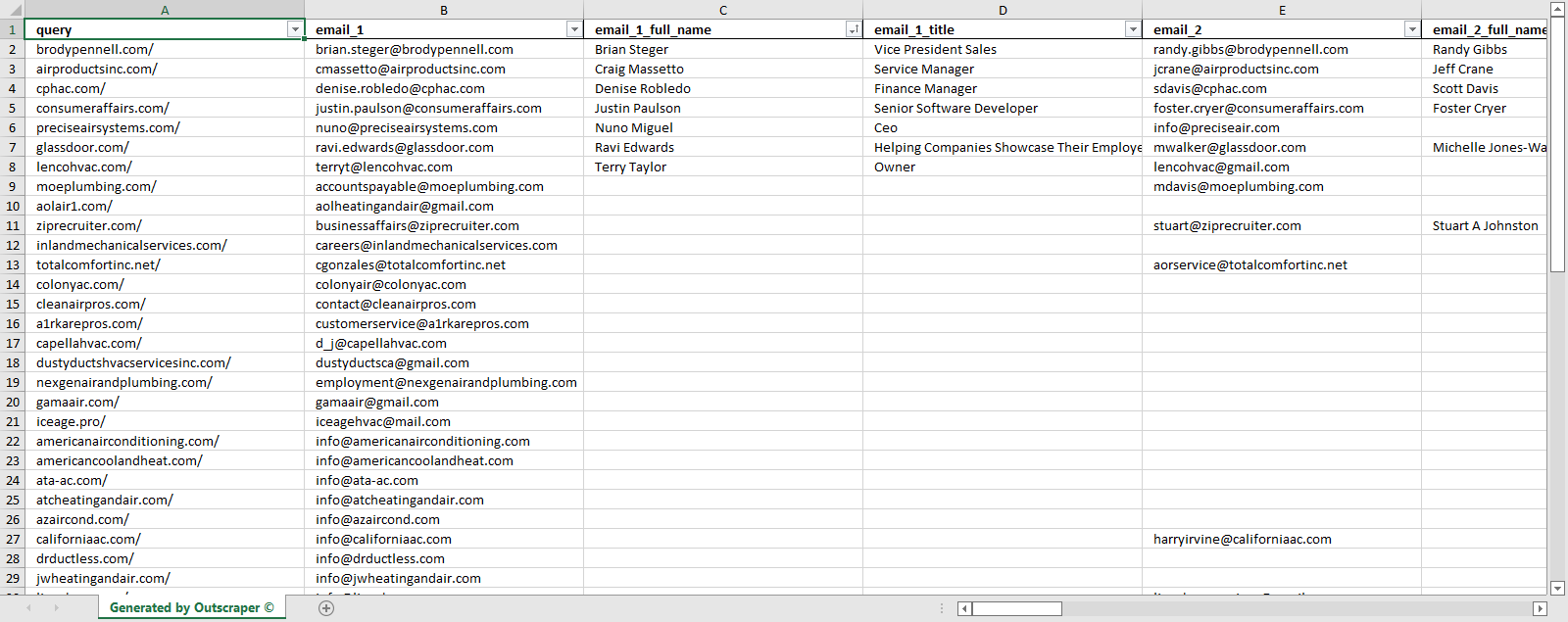
This sample task result file can be reviewed here: HVAC_Companies_XLSX
Combining Emails & Contacts Scraper With Google Maps Scraper Service
Emails & Contacts Scraper service can be used to enrich Google Maps Data Scraping tasks. Thus, two jobs can be done with a single task, and a B2B Lead list can be created directly on Google Maps.
While creating a Google Maps Scraping task, you can select the Emails & Contacts Scraper service to enrich your result file with emails.
Outscraper Emails & Contacts Scraper service will visit all websites of businesses and scrape their email addresses and social media accounts.

We created a sample task showing how the Emails and Contacts Scraper service enriches the Google Maps Scraper result file.
Simple Result File: 20220315145213c1ea_hvac_without_emails
Enriched Result File: 20220315145122defc_hvac_with_emails
You can start using the Emails & Contacts Scraper service on its own or in combination right now.
Định giá
Pricing Page and Cost Calculator
Outscraper không thu phí đăng ký hàng tháng. Bạn chỉ phải trả tiền cho những gì bạn sử dụng.
Please visit our pricing page for pricing details on our Emails & Contacts Scraper service.
Trang giá cả: https://outscraper.com/pricing
There are three different tiers for pricing. These are the Free Tier, Medium Tier, and Business Tier. Pricing for these tiers can be checked on the pricing page.
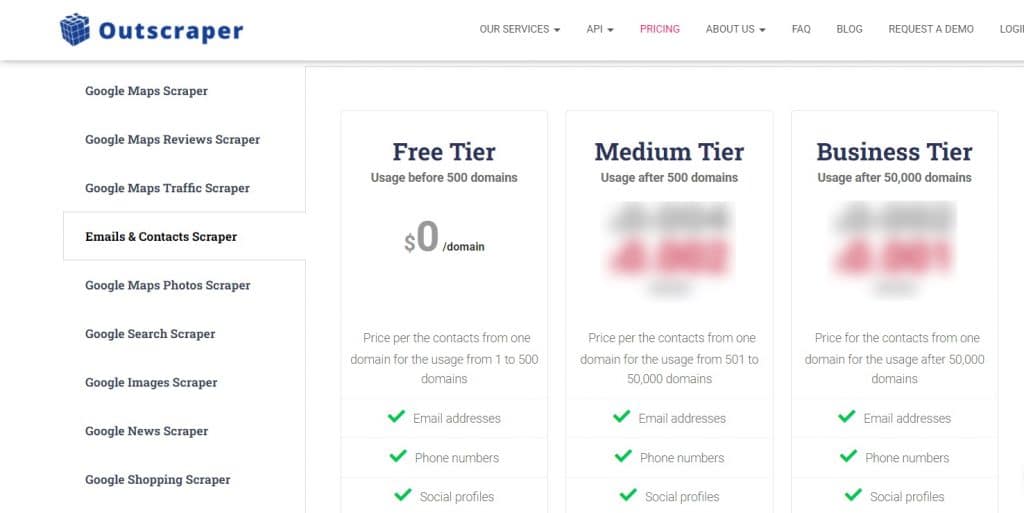
Công cụ định giá dịch vụ trên Bảng điều khiển
After registration, the “Service pricing” tool can help you with pricing on the Emails & Contacts Scraper service page on the Outscraper App Dashboard.
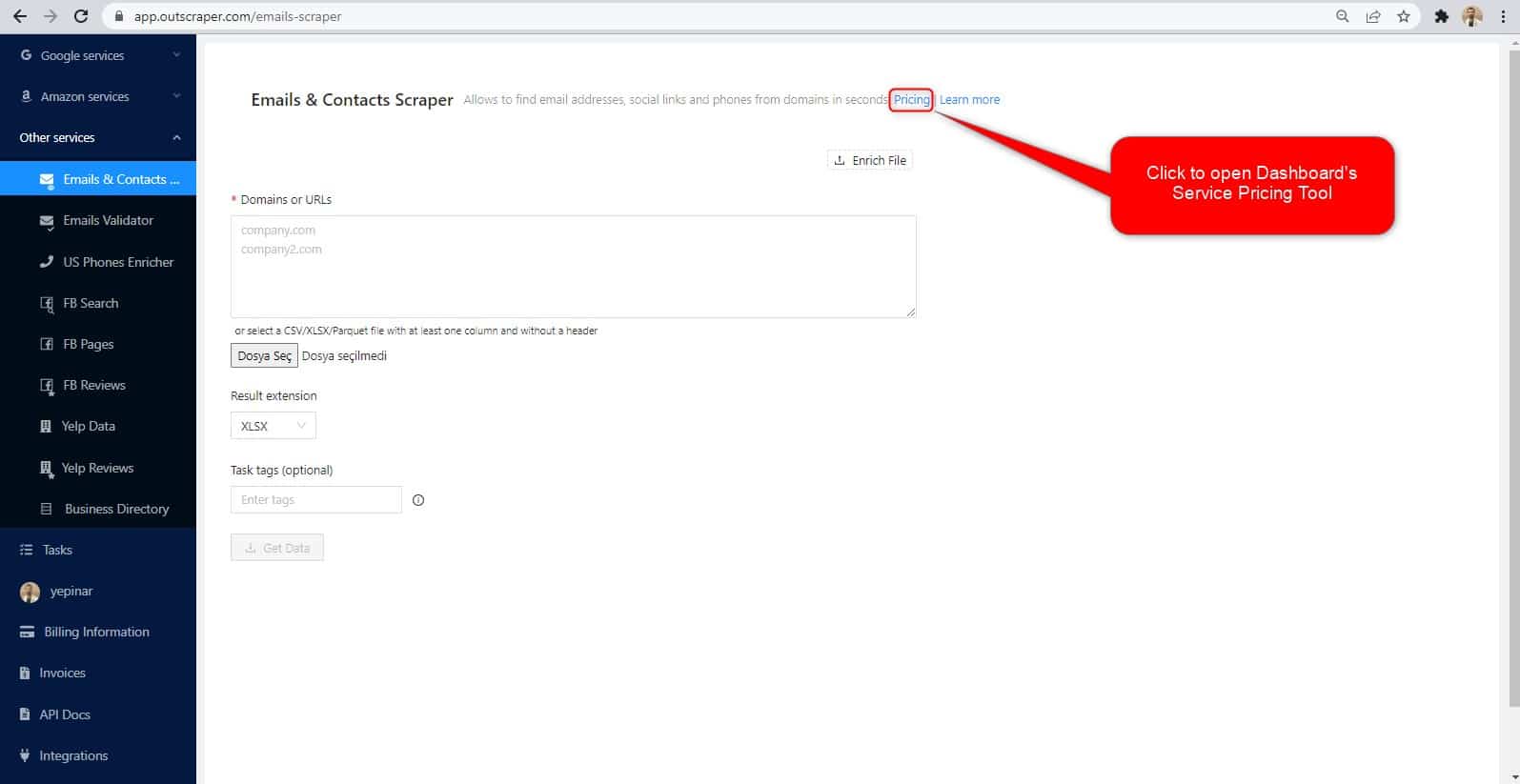
The service pricing tool can be found in the right section.
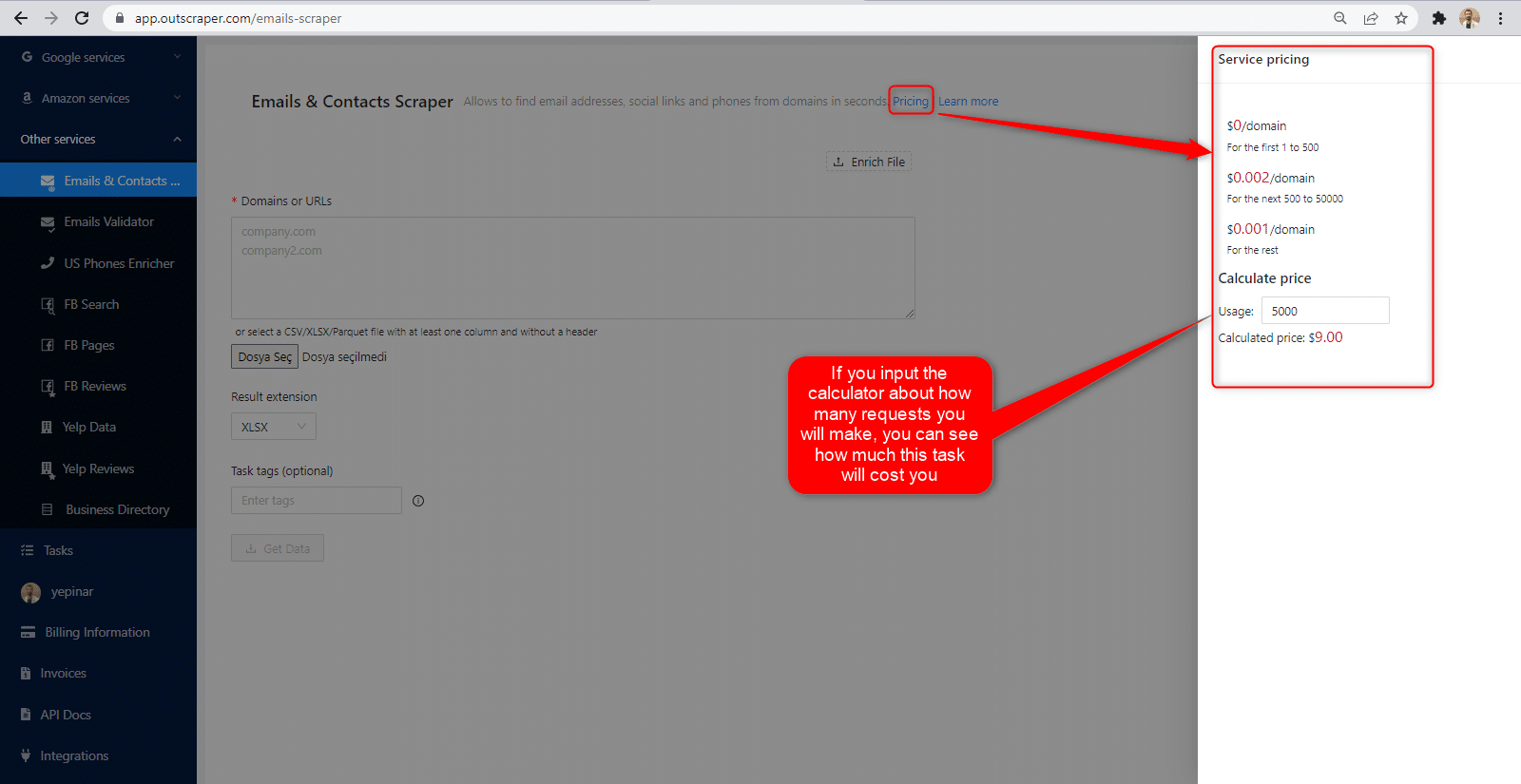
You can see how much the task will cost you if you enter how many requests you will make into the calculator. Vui lòng truy cập trang Thông tin thanh toán trang để nạp tiền hoặc cung cấp thông tin thẻ tín dụng của bạn.
Phương thức thanh toán
Bậc miễn phí
Hãy tận hưởng một lượng tín dụng miễn phí nhất định mỗi tháng trên Outscraper. Các tín dụng này sẽ được cập nhật hàng tháng như đã nêu trên trang giá cả.
Bạn có thể kiểm tra số lượng tín dụng miễn phí hiện có cho một dịch vụ cụ thể trên trang thông tin giá cả.
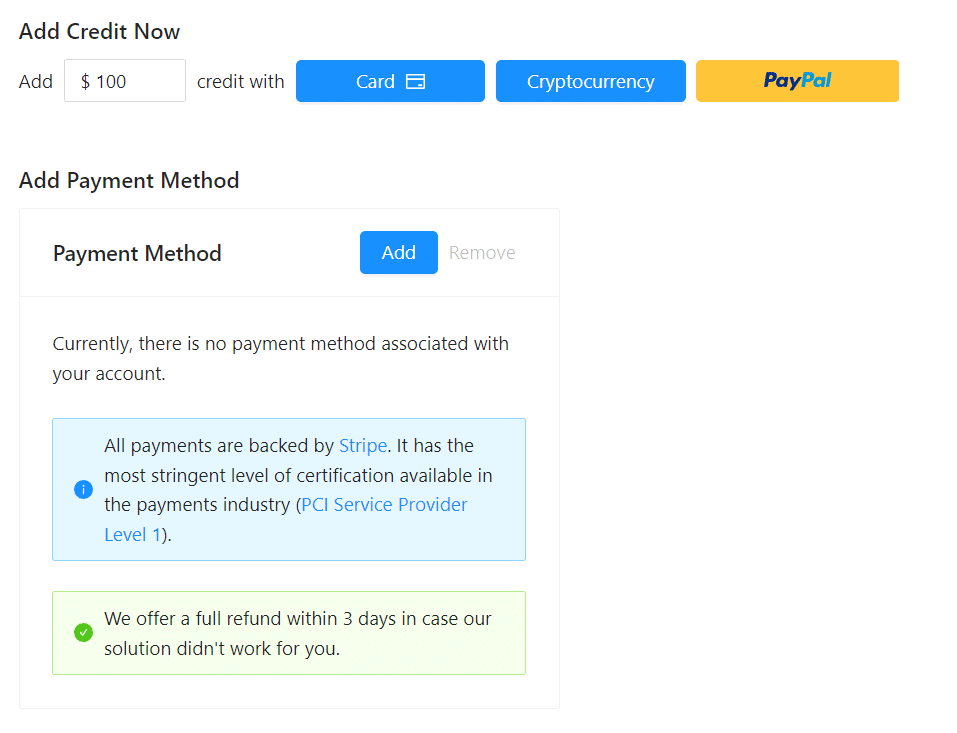
Bạn có thể sử dụng phương thức thanh toán trả trước bằng cách nạp tiền, hoặc bạn có thể thêm thông tin thẻ tín dụng và thanh toán theo hình thức trả sau vào cuối kỳ thanh toán. Vui lòng truy cập trang Thông tin thanh toán để chọn phương thức thanh toán của bạn.
Trả trước - Nạp tiền
Hãy nạp tiền vào tài khoản của bạn để bắt đầu sử dụng Outscraper. Số tiền nạp tối thiểu là 10 USD. Bạn có thể nạp bao nhiêu tiền tùy thích và sử dụng chúng bất cứ lúc nào bạn muốn.
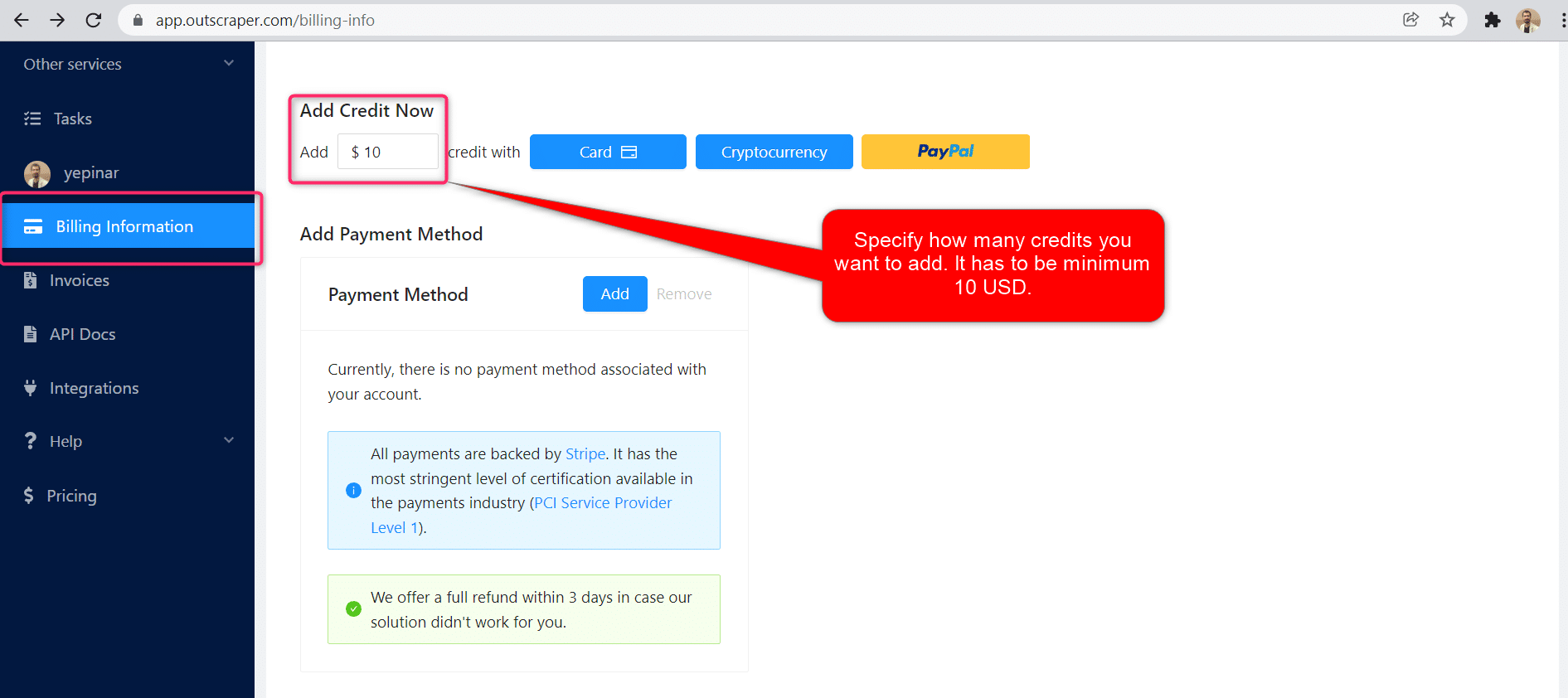
Có thể nạp tiền vào tài khoản bằng thẻ tín dụng, tiền điện tử hoặc PayPal.
Dịch vụ trả sau - Thêm thẻ tín dụng
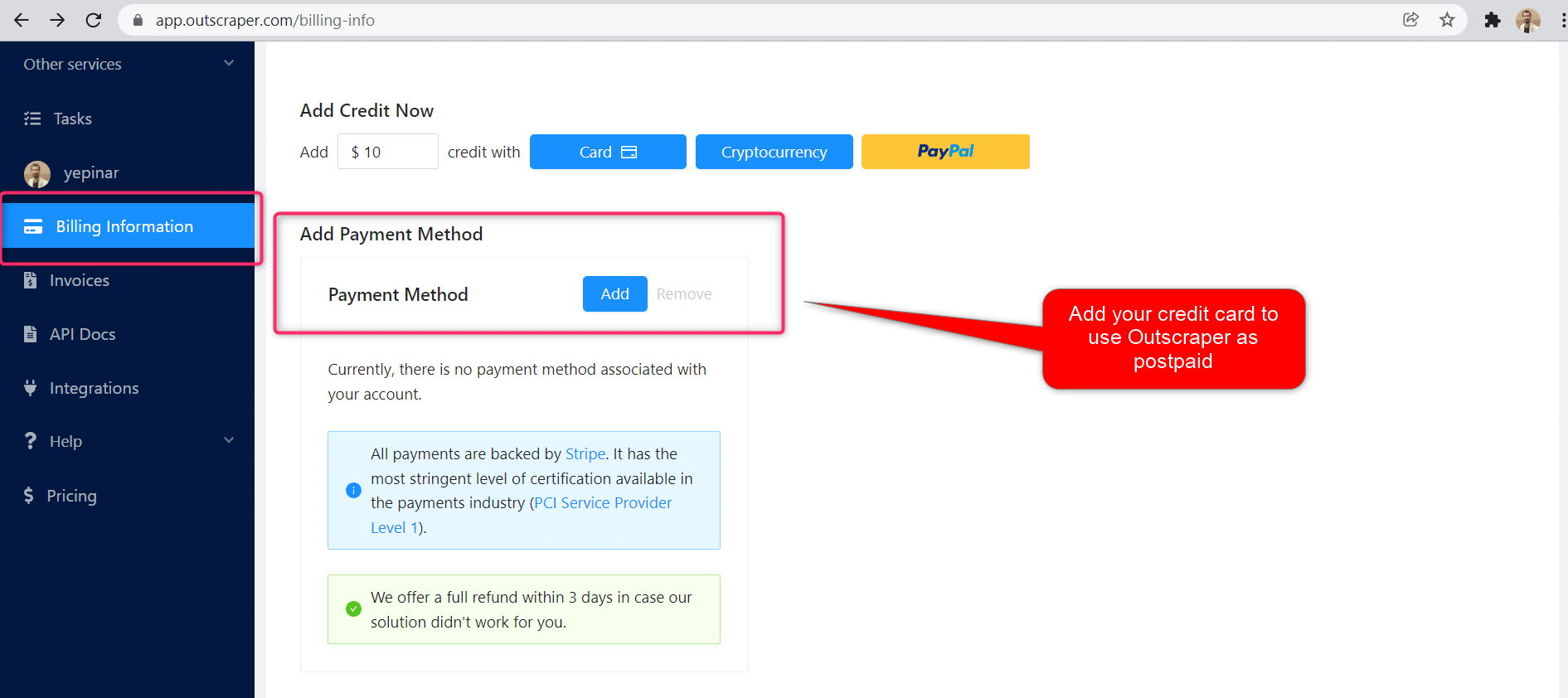
Với phương thức trả trước, bạn phải thanh toán trước rồi mới sử dụng, còn với phương thức trả sau, bạn chỉ cần cung cấp thông tin thẻ tín dụng là có thể bắt đầu sử dụng ngay. Bạn sẽ thanh toán khi kỳ thanh toán kết thúc.
Kỳ thanh toán
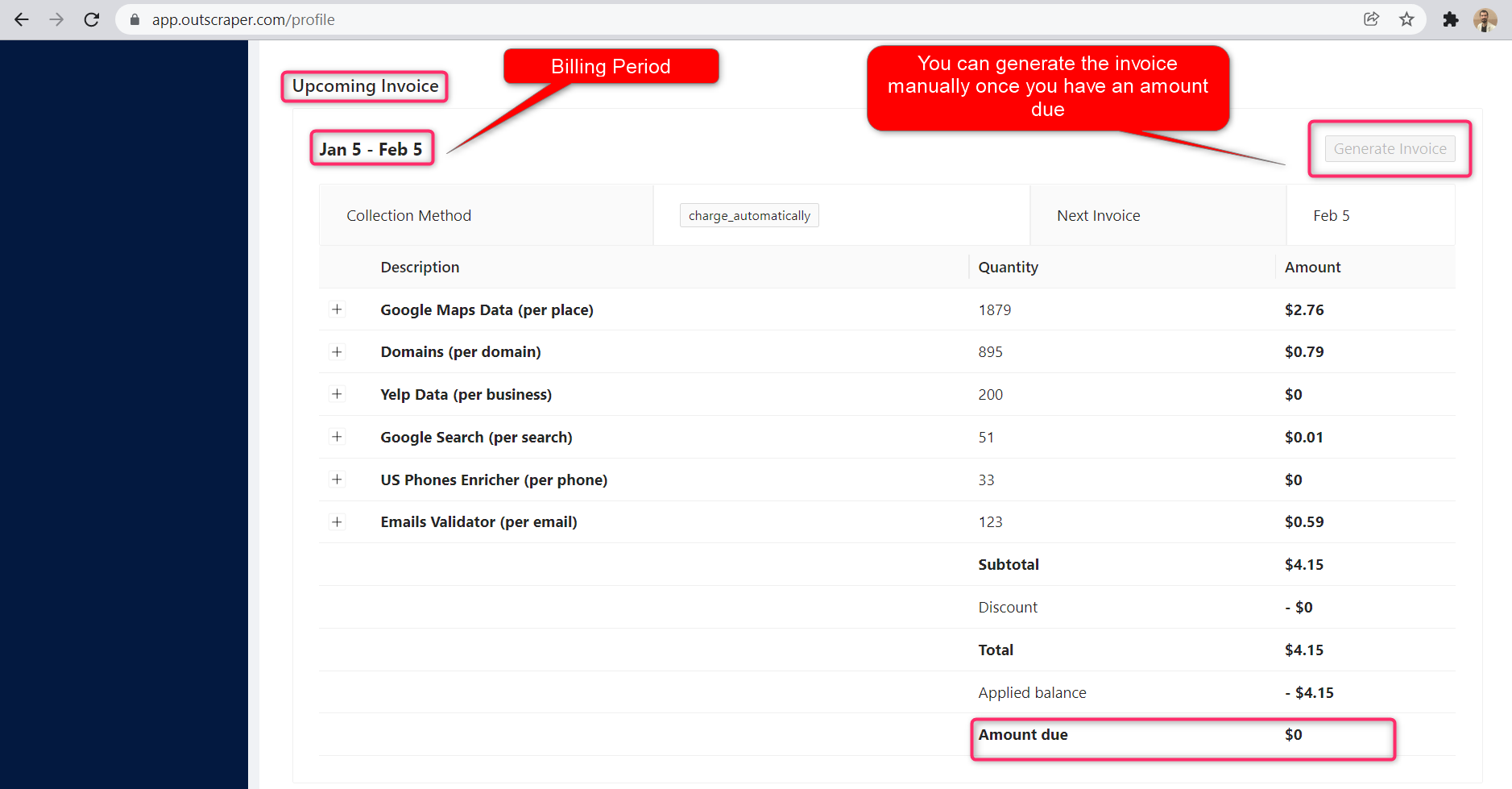
Thông tin về ngày bắt đầu và ngày kết thúc kỳ thanh toán có thể được tìm thấy trên trang hồ sơ. Bạn cũng có thể theo dõi số tiền của hóa đơn sắp tới tại đó. Nếu muốn, bạn có thể tạo hóa đơn thủ công ngay khi đã có số tiền phải thanh toán.
Video hướng dẫn
Câu hỏi thường gặp
Các câu hỏi và câu trả lời thường gặp nhất
Yes. If you have a list of websites you can scrape all emails from that list easily with Outscraper Emails & Contacts Scraper.
Outscraper Google Maps Data Scraper lets you to scrape all companies’ emails with Emails & Contacts Scraper enrichment service.
Outscraper’s Emails & Contacts Scraper service lets you do it easily. Just copy/paste your website list to the app dashboard and extract all emails one by one.
Email extractor is a service or tool that lets you extract emails from different types of sources like websites and social media accounts.
You can use an email scraping tool/service to crawl emails for marketing. There are a lot of offline and online tools to do it. Outscraper Email Scraper web service allows you to scrape emails from websites for marketing.
You can create your own database with names and emails via scraping company pages. Company websites’ have a lot of details. Such as contact details and company emails.
You can create your own free email list by crawling company web pages. Visit company websites and collect the emails from there and list them on a spreadsheet file. If it will take a long time you can try Outscraper Email Scraper to make it quickly.
You can grow your email list in different ways. Creating magnet lead content pages, providing free eBooks, free courses, and organizing a competition. And also you can grow your email list by scraping Google Maps, Websites, Instagram, and other sources.
You can scrape emails from websites, social media accounts, company pages, and business databases. Outscraper services can help you about scraping emails from different kinds of sources.



0 Comments