Inhoudsopgave
Aanmelden
Een account aanmaken
Visit the service page to sign up now. Bij het aanmelden hoeft u alleen het e-mailadres op te geven dat u voor uw account wilt gebruiken. Desgewenst kunt u zich ook aanmelden via uw Google-, Facebook- of LinkedIn-account.

Bevestig uw e-mail
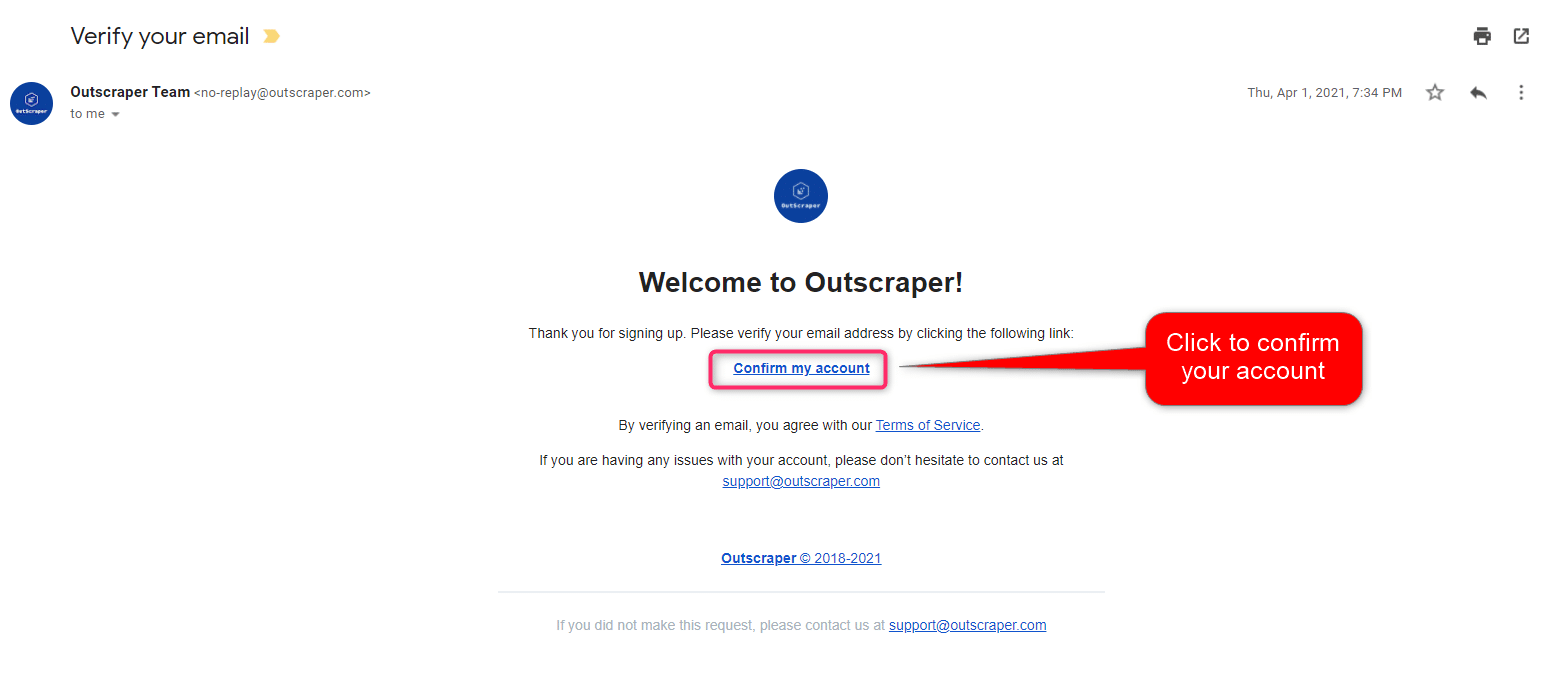
U krijgt een e-mail van de website van Outscraper om uw e-mailadres te bevestigen. Klik op de link in de e-mail om het registratieproces te voltooien.
What is Emails & Contacts Scraper?
Email scrapers and extractors are tools that collect emails from websites. Outscraper has such a tool for you to use in projects and campaigns. E-mails en contacten schraper is Outscraper’s web service that scrapes emails and contacts data over domains. This web service allows you to scrape emails, contact information, and social media accounts linked to the website.
Creating Tasks and Setting the Parameters
You can reach the email scraping service on the dashboard. Click the Services>E-mails en contacten schraper service from the left panel and open the E-mails en contacten schraper service.
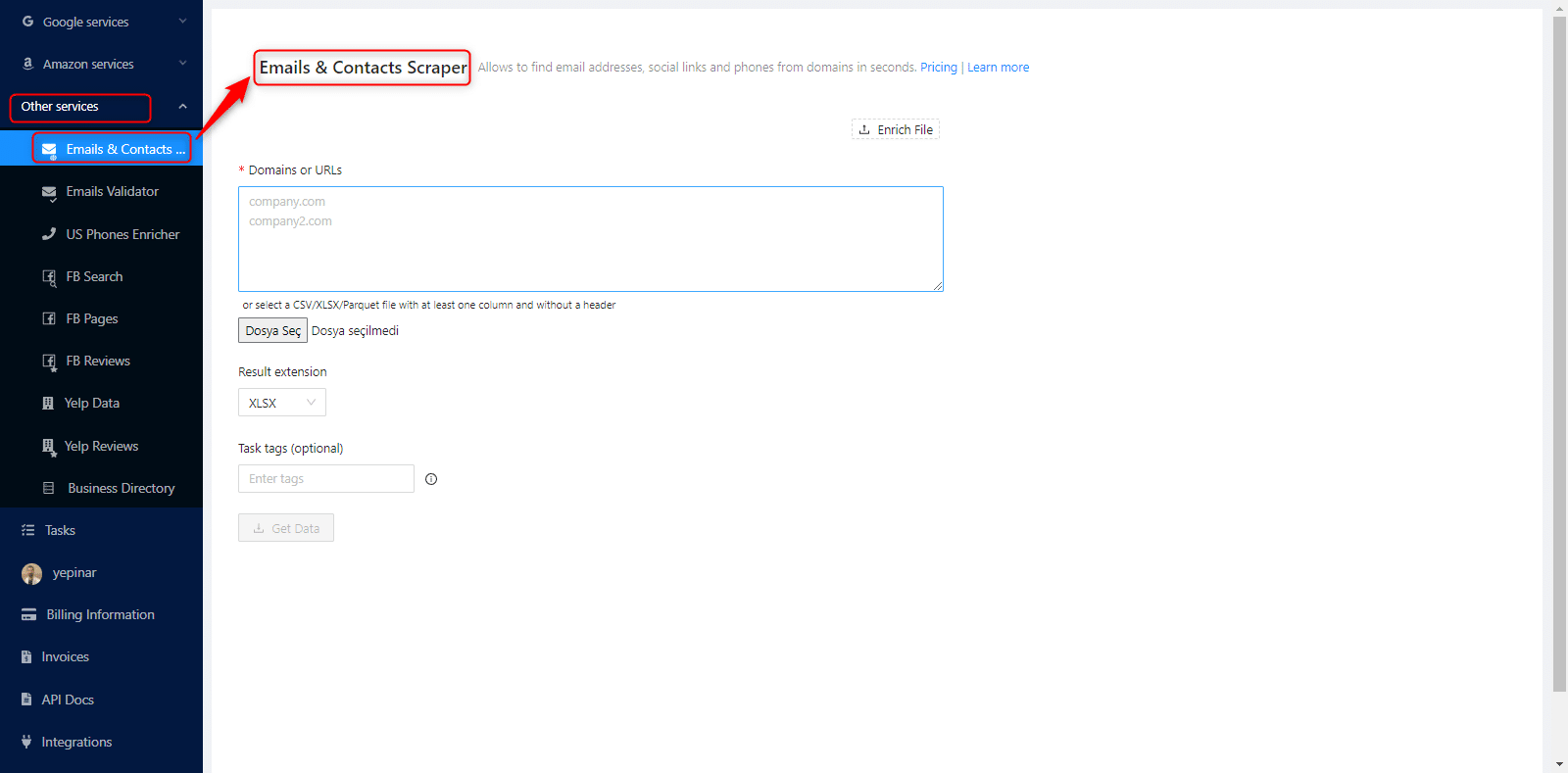
Er zijn three essential parameters that should be defined to create a task. Email Scraping is very easy with Outscraper. You should start with the Domains/URLs list first.
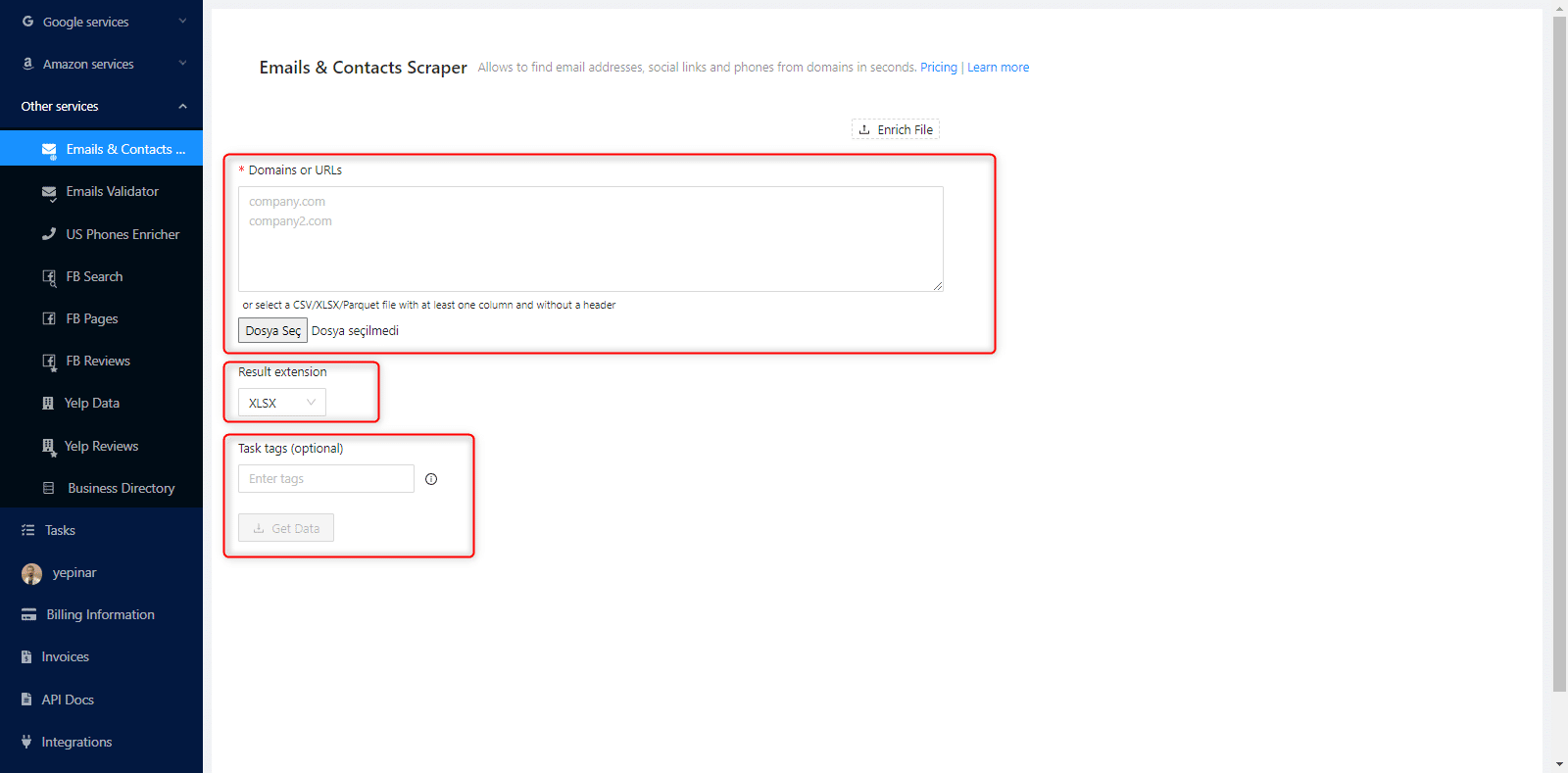
Domains or URLs List
You can do email scraping with two different methods in Outscraper. The first is to copy and paste the entire list into the dashboard. The other is to upload the URL list directly.
Copy/Paste the List
If you have a domain list of the emails you want to scrape, you can create a scraping task by pasting this list directly on the dashboard without any extra action.

Copy the URLs from your list saved in a text file or spreadsheet and paste them into the “Domains or URLs” box.
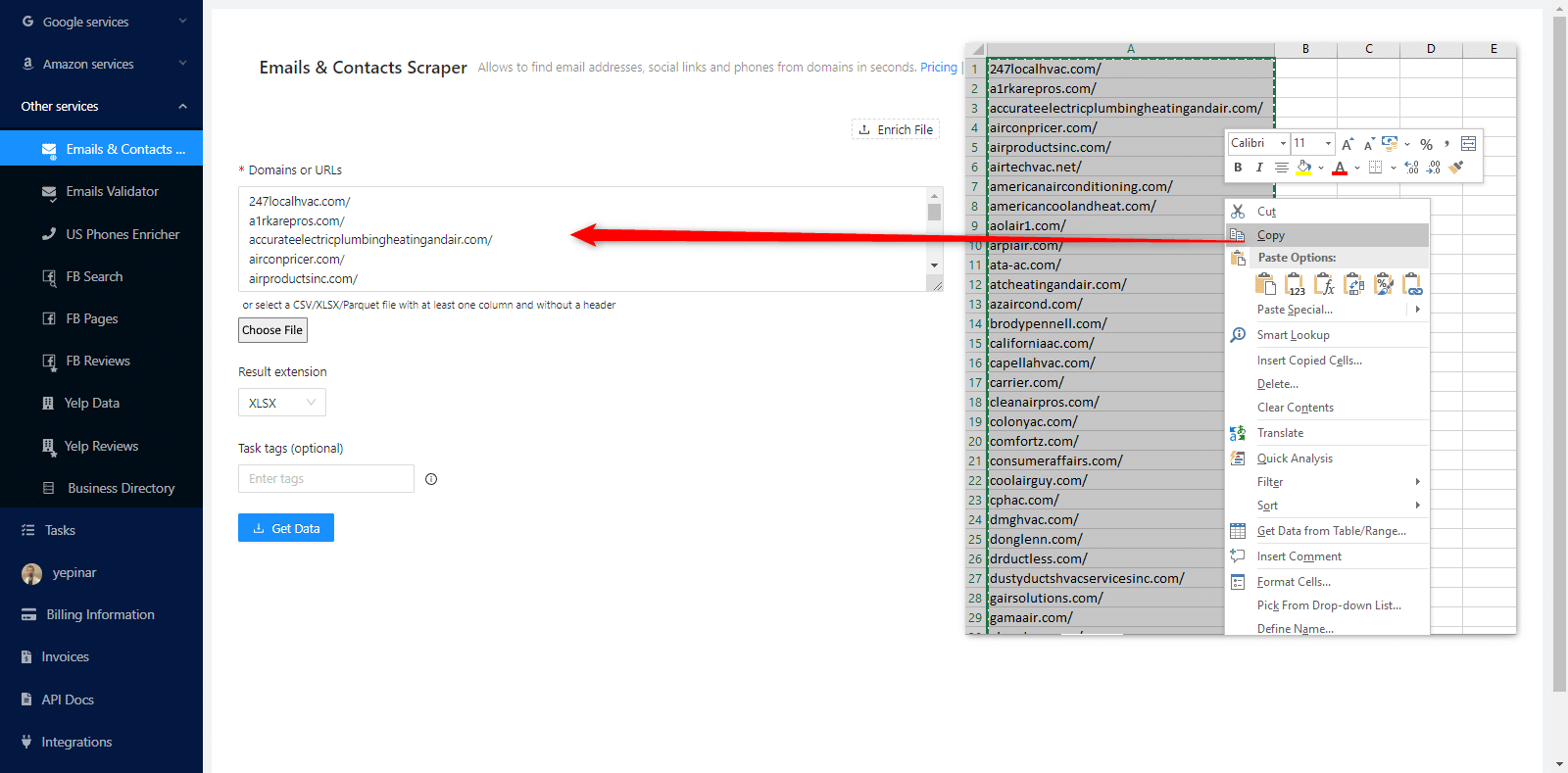
After copy-pasting, you can continue editing the other task parameters.
Upload CSV/XLSX/Parquet or TXT File
You may want to scrape hundreds of domain names. Copy/Paste them would be difficult. For this reason, Outscraper allows you to upload these large lists directly. CSV/XLSX/Parquet or TXT File format can be used for that lists. No special editing is required for lists. It is enough to write all the URLs one under the other. It would be appropriate not to have Http variations and www in the URLs in the list. A sample list:

Click the “Choose file” button and choose your list on the file browser.

A notification will appear on the top right that your file has been uploaded.

You can continue to set parameters for creating the task when you get that notification.
Resultaat Uitbreiding
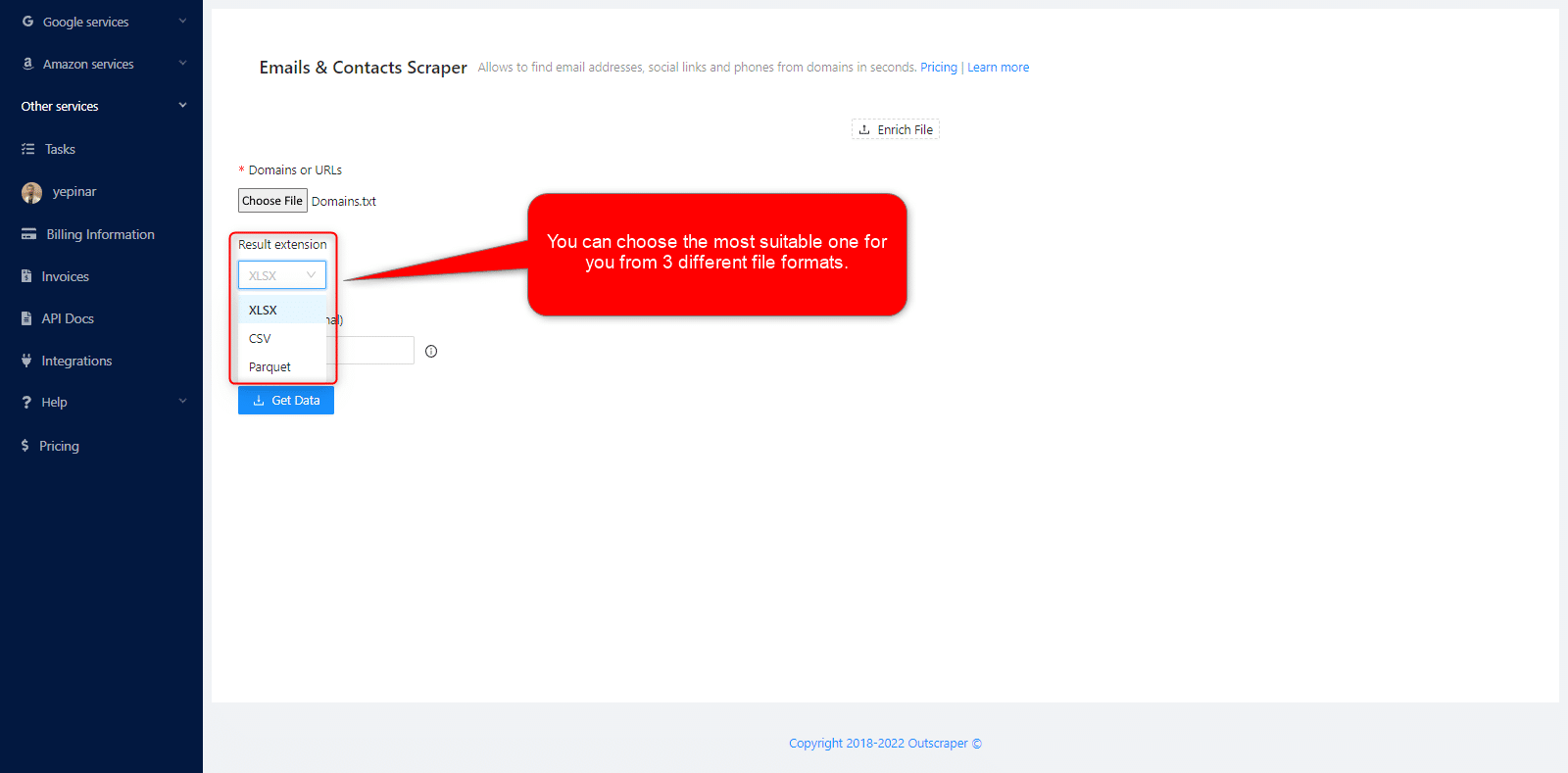
You can choose the most suitable one from 3 different file formats (XLSX, CSV, or Parquet file types).
Taak tags
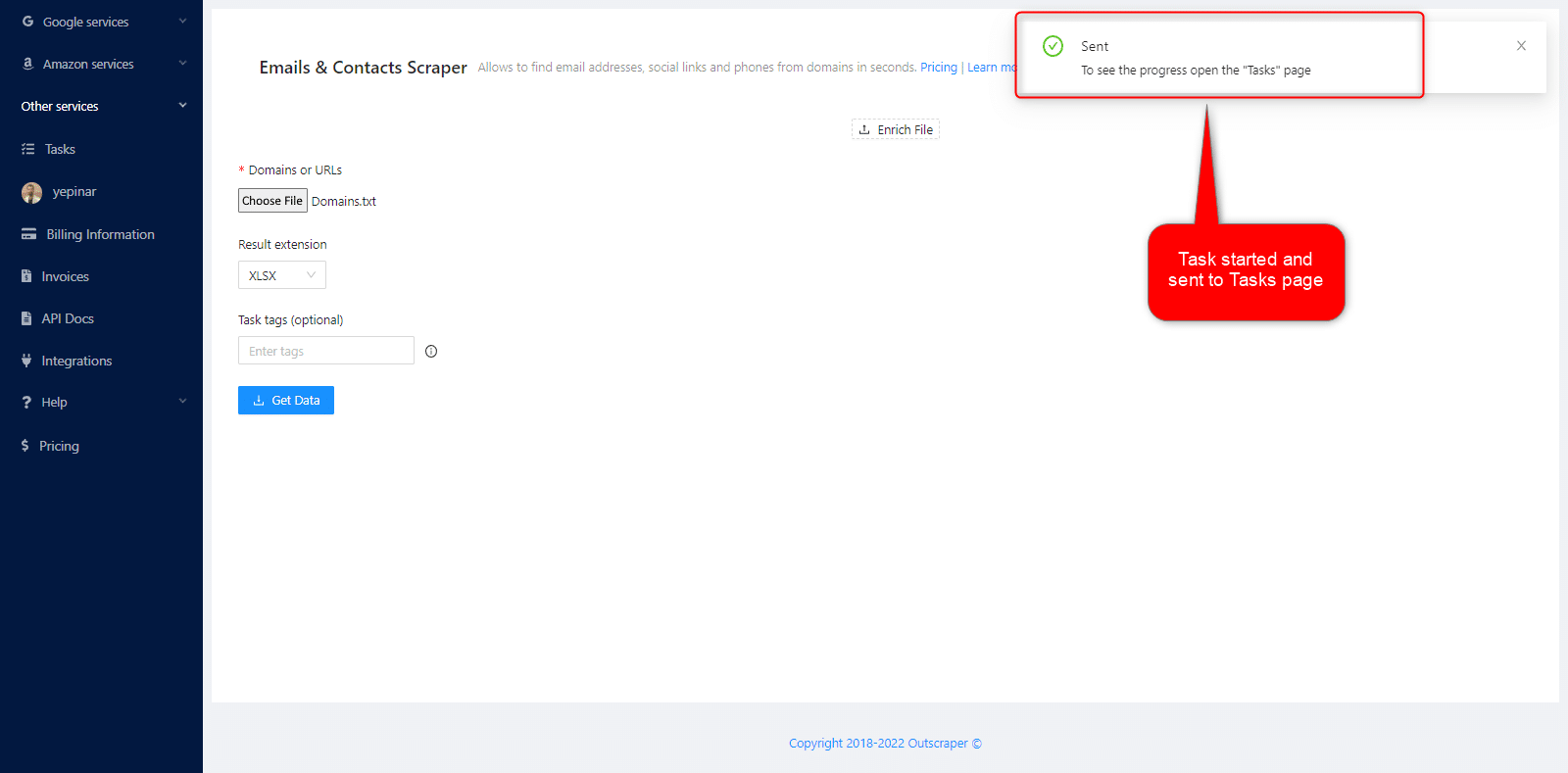
You can write any words or texts on the “Task tags” box. It can also be empty. The tag will help you track your task on the Taken pagina.

Taaktags maken het volgen gemakkelijk.
Bevestig uw taak
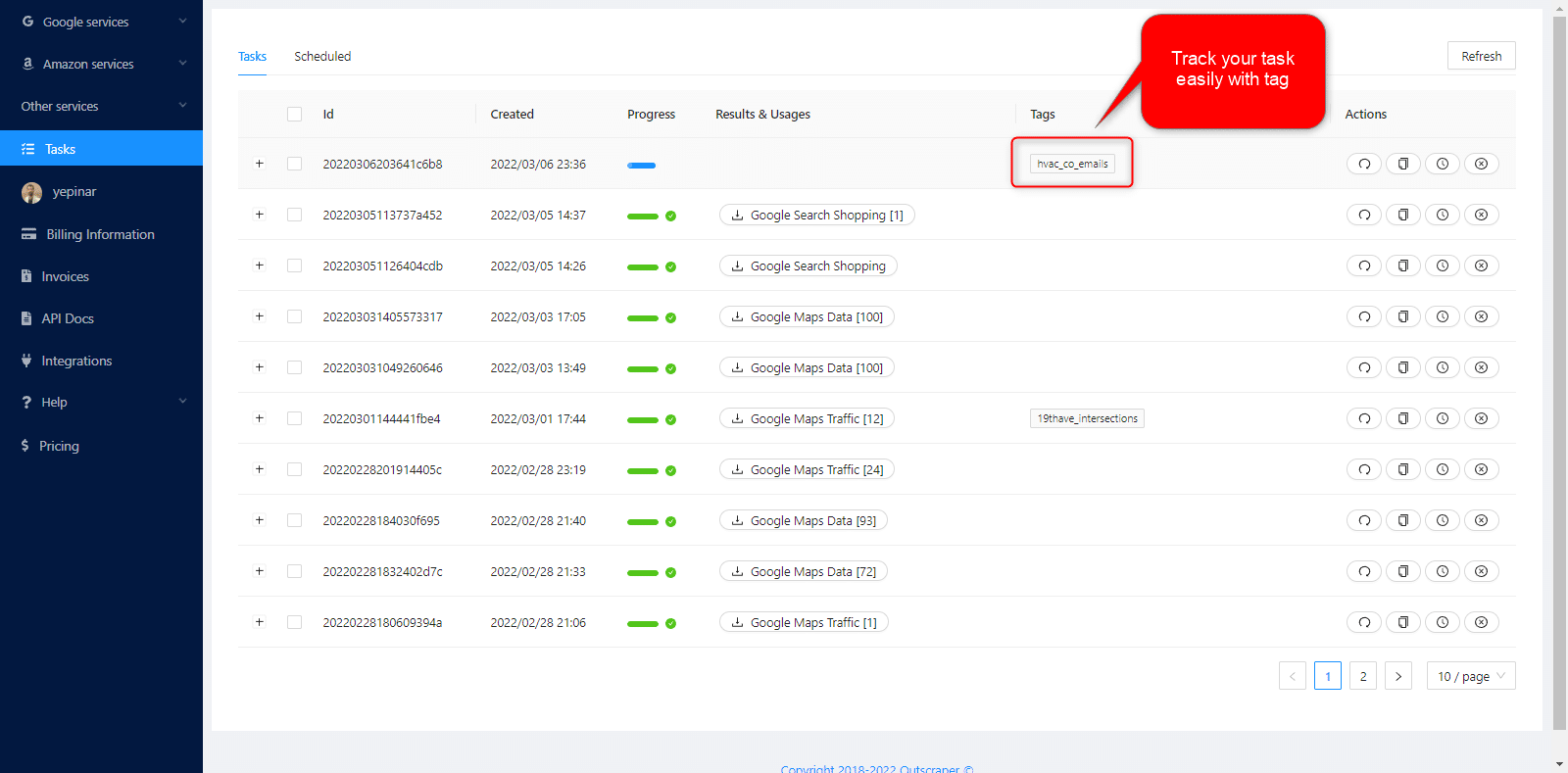
A pop-up will show you a confirmation notification when you click the ‘Get Data’ button.
Such as: “You’re going to extract the data from the queries inside the uploaded file: Domains.txt.”

By clicking the confirm button, you will begin the task and be directed to the Taken pagina.
Resultaten
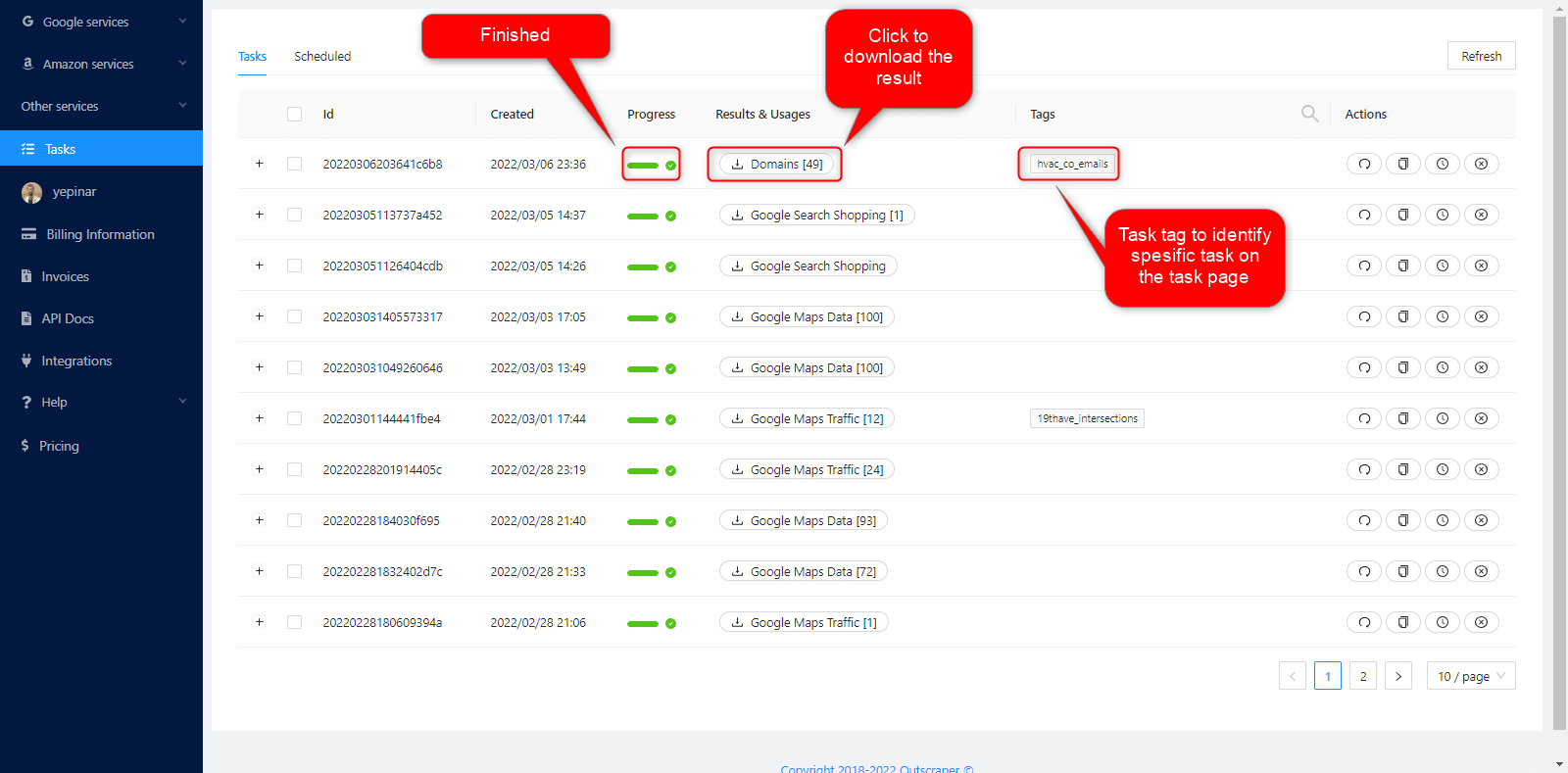
Volg de voortgang van uw taak
Je kunt al je vorderingen bijhouden op de Taken pagina.
Download uw resultatenbestand
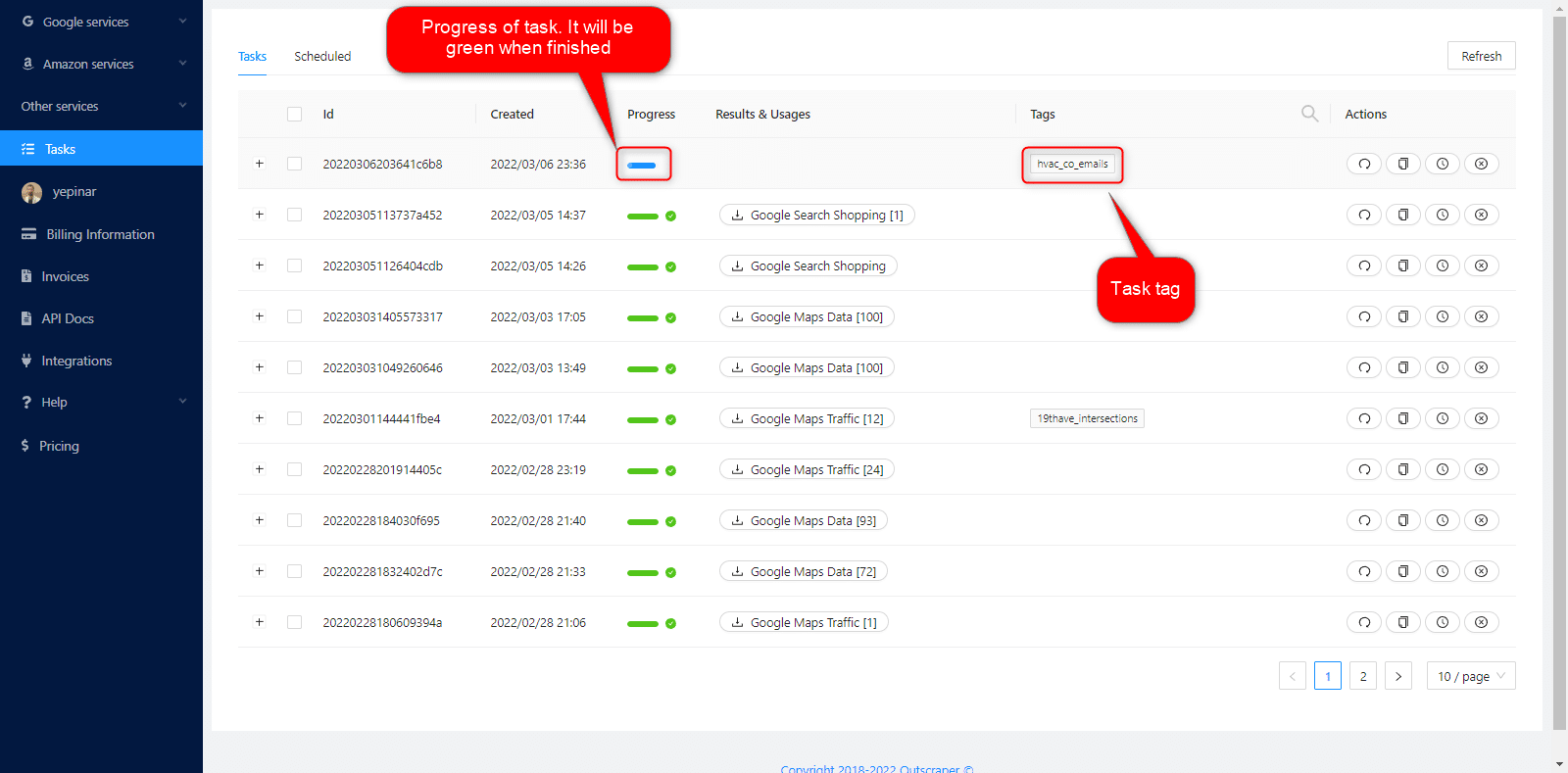
You can find and quickly download the task you have created on the Tasks page. Task tags will help you find your recent task/s.
Alle resultaten worden slechts 30 dagen op servers bewaard. We raden u aan de resultaatbestanden voor langere tijd op uw harde schijf te bewaren.
Controleer je resultatenbestand
The result files you have downloaded as XLSX file types can be reviewed with any spreadsheet viewer. The task result file will contain email addresses, phone numbers, contact names, Facebook, Instagram, LinkedIn, Medium, Reddit, Skype, Snapchat, Telegram, Twitter, Vimeo, YouTube, GitHub and CrunchBase links.
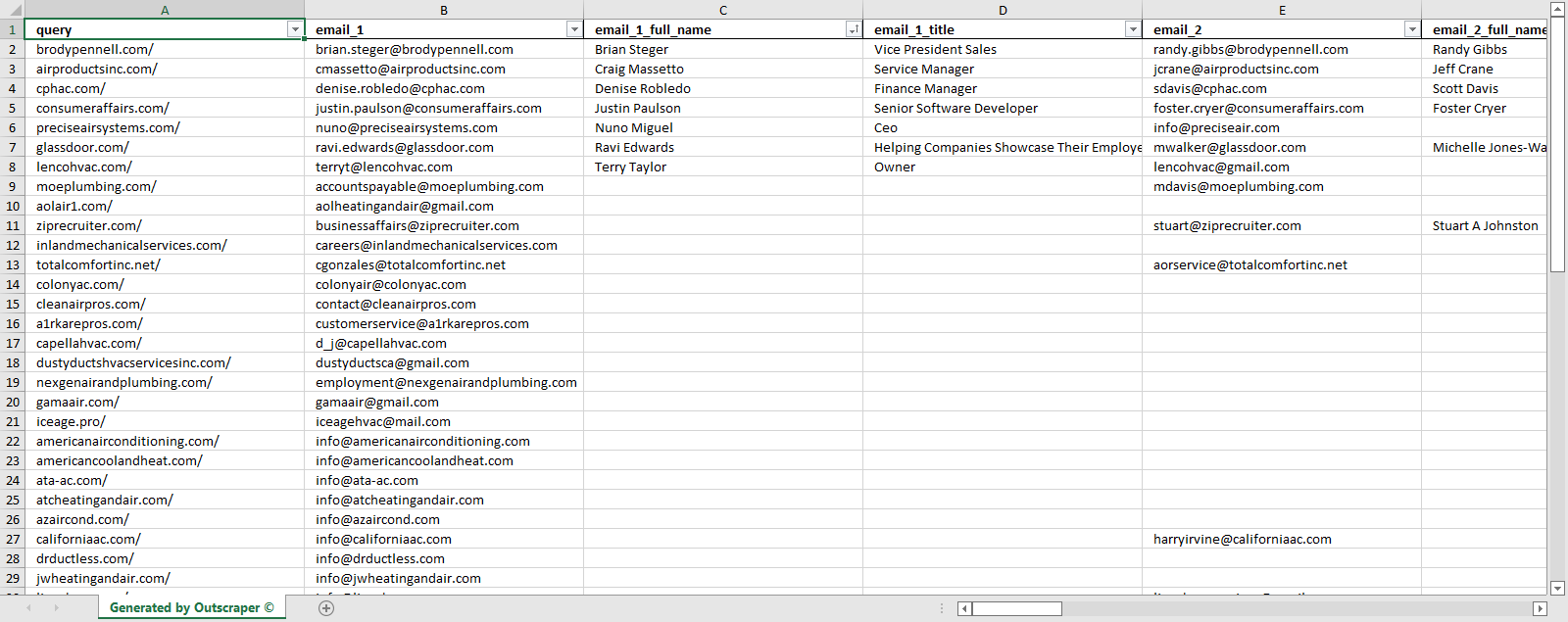
This sample task result file can be reviewed here: HVAC_Companies_XLSX
Combining Emails & Contacts Scraper With Google Maps Scraper Service
Emails & Contacts Scraper service can be used to enrich Google Maps Data Scraping tasks. Thus, two jobs can be done with a single task, and a B2B Lead list can be created directly on Google Maps.
While creating a Google Maps Scraping task, you can select the Emails & Contacts Scraper service to enrich your result file with emails.
Outscraper Emails & Contacts Scraper service will visit all websites of businesses and scrape their email addresses and social media accounts.

We created a sample task showing how the Emails and Contacts Scraper service enriches the Google Maps Scraper result file.
Simple Result File: 20220315145213c1ea_hvac_without_emails
Enriched Result File: 20220315145122defc_hvac_with_emails
You can start using the Emails & Contacts Scraper service on its own or in combination right now.
Prijzen
Pricing Page and Cost Calculator
Bij Outscraper zijn er geen maandelijkse abonnementskosten. Je betaalt alleen voor wat je daadwerkelijk gebruikt.
Please visit our pricing page for pricing details on our Emails & Contacts Scraper service.
Prijzen Pagina: https://outscraper.com/pricing
Er zijn drie verschillende tariefniveaus. Dit zijn het gratis niveau, het medium-niveau en het zakelijk niveau. De prijzen voor deze niveaus kunt u bekijken op de prijspagina.
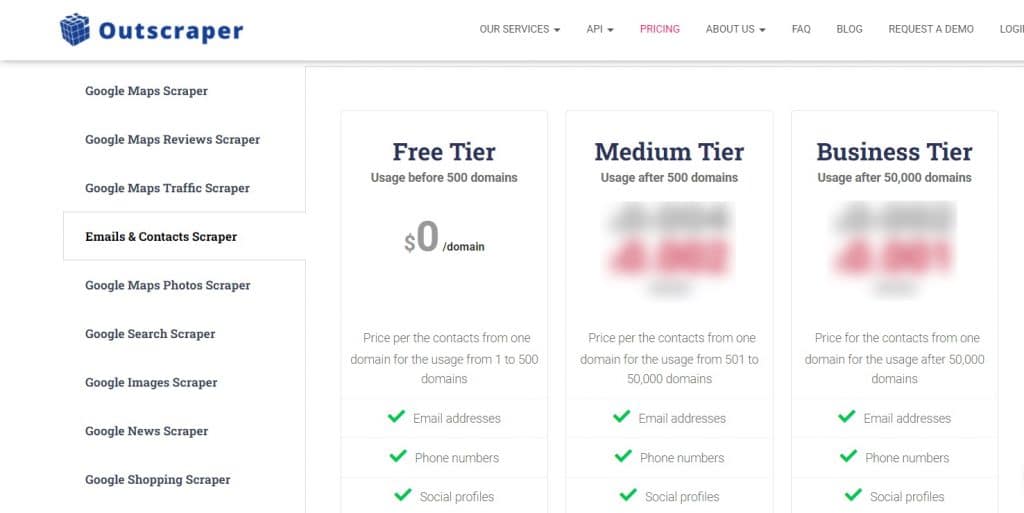
De tool voor het berekenen van servicekosten in het dashboard
After registration, the “Service pricing” tool can help you with pricing on the Emails & Contacts Scraper service page on the Outscraper App Dashboard.
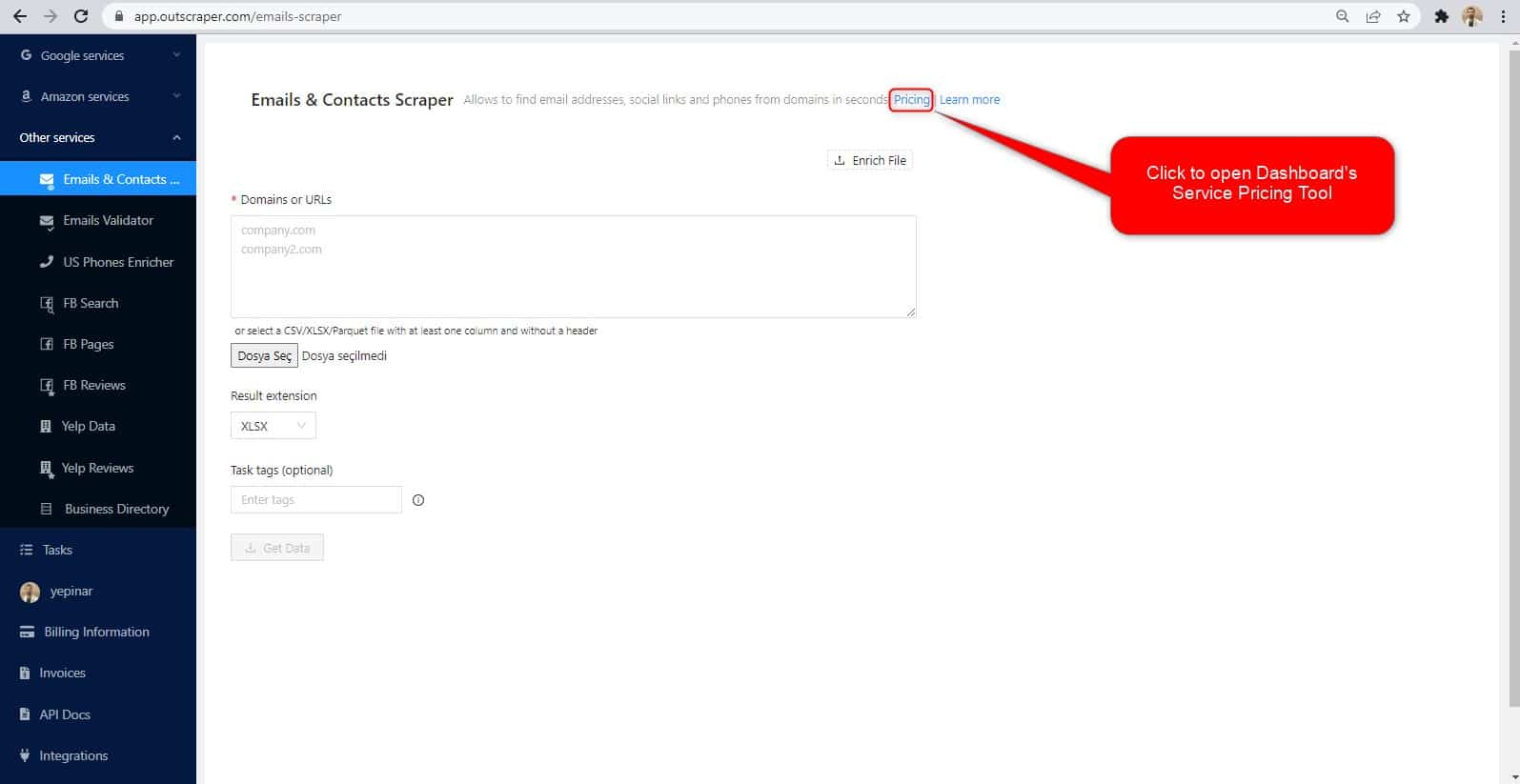
De tool voor het berekenen van de tarieven vindt u in het rechtergedeelte.
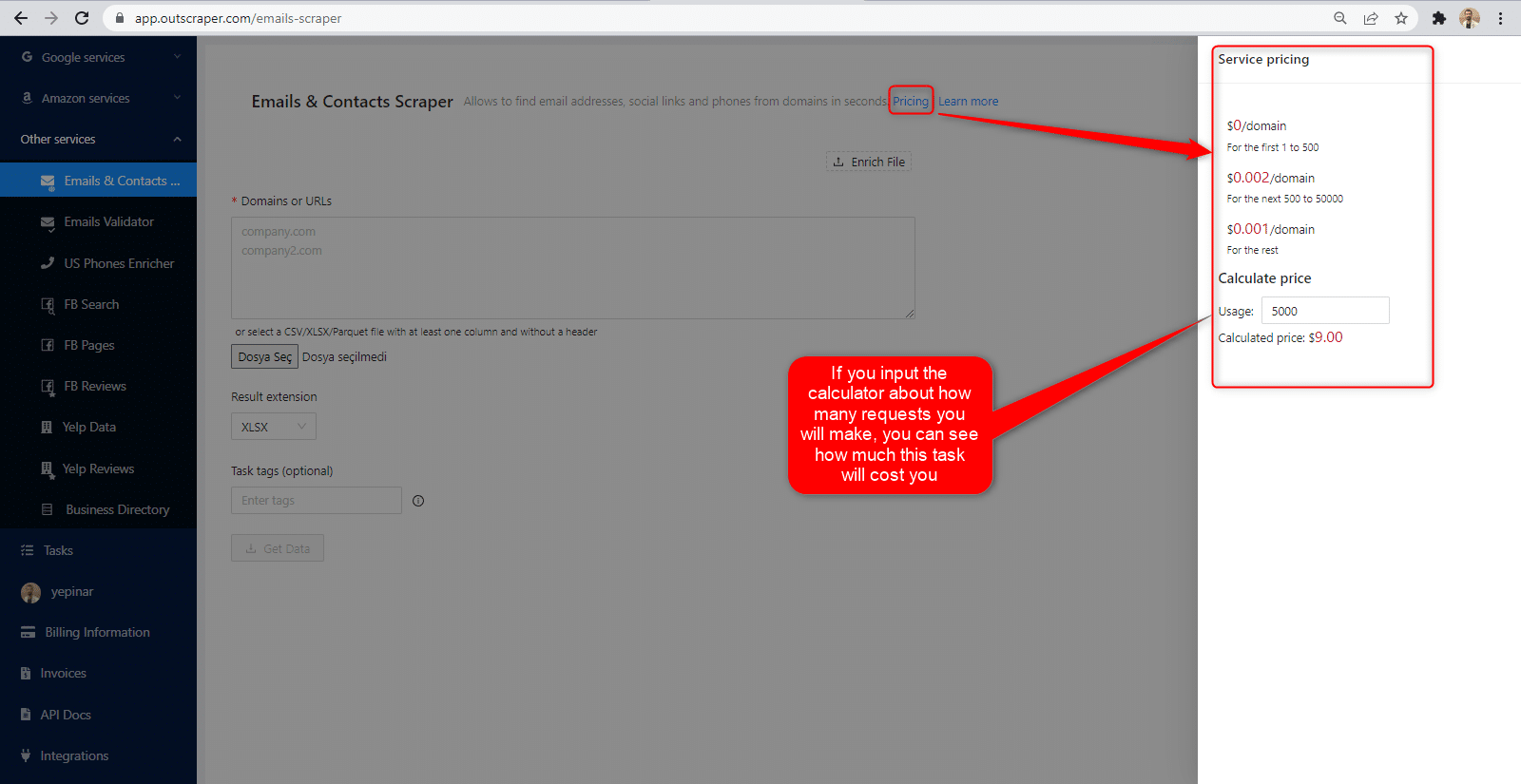
Je kunt zien hoeveel de opdracht je gaat kosten als je in de calculator invoert hoeveel verzoeken je gaat indienen. Bezoek de Factureringsinformatie pagina om tegoed toe te voegen of je creditcardgegevens in te voeren.
Betaalmethoden
Gratis niveau
Geniet elke maand van een bepaald aantal gratis credits in Outscraper. Deze credits worden maandelijks vernieuwd zoals aangegeven op de prijzen pagina.
Je kunt op de tariefpagina nagaan hoeveel gratis credits je voor een bepaalde dienst hebt.
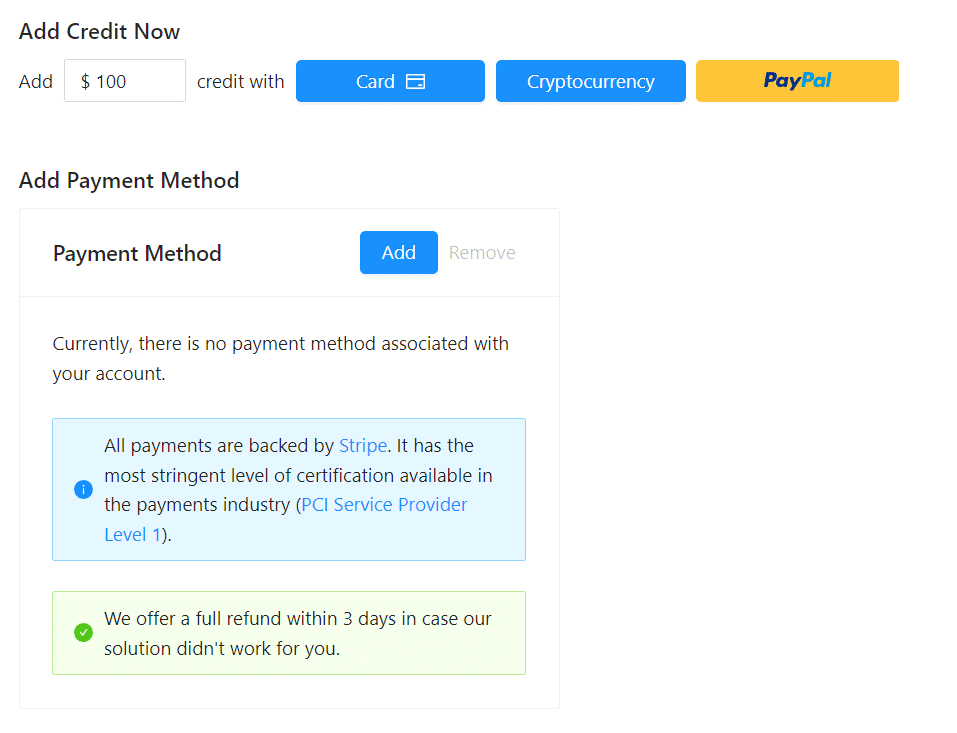
Je kunt gebruikmaken van de prepaid-betaalmethode door tegoed op te waarderen, of je kunt je creditcard koppelen en achteraf betalen aan het einde van je factureringsperiode. Ga naar de Factuurgegevenspagina om uw betaalmethode te bepalen.
Prepaid - Krediet toevoegen
Voeg credits toe aan je account om Outscraper te kunnen gebruiken. De minimale limiet is 10 USD. Voeg zoveel credits toe als je wilt en geef ze uit wanneer je wilt.
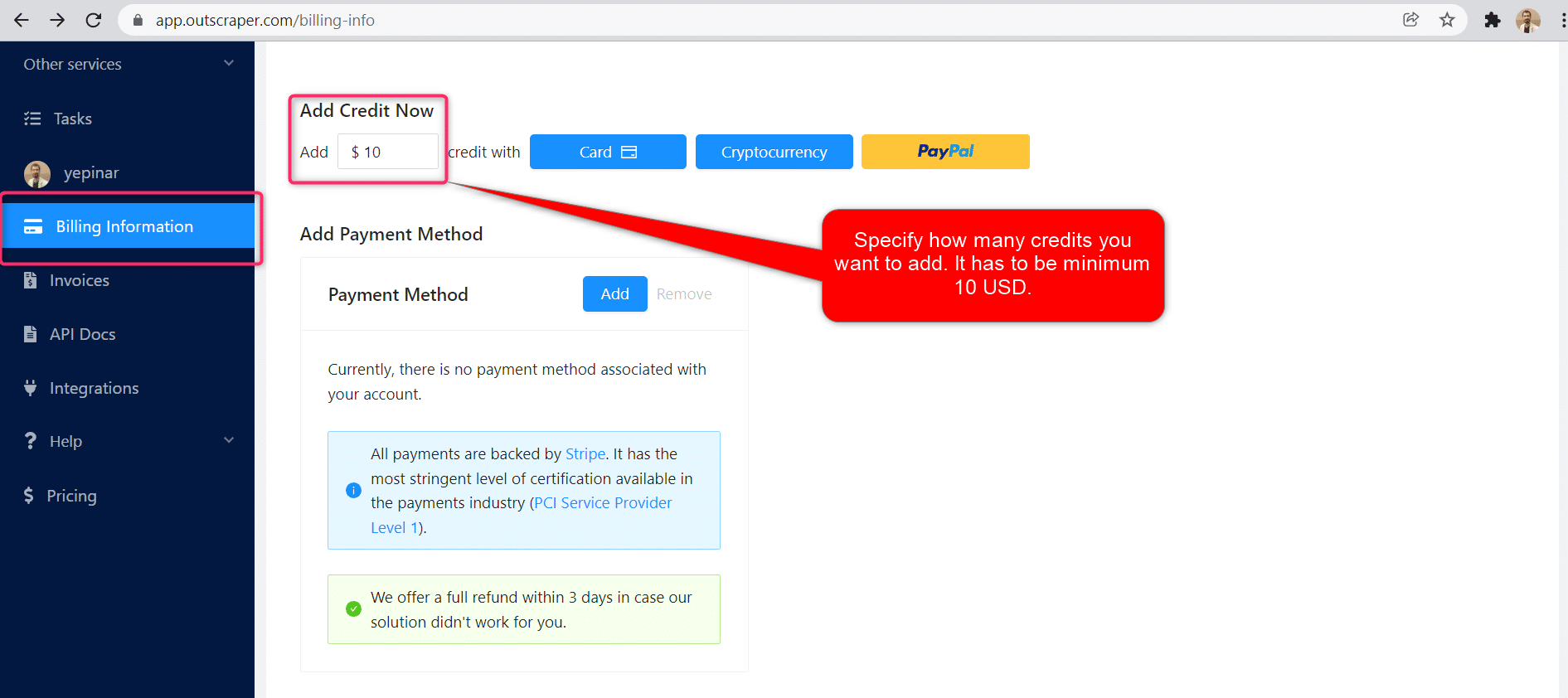
Credits kunnen worden toegevoegd per creditcard, cryptocurrency of PayPal.
Postpaid - Creditcard toevoegen
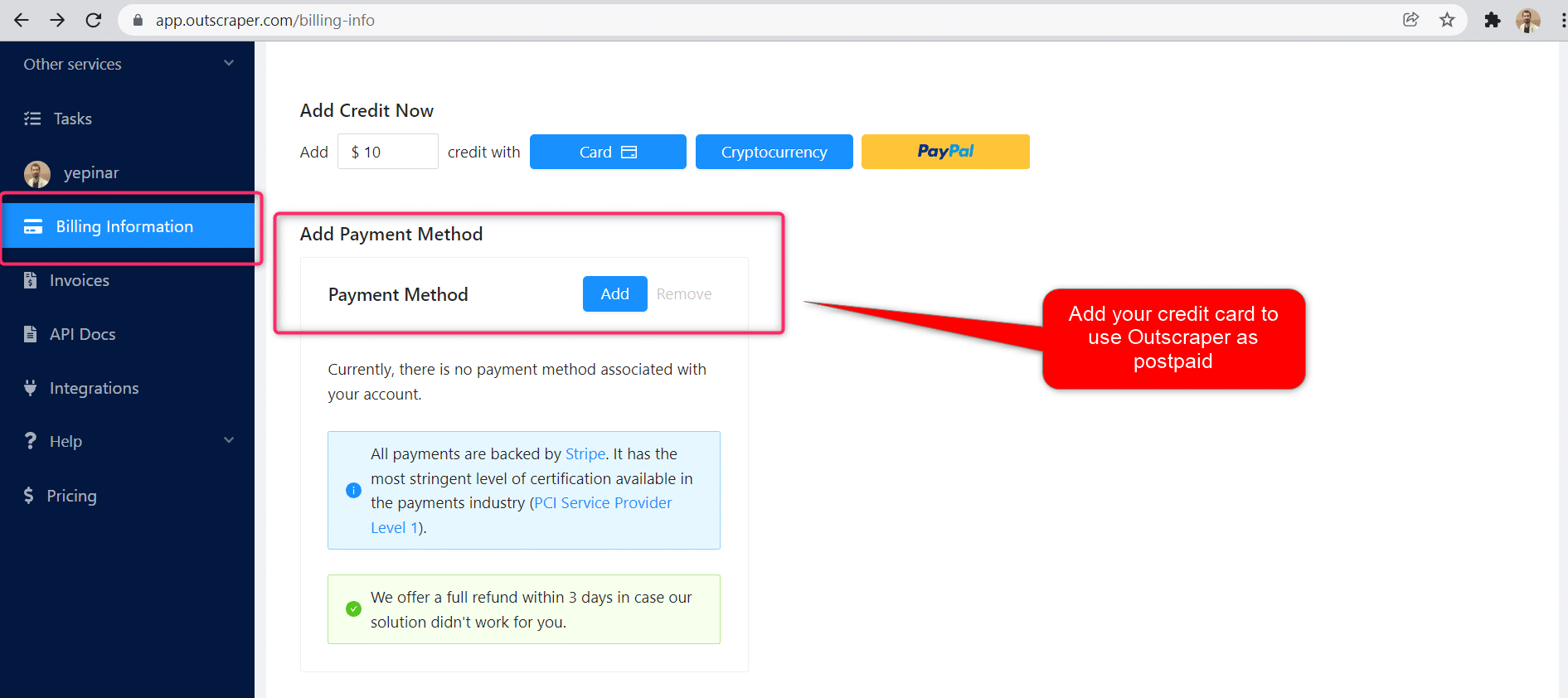
Bij de prepaid-methode betaalt u eerst en gebruikt u het vervolgens, maar bij de postpaid-methode geeft u een creditcard op en gaat u die gebruiken. U doet de betaling wanneer uw factureringsperiode voorbij is.
Factuurperiode
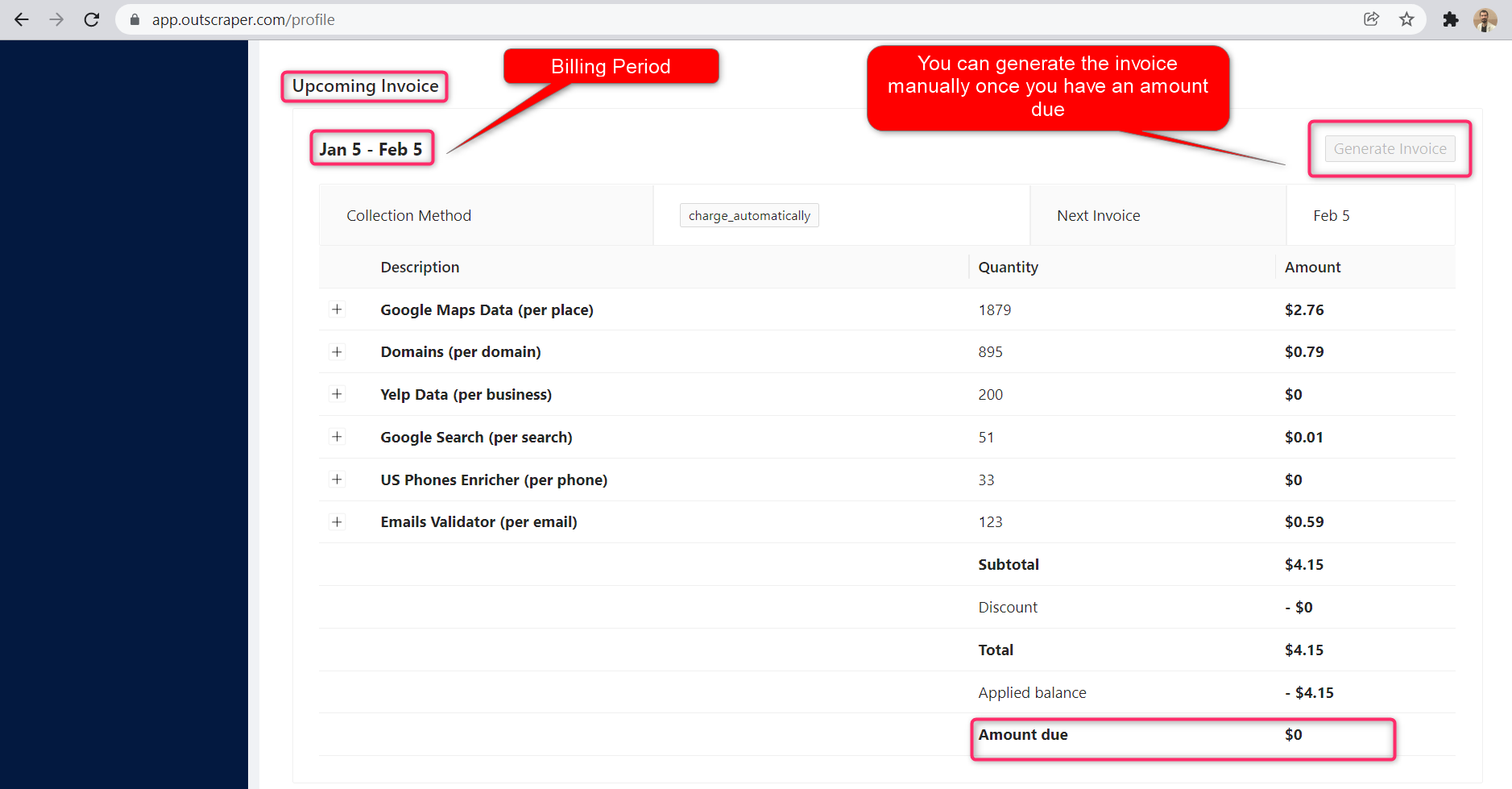
Informatie over de begin- en einddatum van de factureringsperiode vind je op de profielpagina. Daar kun je ook het bedrag van de komende factuur bekijken. Indien u dat wenst, kunt u de factuur handmatig genereren zodra er een verschuldigd bedrag is.
Video handleiding
FAQ
Meest voorkomende vragen en antwoorden
Yes. If you have a list of websites you can scrape all emails from that list easily with Outscraper E-mails & Contacten-scraper.
Outscraper Google Maps Data Scraper lets you to scrape all companies’ emails with Emails & Contacts Scraper enrichment service.
Outscraper’s Emails & Contacts Scraper service lets you do it easily. Just copy/paste your website list to the app dashboard and extract all emails one by one.
Email extractor is a service or tool that lets you extract emails from different types of sources like websites and social media accounts.
You can use an email scraping tool/service to crawl emails for marketing. There are a lot of offline and online tools to do it. Outscraper E-mailschraper web service allows you to scrape emails from websites for marketing.
You can create your own database with names and emails via scraping company pages. Company websites’ have a lot of details. Such as contact details and company emails.
You can create your own free email list by crawling company web pages. Visit company websites and collect the emails from there and list them on a spreadsheet file. If it will take a long time you can try Outscraper Email Scraper to make it quickly.
You can grow your email list in different ways. Creating magnet lead content pages, providing free eBooks, free courses, and organizing a competition. And also you can grow your email list by scraping Google Maps, Websites, Instagram, and other sources.
You can scrape emails from websites, social media accounts, company pages, and business databases. Outscraper services can help you about scraping emails from different kinds of sources.


0 Comments