جدول المحتويات
البحث عن عملاء جدد في كثير من الأحيان يبدأ في خريطة، لكن إثراء بيانات «الأماكن» في خرائط Google دورات تحويل تلك الإحداثيات إلى يمكن الوصول إليه تؤدي إلى. تفتقر معظم عمليات التصدير من خرائط جوجل إلى عناوين البريد الإلكتروني المؤكدة وروابط وسائل التواصل الاجتماعي، مما يجبر فريق المبيعات لديك على الاتصال بأرقام الهواتف الأرضية العامة. وحتى إذا كانت لديك معلومات الاتصال، فإنها تصبح غير صالحة بسرعة. وقد أظهرت دراسة أجرتها اختيار القطاع تشير الدراسة إلى أن 70.8% من بيانات جهات الاتصال التجارية تتغير خلال عام واحد.
تقضي ساعات في استخراج البيانات لتجد في النهاية مجرد أسماء وعناوين. فالاسم على الخريطة ليس سوى دبوس. أما العميل المحتمل الحقيقي فهو الشخص الذي يمكنك الوصول إليه. وتعمل أدوات إثراء البيانات على حل هذه المشكلة من خلال المسح التلقائي لمواقع الشركات والسجلات على مواقع التواصل الاجتماعي لملء الثغرات نيابة عنك.
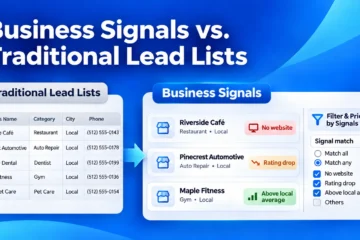
هناك فجوة كبيرة بين “دبوس أساسي”و“ملف تعريفي موسع.”. أحدهما يمنحك مبنىً. والآخر يعطي البريد الإلكتروني للمالك وحساباته على مواقع التواصل الاجتماعي. أنت تتخلى عن قائمة الإحداثيات وتحصل بدلاً من ذلك على قائمة بالفرص. وهذا يتيح لفريقك تخطي مرحلة البحث عن الخريطة و انطلق مباشرةً إلى إرسال رسائل بريد إلكتروني احصل على تم تسليمها.
ما الذي يجب أن تعرفه عن إثراء بيانات الأماكن في خرائط جوجل؟
لاستخدام ميزة إثراء بيانات «الأماكن» في خرائط Google لتوليد العملاء المحتملين، ابدأ باستخراج بيانات الشركات من خرائط Google، ثم قم بإثرائها بعناوين البريد الإلكتروني وأرقام الهواتف التي تم التحقق منها، بالإضافة إلى تفاصيل صانعي القرار، باستخدام أدوات الإثراء. بعد ذلك، قم بتصفية العملاء المحتملين بناءً على نشاطهم وتقييماتهم، وقم بمزامنة البيانات المُثريَّة مع نظام إدارة علاقات العملاء (CRM) الخاص بك للتواصل الفوري معهم.
وتشمل الخطوات ما يلي:
- استخراج قوائم الأنشطة التجارية باستخدام بيانات خرائط Google أو خدمة «Places»
- إثراء البيانات بعناوين البريد الإلكتروني والملفات الشخصية على مواقع التواصل الاجتماعي وتفاصيل المالكين
- التحقق من الشركات وتحديد صانعي القرار
- تصنيف العملاء المحتملين في كل قطاع بناءً على التقييمات والحجم ومستوى النشاط
- تصدير العملاء المحتملين ونقلهم إلى نظام إدارة علاقات العملاء (CRM) من أجل التواصل معهم
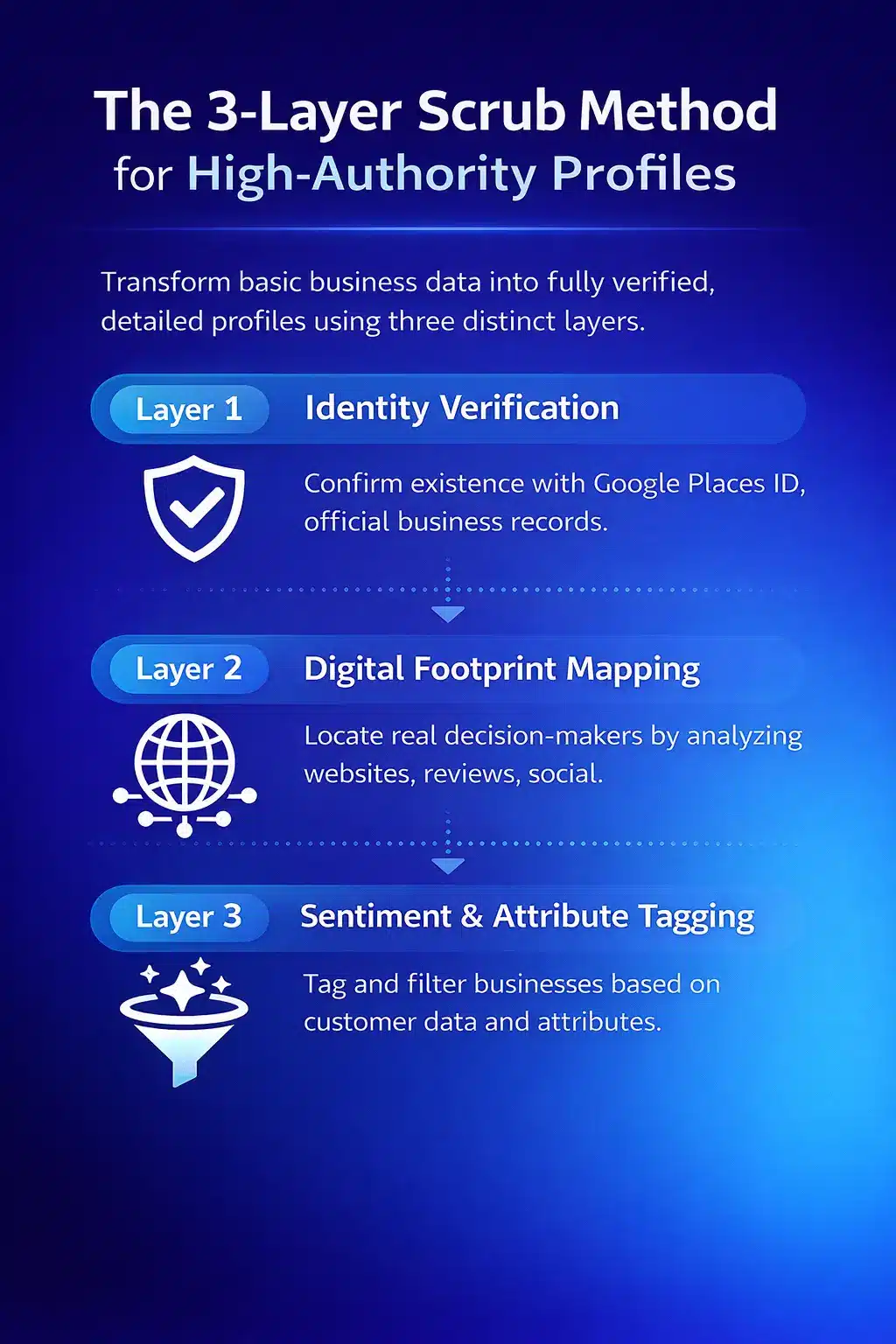
طريقة التنقية ثلاثية الطبقات لإثراء بيانات «جوجل بلايسز»
معظم قوائم البيانات تكون مسطحة. هم أعطِ يقدمون لك اسمًا ورقمًا، لكنهم لا أخبرك إذا ما إذا كانت الشركة لا تزال نشطة أم من هو صناع القرار هي. ولحل هذه المشكلة، نستخدم عملية محددة لتحويل البيانات الأولية إلى قائمة يمكن لفريق المبيعات لديك استخدامها بسهولة.
لا يتعلق الأمر هنا بالتجريف البسيط؛ بل يتعلق بـ استكمال معلومات الشركة من خلال ثلاث طبقات متميزة لبناء ملف تعريفي يتمتع بمصداقية عالية.
الطبقة الأولى: التحقق من الهوية
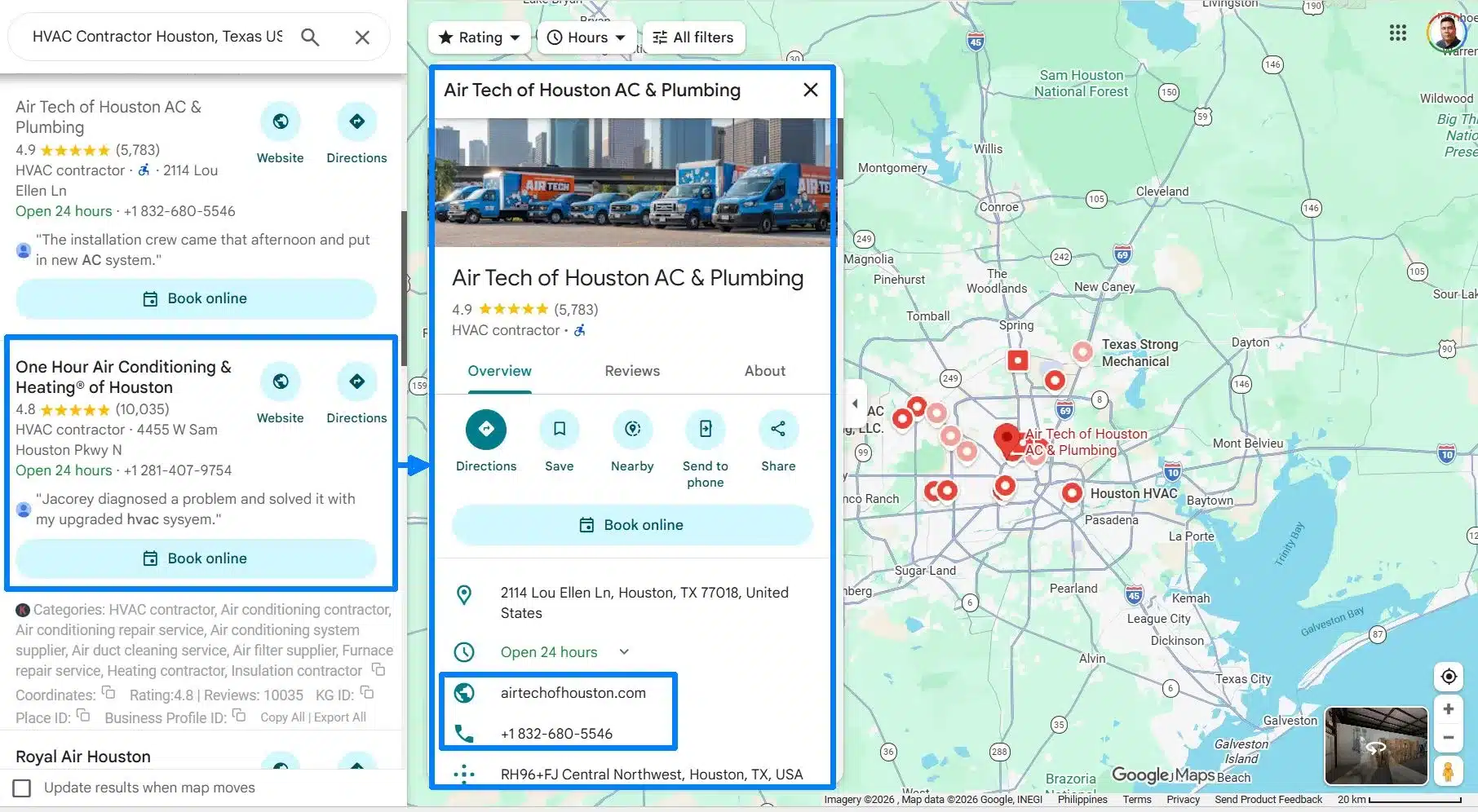
أنت يجب أن إثبات أن الشركة هي حقيقي قبل ترسل an email. We match the Google Places ID against official business registries to make sure there is a physical office and a legal name behind the listing. This stops your sales team from wasting their time calling fake locations or closed businesses. Google Maps just give you the NAP and its incomplete for lead generation.
Layer 2: Digital Footprint Mapping
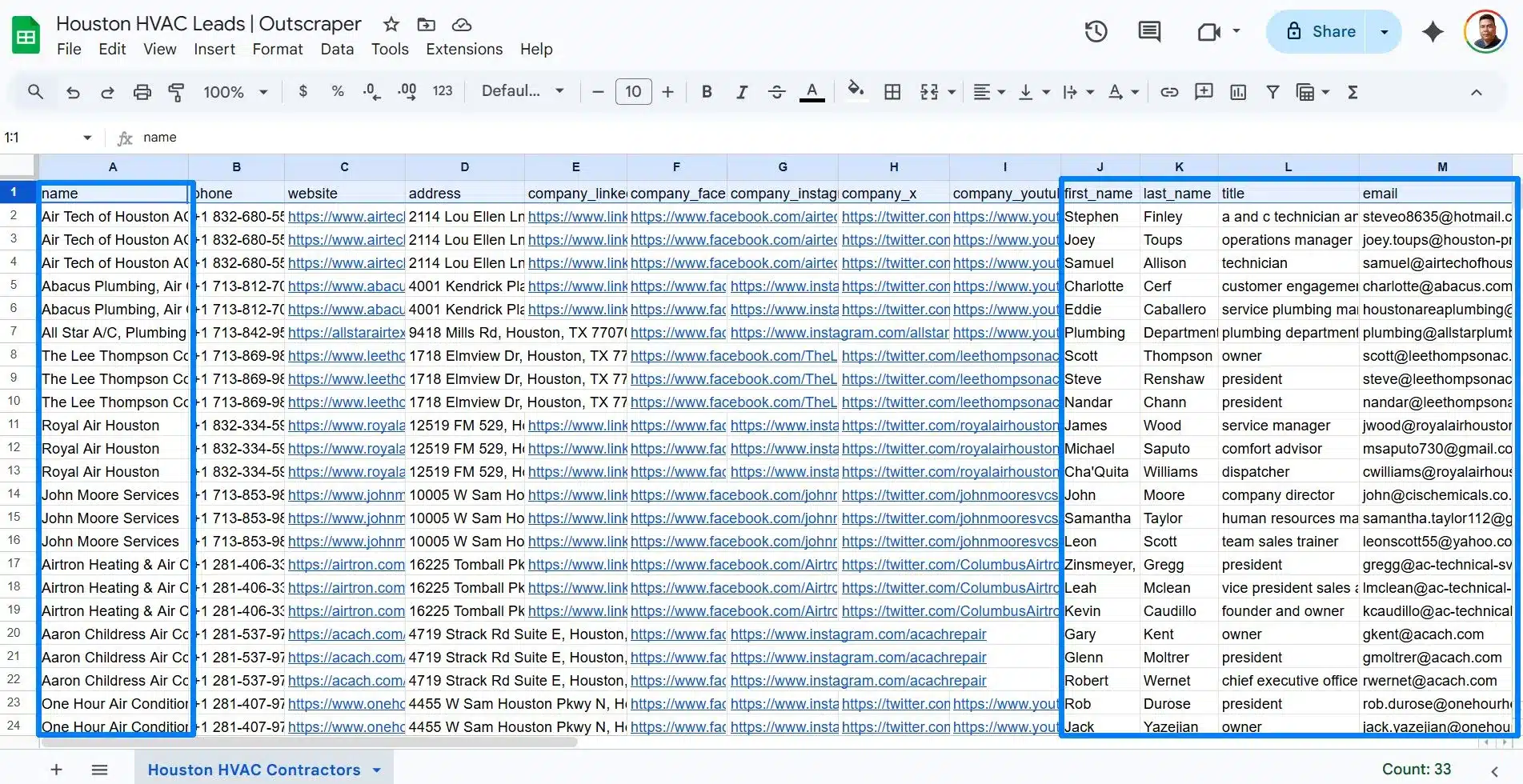
Once you know the store is open or exists, you need to find the actual people running the show. We pull data from their الموقع الإلكتروني, social profiles, and tech stacks to البحث the decision-makers. If you are sending emails to a generic “info@” address, your message is just getting deleted by an assistant. This layer identifies the specific person who can decide whether to buy from you.
Layer 3: Sentiment and Attribute Tagging
You also need to انظر إلى what customers are saying in reviews to figure out who you’re dealing with. Instead of just looking at a “4.5 star” rating, we look for proof that they are “High-Volume” or “Owner-Operated.”
You can skip the small-time hobbyists and focus your energy on the businesses that are big enough to need your services and pay your invoices.
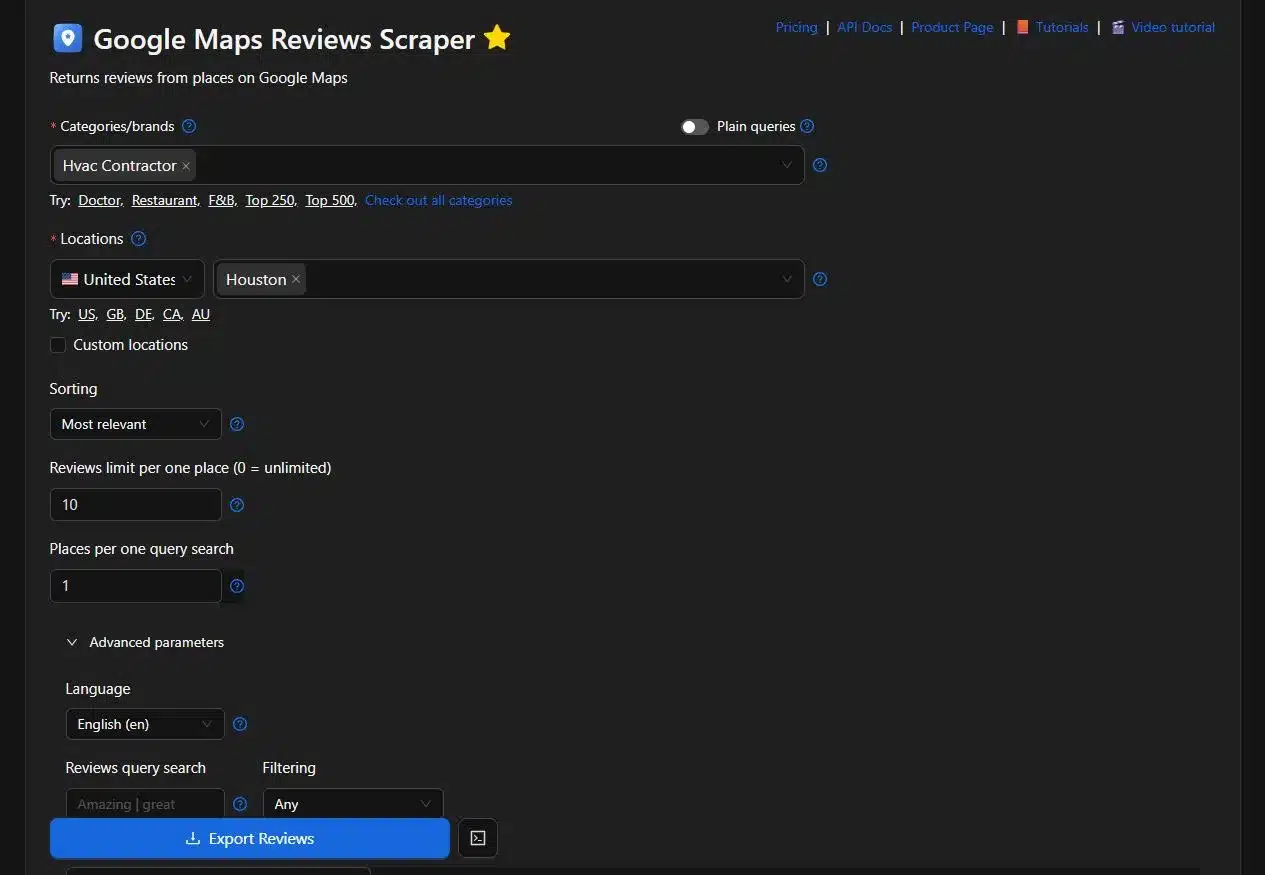
When we tested this method on a list of 500 HVAC contractors, the email deliverability jumped by 40%. That meant we stopped messaging inactive accounts and started reaching verified decision-makers.

Use the 3-Layer Scrub Method to turn raw Google Maps data into verified profiles with direct contact details.
Google Maps API vs. Custom Scrapers: A Technical Comparison
Most companies start with the official واجهة برمجة تطبيقات أماكن Google because it’s the obvious choice. It’s great for finding a restaurant or any business on a map, but it’s not good enough for lead generation or sales. If you are trying to build a lead list, the costs and technical حدود يمكن hit your budget بسرعة before you even start.
If you are evaluating the official API specifically for prospecting, our Google Places API for lead generation guide covers business discovery, field selection, search limits, and larger lead research projects.
For the current Google Places API methods, field masks, pricing, and request examples, see the Google Places API complete guide.
The Problem with Official APIs
The Google Places API is the perfect source for live photos, precise coordinates, and basic contact info. However, it operates on a pay-per-request model. If you need to pull thousands of records, the pricing tiers add up. The official API does not provide social media links or verified personal emails. It gives you the “where” but not the “who.”
If you are comparing the official API with other collection methods, our Google Maps API vs. Web scraping guide explains the differences in more detail.
The Automation Stack for Deep Enrichment
To get the data the standard API skips, you need a different stack. Instead of relying on one source, operators use tools like Outscraper, Apify, and Clay for their إثراء الرصاص. This is the only way to handle Google Maps Places enrichment for thousands of leads without doing it one by one.
- Outscraper is your best bet for pulling the verified emails and social signals directly linked to a business. It’s built specifically to find the contact info that Google hides.
- الاستخدام Apify if you need custom web scraping across different platforms beyond just maps.
- Clay is the go-to for “waterfall enrichment” by checking multiple sources one after another until you find the right data.
Get the social media links and verified emails that the official API skips while cutting your data costs.
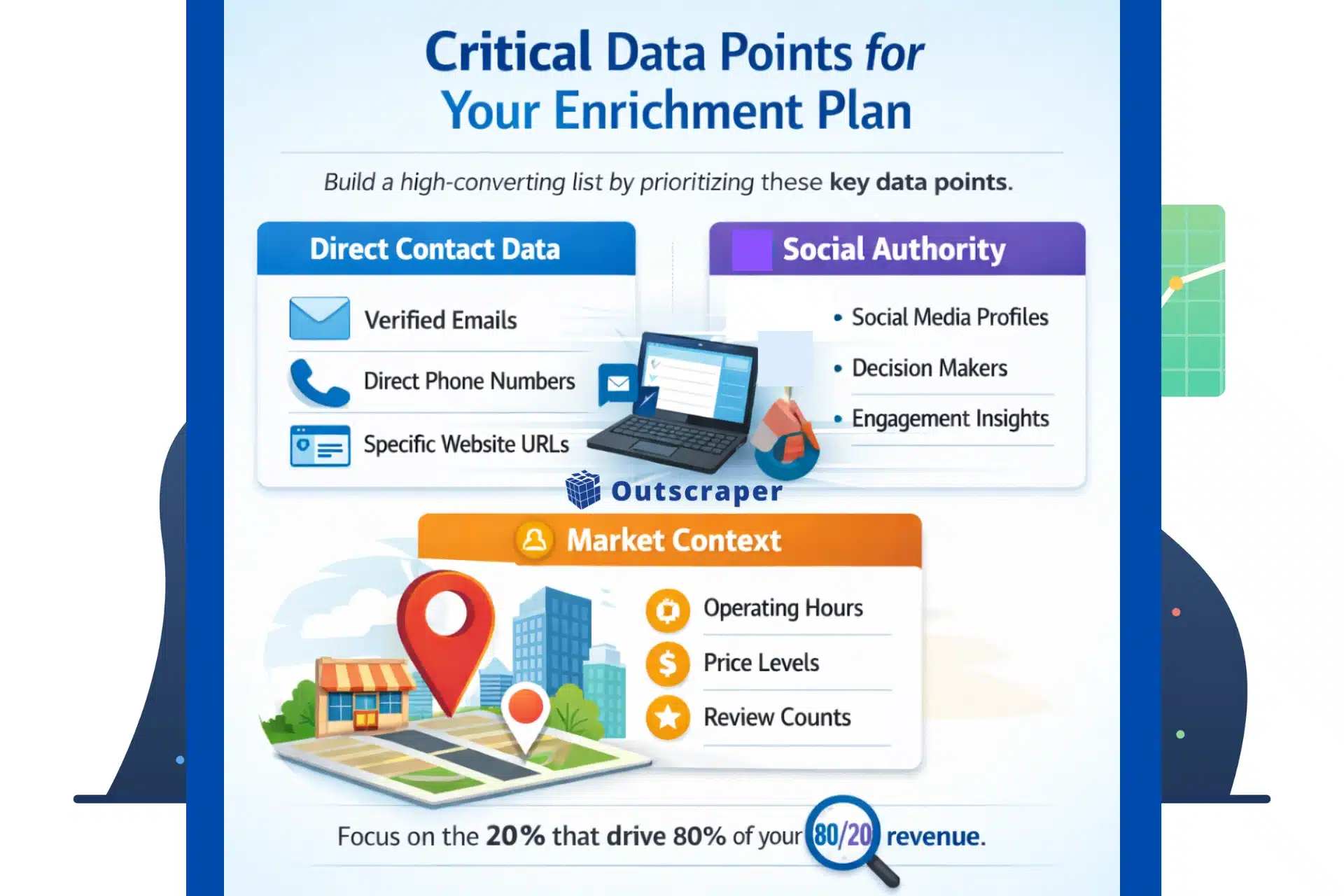
Critical Data Points for Your Enrichment Plan
A complete profile for SaaS sales needs more than just a name. If your data lacks context, your sales team will waste time on leads that cannot afford your products or do not need your service.
To build a list that converts, your إثراء ملف تعريف الشركة strategy should focus on these details.
Get the Direct Path to the Decision Maker Contact Data
This is the foundation of your تحسين بيانات الاتصال. You need verified emails, direct phone numbers, and specific website URLs. Most raw exports only give you the main office line. Enrichment finds the direct paths to the inbox of the person in charge.
Look for Social Authority
Knowing a company’s professional and social presence tells you how active they are. You should collect links to these popular platforms so you can see how they interact with customers. These profiles give your sales team “icebreakers” for their initial outreach so that they don’t sound like a cold-calling robot.
Segment by Market Context to Find the “Big Fish”
To separate the big players from the small shops, you need to look for specific markers that prove أن a business لديه a budget.
- Operating Hours أخبرك إذا they are a full-time professional operation or just a side hustle.
- Price Levels help you target businesses that match your product costs.
- Review Counts are a huge giveaway. A high review count means they have a steady flow of customers and actual revenue.
By gathering these details, you stop treating every pin on the map the same way. You can focus your energy on the 20% of businesses that are likely to drive 80% of your revenue. This means you can ignore small shops and focus on the leads that drive your business growth.
Gather verified emails and social signals to find high volume businesses that actually need your services.
How to Use Google Maps Places Data Enrichment (Step-by-Step)
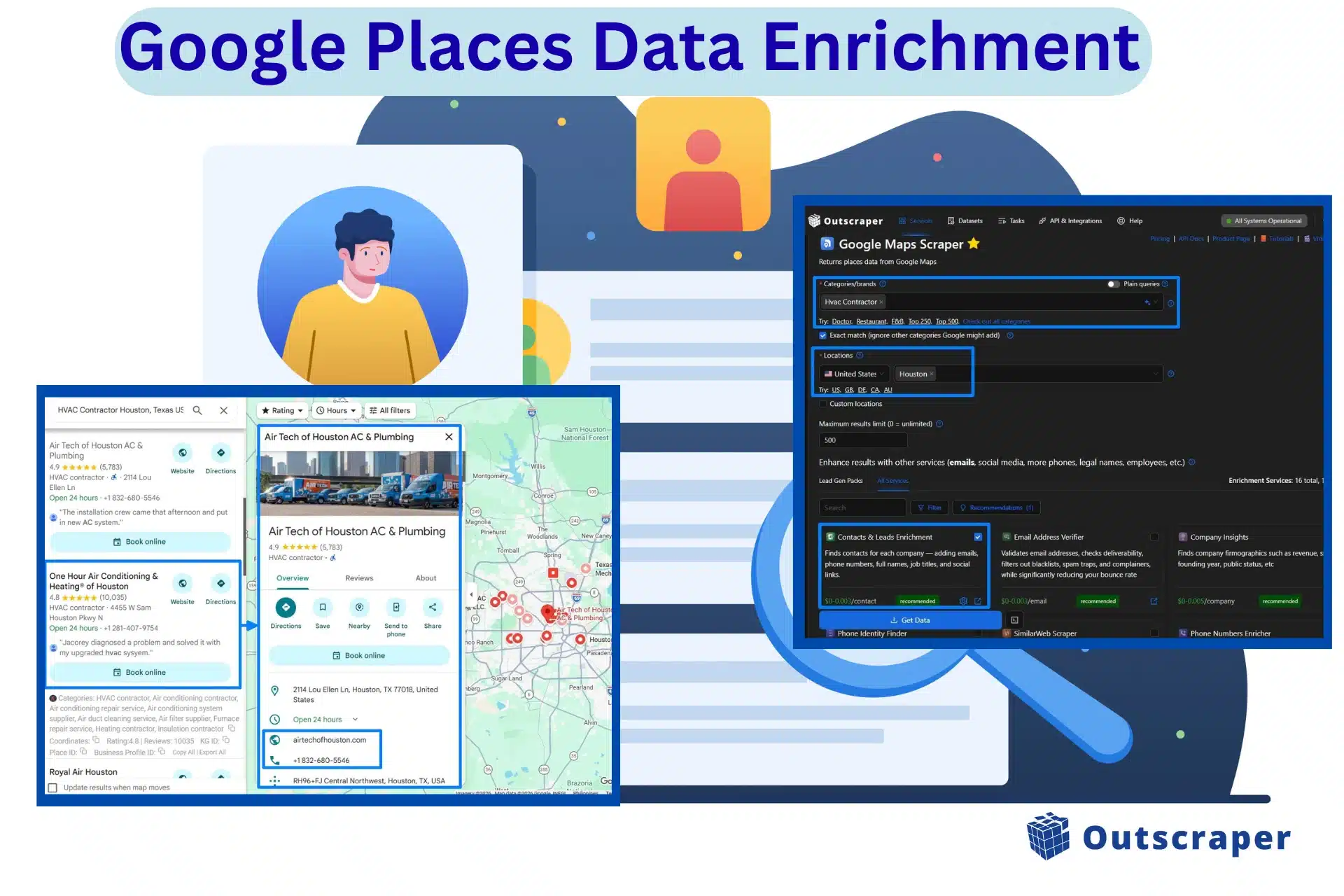
You want to move from a list of business names to a list of emails in minutes, not days. If your team is still manually searching for contact info after exporting a CSV, your sales process is broken. To fix this, you need to automate the jump from a “place” to a “person.” You can do this exactly inside Outscraper’s Business Data and Enrichment Platform.
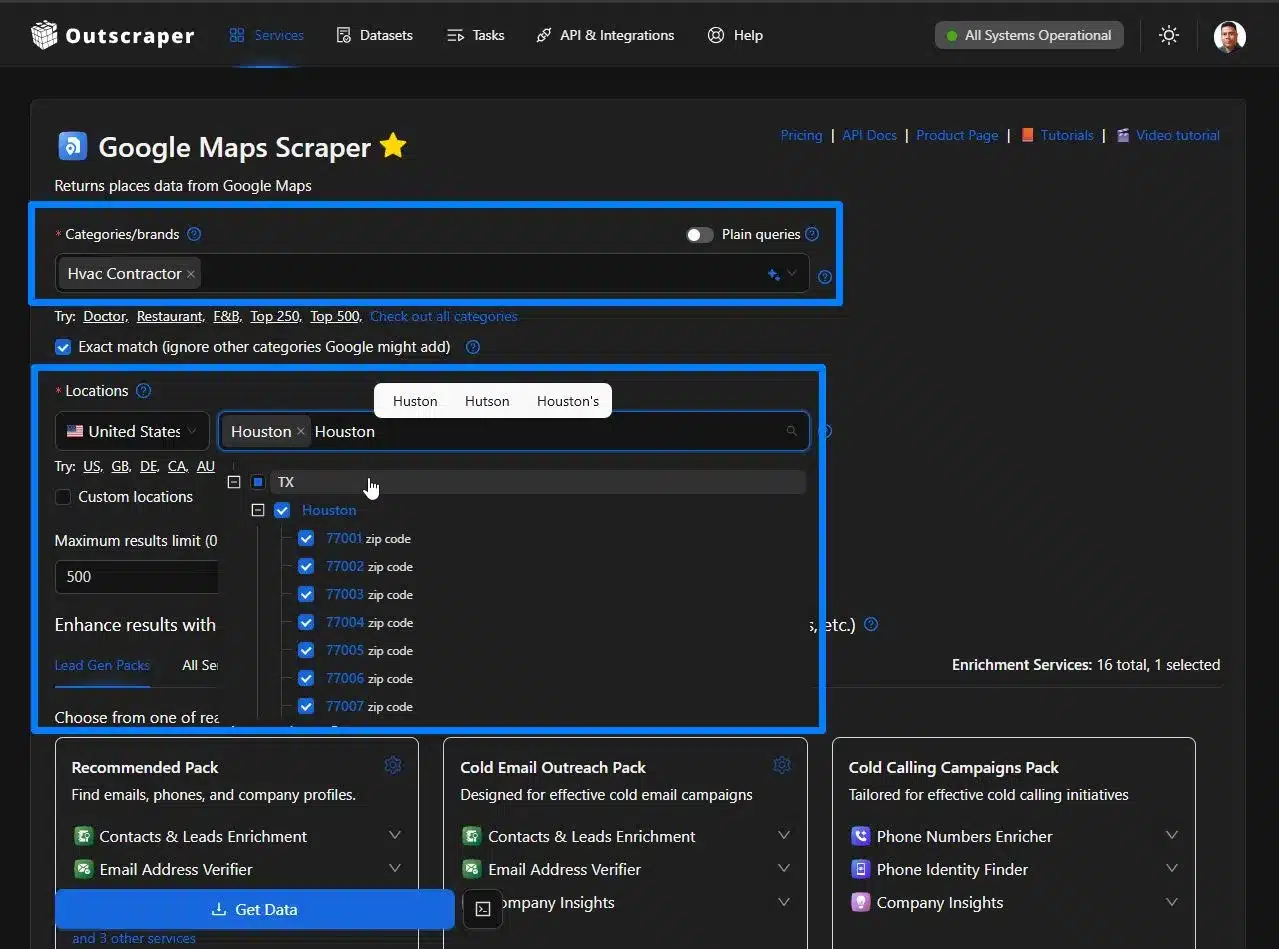
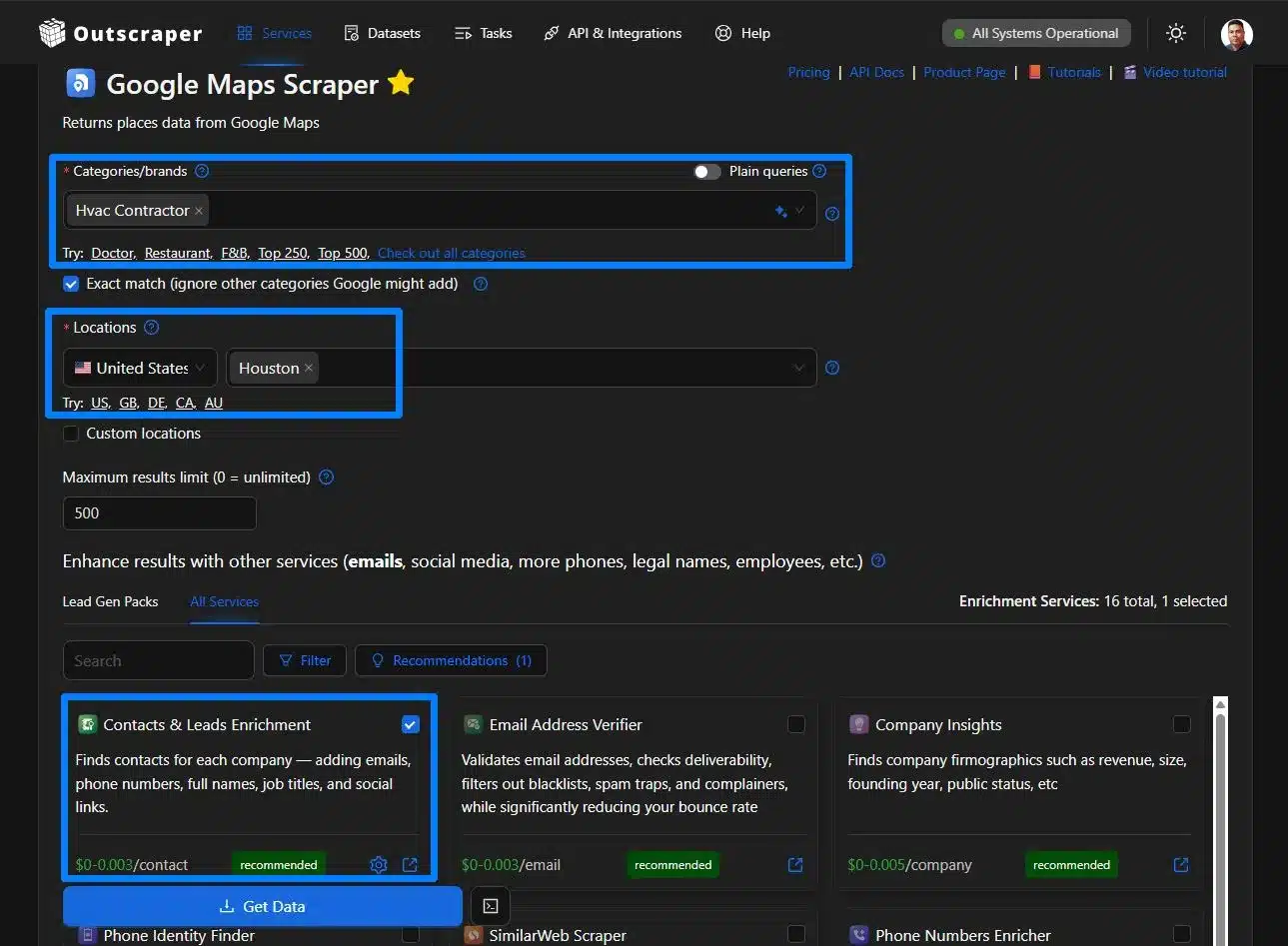
الخطوة 1: اختر موقعك وفئات نشاطك التجاري
After signing up or logging in, select Google Maps Scraper to pull the initial layer of data, such as business names, addresses, and Place ID. This step replaces hundreds of hours of manual searching with a single automated task. For densely populated area make sure to use ZIP code scraping methods.
الخطوة 2: أضف تفاصيل المالك التي يحتاجها فريقك
This is where you turn your location into a lead. Use Outscraper’s Enrichment tools to add verified emails and other data useful for lead generation. This is where you turn your location into a lead.
In mapping data, every business on Google is technically a Point of Interest (POI). You can use Outscraper to إثراء بيانات نقاط الاهتمام باستخدام خرائط Google by adding verified emails and other hidden details.
If you are selling to SaaS companies, add tech stack enrichment حتى تتمكن من see what software they already use. You can also pull phone numbers to get past the front desk and البحث the mobile numbers of the الناس who make the decisions.
الخطوة 3: نقل البيانات المُثريّة إلى نظام إدارة علاقات العملاء (CRM) الخاص بك من أجل التواصل الفوري
لا تدع بياناتك تبقى في جدول بيانات حيث تصبح قديمة. قم بربط بياناتك المُحسَّنة مباشرةً بنظام إدارة علاقات العملاء (CRM) الخاص بك، مثل HubSpot وPipedrive وZoho CRM وGoHighLevel. يمكنك أيضًا استخدام أدوات ودمج Outscraper مع Zapier وPabbly وn8n وMake.com. سيضمن ذلك حصول فريق المبيعات لديك على هذه الفرص في اللحظة التي تصبح فيها جاهزة.
Stop Wasting Your Sales Team's Time
A list of addresses is not a list of customers. If your team spends half of the day searching for an email address, you are wasting their time and your budget.
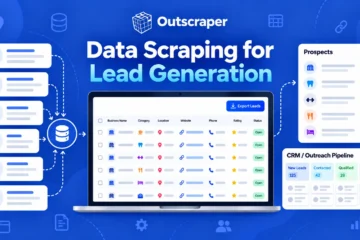
By using data enrichment services, you move the research work to an automated stack. This ensures every lead is a verified person you can reach, not just a pin on a map. Use these tools for your lead enrichment, so you can focus on the conversation that will result in a paid invoice.
Move from data collection to outreach by turning Google Maps locations into verified contact lists in minutes.
الأسئلة الشائعة
وهي عملية إضافة المعلومات الناقصة، مثل عناوين البريد الإلكتروني التي تم التحقق منها، وروابط مواقع التواصل الاجتماعي، وتفاصيل الاتصال بالمسؤولين التنفيذيين، إلى قائمة الأعمال القياسية على خرائط جوجل.
تم تصميم واجهة برمجة التطبيقات (API) الرسمية بهدف ضمان دقة التنقل وتحديد الموقع، لذا فهي لا توفر بيانات الاتصال الخاصة أو ملفات التعريف على مواقع التواصل الاجتماعي.
تشير الأبحاث إلى أن أكثر من 70% من معلومات الاتصال الخاصة بالشركات تتغير أو تصبح غير صالحة خلال عام واحد.
يتيح لك ذلك تصفية قائمة العملاء المحتملين بناءً على نظرة العملاء إلى الشركة، مما يساعدك على التمييز بين المؤسسات الكبرى والمتاجر الصغيرة.
نعم، يمكنك أتمتة تدفق البيانات المُثريّة إلى أنظمة إدارة علاقات العملاء (CRM) مثل HubSpot أو Salesforce باستخدام أدوات التكامل مثل Zapier أو Make.com.