목차
가입하기
계정 만들기
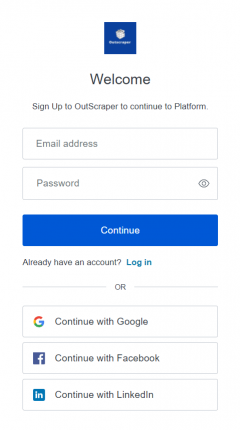
You can register by visiting the Google Maps Photo Scraper page or pressing the 가입하기 button now.
When registering, enter your email address and password, then click Continue. If you wish, you can also register directly with your Google, Facebook, and LinkedIn accounts.
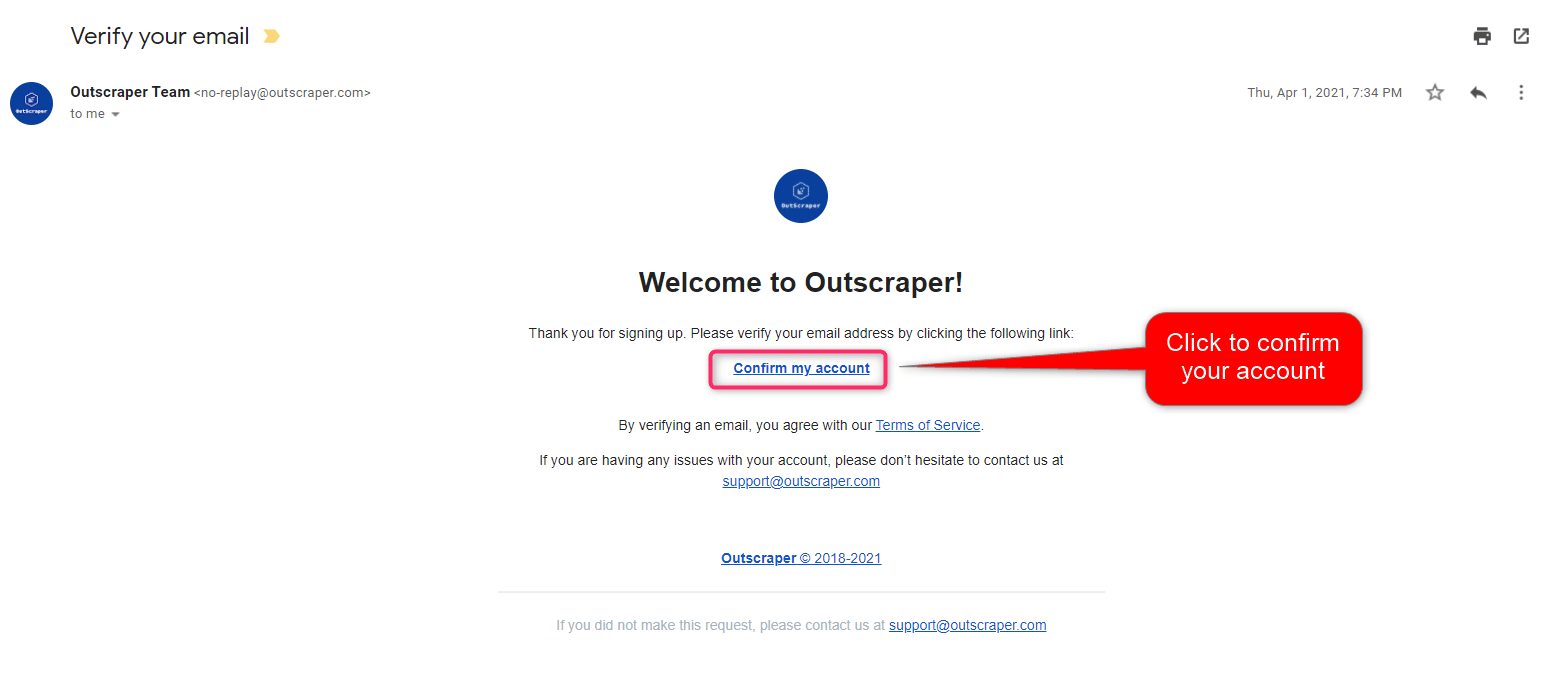
이메일 확인
계정 확인을 위한 이메일이 발송될 예정이며, 이메일에 포함된 “내 계정 확인” 링크를 클릭하여 계정을 확인해 주시기 바랍니다.
Is It Possible to Extract All Photos From Google Maps?
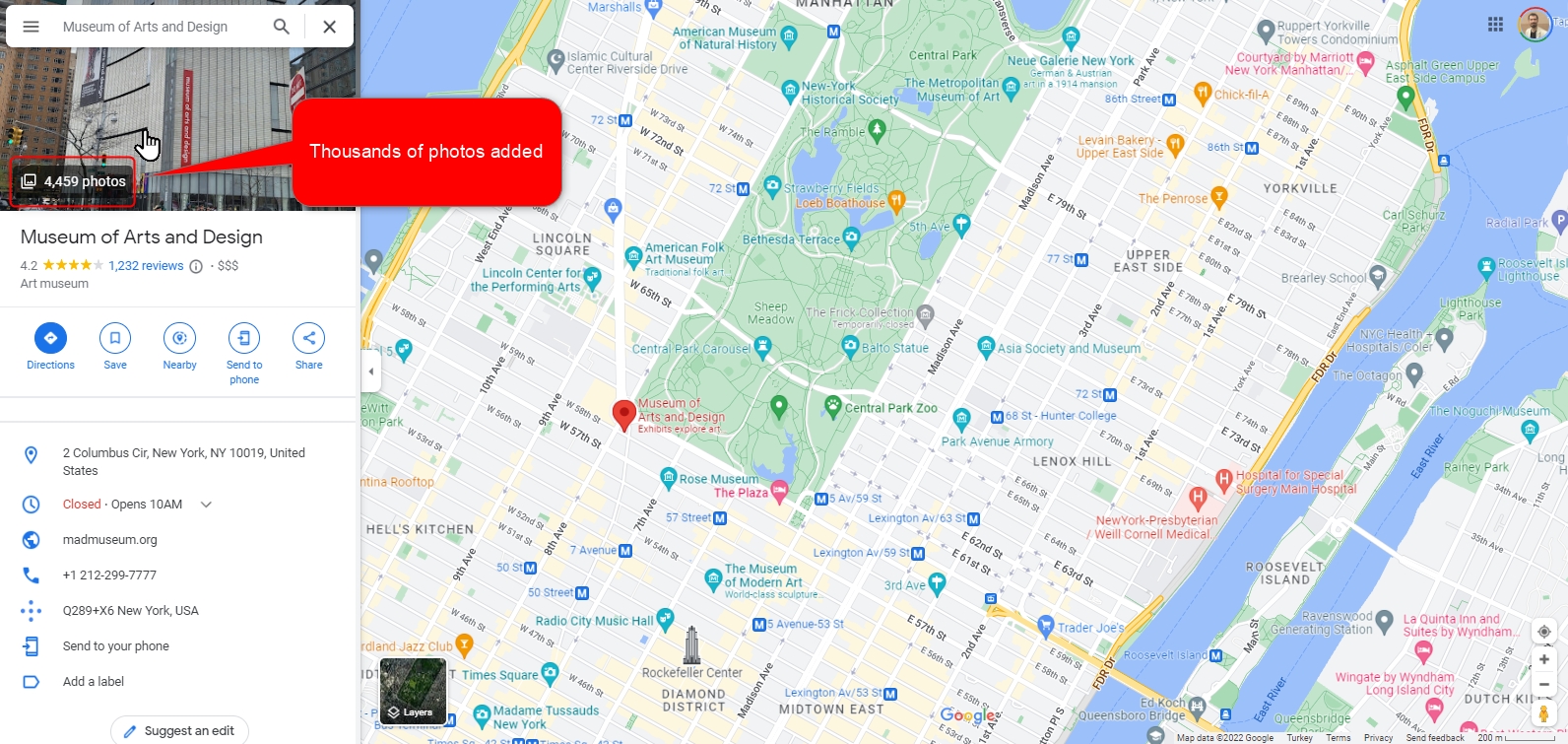
Google Maps shows photos that are added by users and place owners. Thousands of photos can be found at popular businesses and places. Google encourages contributors to share photos and comments.
Google Maps Photos are an invaluable resource. They can be studied, analyzed, and used for different purposes. So it may be desirable to extract and download all the photos in a place for various reasons. Of course, it is not possible to download these added photos one by one. It takes a very long time and a lot of effort.
Due to this demand and need, scraping services have been developed to extract all the photos from a place on Google Maps without spending too much time and effort. Outscraper Google Maps Photo Scraper is one of them.
What is Outscraper Google Maps Photo Scraper?
Outscraper has many scraping services. Google Maps Photo Scraper is one of them. This service allows you to extract the download links for all the photos uploaded to a place or business registered in Google Maps.
Google Maps Photo Scraper service works entirely on the cloud. The service carries all the load on its own servers. For this reason, you do not feel the need for any proxy for your own connection. You can scrape all photos without being stuck with the Google limit thanks to Outscraper’s own proxies. You only need to adjust a few parameters to create a task.
Creating Tasks and Setting Parameters
As it is possible to extract photos from all businesses in a category, it is also possible to scrape all photos from a single place with the location link.
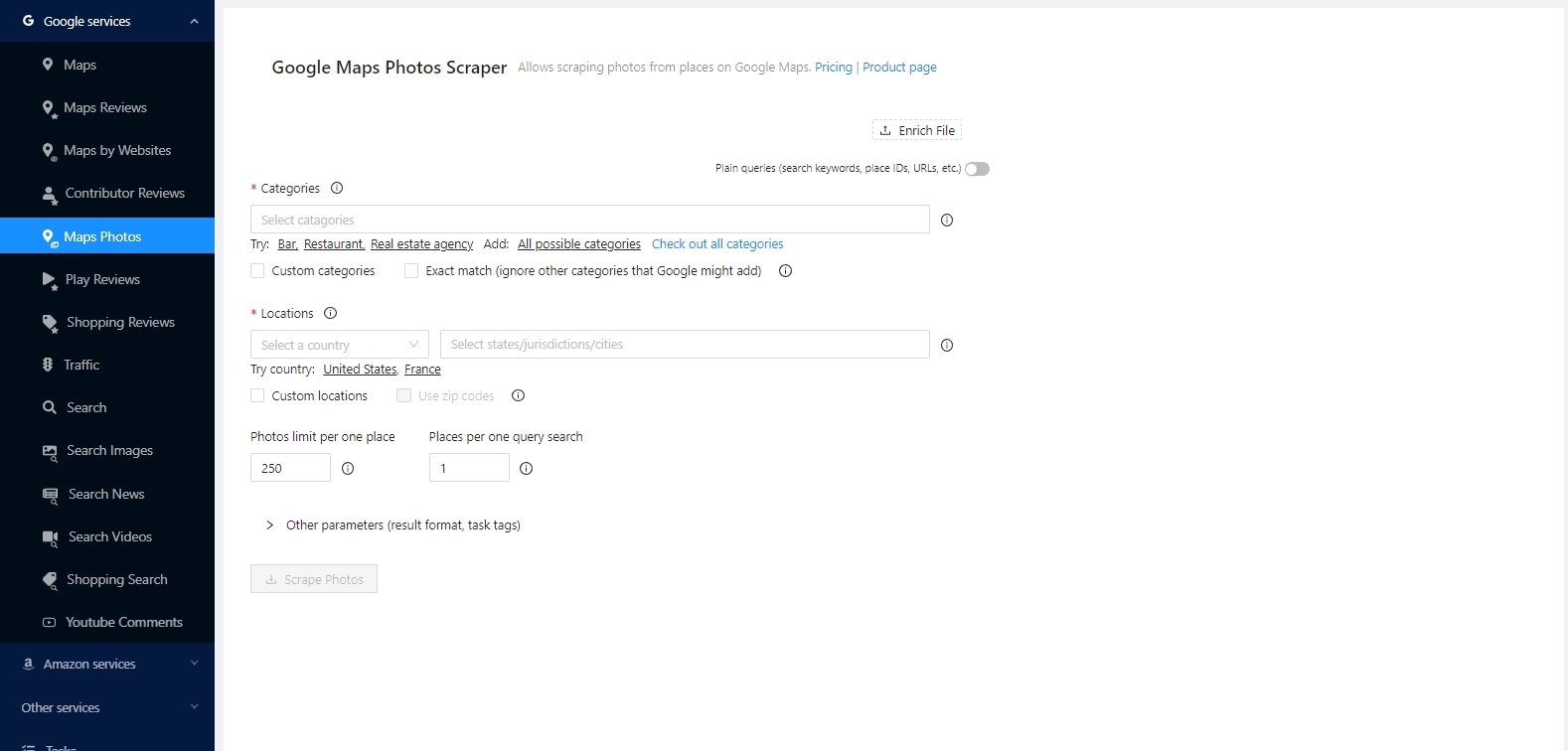
When the “Plain queries (search keywords, place IDs, URLs, etc.)” option is activated, it is possible to scrape directly over place links.
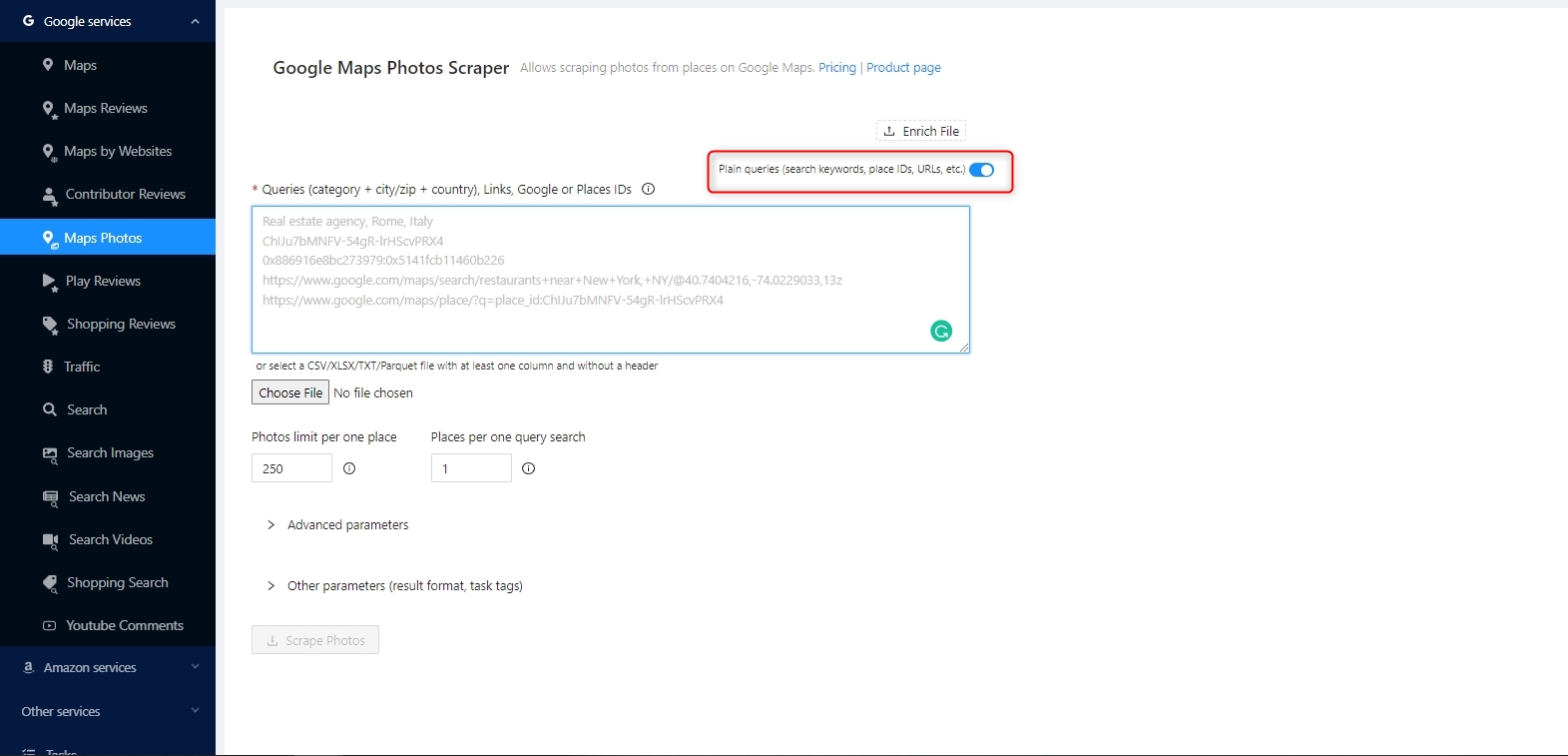
It is very easy to set the parameters for both methods. Outscraper 앱 대시보드 has a clean interface. Easy to use and create tasks. Let’s check how we can scrape photos both ways.
Scraping Photos From Places With Categories
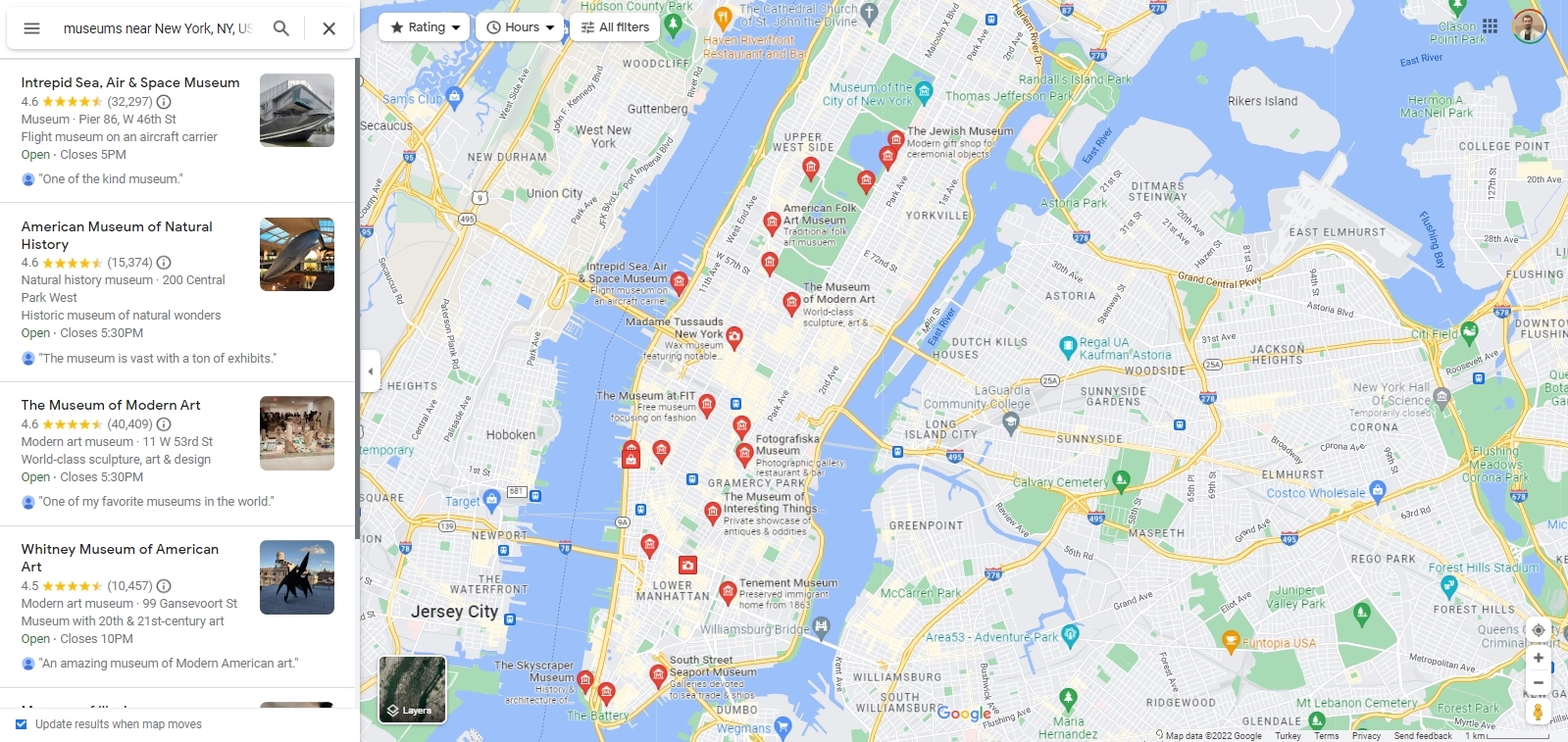
If you want to scrape photos from categories, Outscraper scrapes the places first on the selected location in the background. Then it scrapes the photos of these places one by one.
For example, when you want to extract photos of museums in the New York region, first of all, museums are searched on Google Maps as shown in the image. Then the photos are extracted from these museums.
Selecting Categories

A ready-made list will appear when choosing a category on the app dashboard. The target category can be easily selected from this list. The category list is compiled from Google Maps. The entire list can be viewed here: Google 지도 카테고리
위치
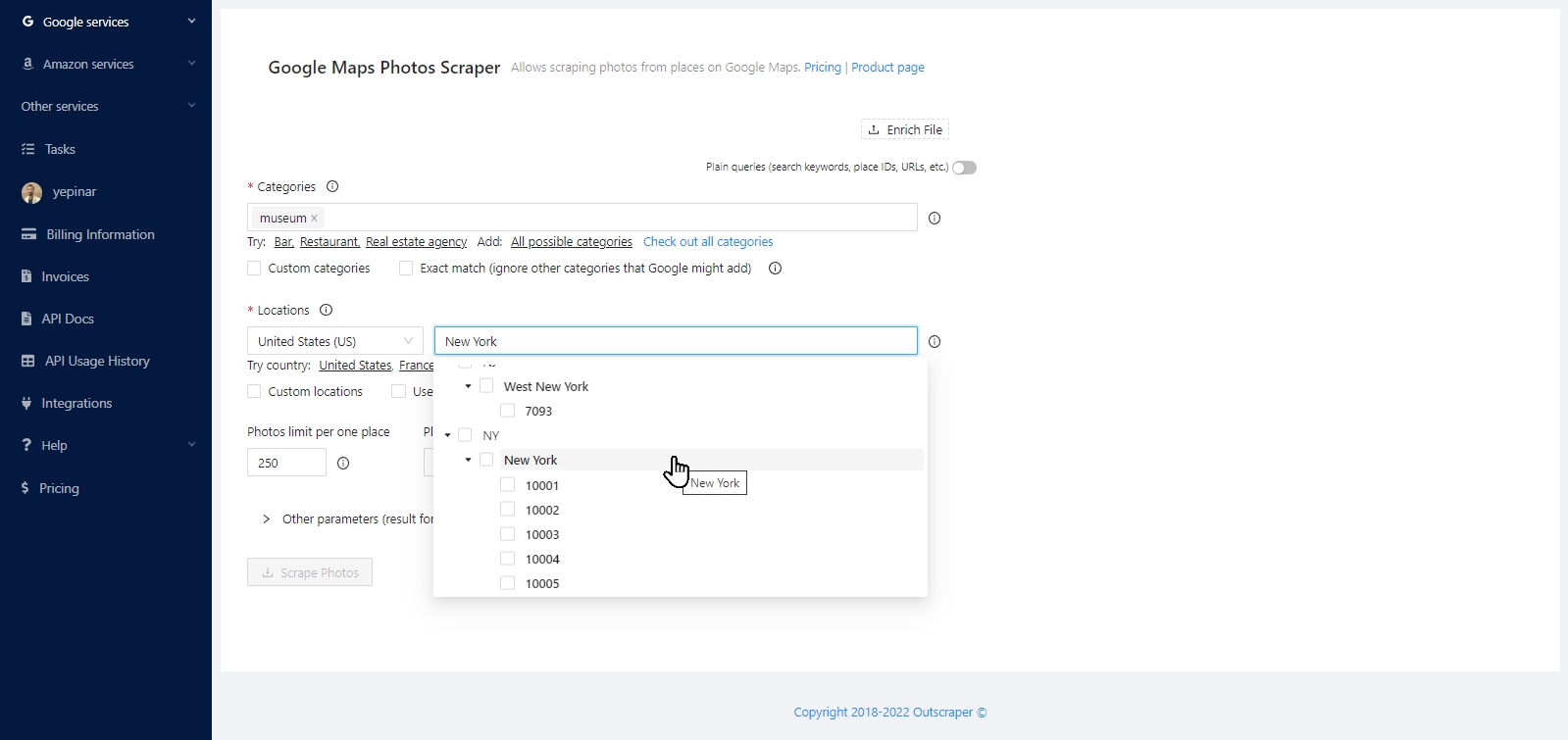
Like categories, locations are also presented to users as a ready-made list. You can select all countries and cities from the list of locations. And “Custom locations” option can be used to scrape a custom area. Using zip codes is another way to scan and scrape deeply in densely populated areas.
Photos limit per one place
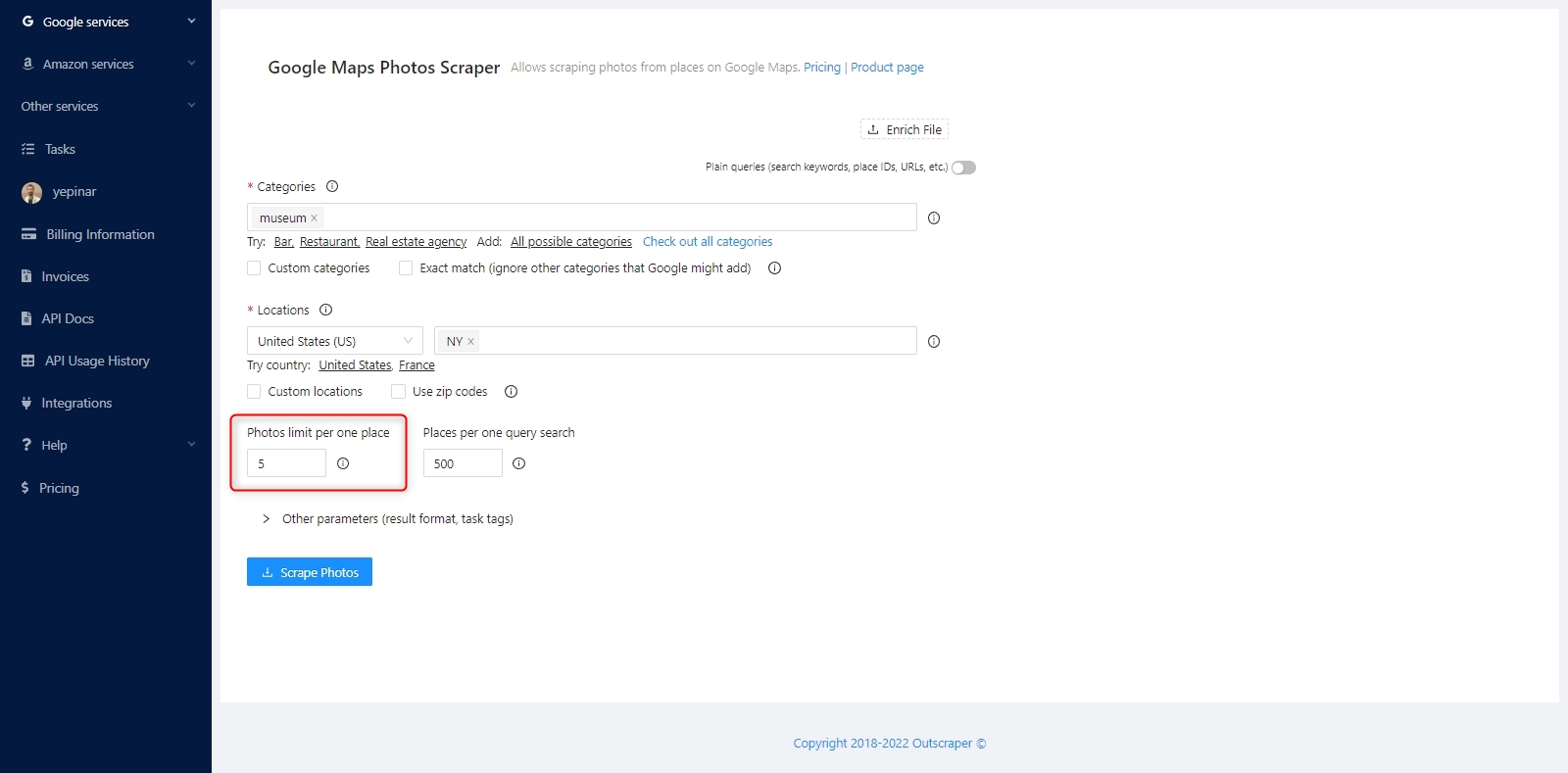
This parameter helps you determine how many photos will scraped from each place/business in the category. If you want to scrape all photos from all places, you can enter a big number, like 20,000. In this way, the download links of all photos are extracted without limitation. Of course, this varies from place to place.
검색 1회당 표시되는 결과 수
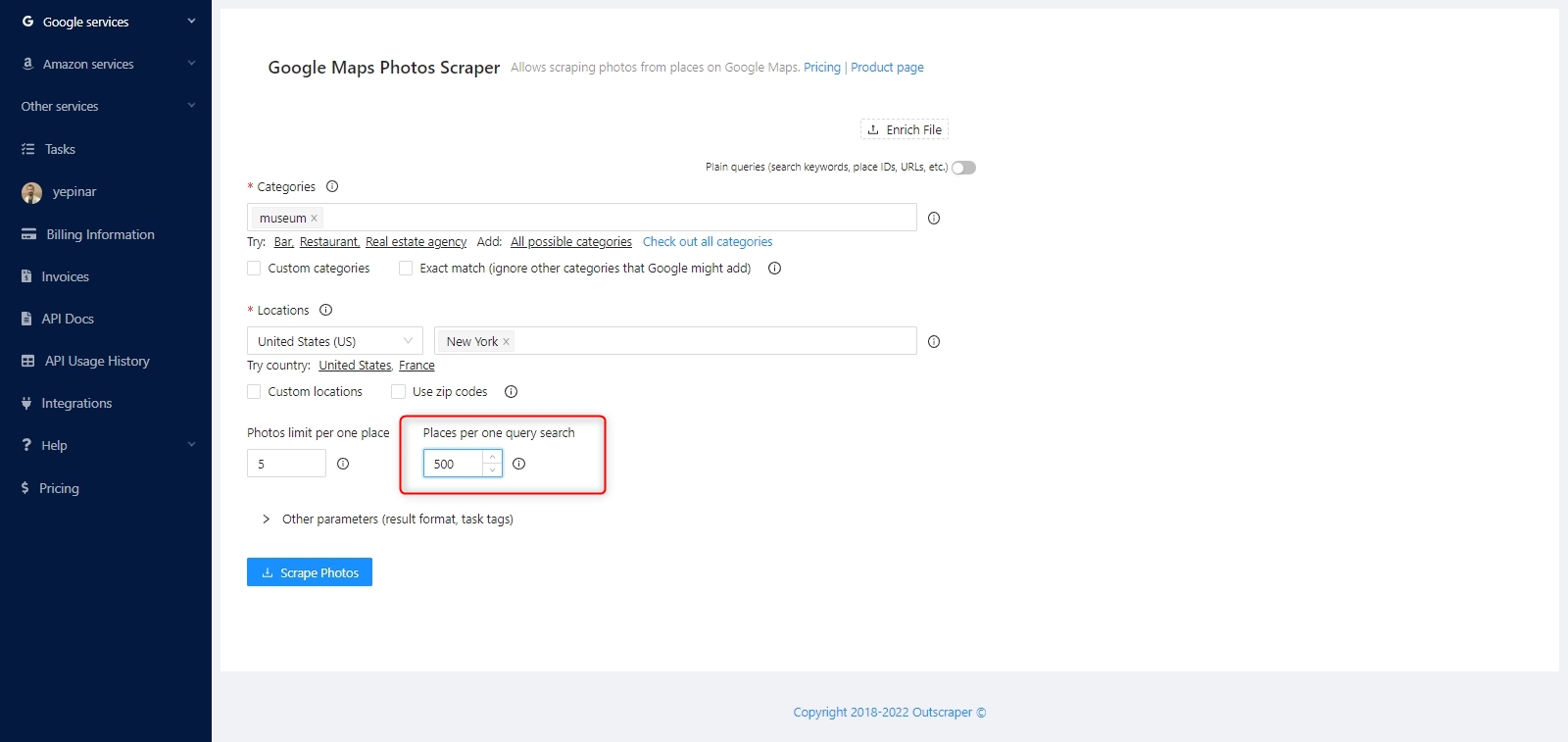
“Places per one query search” specifies the limit of organizations to take from one query search.
When you use the query to find a specific place, like `Central Park, NY, US`, you probably want to use `1` to get the first place (just in case Google will find something else). However, when you search for `Museums, NY, USA` you might want to extract all the places from your search and use `500`.
There are no more than 500 places per one query search on Google Maps. For densely populated areas, you might want to use zip codes to scrape all places in a densely populated area.
Other Parameters

In other parameters, you can specify the result file extension and write a tag for the task.
Scraping Photos From Places With Links and IDs

The most basic reason to create a photo scraping task with a location link and Place ID is to scrape the desired number of photos directly from a place.
Queries
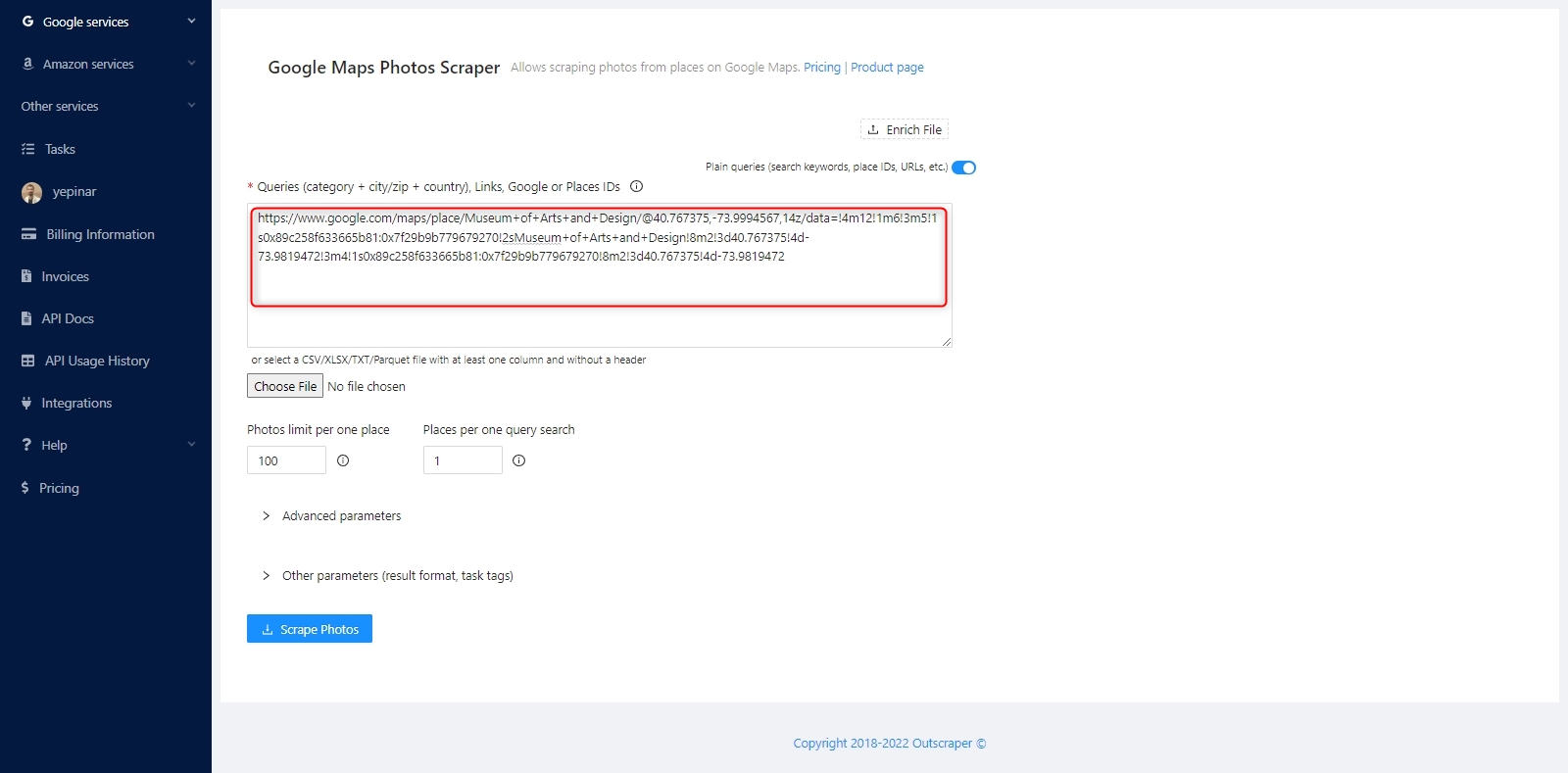
Google Maps link can be used directly as a query. You only need to copy and paste the link. Apart from the link, you can use Google and Places IDs or search queries with the combination of category + city/zip + country.
Photos Limit Per One Place
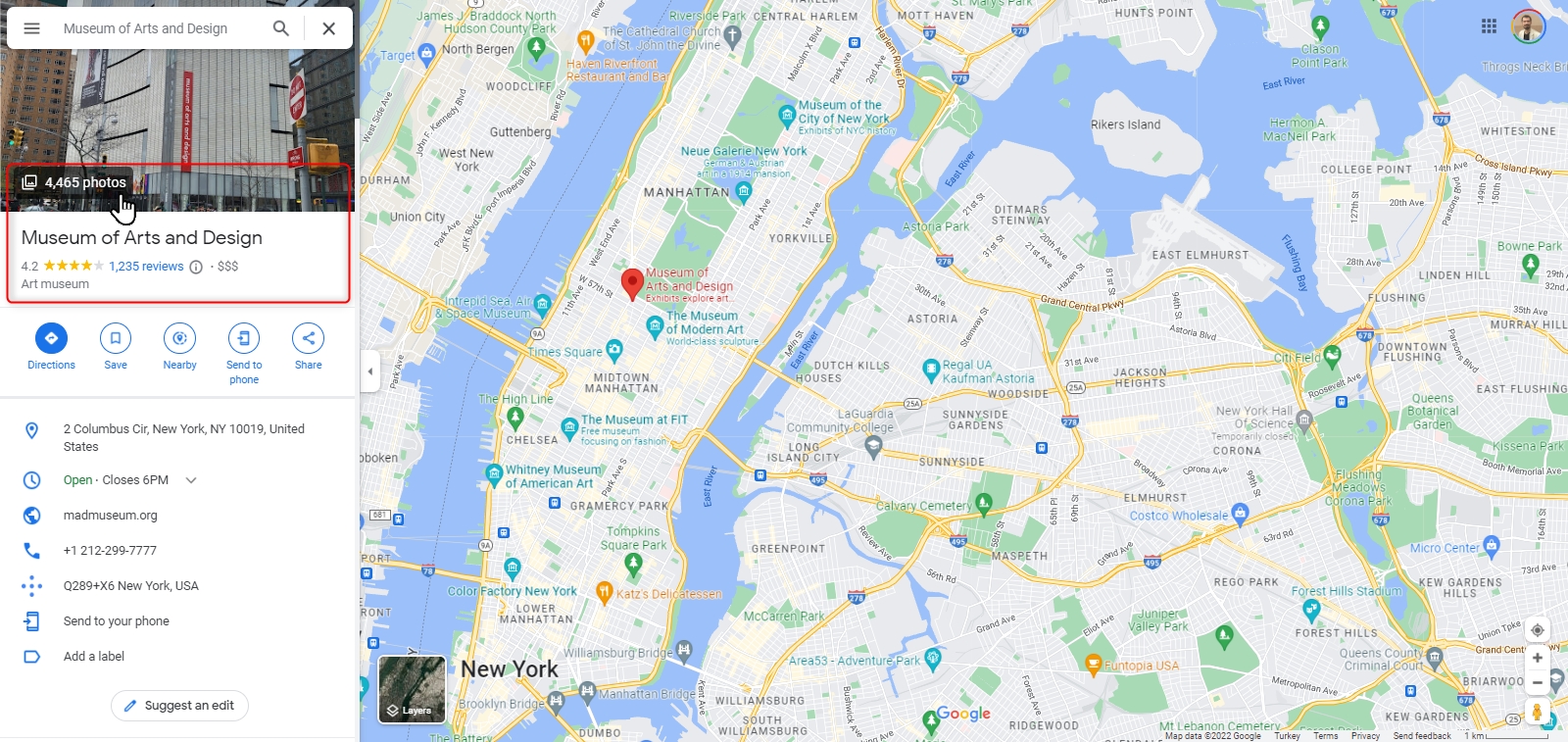
Every place can have tens, hundreds, or even thousands of photos. If all photos are to be scraped, the total number of photos on Google Maps can be written to the limit. If only a certain number of photos are to be extracted, that number should be written to the limit.

For example, if you wanted to scrape all the photos from a place (like the Museum of Arts and Design) in Google Maps, you can define the number of photo pieces written there as the limit as shown in the image.
However, we would like to inform you that Google Maps does not allow access to all the photos in the number it shows for various reasons. Therefore, a scraping result may not be exactly the same as the number there.
고급 매개변수
The “Region” parameter specifies the country to use for Google searching. It is optional. When you use direct links or IDs of places, you might want to ignore this option as it will overwrite the links “ql parameter and filter out items from other countries. It’s still necessary to provide the country inside queries.

결과 파일 다운로드
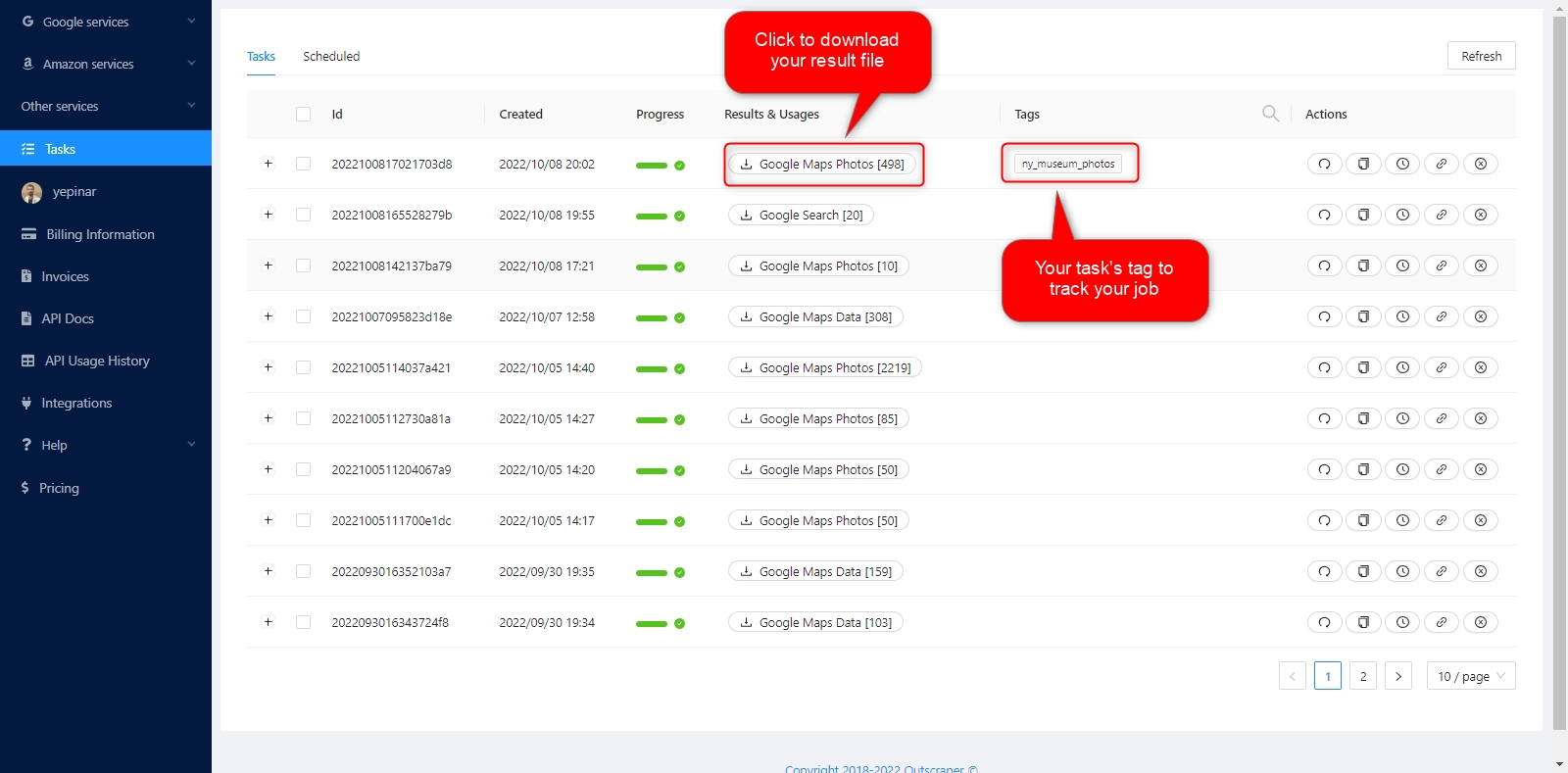
You can download your result files anytime you want on the tasks page. But it’s important that all results are stored on servers for only 30 days.
파일 확인하기
You can review the result files with Excel or any spreadsheet viewer. Each scraped data can be checked in sequenced columns in the result file.
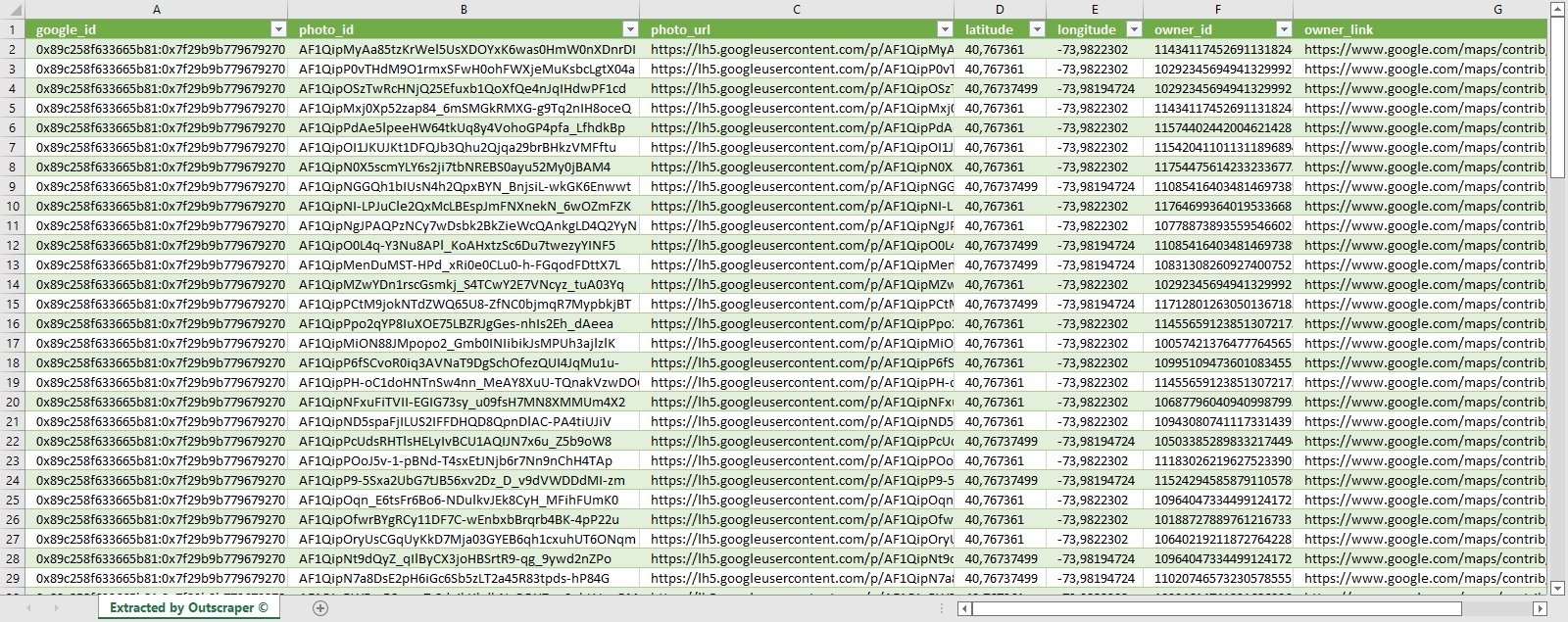
Download and check the sample result file: Museum of Arts and Design – Google Maps Photo Scraper
가격
가격 페이지 및 비용 계산기
Outscraper에는 정해진 월 이용료가 없습니다. 사용한 만큼만 결제하시면 됩니다.
Please visit our pricing page for pricing details of Google Maps Photo scraping service.
가격 안내 페이지: https://outscraper.com/pricing
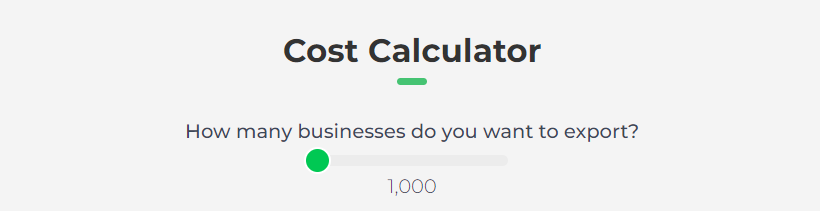
There are 3 different tiers for pricing. These are Free Tier, Medium Tier and Business Tier. Pricing for these tiers can be checked on the pricing page. There is also a cost calculator on the pricing page. You can use the cost calculator to see how much your results will cost.
대시보드의 서비스 가격 책정 도구
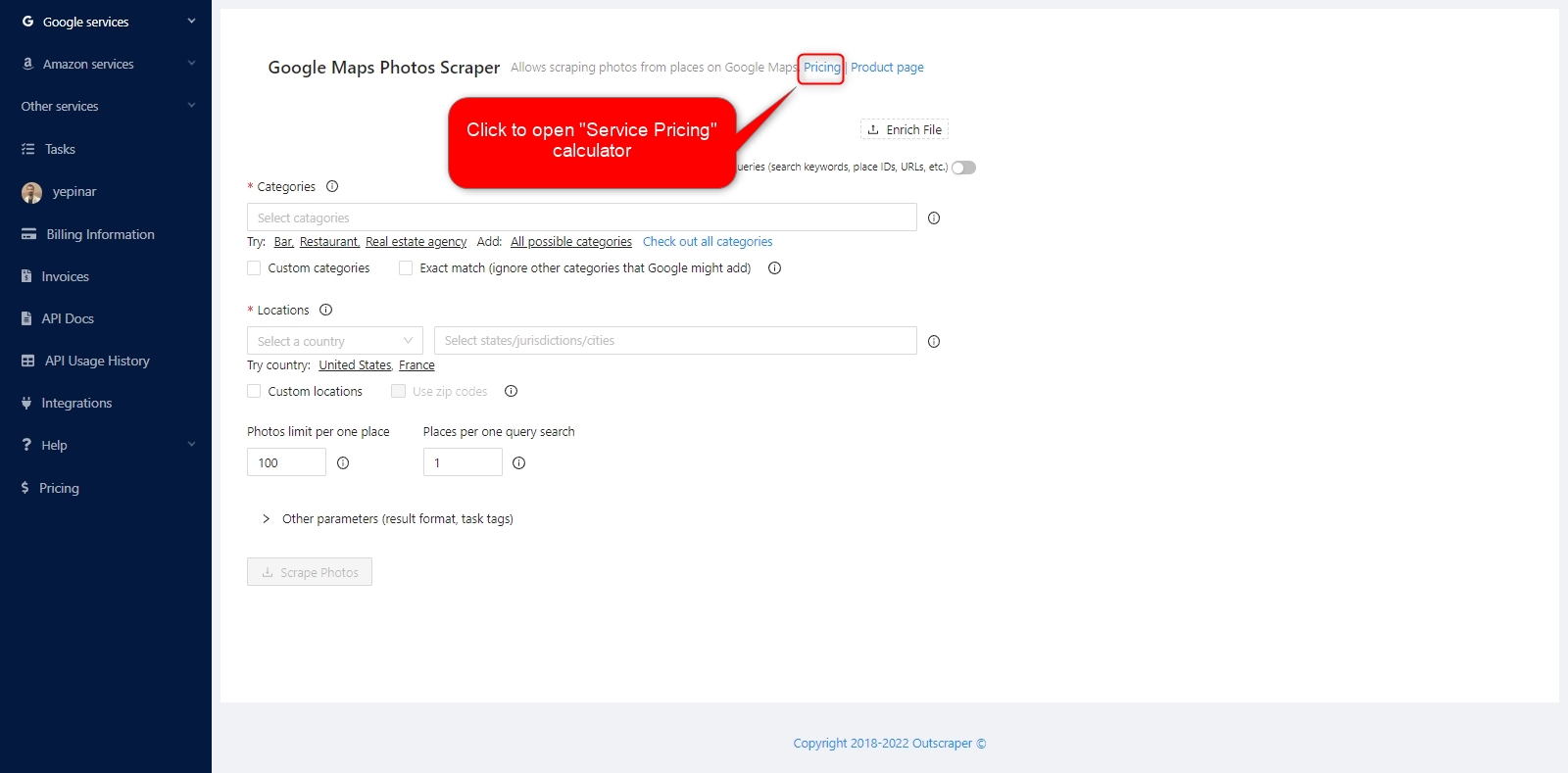
After registration, the ‘Service pricing’ tool can help you with pricing on the Google Maps Photo Scraper service page on the Outscraper App Dashboard.
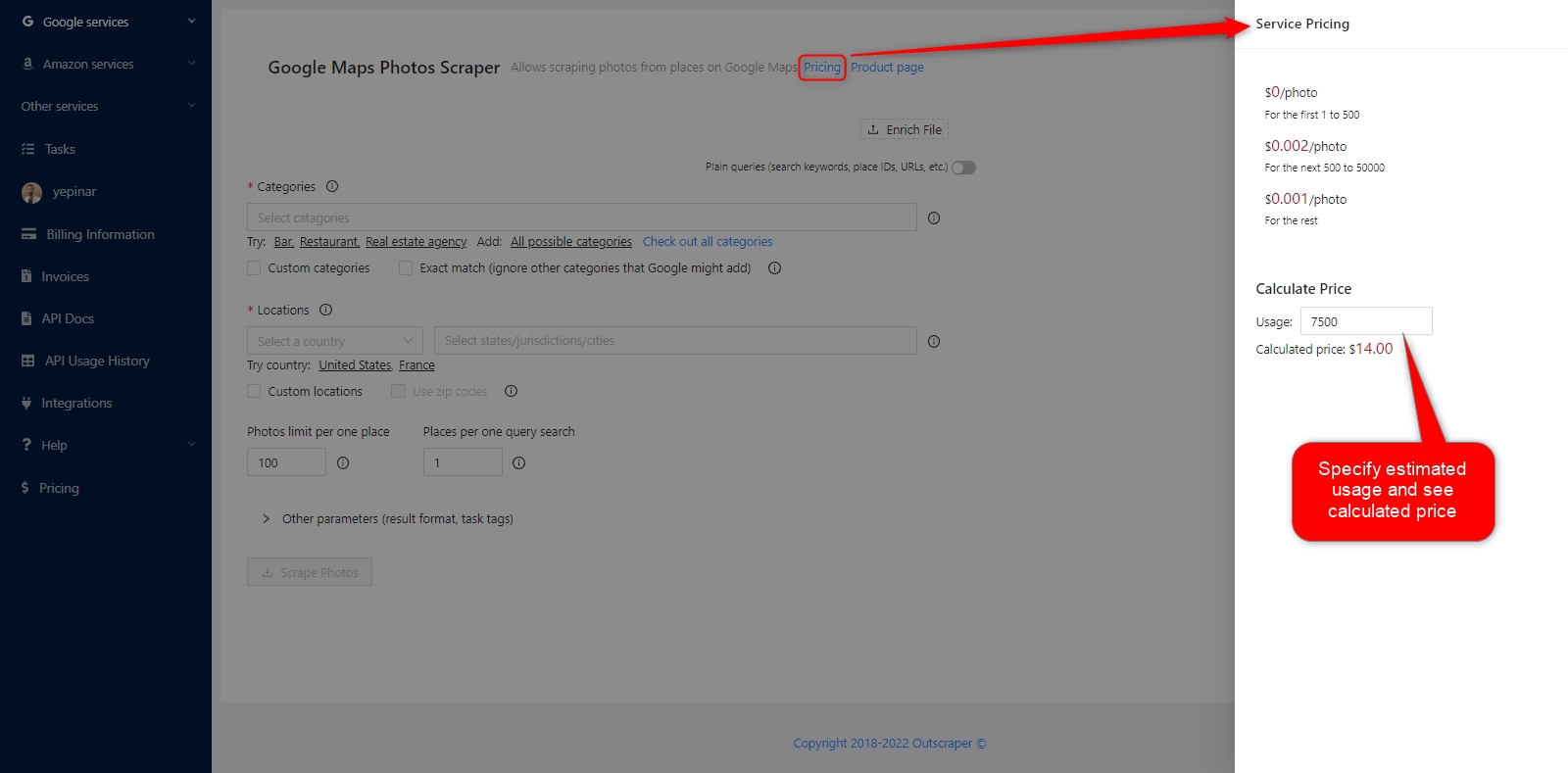
The service pricing tool will appear on the right side. Put your approximate record in the result file and calculate the cost of the task.
신용 또는 신용카드를 추가하려면 결제 정보 페이지를 방문해 주세요.
결제 방법
프리 티어
매월 일정 금액의 무료 티어 크레딧을 Outscraper로 즐기세요. 이 크레딧은 가격 페이지에 표시된 대로 매월 갱신됩니다.
가격 페이지에서 특정 서비스에 대해 얼마나 많은 무료 크레딧이 있는지 확인할 수 있습니다.
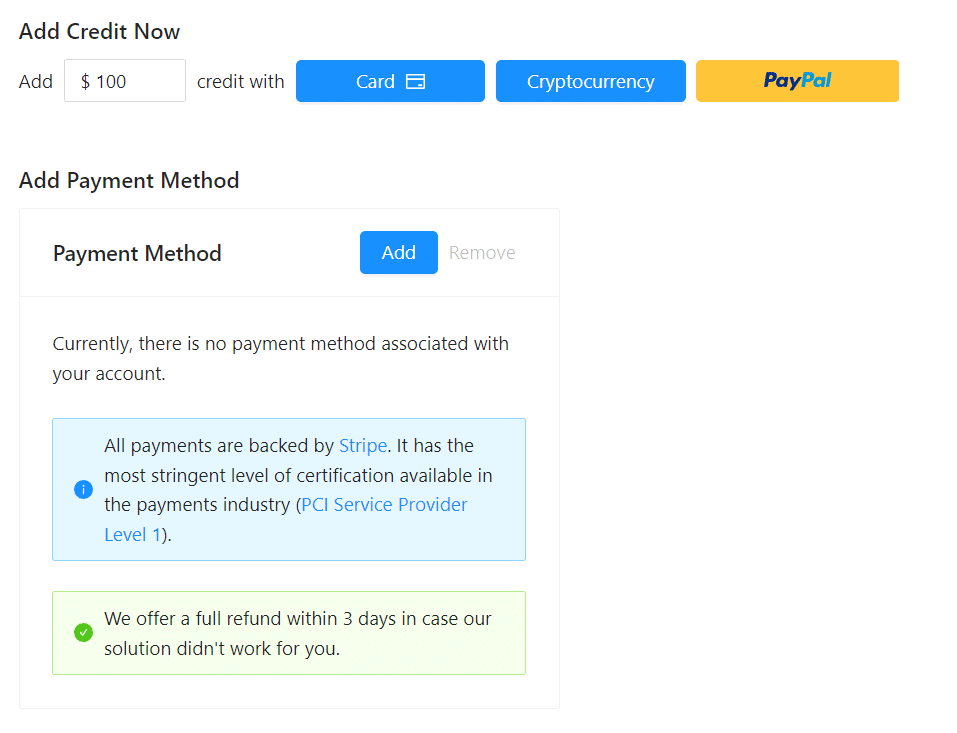
크레딧을 추가하여 선불 결제 방법을 사용하거나 신용카드를 추가하고 청구 기간이 끝날 때 후불로 결제할 수 있습니다. 결제 정보 페이지에서 결제 방법을 확인하시기 바랍니다.
선불 - 크레딧 추가
Outscraper 사용을 시작하려면 계정에 크레딧을 추가하세요. 최소 한도는 10달러입니다. 원하는 만큼 크레딧을 추가하고 원할 때 언제든지 사용하세요.
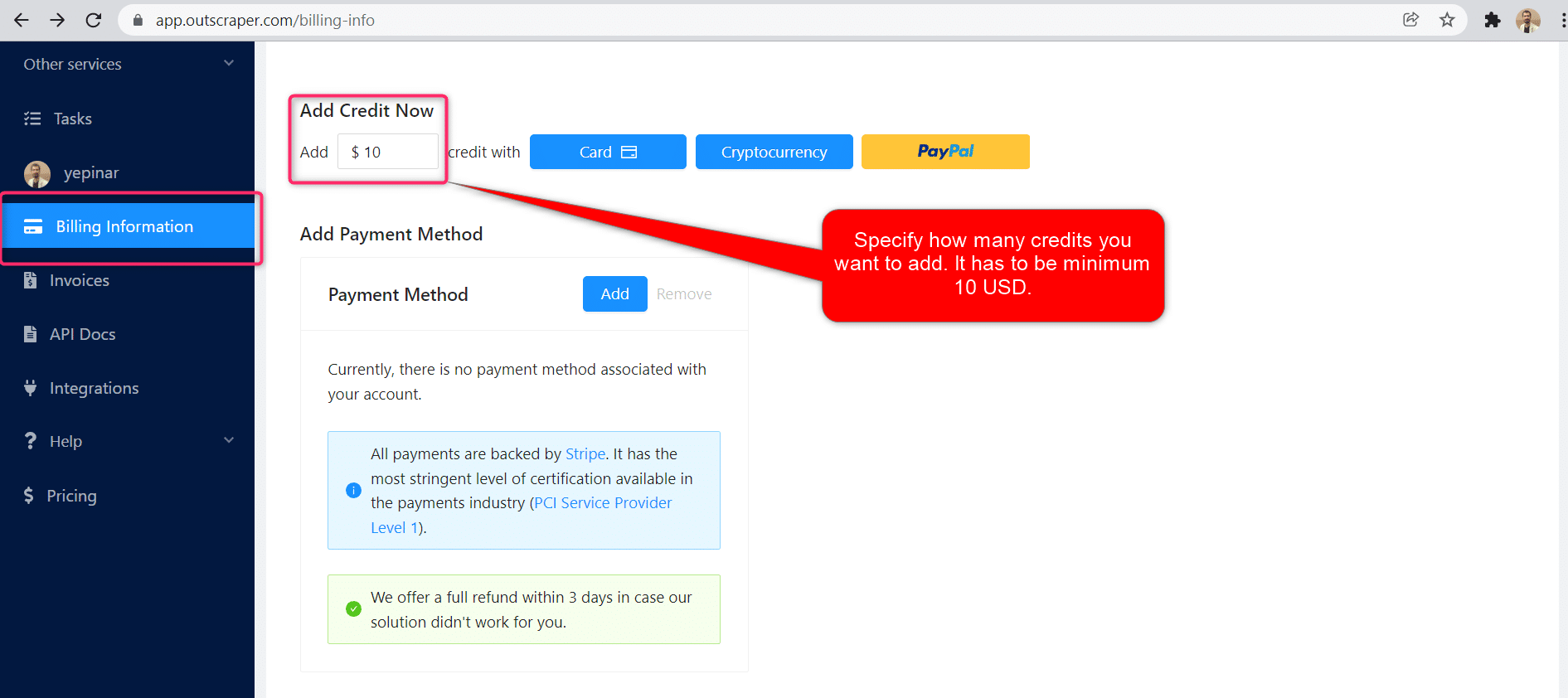
크레딧은 신용카드, 암호화폐 또는 PayPal로 추가할 수 있습니다.
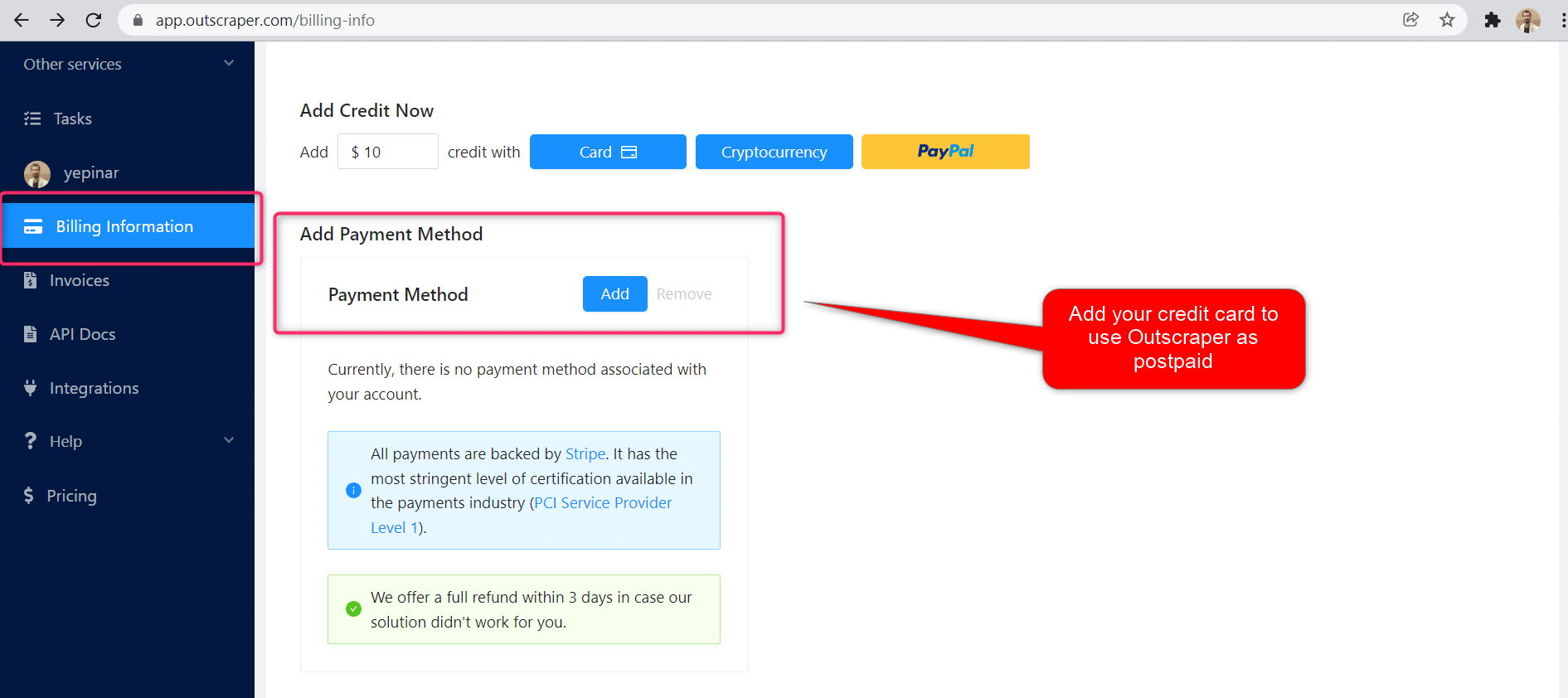
후불 - 신용 카드 추가
선불 방식에서는 먼저 결제한 후 사용하지만, 후불 방식에서는 신용카드를 제공한 후 사용을 시작합니다. 청구 기간이 끝나면 결제가 완료됩니다.
청구 기간
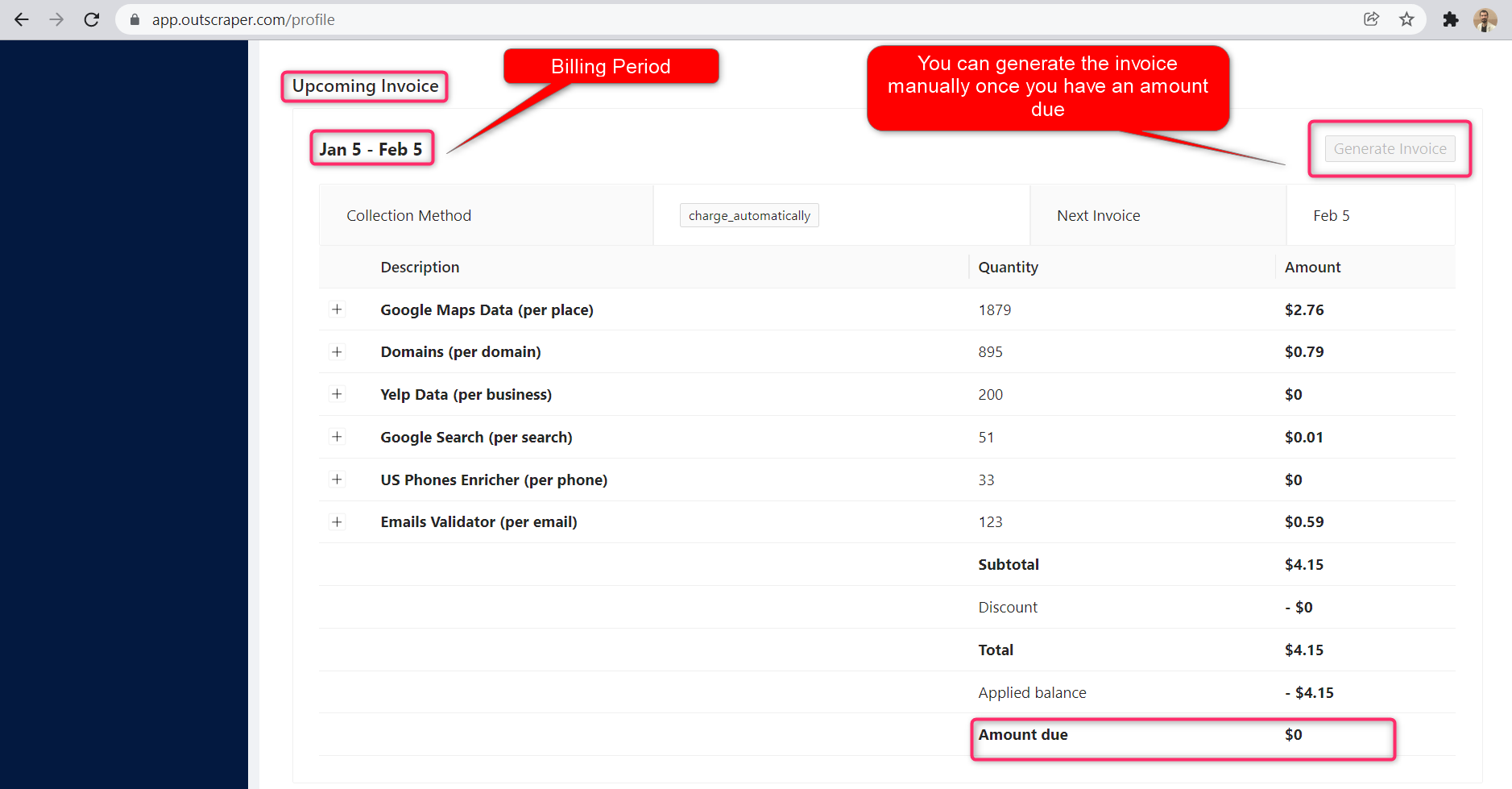
청구 기간의 시작일과 종료일에 대한 정보는 프로필 페이지에서 확인할 수 있습니다. 여기에서 예정된 청구서 금액을 추적할 수도 있습니다. 원하는 경우 결제 금액이 정해지면 수동으로 인보이스를 생성할 수 있습니다.
자주하는 질문
가장 자주 묻는 질문과 답변
- 대시보드에서 Outscraper Google 지도 사진 스크래퍼 서비스를 실행합니다.
- 위치 링크를 복사하여 붙여넣으세요
- 장소당 사진 수 제한을 설정하세요
- 작업 시작
아웃스크래퍼 Google Maps Photos Scraper를 사용하면 Google 지도에서 어떤 이미지든 다운로드할 수 있습니다. 위치 링크만 있으면 됩니다. 나머지는 Outscraper 서비스가 알아서 처리해 드립니다. 원하는 만큼 사진을 다운로드할 수 있습니다.
네, 스크래핑 서비스를 이용하면 가능합니다. Outscraper 구글 지도 사진 스크래퍼 서비스를 이용하면 어떤 위치에서든 원하는 만큼 사진을 스크래핑할 수 있습니다. 필요한 것은 해당 위치의 구글 지도 링크와 원하는 사진 수를 지정하는 것뿐입니다.
- Google 지도에서 해당 장소를 확인해 보세요
- 브라우저에서 위치 링크를 복사하세요
- Outscraper 구글 지도 사진 스크래퍼 서비스 이용하기
- 위치 링크를 붙여넣으세요
- 사진 제한 매개변수 설정
- 작업 시작 및 사진 다운로드 링크 확인
Outscraper 스크래핑 서비스를 이용하면 대량의 구글 지도 데이터를 스크래핑할 수 있습니다. 여기에는 사진도 포함됩니다. 구글 지도 사진 스크래퍼 서비스를 통해 특정 업체의 모든 사진을 제한 없이 추출할 수 있습니다.



0 Comments