Indice

Finding new customers often starts on a map, but Google Maps Places data enrichment turns those coordinates into reachable leads. Most Google Maps exports are missing verified email and social media links, which leaves your sales team stuck calling generic landlines. Even if you have contact info, it goes bad fast. A study by Industry Select shows that 70.8% of business contact data changes within a single year.

You spend hours pulling data only to find names and addresses. A name on a map is just a pin. A real lead is a person you can reach. Enrichment tools fix this by automatically scanning company websites and social registries to fill the gaps for you.

Google Maps Places Enrichment | Outscraper
Learn how to enrich Google Maps data using Outscraper

There is a big gap between a “Basic Pin” and an “Enriched Profile.” One gives you a building. The other gives you the owner’s email and social handles. You are moving away from a list of coordinates and getting a list of opportunities instead.  This allows your team to skip the map-searching phase and go straight to sending emails that ottenere delivered.

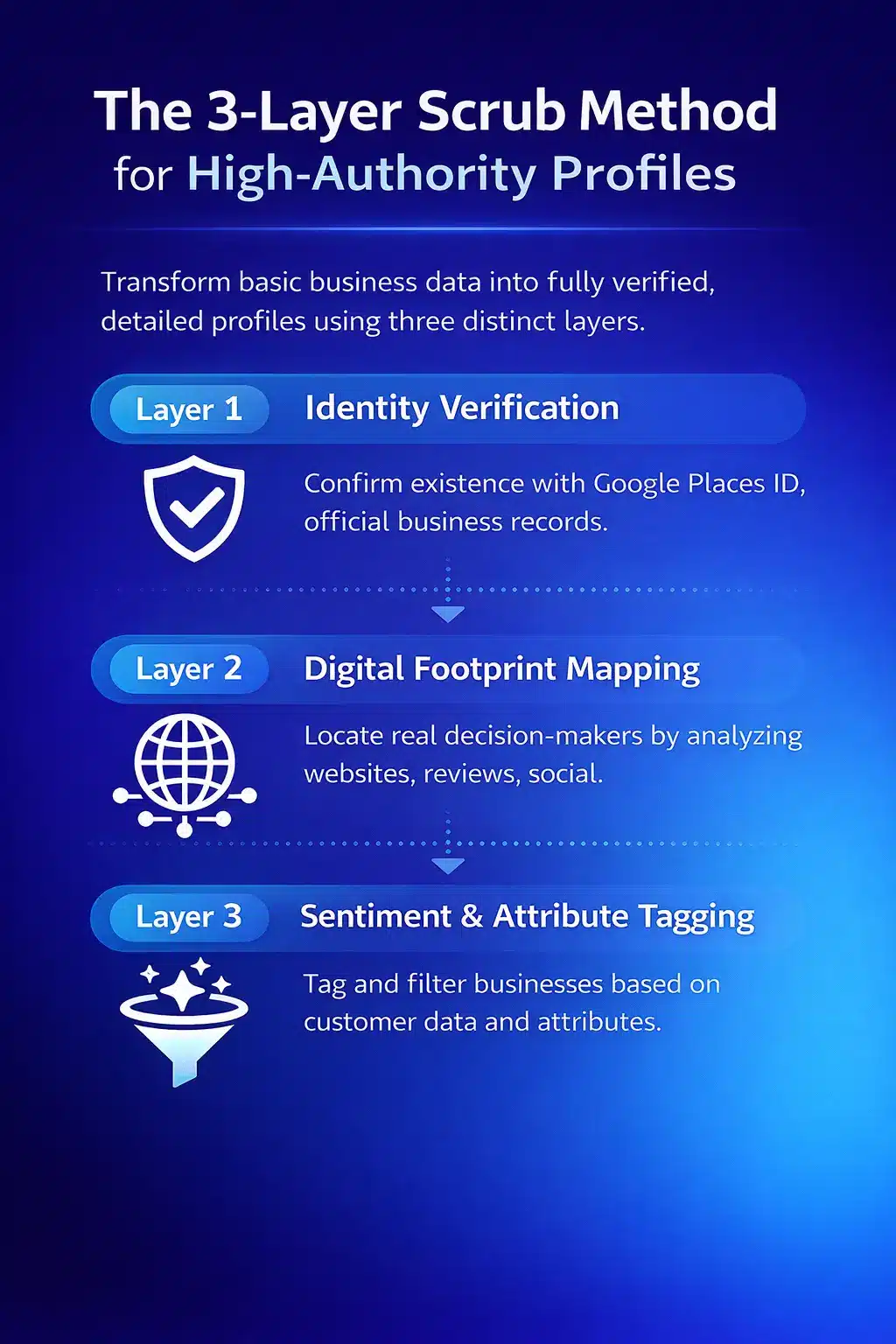
The 3-Layer Scrub Method for High-Authority Profiles

Most data lists are flat. They give you a name and a number, but they do not tell you if the business is still active or who the decision makers are. To fix this, we use a specific process to convert raw data into a list your sales team can readily use.  

This is not about simple scraping; it is about company information completion through three distinct layers to build a high-authority profile.

Layer 1: Identity Verification

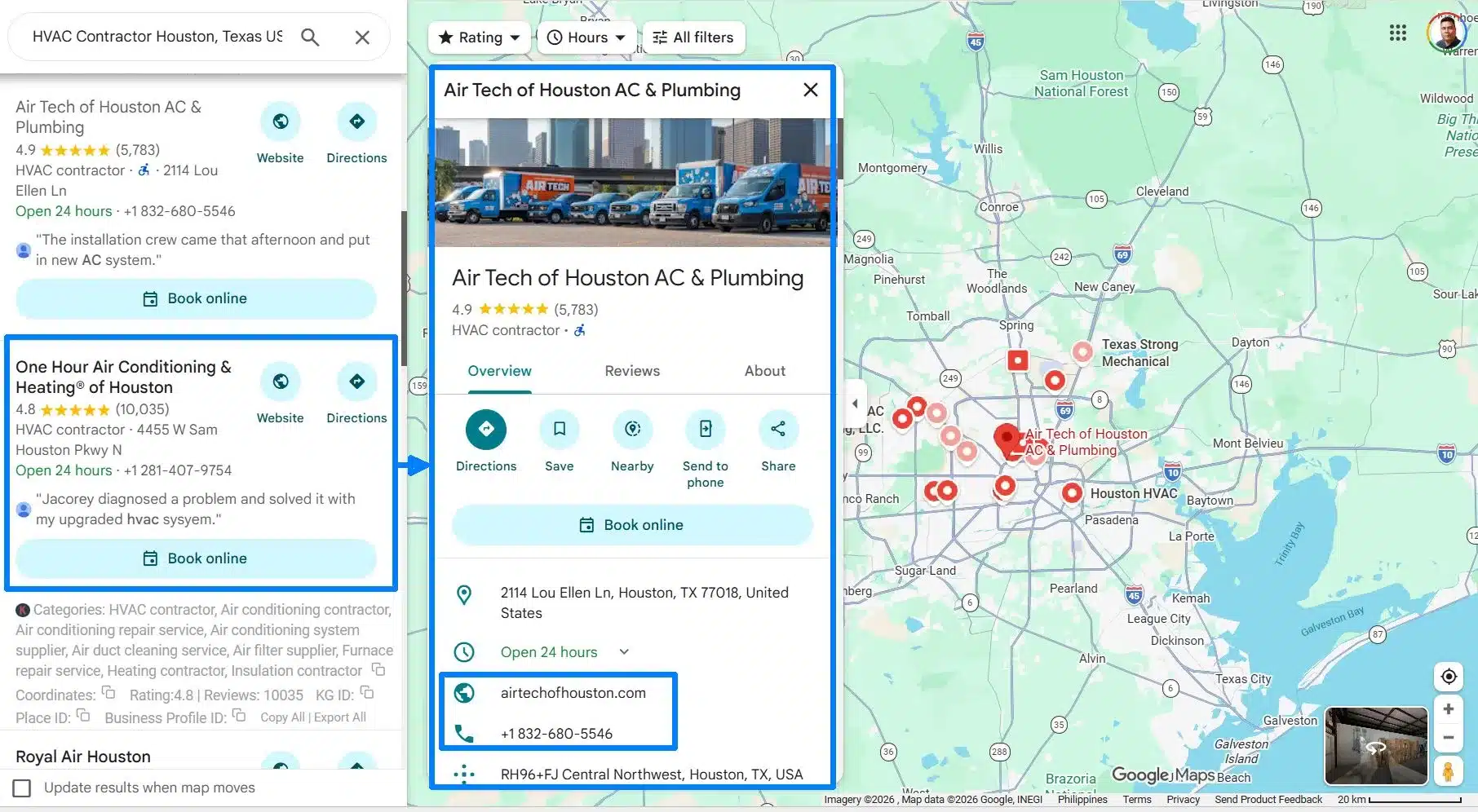
You have to prove the business is real before you send an email. We match the Google Places ID against official business registries to make sure there is a physical office and a legal name behind the listing. This stops your sales team from wasting their time calling fake locations or closed businesses. Google Maps just give you the NAP and its incomplete for lead generation.
Scrub method identity verification | Outscraper

Basic Pin data from Google Maps

Layer 2: Digital Footprint Mapping

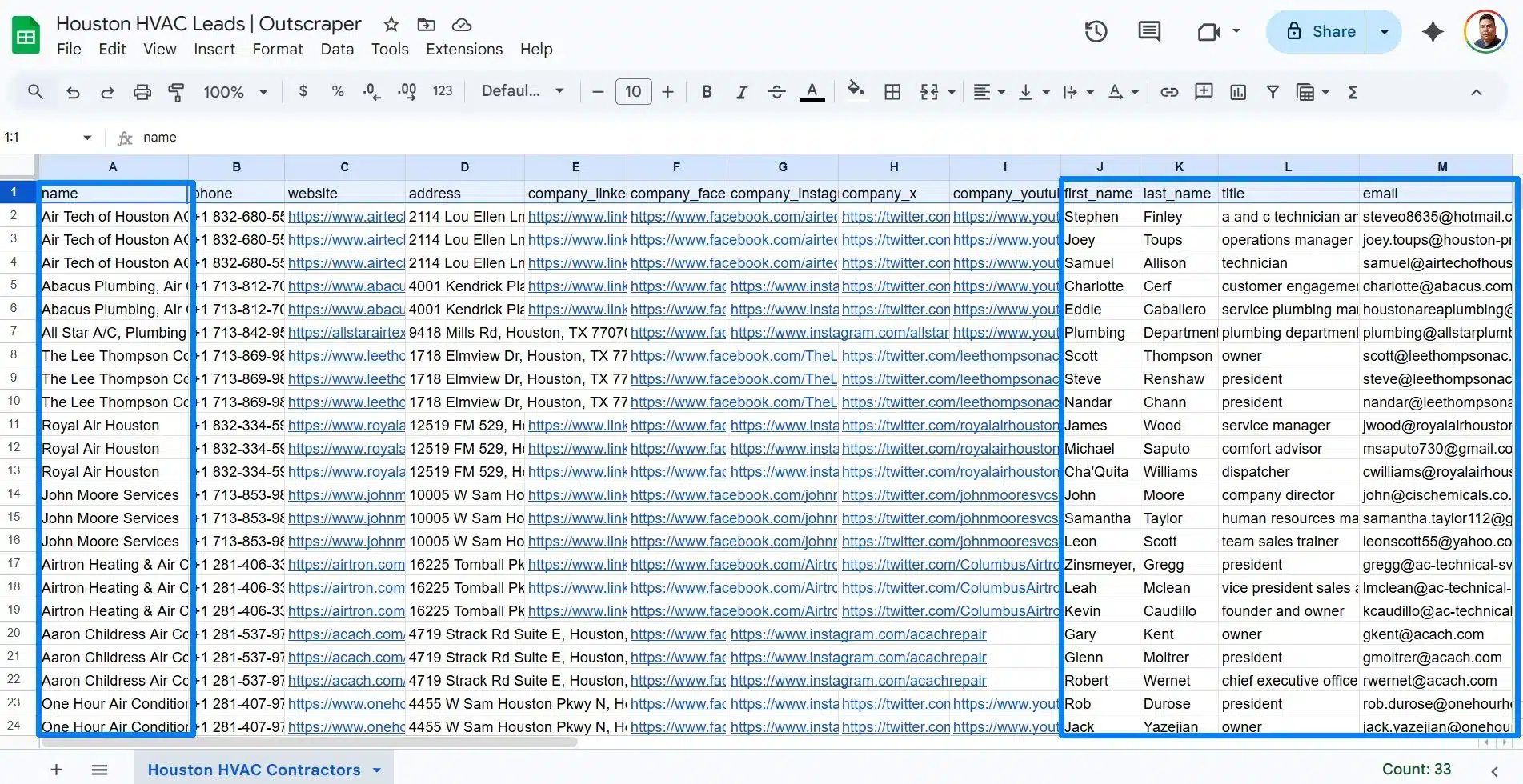
Once you know the store is open or exists, you need to find the actual people running the show. We pull data from their sito web, social profiles, and tech stacks to find the decision-makers.  If you are sending emails to a generic “info@” address, your message is just getting deleted by an assistant. This layer identifies the specific person who can decide whether to buy from you. 
Scrub method digital footprint mapping | Outscraper

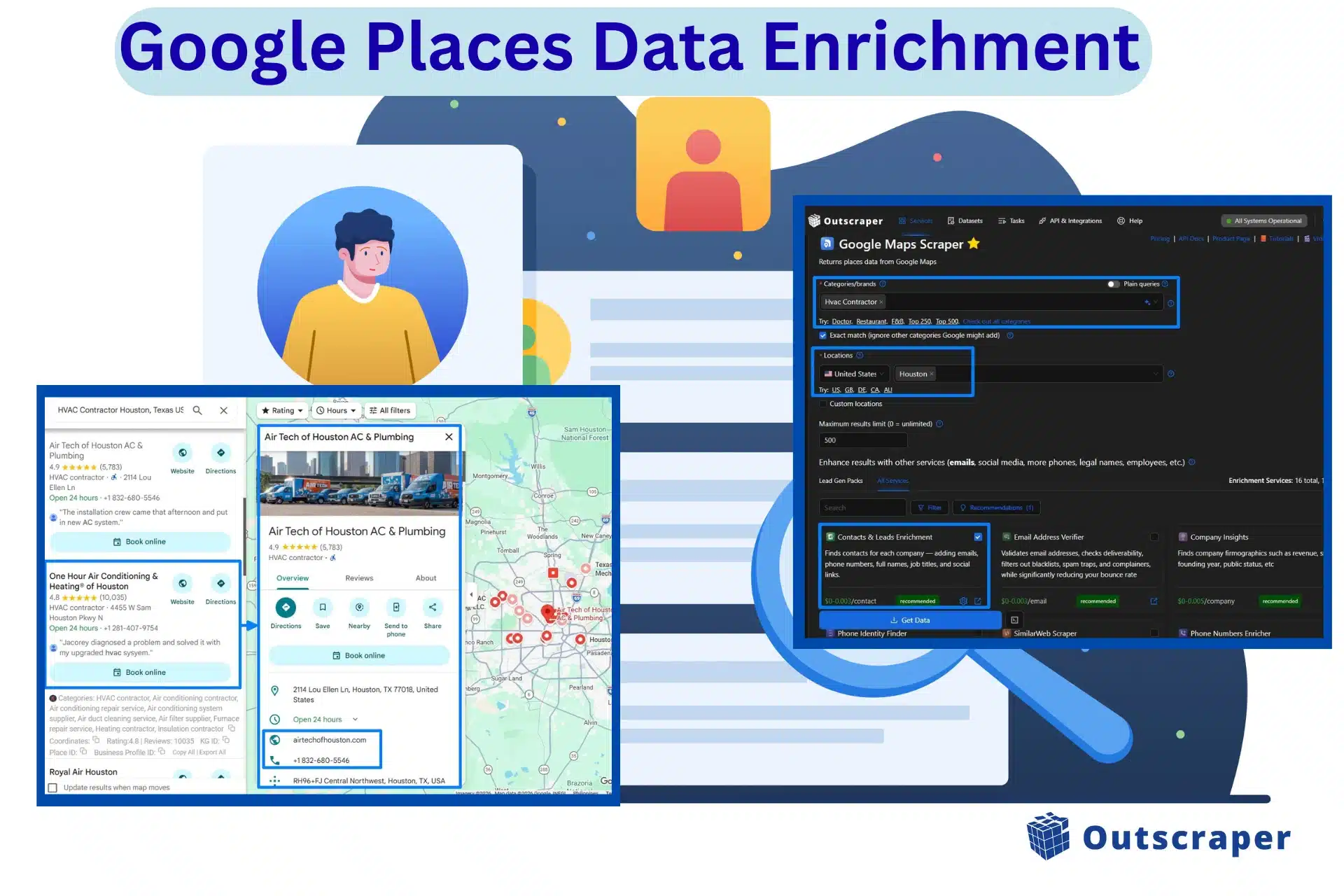
Enriched Houston HVAC leads using Google Maps scraper

Layer 3: Sentiment and Attribute Tagging

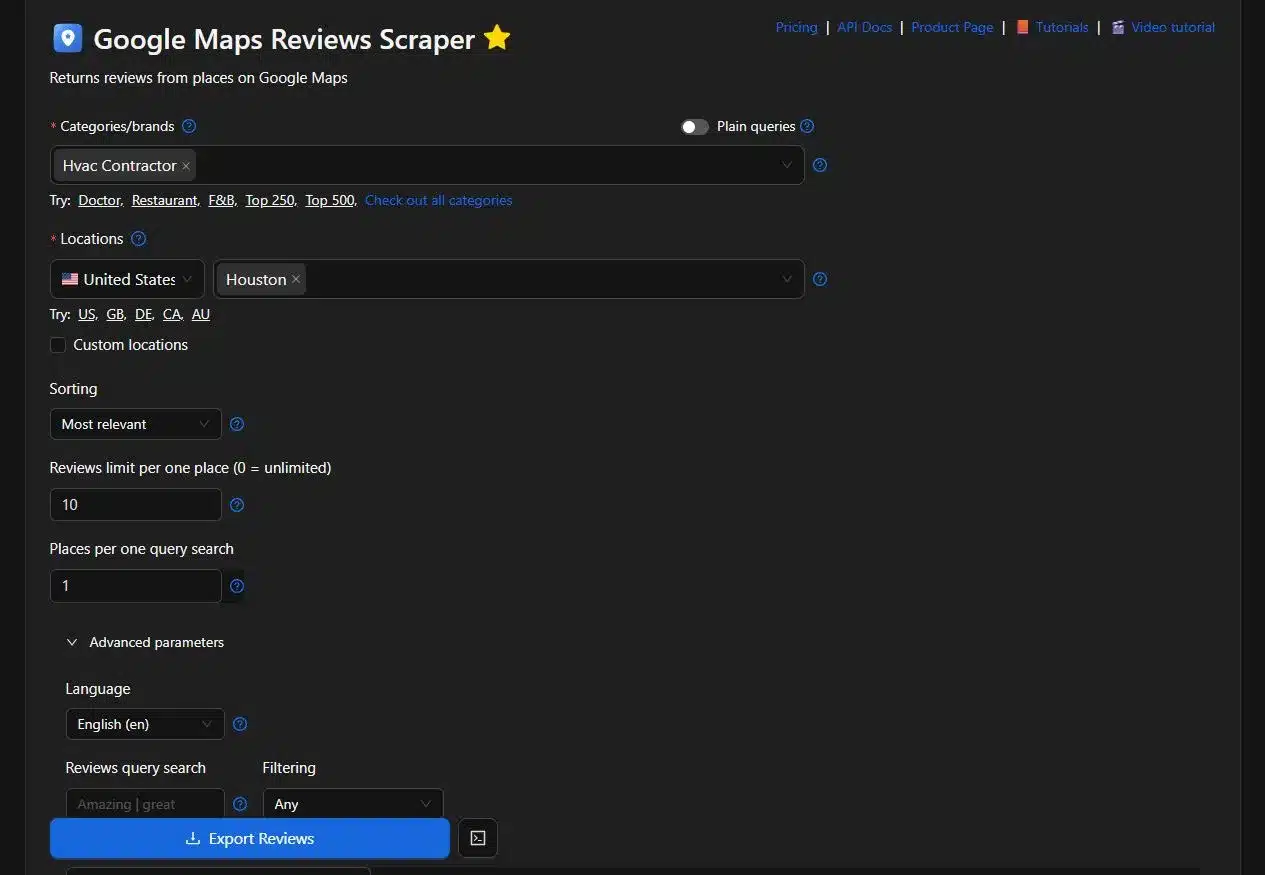
You also need to look at what customers are saying in reviews to figure out who you’re dealing with. Instead of just looking at a “4.5 star” rating, we look for proof that they are “High-Volume” or “Owner-Operated.”

You can skip the small-time hobbyists and focus your energy on the businesses that are big enough to need your services and pay your invoices.  
Scrub method sentiment and attribute tagging | Outscraper

Using Google Maps Reviews scraper for extracting reviews

When we tested this method on a list of 500 HVAC contractors, the email deliverability jumped by 40%. That meant we stopped messaging inactive accounts and started reaching verified decision-makers.

Build a High-Authority Lead List

Use the 3-Layer Scrub Method to turn raw Google Maps data into verified profiles with direct contact details.

Google Maps API vs. Custom Scrapers: A Technical Comparison

Most companies start with the official API di Google Places because it’s the obvious choice. It’s great for finding a restaurant or any business on a map, but it’s not good enough for lead generation or sales. If you are trying to build a lead list, the costs and technical limiti can hit your budget quickly before you even start. Most business owners prefer using third-party scrapers over the Places API.

The Problem with Official APIs

The Google Places API is the perfect source for live photos, precise coordinates, and basic contact info. However, it operates on a pay-per-request model. If you need to pull thousands of records, the pricing tiers add up. The official API does not provide social media links or verified personal emails. It gives you the “where” but not the “who.”

The Automation Stack for Deep Enrichment

To get the data the standard API skips, you need a different stack. Instead of relying on one source, operators use tools like Outscraper, Apify, and Clay for their lead enrichment. This is the only way to handle Google Maps Places enrichment for thousands of leads without doing it one by one.

  • Outscraper is your best bet for pulling the verified emails and social signals directly linked to a business. It’s built specifically to find the contact info that Google hides.
  • Utilizzo Apify if you need custom web scraping across different platforms beyond just maps.
  • Clay is the go-to for “waterfall enrichment” by checking multiple sources one after another until you find the right data.
Stop Overpaying for Google Maps Data

Get the social media links and verified emails that the official API skips while cutting your data costs.

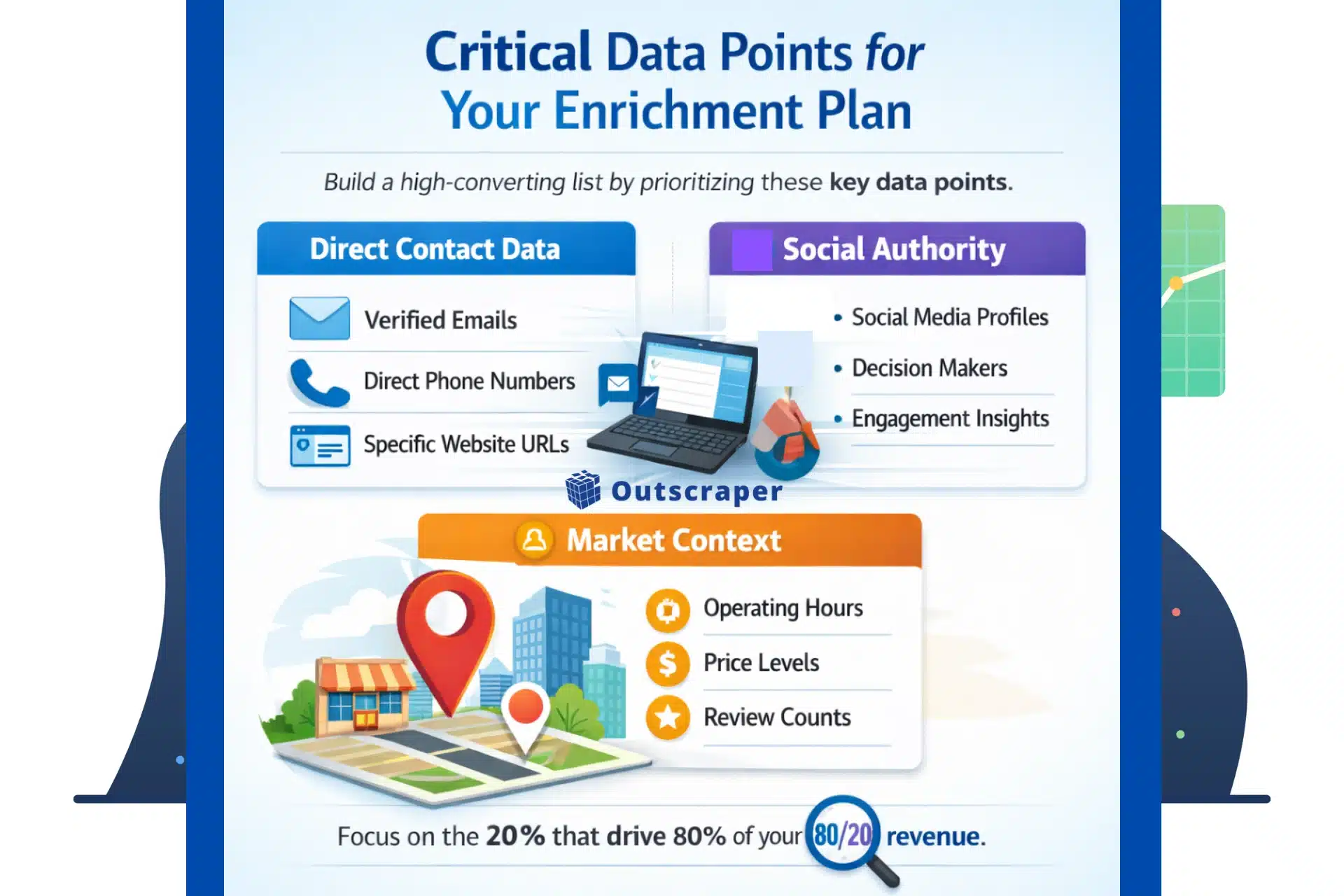
Critical Data Points for Your Enrichment Plan

A complete profile for SaaS sales needs more than just a name. If your data lacks context, your sales team will waste time on leads that cannot afford your products or do not need your service.

To build a list that converts, your business profile enrichment strategy should focus on these details.  

Important data points to consider for enrichment

Get the Direct Path to the Decision Maker Contact Data

This is the foundation of your contact data enhancement. You need verified emails, direct phone numbers, and specific website URLs. Most raw exports only give you the main office line. Enrichment finds the direct paths to the inbox of the person in charge.

Look for Social Authority

Knowing a company’s professional and social presence tells you how active they are. You should collect links to these popular platforms so you can see how they interact with customers. These profiles give your sales team “icebreakers” for their initial outreach so that they don’t sound like a cold-calling robot.

Segment by Market Context to Find the “Big Fish”

To separate the big players from the small shops, you need to look for specific markers that prove che a business has a budget.

  • Operating Hours tell you if they are a full-time professional operation or just a side hustle.
  • Price Levels help you target businesses that match your product costs.
  • Review Counts are a huge giveaway. A high review count means they have a steady flow of customers and actual revenue.

By gathering these details, you stop treating every pin on the map the same way. You can focus your energy on the 20% of businesses that are likely to drive 80% of your revenue. This means you can ignore small shops and focus on the leads that drive your business growth.

Find the Big Fish in Your Market

Gather verified emails and social signals to find high volume businesses that actually need your services.

How Automate Your Google Maps Enrichment Using Outscraper

You want to move from a list of business names to a list of emails in minutes, not days. If your team is still manually searching for contact info after exporting a CSV, your sales process is broken. To fix this, you need to automate the jump from a “place” to a “person.” You can do this exactly inside Outscraper’s Business Data and Enrichment Platform.

Step 1: Pick your Location and Business Categories

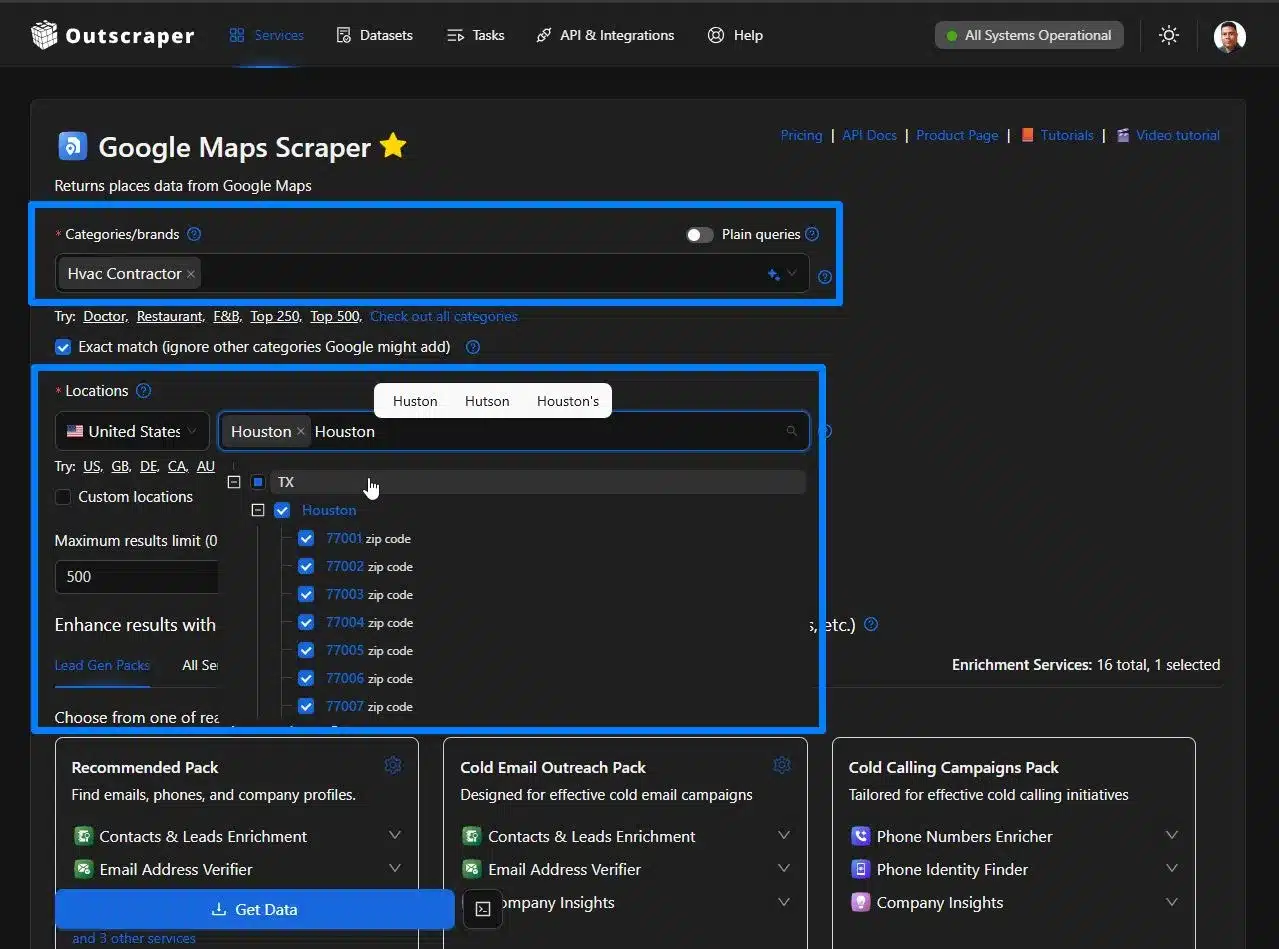
After signing up or logging in, select Google Maps Scraper to pull the initial layer of data, such as business names, addresses, and Place ID. This step replaces hundreds of hours of manual searching with a single automated task. For densely populated area make sure to use ZIP code scraping methods.

Selecting categories and location inside Google Maps Scraper

Step 2: Add the Owner Details That Your Team Needs

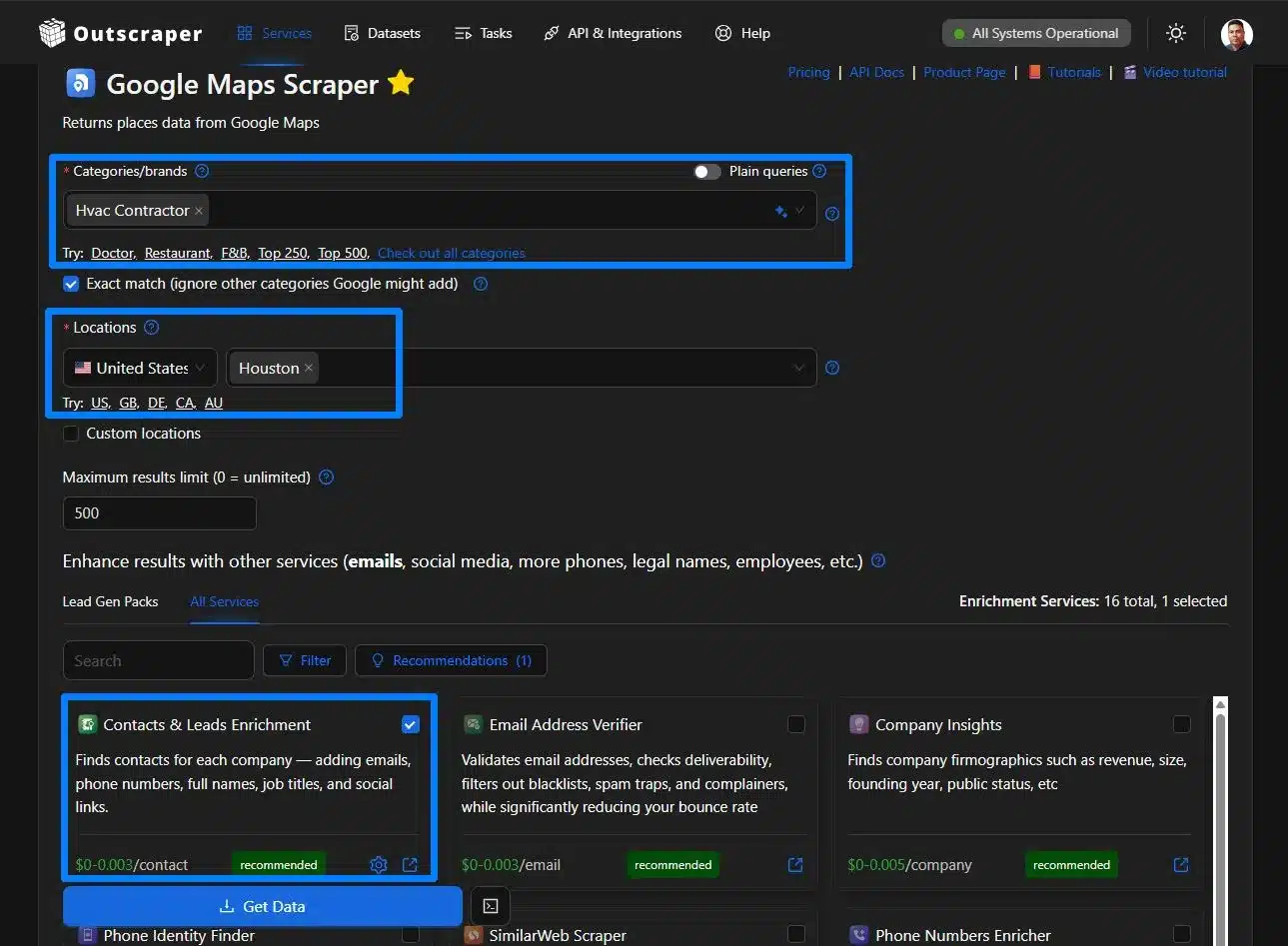
This is where you turn your location into a lead. Use Outscraper’s Enrichment tools to add verified emails and other data useful for lead generation. This is where you turn your location into a lead.

In mapping data, every business on Google is technically a Point of Interest (POI). You can use Outscraper to enrich POI data with Google Maps by adding verified emails and other hidden details.

If you are selling to SaaS companies, add tech stack enrichment so you can see what software they already use. You can also pull phone numbers to get past the front desk and find the mobile numbers of the persone who make the decisions.

Add the owner details that your team needs | Outscraper
Adding owner details using Contacts & Leads Enrichment

Step 3: Push Enriched Data to Your CRM for Immediate Outreach

Do not let your data sit in a spreadsheet where it goes out of date. Map your enriched data directly to your CRM, like HubSpot, Pipedrive, Zoho CRM, and GoHighLevel. You can also use tools and integrate Outscraper with Zapier, Pabbly, n8n, and Make.com. This will make sure your sales team gets these leads the moment they are ready.

Stop Wasting Your Sales Team's Time

A list of addresses is not a list of customers. If your team spends half of the day searching for an email address, you are wasting their time and your budget.

By using data enrichment services, you move the research work to an automated stack. This ensures every lead is a verified person you can reach, not just a pin on a map. Use these tools for your lead enrichment, so you can focus on the conversation that will result in a paid invoice.

Automate Your Lead Research Today

Move from data collection to outreach by turning Google Maps locations into verified contact lists in minutes.

Frequently Asked Questions

Domande e risposte più frequenti

It is the process of adding missing information like verified emails, social media links, and executive contact details to a standard Google Maps business listing.

The official API is built for navigation and location accuracy, so it does not provide private contact data or social media profiles.

Research shows that over 70% of business contact information changes or decays within a single year.

This allows you to filter your lead list by how customers perceive the business, helping you separate high-end operations from small shops.

Yes, you can automate the flow of enriched data into CRMs like HubSpot or Salesforce using integrations like Zapier or Make.com.


Ed Umbao

As Head of Content and SEO Strategist at Outscraper, Ed Umbao specializes in making complex technical topics, including web scraping, clear, discoverable, and genuinely helpful for users. With a decade-plus of experience, from co-founding a news website (2011) to optimizing for a Web3 startup (2023), he is passionate about connecting innovative data solutions with the right audience. Linkedin Twitter/X