Introduction to SaaS Pricing
The global SaaS market is forecasted to reach $1.25 billion by 2034 according to the study conducted by Hostinger. This data proves that services like Outscraper are in demand, and understanding the pricing model of a product is your first step in enjoying its premium benefits.
You’ve probably been here before. You’re staring at our page de tarification, trying to understand our “Pay-As-You-Use” model, so we will make it easier for you and explain this pricing in the simplest possible way. You will not just understand Outscraper’s pricing, but you can master it and utilize your premium account.

In this guide, we will explain how Outscraper’s pay-as-you-go system works. Forget the confusion. We’re going to demystify every credit, every feature, and every tier so you can stop worrying about costs and focus only on what matters to you, which is your data.
By the time you’ve finished reading, you’ll discover:
- The simple truth behind flexible pricing
- Understanding Free, Medium, & Business Tiers
- Advanced tactics for utilizing Outscraper’s most powerful features without breaking the bank.
- Real-world strategies for leads, market research, and SEO.
Outscraper Pricing Explained: The "Pay-As-You-Go" Advantage
The Core Concept: Flexibility Without Commitment
Forget everything you think you know about SaaS pricing. Outscraper doesn’t lock you into monthly contracts or force you to pay for features you’re not using. Instead, it operates on a “pay-as-you-go” (PAYG) model. This pricing model is a more flexible, transparent system that puts customers and clients in complete control.
The core concept of this pricing model is simple: you only pay for the data you extract with Outscraper. There are no surprise fees, no hidden costs, and no commitments. Your usage is tracked clearly and straightforwardly, with all tiers resetting every 30 days.
This means when using Outscraper services, every month is a fresh start, giving you the freedom to scale up or down based on your project needs.
The PAYG system isn’t a new or unproven model. Based on statistics, 3 out of 5 SaaS companies are now offering or testing usage-based pricing, and it’s a win-win for both you and the service provider.
Free vs. Premium: What's the Difference?
The primary difference between a Gratuit et l' Premium account lies in volume and feature access.
- A Free Account is your sandbox. It’s a risk-free playground with generous limits, perfect for testing, validation, and running small, one-off projects. It gives you a feel for the platform and its basic scraping capabilities without any financial commitment.
- A Premium Account (the Medium and Business Tiers) is where the real power is released. It provides the high-volume capacity needed for serious data projects, providing access to advanced features like data enrichment et l' API integrationet offering significant cost savings as your usage grows.

Why Having a Premium Account Is Needed
While the Free Tier is a fantastic way to start, a premium account is a key to turning Outscraper into a reliable business asset. The importance of having a premium account comes down to three core advantages:
- True Scalability: Serious data projects like lead generation, market research, or SEO require large volumes. A premium account removes the limits of the Free Tier. It will allow you to scrape tens or hundreds of thousands of records without interruptions.
- Economies of Scale: The pay-as-you-go model is designed to reward volume. As you move into the premium tiers, the price per record drops dramatically. This means that a large-scale project becomes far more cost-effective and financially viable than a series of smaller ones.
- Unlocking Advanced Tools: Most importantly, a premium account is your gateway to the powerful features such as Filtres avancés, Data Enrichmentet API integration.
The Tier System Explained
Outscraper’s genius lies in its tiered pricing, which automatically adjust to reward higher usage. You don’t have to manually upgrade or downgrade a plan; the system handles it all for you, ensuring you’re always getting the best possible rate for our users.
- The Free Tier: Your Risk-Free Starting Point
- Before spending a single dime with Outscraper, you can test the waters with our generous Free Tier.
- This is your risk-free playground that is perfect for validation, small projects, and familiarization.
- Each scraper has different Free Tiers. For example, the Free Tier gives you your first 500 Google Maps business records and 25 Google Search queries, which is more than enough to prove the platform’s value before you even think about paying.
- The Medium Tier
- Once your usage exceeds the Free Tier, your account automatically transitions to the Medium Tier. This is the sweet spot for users with moderate, consistent needs who are scaling up their operations.
- Here, the pricing examples are specific and transparent:
- Google Maps Scraper: After the first 500 free records, the price is $3 per 1,000 for the next 99,500 businesses.
- Google Search API: After the first 25 free records, the price is $5 per 1,000 searches for the next 4,975 searches.
- The Business Tier
- For users with serious data needs, the Business Tier offers the most cost-effective rates. This tier is designed for large-scale generations, where you’re running campaigns that require tens of thousands, or even hundreds of thousands of records.
- This is where the economies of scale truly kick in:
- Google Maps Scraper: After you’ve scraped 100,000 businesses, the rate drops to just $1 per 1,000 records.
- Google Search API: After 5,000 searches, the rate drops to $3 per 1,000 searches.
Understanding "Records": What You're Actually Paying For
One of the most important concepts to grasp is the definition of a “record.” It’s the unit of measurement for your usage, but it’s not a one-size-fits-all term.
- For the Google Maps Scraper, a “record” is a single business or place.
- For the Google Search API, a “record” is a single search result page.
- For the Reviews Scraper, a “record” is a single review.
The key takeaway here is simple. Always check the specific service pricing on Outscraper’s website to know exactly what a “record” means for your project.
Managing Your Spending: Prepaid vs. Postpaid Plus Bonus
Outscraper gives you two flexible options for managing your billing, so you never have to worry about a surprise invoice.
- Prepaid: Simply add credits to your account balance. These credits never expire, giving you complete control over your budget.
- Postpaid: For those with higher, more consistent needs, you can connect a credit card and be billed automatically if your usage exceeds the Free Tier limits in a given month.
- Bonus Credit: If you want to earn some free credit, be sure to check out the Referral Program, which offers a generous 35% referral payment on the payments of people you refer, as well as a 25% discount for your referrals on their first payment.. It’s a great way to grow your account and your business at the same time.
Outscraper's AppSumo Pricing (LTD) Explained
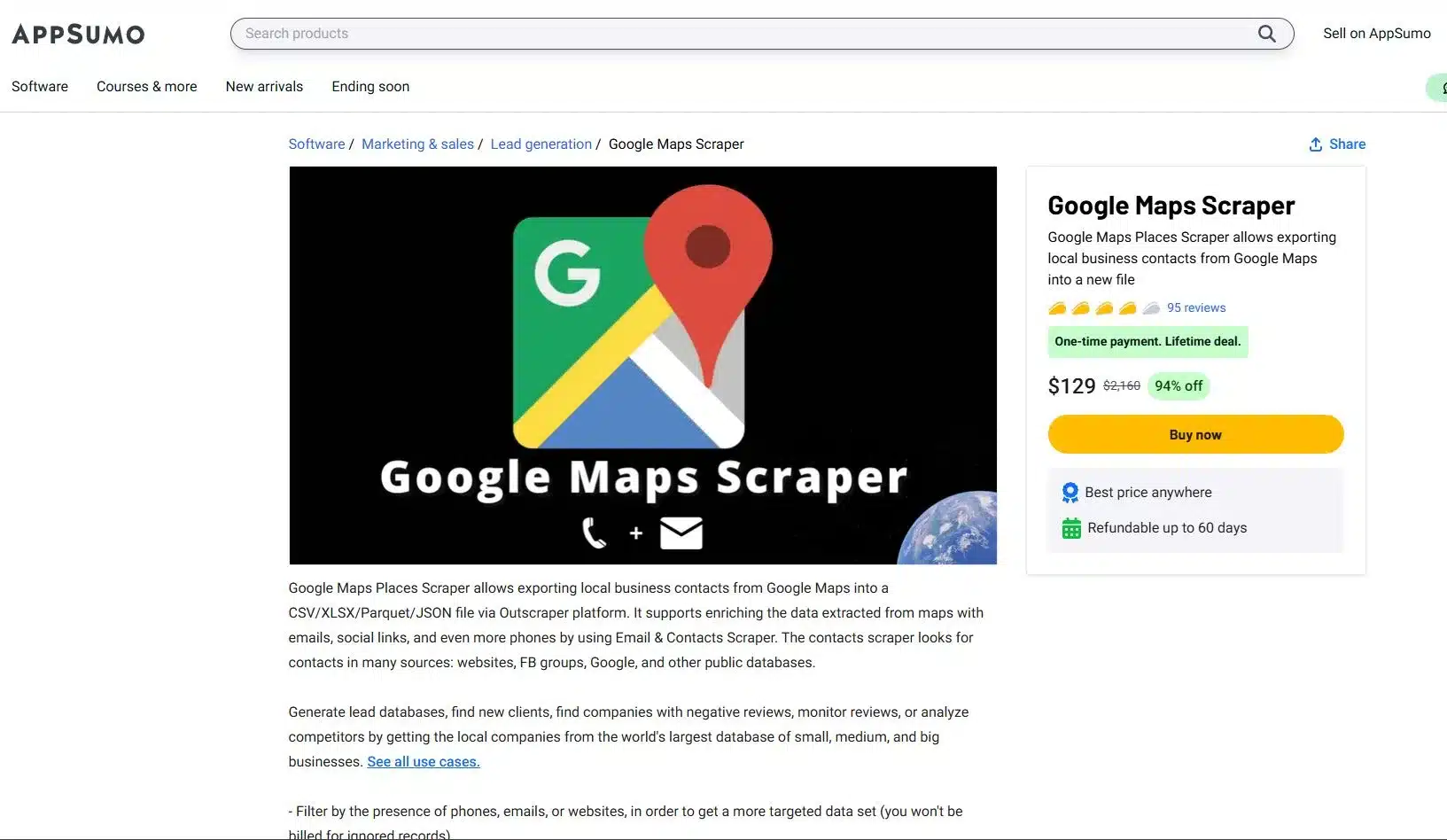
Les AppSumo lifetime deal (LTD) is one of the most frequently asked topics in Outscraper’s Reviews, so we are here to explain everything clearly. This is your powerful entry point to our web scraping tools. It will give you an advantage in data scraping.
To avail of the AppSumo deal, you need to s'inscrire ou log in with your Outscraper account, visit your profile page et l' redeem your code. Once your deal code has been successfully added, you’ll see a phrase like “appsumo-[AMOUNT]credits/month” appear on your profile. This tells you the number of credits that will cover your usage.
This is a fantastic deal that will automatically renew every month. Just remember, this offer is tied to a single account, and Outscraper does not support stacking, you only need one code to get started.
Smart Credit Management for your AppSumo Deal
Your AppSumo lifetime deal credits are a monthly gift designed for consistent, high-value usage. The most important thing to know is that these credits do not accumulate. This is similar to a monthly data plan; all your unused credit expires at the end of the 30-day billing cycle when your new credits are issued.
To master your deal, you must track your remaining credits on your profile page. This way, you’ll avoid surprises. If your usage exceeds the deal limit in any given month, you will simply be invoiced for the outstanding usage at the standard pay-as-you-go rates.
Understanding Your AppSumo Credit Value
A common question among new users is why their profile shows a monetary value like “$30 credits/month” instead of a simple number of records. The reason is that your credits are not tied to a single service but are a flexible monetary value you can spend across different Outscraper services.
Simple Breakdown:
- Granular Pricing: Outscraper calculates pricing at a granular level. For example, scraping 1 business on Google Maps costs $0.003, and scraping 1 email also costs $0.003.
- Flexible Spending: Your $30 in monthly credits can be spent on any combination of these services. You could spend the entire amount on the Google Maps Scraper, which would give you 10,000 records, or you could spend it on a mix of services.
- The Bottom Line: Your $30 in credit gives you the flexibility to scrape up to 5,000 businesses and 5,000 emails, or any other combination that fits within that monetary value.
Sample Computation (Outscraper's AppSumo Deals)
Your Deal: You avez déjà a $30 credit per month to spend on any Outscraper service.
Outscraper Pricing: Each record costs a granular $0.003
Scenario A: Flexible Spending and Staying Within the Limit
You run two campaigns in a single month; a Google Maps scrape to find businesses and a Bulk Email scrape to enrich the data you found.
- Google Maps Scraper: You scrape 5,000 business records.
- Cost: 5,000 records * $0.003 = $15
- Bulk Emails & Contacts Scraper: You scrape 5,000 emails
- Cost: 5,000 records * $0.003 = $15
In this scenario, your entire usage is perfectly covered by your $30 monthly credit. You’ve used the full value of your deal without spending a single extra dollar.
Scenario B: Going OVer Your Deal Credits and How PAYG Works
You run a similar campaign, but your email scraping is more extensive, totaling 8,000 emails.
- Google Maps Scraper: You scrape 5,000 business records
- Cost: $15
- Bulk Emails & Contacts Scraper: You scrape 8,000 emails.
- Cost: 8,000 records * $0.003 $24.
- Total Cost: $15 (for maps) + $24 (for emails) = 39
Your total usage for the month is $39. The first $30 is covered by your AppSumo deal. The remaining overage is calculated as:
- Overage: $39 – $30 = $9
- Total Cost: $9
In this case, you would receive a small invoice for $9 overage, while your monthly $30 credit would reset for the next month. This is a perfect example of how the pay-as-you-go model gives you freedom to scale up without being locked into a higher-priced plan.
Tactical Guide to Your Premium Account: Beyond the Basics
Now that you understand the mechanics of Outscraper’s pricing, it’s time to shift your focus from simply collecting data to strategically generating an advantage.
The Power of Precision
The biggest mistake most users make is scraping without a plan. They grab every record in a broad category; this is where advanced filters become your most powerful tool. For Google Maps, the “Exact Match” (ignore other categories Google might add) feature ensures your results are perfectly aligned with your keywords, saving you time and money. The Exact Match feature is also available even if you’re using the free tier.
Pro-Tip: An expert user recommends using a combination of Exact match, Location via Postal Codes, and advanced parameters like “business status=operational” and “verified=true” to create the most restrictive and valuable search possible.
Data Enrichment
Enrichment transforms basic data into valuable and actionable intelligence. While scraping primary sources like Google Maps has a fixed price per record, you can add more value to that data with other services like Email Scraper, WhatsApp Checker, or Company Insights.
These enrichments are completely optional and incur additional, service-specific costs, which you can see when selecting them. This powerful feature allows you to build a comprehensive dataset tailored to your needs.
Pro-Tip: Be selective with your enrichment. An expert Outscraper user avoids the more expensive features like Company Insight, Phone Identity Finder, and Email Address Verifier to manage costs, opting instead to only extract emails and social profiles.
API Integration: Automating Your Workflow
Les API d'Outscraper is your key to automation. Move beyond manual scraping by using an API to:
- Batch Requests: Send multiple search queries at once for efficiency.
- Run in Parallel: Get it faster by executing simultaneous requests.
- Use Webhooks: Receive data in real-time as soon as a job is finished.
Smart Scraping Strategies: Optimize Your Output
Finally, a truly powerful data operation is built on efficiency. These smart strategies help you get cleaner data, faster, with fewer headaches.
- Dropping Duplicates: Always use a unique identifier like “google_id” or “place_id” to prevent duplicate entries in your dataset. This simple step ensures you’re not paying for the same data twice.
- Handling Timeouts and Retries: When working with large datasets, be prepared for occasional network timeouts. Use retry logic in your scripts and leverage Outscraper’s webhooks to ensure that every job completes successfully.
- Custom Locations/Categories: The platform isn’t limited to a pre-defined list. Utilisation custom, long-tail categories like “SEO Services for Dentists” or specific geolocations to find niche opportunities that your competitors are completely missing.
Conclusion
We started with the confusion around web scraping pricing, but by now, you have a complete blueprint for Outscraper’s pricing. You’ve learned that the pay-as-you-go model isn’t just about flexibility but an advantage that will allow you to grow your business on your own terms.
You understand the clear path from a risk-free Niveau gratuit to the cost-effective, high-volume Niveau commercial, and you’ve seen why moving to a premium account is essential for true scalability and success.
More importantly, you now know that a premium account is your key to utilizing the platform’s true power. You have a tactical guide to using advanced filters, performing data enrichment, and leveraging API integration to transform your raw data into a powerful tool for lead generation, market research, and SEO, to name a few. The confusion is gone and he roadmap is clear.
Ready to Build a Data-Generating Powerhouse?
Your Outscraper account is waiting. Stop treating it as a simple tool and start using it as an asset it was designed to be. Log in now, apply the knowledge from this guide, and start building the precise, enriched, and automated datasets that will drive your business forward.
Products and Services Pricing
Niveau gratuit
Utilisation avant 500 entreprises- Gratuit pour les 500 premières entreprises (places)
- CSV/Excel/Parquet/JSON
- Enrichissements
Niveau moyen
Utilisation après 500 entreprises- Prix par 1k enregistrements pour l'utilisation de 501 à 100k entreprises (lieux)
- CSV/Excel/Parquet/JSON
- Filtres avancés
- Enrichissements
- Accès à l'API
Niveau commercial
Utilisation après 100 000 entreprises- Prix par 1k enregistrements pour l'utilisation après 100k entreprises (places)
- CSV/Excel/Parquet/JSON
- Filtres avancés
- Enrichissements
- Accès à l'API
- Illimité
Niveau gratuit
Utilisation avant 500 avis- Free for the first 500 reviews
- Exportation CSV/XLSX
- Sorting options
Niveau moyen
Utilisation après 500 avis- Price per 1k reviews for the usage from 501 to 100k reviews
- Exportation CSV/XLSX
- Sorting options
- Accès à l'API
Niveau commercial
Utilisation après 100 000 avis- Price per 1k reviews for the usage after 100k reviews
- Exportation CSV/XLSX
- Sorting options
- Accès à l'API
- Illimité
Niveau gratuit
Utilisation avant 500 domaines- Gratuit pour les 500 premiers contacts
- Adresses électroniques
- Numéros de téléphone
- Profils sociaux
Niveau moyen
Utilisation après 500 domaines- Prix pour les contacts à partir de 1k domaines pour l'utilisation de 501 à 100k domaines
- Adresses électroniques
- Numéros de téléphone
- Profils sociaux
Niveau commercial
Utilisation après 100 000 domaines- Prix pour les contacts à partir de 1k domaines après 100k domaines
- Adresses électroniques
- Numéros de téléphone
- Profils sociaux
Niveau gratuit
Utilisation avant 25 e-mails- Prix par e-mail pour l'utilisation de 1 à 25 e-mails
Niveau moyen
Utilisation après 25 e-mails- Price per 1k emails for the usage from 501 to 100k emails
Niveau commercial
Utilisation après 100 000 e-mails- Price per 1k emails for the usage after 100k emails
Niveau gratuit
Utilisation avant 25 téléphones- Prix par téléphone pour une utilisation de 1 à 25 téléphones.
Niveau moyen
Utilisation après 25 téléphones- Price per 1k phones for the usage from 26 to 50k phones
Niveau commercial
Utilisation après 50 000 téléphones- Price per 1k phones for the usage after 50k phones
Niveau gratuit
Utilisation avant 500 images- Exportation CSV/XLSX
- Filtres avancés
- Accès à l'API
Niveau moyen
Utilisation après 500 images- Exportation CSV/XLSX
- Filtres avancés
- Accès à l'API
Niveau commercial
Utilisation après 50 000 images- Exportation CSV/XLSX
- Filtres avancés
- Accès à l'API
Niveau gratuit
Utilisation avant 500 demandes- Prix par demande pour l'utilisation de 1 à 500 demandes
- Historiques de données depuis 2001
- Exportation CSV/XLSX
- Accès à l'API
Niveau moyen
Utilisation après 500 demandes- Prix par 1k demandes pour l'utilisation de 501 à 5k demandes
- Historiques de données depuis 2001
- Exportation CSV/XLSX
- Accès à l'API
Niveau commercial
Utilisation après 5 000 demandes- Prix par 1k demandes pour l'utilisation après 5k demandes
- Historiques de données depuis 2001
- Exportation CSV/XLSX
- Accès à l'API
Niveau gratuit
Usage before 10 searches- Free for the first 10 searches (pages)
- CSV/Excel/Parquet/JSON
- Enrichissements
Niveau moyen
Usage after 10 searches- Price per 1k searches for the usage from 11 to 100k searches (pages)
- CSV/Excel/Parquet/JSON
- Enrichissements
- Accès à l'API
Niveau commercial
Usage after 100,000 searches- Price per 1k searches for the usage after 100k searches (pages)
- CSV/Excel/Parquet/JSON
- Enrichissements
- Accès à l'API
- Illimité
Niveau gratuit
Utilisation avant 50 recherches- Exportation CSV/XLSX
- Accès à l'API
Niveau moyen
Utilisation après 50 recherches- Exportation CSV/XLSX
- Accès à l'API
Niveau commercial
Utilisation après 5 000 recherches- Exportation CSV/XLSX
- Accès à l'API
Niveau gratuit
Utilisation avant 500 avis- Prix par avis pour une utilisation de 1 à 500 avis.
- Exportation CSV/XLSX
- Tri
- Accès à l'API
Niveau moyen
Utilisation après 500 avis- Price per 1k reviews for the usage from 501 to 50k reviews
- Exportation CSV/XLSX
- Tri
- Accès à l'API
Niveau commercial
Utilisation après 50 000 avis- Price per 1k reviews for the usage after 50k reviews
- Exportation CSV/XLSX
- Tri
- Accès à l'API
Niveau gratuit
Utilisation avant 500 produits- Gratuit pour les 500 premiers produits.
- Exportation CSV/XLSX
- Filtres avancés
- Accès à l'API
Niveau moyen
Utilisation après 500 produits- Price per 1k records for the usage from 501 to 5k products.
- Exportation CSV/XLSX
- Filtres avancés
- Accès à l'API
Niveau commercial
Utilisation après 5 000 produits- Price per 1k records for the usage after 5k products.
- Exportation CSV/XLSX
- Filtres avancés
- Accès à l'API
Niveau gratuit
Utilisation avant 500 avis- Gratuit pour les 500 avis.
- Exportation CSV/XLSX
- Filtres avancés
- Accès à l'API
Niveau moyen
Utilisation après 500 avis- Price per 1k records for the usage from 501 to 5k reviews.
- Exportation CSV/XLSX
- Filtres avancés
- Accès à l'API
Niveau commercial
Utilisation après 5 000 avis- Price per 1k records for the usage after 5k reviews.
- Exportation CSV/XLSX
- Filtres avancés
- Accès à l'API
Options de paiement

FAQ
Questions et réponses les plus fréquentes
Le paiement à l'utilisation vous permet de ne payer que les services que vous consommez, sans frais d'abonnement mensuel. C'est la même chose que de payer pour des services comme l'eau et l'électricité.
A new billing period will be created when you start a task without an active billing period. Once you have the amount due, you can stop it manually by clicking “Generate Invoice”, or it will be finished automatically in one month. Once it’s finished, you will receive an invoice for the usage of the services.
Paiements et abonnements
Le niveau gratuit est la quantité d'utilisation que vous pouvez utiliser gratuitement chaque mois. Par exemple, certains produits ont une offre gratuite avec 500 demandes par mois. Cela signifie que toute utilisation du produit en dessous de 500 demandes au cours d'un mois sera gratuite.
Lorsqu'un abonnement est finalisé, vous recevrez une facture pour l'utilisation de les services au cours de la période d'abonnement.
Si vous ne parvenez pas à effectuer le paiement dans les 3 jours, le système essaiera de vous facturer automatiquement.
- Avant d'ajouter des crédits, assurez-vous d'avoir saisi vos coordonnées sur la page des informations de facturation (au cas où vous en auriez besoin pour les factures ou les bons de commande).
- Naviguez vers votre page de profil.
- Entrez le montant de crédits que vous souhaitez ajouter.
- Choisissez le mode de paiement que vous souhaitez utiliser afin d'ajouter des crédits (carte de crédit, PayPal, etc.).
- Après avoir cliqué sur le bouton avec votre méthode de paiement, suivez les étapes du fournisseur de la méthode de paiement.
Une fois que vous avez consommé, vous pouvez voir la facture à venir sur la page de profil. Une fois que vous avez le montant dû, vous pouvez générer la facture manuellement en cliquant sur "Générer la facture", ou elle sera générée automatiquement dans les 30 jours.
Une fois que vous aurez ajouté des crédits à votre compte (option prépayée), vous recevrez le reçu de la transaction par courrier électronique.
Les factures relatives à l'utilisation de services spécifiques seront générées après chaque période de facturation (30 jours). Vous pouvez aussi, une fois que vous avez le montant dû, générer la facture manuellement en cliquant sur "Générer une facture" sur la page de profil.
Oui. Outscraper débitera le solde de votre compte pour $10 et émettra une facture supplémentaire avec le montant dû.
Non. La tâche sera terminée et si l'utilisation de la tâche est supérieure aux crédits de votre compte, vous recevrez simplement une facture avec l'utilisation restante.
Vous pouvez utiliser des limites pour limiter la quantité de données extraites.
- Ouvrez Outscraper Platform.
- Naviguez vers la page de informations de facturation.
- Entrez les informations de facturation nécessaires que vous souhaitez voir sur vos factures.
- Cliquez sur le bouton Enregistrer. Toutes vos futures factures seront créées avec les informations que vous avez saisies.
Parrainez un ami et commencez à recevoir 35% de vos paiements de parrainage sur le solde de votre compte. Votre filleul recevra un 25% sur leur premier versement. Obtenez votre lien de référence maintenant.

Ed Umbao
As Head of Content and SEO Strategist at Outscraper, Ed Umbao specializes in making complex technical topics, including web scraping, clear, discoverable, and genuinely helpful for users. With a decade-plus of experience, from co-founding a news website (2011) to optimizing for a Web3 startup (2023), he is passionate about connecting innovative data solutions with the right audience. Linkedin Twitter/X
Articles connexes
Retail Store Location Intelligence: Site Selection Using Google Maps Data
Outscraper uses location intelligence by extracting Google Maps data at scale and delivering structured datasets ready for analysis. Retailers use this data to evaluate locations, compare competitors, and plan growth based on evidence rather than assumptions. Using location intelligence with reliable data sources leads to stronger site selection decisions and more efficient retail expansion.
How to Collect Verified Contact Information for Local Businesses
Collecting this data at scale requires structured extraction, verification, and export. Outscraper supports this process by pulling contact details from trusted platforms such as Google Maps, applying verification, and delivering clean datasets in usable formats. If you want lower bounce rates, reliable outreach, and data you can trust, use Outscraper to collect verified local business contact information.

Healthcare Provider Data: Find Dentists, Doctors, and Medical Practices
Outscraper supports healthcare provider data collection by extracting and enriching public business and provider information from platforms such as Google Maps in structured formats. In building an accurate provider directory, improving network intelligence, supporting research, or monitoring reputation at scale, use Outscraper to turn public healthcare data into reliable provider intelligence.