Das Inhaltsverzeichnis
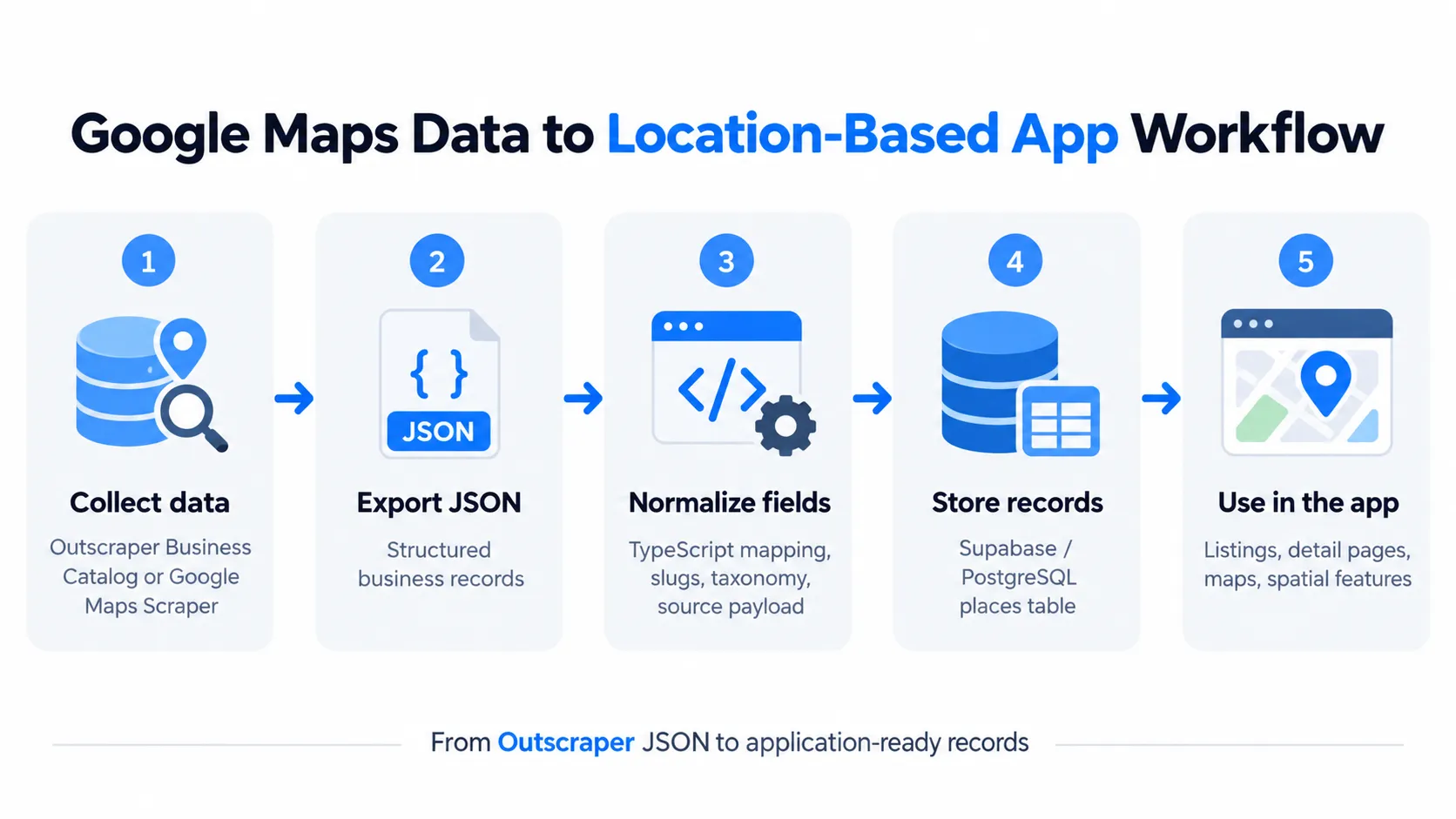
To build a location-based app with Google Maps data, collect the business records, normalize them into your own schema, and store them in a database such as Supabase/PostgreSQL.
For Google Maps data for app development, collecting the records is only the first step. The application still needs fields it can identify, update, query, map, and connect to its own data.
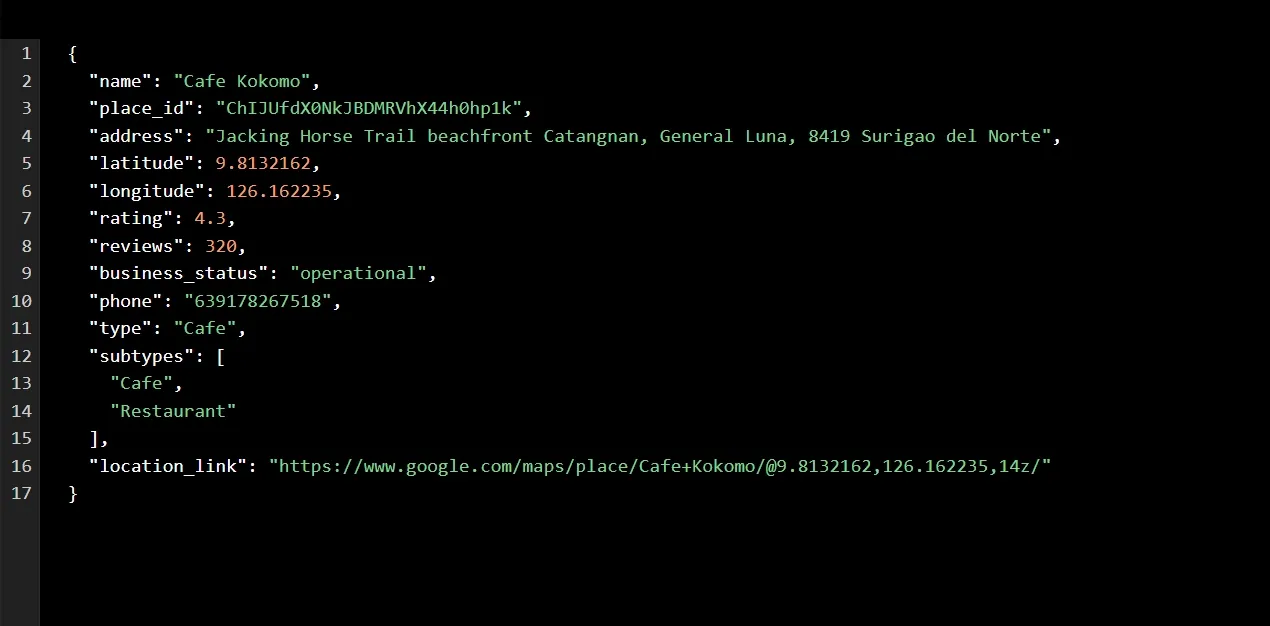
In this example, a small JSON sample from Outscraper’s Unternehmenskatalog is normalized with TypeScript and imported into Supabase/PostgreSQL for a location-based MVP called Nomad PH.
The sample contains three businesses in General Luna, Siargao. Its purpose is to test the ingestion workflow, not to represent complete business coverage in Siargao or the Philippines.
The main task is turning the Outscraper JSON into application-ready records that can support listings, detail pages, maps, and later spatial features.
Quick Answer: How to Use Google Maps Data in a Location-Based App
- Collect business records with Auskratzer.
- Export the data as JSON.
- Normalize the fields with TypeScript.
- Map the records to your app schema.
- Upsert them into Supabase/PostgreSQL.
- Use them in listings, pages, and maps.
Use Outscraper’s Business Catalog to start with ready business records before building your ingestion workflow.
What Google Maps Data Does a Location-Based App Need?
A location app does not need every field available in a source record. It needs the fields that help the application identify a place, display useful information, and connect that place to other features.
For the Nomad PH MVP, the Outscraper records provided the base business and location data. The application then stored selected fields in its eigene places table
Core place identity fields
The first group of fields answers a basic question: which place is this?
For this implementation, the main identity and location fields were:
Nameort_idBreitengradLängengradAdressebusiness_status
Die Name und Adresse help users identify the business, while latitude and longitude give the application a geographic position.
The importer also keeps ort_id as the external identifier used for upserts in this MVP. If the same place appears in a later import, the application can update the existing record instead of creating another one.
This does not mean ort_id should be treated as a permanent identifier for every possible data workflow. It is simply the source identifier chosen for this implementation.
Discovery and listing fields
A place page usually needs more than identity and coordinates. Users also need enough information to decide whether they want to view or visit the business.
The MVP stores fields such as:
- Bewertung
- review count
- Website
- Telefon
- business type
- Google Maps URL
These fields can support destination listings, place cards, detail pages, and filters inside the application.
Source categories also need some control. Instead of copying every raw subtype directly into the app, Nomad PH maps them into a smaller set of place types:
- Cafe
- coworking
- coliving
- Hotel
- Herberge
- Restaurant
- other
A controlled list keeps the application’s categories predictable even when the source data contains several business subtypes.
Keep source data separate from app-specific data
The imported business record is only one layer of the application.
Outscraper supplies the source business and location fields used in this MVP, such as place identity, coordinates, ratings, contact details, and business status.
Nomad PH keeps its own application and community data separate, including:
- Wi-Fi speed reports
- upload speed
- ping
- generator observations
- power outage observations
- user reviews
- verification rules
That separation matters because the source record and the application’s own data have different jobs.
Die Auskratzer record identifies and describes the place. Nomad PH can then add its own data around that same place without treating community-generated information as part of the original Google Maps business record.
Collect the Source Data With Outscraper Business Catalog
The first step is to collect the business records your application needs.
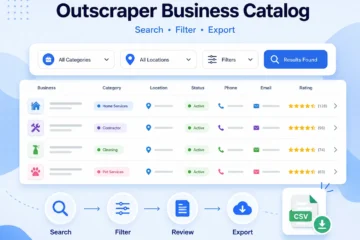
For the Nomad PH MVP, I used Outscraper’s Unternehmenskatalog to create a small sample of businesses in General Luna, Siargao. Three records were enough to test the ingestion flow from JSON into the application database.
For a full walkthrough of filtering and exporting records, see the Outscraper Business Catalog guide.
Define the location and business type
Start with the location and category your application needs.
For this MVP:
- Standort: General Luna, Siargao.
- Business type: cafés
- Quelle: Outscraper-Geschäftskatalog
- Output: JSON business records
Keeping the sample small made it easier to inspect the source fields before building the importer.
For broader Google Maps data collection, Outscraper’s existing Google Maps Scraper guides cover the collection process in more detail.
Export the records as JSON
For this MVP, I used a small sample from Outscraper’s Unternehmenskatalog instead of running a new Google Maps Scraper job. Using ready business records let me test the ingestion workflow immediately without waiting for a new scraping task to finish.
The same workflow can also start with JSON exported from Outscraper’s Google Maps-Schaber. In both cases, the important part is the structured business data that moves into the application.
JSON fit the ingestion workflow well because it was easy to:
- inspect in VS Code
- parse with TypeScript
- preserve nested source fields
- pass into a normalization script
- store the original record for later reference
The JSON file then became the source input for the normalization and Supabase import steps.
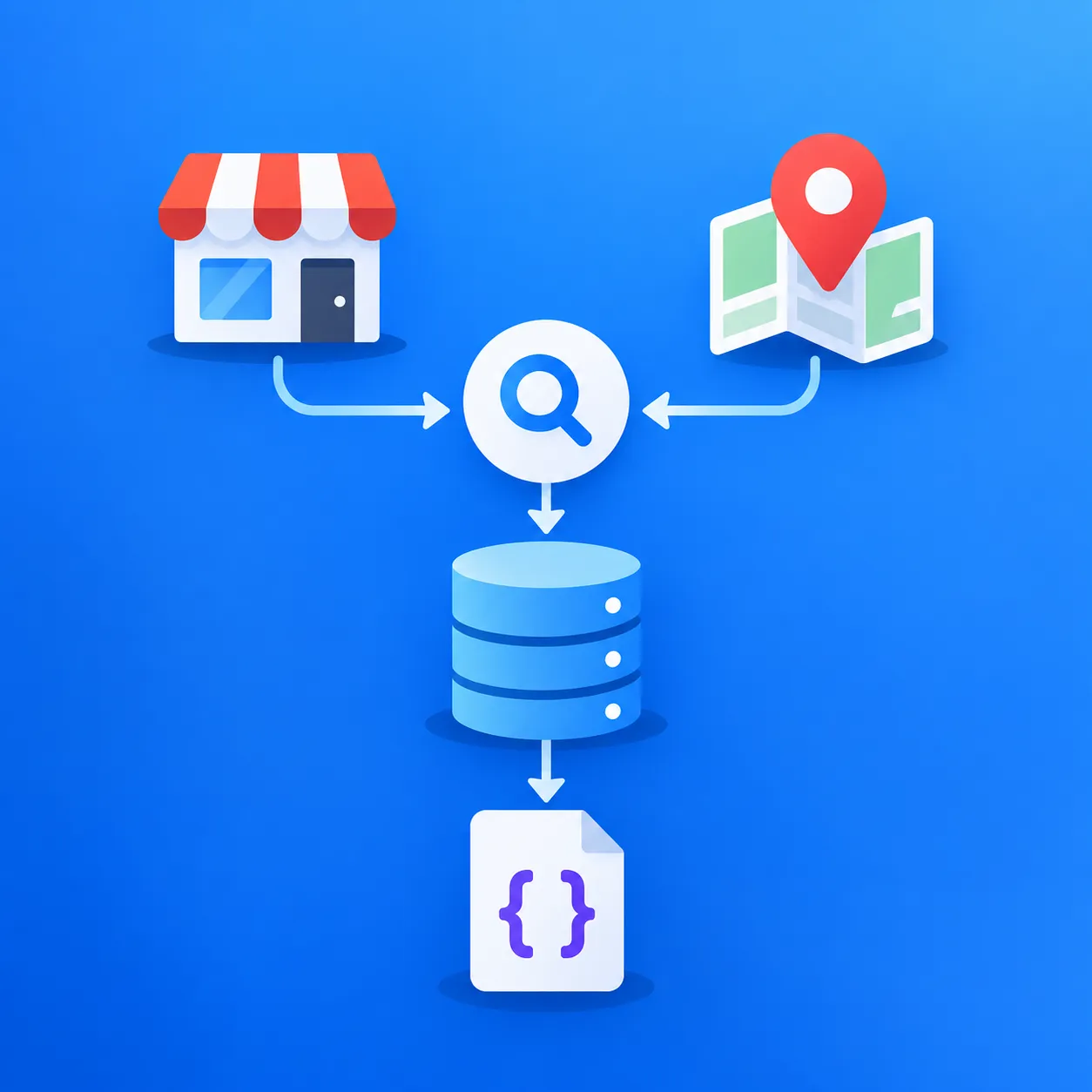
Use Outscraper’s Business Catalog or Google Maps Scraper to collect the business and location records your application needs, then export them for your ingestion workflow.
Turn Outscraper JSON Into Application-Ready Records
Raw JSON is useful as a source, but an application usually needs a smaller and more predictable schema.
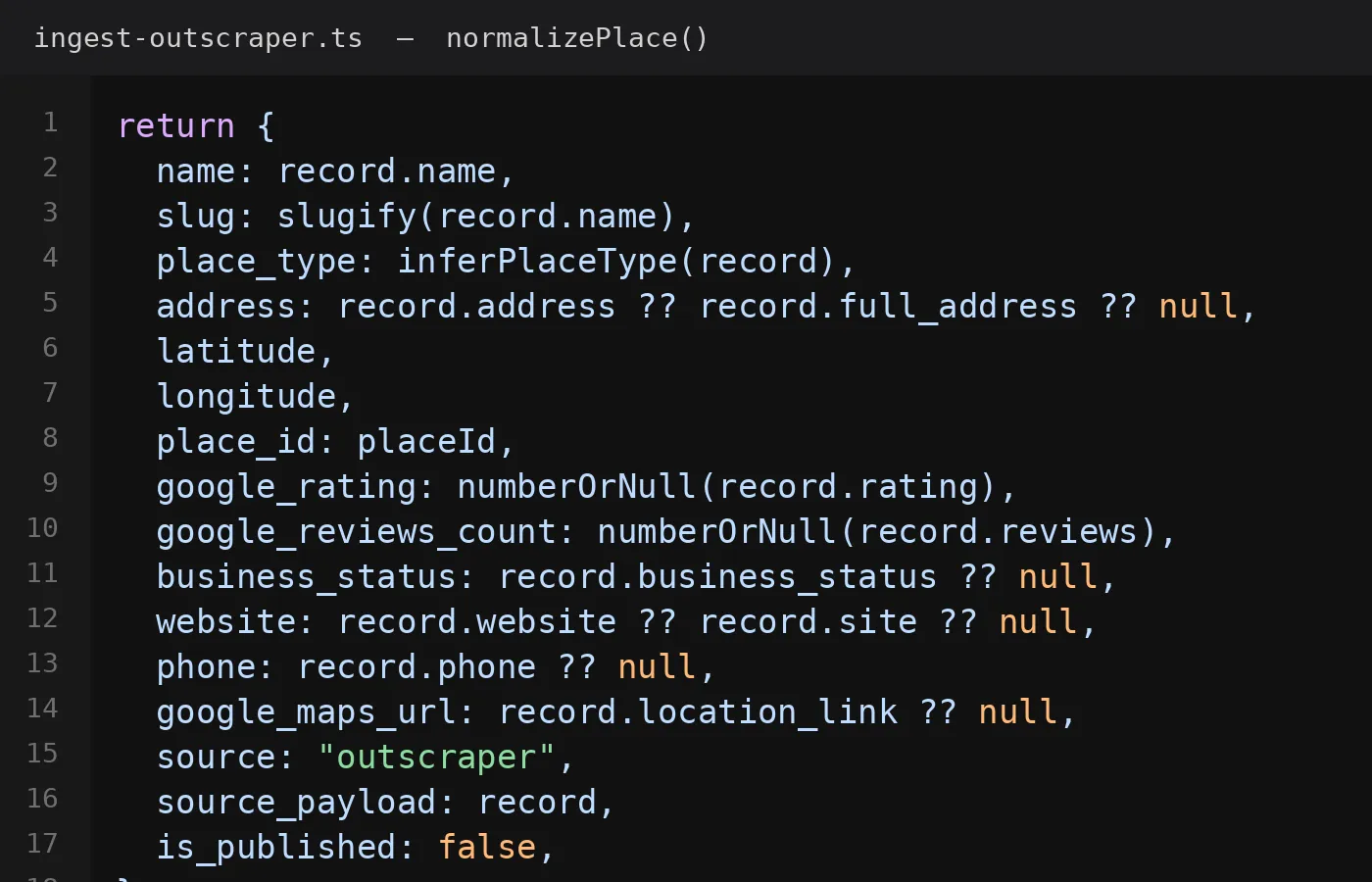
For the Nomad PH MVP, the importer reads the Outscraper JSON, selects the fields the app needs, converts them into the places table, and keeps the original source record for reference.
Normalize the fields the app actually needs
The importer maps source fields into the application model instead of storing every field directly.
For this build, that includes values such as:
- business name
- place ID
- Adresse
- Breitengrad
- Längengrad
- Bewertung
- review count
- Geschäftsstatus
- Website
- Telefon
- Google Maps URL
- place type
This makes the records easier to query and use inside the app.
The exact source field names should be checked against the real Outscraper JSON before any code example is published.
Map source categories into your own app taxonomy
Source business categories can be more detailed than the application needs.
Nomad PH uses a smaller internal list:
CafecoworkingcolivingHotelHerbergeRestaurantother
This keeps filtering and page logic predictable.
For example, several source subtypes related to cafés can still map to the same internal Cafe type. The app controls the final category instead of depending on every raw subtype returned by the source.
Generate readable slugs
Each imported place also needs a readable URL slug.
For example:
Gaya Rooftop Space
becomes:
gaya-rooftop-space
The slug is generated during normalization so the record is ready for routes such as a place detail page.
Preserve the original source payload
The importer keeps two source-related fields:
source = "outscraper"source_payload = original JSON record
Keeping the raw payload is useful because the normalized record does not include every source field.
It gives the application a reference point for:
- checking transformations
- debugging import issues
- remapping fields later
- reviewing source values that were not added to the main schema
This keeps the application schema clean without throwing away the original record.
Use Outscraper’s Google Maps API to send business data into your own application or backend workflow without relying on manual exports.
Import the Google Maps Data Into Supabase
Once the Outscraper records are normalized, the next step is to store them in the application database.
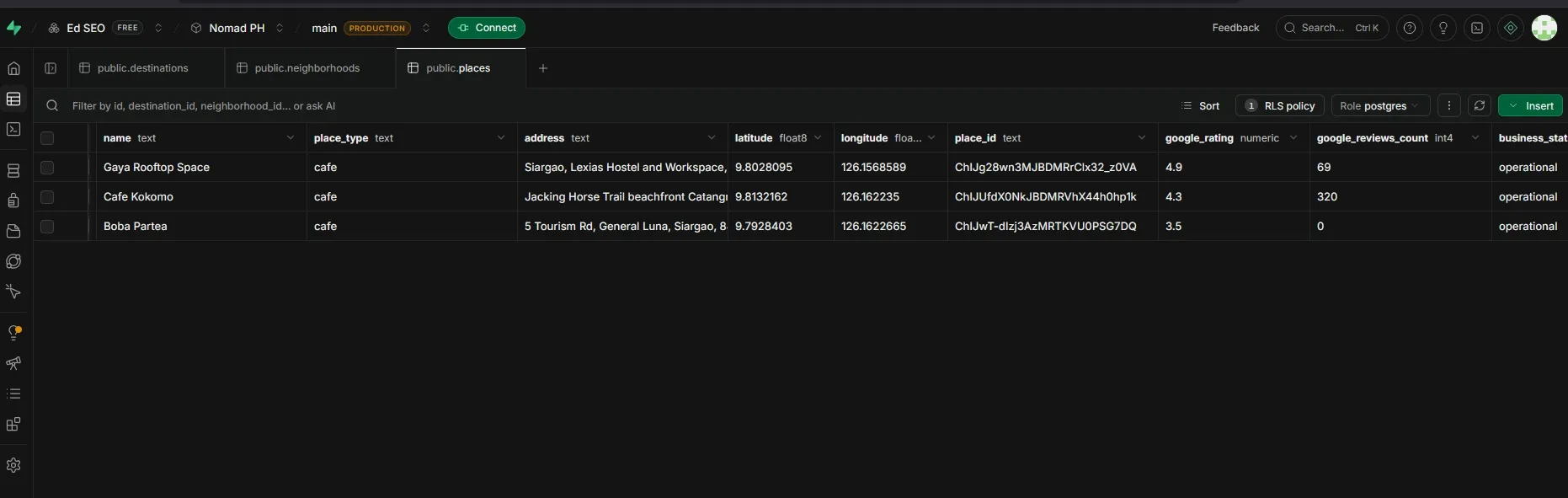
For Nomad PH, the importer sends the normalized records into a Supabase places table backed by PostgreSQL.
Supabase provides a Postgres database that can be managed through its dashboard or accessed programmatically.
Map the normalized data into the places table
The table keeps the fields the application needs for listings, routes, filtering, and later map features.
Important fields include:
iddestination_idneighborhood_idNameslugplace_typeAdresseBreitengradLängengradort_idgoogle_ratinggoogle_reviews_countbusiness_statusWebsiteTelefongoogle_maps_urlsourcesource_payloadis_published
The normalized object is mapped into this structure before the database write happens.
That keeps the database model consistent even if the source JSON contains more fields than the app currently uses.
Upsert instead of blindly inserting
The importer uses an upsert, which updates an existing record when the same place_id is found or inserts a new record when it is not.
The importer uses place_id as the external identifier for this implementation.
The logic is simple:
- if the
place_idalready exists, update the existing record - if it does not exist, insert a new record
This helps avoid creating duplicate place records when the same business is imported again.
For this MVP, place_id was the source identifier chosen for the upsert logic. It should not be treated as a universal rule for every application.
Import records in batches
The importer processes records in batches of 200.
That batch size was a development choice for this project, not an Outscraper requirement.
The same importer can work with a smaller or larger batch size depending on the application, database limits, and job size.
Imported records are also set as unpublished at first so they can be reviewed before appearing in the app.
That gives the application one more control point between source data and public content.
Use the Imported Records in Your Location-Based App
Once the records are in Supabase, the application can use them like any other structured database content.
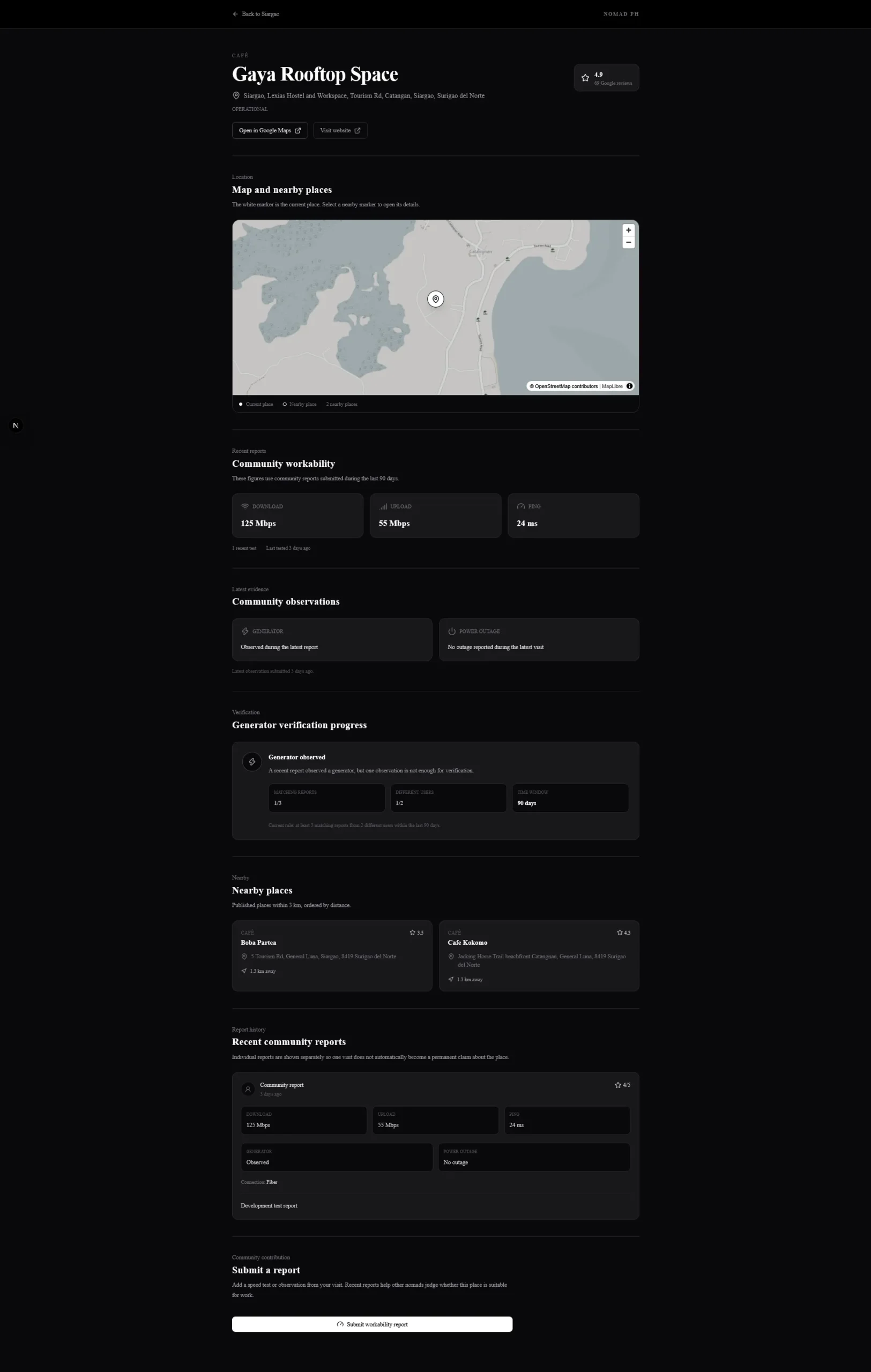
For Nomad PH, the imported places can support destination listings, individual place pages, and map-based browsing without reading directly from the original JSON file.
Render place cards and detail pages
A stored place record can feed different parts of the interface.
For example:
Supabase place record
→ destination listing
→ place card
→ place detail page
Next.js Verwendungszwecke file-based routing, which makes it straightforward to create a separate route for each stored place record.
Fields such as Name, slug, place_type, Adresse, rating, website, and phone can be shown where they are useful.
Because the data has already been normalized, the frontend does not need to understand the full Outscraper response each time it renders a place.
Use coordinates for maps and spatial features
The imported records also keep Breitengrad und Längengrad.
Those coordinates can later support:
- map markers
- geographic browsing
- PostGIS geography points
- nearby-place searches
For this MVP, the coordinates are stored first so the records are ready for later map and spatial work.
The full PostGIS nearby-search logic sits outside the scope of this article.
For a broader look at how application workflows can get Google Maps data, see Google Maps API vs. web scraping.
Add app-specific data on top
The Outscraper record provides the business and location layer.
Nomad PH can then add its own data around the same place, such as:
- Wi-Fi speed reports
- upload speed
- ping
- generator observations
- power outage observations
- user reviews
- verification logic
This keeps the source data separate from the information created inside the application.
The result is a simple data model:
Final Checklist: Build a Location-Based App With Google Maps Data
- Collect the business records with Auskratzer.
- Export and normalize the JSON fields your app needs.
- Map the records into your own database schema.
- Upsert the records into Supabase/PostgreSQL.
- Use the stored data for listings, detail pages, maps, and later spatial features.
Use Outscraper to collect structured business records, normalize them into your own schema, and store them in Supabase for listings, maps, and other app features.
FAQ
Häufigste Fragen und Antworten
Yes, but mapping the source fields into your own schema gives you better control over categories, updates, and database structure.
Supabase stores the normalized place records in PostgreSQL and makes them available to the Next.js app.
Yes. Stored latitude and longitude can power map markers and later support PostGIS nearby-place searches.
Yes. Keeping the original JSON in source_payload helps with debugging, checking transformations, and adding fields later.
An upsert updates a record if it already exists or inserts a new one if it does not. In this MVP, ort_id is used to decide whether a place should be u