Das Inhaltsverzeichnis
Data scraping for lead generation helps sales teams, lead generation agencies, marketing agencies, and founders collect public business information without researching every company one by one.
The bigger challenge is deciding which businesses belong in the prospect list. A large export is not automatically useful if it includes the wrong categories, locations, inactive businesses, or records that do not match the campaign.
A stronger workflow starts by defining the target market, choosing the business data used to screen prospects, collecting the records from the right source, and checking the results before they move into outreach.
Quick Answer: How Does Data Scraping for Lead Generation Work?
- Define the businesses you want to target.
- Choose the business data and public sources.
- Collect the records with a suitable data scraper.
- Remove irrelevant or duplicate records.Check the data and add missing details where available.
- Prepare the prospect list for sales or outreach.
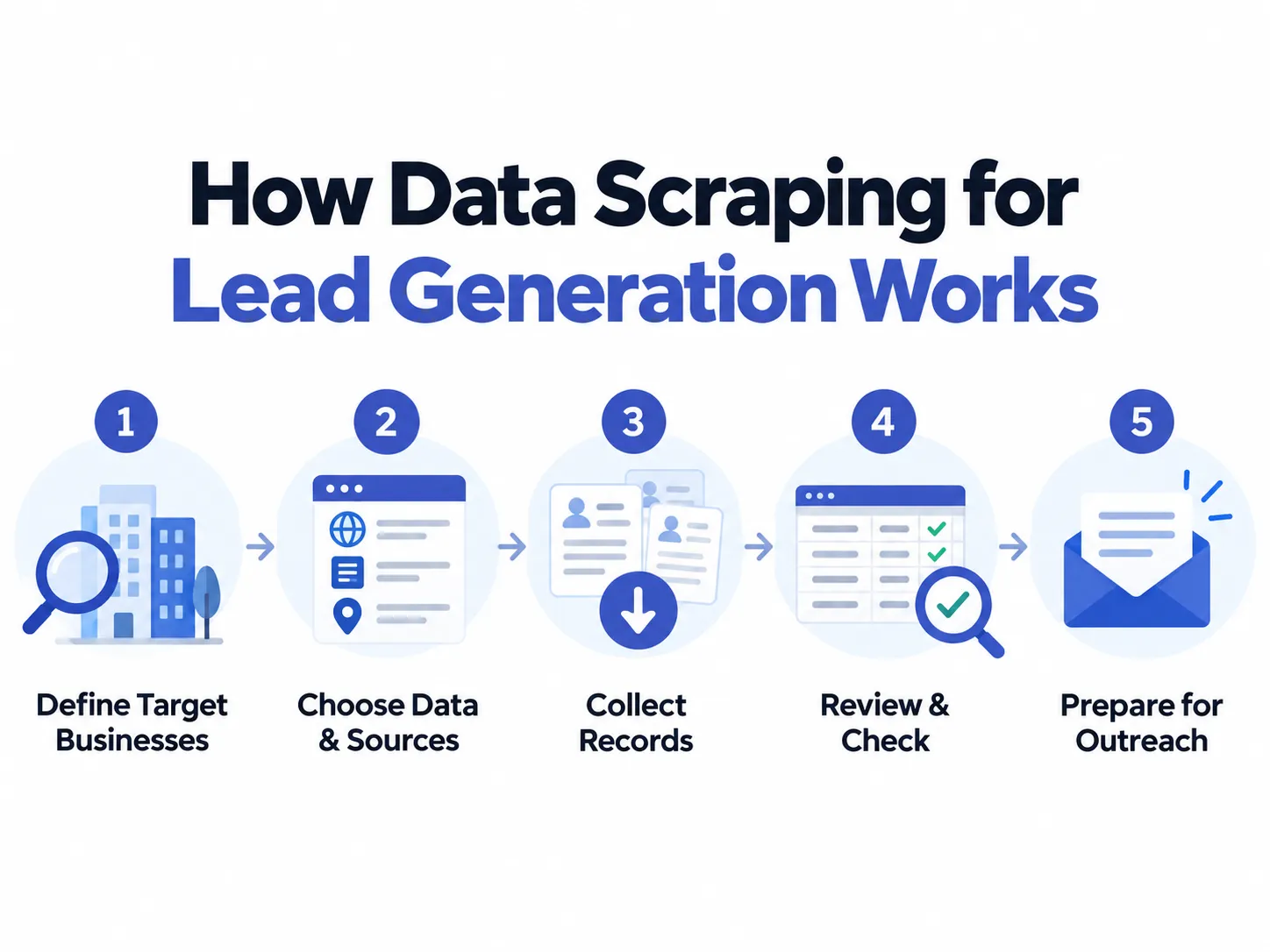
Collect business data by category and location to build your prospect list.
What Data Should You Scrape for Lead Generation?
Choose business details that help answer a specific prospecting question. Does the company fit your market? What needs further research? Which contact details are available?
Start With the Campaign, Not the Data Source
Consider the needs of different agencies. A lead generation agency preparing a calling list needs business phone numbers. A web design agency needs website information. A reputation management agency needs ratings and customer feedback for further research.
Each campaign needs a different mix of business information. Your Outscraper prospecting workflow should reflect those needs.
Business Data That Helps Narrow a Prospect List
Use the following fields to answer campaign-specific questions. Do not treat every field as a requirement.
| Business data | Question it helps answer |
|---|---|
| Business name and source link | Which business are we researching? |
| Category and location | Does it match our target industry and territory? |
| Geschäftsstatus | Does the source list it as operational or closed? |
| Webseite | Where can we research its services and online presence? |
| Phone number or email, when available | Which contact details need checking before outreach? |
| Anzahl der Bewertungen und Rezensionen | Is customer feedback relevant to our research? |
These details support initial screening. They do not establish purchase intent or replace further research.
Data availability also depends on the source. For example, Google Maps listings do not provide email addresses directly. Email collection requires another source or a contact enrichment step
Raw Business Records vs. Potential Prospects
Keep collected facts separate from your team’s assessment.
“Website not listed” describes a record. “Worth researching for a website project” describes a decision made by your agency. Outscraper collects the data. Your team decides how it relates to the offer.
A blank website field should trigger a check, not an automatic sales pitch. Review other business details before treating it as an opportunity. For this specific use case, see how to research lokale Unternehmen ohne Website.

Find business contact details before preparing your list for outreach.
How to Choose a Data Source and Data Scraper for Lead Generation
Choose the source before the software. Decide whether you need to find businesses or research companies already on your list.
Match the Source to the Information You Need
For local business discovery, consider Google Maps. Outscraper Google Maps-Schaber supports searches by business category and location. This fits campaigns that start with a target market rather than a list of company websites.
For contact research, start with the company websites you already have. Outscraper Emails & Kontakte Scraper can search those domains for publicly available contact information.
For a narrow industry, review relevant public directories too. Check whether their listings cover your target market. Then confirm that your chosen scraper supports that source.
What to Check Before Choosing a Data Scraper
Wählen Sie die best data scraper for your campaign by testing its output against your requirements. Use these questions when comparing tools.
| Factor | Was ist zu prüfen? |
|---|---|
| Supported source | Does the tool collect data from your chosen website or platform? |
| Required input | Can you search by category and location? Or must you supply website URLs? |
| Sample output | Does the sample contain the business details your campaign requires? |
| Optionen für die Filterung | Which criteria can you apply before export? What needs checking afterward? |
| Export or API access | Can your team use the output in its spreadsheet, CRM, or internal system? |
| Volume and cost | What will your planned task cost? Are contact enrichment and other services charged separately? |
Run a small test before collecting a larger dataset. Compare several returned records with their sources. Check whether missing details would prevent your team from using the list.
For explanations of scraping methods and tool types, see our Leitfaden zum Abkratzen von Blei.
When a Website Data Scraper Is Not the Right Starting Point
A website data scraper that requires URLs starts with companies you have already found. It does not solve the earlier task of deciding which websites to collect.
For example, a lead generation agency may need businesses across several cities but have no company domains yet. Start with business discovery. Use website extraction once the relevant domains are available. Outscraper describes this route through Google Maps collection followed by contact research.
Choose the tool for the task your team needs to complete next. Finding companies and researching their websites are separate steps.
Data Scraping for Lead Generation: A Practical Workflow
Consider a lead generation agency building a prospect list for an HVAC parts supplier. The client wants HVAC contractors in Albuquerque, New Mexico. Its target customers install, repair, or maintain heating and cooling systems.
Step 1: Define the Target Businesses
Write a clear collection brief before starting:
Find HVAC contractors in Albuquerque, New Mexico. Exclude equipment-only retailers and businesses outside the target area.
Keep contractors that offer HVAC services alongside other work. Decide whether the supplier wants one record per company or separate records for each branch.
Step 2: Decide Which Business Details to Collect
Collect business names, categories, addresses, websites, phone numbers, and listing links. Outscraper’s Google Maps output includes these fields where available.
Add your own columns for review status and notes. Keep collected information separate from your team’s assessment.
For this campaign, reserve space for services offered and equipment brands. Fill those columns during website research.
Step 3: Choose the Data Source
Start with Google Maps for this example. Outscraper supports business searches by category and location.
Verwenden HVAC contractors in Albuquerque, New Mexico as the search query.
Use company websites afterward to check services and equipment brands. Treat that as a separate research step.
Step 4: Collect the Business Records
Verwenden Outscraper Google Maps Scraper to collect the records. Export the results as CSV or Excel for review.
Keep an unchanged copy of the export. Create a working copy for screening. Record the search query and collection date alongside it.
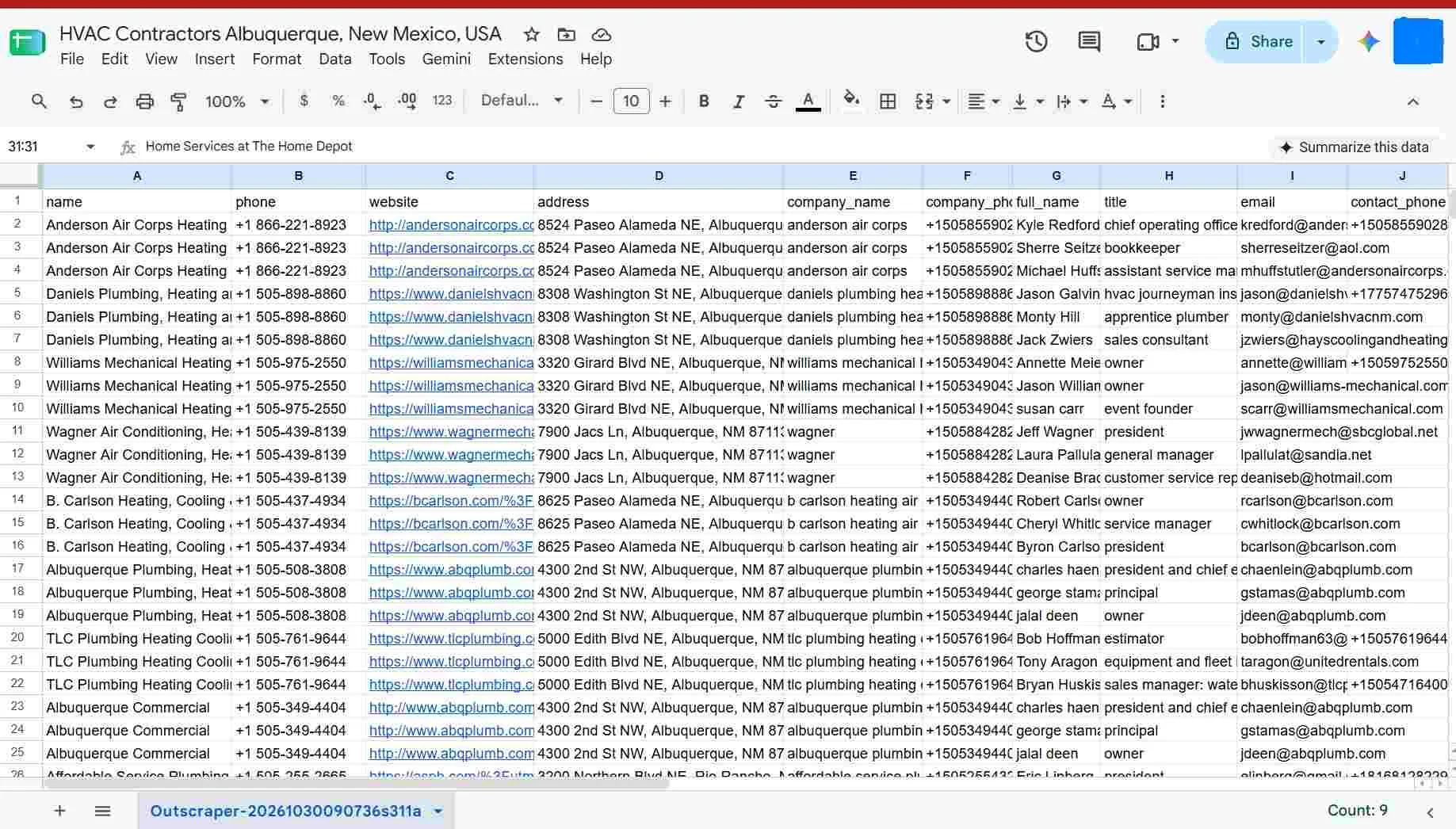
Step 5: Narrow the Records
Apply the exclusions from the client brief. Remove equipment-only retailers and businesses outside the agreed area.
Check for duplicates when combining searches. Related Google Maps searches can return the same businesses.
Give each record a status: keep, research further, or exclude. Add a short reason when the business needs further checking.
Do not reject a contractor just because its category is unclear. Check its services before deciding.
Step 6: Check and Add Missing Information
Review the websites of businesses marked “keep” or “research further.” Look for installation, repair, or maintenance services.
Record equipment brands only when the website names them. Compare those brands with the supplier’s parts range. Leave the information blank when it is unavailable.
For missing contact details, use Outscraper Leads & Contacts Scraper. For a Google Maps example, see how Leads & Contacts Enrichment works.
Check that each contact detail belongs to the intended business. Keep website findings in your research columns.
Step 7: Prepare the List for the N
Match the reviewed file’s columns to the supplier’s CRM or sales spreadsheet. Include source links, collection dates, and research notes.
Keep unresolved records in a separate research list. Give the sales team a clear reason for including each company.
The result is a list of potential trade customers. It does not prove that these contractors need a new parts supplier.
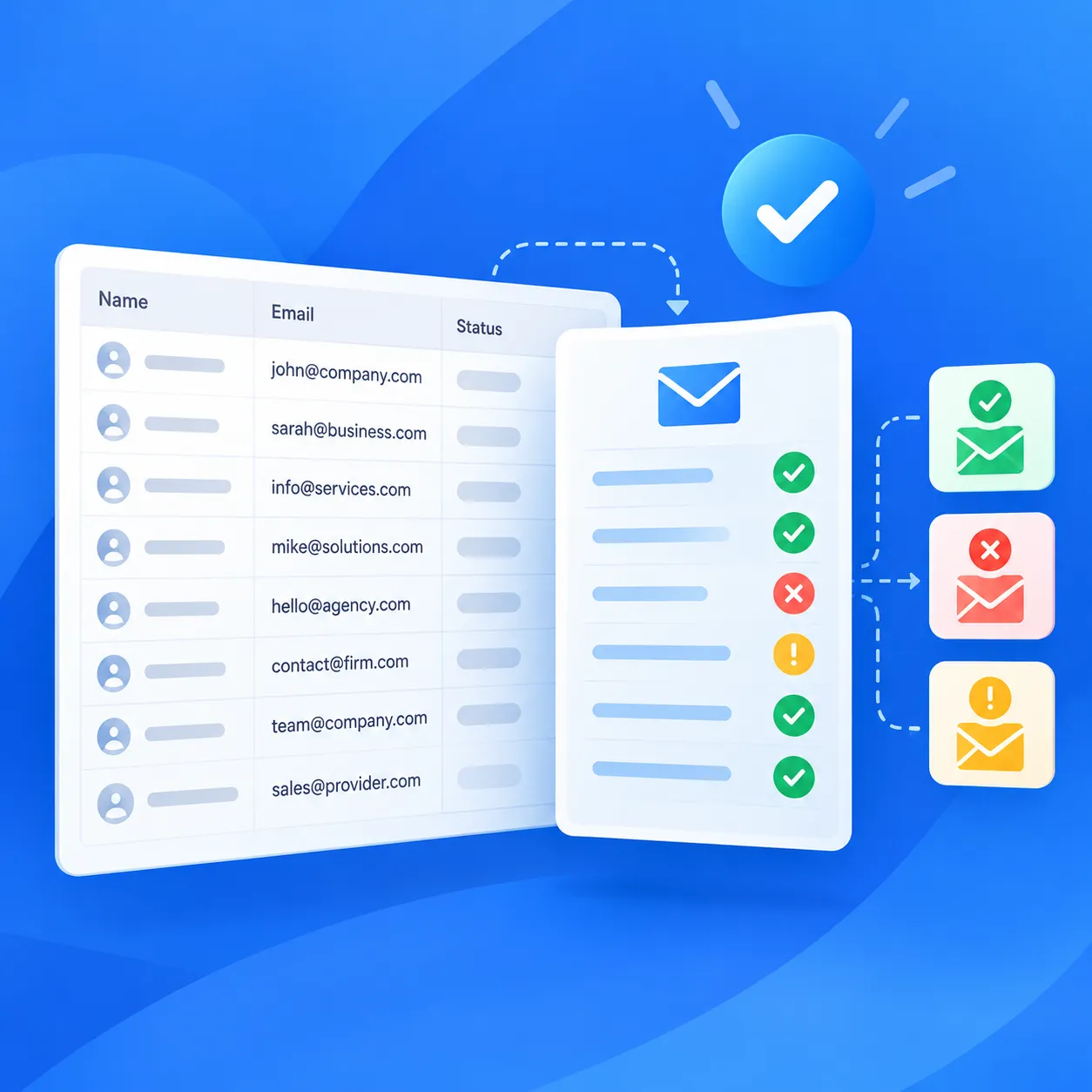
Check your prospect emails with Outscraper’s Email Verifier before adding them to a campaign.
Using Google Maps Data in a Lead Generation Workflow
For the HVAC parts supplier, the search must match its sales territory. That means deciding whether to include contractors based in Albuquerque or those serving the city. The team also needs a way to collect the records. A spreadsheet export and an API-based workflow serve different working needs.
When Google Maps Is a Useful Starting Point
Use Google Maps when your prospect list starts with a business category and a target area.
For product setup instructions, see how to generate leads from Google Maps with Outscraper.
Check the Service Area, Not Just the Address
Some contractors operate without a public storefront address. Outscraper’s data dictionary includes a service-area indicator for these businesses.
Clarify whether the supplier wants contractors based in Albuquerque or contractors serving Albuquerque. These are different targeting rules.
Check the contractor’s website when its service coverage is unclear. Do not exclude a business solely because its street address is missing. Record confirmed service areas in your research notes.
When an API Fits Better Than Manual Export
Start with a dashboard export when your team plans to review the records in a spreadsheet. Consider an API when collection needs to become part of an internal system.
Auskratzer Google Maps Orte API lets developers request place data from their applications. It supports inputs such as search queries, listing URLs, and place identifiers.
For business-record searches and individual record retrieval, review Outscraper’s separate Business Data API documentation. Check the documented inputs before choosing an endpoint.
Plan how your system will schedule requests, match existing records, and pass results to the sales team. Keep the same campaign checks used in the manual workflow. Changing the collection method does not change which businesses belong in the list.
Check the Data Before Using It for Outreach
Before handing the list to sales, check campaign fit, contact details, and contact restrictions. Keep unresolved records out of the outreach file.
Compare the List With Existing CRM Records
Use the client’s brief for a final review. For the HVAC parts supplier, each prospect should meet the agreed service and territory criteria.
Compare the list with the supplier’s existing CRM records. Separate current customers and active sales conversations from new prospects. Check duplicates against existing records, not just within the latest export.
For detailed cleanup steps, see how to clean and enrich scraped data.
Check Contact Information When It Matters
Check that each contact detail belongs to the intended company. Do not assume a general inbox reaches the person responsible for buying parts.
For email campaigns, Outscraper E-Mail-Prüfer checks whether addresses can receive messages. Remove addresses reported as invalid from the sending list. Keep unresolved addresses separate for further review.
Record when the contact details were checked. Recheck them before using an older list for a new campaign.
Review the Rules That Apply to Your Data Source and Outreach
Check the source’s terms before collecting data. Review the privacy rules for your target market. Publicly listed contact details do not establish marketing consent. Privacy obligations can still apply to business contacts.
For US commercial email, review CAN-SPAM requirements. These include accurate sender details, a valid postal address, and a clear opt-out method. The rules also cover business-to-business messages.
Check each new list against previous opt-out requests. Do not add unsubscribed contacts back just because their details appear in a new export. Honor their earlier requests. Get legal advice when collection or outreach requirements are unclear.
Final Checklist for Data Scraping for Lead Generation
Before passing the prospect list to sales, confirm these five points.
- Each business matches the campaign’s category and territory.
- Duplicate and irrelevant records have been removed.
- Contact details have been checked. Unresolved records are kept separate.
- Source links, collection dates, and review notes are included.
- Previous opt-outs are excluded from the sending list. Outreach requirements have been reviewed.
Collect business records by category and location with Outscraper Google Maps Scraper. Review the results and build a prospect list that matches your campaign.
FAQ
Häufigste Fragen und Antworten
Yes. Outscraper’s Google Maps Scraper lets you set up collection tasks through its dashboard. You can choose a category and location without writing code.
Ja. Outscraper Leads & Contacts Scraper can enrich business records collected from Google Maps. It can add email addresses, contact names, job titles, and social links where available. Review the returned contacts before adding them to your outreach list.
Not automatically. Treat the records as a starting point for research. Check each business against your campaign criteria before adding it to the prospect list.
Check business and contact details before reusing an older list. Set repeat checks around your campaign schedule. Record the latest review date alongside the original collection date.
There is no blanket answer. Review the source’s terms and the laws that apply to your collection method. Check outreach rules separately. Public availability does not remove applicable privacy duties or email opt-out requirements. Get legal advice for your workflow.


