Índice
Google Maps leads for cold calling are more useful when the caller can quickly see who the business is, how to contact it, and what to check before dialing. Without that basic context, prospecting turns into repeated searching before every call.
In an interview with Edward Sturm, SEO consultant Blair Witkowski explained how he prepares prospect lists for this work. He builds lists by niche, industry, or location, puts the records into a spreadsheet, and keeps three fields close at hand: the business name, phone number, and website.
Blair mentions Outscraper twice during the interview. While describing how he creates prospect lists, he includes Outscraper among the tools he uses to collect business data. Later, when Edward asks where he gets his lists of potential clients, Blair gives a more direct answer: “Outscraper is what I use.”
In Blair’s workflow, Outscraper appears at the business-data collection stage, before he or his team checks the website, decides what is worth discussing, and makes the call.
Quick Answer: How to Prepare Google Maps Leads for Cold Calling
- Choose a niche or location.
- Collect the business list with Outscraper.
- Keep the name, phone number, and website easy to access.
- Check the website before calling.
- Call with context.
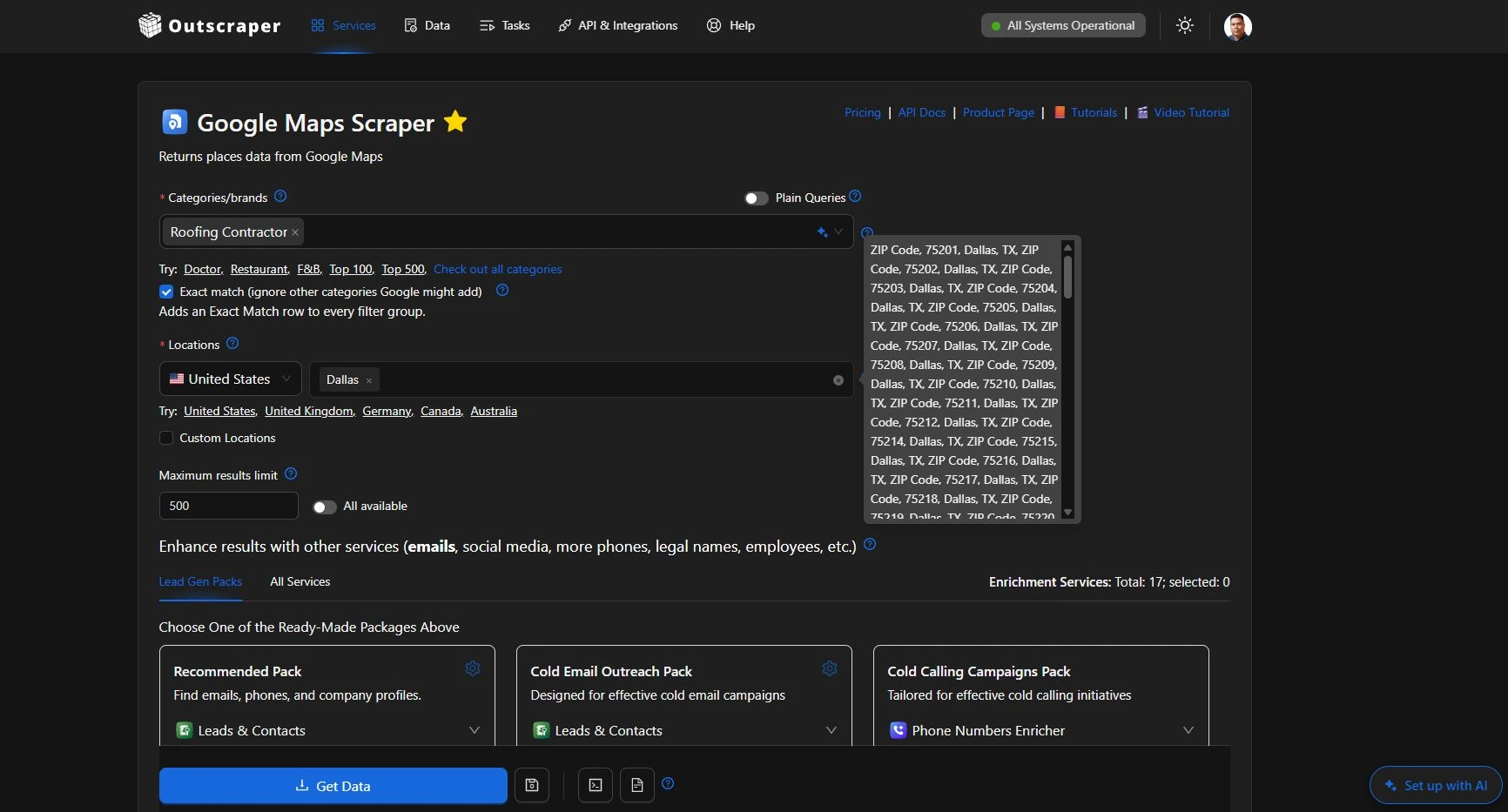
Collect local businesses by category and location before preparing your cold-calling list.
How Blair Witkowski Uses Outscraper for Prospect Lists
Blair Witkowski brings up Outscraper while explaining how he builds the lists used by himself and his outbound team. His starting point is the market he wants to contact. Depending on the campaign, that can mean a specific niche, industry, or location.
The founder of Garage Door SEO Experts explains the prospecting workflow in his interview with Edward Sturm. Outscraper first comes up while he describes building lists by niche, industry, or location, and he mentions it again when Edward asks where those prospect lists come from.
Blair Witkowski discusses his prospect-list workflow with Edward Sturm. Outscraper is mentioned around 6:05–6:20 and again around 1:05:00.
Building Lists by Niche, Industry, or Location
At around 6:05–6:20 in the interview, Blair explains that he creates prospect lists around a defined target:
What I do is I will scrape and create a list, either by niche, industry, location, something like that.
Blair Witkowski (Founder of Garage Door SEO Experts)
He then mentions Outscraper among the tools he uses to collect those businesses before moving the records into a spreadsheet.
The important part of the workflow is the order. Blair decides which businesses he wants to research first, collects the records, and then arranges the list around what he needs during the calling process.
For his current location-based campaigns, the spreadsheet gives him and his outbound team a starting list without having to search for each business one at a time.
“Outscraper Is What I Use”
Outscraper comes up again later in the interview when Edward Sturm asks Blair where he gets his lists of potential clients.
This time, Blair answers more directly:
Outscraper is what I use.
Blair Witkowski (Founder of Garage Door SEO Experts)
He also mentions other sources, including ColdLytics y la Apollo, así que Outscraper is one part of a wider prospecting setup rather than the entire sales process.
In Blair’s example, Outscraper is used before the research and calling stages. The collected business records move into the spreadsheet, where Blair keeps the fields he needs for the next step easy to reach.
The Three Prospect Fields Blair Keeps Ready Before a Call
Blair does not describe working from a crowded spreadsheet during a call. He moves the fields he needs most to the front of the list: name, phone númeroy sitio web.
That order supports a simple pre-call workflow. The caller can identify the business, reach the prospect, and open the website without searching across multiple sources.
Name and Phone Number
The business name gives the caller a clear reference point for the prospect, while the phone number makes the record ready for the next step: making the call.
Keeping both fields together reduces the need to stop and search for basic contact information before each conversation.
Sitio web
The website plays a different role.
Blair keeps it close because he checks the prospect’s site before calling. That gives him a quick way to understand the business and look for something specific that may be worth discussing.
In his workflow, the website is therefore more than another field in the spreadsheet. It connects the prospect list to the research that happens immediately before the call.
How the Prospect List Supports Pre-Call Research
The prospect list gives Blair and his outbound team the basic information they need before making the call. Once the business name, phone number, and website are in place, the next step is a quick check of the company.
Check the Website Before Dialing
Blair uses the website field to look at the prospect before calling. Instead of starting with no context, he can open the site, scan it briefly, and understand what the business is doing.
This keeps the research close to the calling workflow. The caller does not have to search for the company again or track down the website separately.
Call With Something Specific to Discuss
A quick website check gives the caller something concrete to mention during the conversation.
That may be a visible SEO issue, a weak location setup, missing information, or another detail worth asking about. The caller can use that observation to make the conversation more relevant to the business.
Blair still decides what is worth bringing up. The prospect list simply makes the website easy to open before the call.
How to Build Google Maps Leads for Cold Calling With Outscraper
Blair’s setup can be recreated by starting with the businesses you want to contact and keeping the fields used during the call easy to reach.
Define the Niche or Location
Start with the market you want to research. This can be a business category, location, or a combination of both.
For example, an SEO agency could collect dentists in Chicago, roofing companies in Dallas, or another local business category that fits its campaign.
You can use Outscraper’s El Scraping de Google Maps to collect businesses around a defined category and location instead of researching each company separately.
Outscraper supports Google Maps searches by category and location, so the list can start with a defined group of businesses rather than a broad collection of unrelated records.
Collect and Arrange the Business Data
Run the search in Outscraper and export the business records you need. Google Maps business data can include fields such as the business name, website, phone number, category, address, rating, and review count.
Blair keeps these three fields at the front of his prospect list:
Other business fields can stay in the dataset for later research. Keeping these three columns first makes the list easier to use before and during a call.
Blair keeps the fields used during the call at the front of the spreadsheet, while the remaining business data can stay available for later research.
What Other Business Data Can Help Before Outreach
Blair specifically mentions business name, phone number, and website as the fields he keeps ready for calling. An Outscraper dataset can also include other business details that may help when a prospect needs a closer look.
Category, Location, Ratings, and Reviews
Category and location help confirm that a business still matches the campaign you planned.
Ratings, review counts, and review data can add more context before outreach. For example, an agency may use them to decide which businesses deserve additional research rather than treating every record in the list the same way.
For a closer look at these signals, see how to use Google Maps data to qualify local business leads before outreach.
These fields are optional additions to the workflow. Blair does not say in the interview that he uses them during his cold-calling process.
Add Contact Data When Needed
Some campaigns need more than a phone number. After narrowing the initial business list, additional contact data can be added when the outreach process requires it.
Outscraper’s enrichment services can add contact data to Google Maps records when the next stage of the campaign requires more information.
This keeps the first prospect list focused while leaving room for deeper research on businesses that are worth pursuing.
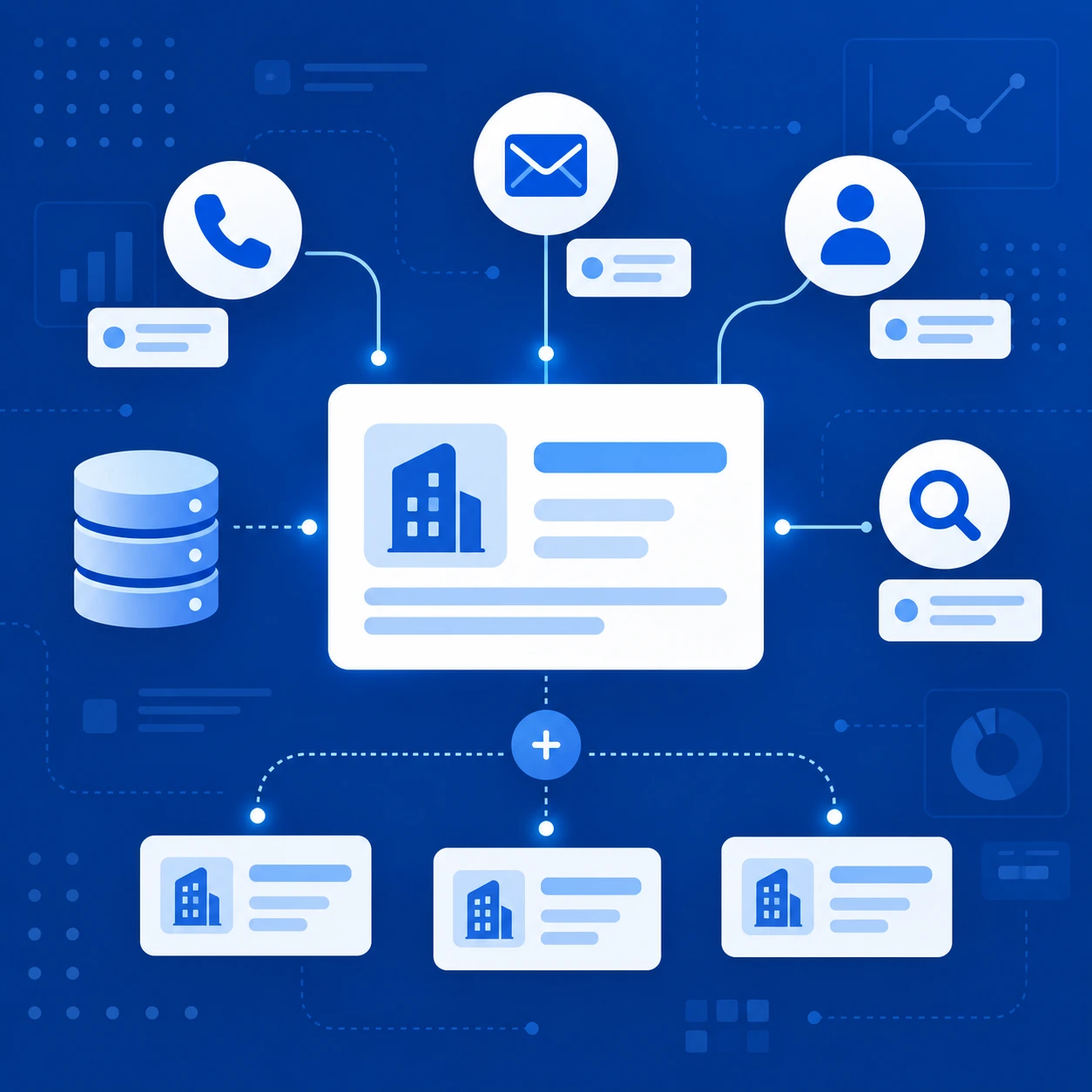
Add emails, phone numbers, and social profiles to selected business records with Outscraper’s Emails & Contacts Scraper.
Where Outscraper Fits in the Full Workflow
Outscraper supports the data-collection stage of Blair’s prospecting process. It helps turn a defined niche or location into a structured list that can be reviewed before outreach begins.
Outscraper Handles the Business-Data Stage
The workflow starts with choosing the type of businesses to target, then collecting the records needed for the prospect list.
In Blair’s setup, that means having the business name, phone number, and website ready before the calling work starts. Other fields can stay in the dataset when more research is needed.
The Agency Handles Research and Outreach
The next steps depend on the agency.
Blair and his team check the website, decide what is worth discussing, make the call, and continue the conversation from there.
You can see a similar separation in another agency workflow using Outscraper before outreach, where Cold Agency collects and prepares business data with Outscraper before moving the records into its own outreach process.
Outscraper prepares the business data. The agency still decides which prospects deserve attention and how to approach them.
Final Checklist: Preparing Google Maps Leads for Cold Calling
Before using the list for outreach:
- Define the niche or location you want to target.
- Collect the matching business records.
- Keep the business name, phone number, and website easy to access.
- Check the website before calling.
- Use the additional business data only when deeper research is needed.
- Let the caller decide which prospects are worth contacting.
Collect the business data you need, keep the most useful fields easy to access, and prepare a prospect list that is ready for pre-call research.
Preguntas más frecuentes
Preguntas y respuestas más frecuentes
Yes. Blair mentions Outscraper twice in his interview with Edward Sturm. When Edward asks where he gets his prospect lists, Blair says, “Outscraper is what I use.”
Blair keeps three fields easy to access: the business name, phone number, and website. These give the caller the basic information needed to identify the business, open its website, and prepare before dialing.
Outscraper can be used to collect Google Maps business data based on business categories and locations. This fits Blair’s approach of building prospect lists around a specific niche, industry, or geographic area.
No. In this workflow, Outscraper handles the business-data collection stage. The agency still reviews the prospect, checks the website, decides what to discuss, and makes the call.
Yes. Beyond the business name, phone number, and website, Outscraper data can include fields such as category, location, ratings, review counts, and other business details. These can help with additional research before outreach, but Blair only specifically mentions name, phone number, and website in the interview.