목차
Cold Agency built its Google Maps lead generation workflow around a simple idea: start with current business data, then add the context needed for outreach.
사용 아웃 스크레이퍼, the agency finds local businesses, enriches contact data, verifies emails, and keeps the Google Place ID needed to pull reviews for each prospect. Those reviews later become part of its personalization process before the finished list moves into cold email outreach.
Cold Agency reports reply rates in the 7–9% range from campaigns using this process when its targeting, offer, and personalization were strong, while clearly stating that this is its own result rather than a general benchmark.
Quick Answer: How Cold Agency Uses Outscraper for Google Maps Lead Generation
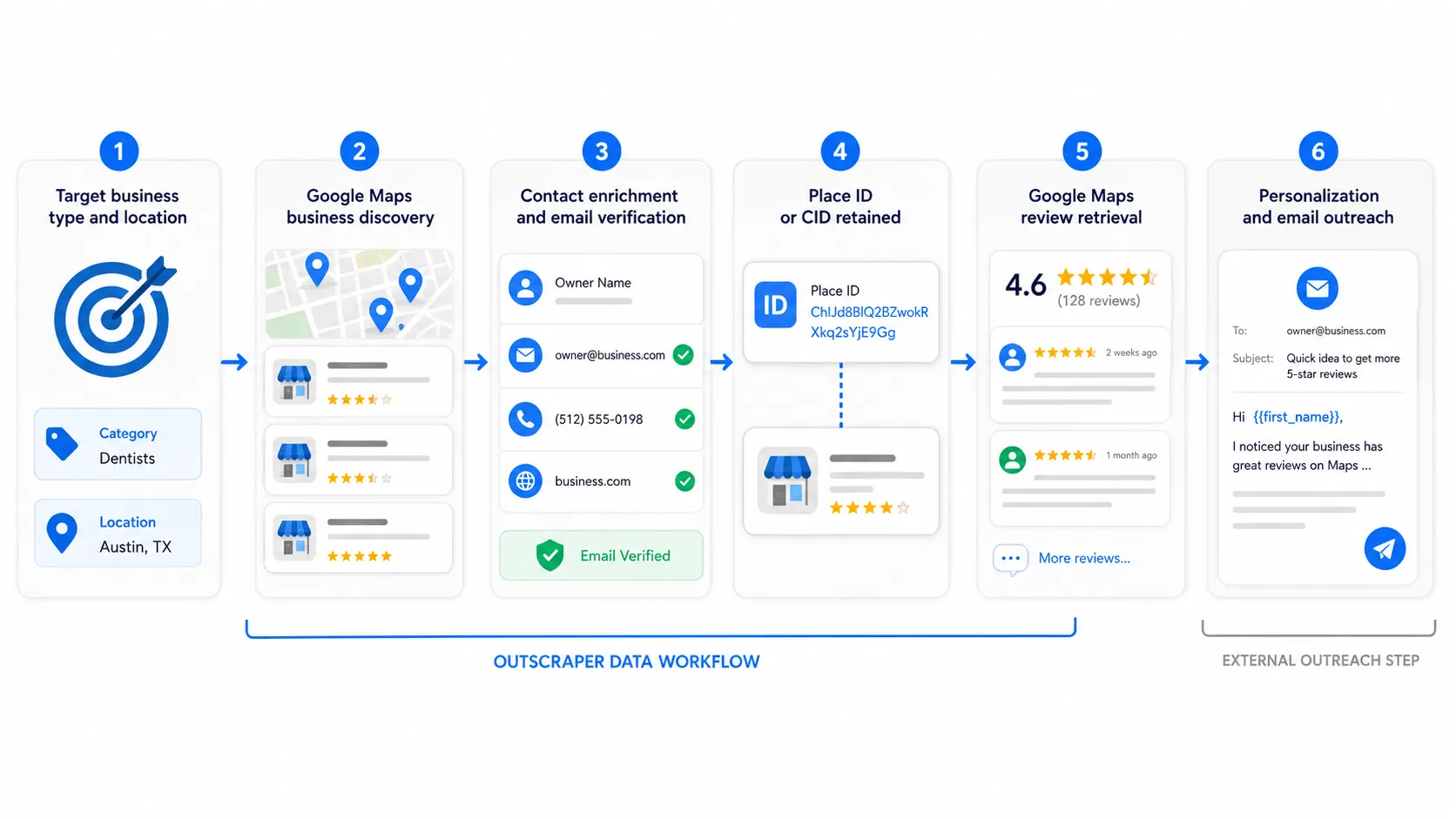
Cold Agency’s workflow is built around six steps:
- Define the target business type and location.
- Find relevant Google Maps businesses with Outscraper’s Google Maps Scraper.
- Add contact data, email verification, and campaign filters.
- Export the records and keep the Place ID or CID.
- Pull selected Google Maps reviews for personalization.
- Pass the prepared data into Cold Agency’s cold email workflow.
Watch Cold Agency’s Workflow
Cold Agency also published a video walkthrough showing how it uses Outscraper inside its Google Maps lead generation process.
Cold Agency uses Outscraper to find and prepare Google Maps business data before personalization and outreach.
Why Cold Agency Uses Outscraper for Local Lead Research
Cold Agency starts with Google Maps because it can target businesses by service type and location before outreach begins.
Instead of researching companies one by one, the agency uses Outscraper to collect business records, add contact data, and prepare a list for the next stages of its campaign.
Starting With Business Type and Location
Cold Agency builds searches around an industry or service and a geographic market. Its examples include dentists, cosmetic dentists, and cosmetic surgeons in a selected city or larger region.
The agency also checks the estimated result count first and widens the search area when the market is too narrow.
This campaign-by-campaign approach also fits the difference between fresh lead data and static lead databases, where current business details matter when location, category, website status, reviews, or operating status affect prospect selection.
Building a More Usable Lead List
Cold Agency uses contact enrichment, Outscraper’s Email Address Verifier, and filters such as operational status, website availability, phone availability, and duplicate removal.
These are the agency’s own campaign settings. They help reduce records it does not plan to use before the list moves into review collection and personalization.
How Cold Agency Turns Google Maps Data Into Outreach Context
Cold Agency keeps the Google Maps identifier from the original Outscraper export because the lead list is only the first part of its process.
Keeping the Place ID or CID
The Place ID or CID helps Cold Agency point back to the exact Google Maps listing later. This matters when businesses share similar names or when names appear differently across sources.
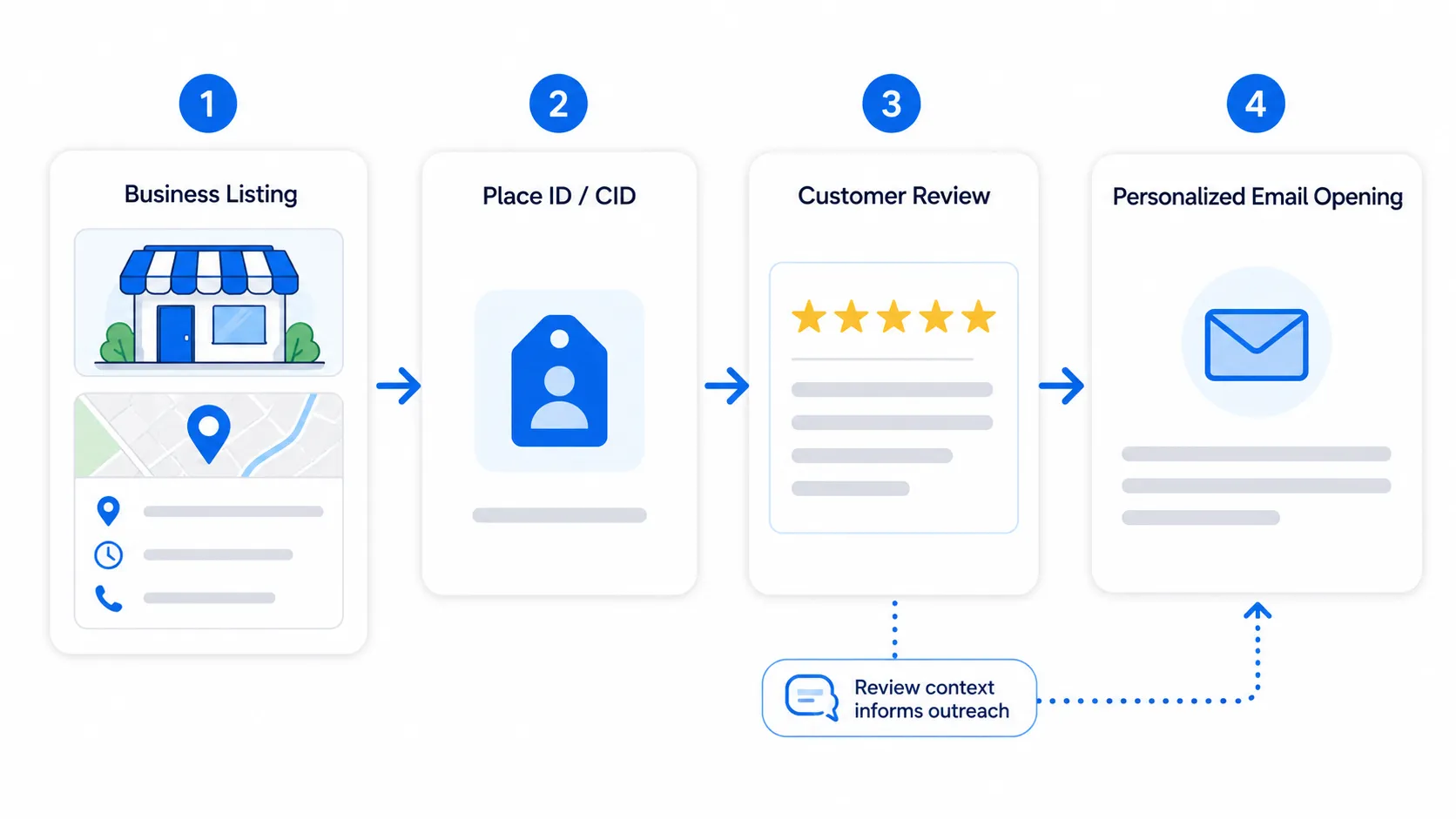
Cold Agency uses that identifier to connect each prospect with the correct review data before personalization begins.
Using Reviews for Personalization
The agency then uses Outscraper’s Google 지도 리뷰 스크래퍼 to pull one or two selected reviews for each business. It does not need the full review history because the goal is to get enough context for one relevant opening line.
Outscraper supplies the business and review data. Cold Agency then uses Clay and the OpenAI API to turn that review context into a short email hook before the finished list moves to its sending platform.
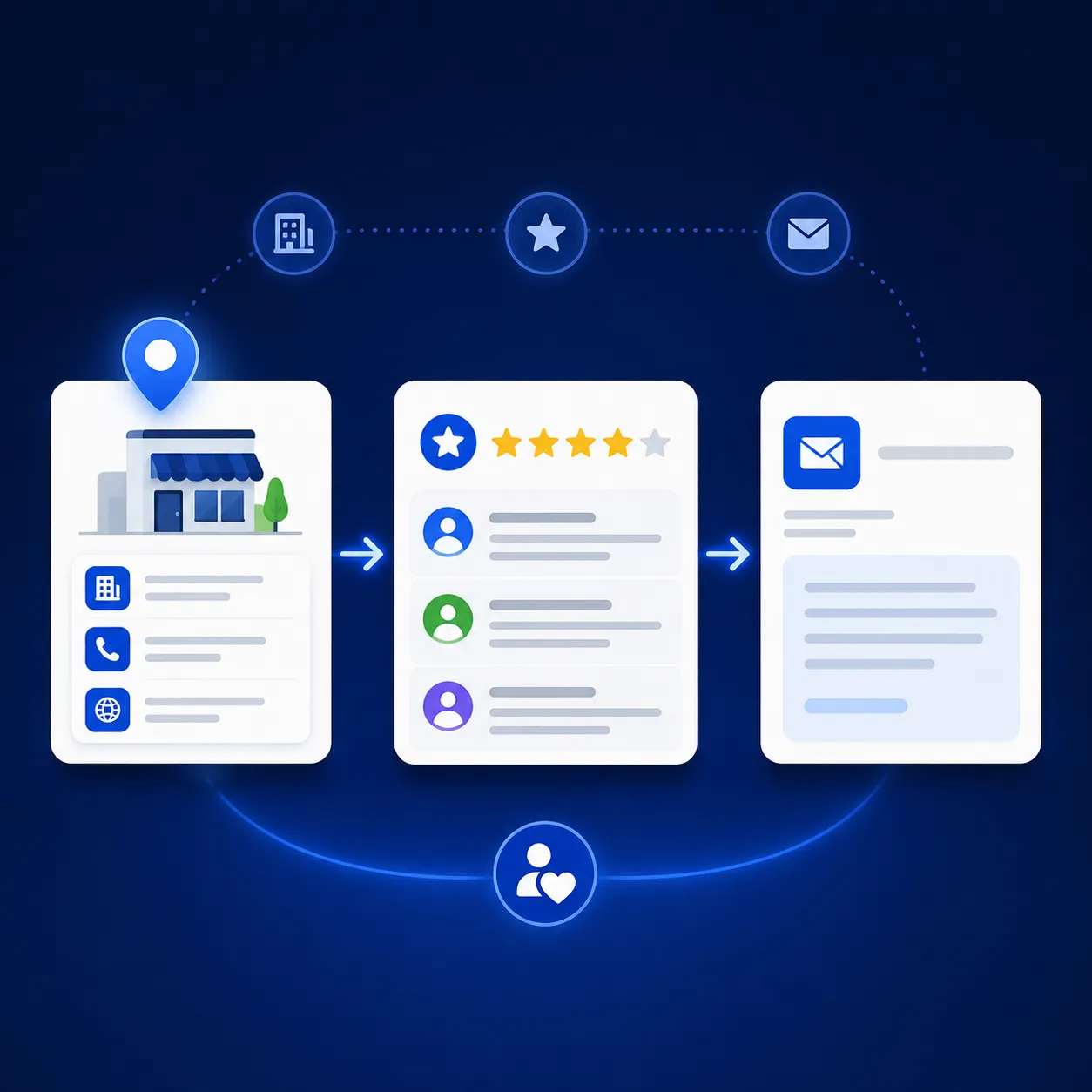
사용하다 Google Maps review data to add real business context before your leads move into personalization and outreach.
What Results Did Cold Agency Report?
Cold Agency reports reply rates in the 7–9% range from campaigns using this workflow when its targeting, offer, and personalization were working well.
A Reported 7–9% Reply Rate
The agency connects those results to the full process, not to one tool alone. Its workflow combines targeted Google Maps business data, contact preparation, review-based personalization, and a controlled sending process.
Why the Result Is Not a Guarantee
Cold Agency also makes clear that 7–9% is its own result, not a general benchmark. Reply rates can change based on niche, list quality, copy, deliverability, and how relevant the offer is to the prospect.
For this customer story, the stronger takeaway is the process itself: Outscraper provides the business and review data that Cold Agency uses as part of a wider outreach workflow.
What Cold Agency’s Workflow Shows About Google Maps Lead Generation
Cold Agency does not treat the initial scrape as the finished campaign. In its process, the Google Maps lead list is the starting point for a series of checks and enrichment steps before any email is sent.
That same preparation step is covered in our guide to cleaning a prospect list before cold outreach, including how to separate usable records from those that need review or removal.
The agency uses Outscraper to find relevant businesses, add contact data, verify email addresses, keep the listing identifiers it will need later, and retrieve review data for personalization. The records then move into Cold Agency’s own cleanup, copy-generation, and sending workflow.
That distinction matters because the customer result comes from the full process. Cold Agency combines targeted business data with review context, personalization, and controlled sending rather than treating a scraped email address as a finished lead.
Outscraper’s Role in the Workflow
Outscraper handles several of the data tasks that happen before outreach.
Cold Agency uses it for Google Maps business discovery, contact enrichment, email verification, campaign filters, Place ID or CID retention, and review retrieval. These steps give the agency a business record it can continue working with instead of starting from a company name and researching the rest manually.
The Place ID is especially useful in this workflow. Cold Agency keeps it from the first scrape so it can later request reviews for the exact business listing. Those reviews then become source material for the personalized opening line generated in the next stage.
Outscraper does not handle the entire cold email process in this example. Cold Agency uses Clay and the OpenAI API for later processing and personalization, while Plusvibe handles sending.
Build the Data Side of Your Own Workflow
Cold Agency’s experience shows one practical way to use Google Maps data beyond building a basic prospect list.
A team can start by finding businesses that match its market, add the contact fields it needs, check email addresses, keep the correct listing identifiers, and collect review context before the records reach the sending stage.
The exact filters, personalization rules, and sending setup will depend on the campaign. Cold Agency’s settings are its own choices, but the underlying process gives a clear example of how Outscraper can support the data side of **Google Maps lead generation**.
Use Outscraper to find relevant businesses, prepare contact data, and collect the review context you need before moving leads into your own outreach workflow.
Final Checklist: Cold Agency’s Google Maps Lead Generation Workflow
Before moving a lead into outreach, Cold Agency’s process includes these steps:
- Find relevant Google Maps businesses by service type and location.
- Add contact data, email verification, and campaign filters.
- Keep the Place ID or CID in the export.
- Clean the lead list and remove records that are not needed.
- Pull selected Google Maps reviews for each business.
- Use the review context for personalization.
- Move the prepared records into the email sending workflow.
This checklist reflects Cold Agency’s published process and shows where Outscraper fits before personalization and sending.
Cold Agency uses Outscraper to find businesses, prepare contact data, verify emails, and collect review context before moving leads into its outreach process.
Use Outscraper to build the data side of your own Google Maps lead generation workflow.
자주하는 질문
가장 자주 묻는 질문과 답변
Cold Agency uses Outscraper to find businesses on Google Maps, add contact data, verify email addresses, apply campaign filters, and keep the Place ID or CID for later review retrieval. The prepared records then move into Cold Agency’s personalization and sending workflow.
The Place ID helps Cold Agency point back to the exact Google Maps listing. The agency keeps it in the export so it can later retrieve reviews for the correct business, even when company names are similar or written differently across sources.
No. In Cold Agency’s workflow, Outscraper handles business and review data. Clay and the OpenAI API are used for later processing and personalization, while Plusvibe handles the email sequence.
Cold Agency reports reply rates in the 7–9% range when its targeting, offer, and personalization were working well. The agency states that this is its own result, not a benchmark, and that reply rates can vary with niche, list quality, copy, deliverability, and offer relevance.