Оглавление
Building a high-quality B2B lead list without buying a database starts with better company data.
A list with 5,000 business contacts can still be a bad list if half the emails are outdated, the companies do not match your target market, and the records are missing websites, phone numbers, categories, or source links.
That is the problem with buying a database. It can give you names quickly, but it does not always tell you which businesses are worth contacting.
Before looking for emails, you need fresh company data: business name, location, category, website, phone number, business status, and the reason the company fits your campaign.
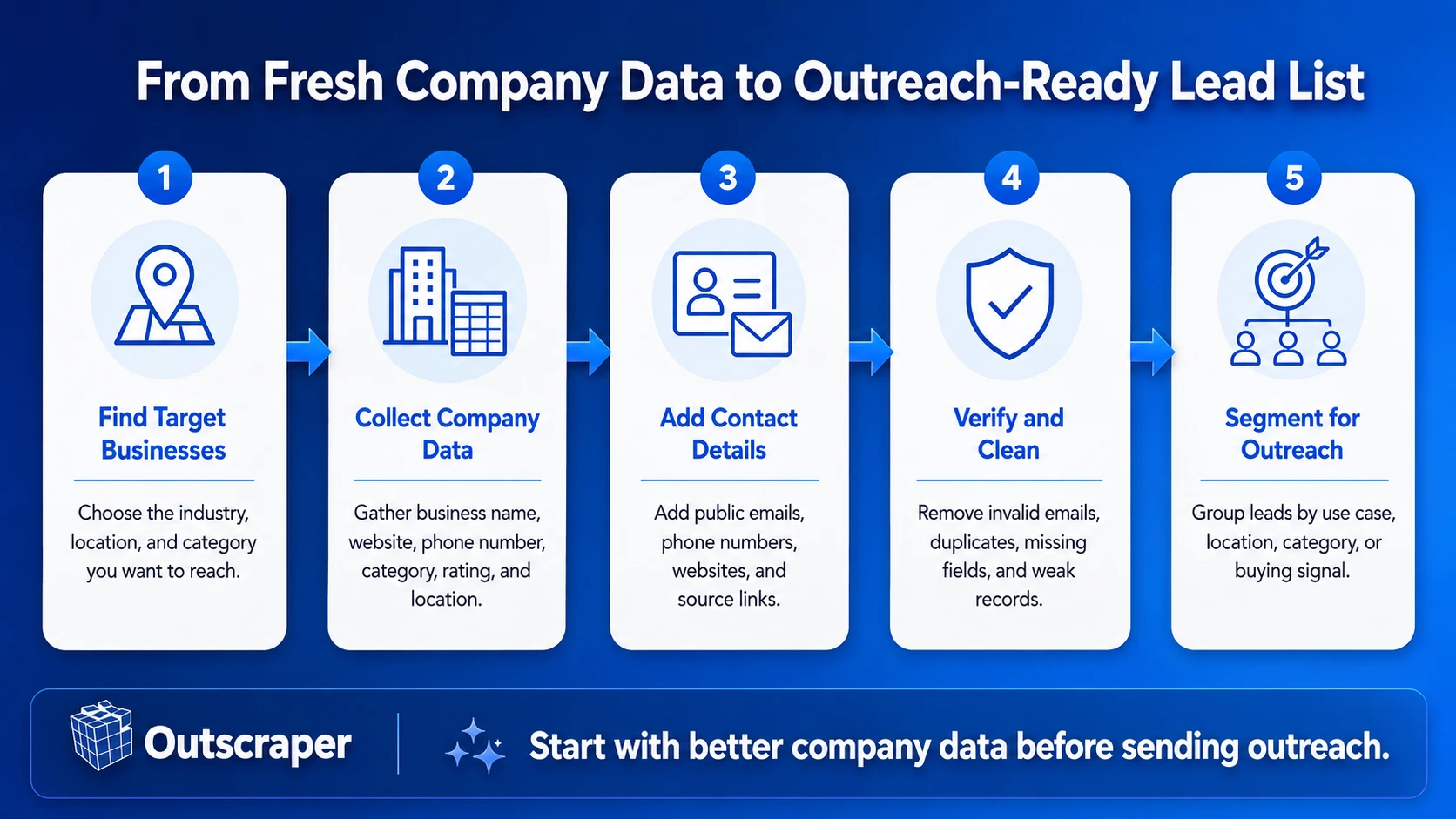
This guide shows how to build a cleaner B2B lead list from fresh business data, add contact details, verify emails, remove weak records, and segment leads before outreach.
For a broader guide to email list building, read our complete guide to B2B email list building.
Quick Answer: How to Build a High-Quality B2B Lead List Without Buying a Database
- Define the businesses you want to reach by industry, location, and category.
- Collect fresh company data before looking for emails.
- Add contact details such as emails, phone numbers, websites, and source links.
- Verify and clean the list before adding it to your CRM or outreach tool.
- Segment the leads by use case, location, category, or buying signal before outreach.
Build your lead list from current company data instead of a static contact file. Use Outscraper to collect business names, websites, phone numbers, categories, ratings, reviews, and locations.
What Makes a High-Quality B2B Lead List Different From a Bought Database
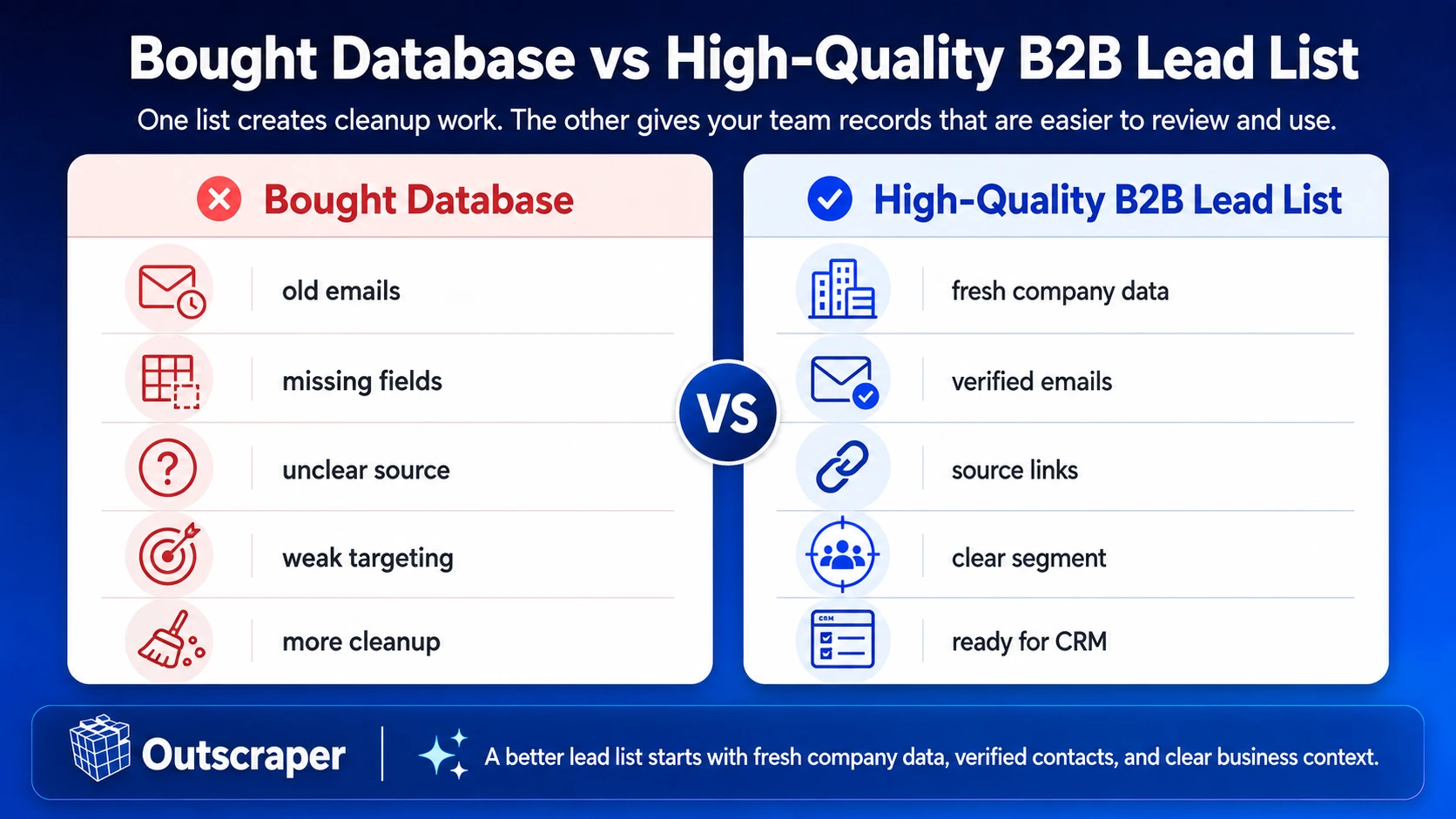
A bought database can give your team a long list of contacts.
But a long list does not mean the list is ready for outreach.
For sales teams, agencies, consultants, and lead generation teams, the real work often starts after the file arrives. Emails need to be checked. Duplicates need to be removed. Wrong industries and locations need to be filtered out. Missing websites, phone numbers, categories, and source links need to be fixed.
That slows down outreach before it starts.
A Bought Database Often Creates Cleanup Work
A bought database can look useful at first because it gives you contacts quickly.
The problem is what your team may find inside the file:
- outdated emails
- duplicate records
- missing websites
- unclear sources
- wrong categories
- contacts outside your target location
- companies that do not match your offer
If your team has to fix most of the list before using it, the database was not really ready.
For a reusable list source, build a lead generation database that keeps company fields, source links, and update dates in one place.
A High-Quality Lead List Gives Your Team Context
A high-quality B2B lead list should help your team answer one question:
Is this business worth contacting?
To answer that, the list needs more than an email address.
It should include:
- business name
- сайт
- категория
- местоположение
- phone number
- email status
- source URL
- segment
- last updated date
For local prospecting, it can also help to include rating, review count, business status, and website presence.
These fields make the list easier to sort, check, and use.
Quick Lead Quality Check
Before adding a lead to your CRM or outreach tool, check five things:
- Fit: Does the business match your target industry, location, or category?
- Freshness: Was the data collected or checked recently?
- Contactability: Is there a valid email, phone number, website, or contact page?
- Source: Can your team see where the record came from?
- Use case: Do you know why this business belongs in the campaign?
If a record fails most of these checks, it should not go straight into outreach.
Bought databases often create extra work. Start with business records that include source links, company details, and fields your team can check before outreach.
Start With Fresh Company Data Before Finding Emails
Many teams make the same mistake when building a B2B lead list.
They start by looking for emails.
But an email address is only useful if the business behind it is a good fit. If the company is in the wrong location, wrong category, or wrong market, the email does not help your campaign.
That is why the better starting point is company data.
Choose the Market You Want to Reach
Before collecting contacts, define the type of businesses you want in the list.
For example:
- dental clinics in Texas
- restaurants in Chicago
- hotels in Dubai
- law firms in London
- gyms in Toronto
- local businesses without websites
This step helps your team avoid broad lists that look large but are hard to use.
If your campaign targets companies with no site, this guide on local businesses without websites can help you choose a cleaner segment.
Collect Company-Level Fields First
A useful lead list should start with fields that explain the business.
These can include:
- business name
- сайт
- phone number
- business category
- city or service area
- рейтинг
- review count
- business status
- Google Maps URL
- opening hours
These fields give your team a reason to keep, remove, or sort each lead before outreach. For local prospecting, Google Maps business data gives your team the company fields needed to sort leads before finding emails.
Use Business Signals to Improve Targeting
Not every business in a category should go into the same campaign.
Use signals that match your offer.
Review Signal
Businesses with many reviews but low ratings may be useful for reputation management, review monitoring, or customer experience outreach.
Location Signal
Businesses in a target city, state, radius, or service area can help your team build territory-specific lists.
Contact Signal
Businesses with public emails, phone numbers, websites, or contact pages are easier to prepare for outreach.
Starting with company data helps your team build a list based on fit, not just contact volume.
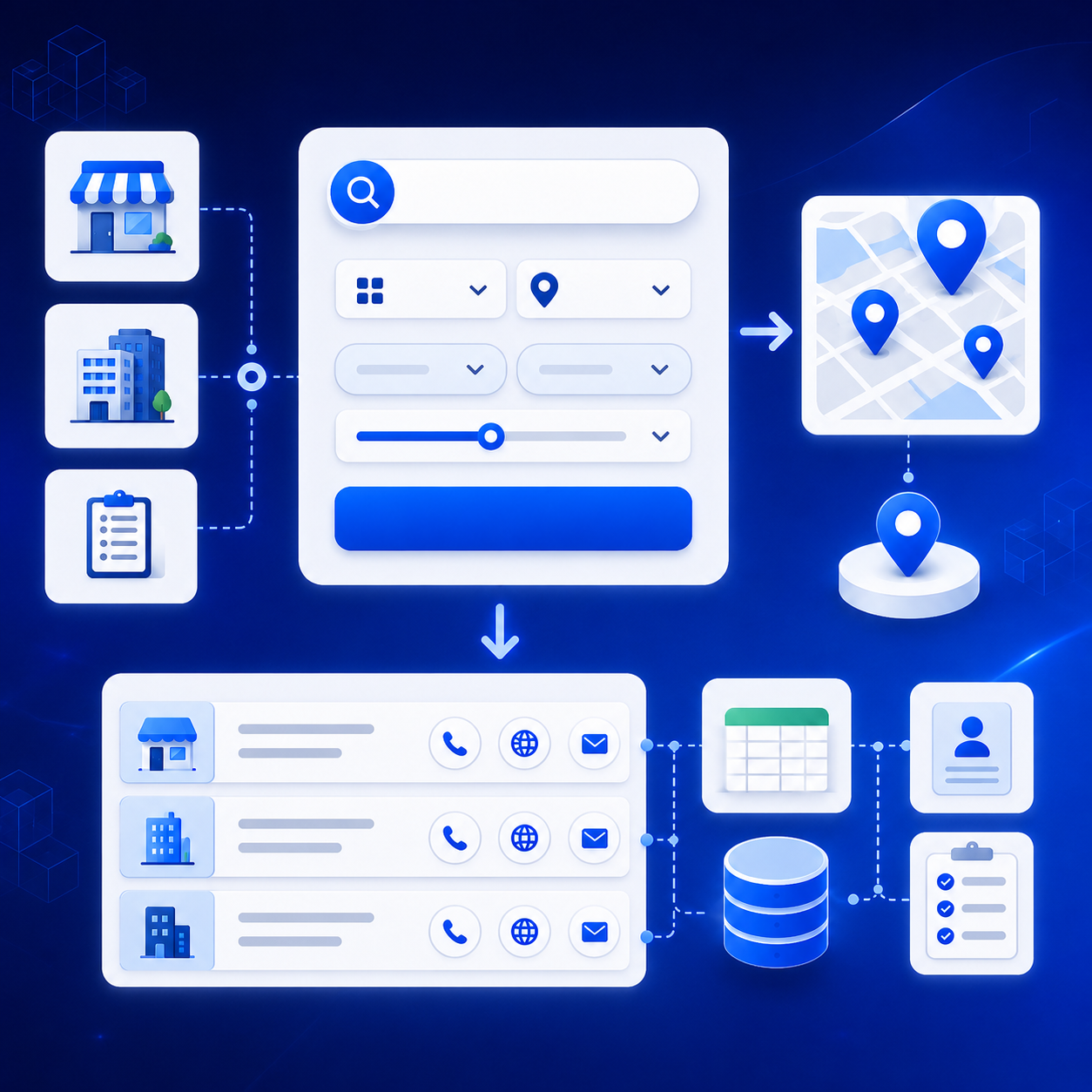
Search by industry, city, state, or service area to collect the businesses that match your campaign before adding contact details.
Add Contact Details Without Losing Business Context
After you collect company data, the next step is to add contact details.
This is where many lead lists become messy.
Some teams collect emails without keeping the business context attached. Later, the sales team sees an email address but does not know enough about the company behind it.
That creates more manual work.
A good lead record should show both the contact details and the reason the business belongs in the list.
Why Email-Only Lists Are Hard to Use
An email address by itself does not tell your team much.
It does not show:
- what the business does
- where the business is located
- whether it matches your target market
- where the email came from
- whether the email was checked
- why the business fits the campaign
This is why email-only lists often slow teams down. Before outreach can start, someone still has to check the company, website, category, and source.
Add Emails to Company Records
Instead of collecting emails in a separate file, add them to the company records you already collected.
Useful contact fields can include:
- public email address
- phone number
- сайт
- contact page
- social profile link
- contact form URL
- source URL
This keeps each email connected to the business it belongs to.
For example, if your list includes dental clinics in Miami, Florida each email should stay attached to the clinic name, website, city, phone number, category, and source link.
That makes the list easier to review before outreach. If your starting list comes from Google Maps, this workflow for finding business emails from Google Maps shows how to keep emails tied to the company record.
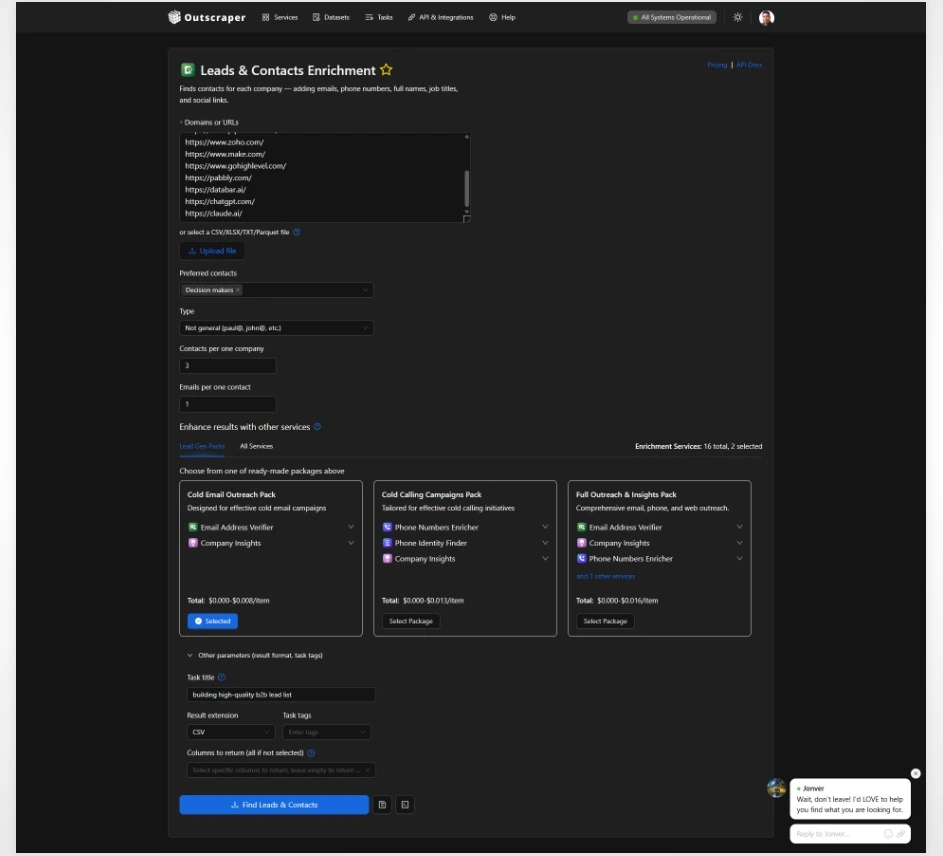
Paste company domains or upload a file, then use Outscraper to find emails, phone numbers, names, job titles, and social links for each company.
Keep the Source Attached
Source tracking is easy to skip, but it matters when your team starts checking the list.
If a record has no source, your team may not know where the business or email came from.
Website Source
Save the company website, contact page, or footer page where the email was found.
Business Profile Source
Keep the public business listing or Google Maps URL connected to the company.
Verification Source
Record whether the email was checked before it was added to the outreach list.
Keeping the source attached helps your team review records faster and avoid sending to contacts that are unclear, outdated, or unrelated to the campaign.
Verify, Clean, and Prepare the Lead List for Outreach
A lead list is not ready just because it has emails.
Before your team sends a campaign, the list needs to be checked, cleaned, and organized. This step matters because bad records can lead to bounced emails, wasted outreach, and extra cleanup inside your CRM.
The goal is simple:
Remove the records that should not be used, then keep the leads that match your campaign.
For a more detailed pre-outreach check, follow this guide to clean your prospect list before cold outreach before uploading the file to your CRM or outreach tool.
Verify Emails Before Sending
Email verification helps your team check whether an email is valid, risky, or not ready for outreach.
At minimum, review:
- invalid emails
- duplicate emails
- risky emails
- role-based emails
- emails with missing or wrong domains
- emails that do not match the business record
Do this before sending, not after the campaign fails.
Remove Records That Are Not Campaign-Ready
Some records should not go straight into your outreach tool.
Review or remove leads with:
- no business name
- no clear source
- wrong industry
- wrong location
- duplicate website
- duplicate phone number
- invalid email
- missing website when the campaign needs one
- business category that does not match your offer
This is where many bought databases become expensive in a different way. Your team may save time collecting contacts, but lose time cleaning the file.
Standardize the File Before CRM Upload
A clean file is easier to sort, filter, and review.
Use clear columns such as:
- Company Name
- Веб-сайт
- Эл. адрес
- Телефон
- Категория
- City
- State or Region
- Country
- Рейтинг
- Review Count
- Деловой статус
- Source URL
- Email Status
- Segment
- Notes
- Last Updated Date
Do not upload a messy file and fix it later inside the CRM. Clean the list first so your team knows what each record means.
Create a Simple Lead Status
Add a status column so your team can see what to do next.
| Lead Status | Use This When | Next Step |
|---|---|---|
| Ready for Outreach | The lead has a verified email, correct segment, clear source, and complete company details. | Add it to the campaign or CRM. |
| Needs Review | The business may fit, but the record has missing fields, unclear source data, or contact details that still need checking. | Check the missing fields before sending. |
| Remove From List | The record has an invalid email, wrong business type, duplicate data, or no clear source. | Remove it or keep it outside the active campaign. |
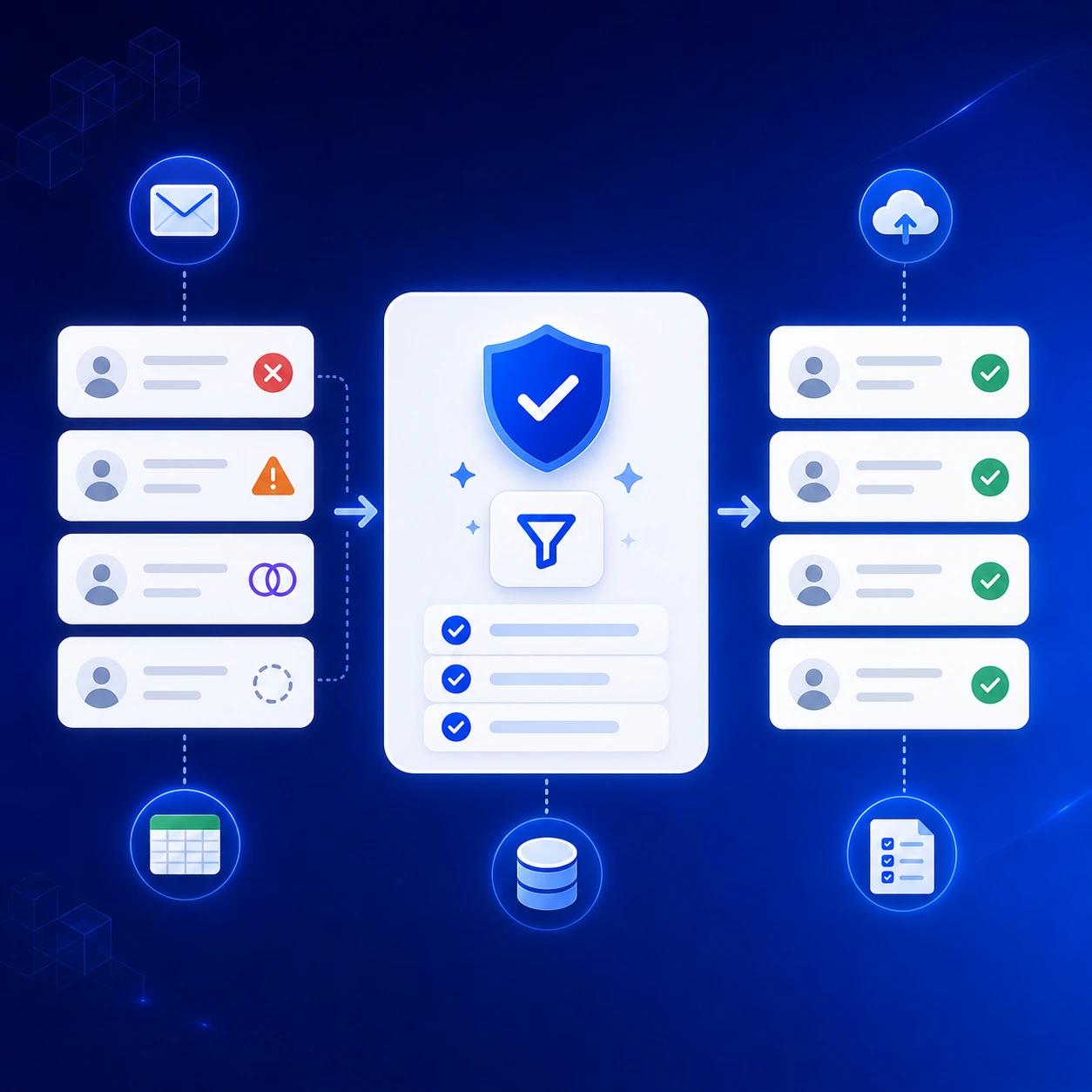
Remove invalid, risky, duplicate, and incomplete records before uploading the list to your CRM or outreach tool.
Segment the B2B Lead List by Outreach Use Case
A clean list is easier to use when each lead has a clear purpose.
If every business goes into one broad campaign, the message becomes too generic. A restaurant, dental clinic, law firm, and hotel may all need different offers, even if each one has a valid email.
Segmentation helps your team group leads based on why they fit the campaign.
Segment by Industry and Location
Start with the basic fields your team already collected.
Examples:
- restaurants in Miami
- dental clinics in California
- law firms in London
- hotels in Dubai
- gyms in Toronto
- agencies in New York
This helps sales teams, agencies, and consultants build lists around a clear market instead of working from one mixed file.
Segment by Website and Contact Availability
Website and contact fields can show which businesses are easier to prepare for outreach.
Examples:
- businesses without websites
- businesses with websites but no public email
- businesses with verified emails
- businesses with phone numbers only
- businesses with contact forms
A web design agency may start with businesses that have no website, while a sales team may focus first on leads with verified emails and complete company details. You can also build a segment around businesses without websites for cold outreach and match the message to that specific problem.
Segment by Review and Rating Signals
Reviews can help your team find stronger outreach angles.
Examples:
- businesses with low ratings
- businesses with many reviews
- businesses with recent bad reviews
- businesses with no recent review activity
- businesses with high review volume but weak average rating
A reputation management agency may use low ratings as a signal. A local SEO agency may use review count and location to spot active businesses that still need better visibility.
Segment by Campaign Goal
Each segment should connect to a clear offer.

Final Checklist: Build a High-Quality B2B Lead List Without Buying a Database
- Start with the businesses you want to reach.
- Collect fresh company data by category, location, and market.
- Add contact details while keeping the source attached.
- Verify emails and remove weak records.
- Segment the list before outreach.
Start with fresh business data, add contact details, verify emails, and segment leads before outreach. Outscraper helps you build cleaner lead lists without relying on static contact files.
Часто Задаваемые Вопросы
Наиболее частые вопросы и ответы
A high-quality B2B lead list is a list of businesses that match your target market and are ready for review, outreach, or CRM upload.
It should include more than an email address. A good record should show the business name, website, category, location, phone number, email status, source URL, segment, and last updated date.
A bought database gives you a ready-made contact file.
A high-quality B2B lead list is built around your target market. It starts with fresh company data, adds contact details, checks email quality, and removes weak records before outreach.
The main difference is context. A bought list may give you contacts. A strong lead list helps your team understand which businesses are worth contacting.
A B2B lead list should include:
- business name
- сайт
- категория
- местоположение
- phone number
- email address
- source URL
- email status
- segment
- notes
- last updated date
For local business outreach, it can also help to include rating, review count, business status, opening hours, and website presence.
Start by defining the businesses you want to reach. Choose the industry, location, category, and use case.
Then collect fresh company data, add contact details, verify emails, remove duplicates and weak records, and segment the list before adding it to your CRM or outreach tool.
Email verification helps your team avoid invalid, risky, or outdated addresses.
This can reduce bounced emails, protect your outreach quality, and keep bad records out of active campaigns.
Update active outreach lists before each new campaign.
For larger market lists, review them monthly or quarterly. Business data changes often, so your team should track when each list was collected, checked, and last updated.