İçindekiler
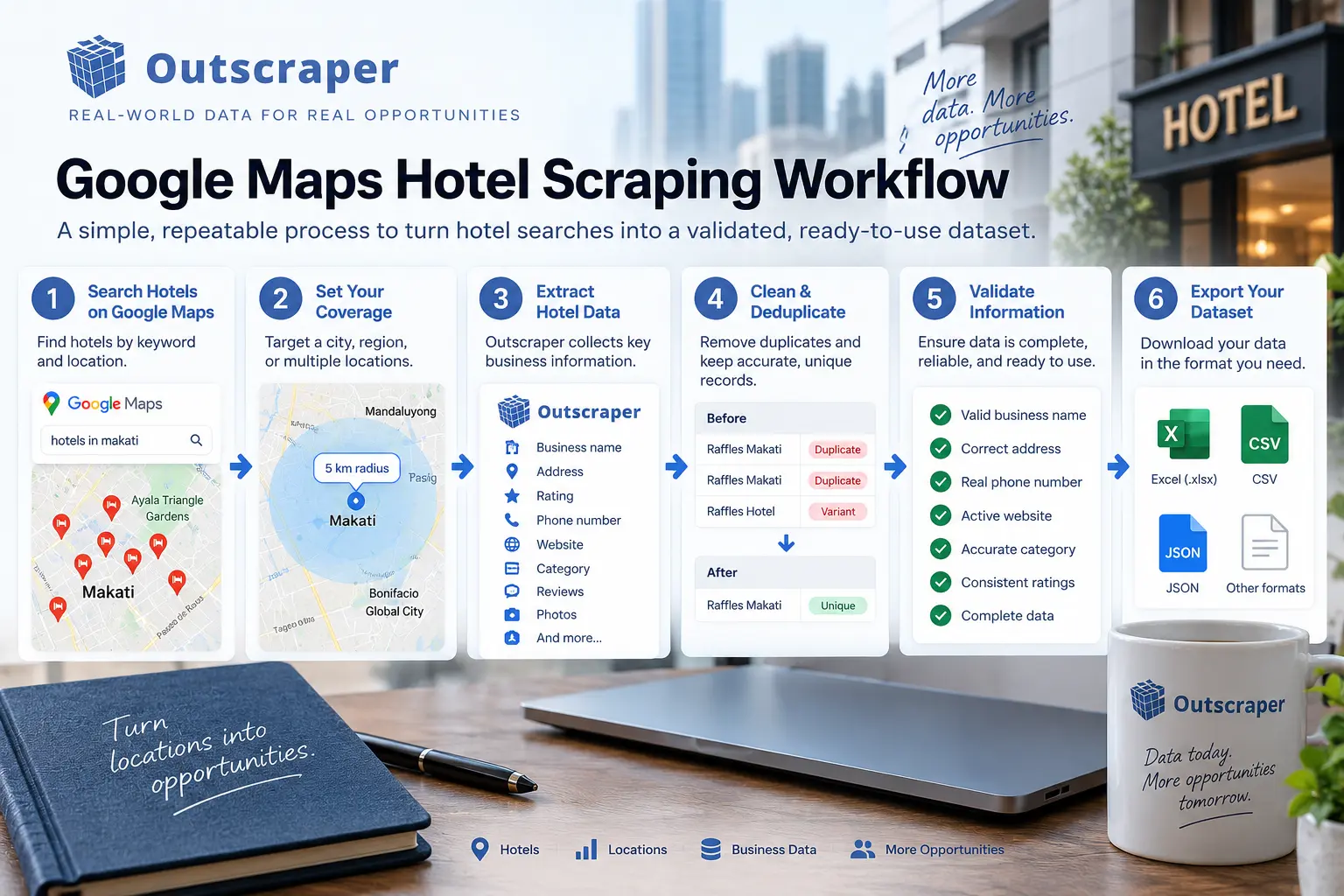
Scraping hotels from Google Maps can help businesses build structured hotel datasets for market research, competitive analysis, prospecting, and location research. Instead of manually opening individual listings and copying information into a spreadsheet, you can create a repeatable workflow for collecting relevant hotel data at scale.
The key is not simply collecting as many hotel listings as possible. A useful dataset depends on choosing the right category, defining the target geography, selecting the fields you need, removing duplicates, and validating the results before using them.
Quick Answer: How Do You Scrape Hotels from Google Maps?
To scrape hotels from Google Maps, define the hotel category, target locations, and data fields you need first. Then run focused Google Maps searches, collect the results, expand geographic coverage where necessary, remove duplicates, and validate the final dataset. For larger or densely populated markets, splitting the geography into smaller areas can improve coverage and make the workflow easier to control.
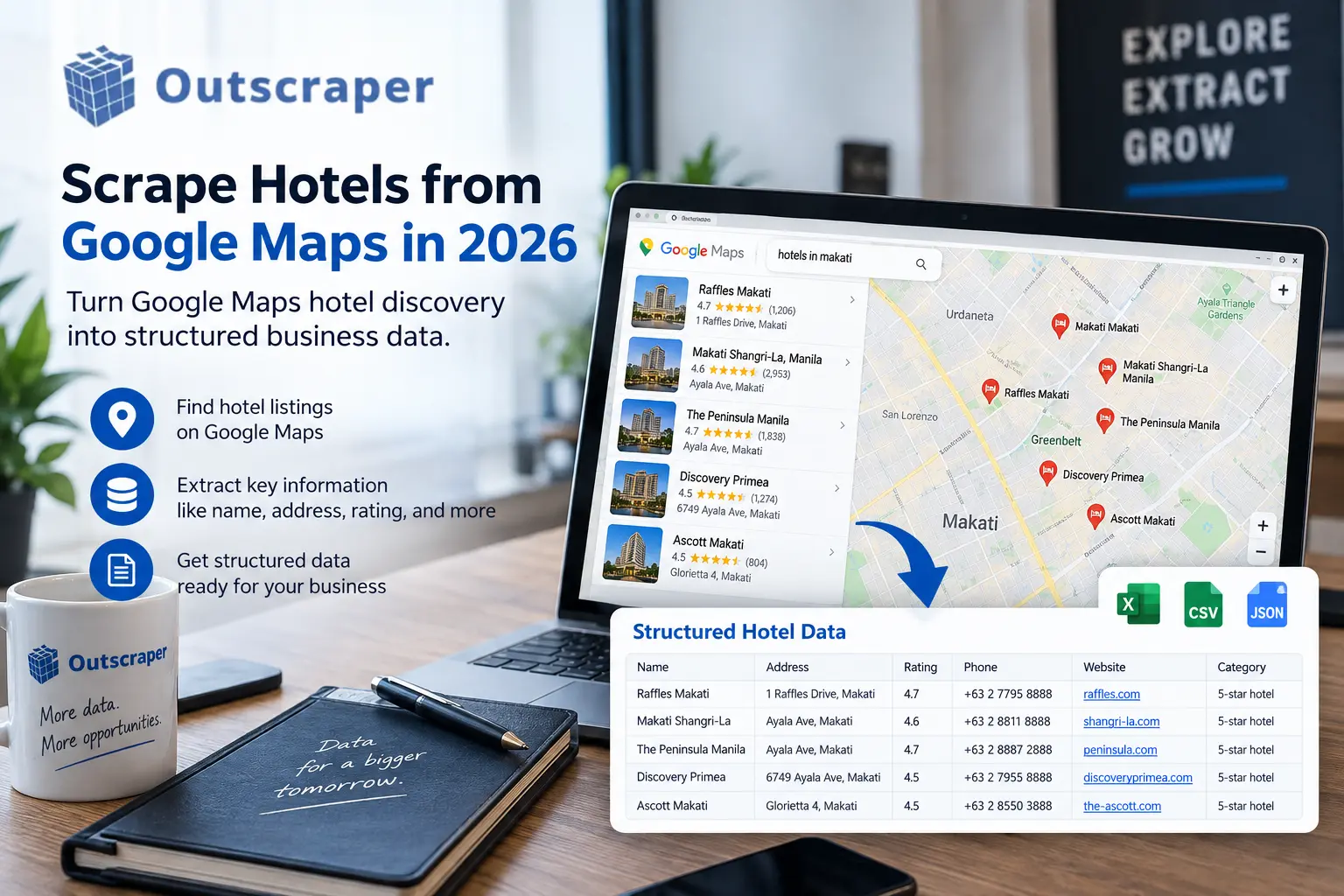
What Hotel Data Can You Collect from Google Maps?
The value of a hotel dataset depends on what you plan to do with it. Basic listing information can help you understand a market, while additional business attributes can make the dataset more useful for prospecting, competitive research, and analysis.
Depending on the available source data and extraction settings, hotel records may include business names, categories, addresses, phone numbers, websites, geographic coordinates, ratings, review counts, business status, Google Maps URLs, place identifiers, opening information, and other available business attributes.
For example, a hospitality researcher may use location, rating, and review information to compare hotels across different areas. A sales team may instead prioritize websites, phone numbers, location, and other business information for prospecting.
If your project is specifically focused on hotel discovery, you can also explore the Google Hotels Scraper for hotel-focused data collection and exports.
The important point is to determine the fields you actually need before starting. Collecting unnecessary information can make the resulting dataset harder to filter, analyze, and maintain.
A reliable hotel data workflow should begin with a clearly defined objective. Before collecting a large number of records, determine what information you need and how the final dataset will be used.
How to Scrape Hotels from Google Maps in 2026
A reliable hotel data workflow should begin with a clearly defined objective. Before collecting a large number of records, determine what information you need and how the final dataset will be used.
Define the Market and Data Goal
Start by deciding whether you need hotels in a single city, multiple destinations, a region, or a larger market. Then determine which fields are important for the project.
A competitive analysis project might focus on hotel locations, ratings, review counts, and business status. A prospecting project could require websites, phone numbers, addresses, and other business information.
Defining the objective first also makes it easier to decide which filters and enrichment options are necessary.
The goal is to turn a broad Google Maps search into a dataset that answers a specific business question.
Choose the Hotel Category and Location
Once the market is defined, select the relevant hotel category and target location.
A focused query can produce more useful results than a vague search because the category and geography establish the boundaries of the dataset. Start with a smaller area whenever possible so you can inspect the results before expanding the task.
Outscraper’s Google Maps scraping workflow allows you to work with categories and locations while collecting structured business information.
Outscraper helps you collect and organize Google Maps business data by location, category, and other criteria, making it easier to build a hotel dataset for research and analysis.
Expand Coverage and Validate the Results
A single broad search may not provide the level of geographic coverage you need, particularly in dense cities or large markets.
After the initial test, compare the results with your target market. If important areas appear underrepresented, expand the workflow using additional geographic searches.
Once the results are collected, remove duplicates and inspect a sample of the final records. Check that the businesses belong to the intended category and geographic area and that the returned fields are useful for your objective.
How to Build Complete Hotel Coverage for a City or Region
Building a useful hotel dataset is not simply about running more searches. The objective is to create a controlled process that covers the market while keeping the resulting dataset clean.
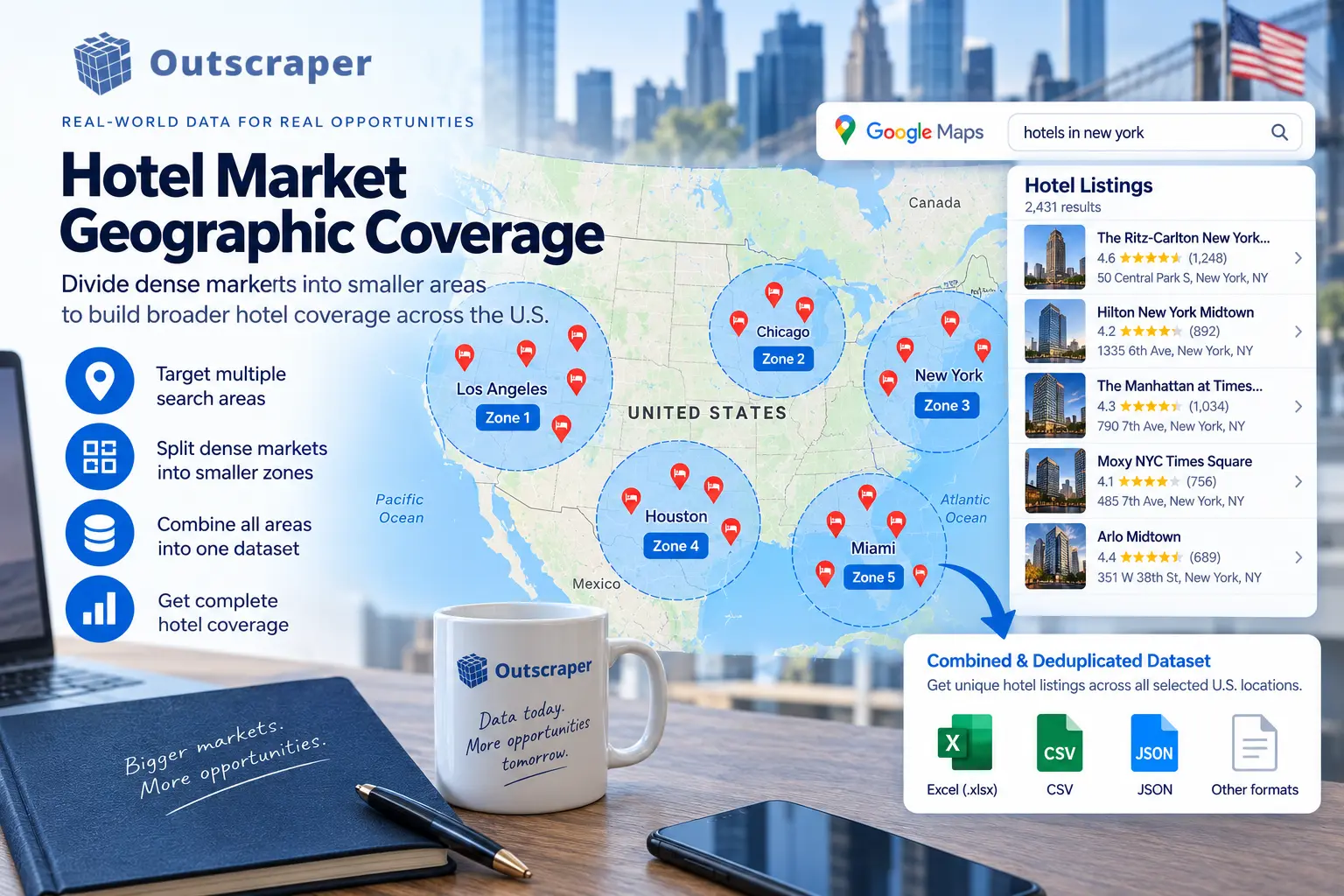
Use Smaller Geographic Areas
For densely populated cities, consider dividing the market into neighborhoods, postal codes, districts, or other useful geographic units.
Running focused searches across smaller areas can make it easier to identify potential coverage gaps. The results can then be combined into a larger dataset.
This approach is especially useful when a broad search does not provide the coverage you expect.
For a more detailed implementation approach, see Outscraper’s guide on scraping densely populated areas using ZIP codes.
The exact geographic method will depend on the market. A city with concentrated hotels may require a different approach from a large region with properties spread across multiple communities.
Combine and Clean the Results
When multiple geographic searches overlap, the same hotel can appear more than once.
Use duplicate-handling options where available and review the consolidated dataset before enrichment, analysis, or CRM import.
It is also useful to document the geographic areas searched, categories used, and collection date. This makes the process easier to reproduce when the dataset needs to be refreshed.
How to Filter, Qualify, and Use Hotel Data
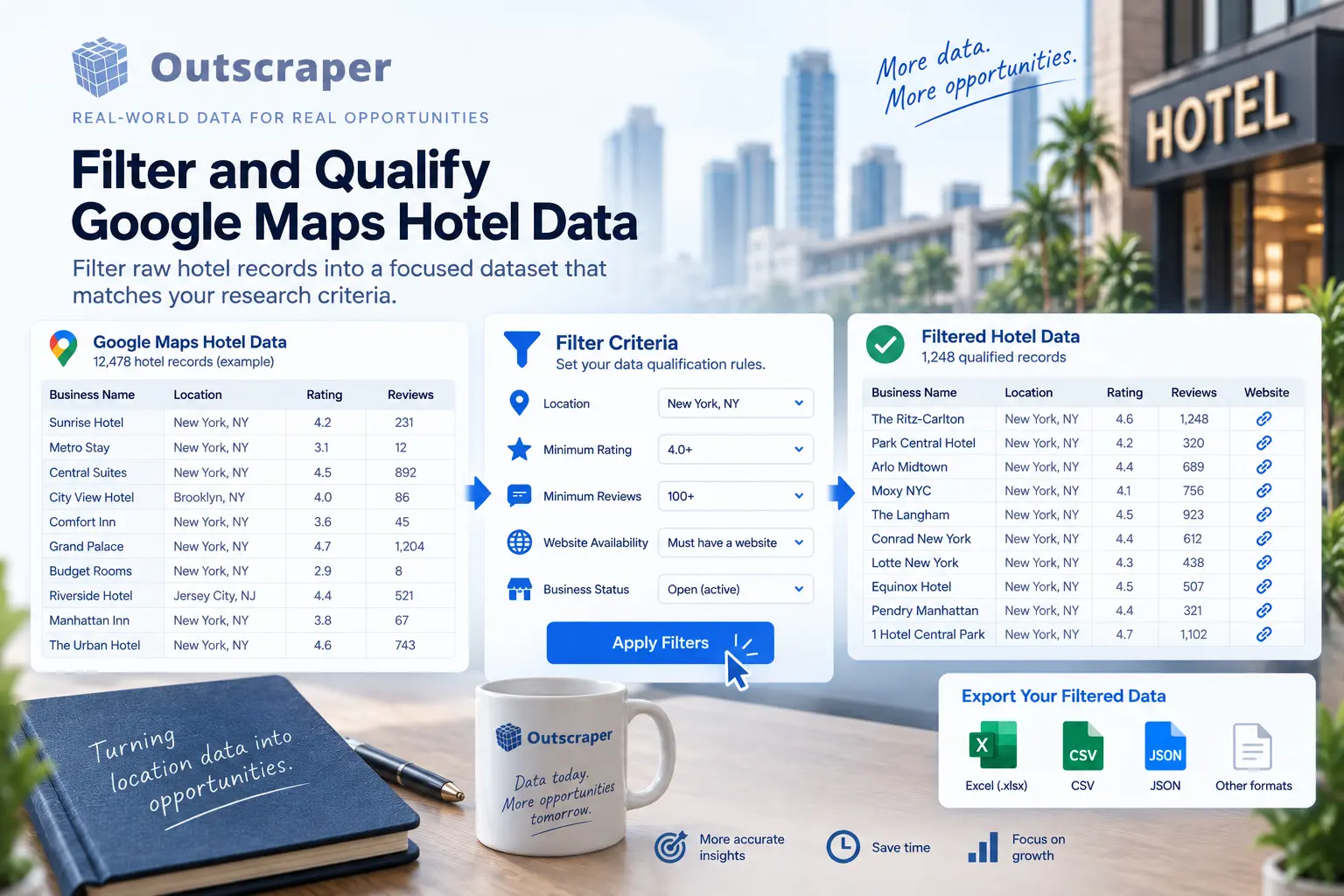
A large hotel dataset becomes more useful when you can narrow it to records that match the project’s requirements.
Depending on the use case, you may filter hotels by:
- Location
- Hotel category
- Değerlendirme (Rating)
- Review count
- Business status
- Website availability
- Other available business attributes
For example, a market research project could focus on hotels above a specific rating or review count.
A prospecting project could prioritize hotels with websites and available contact information.
Filtering before export reduces unnecessary records and makes the final dataset easier to analyze or import into another system.
If you need to narrow Google Maps results using specific criteria, the Google Maps Data Scraper Filters guide explains how filtering can be used to refine the results returned by a scraping task.
After applying filters, validate a sample of the remaining records. Check that the businesses match the intended hotel category and geography and that important fields contain the information required by your project.
A practical qualification process is:
- Collect hotel records.
- Remove duplicate listings.
- Apply relevant filters.
- Review a sample of results.
- Export the qualified dataset.
- Document the search criteria and collection date.
Common Mistakes and a Repeatable Hotel Data Workflow
Scraping hotels from Google Maps becomes harder to manage when the collection process is not defined before the search begins.
One common mistake is starting with a broad search without deciding what the dataset needs to accomplish. This can leave you with many records but no clear criteria for determining which ones are useful.
Another problem is relying on one geographic search for a large or densely populated market. Dividing the target area into smaller geographic units makes it easier to identify missing areas and control the collection process.
Duplicate listings are another issue when multiple geographic searches overlap. Consolidate the results and remove duplicate hotels before using the dataset for analysis, outreach, enrichment, or CRM import.
It is also important to validate the output rather than assuming every returned listing is relevant. Review sample records and confirm that the hotel category, location, and required fields match the original project requirements.
Finally, document the workflow. Record the categories, locations, filters, searches, and collection date so the same process can be repeated when the dataset needs to be updated.
A practical repeatable workflow is:
Define the goal → Choose the category → Define the geography → Collect the data → Expand coverage → Remove duplicates → Filter → Validate → Export → Document.
A strong hotel dataset starts with coverage, not volume. If you search one broad area and export the first results, you may miss properties in surrounding districts or create duplicates when you expand the search later.
For a more reliable workflow, define the hotel category and required fields first, break large markets into manageable geographic areas, consolidate overlapping results, and filter the records against the criteria that matter to your project.
Frequently Asked Questions
SIKÇA SORULAN SORULAR
Use a Google Maps data extraction service, select the hotel category, define the location, test the query, and run the extraction. For larger markets, use multiple geographic searches and remove duplicates before analyzing the results.
You can design a broader city-coverage workflow by splitting the market into smaller geographic areas and consolidating the results. The practical completeness of the dataset depends on the search design, source behavior, geography, and collection date.
Depending on the available source fields and extraction settings, hotel datasets can include names, addresses, coordinates, websites, phone numbers, ratings, review counts, categories, Maps links, and other place attributes.
Hotel place data can provide rating and review-count information. If you need review text, use a workflow specifically designed for Google Maps reviews and evaluate the applicable collection and use requirements for your project.
Use duplicate-removal options when available, particularly when combining multiple geographic searches. Validate the final dataset before enrichment or importing it into another system.
There is no hard cap Outscraper is built to scale. You can collect all reviews for a single business listing or run bulk tasks across hundreds of locations at once. Teams doing sentiment analysis often pull tens of thousands of reviews across entire industries. The platform handles the heavy lifting in the cloud, so your computer doesn’t need to stay on while the task runs.
If your next project involves collecting hotels across multiple locations, start with the geography and qualification criteria rather than trying to collect everything at once.
Outscraper gives you a practical way to collect Google Maps business data around the locations, categories, and fields your project requires.